Business Central Licensing: Simple, Flexible, and Hassle- Free
Get Exactly what you need without paying for what you don’t

Get Exactly what you need without paying for what you don’t

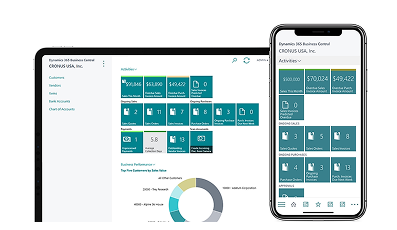

Microsoft Dynamics 365 Business Central builds upon the trusted foundation of Microsoft Dynamics NAV, offering small and medium-sized businesses a complete management solution combining robust functionality and cloud flexibility. This all-in-one platform integrates financial management, sales, marketing, service capabilities, project management, and supply chain operations within a single, user-friendly system that adapts to specific organizational needs.
Business Central delivers the familiar capabilities of Dynamics NAV while adding modern cloud advantages, supporting informed decision-making through comprehensive business intelligence. Available exclusively through authorized Microsoft Partners like Team Computers. Business Central uses a straightforward subscription model with monthly per-user licensing that eliminates large initial investments and allows businesses to scale their ERP solution as they grow.
Microsoft has streamlined the licensing structure for Dynamics 365 Business Central, making it accessible for organizations of all sizes. Business Central is distributed exclusively through certified Microsoft Dynamics 365 partners who provide implementation services, industry expertise, and ongoing support. We recommend scheduling a personalized Business Central demonstration with a partner to fully assess the solution’s capabilities and pricing structure for your specific needs.
The Business Central pricing model is specifically designed for small and medium-sized businesses requiring core ERP functionality across finance, sales, marketing, service, project management, and operations. For companies with specialized requirements, additional Dynamics 365 applications can extend Business Central’s capabilities in areas such as marketing automation, advanced sales, customer service, financial operations, and human resources.
Dynamics 365 Business Central efficiently adjusts to your specific operational requirements while optimizing accounting processes, supply chain management, production scheduling, equipment maintenance, quality control, and additional business functions. The platform includes Azure IoT integration, enabling remote equipment monitoring and proactive service management.

Users can view Business Central dashboards, run reports, and edit existing records. However, team member licenses have some limitations: users cannot add new customers, generate sales invoices, or enter journal entries.
Users can handle a wide range of features and functionalities with Dynamics 365 Business Central Essentials license, including financial management, HRM, advanced AI forecasting, CRM, project management, supply chain management, warehouse management, and more.
Access to the features of Essentials License plus Manufacturing & Distribution, Advanced Warehouse Management, and Field Service Management capabilities.

Business Central targets mid-sized companies and international enterprises seeking modern ERP and CRM solutions for their essential business functions. The system adapts through configuration to match your specific business processes across financial management, sales operations, marketing initiatives, service delivery, project oversight, supply chain coordination, inventory tracking, and operational management.
The deployment of cloud-based Business Central follows a structured methodology including:

Find expert answers to your most frequently asked questions about Microsoft Dynamics 365 Business Central.
Reach out to us for any questions or support. Our dedicated team is here to provide prompt and helpful assistance.