

Most companies think the biggest cost in end-user devices is the purchase itself.
It’s not.
The real cost starts after deployment — when devices begin slowing down employees, increasing support tickets, creating security gaps, and consuming IT bandwidth every single day.
And the worst part?
Most of these problems build quietly in the background until productivity drops, employees get frustrated, and IT teams spend more time firefighting than innovating.
For organizations managing hundreds or thousands of laptops across locations, small device issues quickly become large operational problems.
Here are the biggest mistakes enterprises make with end-user devices — and how smart organizations avoid them.
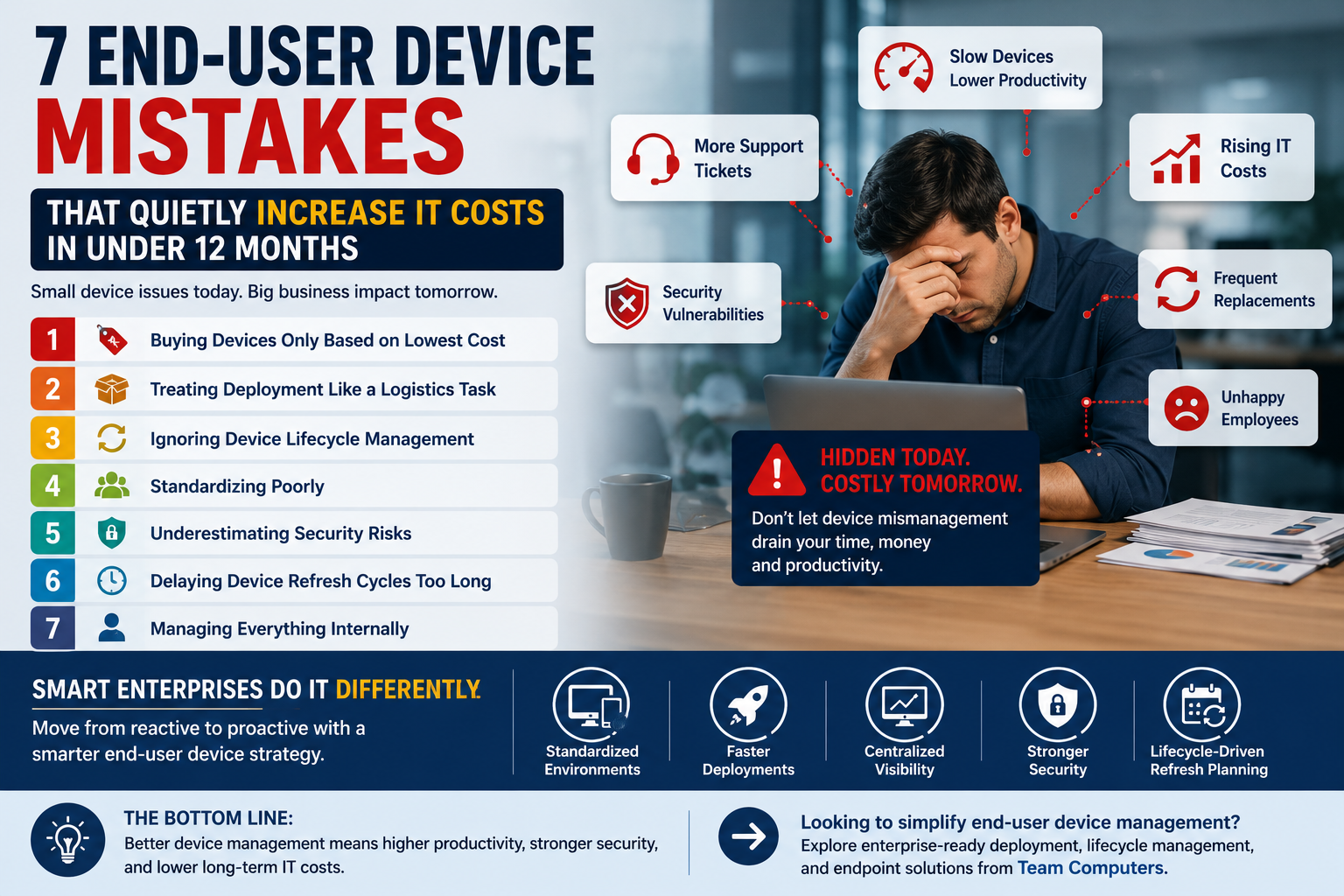
1. Buying Devices Only Based on Lowest Cost
A cheaper laptop may reduce upfront spending.
But if that device struggles with enterprise workloads, battery performance, or long-term reliability, the organization pays for it later through:
- Higher downtime
- Increased support tickets
- Faster replacement cycles
- Lower employee productivity
The smarter approach is balancing cost with lifecycle value.
Business-grade devices from brands like Dell Technologies, HP, and Lenovo are designed for enterprise environments where stability matters more than flashy specifications.
2. Treating Deployment Like a Logistics Task
Many companies assume deployment simply means handing over laptops to employees.
In reality, deployment involves:
- Imaging and configuration
- Security setup
- Application installation
- Asset tagging
- User readiness
Without structured deployment, employees lose productive hours on setup issues and IT teams get buried under support requests.
Organizations using centralized deployment and staging processes reduce rollout delays significantly.
3. Ignoring Device Lifecycle Management
Most enterprises manage devices reactively.
A laptop slows down. Then IT gets involved.
A battery fails. Then replacement is approved.
This approach creates constant disruption.
Smart organizations track device health proactively through lifecycle management strategies that include:
- Performance monitoring
- Planned refresh cycles
- Centralized visibility
- Predictive replacements
This prevents downtime before it affects employees.
4. Standardizing Poorly
Different device models across teams create operational complexity.
Different chargers. Different drivers. Different configurations. Different support requirements.
The result?
IT teams spend more time troubleshooting compatibility issues instead of focusing on strategic work.
Standardized end-user device environments simplify:
- Support
- Security management
- Software deployment
- Procurement planning
5. Underestimating Security Risks
Every unmanaged laptop becomes a potential security risk.
Outdated operating systems, missing patches, and inconsistent endpoint protection create vulnerabilities across the organization.
For industries like BFSI, healthcare, manufacturing, and enterprise services, this risk becomes even more serious.
Strong endpoint device management ensures:
- Security updates stay consistent
- Compliance policies remain enforced
- Devices remain visible across locations
6. Delaying Device Refresh Cycles Too Long
Many organizations try to extend laptop usage beyond practical performance limits.
The problem?
Employees lose time every day dealing with:
- Slow boot times
- Battery issues
- Application lag
- System crashes
Individually these delays look small.
Across hundreds of employees, they quietly become a major productivity cost.
Sometimes replacing devices earlier is cheaper than continuing to operate inefficient systems.
7. Managing Everything Internally
Internal IT teams already handle infrastructure, security, networking, and user support.
Large-scale end-user device management adds another layer of operational pressure.
This is why many enterprises now work with specialized IT partners for:
- Device deployment
- Lifecycle management
- Endpoint monitoring
- Warranty coordination
- Device refresh planning
The result is smoother operations and reduced IT workload.
What Smart Enterprises Are Doing Differently
Leading organizations are shifting from simply buying devices to building structured end-user device ecosystems.
That includes:
- Standardized device environments
- Faster deployment processes
- Centralized asset visibility
- Better endpoint security
- Lifecycle-driven refresh planning
The goal is no longer just procurement.
It’s long-term operational efficiency.
The Bottom Line
End-user devices directly affect productivity, employee experience, security, and IT efficiency.
When devices are poorly managed, organizations lose time and money quietly — every single day.
But with the right deployment strategy, lifecycle management approach, and enterprise-grade devices, businesses create environments where employees can work without interruption and IT teams can operate with far less stress.
Because in enterprise IT, the real cost of a laptop is rarely the invoice price.
It’s everything that happens after the device reaches the employee.