Most enterprises have backups. Far fewer have disaster recovery that actually works when it’s needed. The distinction matters more than it might seem, because the gap between “we have backups” and “we can actually recover our business within an acceptable window” is exactly where organizations get caught out during a real outage, whether that’s caused by a hardware failure, a cyberattack, a facility issue, or a regional disruption.
The cost of that gap tends to become visible only after it’s too late to close cheaply. A ransomware incident that encrypts production systems, a facility power failure that lasts longer than backup generation was designed for, or a regional connectivity outage can all turn what looked like a solid data protection strategy into days of business disruption, simply because backup and true disaster recovery were never clearly distinguished during planning.
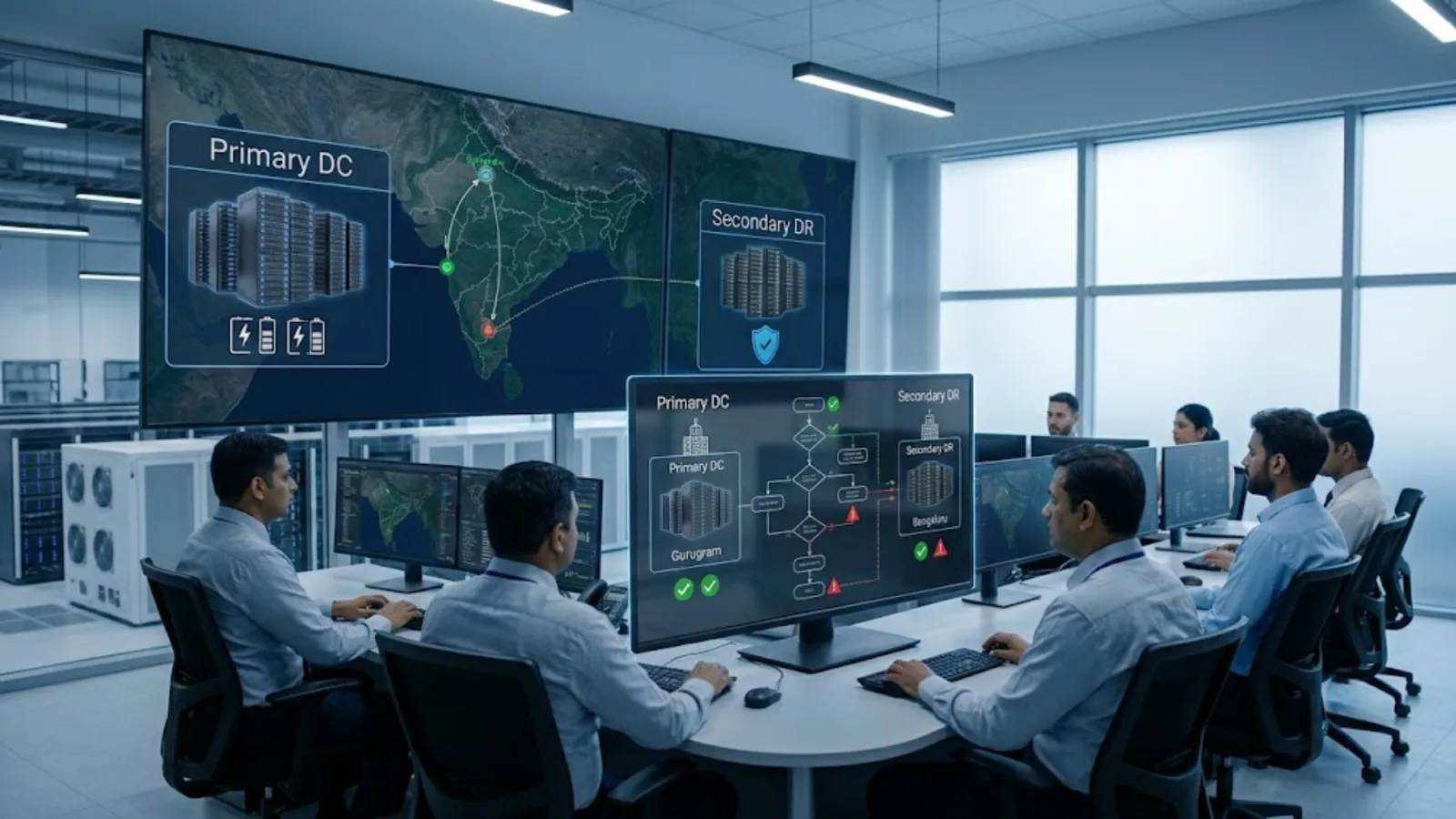
Building a DC-DR setup, a primary data center paired with a properly designed disaster recovery site, is how enterprises close that gap. This guide walks through the core concepts, including RTO and RPO, how they should shape architecture decisions, and a practical, phase-by-phase approach to building and testing a disaster recovery solution that holds up under real conditions rather than just looking complete on paper.
Backup vs Disaster Recovery: Why the Distinction Matters
Backup and disaster recovery get used interchangeably in casual conversation, but they solve different problems, and conflating them is one of the more common and costly mistakes in enterprise IT planning.
Backup is about data protection. It’s a copy of data, taken at intervals, that can be restored if the original is lost, corrupted, or compromised. Backups answer the question: can we get our data back?
Disaster recovery is about business continuity. It’s the ability to resume IT operations, applications, systems, and the infrastructure they run on, within a defined time frame after a disruption. Disaster recovery answers a broader question: can we keep the business running, or get it running again quickly, if our primary environment becomes unavailable?
A robust backup strategy is a necessary component of disaster recovery, but it isn’t disaster recovery on its own. An organization can have excellent backups and still take days to actually restore full operations, because restoring data is only one piece of what’s needed. Servers, applications, networking, and access all need to be available again too, and often within a much tighter time frame than a backup restoration process alone can deliver.
RTO and RPO Explained
Recovery Time Objective (RTO) and Recovery Point Objective (RPO) are the two metrics that should drive every disaster recovery design decision, and they answer two distinct questions.
RTO (Recovery Time Objective) is how long the business can tolerate a system being unavailable before the disruption causes unacceptable damage. If a core order-processing system has an RTO of four hours, that means the business has decided it can survive up to four hours without that system, but not meaningfully longer.
RPO (Recovery Point Objective) is how much data loss the business can tolerate, measured in time. An RPO of fifteen minutes means the business can accept losing up to fifteen minutes of data (transactions, updates, changes) in the event of a disruption, since that’s the maximum gap between the point of failure and the most recent recoverable copy of the data.
These two metrics are not the same thing, and confusing them leads to poorly matched DR architecture. A system can have a short RTO but a longer, acceptable RPO (recover quickly, but a small amount of recent data loss is tolerable), or the reverse (recovery can take longer, but essentially no data loss is acceptable). The right combination depends entirely on what the workload does and how the business is affected by each type of loss.
Setting RTO and RPO isn’t a technical decision made by IT alone. It should be a business decision, made with input from the functions that actually depend on each system, since the cost of achieving very short RTOs and RPOs rises sharply as the targets get more aggressive. Near-zero RTO and RPO, achieved through continuous, real-time replication and active-active infrastructure, costs significantly more than an RTO measured in hours with periodic replication. Matching the investment to genuine business need, workload by workload, is one of the most important and most frequently skipped steps in DR planning.
Where Disaster Recovery Fits Into a Business Continuity Plan
A business continuity plan for IT is broader than disaster recovery alone. Disaster recovery focuses specifically on restoring IT systems and infrastructure. Business continuity planning addresses how the entire business, people, processes, facilities, and technology together, continues operating or recovers following a disruption.
IT disaster recovery is usually the most technically complex component of a broader business continuity plan, but it needs to be built with the rest of that plan in mind. A DR setup that can restore systems within the target RTO doesn’t fully solve business continuity if employees can’t access those systems, if critical processes depend on people or facilities that are also affected by the same disruption, or if customer communication and operational workarounds haven’t been planned alongside the technical recovery.
In practice, this means IT disaster recovery planning shouldn’t happen in isolation from broader business continuity planning. The two need to be coordinated, with IT recovery targets set in the context of what the rest of the business actually needs to keep functioning. DR is also one of the operational pillars in our guide to data center solutions in India.
Designing the DC-DR Architecture
Once RTO and RPO targets are set per workload, the architecture question becomes how to actually achieve them. A few models are commonly used, generally increasing in cost and complexity as recovery targets tighten.
Backup and restore. Data is backed up regularly, but infrastructure at the DR site is not pre-provisioned and running. Recovery involves provisioning infrastructure and restoring data after a disaster occurs. This is the least expensive approach but typically the slowest, often measured in hours to days, making it suitable primarily for lower-priority workloads.
Pilot light. A minimal version of the environment runs continuously at the DR site, generally just core infrastructure and continuously replicated data, with the remaining infrastructure scaled up only when a disaster is declared. This reduces recovery time compared with backup and restore, at moderate additional cost.
Warm standby. A scaled-down but functional version of the full environment runs continuously at the DR site, ready to be scaled up to full capacity quickly if needed. This further reduces RTO, at higher ongoing cost than a pilot light approach.
Active-active (hot site). Both the primary and DR site run production workloads simultaneously, with data continuously synchronized between them. This achieves the shortest possible RTO, often near-zero, but at the highest cost and architectural complexity, since applications need to be designed to run correctly across two active locations.
Replication strategy also matters here. Synchronous replication writes data to both sites simultaneously, supporting near-zero RPO but requiring low-latency connectivity between sites, which can constrain how far apart they can practically be. Asynchronous replication allows a small delay between the primary write and the DR copy, supporting greater geographic separation between sites at the cost of a slightly larger RPO.
Choosing a DR Site in India
Selecting the right DR site in India involves balancing several, sometimes competing, factors.
Geographic separation. The DR site needs to be far enough from the primary site that a single regional event, such as a natural disaster or a widespread power grid disruption, doesn’t affect both locations simultaneously. At the same time, excessive distance can increase network latency, which matters for synchronous replication in particular.
Connectivity quality. The DR site needs robust, ideally redundant, network connectivity both to the primary site (for replication) and to end users and other business systems (for actual recovery operations to function once failed over).
Compliance and data residency. For regulated industries, the DR site needs to meet the same data residency and compliance requirements as the primary site, since a DR environment that falls outside these requirements creates a compliance gap precisely at the moment the business is already dealing with a disruption.
Facility reliability and tier level. The DR site’s own infrastructure resilience matters. A DR site that’s itself prone to outages undermines the purpose of having one, which is why facility tier level and track record are worth evaluating with the same rigor applied to the primary data center.
Colocation vs. cloud DR. Many enterprises today build their DR site using cloud infrastructure rather than a second physical facility, which can reduce cost and complexity, particularly for pilot light or backup-and-restore models, though it introduces its own considerations around data transfer costs and cloud provider dependency.
Building the DR Setup: A Step-by-Step Approach
Step 1: Classify workloads by criticality. Not every system needs the same level of protection. Group applications by business impact and assign appropriate RTO and RPO targets to each group, rather than applying a single standard across the entire environment.
Step 2: Select the architecture per workload group. Match backup-and-restore, pilot light, warm standby, or active-active models to each criticality group, based on the RTO and RPO targets established in Step 1.
Step 3: Select and provision the DR site. Choose a DR site location and provider that meets the geographic, connectivity, and compliance requirements outlined above, and provision the infrastructure appropriate to the chosen architecture.
Step 4: Implement replication. Set up data replication between primary and DR environments, choosing synchronous or asynchronous replication based on the RPO requirements and the latency characteristics of the connection between sites.
Step 5: Document the failover process. Build a detailed runbook covering exactly how failover is triggered, who has authority to declare a disaster, the specific technical steps involved, and how failback to the primary site happens once it’s restored.
Step 6: Test before relying on it. A DR setup that hasn’t been tested is a plan, not a capability. Regular testing, covered in more detail below, is what actually validates whether the environment performs to its designed RTO and RPO.
The DR Drill Checklist
A DR drill checklist should be run on a defined schedule, not just after a major infrastructure change, since environments drift over time in ways that can quietly invalidate a DR plan that worked correctly when it was first built.
- Confirm replication is current and functioning, checking actual replication lag against the target RPO rather than assuming it’s within range.
- Validate that failover can be triggered according to the documented process, by the people actually authorized to do so.
- Measure actual recovery time against the target RTO, rather than assuming the design specification reflects real-world performance.
- Test application functionality at the DR site, not just infrastructure availability, since a system that’s technically running but not functioning correctly doesn’t restore business operations.
- Verify data integrity after failover, confirming that recovered data matches what’s expected rather than assuming replication succeeded without gaps.
- Test failback to the primary site once it’s available again, since failback is often overlooked in DR planning despite being just as operationally important as failover itself.
- Review and update documentation based on what the drill reveals, since drills routinely surface gaps between documented process and actual system behavior.
Drill frequency should scale with workload criticality. Business-critical systems generally warrant more frequent, more rigorous testing than lower-priority workloads, and any significant change to the primary environment should trigger a review of whether the DR setup still matches it.
Common Mistakes That Undermine Disaster Recovery Readiness
A few patterns show up repeatedly across enterprise DR environments, often invisible until an actual disruption exposes them.
Treating backup as disaster recovery. As covered above, this is the single most common and most consequential mistake, and it’s usually only discovered when a real incident requires more than data restoration to resolve.
Setting RTO and RPO targets without business input. IT teams sometimes default to whatever the existing infrastructure can support rather than working backward from what the business actually needs, which can leave critical systems under-protected or, less commonly, over-invested relative to their real business impact.
Letting the DR environment drift out of sync with production. Configuration changes, application updates, and infrastructure changes made to the primary environment don’t always get reflected in the DR environment, which can silently invalidate a DR plan that worked correctly when it was originally built.
Skipping regular testing. A DR plan that exists only on paper, or that was tested once during initial setup and never again, carries substantially more risk than one that’s tested on a defined, recurring schedule.
Underestimating the human and process side of failover. Even a technically sound DR environment can fail to deliver its target RTO if the people responsible for declaring a disaster and executing the runbook aren’t clear on their roles, or if the decision-making process itself introduces delay during an actual incident.
Where an Experienced Partner Helps
Disaster recovery and business continuity planning sit at the intersection of technical infrastructure design, business risk assessment, and disciplined ongoing testing, a combination that few internal IT teams have the bandwidth to maintain consistently alongside their day-to-day responsibilities. DR environments that were correctly designed years ago often quietly drift out of alignment with the primary environment as it evolves, and without regular testing, that drift usually isn’t discovered until it’s needed most.
Team Computers works with enterprises across India to design, build, and test DC-DR environments matched to actual business RTO and RPO requirements, across on-premises, colocation, and cloud-based DR models. If your organization’s disaster recovery plan hasn’t been tested recently, or if backup and disaster recovery have been treated as the same thing rather than distinct capabilities, it’s worth reviewing that gap before an actual disruption reveals it. Talk to Team Computers about building a disaster recovery setup that holds up when it matters.
Related reading
- How to Choose an IT Infrastructure Services Company in India
- IT AMC vs Managed Services vs Staff Augmentation: Choosing a Support Model
- IT Infrastructure Automation: Where to Start and What to Automate First