
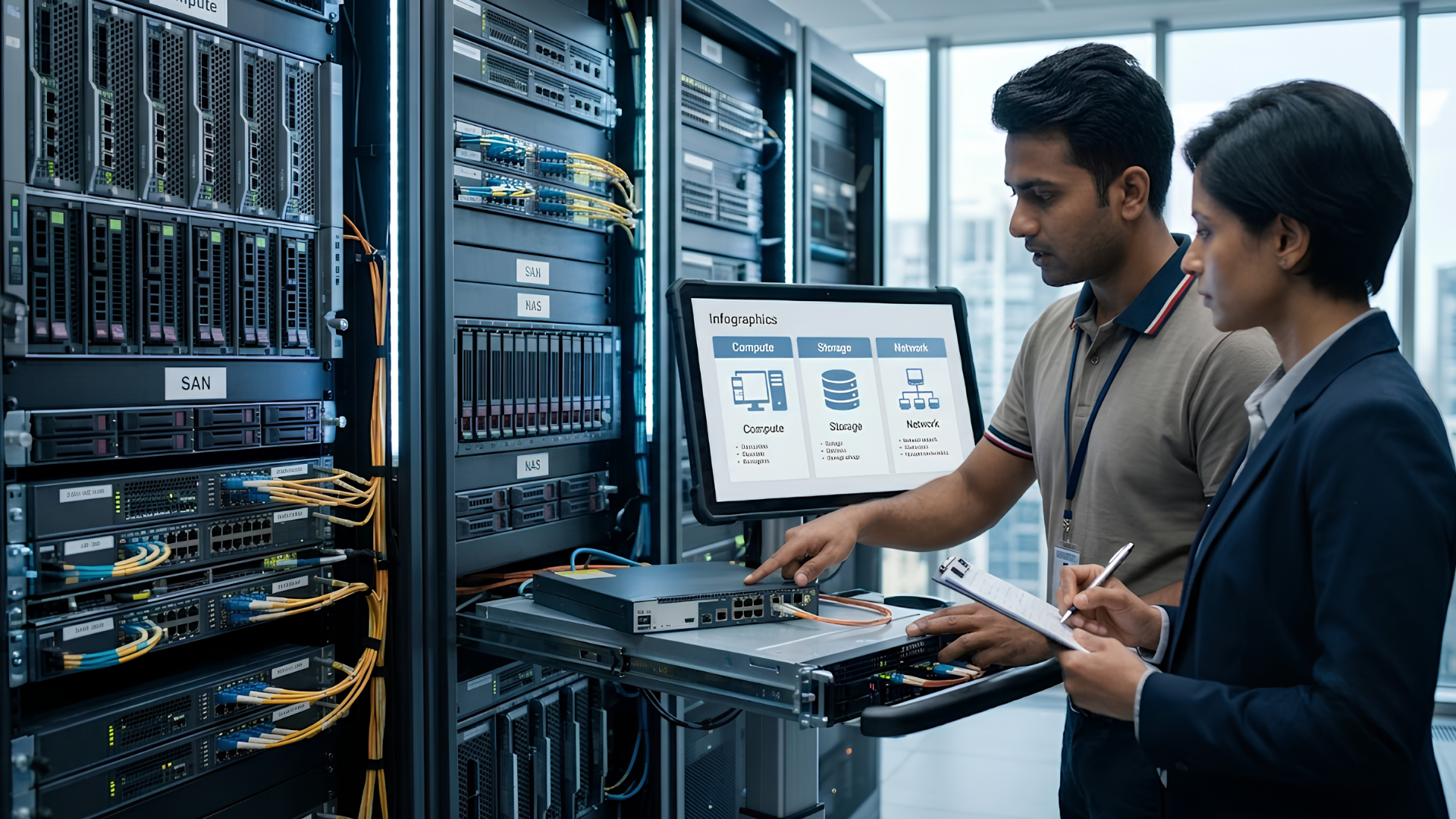
Ask five people in an organization “what is IT infrastructure?” and you’ll likely get five different answers: the servers, the internet connection, the laptops, “the cloud,” or simply “IT.” All of them are partly right, which is exactly why the term causes confusion. IT infrastructure isn’t one thing. It’s the combined set of hardware, software, networks and facilities an organization needs to run its technology, and every one of those pieces has to work together for the business to function.
This guide answers the most common questions IT and business leaders ask about IT infrastructure: what it means, what it’s made of, the different types it can take, and what it actually looks like inside a real organization.
Key Takeaways
- IT infrastructure means the combined hardware, software, networking components and facilities an organization needs to build, run and support its IT services.
- The core components of IT infrastructure fall into a few groups: hardware, software, network infrastructure, data storage, and the facilities/security layer around them.
- IT network infrastructure specifically refers to the physical and virtual components (routers, switches, cabling, wireless access points and related protocols) that let devices and systems communicate with each other.
- There are several types of IT infrastructure (traditional, converged, hyperconverged and cloud-based), and most enterprises today run some mix of them rather than a single type.
- Real examples make the definition concrete: everything from the laptop an employee uses, to the Wi-Fi access point in a meeting room, to the cloud account running a company’s applications, is part of IT infrastructure.
What Is IT Infrastructure? (IT Infrastructure Meaning)
IT infrastructure means the underlying hardware, software and networking components an organization depends on to build, operate and support its technology environment. It covers everything from the physical equipment sitting in a server room to the operating systems and applications running on top of it, and the network connections that tie all of it together.
Put simply: IT infrastructure is the technology foundation everything else in a business runs on. Email, file storage, video calls, business applications, point-of-sale systems, remote work: none of it functions without an underlying infrastructure of devices, connections and systems working together in the background.
It’s worth separating this from a related but different idea: infrastructure is the technology itself, while IT operations or IT infrastructure management is the ongoing discipline of running, monitoring and improving that technology. An organization can own strong infrastructure and still manage it poorly, which is usually where the real problems start.
What Are the Components of IT Infrastructure?
IT infrastructure components are generally grouped into a few categories that work together as a system rather than in isolation.
1. Hardware
Hardware is the physical foundation, the equipment you can actually touch. It includes servers, data storage devices, networking equipment like routers and switches, and end-user devices such as laptops, desktops, tablets and mobile phones. The facilities that house and support this equipment (server rooms, data centers, and their power and cooling systems) are usually considered part of the hardware layer too.
2. Software
Software components are what let IT teams actually use and manage the hardware layer. This includes operating systems, database management systems, virtualization software, and the everyday business applications employees rely on. Middleware, the layer that lets different software applications communicate with one another, also falls into this category.
3. Network Infrastructure
IT network infrastructure is the physical and virtual layer that connects everything else: routers, switches, cabling, wireless access points, and the protocols and services that let devices exchange data. Without a functioning network layer, none of the other components can actually talk to each other, which is why network reliability is often the first thing people notice when infrastructure isn’t working well. It’s also why IT infrastructure monitoring usually tracks network health alongside servers and storage.
4. Data Storage
Storage systems organize and preserve an organization’s data, from structured databases to file storage and backup systems. This spans on-premises storage arrays as well as cloud-based storage services, and it has to account for both everyday access and long-term backup and recovery.
5. Facilities and Security
Physical facilities (data centers, server rooms, and the power, cooling and physical security systems that support them) are part of the infrastructure definition too, even though they’re easy to overlook. Layered across every component above is security infrastructure: firewalls, access controls, monitoring and identity management, which protect the other categories rather than standing apart from them.
What Are the Different Types of IT Infrastructure?
Not every organization builds infrastructure the same way. Broadly, there are four common approaches, and most enterprises today run some combination rather than picking just one.
Traditional Infrastructure
In a traditional setup, every component (servers, storage, networking) is purchased, configured and managed separately. This gives an organization maximum flexibility and control over each individual piece, but it also means more integration work and more moving parts for the IT team to manage on its own.
Converged Infrastructure
Converged infrastructure bundles the same core components (servers, storage and networking) into a single, pre-integrated system, rather than assembling them piece by piece from different vendors. It’s largely the same underlying technology as traditional infrastructure, just packaged in a way that’s simpler to purchase, deploy and support.
Hyperconverged Infrastructure (HCI)
Hyperconverged infrastructure takes this a step further, using software to combine compute, storage and networking into a single unified system that functions as one rather than as separate parts. This software-defined approach simplifies deployment and scaling, which is one reason it has become a popular choice for use cases like virtual desktops and smaller edge locations.
Cloud Infrastructure
Cloud infrastructure runs on virtualized resources hosted by a cloud provider rather than on equipment an organization owns and maintains itself. It can be consumed in different forms: infrastructure delivered as a service is the closest equivalent to owning physical hardware, with platform and software layers often built on top of it.
Most organizations today aren’t purely one type. A typical enterprise might run core applications on hyperconverged infrastructure in a data center, host some workloads in the cloud, and still manage a traditional network and device fleet at branch locations, which is exactly why “hybrid” has become less a specific technology choice and more the default operating reality for most IT teams.
Real Examples of IT Infrastructure
Definitions are useful, but IT infrastructure is easier to understand through what it actually looks like day to day. A few concrete examples, spanning the components covered above:
- A company’s Wi-Fi network: the wireless access points, switches and cabling that let every device in the office connect to the internet and internal systems.
- The laptops and desktops employees use every day: end-user hardware running an operating system, security software and the applications people need to do their jobs.
- A file server or cloud storage account: where shared documents, project files and business data live and are backed up.
- A company’s email and collaboration platform: software infrastructure that depends on underlying servers, storage and network connectivity to function reliably.
- The firewall and VPN protecting a corporate network: the security layer sitting across hardware and network infrastructure to keep unauthorized traffic out.
- A retail store’s point-of-sale system: a combination of hardware (the terminal), software (the transaction application), and network infrastructure (the connection back to inventory and payment systems).
- A video conferencing setup in a meeting room: collaboration hardware (camera, speaker, display) connected to software and network infrastructure that makes remote meetings possible.
Each example touches more than one component category, which is the core idea worth taking away: IT infrastructure isn’t a single system to point at. It’s the combination of many systems that only deliver value when they’re working together.
Where This Fits Into a Broader Technology Strategy
Understanding what IT infrastructure is made of is the starting point, but most organizations don’t struggle with the definition. They struggle with keeping every component current, secure and aligned as the business grows: devices reaching end of life at different times, network capacity not keeping pace with headcount, or fragmented purchasing decisions across hardware, software and cloud that were never planned as one connected system.
This is where having an experienced technology partner involved makes a practical difference: helping an organization evaluate the right IT infrastructure solutions across hardware and OEM options, plan deployment at scale, and manage the lifecycle of that infrastructure rather than treating each purchase as a one-off. If your organization is mapping out its infrastructure strategy for the year ahead, that’s a conversation worth having with your technology partner early, not after a gap turns into a problem.
Related reading
- India’s Digital Transformation Journey over the last 75 years
- India’s Second Google Cloud Region is now Live in Delhi NCR
- Is your phone Pegasus Free?
Frequently Asked Questions
What does IT infrastructure mean in simple terms?
IT infrastructure means all the hardware, software, networking components and facilities an organization needs to run its technology and deliver its IT services, from the physical devices people use, to the network connecting them, to the software running on top.
What are the main components of IT infrastructure?
The main components of IT infrastructure are hardware (servers, storage, networking equipment, end-user devices), software (operating systems, databases, applications), network infrastructure (routers, switches, wireless access), data storage, and the facilities and security systems that support all of the above.
Is IT infrastructure the same as IT network infrastructure?
No. IT network infrastructure is one part of the broader IT infrastructure: specifically, the routers, switches, cabling, wireless access points and protocols that connect devices and systems. IT infrastructure is the larger category that also includes hardware, software, storage and facilities beyond the network layer.
What is an example of IT infrastructure in a business?
Common examples include a company's office Wi-Fi network, employee laptops and desktops, a file server or cloud storage system, the email and collaboration platform staff use, and the firewall protecting the corporate network. Each is a piece of a larger, connected infrastructure rather than a standalone system.
What's the difference between traditional and cloud IT infrastructure?
Traditional infrastructure is hardware an organization purchases, hosts and manages itself: servers, storage and networking equipment typically kept in an on-premises server room or data center. Cloud infrastructure runs on virtualized resources hosted and maintained by a cloud provider, which an organization accesses remotely rather than owning outright. Most enterprises today run a hybrid mix of both rather than choosing exclusively one or the other.
Why does understanding IT infrastructure matter for a business, not just IT teams?
Because nearly every business function (communication, data storage, customer service, transactions) depends on infrastructure working reliably behind the scenes. When infrastructure decisions are made piecemeal, without a clear view of how components fit together, the business ends up absorbing the cost later through downtime, security gaps, or technology that doesn't scale with growth.