Most IT teams don’t find out about a failing server from a monitoring alert. They find out from an employee complaint, a stalled transaction, or a customer support ticket. By the time that happens, the problem has usually been building for hours or days. IT infrastructure monitoring exists to close that gap: to catch degrading performance, capacity limits and failing components before they turn into outages users actually notice.
This guide walks through what IT infrastructure monitoring covers, the metrics worth tracking, how monitoring differs from observability, and a practical step-by-step approach to setting it up, whether you’re building a monitoring program from scratch or fixing gaps in an existing one.
Key Takeaways
- IT infrastructure monitoring is the continuous tracking of servers, networks, storage and applications to detect performance issues, failures and capacity limits before they affect users.
- Monitoring and observability are related but different: monitoring tells you that something is wrong; observability helps you understand why.
- A recent industry analysis of enterprise outage data found that a majority of outages involve failures that were technically detectable beforehand, meaning stronger monitoring could have caught many of them before they became user-facing incidents (JustAnalytics, 2026).
- A working monitoring setup needs four things in place: a complete inventory of what’s being monitored, defined thresholds for “healthy” versus “at risk,” a clear alerting and escalation path, and dashboards that translate technical data into business-relevant reporting.
- Uptime monitoring and SLA dashboards matter as much for accountability and stakeholder trust as they do for technical troubleshooting.
What Is IT Infrastructure Monitoring?
IT infrastructure monitoring is the ongoing practice of collecting and analyzing data from servers, network devices, storage systems, cloud resources and applications to understand whether they’re performing as expected. It covers metrics like uptime, response time, resource utilization and error rates, and it’s designed to surface problems early, ideally before they cause downtime rather than after.
This is different from a one-time health check or an annual infrastructure audit. Monitoring is continuous by definition: data is collected in near real time, compared against expected baselines, and used to trigger alerts the moment something drifts outside a normal range. Within a wider IT infrastructure management framework, monitoring is the layer that turns raw data into early warnings.
Monitoring vs. Observability: What’s the Difference?
These two terms get used interchangeably, but they answer different questions.
Monitoring tells you that something is wrong. It’s built around predefined metrics and thresholds: CPU usage crossed 90%, a server stopped responding, latency spiked above an acceptable range. Monitoring is excellent at detecting known failure patterns you’ve already anticipated and configured alerts for.
Observability goes a step further and helps you understand why something is wrong, even for problems you didn’t anticipate. It typically combines three types of data (metrics, logs and traces) so that when an alert fires, an engineer can trace the issue back through the system rather than starting an investigation from scratch.
In practice, most organizations need both. Monitoring catches the known problems and keeps day-to-day operations visible; observability becomes essential once infrastructure is complex enough (multiple cloud environments, microservices, distributed offices) that root-causing an issue requires connecting data across several systems rather than looking at one dashboard.
Key Metrics to Track
Effective infrastructure monitoring depends on tracking the right metrics, not the most metrics. A few categories consistently matter most:
Server monitoring metrics: CPU utilization, memory usage, disk I/O, and available storage capacity. These metrics catch resource exhaustion before it causes a crash or severe slowdown, and trending them over time helps with capacity planning rather than just incident response.
Network monitoring metrics: bandwidth utilization, packet loss, latency, and jitter across routers, switches and WAN links. Network issues are often the hardest to diagnose after the fact because they can be intermittent, which makes continuous monitoring more valuable here than almost anywhere else in the stack.
Uptime and availability: the percentage of time a system, service or application is available and functioning, usually tracked against an internal or contractual target (commonly expressed as “three nines,” “four nines,” and so on). Uptime monitoring is often the single metric business stakeholders care about most, even when the underlying technical picture is more nuanced.
Response time and latency: how quickly a system responds to a request. This matters for both internal systems (an ERP or file server) and customer-facing ones (a website or transaction platform), where slow performance often drives complaints before an actual outage does.
Error rates: the frequency of failed requests, transactions or processes, which often signals a developing problem well before a full outage occurs.
Security-relevant signals: unusual login patterns, unexpected configuration changes, and failed access attempts, which increasingly need to be monitored alongside performance metrics rather than as a completely separate discipline. Centralized logging is one of the twelve controls in our IT infrastructure security checklist.
How to Set Up IT Infrastructure Monitoring: A Step-by-Step Guide
Step 1: Build a Complete Inventory of What Needs Monitoring
You cannot monitor what you haven’t accounted for. Start with a full inventory of infrastructure components: servers, network devices, cloud resources, storage systems, critical applications and, where relevant, end-user devices. Many monitoring gaps trace back to this step being incomplete: a branch office switch, a legacy server, or a cloud resource spun up outside the standard process often ends up invisible until it fails.
Step 2: Define Baselines and Thresholds
For each component, decide what “normal” looks like and where the warning and critical thresholds sit. A server running at 60% CPU may be perfectly healthy; the same server sustained at 95% for an hour is a different story. Thresholds should be based on actual historical behavior wherever possible, not generic defaults, since every environment has a different normal.
Step 3: Choose the Right Monitoring Tools for Each Layer
Different layers of infrastructure typically need different tooling: network monitoring platforms, server and system monitoring agents, cloud-native monitoring services, and application performance monitoring tools. Some platforms cover multiple layers in one place; others are purpose-built for a single domain and need to be integrated together. The right choice depends on how much of the estate is on-premises versus cloud, how many locations need coverage, and how much the existing team can realistically manage day to day.
Step 4: Configure Alerting and Escalation
An alert that nobody sees, or that goes to the wrong person, is functionally the same as no monitoring at all. Set up alerting with clear severity levels, defined escalation paths, and enough context in the alert itself that whoever receives it can act quickly rather than starting an investigation from zero. Alert fatigue is a real risk here: too many low-value alerts train teams to ignore notifications altogether, which defeats the purpose of monitoring in the first place.
Step 5: Build SLA Dashboards for Stakeholders
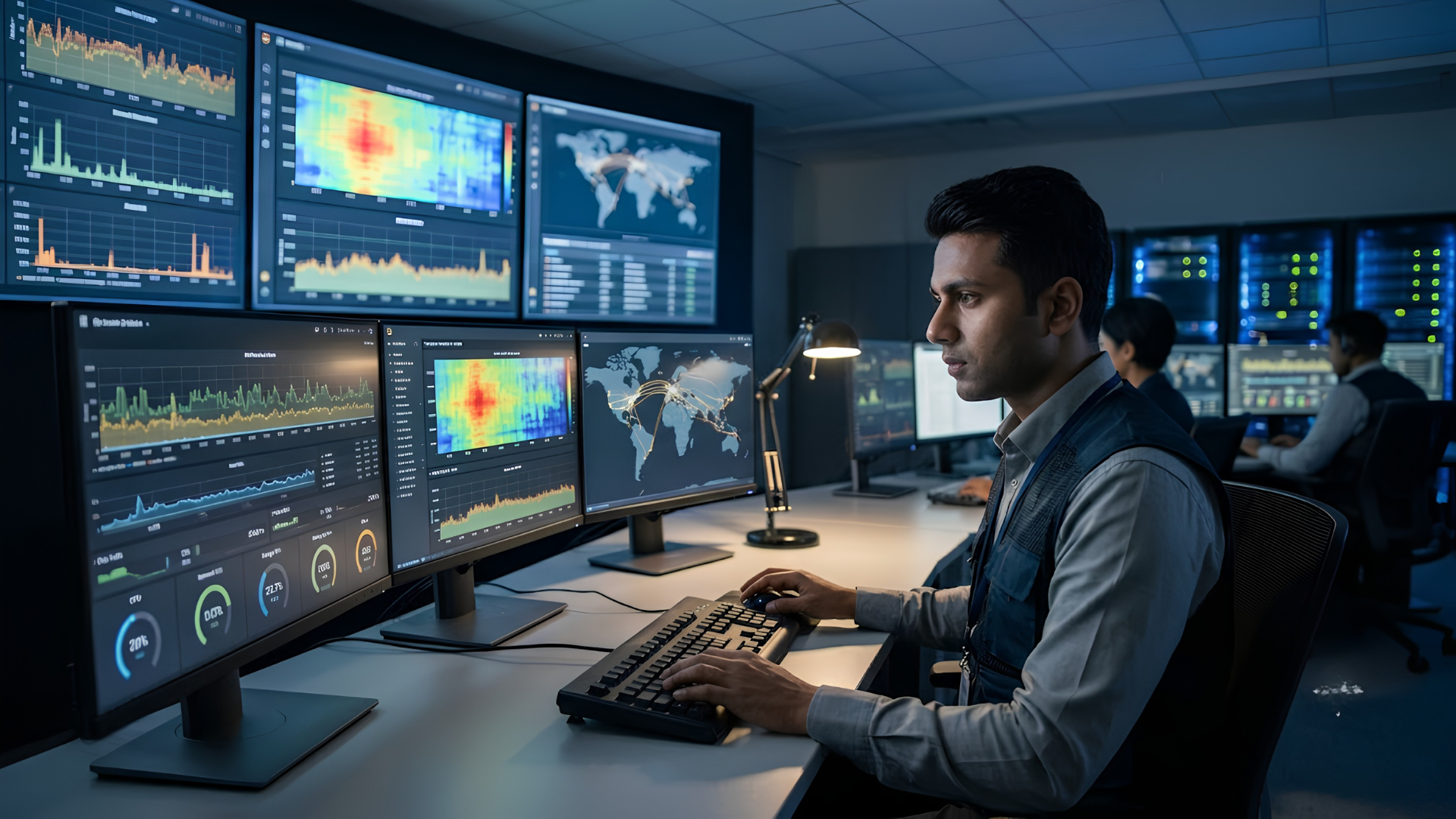
Technical dashboards built for engineers and SLA dashboards built for business stakeholders usually need to look different. Leadership generally wants a small number of clear indicators (uptime percentage, incidents resolved within SLA, average resolution time) presented in a way that’s easy to review at a glance, without needing to interpret raw technical metrics. Building this layer on top of the technical monitoring stack turns infrastructure data into something leadership can actually use for decision-making and for holding vendors to their support SLAs.
Step 6: Review, Tune and Expand Coverage Over Time
Monitoring isn’t a one-time setup. Thresholds need periodic review as usage patterns change, new infrastructure needs to be added to coverage as it’s deployed, and alert rules need tuning as teams learn which ones are genuinely actionable versus noise. Organizations that treat monitoring as a project with an end date tend to end up with coverage that quietly goes stale within a year. Once coverage is stable, alerts can also start triggering fixes automatically, which is where IT infrastructure automation picks up.
Types of Infrastructure Monitoring Tools
Infrastructure monitoring tools generally fall into a few categories, and most mature environments end up using more than one:
- Network monitoring tools: track the health and performance of routers, switches, firewalls and WAN links, often using protocols like SNMP to pull device-level data.
- Server and system monitoring tools: track CPU, memory, disk and process-level health on physical and virtual servers, typically via lightweight agents installed on each system.
- Cloud-native monitoring services: built into major cloud platforms to track the health and performance of cloud-hosted resources, often the fastest way to get baseline visibility into a cloud environment without deploying separate agents.
- Application performance monitoring (APM) tools: track how software applications actually perform from the user’s perspective, including transaction times and error rates within the application layer itself.
- Unified/converged monitoring platforms: aim to bring several of the categories above into a single view, reducing the number of dashboards a team needs to check, at the cost of sometimes being less deep in any one specific domain than a purpose-built tool.
No single tool category is inherently “best”. The right combination depends on the environment being monitored and how centralized the IT team wants visibility to be.
Network Monitoring in India: What’s Different
Network monitoring for enterprises with operations across India comes with a few practical wrinkles worth planning for early rather than discovering later.
Multi-location connectivity variance. Enterprises with offices across metros and smaller cities often deal with a wider spread of ISP reliability and bandwidth quality between locations than a single-city or single-country operation would. Monitoring needs to account for location-specific baselines rather than one blanket threshold applied everywhere.
Hybrid and branch office complexity. Distributed teams working across head office, branch locations and remote setups mean remote infrastructure monitoring has to cover far more edge points than a centralized office model, each with its own router, switch and connectivity profile to track.
Cost-conscious bandwidth management. Bandwidth costs and availability can vary meaningfully by location, which makes network utilization monitoring not just a performance exercise but a cost-management one: spotting unusual traffic patterns before they translate into unnecessary spend or a saturated link at a critical site.
Compliance and data residency considerations. As data protection requirements evolve, monitoring systems themselves, and where the data they collect is stored, increasingly need to be reviewed against the same compliance lens applied to the rest of the infrastructure.
None of this changes the fundamentals of monitoring covered earlier. It just means the setup needs to account for a more distributed, variable environment than monitoring a single, centralized data center would.
Common Mistakes That Undermine Monitoring Programs
A few patterns show up repeatedly in monitoring setups that don’t deliver what they should:
- Monitoring everything at the same priority level, which buries the handful of metrics that actually matter under noise.
- Setting thresholds once and never revisiting them, even as usage patterns and infrastructure change.
- No clear ownership of alerts, so notifications go out but nobody is explicitly accountable for acting on them.
- Treating uptime as the only metric that matters, while ignoring early-warning signals like rising error rates or degrading response times that typically precede an actual outage.
- Building technical dashboards only, with no equivalent view for business stakeholders, which makes it hard to demonstrate monitoring’s value or hold vendors accountable against SLAs.
Where an Experienced Technology Partner Helps
Building and running infrastructure monitoring well requires more than installing a tool. It requires the discipline to keep thresholds current, alerts meaningful, and dashboards relevant as the environment keeps changing. For many internal IT teams, this is exactly the kind of ongoing operational work that’s hard to sustain alongside everything else on their plate, which is why many hand it to a 24×7 NOC.
This is where working with an experienced managed services partner adds value: helping design a monitoring setup that matches the actual environment, managing the day-to-day tuning that keeps alerts useful rather than noisy, and providing the SLA dashboards and reporting that give leadership real visibility into infrastructure health, not just when something breaks but as an ongoing part of how the IT environment is managed.
If your organization’s monitoring setup hasn’t been reviewed in a while, or alerts have started to feel more like noise than signal, that’s usually a sign it’s time to revisit the approach, ideally with a partner who can help build it right the first time.
Related reading
- India’s Digital Transformation Journey over the last 75 years
- India’s Second Google Cloud Region is now Live in Delhi NCR
- Is your phone Pegasus Free?
Frequently Asked Questions
What is IT infrastructure monitoring?
IT infrastructure monitoring is the continuous tracking of servers, networks, storage systems and applications to detect performance issues, failures and capacity constraints, ideally before they cause downtime or affect users.
What is the difference between monitoring and observability?
Monitoring tells you that something is wrong, based on predefined metrics and thresholds. Observability helps you understand why something is wrong, by combining metrics, logs and traces so an issue can be traced back to its root cause, including problems that weren't anticipated in advance.
What metrics should be included in server monitoring?
Core server monitoring metrics include CPU utilization, memory usage, disk I/O, available storage capacity, and process-level health. Tracking these over time supports both immediate troubleshooting and longer-term capacity planning.
What is an SLA dashboard used for?
An SLA dashboard translates technical monitoring data into business-relevant reporting, typically showing uptime percentage, incidents resolved within agreed timeframes, and average resolution time. It's built for stakeholders who need a clear view of service performance without interpreting raw technical metrics.
How is network monitoring different for enterprises with multiple locations in India?
Multi-location enterprises in India often deal with varying ISP reliability and bandwidth quality across cities, more distributed edge points to monitor across branch offices, and bandwidth costs that differ meaningfully by location. Monitoring needs location-specific baselines rather than a single threshold applied uniformly across every site.
Should infrastructure monitoring be managed in-house or outsourced?
It depends on internal team capacity and how much ongoing tuning the organization can sustain. Some enterprises manage monitoring fully in-house; many others use a managed or co-managed model, where a technology partner handles day-to-day monitoring operations while internal teams retain oversight of strategy and critical systems.