Quick answer: A data center is a dedicated physical facility that houses the servers, storage systems, networking equipment, and supporting infrastructure, such as power and cooling, that organizations use to run applications, store data, and keep digital operations available. It can be owned and operated by a single enterprise, shared across multiple customers in a colocation facility, or run entirely by a cloud provider.
That’s the short version. The rest of this guide breaks down what a data center actually consists of, how data center architecture is organized, the different types of data centers enterprises use, and what data center tiers mean when you see a facility described as “Tier III” or “Tier IV.”
What Does “Data Center” Mean?
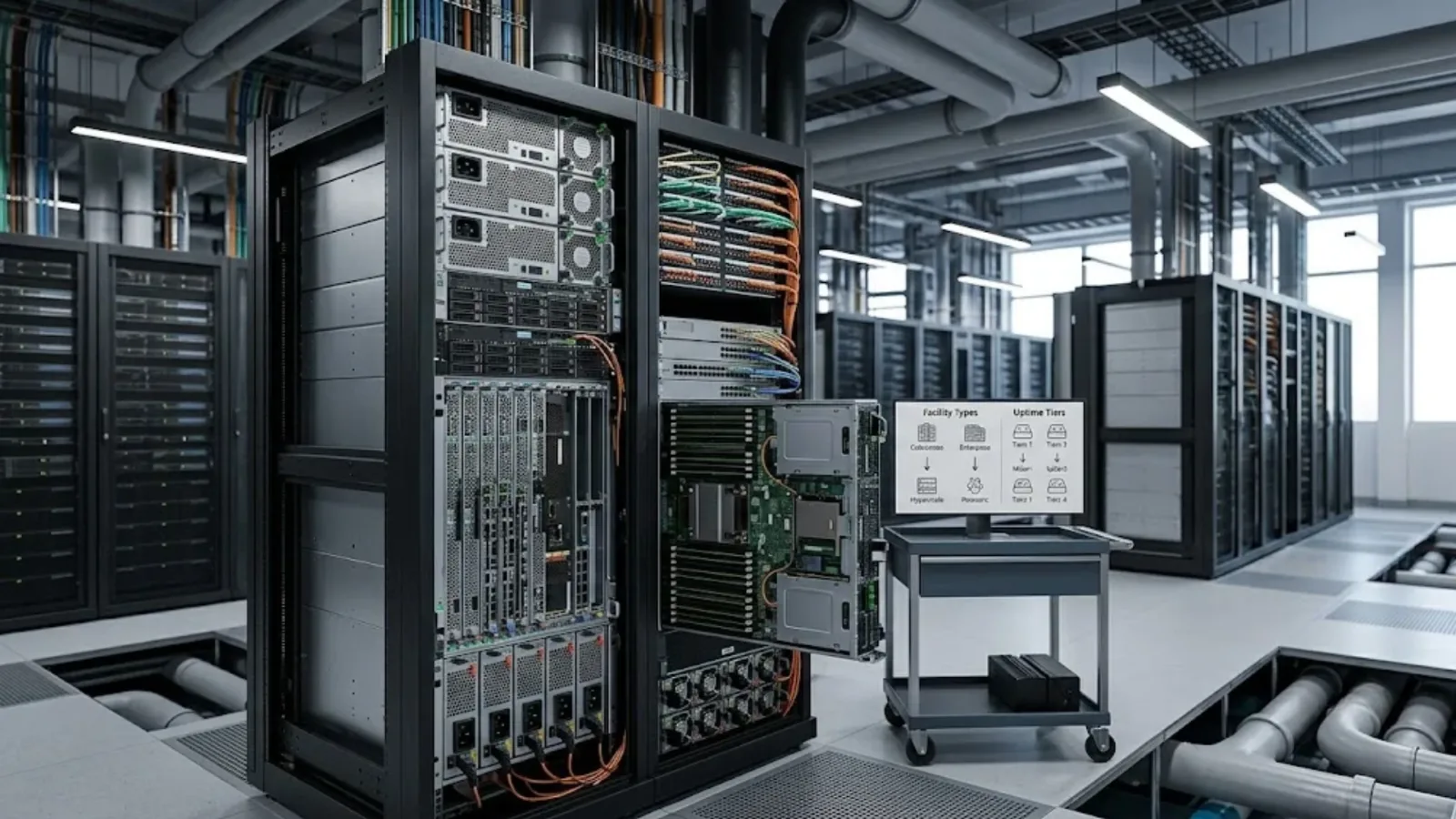
At its simplest, a data center is a facility purpose-built to run IT systems reliably. The data center meaning extends beyond just a room full of servers. It includes everything needed to keep those servers running continuously: electrical power and backup generation, cooling systems, network connectivity, physical security, and fire suppression, alongside the compute and storage hardware itself.
Small businesses might run a modest version of this in a single server room. Large enterprises, hyperscale cloud providers, and government agencies operate facilities that span thousands of square feet and house thousands of servers, consuming as much power as a small town.
What all of them share is the same underlying purpose: providing a controlled, reliable environment where digital systems can operate with minimal disruption. The exact scale, redundancy, and technology involved varies enormously depending on the organization’s size, workload criticality, and budget, but the core function stays the same. A data center is also only one part of a wider IT infrastructure, alongside networks, end-user devices and cloud services.
What Are the Core Components of a Data Center?
A data center is best understood as a stack of layers, each dependent on the one below it. If any single layer is under-designed, whether that’s insufficient cooling capacity or a network that can’t handle peak traffic, the layers above it inherit that weakness regardless of how well they were built individually. Understanding data center components makes it much easier to evaluate a facility, a vendor, or a design proposal, and to ask better questions when reviewing one.
Compute. Physical servers that run applications, virtual machines, and containerized workloads. This is where the actual processing happens, whether that’s an ERP system, a customer-facing website, or an AI model performing inference. Server configurations vary considerably, from general-purpose machines handling standard business applications to specialized, GPU-equipped servers built for AI training and high-performance computing.
Storage. Systems that hold data, ranging from high-speed storage supporting transactional databases to lower-cost storage tiers used for backups and archives. Storage systems also underpin disaster recovery and business continuity capabilities, since how and where data is replicated determines how quickly an organization can recover if primary systems fail. Enterprises typically run a mix of storage tiers rather than a single type, matching cost to how frequently and how quickly different categories of data need to be accessed.
Networking. Switches, routers, load balancers, and firewalls that connect servers to each other, to storage systems, and to the outside world. Networking also includes the connections between a data center and branch offices, cloud environments, and end users.
Power infrastructure. Utility power feeds, uninterruptible power supplies (UPS), backup generators, and power distribution units that keep servers running during outages and protect equipment from power fluctuations.
Cooling infrastructure. Servers generate significant heat, and cooling systems, ranging from traditional air conditioning (CRAC/CRAH units) to more advanced liquid and in-row cooling for high-density racks, keep equipment within safe operating temperatures.
Physical infrastructure. Racks, structured cabling, raised or elevated flooring for airflow management, and the building shell itself.
Physical and logical security. Access control systems, surveillance, and biometric or badge-based entry on the physical side, paired with firewalls, encryption, and intrusion detection on the logical side to protect the data and systems housed within.
Management and monitoring systems. Data Center Infrastructure Management (DCIM) tools and monitoring platforms that give operations teams visibility into performance, capacity, and potential failure points across all of the above.
No single component determines how well a data center performs. A facility with excellent servers but inadequate cooling, or strong security but no power redundancy, still carries significant operational risk. A high-density AI compute deployment, for example, can generate far more heat per rack than a traditional cooling system was designed to handle, which means a compute upgrade sometimes forces a cooling redesign that wasn’t part of the original plan. Design decisions need to account for how these layers interact, not just how each performs in isolation.
What Is Data Center Architecture?
Data center architecture refers to how these components are organized, connected, and made redundant to meet an organization’s performance, availability, and scalability requirements. A few concepts come up repeatedly when people discuss architecture.
Redundancy models. Redundancy describes how much backup capacity exists for critical systems like power and cooling. Common models include N (no redundancy, baseline capacity only), N+1 (one additional unit beyond what’s needed), 2N (a fully duplicate, independent system), and 2N+1 (a duplicate system with an additional backup unit on top). Each step up this scale improves fault tolerance, but also adds meaningfully to construction and operating cost, which is why redundancy decisions are usually matched to how critical a given workload actually is rather than applied uniformly across an entire facility.
Network topology. This describes how servers, switches, and storage are physically and logically connected. Common approaches include traditional three-tier architectures (core, aggregation, and access layers) and newer spine-leaf architectures, which are designed to handle the high volumes of east-west traffic (server-to-server) typical of virtualized and cloud-native environments.
Virtualization and hyperconvergence. Modern data center architecture rarely maps applications directly to physical servers. Virtualization allows one physical server to run many virtual machines, while hyperconverged infrastructure (HCI) combines compute, storage, and networking into a single, software-managed system, simplifying management at the cost of some architectural flexibility.
Scalability approach. Architecture also determines how easily a data center can grow. Modular designs, where additional racks, power, and cooling capacity can be added in defined increments, tend to scale more predictably than facilities built entirely around a single fixed capacity.
Good data center architecture isn’t about maximizing any single one of these dimensions. It’s about matching redundancy, topology, and scalability approach to the actual availability and growth requirements of the workloads the facility will support, which vary significantly between, say, a core banking system and an internal reporting tool.
What Are the Different Types of Data Centers?
Not all data centers are built, owned, or operated the same way. Understanding the different types of data centers helps clarify which model fits a given enterprise’s needs.
Enterprise data centers. Owned and operated by a single organization, typically for its own internal use. This model gives the organization full control over infrastructure and data location but requires it to bear the full cost and operational burden of running the facility.
Colocation data centers. Facilities where a third-party provider owns and operates the physical building, power, cooling, and physical security, while customers bring and manage their own servers and storage within that space. This shifts the burden of facility management away from the enterprise while retaining more control over the IT stack than a fully outsourced cloud model.
Hyperscale data centers. Massive facilities, typically operated by large cloud providers, designed to support enormous scale with highly standardized, automated infrastructure. These underpin most public cloud services, and their scale allows for levels of automation and cost efficiency that would be difficult for a single enterprise to replicate on its own.
Managed services / cloud data centers. In this model, an enterprise doesn’t own or directly manage the underlying infrastructure at all. Instead, it consumes compute, storage, and networking as a service from a cloud provider, paying based on usage rather than owning fixed capacity.
Edge data centers. Smaller facilities positioned closer to where data is generated or consumed, reducing latency for applications like IoT processing, content delivery, or real-time analytics. Edge deployments are becoming more common in India as data volumes grow in cities beyond the traditional metro hubs.
Many enterprises don’t rely on just one of these types. A hybrid approach, combining an enterprise or colocation facility for certain workloads with cloud services for others, has become the norm for larger organizations balancing control, cost, and flexibility. For a cost and control comparison of these models, see colocation vs on-premise vs cloud.
What Are Data Center Tiers, and Why Do They Matter?
Data center tiers are a standardized way of describing how resilient and available a facility is designed to be. The classification system most widely referenced globally was developed by the Uptime Institute and defines four tiers. Our data center tier standards guide goes deeper into each one, including what 99.999% uptime really means.
Tier I: Basic capacity. A single, non-redundant path for power and cooling, with no backup components. This tier offers roughly 99.671% expected availability, equivalent to about 28.8 hours of downtime per year. It’s the simplest and least expensive tier, suited to workloads where downtime has limited business impact.
Tier II: Redundant capacity components. Adds backup power and cooling components (an N+1 model) but still relies on a single distribution path. Expected availability rises to around 99.741%, or roughly 22 hours of downtime per year.
Tier III: Concurrently maintainable. Introduces multiple distribution paths, though typically only one is active at a time, allowing maintenance to be performed without shutting systems down. Expected availability reaches approximately 99.982%, or about 1.6 hours of downtime per year. This is a common tier for enterprises running business-critical, though not mission-critical, workloads.
Tier IV: Fault tolerant. The highest tier, with multiple independent and simultaneously active distribution paths for power and cooling, so a single component failure doesn’t affect operations. Expected availability is around 99.995%, roughly 26 minutes of downtime per year. This tier is typically reserved for workloads where availability is effectively non-negotiable, such as core financial systems.
A few practical points are worth keeping in mind. Formal Uptime Institute tier certification applies to a specific facility, and sometimes to a specific hall or suite within a larger campus, not to a provider’s entire portfolio by default. It’s also worth confirming whether a facility has current, formally awarded certification rather than relying on marketing language alone, since certifications can lapse and standards can be applied loosely outside of formal review. For enterprises evaluating colocation or managed data center options, asking specifically which tier applies to their allocated space, rather than the facility as a whole, is a reasonable and fairly common question to raise.
Where This Fits Into a Broader Infrastructure Strategy
Understanding what a data center is, and how components, architecture, types, and tiers fit together, is a useful starting point, but most enterprises face a more specific question in practice: which type of data center, at which tier, best fits their actual workloads, compliance requirements, and budget, and how it should be designed, deployed, and managed over time. Our guide to data center solutions in India walks through each of those stages.
That’s a decision worth working through with an experienced technology partner rather than in isolation. Team Computers works with enterprises across India on exactly this kind of infrastructure planning, from evaluating the right data center model to designing, deploying, and managing the environment over its operational life. If you’re weighing your organization’s data center options, it’s a conversation worth having early rather than after the infrastructure decision has already been made.
Related reading
- How to Choose an IT Infrastructure Services Company in India
- IT AMC vs Managed Services vs Staff Augmentation: Choosing a Support Model
- IT Infrastructure Security: A 12-Point Checklist for Enterprise IT
Frequently Asked Questions
Is a data center the same as a server room?
Not quite. A server room is typically a smaller, less formal space within an office, often without dedicated redundant power, cooling, or the physical security standards associated with a purpose-built data center. A data center is generally designed and engineered specifically for that role, at a larger scale.
What's the difference between a data center and the cloud?
Cloud services run on data centers, specifically hyperscale facilities operated by cloud providers. "The cloud" describes the consumption model, accessing compute and storage as a service, rather than a different kind of physical infrastructure.
How much does a data center cost to build?
Costs vary widely based on tier, size, and location, ranging from a few million dollars for a smaller, lower-tier facility to tens of millions for a large, high-availability build. This is one of the reasons many enterprises choose colocation or cloud models rather than building and owning a facility outright.
Do all enterprises need a Tier III or Tier IV data center?
No. Tier level should match workload criticality and business risk tolerance, not be chosen by default. A retail company's internal HR system and its live payment processing platform may reasonably sit in different tiers, or even different facilities altogether.
What is data center architecture in simple terms?
It's the overall design plan for how compute, storage, networking, power, and cooling are organized and made redundant, so the facility can reliably support current workloads while allowing for future growth.
Can a data center be upgraded from a lower tier to a higher one?
It's possible in some cases, but often difficult and expensive, since higher tiers typically require additional distribution paths and physical space that lower-tier facilities weren't originally designed to accommodate. This is one of the reasons tier level is worth getting right at the design stage rather than treating it as something to revisit later.
What is the difference between a data center and colocation?
A data center is the general term for the facility itself. Colocation describes a specific ownership and operating model, where an enterprise places its own equipment inside a data center that's owned and run by a third-party provider, rather than owning the facility outright.