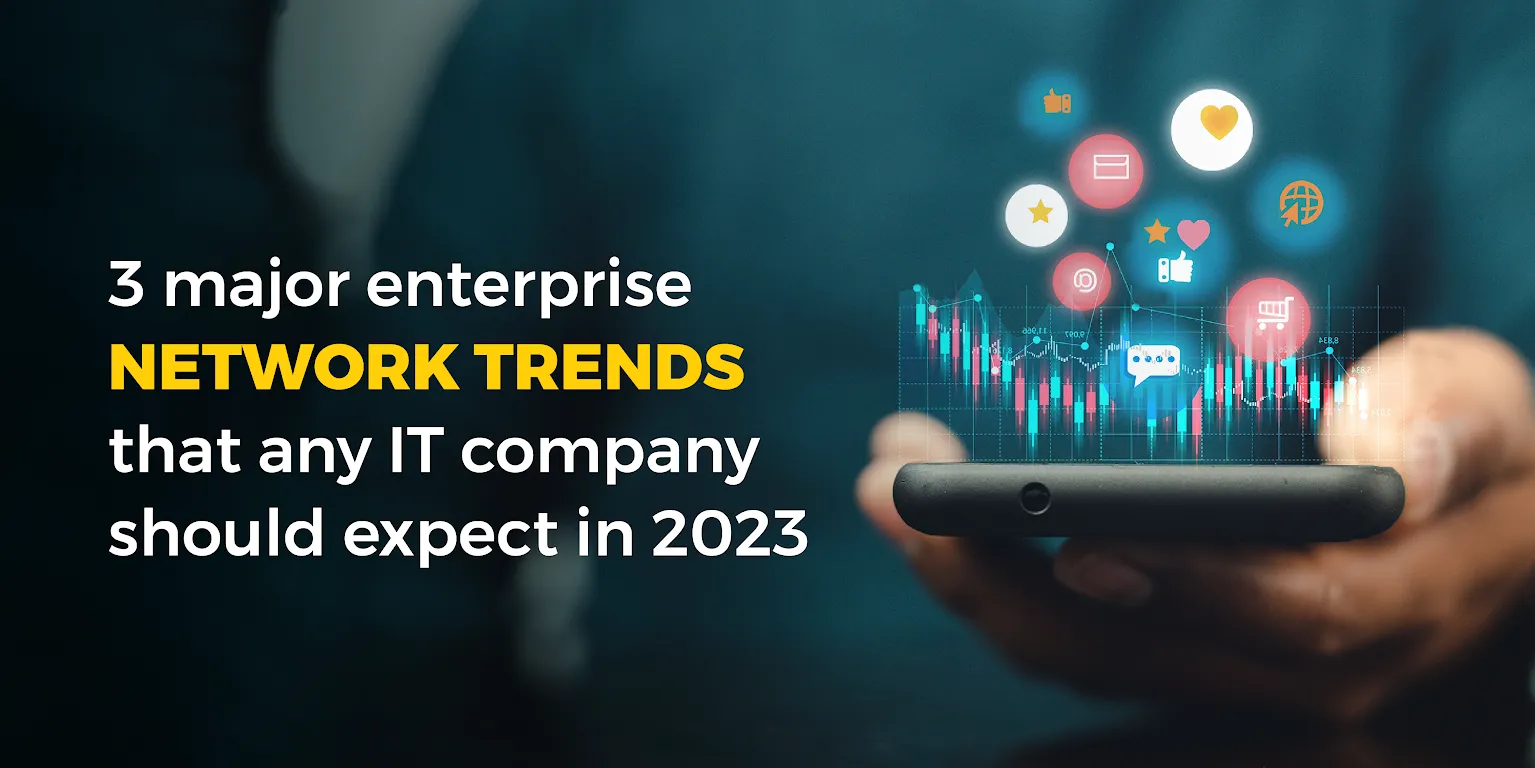
3 major enterprise network trends that any IT company should expect in 2023

As the technological landscape continues to evolve, enterprise networks are also poised for significant changes in 2023. IT companies must keep up with these trends to remain relevant and competitive in the market. 

Network Automation and Orchestration

Network automation and orchestration will be one of the most significant trends in enterprise networks in 2023. Automation technologies such as AI and machine learning will continue to play a vital role in network management, allowing IT teams to automate routine tasks and streamline network operations. With the rise of software-defined networking (SDN) and network functions virtualization (NFV), automation and orchestration will become even more critical for IT companies to deliver agile and scalable networks.

With the help of automation and orchestration, IT companies will be able to reduce network downtime, improve network security, and increase network efficiency. Automation will also help in the reduction of human errors and prevent potential network outages. Moreover, automation and orchestration will enable IT companies to manage complex network infrastructure with minimal manual intervention.

Network Security

As cyber threats continue to become more sophisticated, network security will remain a top priority for IT companies in 2023. In response, companies will adopt more advanced security measures such as Zero Trust architecture, software-defined perimeter, and identity-based security. IT companies will also focus on implementing a multi-layered security approach, which will include endpoint protection, network security, and cloud security.

The adoption of blockchain technology will also have an impact on network security. Blockchain technology can enhance network security by providing a tamper-proof and decentralized ledger for transactional data. It can also provide a secure and decentralized platform for identity management, which can help prevent identity theft and data breaches.

Cloud-Native Networking

As more companies move their workloads to the cloud, cloud-native networking will become increasingly important in 2023. Cloud-native networking involves the use of container-based architectures, microservices, and APIs to build agile and scalable networks that can handle the dynamic nature of cloud environments.

IT companies will adopt cloud-native networking to provide a better user experience, reduce network latency, and improve network performance. With cloud-native networking, companies can also enable seamless integration between on-premises and cloud-based networks, providing a unified and consistent network experience for their users.

In conclusion, IT companies can expect significant changes in enterprise networks in 2023. Automation and orchestration, network security, and cloud-native networking will be the major trends that companies should keep an eye on. To stay ahead of the competition, companies must adopt these trends and leverage the latest technologies to build agile, scalable, and secure networks that can support the business.

Perspective of IT Leaders on Importance of Cyber Risk Management

In recent years, the importance of cyber risk management has become increasingly apparent to business and security leaders in India. With the growing prevalence of cyber attacks, data breaches, and other cyber security threats, it has become critical for organizations to implement strong cyber risk management strategies to protect their sensitive information and assets.

In the past, many business leaders in India have viewed cyber security as solely the responsibility of their IT departments. However, as cyber threats have become more sophisticated and widespread, business leaders have come to realize that cyber risk management must be a top priority for the entire organization. This has led to a convergence of perspectives among business and security leaders in India, as both groups recognize the importance of working together to develop and implement effective cyber risk management strategies.

One of the key drivers of this convergence is the increasing regulatory pressure on organizations in India to protect their data and information systems. The Reserve Bank of India (RBI) has issued several guidelines and directives in recent years, requiring banks and other financial institutions to strengthen their cyber security measures. Additionally, the Indian government has introduced the Personal Data Protection Bill, which aims to protect the privacy and data of Indian citizens.

These regulations have forced businesses to take cyber security more seriously, and have led to increased collaboration between business and security leaders to ensure compliance with these guidelines. As a result, many organizations have started to view cyber risk management as a business issue, rather than simply an IT issue.

Another factor driving the convergence of perspectives is the increasing sophistication of cyber attacks. Hackers are now using advanced techniques such as social engineering and machine learning to bypass traditional security measures. This has made it clear that cyber risk management is not just a technical issue, but also a strategic one that requires a holistic approach.

Business leaders in India are also recognizing that strong cyber risk management can provide a competitive advantage. Customers are becoming increasingly aware of the risks associated with data breaches and are more likely to do business with companies that take their cyber security seriously. As a result, organizations that can demonstrate their commitment to cyber risk management are more likely to attract and retain customers.

To meet the growing demand for effective cyber risk management, many organizations in India are investing in new technologies and tools. For example, they are implementing advanced threat detection systems, using artificial intelligence to identify potential security threats, and engaging with security experts to develop customized cyber risk management strategies.

In conclusion, the convergence of perspectives among business and security leaders in India on the importance of cyber risk management is a positive development that bodes well for the country’s overall cyber security posture. As cyber threats continue to evolve and become more sophisticated, it is critical that organizations take a holistic approach to cyber risk management and work together to protect their assets and data. By doing so, they can not only comply with regulatory requirements but also gain a competitive advantage and build trust with their customers.

Lets Discuss to learn more about our cybersecurity solutions at esmarketing@teamcomputers.com

Are you doing enough to protect your business from cyber threats?

In today’s digital age, cybersecurity has become a critical aspect of doing business. With increasing incidents of cyber attacks and data breaches, organizations across the world are realizing that cybersecurity is no longer just a matter of compliance, but rather a strategic advantage that can help protect their data, reputation, and bottom line.

In this blog, we will discuss the importance of cybersecurity and how it can be a strategic advantage for businesses.

Why is Cybersecurity Important?

With the rise of digital transformation, businesses are becoming increasingly reliant on technology to run their operations. From storing customer data to conducting financial transactions, organizations are handling sensitive information on a daily basis. This makes them prime targets for cybercriminals who are constantly seeking ways to exploit vulnerabilities in their networks and steal data.

A data breach or cyber attack can result in significant financial losses, reputational damage, and legal liabilities. According to the IBM 2021 Cost of a Data Breach Report, the average cost of a data breach in 2021 was $4.24 million. This highlights the importance of having robust cybersecurity measures in place to prevent such incidents.

Cybersecurity as a Strategic Advantage

While cybersecurity has traditionally been viewed as a cost center, it is now emerging as a strategic advantage for businesses. By investing in cybersecurity, organizations can demonstrate their commitment to protecting their data and that of their customers. This can help build trust and enhance their reputation in the market, which can be a key differentiator in a competitive landscape.

In addition, having robust cybersecurity measures in place can also help businesses meet compliance requirements, which can be a legal requirement in certain industries. This can help avoid fines and legal liabilities, which can also impact the bottom line.

In conclusion, cybersecurity is no longer just a matter of compliance, but rather a strategic advantage that can help businesses protect their data, reputation, and bottom line. By investing in cybersecurity, organizations can build trust and enhance their reputation in the market, which can be a key differentiator in a competitive landscape. With the growing threat of cyber attacks and data breaches,
cybersecurity is the need of the hour and should be a top priority for all businesses.

Contact us to learn more about our cybersecurity solutions at esmarketing@teamcomputers.com

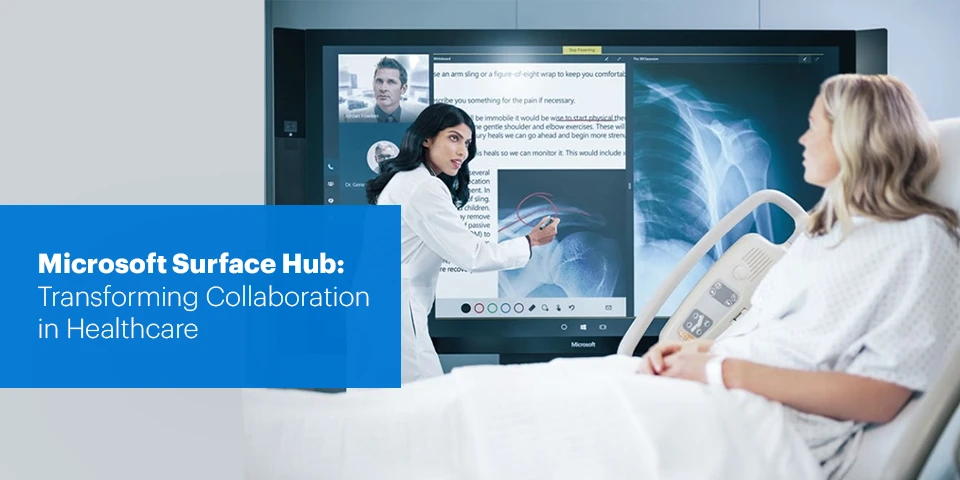
Microsoft Surface Hub: transforming Collaboration in Healthcare

The Healthcare industry is rapidly changing day by day, facing fresh challenges such as ever-tightening budgets and smaller teams. Thus in the world of today Healthcare teams need to stay connected, all while working smarter as well as giving the best care and support to their patients, even if the odds are stacked against them!

The new Microsoft Surface Hub 2S is helping Healthcare providers and their Teams to meet all the demands of the modern-day world, by reinventing the way of collaboration.

  • Collaboration Standards
    With the new Surface Hub 2S, collaborate from anywhere in the world with crisp clear videos on the brilliant 4K screen. This improves teamwork and boosts creativity in a way that’s intuitive and approachable with familiar tools like Microsoft Teams, Whiteboard, and Skype for Business. The Microsoft Hub 2S also helps companies run simulation scenarios for Medical students or even retrain health specialists to gain more practical experience in today’s virtual mode. It is even said that more than 50% of work is done through collaboration! Hence a proper tool is required to help your Healthcare team to work with the best of their capabilities.

    Image Credits: Microsoft Surface
  • Mobility
    From conference rooms to Office spaces, work where ideas strike as the Microsoft Hub 2S is wireless and can be used without being connected to a plug socket, thanks to the all new APC chargers, Additionally, it also contains a Steelcase Roam stand making it extremely convenient for users to easily transition between Doctor’s cabin to Patient’s room. Providing an ease to your healthcare team to explain the minor and major details with live images, explaining the test results on the big screens directly to the Patient. Lastly, It’s ultra thin design ensures that the device can be easily moved between smaller Patient rooms, making it a perfect companion for your healthcare center.

    Image Credits: Microsoft Surface
  • Transform the way of Engagement
    With the surface hub 2S running Microsoft 365, Professionals can now teach Med students remotely and run conference calls with your field force to keep the entire team abreast of the latest developments. All this can be done while working closely with patients, with the new Microsoft Whiteboard, the digital canvas that’s open to everyone!. This also allows you to work easily with fellow specialists to put together the best treatment plans, manage care teams while simultaneously keeping up with patient status through Team Skype for Business.

    Image Credits: Microsoft Surface

For more information on Surface Hub,
visit: www.teamcomputers.com/Microsoftsurface/surface_hub_2s, contact us at  sales.india@teamcomputers.com

Reshape the Future of Remote Working with VDI

Covid19 struck fast and hard, most of us had to adapt ourselves to the new habit of working remotely. The whole concept of working remotely made the employees feel more productive and progressive at the same time, giving them the flexibility to work anytime and anywhere. As a result of which today a growing number of employees want to work remotely at least some of the time.

By honoring this request, the employers get an opportunity to earn favorable reviews from the employees and also find cost savings in providing the required support. Now this becomes a task for the IT department to enable work arrangements and ensure that the remote access to corporate data and applications is straightforward, reliable and secure for the employees.

This is where Desktop Virtualization, or broadly termed as Virtual Desktop Infrastructure (VDI) comes into the picture.


#What is VDI (Virtual Desktop Infrastructure)?

Virtual Desktop Infrastructure is a system where virtual machines look after the management of desktop environments and applications that allow employees to work and access applications and services anytime, anywhere. Desktop environments are hosted via VDI on a centralized server and deployed to the end-users as and when a request comes up.


#How does VDI work?

In VDI, Hypervisor and Connection broker are two major data center components. Hypervisor segments servers into virtual machines that in turn host virtual desktops, users get to access these virtual desktops from any device or location, while all the processing is done on the host server.

The second major component, Connection broker is the heart of any hosted desktop environment that provides remote access to all of your resources. It acts as an intermediary between the user and the server, where the users can access their desktops and applications on-demand from any location.


#Why VDI?

The advantages of using VDI are multifold, with the most significant being –

  • Remote access: VDI users can connect to their virtual desktop from any location or device, making it easy for employees to access all their files and applications and work remotely from anywhere in the world.
  • Cost savings: Since processing is done on the server, the hardware requirements for end devices are much lower. Users can access their virtual desktops from older devices, thin clients, or even tablets, reducing the need for IT to purchase new and expensive hardware.
  • Security: In a VDI environment, data lives on the server rather than the end client device. This serves to protect data if an endpoint device is ever stolen or compromised.
  • Centralized management: VDI’s centralized format allows IT departments to easily patch, update or configure all the virtual desktops in a system.

#Change your game with VDI 

To summarize, VDI moves end-user computing from employee workstations to a centralized, server-based infrastructure. That means data and apps no longer live on personal computers, laptops or other end-point devices. Instead, those resources move to a managed data center — on premises, collocated or in the cloud — and employees can access them on the devices they prefer.

In today’s environment of remote working, VDI can be a game changer for businesses that implement it at scale. Team Computers offers simplified VDI deployment with minimal disruption and can help you turn into a fast, flexible and cost effective digital workspace.


Get in touch with our VDI specialists today!
https://www.teamcomputers.com/

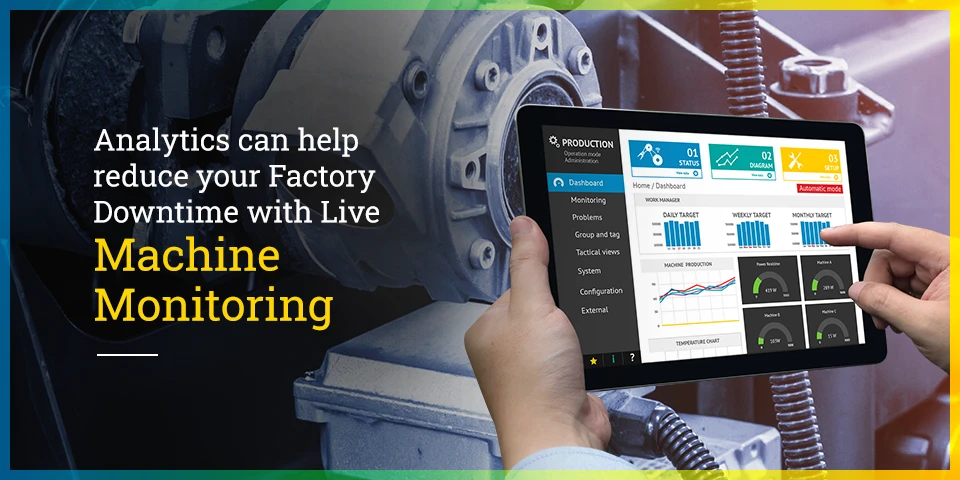
Analytics can help reduce your Factory Downtime with Live Machine Monitoring

Just the identification of inefficiency in your factory will not solve the problem, you need to come up with an approach to analyze the key causes of failure that could have a negative impact on the production process. The data wealth lies within your machinery. However, are you able to realize that wealth to reduce your factory downtime to zero? Data can be used not only to identify the problems but to solve them in real-time too.

Machine breakdown happens every now and then in a factory, these breakdowns are expected to be estimated by the manager on the basis of his expertise and knowledge. However, this can affect the entire production chain if the estimates are not made in time or if they prove to be wrong. This is where Analytics comes into Action! Analytics helps you to streamline your manufacturing process by giving you more focused and actionable insights of your factory, with no human errors, in real-time at a single platform.


Challenges that come your way

#1 Unavailability of Data in real-time
Breakdowns and repairs are not estimated in time because of the lack of Data on every individual machine. Data is not available to the right person at the right time. Data needs to be collected and analyzed from multiple sources and put together, in order to identify the faults that might occur and improvements required in the existing processes.

#2 Inefficient Machine Monitoring 
Inefficient machine monitoring leads to production losses and unexpected machine breakdown since there is no clear picture of how the machines are performing to what is their actual potential. It is essential to know the performance status of your machinery to get the best production outputs.

#3 Poor or No Breakdown estimation of Machines 
No breakdown estimation leads to wastage of time, money, and resources. Breakdown of any one of the machines can bring the entire production process to at a halt. It is very important to know the machine performance status on an everyday basis to ensure a smooth chain of operations each day.


How can Analytics help you?

#1Data Integration with physical Infrastructure
The true potential of Data can be realized when the Physical infrastructure of the factory is connected to the digital world. When two or more devices are digitally connected, the transmission of the data to any software application further becomes very convenient.  It enables you to derive better insights and act in real-time since all the information is collected and analyzed at a single platform. By cutting down the decision time and bringing intelligence at the edge, the factory ends up sashing costs significantly.

#2Real-time machine and device Monitoring  
Machine monitoring prevents any possible collapse in the machinery. The live monitoring system analyses the key causes of failure that can occur in the near future, and give notifications on the screen. This enables the factory manager to resolve the problem at a much faster rate and improve machine management, efficiency, visibility, and productivity.

#3Immediate Fault Detection – Anomaly Detection 
With Analytics, any abnormal readings or faults that are detected in any of the devices or machinery, start to reflect on the dashboard as and when the fault is identified. This leads to no further damage to the machine since the fault is identified and resolved in the very initial stage. Also, this helps to achieve the production goals in time by improving machinery performance and productivity.

#4Alerts and Notifications on Smartphones and PC’s
Alerts are sent to the right person at the right time when the action needs to be taken. Alarms and notifications are reflected on the smartphones and PC’s of the managers to identify the bottlenecks and points of failure that are generating the most downtime so that they can resolve the issues to the earliest.


READY TO BRING THE DOWNTIME TO ZERO 

Bringing your manufacturing processes into the 21st century can be a simple process. By incorporating robust Analytics tools, you can build a more In-depth understanding of how your production line operates, and how you can streamline it further.

Learn more about our Analytics Solutions that can help optimize Manufacturing.

https://www.teamcomputers.com/

5 Reasons Why Apple Is The Most Productive Choice For Your Organization

When the world was hit with the pandemic, the shift to remote working was sudden and sweeping. With millions working remotely, ‘business as unusual’ became ‘business as new normal’. There’s a rising approach towards adapting to a new normal of remote working and work from home. Business leaders are scrambling with how to grow their terrains, optimizing IT budgets while transforming workplaces digitally and technologically. In this current scenario of changing business dynamics, you must have got lots of choices in the technology arena too but some of them may end up being an inappropriate choice for your business needs and cost you a lot more than expected. So, it’s time to make your decision making steadier and wiser, increasing your employees’ efficiency and productivity by putting the power of Apple in your business.

  • Designed for every business & every role
    Looking at the transforming business landscape, you need a device that fits every role of your organization, be it marketing, sales, finance, HR, or operations. From healthcare, banking, FMCG, finance to any industry in the cosmos, and from small to big all-sized organizations, Apple products are designed to cater to all of them. They are integrated into the eco-system easily, providing utilities for every industry vertical.
    Explore Apple’s Industry-wise use cases & case studies
  • High-grade security
    Remote working has created a bigger hole for cyber attackers. Hence, increasing threat to security, indeed a pitfall for your organization. At this point and time, devices need to be highly encrypted and secured. This is one of the main reasons why most of the organizations today are choosing Apple products for their employees. The key security features in Apple such as Touch ID, hardware-based encryption, Face ID, and many more are enabled in all devices such that you don’t need to perform extensive configuration. It is saving both your time and resources.
    Learn more about Apple’s platform security
  • Compatible with the existing eco-system for any organization
    Apple devices harmonize with all eco-systems with both windows and google applications. Employees can work with their favorite apps and systems within the existing infrastructure and remember, to do great work, employees need to love how they do.
    Learn more about Apple’s compatibility with your organization’s existing ecosystem
  • Zero-touch deployment
    With the easy zero-touch deployment, the efforts to set up, distribute, and manage according to the company compliances gets sorted and simpler. With Apple Business Manager and MDM solution, the devices can be used by the employees right after boxing out without any manual configurations by the IT team.
    Learn more about zero-touch deployment
  • Cost-effective
    While the initial cost is believed to be more expensive than other devices but when you calculate the residual value, additional software and upgrades, and the cost of managing and supporting these devices, Apple Mac will end up being a relatively cheaper choice for every organization. With few financing solutions, it can be the most cost-effective investment for the company optimizing budgets.
    Learn more about Apple affordability

Strengthening IT budgets, channelizing energies towards better business strategies is the current need of the hour to tackle and eliminate outages in the businesses, and increase IT operational and management maturity. Simple yet intuitive devices by Apple are empowering all organizations and employees to perform at their best and increase productivity.

In case, you wish to transform your eco-system with Apple,
visit: https://www.teamcomputers.com/Apple
or contact our Apple experts today at sales.india@teamcomputers.com

Remote Support of Applications through our RIM Command Center

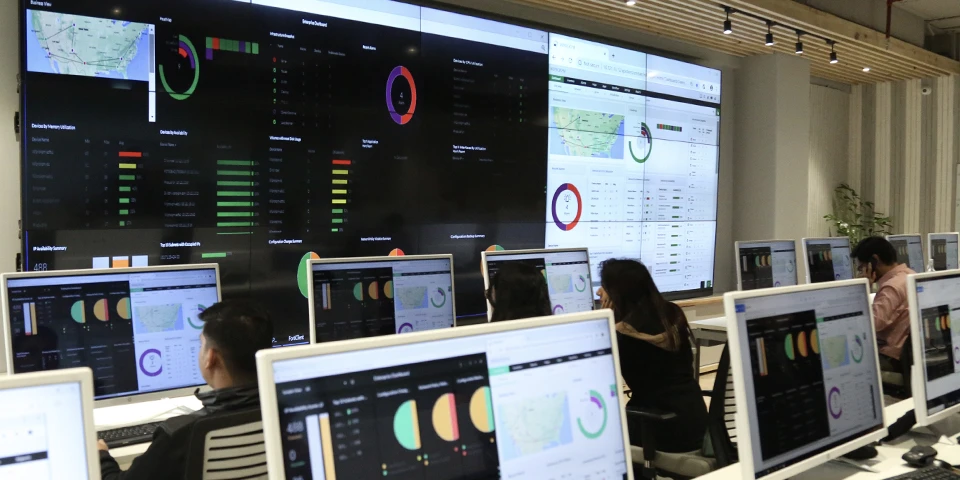
Challenges don’t come announced. At the same time, ballooning IT infrastructure costs are always accompanied by increased IT infra maintenance costs and the need for larger IT teams. This is when Remote Infrastructure Management (RIM) comes in the picture. Our Application Management ensures the efficient operation of the applications that power your business. It aims to provide comprehensive support for your organization’s critical enterprise and hosted applications. This includes managing the IT applications of an organization entirely, or in parts from a remote location. Optimized service levels ensure continual monitoring and reporting of your application environment, manifested as the Command Centre (CC).

Most organizations operate across geographies, thus their IT applications, which forms the basis of all their deliveries are also scattered across various units. With the emergence of the RIM CC, the management of the IT applications is centrally conducted with greater coordination, providing you with timely insight into issues; enabling you to proactively avoid outages. Most organizations outsource the entire RIM processes to other IT service providers which have experience as well as expertise in managing the applications.

Now, how does a centralized IT application monitoring helps?

A Centralised IT application management offers better coordination and helps IT be an enabler of innovation. Further benefits of a centralized Command Center include:

  • Cost Savings
  • Improved Availability
  • Real-time resolution of issues
  • Increased productivity, flexibility and efficiency

With the outsourcing of RIM processes, the enterprise can focus better on their core business functionality, and meet their ever-growing business requirements without inflating their IT budget. The process of monitoring datacenter, networks, devices, storage, security, servers, ERP, database, applications and services from a remote location enhances the ability to perform remedial actions to enable continuous availability. With RIM, an administrator needs to make on-site repairs only when hardware fails.

Team Computers proudly hosts the presence of two RIM Command Centers in Gurugram and Bengaluru. These centers are equipped with the following features:

24*7 Availability: Our RIM Services are designed to enable a high business uptime while reducing the burden of cost and bandwidth. Leveraging our 24×7 service desk we provide incident and problem management to support application availability.

L1 Support with Skilled Resources: Our governance & technical team focuses on simplified visibility to your setup through dashboards & notifications. We provide support where support engineer logs, categorizes, prioritizes, tracks incidents or alarms reported by a user or monitoring tools. Our L1 Team follows the workflow and will do every possible effort to resolve incidents as per SOP within the timeline agreed and documented SLA (Service Level Agreement)

Managed User Experience: We measure and report on the actual performance of your applications from the users’ perspectives. We provide you with exception reports that identify problems experienced by your users when accessing or using your applications, against your baseline. This allows you to respond to potential user issues as they occur, and respond proactively before they interrupt your delivery.

The Project Governance Team at the central CC Desk aims to provide uninterrupted and uniform services.

With the Real-time Monitoring of Processes, 24*7, the resolution of issues becomes highly proactive. At the same time, there is a direct integration with Key systems to monitor the process and end-user applications for alerts. The quality of the functioning is ensured by well-defined and scripted responses and actions for the CC desk.

Analytics helps to pinpoint the pain areas by issuing tickets and resolving issues, ensuring the 360-degree system for incident management. Each step from the ticket issue is closely monitored to guarantee a record response time. The process even includes customer feedback to define how satisfactorily was the process carried out. The process of identification of the root cause of the improvement, followed by the feedback is duly carried out. The tickets against each issue are tracked according to the stages of being Open, logged, attended, assigned, Work in Progress or closed. Thus, Analytics plays a poignant role to ensure the smooth flow and functioning of the various processes involved at a RIM CC.

Thus, availing remote infrastructure services can assist enterprises in reducing their overall risks while improving user satisfaction levels. This amassment of advanced technologies, top-notch equipment, and 24X7 support benefits enterprises with unparalleled network redundancy and uptime.

10 ways to increase productivity with G Suite

With the increasing changes and challenges in the market, it is extremely important to keep up with the pace of modernization. Fortunately enough, G Suite aims to drive transformations across organizations, promote cultures of collaboration and empower employees to rethink the way they work. All this, with the main aim to cultivate, enhance and promote productivity in the organization’s functioning!

The efficiency gains that are envisioned with G Suite’s robust set of collaboration tools and features are as follows:-

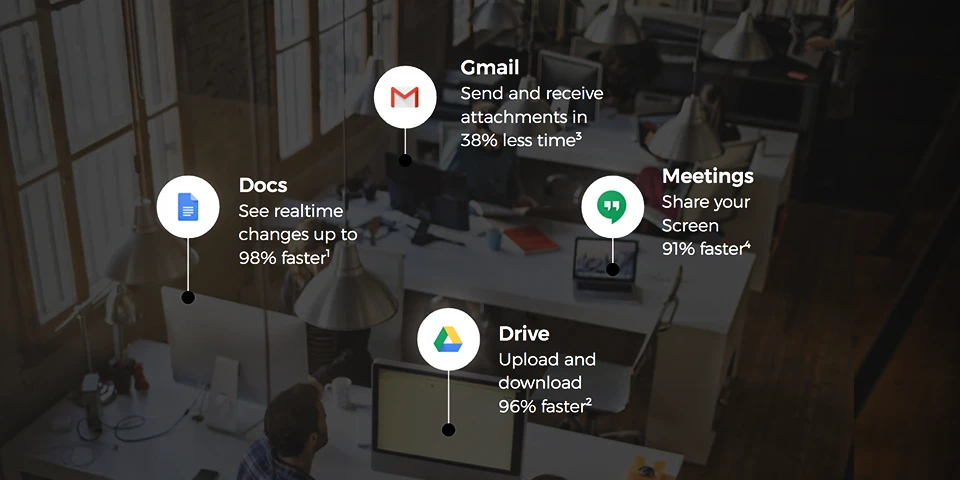
  • Easy and effective employee collaboration with real-time editing in Google Docs, Slides, Sheets and other tools.
  • Provision of feedback from anywhere, irrespective of the device!
  • Reduction in the number and length of meetings and discussions with Google Meet and Hangouts.
  • Security and software updates being processed automatically to discourage lengthy and inconvenient disruptions to keep devices and hardware up to date.

The familiarity and acceptability of G Suite in users’ personal lives, coupled with the intuitive design of the tools, leads to a significant decrease in on-demand IT and help desk tickets, freeing up additional time for IT to focus on value-adding initiatives. G Suite built-in security features such as advanced anti-phishing, security center, mobile management, etc give admins simpler and more streamlined ways to manage users. All of these features are included with G suite at no additional cost because it is at its heart to control devices, ensure compliance and keep data secure. G suite, is thus, built from the ground up around security. That’s the biggest selling point of Google! Check out the following reasons to boost your system’s productivity with G Suite:-

  1. Artificial Intelligence and Machine learning

G Suite’s AI and Machine Learning are integrated throughout and operate like a personal assistant. So, schedule meetings in Calendar, acquire suggestive responses based on Gmail content and even track down relevant web documents relating to the undertaken projects in Sheets, Docs, and Slides.

2. Drive and Vault

Don’t drown in your own research searching for information! Put to use G Suite features Drive and Vault, the two repository tools to always have access to the most recent version of every file! No more searching through endless email threads or even having to send file attachments! What’s the difference between Vault and Drive, you ask? Files in Drive can further be edited, while Vault is used to store completed documents.

3. Break the geographical barriers

Business travel is solely expected to cost trillions by 2020! Invest in live, real-time discussions, and avoid travel costs and time! Use Google Hangouts to share and discuss files, even record them for future references! Sync Hangouts with Google Calendar for increased efficiency and collective invites. Gmail, Hangouts, and Calendar are all connected, so if you were to set up a meeting in Calendar, it can easily be assigned to other users for Hangouts and notified via Gmail.

4. Planning and organizing, now a cakewalk!

Google Forms is an excellent survey tool that organizations can use to plan events, organize their priorities and collect data through questionnaires. You can also share a link to a form via social media channels or email and track answers in Google sheets.

5. Bring teams together

Create Team Drives with G Suite to limit the sharing of links to documents that need to be accessed by a group of employees. Everyone on the team would have access to these files through a shared space for cloud storage. Back and forth communications across time zones are extremely convenient with the presence of the previous version of documents in files. Bottom line? G Suite helps your business run optimally- and that spells more revenue.


6. Zero maintenance stress 

G Suite doesn’t need any maintenance and is designed to keep everything updated. There’s no need to worry about hardware or software maintenance related issues. Save money, save time and save your data, without reminding yourself to “save”.

7. Marketplace 

Can’t find what you’re looking for? Not a problem- just hop on over to the G Suite Marketplace to browse countless third-party apps and tools. With the marketplace, you can customize and revamp your digital workplace. With a G Suite plan, businesses enjoy 30GB of storage space, unlimited Google Group email addresses, 24/7 phone and email support, and compatible add-ons available through the G Suite Marketplace.

8. Say no to ADs

Unlike other free consumer software, though, free G Suite users don’t see ads while using the services. Google also doesn’t use the information stored in G Suite applications and accounts for advertisement purposes.

9. Create your own websites!

Google Sites was added in 2008 as the G Suite website builder. It allows users to create websites with little to no coding knowledge or design skills. Landing pages and project websites can be created using pre-made templates to be published internally or publicly.

10. Proactive hijacking protection

Google provides an automatic, proactive layer of security to protect all users against account hijacking. It asks for proof to confirm your identity to provide access. An SMS code is sent to a recovery phone number which helps block automated bots, bulk phishing, and targeted attacks.


Having a consistent, seamless, collaborative experience across devices allows employees to continue to be actively engaged in projects even when they were traveling or working remotely. Added to this, were the intelligent features in the calendar, like finding the time or automatic room booker, which makes the meetings easier to schedule and removes frictions to join. Increase in productivity is the prime agenda for Google that promotes access to relevant information, easily and effectively. At the organizational front, it significantly reduces the time and resources required to manage legacy infrastructure including activities related to creating and provisioning accounts and managing access.

Undoubtedly, G Suite is an all loaded platform to deal with all business needs and expectations without having to deal with the worries of costs and revenues!

G Suite comes with an annual subscription cost per user, with an SSO solution included in the G Suite license. So why wait? Switch to Google to enable an unparalleled working experience!

(Please note: Google offers a period of a free trial, so that there are no issues before committing to anything)

SAP HANA on Cloud [3 considerations before hosting]

High-speed data analytics is changing the way companies compete, enabling them to generate real-time insights to support their most important business processes. The SAP HANA* platform is a clear leader in this arena, providing a uniquely fast and adaptable platform for real-time business on an enterprise scale. Cloud computing offers a complementary technology that also provides game-changing capabilities. Let’s see what are the three considerations that need to be taken into an account:

1) Choose a single cloud or go multi-cloud

Optimizing your application to work with a specific cloud provider is relatively simple. Your development teams have just one set of cloud APIs to learn, and your application can take advantage of everything your chosen cloud provider offers.

Once you’ve updated your application to work with only one provider, moving your application to a different provider could require just as much effort as the original cloud migration. Additionally, having a single cloud provider might negatively impact your ability to negotiate important terms—such as pricing and SLAs—with the cloud provider.

One application in one cloud; another application in a different cloud. Perhaps the simplest multi-cloud approach runs one set of applications in one cloud provider and another set in another. This approach gives you increased business leverage with multiple providers as well as flexibility for where to put applications in the future. It also lets you optimize each application for the provider on which it runs.

2) Establish cloud KPIs

The best KPIs for a cloud migration show how your in-progress migration is going on, floodlighting visible or invisible problems that may be concealed within your application. Most important, perhaps, cloud migration KPIs can help you determine when the migration is complete and successful.

There are several key categories of cloud migration KPIs:

3) Let’s discover the shared data responsibility Model?

When your data is in your own data centres, the IT organization is responsible for protecting the data. But as you move data to the public cloud, the ownership line becomes fuzzy. The responsibility of data protection becomes shared between the cloud provider and you. Broadly speaking, cloud providers are responsible for the security of the cloud itself, while customers are responsible for security and compliance requirements for their data in the cloud. In GDPR-speak, you are generally the “controller” of your data and take on all the compliance and regulatory requirements associated with your end users’ data. Therefore, your greatest cloud security needs are around monitoring and restricting access to your data.

To elaborate further, the physical security of data centres and hardware is fully owned by the cloud provider. The cloud provider also controls and secures the host operating system and the virtualization layer. While some responsibilities are shared between you and the cloud service provider, others are entirely your responsibility.

You will only survive if you do things better, do things differently or do different things,
We, at Team Computers leading the innovation journey for our customers with Cloud. Accelerating the pace of innovation and run live in this new digital economy.
What are you waiting for? Switch now!

Happy Clouding!