Data Center Solutions in India: Design, Deployment and Managed Operations

For most Indian enterprises, the data center used to be a fairly settled decision. A server room, a handful of racks, an annual maintenance contract, and the conversation was closed for a few years. That approach no longer holds up.

AI and analytics workloads need far more compute and power density than a typical server room was ever designed for. Data localization requirements under India’s data protection framework are pushing organizations to rethink where and how data is stored. Boards expect uptime that borders on continuous availability, not “we’ll fix it by Monday.” And IT teams, already stretched thin, are being asked to manage infrastructure that is more distributed, more complex, and more business-critical than it was even three or four years ago.

This is why data center solutions have moved from being a back-office IT concern to a boardroom-level infrastructure decision. Getting the design, deployment, and ongoing management of a data center right directly affects how reliably a business runs, how well it protects data, and how efficiently it scales.

This guide walks through what modern data center solutions actually involve in the Indian context, from core infrastructure and design principles to deployment models and managed operations, and what enterprise IT leaders should evaluate before making decisions that will shape their infrastructure for years to come.

Why Data Center Decisions Matter More Now

A few forces are converging at the same time, and together they explain why data center planning has become urgent for CIOs, CTOs, and IT heads across Indian enterprises.

Data volumes are growing faster than most infrastructure plans anticipated. Digital transactions, customer applications, IoT devices, and everyday business systems are all generating more data, and that data increasingly needs to be processed closer to where it is created rather than shipped to a distant facility.

AI and analytics workloads have different infrastructure needs. Training and running AI models requires higher power density per rack, faster storage, and networking that can move large datasets without becoming a bottleneck. A data center designed a decade ago for standard virtualized workloads is rarely equipped to handle this kind of load without significant rework.

Regulatory expectations around data are tightening. With data protection regulations placing greater emphasis on how personal and sensitive data is stored, processed, and localized, enterprises in BFSI, healthcare, government, and e-commerce in particular need to be more deliberate about where their data physically resides and who can access it.

Business tolerance for downtime has shrunk. Customer-facing applications, payment systems, and internal operations are now expected to be available around the clock. A few hours of unplanned downtime can mean lost revenue, regulatory scrutiny, or reputational damage that outlasts the outage itself.

Skilled data center operations talent is hard to find and retain. Running a modern data center requires expertise across compute, storage, networking, power, cooling, and security simultaneously. For most enterprises, building and retaining that breadth of skill in-house is neither practical nor cost-effective at scale.

Individually, none of these forces is new. Together, they are why “we already have a data center” is no longer a sufficient answer on its own, and why design, deployment, and management increasingly need to be treated as a connected discipline rather than three separate, disconnected projects.

What Data Center Solutions Actually Cover

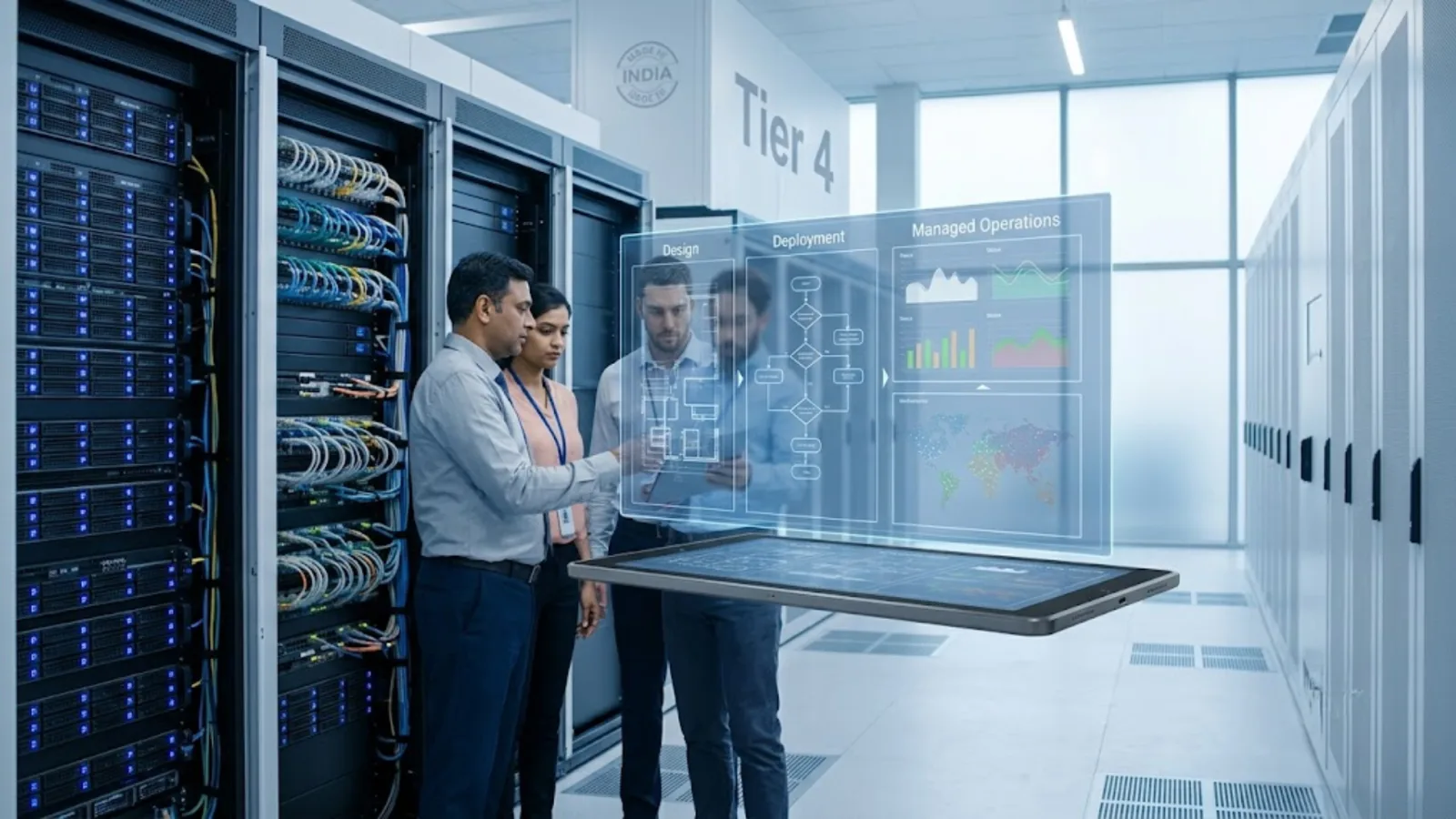
The term “data center solutions” is broad, and it helps to break it down into three distinct but connected phases.

Design is the planning stage. It involves deciding on capacity, redundancy levels, power and cooling architecture, physical layout, and the compute, storage, and networking stack that will support current and future workloads. Design decisions made early are the hardest and most expensive to reverse later, which is why this stage deserves the most scrutiny of the three.

Deployment is the execution stage. It covers procuring the right infrastructure, physically building or fitting out the facility (or provisioning cloud and colocation resources), integrating compute, storage, and networking components, and migrating workloads with minimal disruption to the business.

Managed operations is the ongoing stage. It includes monitoring performance and capacity, managing security and compliance, patching and updating systems, handling incidents, and planning refresh and scaling cycles over the data center’s operational life.

Enterprises often treat these as separate purchases: one vendor for the physical build, another for hardware, and an internal team, or a different partner altogether, for day-to-day operations. In practice, this fragmentation is where a lot of hidden cost and risk creeps in. A facility designed without operations in mind is harder to manage, and infrastructure deployed without a long-term operating model in place tends to accumulate technical debt quickly, often within the first year or two.

Core Components of Data Center Infrastructure

Regardless of whether a data center is on-premises, in a colocation facility, or part of a hybrid setup, the underlying data center infrastructure generally spans five layers. Our guide to what a data center is explains each one in more detail.

Compute. Servers that run applications, virtual machines, and increasingly, AI and GPU-accelerated workloads. Compute capacity needs to be planned not just for today’s applications but for the workload growth expected over the infrastructure’s lifecycle, typically five to seven years.

Storage. Systems that hold structured and unstructured data, ranging from high-performance storage for transactional systems to more cost-efficient storage tiers for archival and backup. Storage architecture has a direct impact on application performance and disaster recovery capability.

Networking. The switching, routing, and connectivity layer that moves data between compute, storage, users, and other locations. This includes both the core data center network and connectivity to branch offices, cloud environments, and the internet.

Power and cooling. Often the least visible but most operationally critical layer. Power redundancy through UPS systems and backup generation, efficient cooling architecture, and electrical distribution directly determine uptime and, increasingly, energy cost, a growing line item as rack densities rise with AI workloads.

Physical infrastructure and security. Racks, structured cabling, raised flooring, fire suppression, and access control systems that protect the physical environment, alongside logical security layers such as firewalls, encryption, and intrusion prevention that protect the data itself.

When people refer to data center IT infrastructure specifically, they are usually talking about the compute, storage, and networking layer: the systems that directly run and move workloads, as distinct from the facility infrastructure of power, cooling, and physical space that supports them. Both layers need to be planned together, because a mismatch between IT infrastructure capacity and facility capacity is one of the most common, and most expensive, design mistakes enterprises make.

Designing for What Comes Next, Not Just What Exists Today

A data center designed purely around current workloads tends to become a constraint within a few years. A few principles separate a data center that scales comfortably from one that requires disruptive rework down the line.

Scalability without over-provisioning. The goal is not to build maximum capacity upfront, since that ties up capital in infrastructure that may sit underused for years. Modular design approaches, where compute, storage, and power capacity can be added incrementally as demand grows, tend to align cost more closely with actual usage.

Redundancy matched to business criticality. Not every workload needs the same level of redundancy. Mission-critical systems such as payment processing, core banking, and patient records typically justify higher-tier, fully redundant infrastructure, while less critical workloads can run on leaner configurations. Applying uniform redundancy across all workloads regardless of criticality is a common source of unnecessary cost. Our guide to data center tiers explains what each level of redundancy buys.

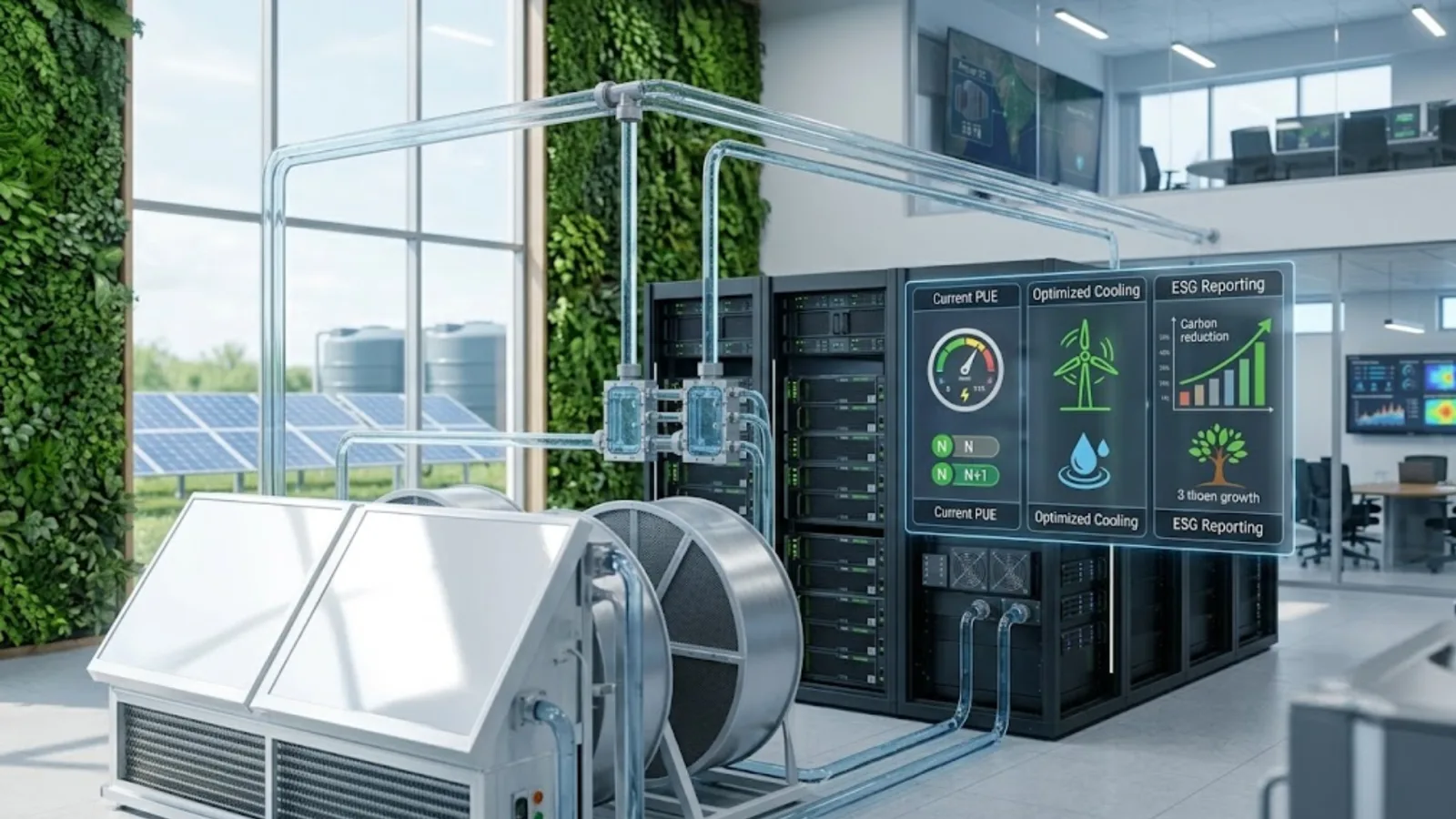
Energy efficiency as a design input, not an afterthought. With power consumption rising alongside AI and compute-intensive workloads, cooling architecture and power distribution efficiency have moved from being a facilities concern to a cost and sustainability concern that IT leaders are increasingly held accountable for. Our guide to green data centers in India covers PUE, cooling efficiency and ESG reporting.

Compliance and data residency built in from the start. For regulated industries, decisions about where data physically resides, how it is encrypted, and how access is logged need to be part of the design conversation from day one, rather than a retrofit exercise after an audit finding.

Next-gen data center capabilities. Modern data center design increasingly accounts for AI-ready infrastructure, including higher power density and GPU-compatible racks and faster interconnects, software-defined and hyperconverged architectures that simplify management, and automation and AI-driven infrastructure monitoring that reduces manual intervention. A next-gen data center is not defined by any single technology. It is defined by infrastructure that can absorb new workload types without requiring a ground-up redesign.

On-Premises, Colocation, Cloud, or Hybrid: Choosing the Right Model

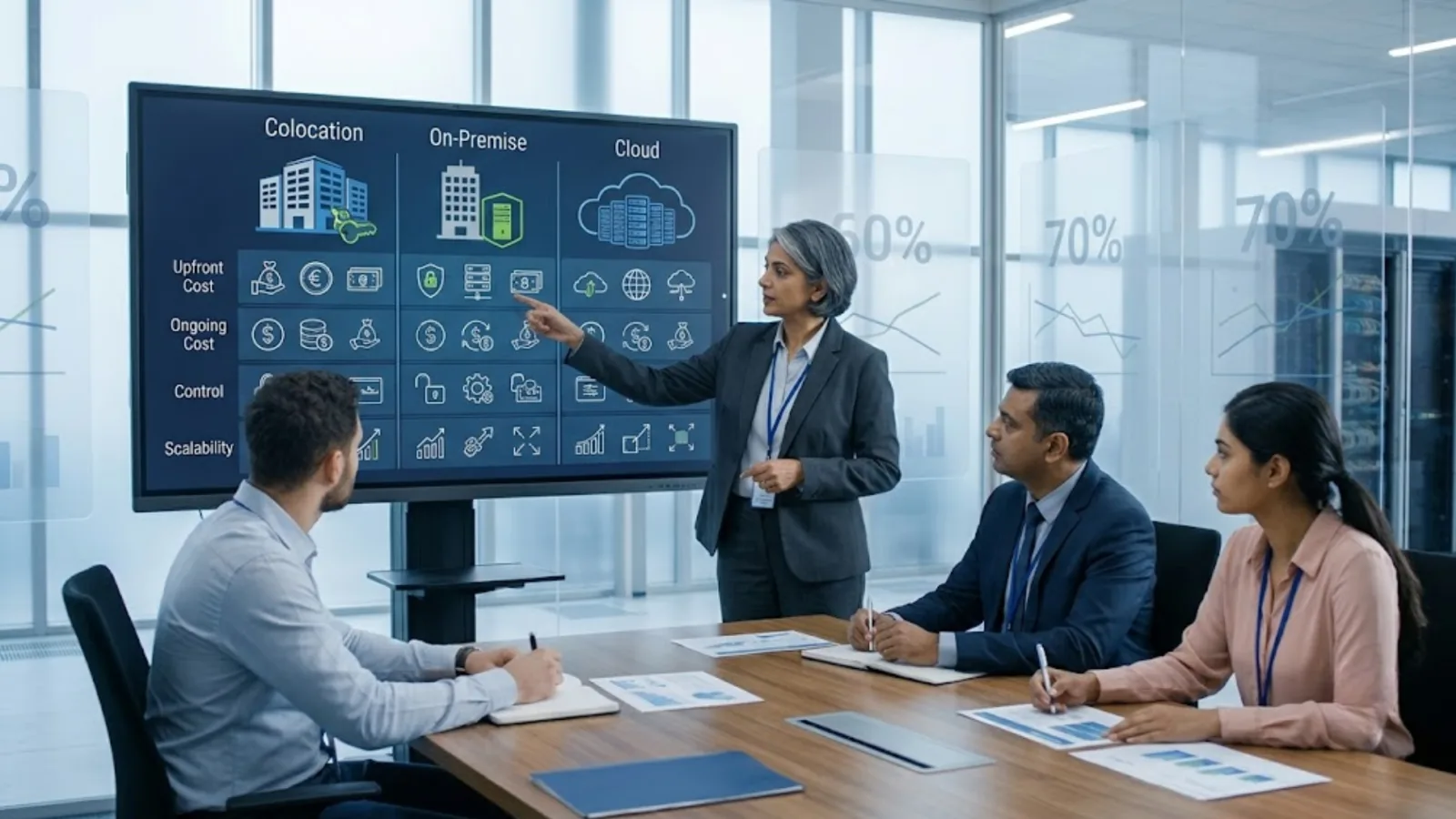
One of the most consequential early decisions is where the data center infrastructure should physically sit. There is no universally correct answer here. The right model depends on workload characteristics, compliance requirements, existing investments, and internal capability. For a detailed cost and control breakdown, see colocation vs on-premise vs cloud.

On-premises gives enterprises full control over infrastructure and data location, which matters for organizations with strict compliance or latency requirements. The tradeoff is that the enterprise bears full responsibility for capital investment, physical facility management, and operational expertise, on an ongoing basis.

Colocation shifts the physical facility, including power, cooling, physical security, and connectivity, to a third-party provider, while the enterprise typically retains its own compute and storage hardware within that facility. This reduces the burden of managing physical infrastructure while keeping more control over the IT stack than a fully cloud-based approach would allow.

Cloud shifts both infrastructure and much of the operational burden to a hyperscale provider, offering elasticity and reduced capital expenditure, at the cost of ongoing operating expense and, for some regulated workloads, additional compliance considerations around data location and shared infrastructure.

Hybrid, increasingly the default for larger Indian enterprises, combines these models: keeping latency-sensitive or compliance-bound workloads on-premises or in colocation, while running variable or less sensitive workloads in the cloud. The complexity of a hybrid approach lies less in any single environment and more in managing consistent security, monitoring, and operations across all of them at once.

The decision should not be made in isolation for each individual workload. It tends to work better as a documented framework, one that sets out which categories of workloads default to which environment and why, so that new applications and systems can be placed consistently as they arise rather than debated case by case.

Where Deployment Projects Commonly Go Wrong

Even well-designed data center infrastructure can run into trouble during deployment. A few patterns show up repeatedly across enterprise projects in India.

Underestimating integration complexity. Compute, storage, networking, and security components from different technology providers need to work together as a coherent system, not as isolated purchases stitched together after the fact. Integration issues discovered late in a deployment are far more expensive to fix than issues caught during the design stage.

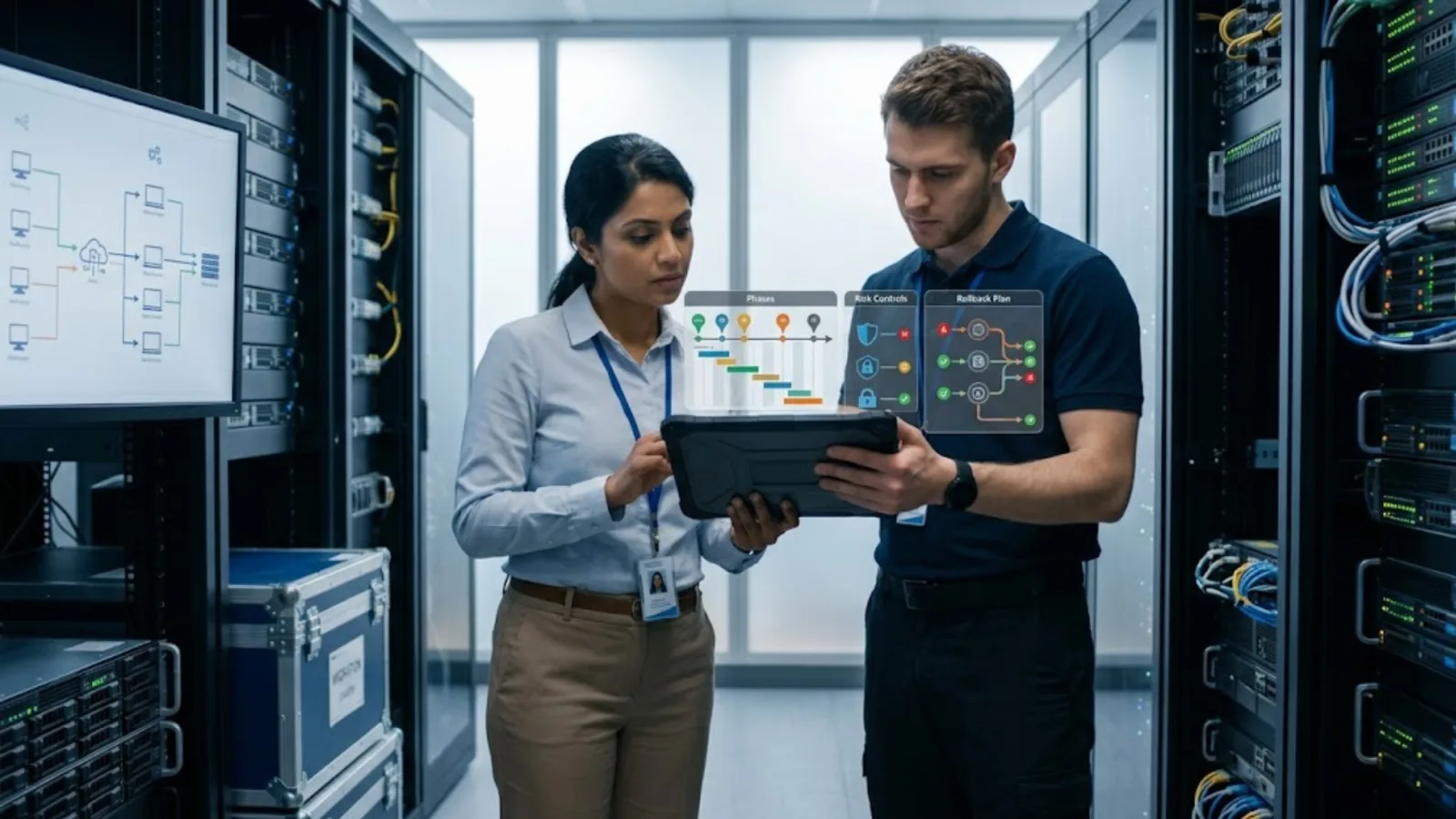
Migration disruption. Moving workloads into a new or upgraded data center environment carries real risk to business continuity if it is not carefully sequenced, tested, and rolled back where needed. Migrations treated as a single big-bang cutover tend to carry considerably more risk than phased approaches that move workloads in planned stages. Our data center migration checklist sets out each phase, with risk controls and a rollback plan.

Underestimating timeline and resource needs. Data center deployment projects routinely take longer than initially planned, particularly when they involve physical facility work, multiple OEM technologies, and coordination across internal teams, contractors, and technology partners.

Skills gaps during transition. Internal IT teams may be well-versed in day-to-day operations but less experienced with large-scale infrastructure design and deployment, which is a fundamentally different skill set that is used far less frequently.

Vendor coordination overhead. When compute, storage, networking, power, and physical build-out are procured from separate vendors with no single party accountable for how they come together, project delays and finger-pointing between vendors during troubleshooting become far more likely.

These risks are manageable, but addressing them generally requires deployment expertise that goes beyond procuring and installing hardware. This is typically where the involvement of an experienced technology partner makes the most measurable difference to how smoothly a project actually runs.

Managed Operations: Where Long-Term Value Is Won or Lost

A data center is not a one-time project. It is an operating environment that needs continuous attention for as long as it remains in service. This is the phase where many enterprises underinvest, and where the cost of that underinvestment tends to show up later as downtime, security incidents, or infrastructure that has quietly fallen behind.

Effective managed operations typically cover:

  • Continuous monitoring of compute, storage, network, and facility systems to catch performance degradation or failures before they escalate into outages.
  • Security operations, including firewalls, encryption, intrusion detection, and access management, tuned to an evolving threat landscape rather than configured once and left unattended.
  • Patch and update management across the infrastructure stack, balancing security currency against the operational risk of making disruptive changes to production systems.
  • Capacity planning, so that compute, storage, and power headroom is tracked proactively rather than discovered only when a system runs out of room.
  • Incident response and root-cause resolution, moving beyond reactive firefighting toward identifying and addressing the recurring issues behind repeat incidents.
  • Lifecycle and refresh planning, since data center hardware, like enterprise devices, has a finite useful life, and unplanned end-of-life failures are considerably more disruptive than planned refresh cycles.

Enterprises that treat managed operations as a lighter afterthought to design and deployment often find that the real cost of a data center shows up in operational inefficiency, security gaps, or emergency remediation work, well after the initial project has been signed off and quietly forgotten by the business.

What to Look for When Evaluating Data Center Companies in India

Given how many moving parts a data center involves, most enterprises do not build and run this capability entirely in-house. The question then becomes what to look for among data center companies in India offering design, deployment, or managed services.

Multi-OEM expertise, not a single-vendor pitch. Data centers typically combine technology from multiple OEMs across compute, storage, networking, and security. A partner who can objectively evaluate and integrate across vendors, rather than steering every recommendation toward a single brand, is generally better positioned to design infrastructure around actual business needs.

Depth across design, deployment, and operations. A partner that is strong in physical build-out but thin on ongoing managed services, or the reverse, tends to recreate the same fragmentation risk that enterprises are usually trying to avoid by bringing in outside expertise in the first place.

Demonstrated experience with compliance-sensitive environments. Particularly for BFSI, healthcare, government, and other regulated sectors, a partner should be able to speak credibly to data residency, security practices, and audit requirements relevant to that specific industry.

National reach and consistent service delivery. For enterprises with operations across multiple Indian cities, a partner’s ability to deliver consistent design standards and support quality across locations, not just in a single metro, matters considerably for long-term reliability.

A genuine advisory posture. The most useful partners help enterprises make better infrastructure decisions, including telling them when a smaller or different configuration serves them better than a larger sale would. That advisory relationship is harder to evaluate upfront than a hardware price list, but it tends to matter far more over the life of the infrastructure.

The Technology Landscape Behind Modern Data Centers

Enterprise data centers today typically draw on a combination of specialized OEM technologies rather than a single-vendor stack.

On the compute side, server platforms from providers like Dell and HPE offer the processing power for everything from standard virtualized workloads to GPU-accelerated AI workloads, with configurations that scale from a handful of racks to large enterprise-scale deployments.

On the networking and security side, providers like Cisco supply the switching, routing, and network security infrastructure that connects compute and storage systems to each other and to the wider enterprise network, along with the segmentation and monitoring capabilities needed to secure that traffic effectively.

On the storage side, providers like NetApp offer platforms designed for performance, data protection, and hybrid cloud data management, helping enterprises manage growing data volumes across on-premises and cloud environments without duplicating effort or data.

Each OEM brings genuine engineering depth in its respective domain, but no single OEM relationship substitutes for the enterprise-level work of evaluating requirements, designing an integrated architecture, deploying it correctly, and managing it over its operational life. That connective layer, running from initial advisory through to day-to-day operations, is generally where the value of an experienced technology partner shows up most clearly, regardless of which specific OEMs are involved in a given deployment.

Where an Enterprise Technology Partner Adds Value

Building and running a modern data center touches nearly every enterprise IT discipline at once: infrastructure design, vendor evaluation, physical facility management, security, compliance, and ongoing operations. Very few internal IT teams are resourced to do all of this at real depth while also running the rest of the business’s technology day to day.

This is where working with an experienced technology partner changes the equation, not by replacing the enterprise’s IT function, but by extending it. A partner with multi-OEM expertise across compute, storage, networking, and physical infrastructure can help design a data center that matches actual business requirements rather than a generic template, manage the complexity of deployment and migration, and take on the operational load of monitoring, security, and lifecycle management on an ongoing basis.

Team Computers works with enterprises across India in exactly this role, acting as a single point of contact spanning data center design, infrastructure deployment, and managed operations, rather than requiring organizations to coordinate separately with facility contractors, hardware vendors, and internal or outsourced operations staff. Working across leading technology providers including Dell, HPE, Cisco, and NetApp, along with the broader infrastructure and security layers a data center depends on, the underlying goal stays consistent: help enterprises build data center environments that are reliable and compliant today, and flexible enough to absorb the workload demands, including AI and analytics, that are only going to keep growing from here.

Getting Started

Whether an organization is planning a new data center, modernizing an existing facility, moving toward a hybrid model, or looking to hand off day-to-day operations to a managed services partner, the starting point is broadly the same. It begins with a clear-eyed assessment of current infrastructure, workload trajectory, and compliance requirements, followed by a design and operating model built around where the business is actually headed rather than where it happens to stand today.

If your organization is evaluating its data center strategy, it is worth having that assessment conversation before the next infrastructure decision gets made by default, under deadline pressure, or by whichever vendor happens to be in the room. Talk to Team Computers about designing, deploying, and managing a data center built for what your enterprise needs next.
Related reading

What Is a Data Center? Types, Tiers and Core Components Explained

Quick answer: A data center is a dedicated physical facility that houses the servers, storage systems, networking equipment, and supporting infrastructure, such as power and cooling, that organizations use to run applications, store data, and keep digital operations available. It can be owned and operated by a single enterprise, shared across multiple customers in a colocation facility, or run entirely by a cloud provider.

That’s the short version. The rest of this guide breaks down what a data center actually consists of, how data center architecture is organized, the different types of data centers enterprises use, and what data center tiers mean when you see a facility described as “Tier III” or “Tier IV.”

What Does “Data Center” Mean?

At its simplest, a data center is a facility purpose-built to run IT systems reliably. The data center meaning extends beyond just a room full of servers. It includes everything needed to keep those servers running continuously: electrical power and backup generation, cooling systems, network connectivity, physical security, and fire suppression, alongside the compute and storage hardware itself.

Small businesses might run a modest version of this in a single server room. Large enterprises, hyperscale cloud providers, and government agencies operate facilities that span thousands of square feet and house thousands of servers, consuming as much power as a small town.

What all of them share is the same underlying purpose: providing a controlled, reliable environment where digital systems can operate with minimal disruption. The exact scale, redundancy, and technology involved varies enormously depending on the organization’s size, workload criticality, and budget, but the core function stays the same. A data center is also only one part of a wider IT infrastructure, alongside networks, end-user devices and cloud services.

What Are the Core Components of a Data Center?

A data center is best understood as a stack of layers, each dependent on the one below it. If any single layer is under-designed, whether that’s insufficient cooling capacity or a network that can’t handle peak traffic, the layers above it inherit that weakness regardless of how well they were built individually. Understanding data center components makes it much easier to evaluate a facility, a vendor, or a design proposal, and to ask better questions when reviewing one.

Compute. Physical servers that run applications, virtual machines, and containerized workloads. This is where the actual processing happens, whether that’s an ERP system, a customer-facing website, or an AI model performing inference. Server configurations vary considerably, from general-purpose machines handling standard business applications to specialized, GPU-equipped servers built for AI training and high-performance computing.

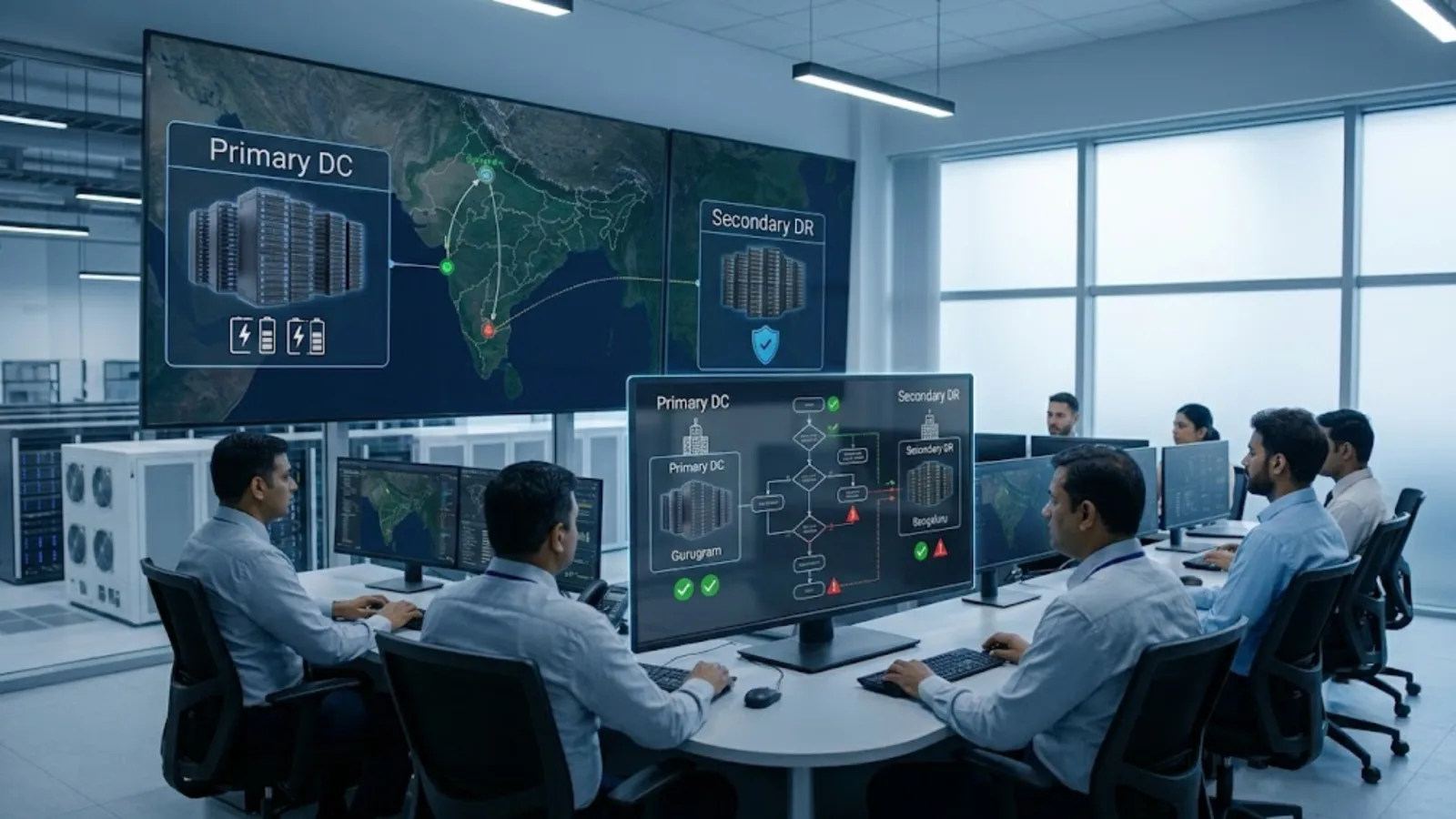
Storage. Systems that hold data, ranging from high-speed storage supporting transactional databases to lower-cost storage tiers used for backups and archives. Storage systems also underpin disaster recovery and business continuity capabilities, since how and where data is replicated determines how quickly an organization can recover if primary systems fail. Enterprises typically run a mix of storage tiers rather than a single type, matching cost to how frequently and how quickly different categories of data need to be accessed.

Networking. Switches, routers, load balancers, and firewalls that connect servers to each other, to storage systems, and to the outside world. Networking also includes the connections between a data center and branch offices, cloud environments, and end users.

Power infrastructure. Utility power feeds, uninterruptible power supplies (UPS), backup generators, and power distribution units that keep servers running during outages and protect equipment from power fluctuations.

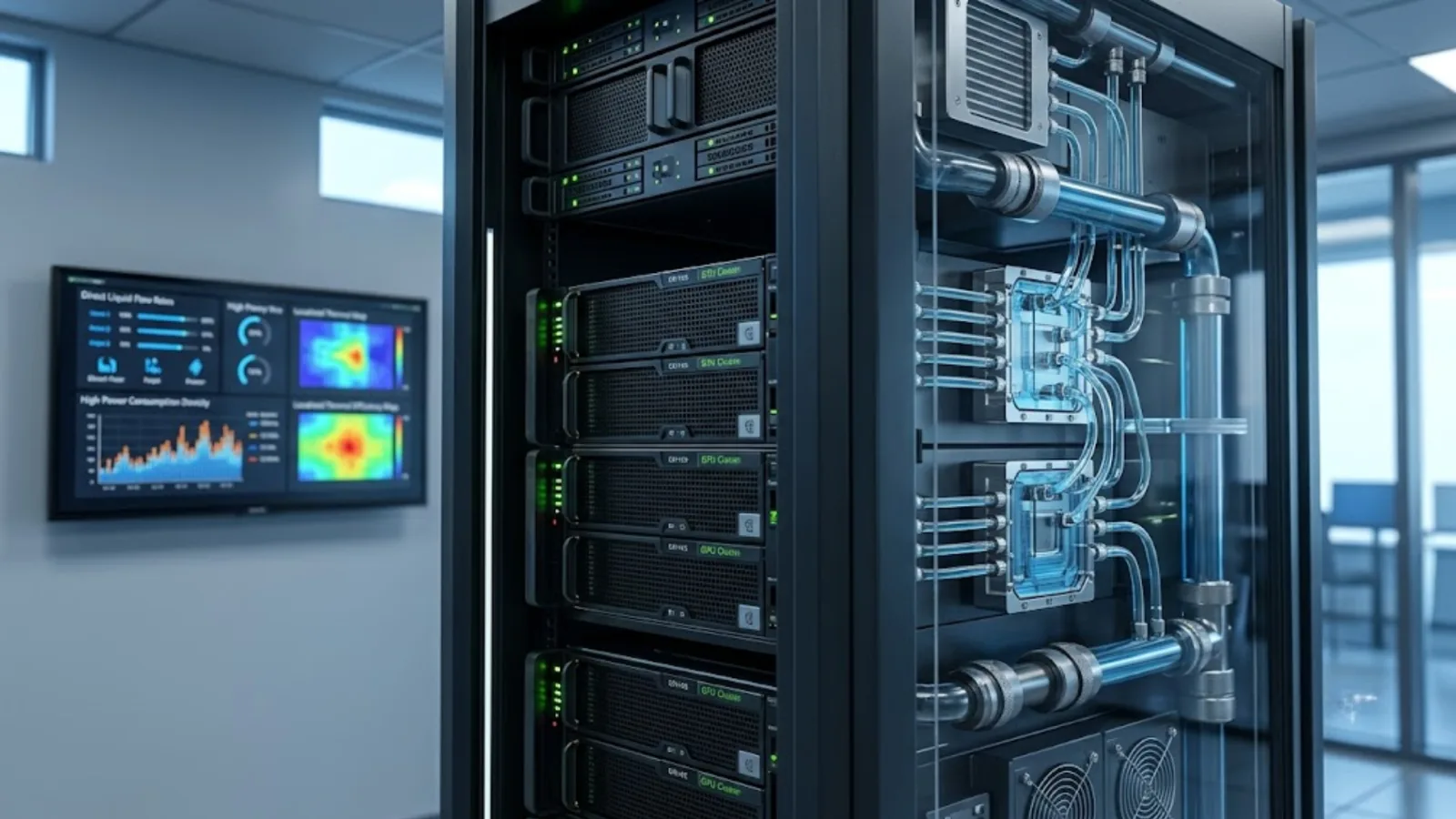
Cooling infrastructure. Servers generate significant heat, and cooling systems, ranging from traditional air conditioning (CRAC/CRAH units) to more advanced liquid and in-row cooling for high-density racks, keep equipment within safe operating temperatures.

Physical infrastructure. Racks, structured cabling, raised or elevated flooring for airflow management, and the building shell itself.

Physical and logical security. Access control systems, surveillance, and biometric or badge-based entry on the physical side, paired with firewalls, encryption, and intrusion detection on the logical side to protect the data and systems housed within.

Management and monitoring systems. Data Center Infrastructure Management (DCIM) tools and monitoring platforms that give operations teams visibility into performance, capacity, and potential failure points across all of the above.

No single component determines how well a data center performs. A facility with excellent servers but inadequate cooling, or strong security but no power redundancy, still carries significant operational risk. A high-density AI compute deployment, for example, can generate far more heat per rack than a traditional cooling system was designed to handle, which means a compute upgrade sometimes forces a cooling redesign that wasn’t part of the original plan. Design decisions need to account for how these layers interact, not just how each performs in isolation.

What Is Data Center Architecture?

Data center architecture refers to how these components are organized, connected, and made redundant to meet an organization’s performance, availability, and scalability requirements. A few concepts come up repeatedly when people discuss architecture.

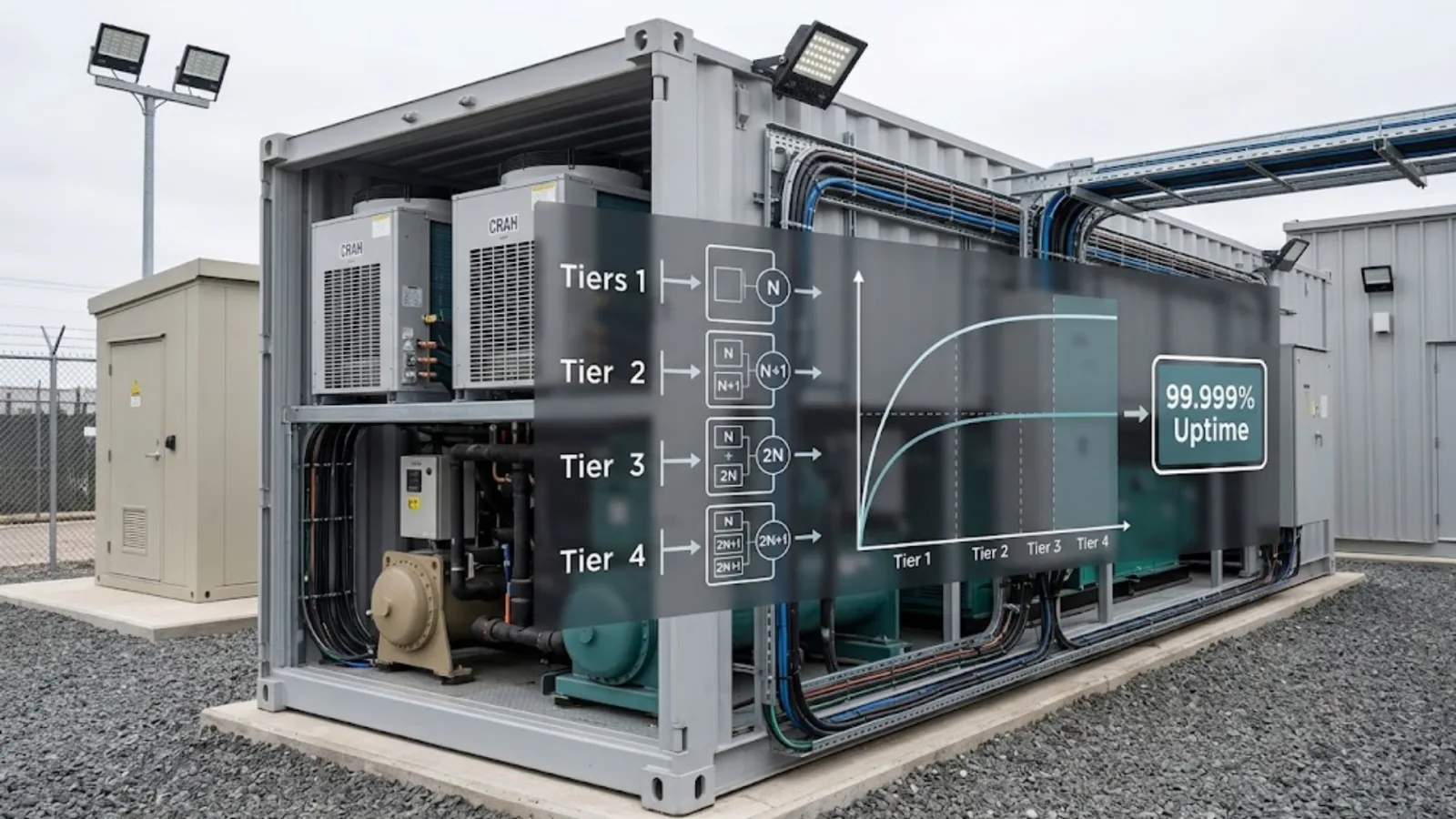
Redundancy models. Redundancy describes how much backup capacity exists for critical systems like power and cooling. Common models include N (no redundancy, baseline capacity only), N+1 (one additional unit beyond what’s needed), 2N (a fully duplicate, independent system), and 2N+1 (a duplicate system with an additional backup unit on top). Each step up this scale improves fault tolerance, but also adds meaningfully to construction and operating cost, which is why redundancy decisions are usually matched to how critical a given workload actually is rather than applied uniformly across an entire facility.

Network topology. This describes how servers, switches, and storage are physically and logically connected. Common approaches include traditional three-tier architectures (core, aggregation, and access layers) and newer spine-leaf architectures, which are designed to handle the high volumes of east-west traffic (server-to-server) typical of virtualized and cloud-native environments.

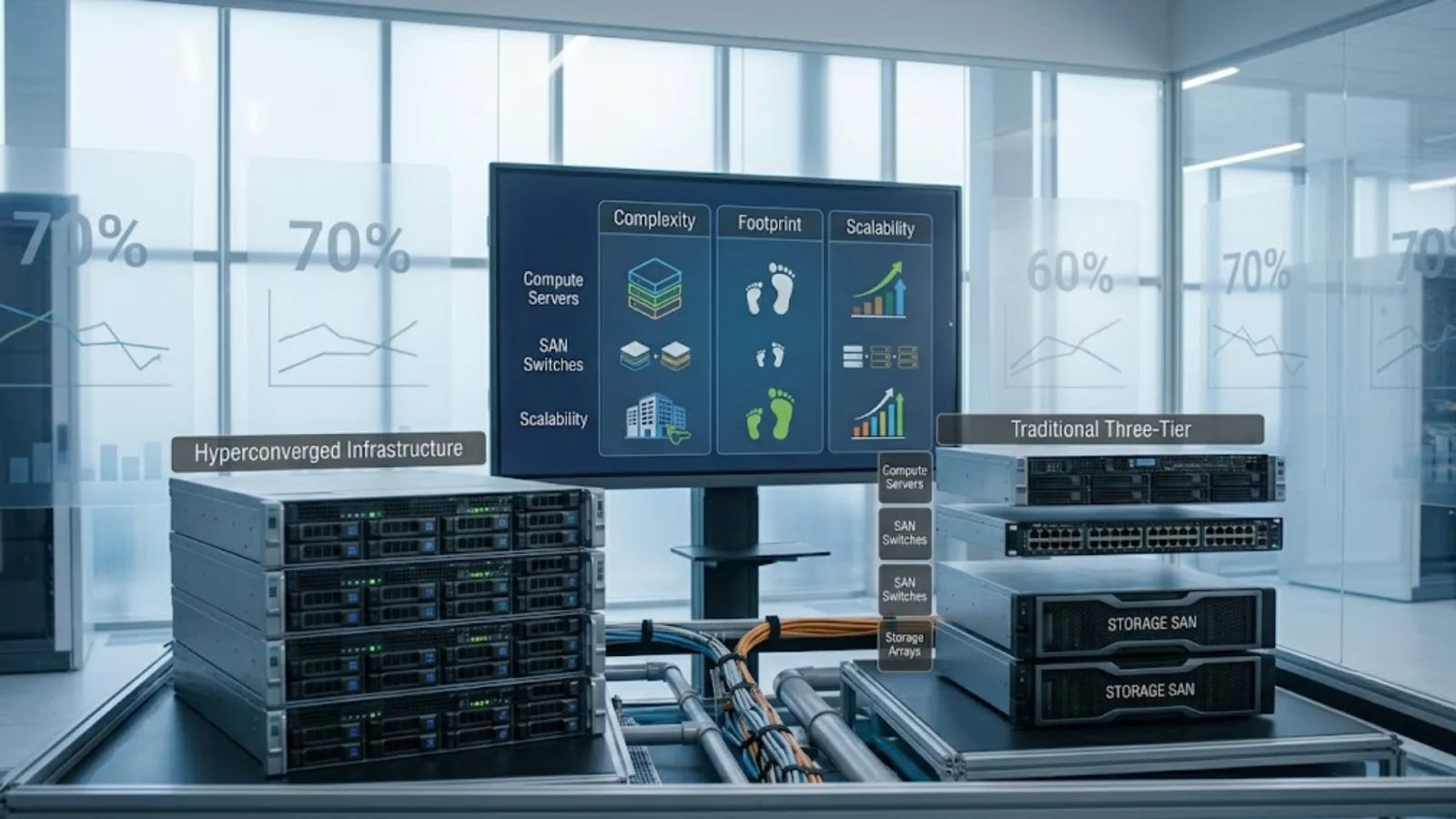
Virtualization and hyperconvergence. Modern data center architecture rarely maps applications directly to physical servers. Virtualization allows one physical server to run many virtual machines, while hyperconverged infrastructure (HCI) combines compute, storage, and networking into a single, software-managed system, simplifying management at the cost of some architectural flexibility.

Scalability approach. Architecture also determines how easily a data center can grow. Modular designs, where additional racks, power, and cooling capacity can be added in defined increments, tend to scale more predictably than facilities built entirely around a single fixed capacity.

Good data center architecture isn’t about maximizing any single one of these dimensions. It’s about matching redundancy, topology, and scalability approach to the actual availability and growth requirements of the workloads the facility will support, which vary significantly between, say, a core banking system and an internal reporting tool.

What Are the Different Types of Data Centers?

Not all data centers are built, owned, or operated the same way. Understanding the different types of data centers helps clarify which model fits a given enterprise’s needs.

Enterprise data centers. Owned and operated by a single organization, typically for its own internal use. This model gives the organization full control over infrastructure and data location but requires it to bear the full cost and operational burden of running the facility.

Colocation data centers. Facilities where a third-party provider owns and operates the physical building, power, cooling, and physical security, while customers bring and manage their own servers and storage within that space. This shifts the burden of facility management away from the enterprise while retaining more control over the IT stack than a fully outsourced cloud model.

Hyperscale data centers. Massive facilities, typically operated by large cloud providers, designed to support enormous scale with highly standardized, automated infrastructure. These underpin most public cloud services, and their scale allows for levels of automation and cost efficiency that would be difficult for a single enterprise to replicate on its own.

Managed services / cloud data centers. In this model, an enterprise doesn’t own or directly manage the underlying infrastructure at all. Instead, it consumes compute, storage, and networking as a service from a cloud provider, paying based on usage rather than owning fixed capacity.

Edge data centers. Smaller facilities positioned closer to where data is generated or consumed, reducing latency for applications like IoT processing, content delivery, or real-time analytics. Edge deployments are becoming more common in India as data volumes grow in cities beyond the traditional metro hubs.

Many enterprises don’t rely on just one of these types. A hybrid approach, combining an enterprise or colocation facility for certain workloads with cloud services for others, has become the norm for larger organizations balancing control, cost, and flexibility. For a cost and control comparison of these models, see colocation vs on-premise vs cloud.

What Are Data Center Tiers, and Why Do They Matter?

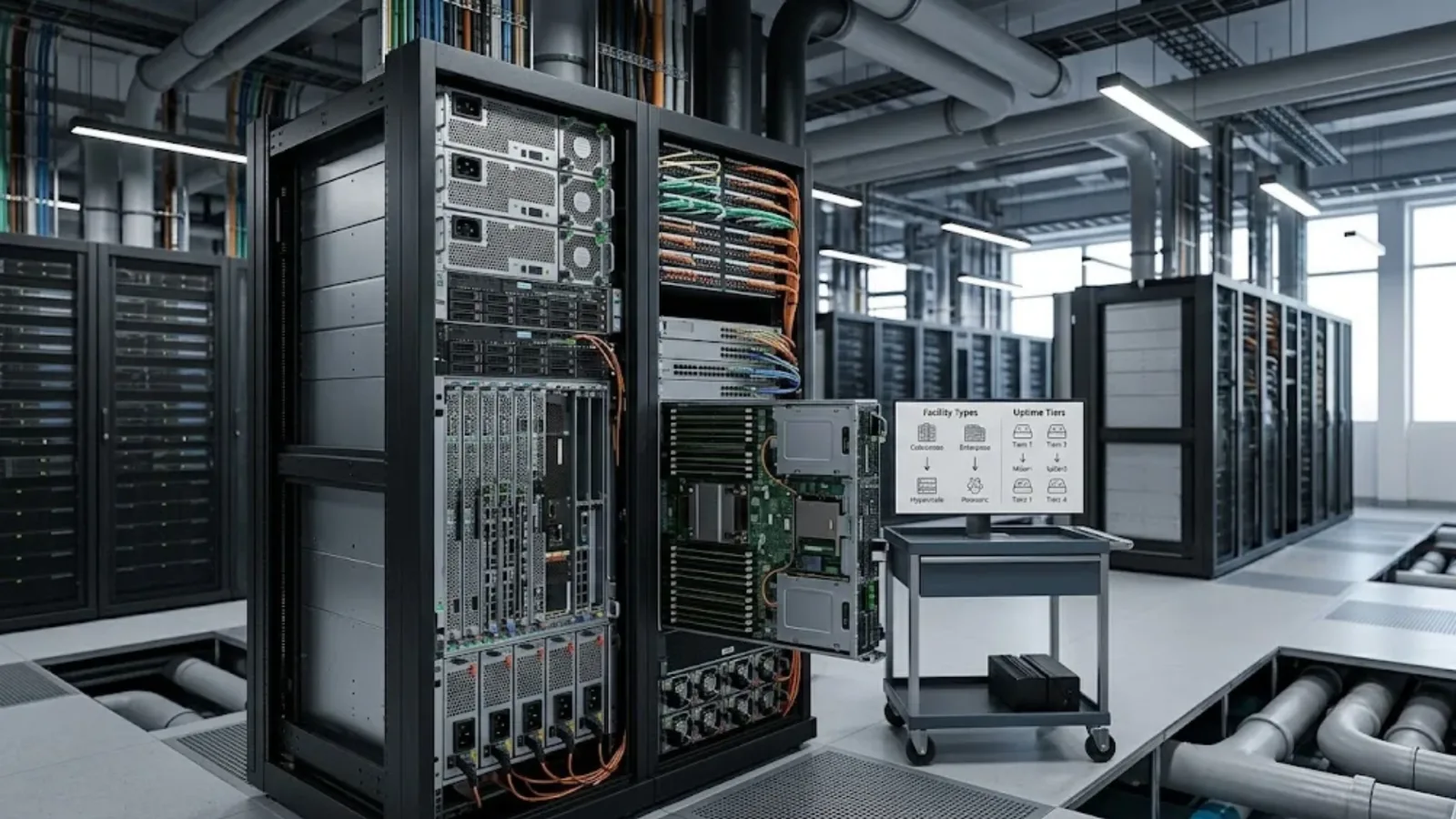
Data center tiers are a standardized way of describing how resilient and available a facility is designed to be. The classification system most widely referenced globally was developed by the Uptime Institute and defines four tiers. Our data center tier standards guide goes deeper into each one, including what 99.999% uptime really means.

Tier I: Basic capacity. A single, non-redundant path for power and cooling, with no backup components. This tier offers roughly 99.671% expected availability, equivalent to about 28.8 hours of downtime per year. It’s the simplest and least expensive tier, suited to workloads where downtime has limited business impact.

Tier II: Redundant capacity components. Adds backup power and cooling components (an N+1 model) but still relies on a single distribution path. Expected availability rises to around 99.741%, or roughly 22 hours of downtime per year.

Tier III: Concurrently maintainable. Introduces multiple distribution paths, though typically only one is active at a time, allowing maintenance to be performed without shutting systems down. Expected availability reaches approximately 99.982%, or about 1.6 hours of downtime per year. This is a common tier for enterprises running business-critical, though not mission-critical, workloads.

Tier IV: Fault tolerant. The highest tier, with multiple independent and simultaneously active distribution paths for power and cooling, so a single component failure doesn’t affect operations. Expected availability is around 99.995%, roughly 26 minutes of downtime per year. This tier is typically reserved for workloads where availability is effectively non-negotiable, such as core financial systems.

A few practical points are worth keeping in mind. Formal Uptime Institute tier certification applies to a specific facility, and sometimes to a specific hall or suite within a larger campus, not to a provider’s entire portfolio by default. It’s also worth confirming whether a facility has current, formally awarded certification rather than relying on marketing language alone, since certifications can lapse and standards can be applied loosely outside of formal review. For enterprises evaluating colocation or managed data center options, asking specifically which tier applies to their allocated space, rather than the facility as a whole, is a reasonable and fairly common question to raise.

Where This Fits Into a Broader Infrastructure Strategy

Understanding what a data center is, and how components, architecture, types, and tiers fit together, is a useful starting point, but most enterprises face a more specific question in practice: which type of data center, at which tier, best fits their actual workloads, compliance requirements, and budget, and how it should be designed, deployed, and managed over time. Our guide to data center solutions in India walks through each of those stages.

That’s a decision worth working through with an experienced technology partner rather than in isolation. Team Computers works with enterprises across India on exactly this kind of infrastructure planning, from evaluating the right data center model to designing, deploying, and managing the environment over its operational life. If you’re weighing your organization’s data center options, it’s a conversation worth having early rather than after the infrastructure decision has already been made.

Related reading

Frequently Asked Questions

Is a data center the same as a server room?

Not quite. A server room is typically a smaller, less formal space within an office, often without dedicated redundant power, cooling, or the physical security standards associated with a purpose-built data center. A data center is generally designed and engineered specifically for that role, at a larger scale.

What's the difference between a data center and the cloud?

Cloud services run on data centers, specifically hyperscale facilities operated by cloud providers. "The cloud" describes the consumption model, accessing compute and storage as a service, rather than a different kind of physical infrastructure.

How much does a data center cost to build?

Costs vary widely based on tier, size, and location, ranging from a few million dollars for a smaller, lower-tier facility to tens of millions for a large, high-availability build. This is one of the reasons many enterprises choose colocation or cloud models rather than building and owning a facility outright.

Do all enterprises need a Tier III or Tier IV data center?

No. Tier level should match workload criticality and business risk tolerance, not be chosen by default. A retail company's internal HR system and its live payment processing platform may reasonably sit in different tiers, or even different facilities altogether.

What is data center architecture in simple terms?

It's the overall design plan for how compute, storage, networking, power, and cooling are organized and made redundant, so the facility can reliably support current workloads while allowing for future growth.

Can a data center be upgraded from a lower tier to a higher one?

It's possible in some cases, but often difficult and expensive, since higher tiers typically require additional distribution paths and physical space that lower-tier facilities weren't originally designed to accommodate. This is one of the reasons tier level is worth getting right at the design stage rather than treating it as something to revisit later.

What is the difference between a data center and colocation?

A data center is the general term for the facility itself. Colocation describes a specific ownership and operating model, where an enterprise places its own equipment inside a data center that's owned and run by a third-party provider, rather than owning the facility outright.

Data Center Migration Checklist: Phases, Risk Controls and Rollback Plan

Most data center migrations don’t fail because the destination environment was wrong. They fail because of what happens in between: an undocumented dependency that breaks at cutover, a downtime window that runs longer than the business can tolerate, or a rollback plan that exists on paper but was never actually tested.

A data center migration, whether moving from an aging on-premises facility to a colocation site, consolidating multiple data centers, or shifting workloads to the cloud, touches almost every layer of enterprise IT at once: applications, data, networking, security, and the operational processes built around all of them. Getting it right requires more than a project plan. It requires a structured approach to sequencing, risk controls, and a genuinely usable rollback plan, not just a checklist that looks complete on a slide.

This guide walks through a practical, phase-by-phase data center migration plan, the strategic decisions that shape it, and the risk controls and rollback planning that determine whether a migration goes smoothly or turns into a weekend of firefighting.

What Counts as a Data Center Migration

A data center migration is the process of moving IT infrastructure, applications, and data from one environment to another. That destination could be a new physical facility, a colocation provider, a public cloud platform, or some hybrid combination of these. If the destination itself is still undecided, it’s worth comparing colocation vs on-premise vs cloud first. It could involve an entire data center or a defined subset of workloads being moved in stages.

What makes migrations distinct from routine infrastructure changes is scope and interdependency. A single application rarely runs in isolation. It typically depends on databases, authentication systems, network paths, and integrations with other applications, and all of those dependencies need to survive the move, ideally with minimal disruption to the people and systems relying on them.

Migrations also tend to be treated, mistakenly, as a single event rather than a sustained process. The cutover window gets most of the attention because it’s the most visible and time-pressured part, but the quality of a migration is determined far more by the discovery, planning, and testing work that happens well before that window, and by the validation and stabilization work that happens after it. Migration is one stage in the wider lifecycle of data center solutions, between design and managed operations.

Choosing a Migration Strategy: Lift-and-Shift vs Re-platform

Before building a detailed migration plan, enterprises need to decide, workload by workload, which migration approach actually fits. The two most commonly discussed are lift-and-shift and re-platforming, though they sit within a broader set of options.

Lift-and-shift (rehosting) moves an application to the new environment largely as-is, with minimal changes to its architecture. This is generally the fastest and lowest-risk approach in the short term, since it avoids re-engineering work, but it also means the application doesn’t take advantage of any efficiency, scalability, or cost benefits the new environment might offer. It’s often the right choice for legacy applications nearing end-of-life, or for workloads under tight migration deadlines.

Re-platforming involves making targeted changes, such as moving a database to a managed service or adjusting how an application is deployed, without a full architectural rewrite. This strikes a middle ground: more effort than lift-and-shift, but meaningfully better alignment with the new environment’s capabilities, particularly around scalability and operational efficiency.

Beyond these two, enterprises typically also weigh refactoring (a deeper redesign to take full advantage of the new environment, at higher cost and time), repurchasing (replacing an application with a SaaS equivalent), retiring (decommissioning applications that no longer justify the cost of migration), and retaining (leaving certain workloads in place, at least for now, often due to compliance, dependency, or cost constraints).

The right answer varies application by application. A useful data center migration strategy usually groups applications into these categories early, rather than defaulting every workload to the same approach, since treating a legacy file server and a mission-critical transaction system identically almost always produces a worse outcome for one of them.

Building the Data Center Migration Plan

A migration plan needs to answer four questions clearly before execution begins: what is moving, in what order, using which approach, and how will success be verified at each step. A plan that only answers the first question tends to run into trouble once execution starts.

Core elements of a solid data center migration plan include:

  • A complete inventory of applications, servers, storage, and their dependencies, built from actual discovery rather than assumptions or outdated documentation.
  • A workload sequencing strategy, typically moving lower-risk, less-critical systems first to validate the process before attempting business-critical migrations.
  • Defined migration approach per workload, based on the lift-and-shift, re-platform, refactor, repurchase, retire, or retain decision made for each application.
  • Resource and ownership assignment, so it’s clear who is responsible for each workload’s migration, validation, and rollback decision if something goes wrong.
  • A realistic timeline, built with contingency for the discovery of unexpected dependencies, which happens in nearly every migration of meaningful size.
  • Success criteria for each workload, defined before the migration starts, not improvised during a stressful cutover window.

The Migration Checklist: Phase by Phase

Phase 1: Discovery and assessment. Before anything moves, build a full picture of the current environment: applications, dependencies, data volumes, network paths, licensing constraints, and compliance requirements. This phase is frequently rushed, and rushing it is one of the most reliable ways to encounter surprises later. Automated discovery tools can help, but they should be paired with input from application owners, since some dependencies (particularly integrations and undocumented scripts) are easy for tooling to miss entirely.

Phase 2: Strategy and planning. Assign a migration approach to each workload, sequence the migration order, and build the detailed migration plan described above. This is also the stage to confirm the target environment, whether that’s a new facility, a colocation provider, or a cloud platform, actually has the capacity, compliance posture, and connectivity the workloads require, and a tier level that matches their criticality.

Phase 3: Design and preparation, including the migration runbook. Build out the target environment: provision compute, storage, and networking, configure security controls, and establish connectivity between old and new environments where a phased migration requires both to run in parallel. This is also where the migration runbook gets built: a detailed, step-by-step execution document covering exactly what happens during cutover, in what order, by whom, with specific validation checks and rollback triggers built into each step rather than left as a general fallback plan. A runbook that exists only as a high-level outline tends to fall apart under the time pressure of an actual cutover window.

Phase 4: Downtime window planning. For workloads that can’t be migrated with zero downtime, this phase defines exactly how much downtime is acceptable, when it can occur, and how it will be communicated to affected users and stakeholders. Downtime window planning should account for realistic worst-case timing, not just the best-case estimate, and should be agreed with business stakeholders well in advance rather than negotiated during the cutover itself. Building in buffer time is almost always better than promising a window that has no margin for the unexpected.

Phase 5: Testing before cutover. Wherever possible, test the migration process, and the target environment, before the live cutover. This includes test migrations of representative data, validation of application functionality in the new environment, and performance testing under realistic load. Skipping this phase to save time is one of the most common reasons migrations run into avoidable trouble during the actual cutover.

Phase 6: Execution and cutover. This is the live migration event, following the runbook built in Phase 3. Clear communication during this phase matters as much as the technical execution: stakeholders should know the migration is underway, expected completion time, and who to contact if something looks wrong.

Phase 7: Validation and go-live confirmation. Immediately after cutover, validate that applications are functioning correctly, data integrity is intact, performance meets expectations, and integrations with other systems are working. This validation should be against the success criteria defined during planning, not a general sense that “things look fine.”

Phase 8: Post-migration optimization and decommissioning. Once a workload is confirmed stable in its new environment, address any re-platforming or optimization work that was deferred to prioritize migration speed, and decommission the old environment on a defined timeline, rather than leaving it running indefinitely “just in case.”

How Long Should You Budget for a Data Center Migration?

There’s no universal timeline, since scope varies so widely between organizations, but a few factors consistently drive how long a migration actually takes.

Number and complexity of applications. A migration involving a handful of straightforward applications looks nothing like one involving hundreds of interconnected systems, and enterprises frequently underestimate how much complexity a moderate-sized but tightly integrated environment can carry, even when the initial application count seems manageable.

Depth of dependency mapping required. Environments with strong existing documentation move faster through discovery. Environments where documentation has lagged behind actual system changes, which is common after years of incremental IT changes, need meaningfully more time in Phase 1 before a realistic plan can even be built.

Compliance and data residency requirements. Regulated industries often need additional validation steps, particularly around data handling and audit evidence, which extends timelines but reduces downstream compliance risk.

Chosen migration approach per workload. A portfolio weighted toward lift-and-shift moves faster than one requiring significant re-platforming or refactoring work, though as noted earlier, speed isn’t the only factor worth optimizing for.

As a general planning principle, it’s more useful to build a timeline bottom-up, from actual discovery findings and workload-by-workload complexity, than to anchor early on a target date and then compress the process to fit it. Migrations that are rushed to meet an arbitrary deadline are disproportionately represented among the ones that run into rollback situations.

Risk Controls to Build Into Every Phase

Risk controls aren’t a single step. They need to be embedded throughout the migration, not bolted on at the end.

Verified backups before every migration event. Not just a backup that ran, but one that has been tested and confirmed restorable. A backup that hasn’t been validated is not a genuine safety net.

Defined go/no-go criteria. Before each cutover, agree on the specific conditions that would trigger a delay or rollback, decided in advance rather than debated in the moment under time pressure.

Monitoring during and immediately after cutover. Active monitoring of performance, errors, and availability in the hours immediately following a migration catches issues faster than waiting for a user complaint to surface them.

Change control and communication discipline. Migrations often involve multiple teams and, frequently, external partners. A clear communication plan, including who needs to be notified at each stage and how issues get escalated, reduces the chance of conflicting actions during a high-pressure window.

Security validation in the new environment. Confirming that firewall rules, access controls, and encryption are correctly configured in the target environment before go-live, not discovered as gaps afterward, is one of the more frequently skipped risk controls under time pressure.

Building a Rollback Plan That Actually Works

A rollback plan is often written, filed away, and never tested until the moment it’s needed, at which point gaps in it become obvious at the worst possible time. The same is true of many disaster recovery plans. A rollback plan worth relying on needs a few specific characteristics.

Clear rollback triggers. Define, in advance, the specific conditions that mean “stop and roll back” rather than “keep troubleshooting forward.” Ambiguity here is one of the most common reasons teams push forward too long during a failing migration, hoping the next fix will resolve things.

A realistic rollback timeframe. Understand exactly how long rolling back actually takes, and make sure that timeframe fits within the downtime window that’s been communicated to the business. A rollback that takes longer than the original migration defeats much of its purpose.

Data consistency handling. If data has been written to the new environment before a rollback decision is made, the plan needs to address how that data is reconciled or preserved, not just how systems revert. This is one of the more technically difficult parts of rollback planning and deserves specific attention during the design phase, not during the incident itself.

A tested rollback, not just a documented one. Wherever feasible, test the actual rollback procedure before the live migration, the same way the forward migration gets tested. A rollback plan that has only ever existed on paper carries meaningfully more risk than one that has been executed, even in a test environment.

Clear ownership of the rollback decision. Someone specific needs the authority to call a rollback, and that person needs to be identified before cutover begins, not determined in the middle of an incident when time matters most.

Common Mistakes That Undermine Migrations

A few patterns show up repeatedly across enterprise data center migrations, regardless of industry or destination environment.

Incomplete discovery. Migrating based on documentation that doesn’t reflect the current state of the environment is one of the most common sources of mid-migration surprises.

Treating every workload the same way. Applying a single migration approach and timeline across dramatically different workloads, from simple file servers to complex, tightly integrated business systems, tends to produce delays for the complex ones and unnecessary caution for the simple ones.

Underestimating dependency mapping. Applications rarely fail in isolation during a migration. They fail because something they depend on, often something not fully documented, wasn’t accounted for in the plan.

No tested rollback. As covered above, a rollback plan that exists only in theory tends to reveal its gaps at the least convenient possible moment.

Insufficient stakeholder communication. Business stakeholders who are surprised by downtime, or who weren’t consulted on the acceptable downtime window, are far more likely to escalate concerns during a migration that is otherwise proceeding as planned.

Where an Experienced Partner Reduces Migration Risk

Data center migrations combine technical complexity with genuine business risk, and very few internal IT teams run migrations of this scale often enough to build deep, repeatable expertise in sequencing, risk controls, and rollback design. That experience gap is usually where migrations run into avoidable trouble, not a lack of technical skill within the team.

Team Computers works with enterprises across India on data center migrations, from initial discovery and strategy through execution, validation, and post-migration support. Working across leading OEM technologies and both on-premises and cloud environments, the goal is to bring migration planning, risk controls, and rollback design that have been tested across multiple enterprise environments, rather than treating each migration as a first attempt.

If your organization has a data center migration on the horizon, whether driven by a facility refresh, a move to colocation, or a broader infrastructure modernization plan, it’s worth building the migration plan, risk controls, and rollback strategy before a deadline forces the pace. Talk to Team Computers about planning a migration that protects your business through the transition, not just after it.

Related reading

Colocation vs On-Premise vs Cloud: A Cost and Control Comparison

Every enterprise weighing where to host its infrastructure eventually runs into the same tension: more control generally means more cost and more operational responsibility, while less operational burden generally means giving up some control over the environment. On-premises, colocation, and cloud sit at different points along that tradeoff, and none of them is universally correct.

This colocation vs on-premise vs cloud comparison breaks down what each model actually costs, how much control it gives you, and where each one tends to make the most sense, so the decision can be made deliberately rather than by default or by whichever option was chosen years ago and never revisited.

The Three Models, Briefly

On-premises means an enterprise owns and operates its own physical data center facility, including the building, power, cooling, and physical security, alongside its own compute and storage hardware.

Colocation means an enterprise owns its compute and storage hardware but places it inside a third-party facility, which supplies the building, power, cooling, physical security, and connectivity. The enterprise still manages its own servers and data, while the facility itself is someone else’s responsibility.

Cloud means an enterprise consumes compute, storage, and networking as a service from a provider, without owning any of the underlying hardware or facility. Infrastructure is provisioned on demand and billed based on usage.

A fourth, increasingly common option, the hybrid infrastructure model, combines two or more of these, typically on-premises or colocation for certain workloads alongside cloud for others.

At a glance, the three primary models compare as follows:

Factor On-Premises Colocation Cloud
Cost structure High capital expenditure Capital hardware + recurring facility fee Primarily operating expenditure
Facility ownership Enterprise Third-party provider Third-party provider
Hardware ownership Enterprise Enterprise Provider
Scalability Slow, capacity-limited Moderate, tied to contracted space Fast, largely on-demand
Data location control Full, direct control High, verifiable control Regional commitments, less direct verification
Operational burden Highest Moderate Lowest
Best suited for Highly regulated, latency-sensitive, stable workloads Predictable capacity needs with retained hardware control Variable demand, cloud-native, fast-scaling workloads

This table is a starting point for the conversation, not a final answer. The right choice for any given workload depends on the specifics covered below.

Cost Comparison: On-Premise vs Cloud vs Colocation

On-premises costs are dominated by capital expenditure: land or building costs, power and cooling infrastructure, physical security systems, and the compute and storage hardware itself. These are large upfront investments, followed by ongoing operating costs for power, staffing, maintenance, and eventual hardware refresh cycles, typically every five to seven years for core infrastructure. Because so much of the cost is fixed and upfront, on-premises infrastructure tends to be least cost-efficient when capacity sits underused, and most cost-efficient when utilization stays consistently high over a long period. The capital intensity of on-premises infrastructure is the single biggest reason many enterprises have moved away from building new facilities from scratch, even when they still want to retain their own hardware.

Colocation costs shift the facility-related capital expenditure to the provider. The enterprise typically pays a recurring fee based on rack space, power consumption, and connectivity, alongside its own capital cost for compute and storage hardware. Data center colocation pricing is usually structured around per-rack or per-kilowatt rates, plus connectivity and cross-connect charges, which makes costs more predictable than an owned facility but still tied to a defined amount of committed capacity. Because power draw, rather than physical space alone, increasingly determines pricing as rack densities rise with AI and compute-intensive workloads, it’s worth confirming pricing structures reflect actual power requirements rather than a flat per-rack assumption that may not hold for denser deployments.

Cloud costs are almost entirely operating expenditure, billed based on actual usage, whether that’s compute hours, storage volume, or data transfer. This removes the large upfront capital investment and allows costs to scale up or down with demand. The tradeoff is that cloud costs can become harder to predict and, for steady, large-scale workloads that run continuously, sometimes end up costing more over time than owned infrastructure would have, unless usage is actively managed and optimized.

On-premise vs cloud cost, in short, is really a question of capital versus operating expenditure, and of predictable-but-inflexible cost versus flexible-but-variable cost. Neither is inherently cheaper. The right answer depends heavily on workload predictability, growth trajectory, and how much internal capability exists to actively manage and optimize cloud spend, since unmanaged cloud usage is a common source of costs that quietly exceed what an equivalent owned environment would have cost.

Control Comparison: Who Manages What

Control isn’t a single dimension. It’s worth breaking into a few specific layers.

Physical infrastructure control. On-premises gives full control over the facility itself, its location, its security posture, and its physical access policies. Colocation gives up direct control of the facility but typically allows enterprises to negotiate specific security, access, and compliance requirements with the provider. Cloud gives essentially no visibility into or control over the physical facility.

Hardware control. On-premises and colocation both give enterprises full control over their own compute and storage hardware, including choice of vendor, configuration, and refresh timing. Cloud removes this control entirely. The provider owns and manages the underlying hardware, and the enterprise works only at the level of provisioned resources.

Data location and residency control. On-premises and colocation give enterprises precise, verifiable control over exactly where data physically resides, which matters considerably for regulated industries with data localization requirements. Cloud providers can often offer regional data residency commitments, but the enterprise has less direct, physical verification of where data sits at any given moment compared with an environment it can walk into.

Operational control. On-premises requires the enterprise to run every layer of operations itself: facility, hardware, and software. Colocation removes facility operations from the enterprise’s plate while leaving hardware and software operations with the enterprise. Cloud removes both facility and hardware operations, leaving the enterprise responsible primarily for the software and application layer, and for governing how cloud resources are used.

Customization control. On-premises and colocation allow enterprises to build highly specific configurations suited to unusual workloads or legacy systems. Cloud environments are more standardized, which is efficient for common workload types but can be a constraint for applications that don’t fit cloud-native patterns well.

Colocation vs Cloud: A Closer Look

Because colocation and cloud are often considered as alternatives to each other, particularly by enterprises trying to reduce reliance on owned facilities, it’s worth comparing them directly.

Colocation suits enterprises that want to retain control over their own hardware, have predictable, steady-state capacity needs, and want to reduce the burden of facility management without giving up the flexibility of managing their own compute and storage environment. It also tends to suit enterprises with compliance requirements that call for direct oversight of physical hardware, even if the facility itself is third-party.

Cloud suits workloads with variable or unpredictable demand, applications that benefit from elastic scaling, and organizations that want to minimize both capital investment and the operational burden of hardware management entirely. It also tends to suit organizations building new, cloud-native applications from the ground up, where cloud-native services can reduce development effort significantly.

Neither is a universal replacement for the other, which is precisely why so many enterprises end up running both, rather than treating the choice as binary.

The Case for a Hybrid Infrastructure Model

For many mid-sized and large Indian enterprises, the practical answer isn’t choosing one model exclusively. It’s building a hybrid infrastructure model that assigns each workload to the environment that fits it best.

A common pattern places latency-sensitive, compliance-bound, or highly customized legacy workloads in colocation or on-premises environments, while variable-demand, customer-facing, or newly developed applications run in the cloud. This allows an enterprise to capture the control and predictability benefits of colocation or on-premises infrastructure where they matter most, and the flexibility and scalability of cloud where that matters more.

The complexity of a hybrid model isn’t really in any single environment. It’s in managing consistent security policy, monitoring, and operational practices across environments that are architecturally quite different from each other. Without a deliberate operating model, hybrid environments can quietly become harder to manage than either a fully on-premises or fully cloud environment would have been on its own. Our guide to data center solutions in India covers how design, deployment and managed operations fit together across these models.

Signs It May Be Time to Reconsider Your Current Model

Infrastructure decisions made years ago don’t automatically stay right as a business changes. A few signals suggest it’s worth revisiting the on-premises, colocation, or cloud mix currently in place.

Facility costs are rising faster than workload growth. If power, cooling, or maintenance costs on an owned facility are climbing without a corresponding increase in what the business is getting from that infrastructure, the economics may have shifted since the original decision was made.

Capacity planning keeps running into physical limits. Enterprises that regularly hit power, space, or cooling ceilings in an owned facility are often better served by colocation or cloud models that can absorb growth without a capital construction project each time.

Cloud costs have grown unpredictably. Organizations that moved workloads to cloud for flexibility sometimes find costs creeping upward as usage scales, particularly for steady-state workloads that might have been better suited to a fixed-cost model like colocation or on-premises infrastructure.

Compliance requirements have changed. New or tightened data residency and localization requirements can make certain workloads unsuitable for their current environment, regardless of how well that environment has performed operationally.

Internal teams are stretched thin managing facility operations. If skilled IT staff are spending disproportionate time on facility-level concerns rather than application and business priorities, shifting facility responsibility to a colocation or cloud provider can free up capacity for higher-value work.

None of these signals demand an immediate wholesale switch. More often, they point toward specific workloads or capacity segments that would benefit from moving to a different model, while the rest of the environment stays as it is. When you do move, a structured data center migration checklist keeps the risk down.

What to Look for in Colocation Services in India

For enterprises leaning toward colocation, either as a primary model or as part of a hybrid approach, a few factors are worth evaluating carefully when comparing colocation services in India. Read the contract as closely as the facility: these are the colocation details buyers most often miss.

Power and cooling reliability. Ask specifically about redundancy levels (N, N+1, 2N), the certified data center tier of your space, and the facility’s track record on uptime, rather than accepting general uptime claims at face value.

Connectivity options. A facility with multiple carrier and network provider options reduces single points of failure and generally offers more competitive connectivity pricing than one tied to a single provider.

Compliance and certifications. For regulated industries, confirm the facility’s compliance posture matches specific industry requirements, not just general security certifications.

Location and accessibility. Physical proximity affects both connectivity latency for on-premises-adjacent workloads and how easily internal teams can access hardware when needed.

Scalability of rack and power allocation. Confirm how easily additional rack space or power capacity can be added as needs grow, since renegotiating capacity later, under time pressure, is a weaker position than planning for growth upfront.

Transparent, predictable pricing. Understand exactly what’s included in quoted data center colocation pricing, including cross-connects, bandwidth, and any additional facility service fees, since these can add up meaningfully beyond the headline rack rate.

Making the Decision

There’s no single correct model. The right choice, or right combination, depends on a handful of enterprise-specific factors: how predictable workload demand is, how strict compliance and data residency requirements are, how much capital is available for upfront investment versus ongoing operating spend, and how much internal capability exists to manage each environment well.

Working through this decision in isolation, without deep familiarity with how each model performs in practice across different workload types, is where many enterprises either over-invest in capacity they don’t need or under-invest in the control and reliability their workloads actually require.

Team Computers works with enterprises across India to evaluate on-premises, colocation, and cloud options against actual workload requirements, and to design, deploy, and manage whichever combination fits best, including hybrid environments that span multiple models. Rather than defaulting to whichever infrastructure model is most familiar or most heavily marketed, it’s worth mapping the decision to what your specific workloads, compliance obligations, and growth plans actually require. Talk to Team Computers about finding the right infrastructure mix for your enterprise.

Related reading

Data Center Tier Standards Explained: Tier 1 to Tier 4 and What 99.999% Really Means

Quick answer: Data center tiers are a four-level classification system, developed by the Uptime Institute, that describes how much redundancy a facility has for power, cooling, and other critical systems, and correspondingly, how much downtime it’s designed to experience in a typical year. Tier 1 is the most basic, with no redundancy, while Tier 4 is fully fault-tolerant, with multiple independent systems that can absorb a component failure without any disruption.

Tier ratings come up constantly in conversations about colocation contracts, cloud SLAs, and data center design proposals, but the specific engineering differences behind each tier, and what the resulting uptime figures actually translate to in hours and minutes, are less commonly understood. That gap matters, because choosing a tier isn’t just a technical decision. It has direct, sometimes significant, cost implications, and getting it wrong in either direction, over-building or under-building, carries real business consequences.

The rest of this guide walks through what each tier actually means in practice, what the uptime percentages behind them represent, and how to think about choosing the right tier for a given workload rather than assuming higher is always better. If you’re new to the topic, start with what a data center is and how its components fit together.

What Is the Uptime Institute Tier Classification?

The Uptime Institute Tier Classification is the most widely referenced global standard for evaluating data center reliability and redundancy. It defines four tiers, Tier I through Tier IV, based on specific, measurable criteria: how many power and cooling distribution paths a facility has, whether those paths are active simultaneously or in standby, whether maintenance can be performed without shutting systems down, and how the facility responds to an unplanned component failure.

A few things are worth understanding about how this classification actually works. Formal tier certification is awarded by the Uptime Institute after a review of a facility’s design, construction, and, for the highest level of certification, its operational performance over time. Certification applies to a specific facility, and sometimes to a specific data hall or suite within a larger campus, rather than automatically extending to a provider’s entire portfolio. It’s also worth noting that the term “tier” is used loosely across the industry, including by providers that haven’t gone through formal certification, so it’s reasonable to ask a provider directly whether their tier claim reflects an awarded Uptime Institute certification or an internal self-assessment.

Tier I: Basic Capacity

A Tier I data center has a single, non-redundant distribution path for power and cooling. There’s no backup capacity for these systems, which means a failure in a critical component, or planned maintenance on one, can result in a full facility shutdown.

Expected availability for Tier I sits around 99.671%, which works out to roughly 28.8 hours of downtime per year. This is the simplest and least expensive tier to build and operate, which makes it a reasonable fit for workloads where downtime has limited business consequence, such as internal development environments or non-critical archival systems.

Tier II: Redundant Capacity Components

Tier II builds on Tier I by adding redundant capacity components, engine generators, additional cooling units, or energy storage, for example, while still relying on a single distribution path. This is often referred to as an N+1 model: baseline capacity, plus one additional backup unit.

Expected availability improves to around 99.741%, roughly 22 hours of downtime per year. Tier II facilities still require some downtime for maintenance on the single distribution path, since there’s no redundant path to shift load onto while work is performed. In practice, this tier suits organizations that want meaningfully better protection than Tier I without the cost and complexity of a fully redundant distribution architecture, such as smaller enterprises running standard business applications with moderate, rather than extreme, availability requirements.

Tier III: Concurrently Maintainable

A Tier III data center introduces multiple distribution paths for power and cooling, though typically only one path is actively serving load at any given time, with the other available as a maintenance and failover path. This is what makes a Tier III facility concurrently maintainable: routine maintenance can be performed on any component without shutting down the systems it supports.

Expected availability for a tier 3 data center reaches approximately 99.982%, or about 1.6 hours of downtime per year. Tier III is a common choice for enterprises running business-critical applications that need strong reliability but don’t carry the extreme cost of full fault tolerance. It’s worth noting that Tier III isn’t completely immune to unplanned outages. If a failure occurs while the backup path is already in use for maintenance, the facility has reduced protection until that maintenance work is complete, which is a meaningful, if often overlooked, nuance of this tier.

Tier IV: Fault Tolerant

A tier 4 data center is the highest classification, built around multiple, independent, and physically isolated distribution paths for power and cooling that are simultaneously active, not just available as standby. This is typically described as a 2N or 2N+1 model. The isolation between systems is deliberate: it ensures that a single event, whether a component failure or a maintenance activity, cannot compromise both systems at once.

Expected availability for Tier IV is approximately 99.995%, roughly 26 minutes of downtime per year. This level of resilience comes at significantly higher construction and operating cost than Tier III, which is why Tier IV is typically reserved for workloads where availability is close to non-negotiable, such as core financial transaction systems, critical national infrastructure, or applications where even brief outages carry outsized financial or safety consequences.

Data Center Uptime Percentage: What the Numbers Mean

Data center uptime percentage is usually expressed in “nines,” referring to how many nines appear in the availability figure. Each additional nine represents a meaningfully smaller amount of allowed downtime, not a proportionally smaller one, which is an important distinction when comparing tiers.

Tier Availability Approximate annual downtime
Tier I 99.671% ~28.8 hours
Tier II 99.741% ~22 hours
Tier III 99.982% ~1.6 hours
Tier IV 99.995% ~26 minutes

The jump from Tier III to Tier IV looks small on paper, from 99.982% to 99.995%, but it represents roughly a 73% reduction in allowed downtime. This is a useful reminder that availability percentages compress a large amount of engineering and cost difference into a figure that can look deceptively similar at a glance.

What Does Five Nines Availability Really Mean?

Five nines availability refers to 99.999% uptime, which equates to roughly 5.26 minutes of downtime per year. It’s worth being precise about this, because “five nines” gets used somewhat loosely in marketing conversations, and it doesn’t map directly onto any single Uptime Institute tier. Tier IV, at 99.995% (often called “four and a half nines”), is close to but not the same as true five nines.

Achieving genuine five nines availability, in practice, usually requires more than facility-level redundancy alone. It typically involves application-level architecture, such as active-active deployment across multiple, geographically separate data centers, so that even a catastrophic failure at one facility doesn’t take the service down. This is why organizations that need five-nines-level reliability for a specific application often architect for it explicitly, rather than assuming that placing infrastructure in a Tier IV facility automatically delivers that outcome on its own.

It’s also worth remembering that availability figures are design targets and contractual commitments, not guarantees against every possible failure scenario. Human error, software bugs, and events outside a facility’s control (such as a wide-area network outage) can affect availability regardless of the underlying facility’s tier. Uptime is also only one measure of service quality, as we explain in why uptime is no longer the most important IT metric.

How to Choose the Right Tier for Your Workloads

A common mistake is assuming every workload should run in the highest tier available. In practice, tier selection works better as a deliberate exercise matched to business impact. It is one of the earliest design decisions covered in our guide to data center solutions in India.

Start with business impact of downtime, not technical preference. An hour of downtime for an internal reporting dashboard has very different consequences than an hour of downtime for a customer-facing payment system. Tier level should track that difference.

Consider cost scaling, not just uptime scaling. The cost difference between tiers doesn’t scale linearly with the uptime improvement. Moving from Tier III to Tier IV often costs considerably more than the incremental availability improvement alone would suggest, which is worth weighing explicitly rather than assuming higher tier is automatically worth it.

Recognize that different workloads can sit in different tiers. There’s no requirement that an entire enterprise environment sit in a single tier. Segmenting workloads by criticality, and placing each in the tier that matches its actual availability requirement, is generally a more cost-effective approach than a uniform, one-size-fits-all decision.

Verify claims rather than relying on marketing language. When evaluating a colocation or managed facility, ask specifically whether the tier claim reflects a current, formally awarded Uptime Institute certification, and whether that certification applies to the specific hall or suite your infrastructure will occupy.

Choosing a Tier That Fits Your Business

Understanding tier standards is useful, but the more practical question for most enterprises is which tier, for which workloads, actually makes sense given their specific availability requirements, compliance obligations, and budget. That decision is easier to get right with support from a partner who has evaluated it across many different enterprise environments.

Team Computers works with enterprises across India to assess workload criticality and match it to the right data center tier, facility, and infrastructure design, whether that means an owned facility, a colocation partnership, or a hybrid approach. If your organization is evaluating tier requirements for a new deployment or reassessing an existing one, it’s worth having that conversation with an experienced partner before the decision gets made by default.

Related reading

Frequently Asked Questions

Can a data center be certified at different tiers for design and for operations?

Yes. The Uptime Institute offers separate certifications for a facility's design documents, its as-built construction, and its ongoing operational sustainability. A facility can be certified for design at one tier level and later pursue operational certification to confirm it's actually performing to that standard in practice.

Is Tier IV always the safest choice?

Not necessarily the most practical one. Tier IV offers the highest resilience, but its cost is only justified for workloads where near-total availability is genuinely business-critical. For many enterprise workloads, Tier III offers a reasonable balance of reliability and cost.

Does a higher tier guarantee zero downtime?

No. Even Tier IV facilities have a small amount of expected downtime built into their availability target, and no facility, regardless of tier, is immune to failures outside the scope of its redundancy design, such as human error or external network outages.

How is data center uptime percentage actually calculated?

It's the share of total time a system is available: available hours divided by total hours in the period, multiplied by 100. A year has 8,760 hours, so 99.982% availability allows about 1.6 hours of downtime and 99.995% allows about 26 minutes. These are design targets, and real-world performance can vary from them.

Do colocation providers usually operate at a single tier across their entire facility?

Not always. Larger colocation campuses sometimes offer multiple tier options across different halls or suites within the same site, which is why it's worth confirming the specific tier that applies to your allocated space rather than assuming it matches the facility's overall marketing claim.

AI-Ready Data Centers: GPU Compute, Power Density and Liquid Cooling

Most enterprise data centers currently in operation were designed for a world that no longer quite exists. They were built around racks drawing somewhere between 5 and 15 kilowatts, cooled by conventional air handling, and sized for standard virtualized workloads. AI compute doesn’t fit that template, and the gap between what these facilities were designed for and what AI workloads actually require has become one of the more consequential infrastructure questions enterprise IT leaders are facing right now.

This isn’t a distant, hyperscaler-only problem. As enterprises across India move from experimenting with AI to running it in production, whether that’s training custom models, fine-tuning existing ones, or simply running inference at meaningful scale, the infrastructure question becomes immediate: what does “AI-ready” actually mean for compute, power, and cooling, and how much of it does a given enterprise genuinely need to build for itself?

The stakes of getting this wrong run in both directions. Underestimating what AI infrastructure requires leads to facilities that hit power and cooling limits mid-deployment, forcing costly retrofits or stalled projects. Overestimating it, building extensive AI-ready capacity an organization doesn’t yet need, ties up capital that might have been better deployed elsewhere, or consumed more efficiently through cloud-based AI services. Neither extreme serves the business well, which is why understanding what’s actually changing, in specific and practical terms, matters more than reacting to the general sense that “AI needs different infrastructure.”

Why AI Workloads Break the Assumptions Behind Traditional Data Centers

Traditional enterprise data center design rests on a set of assumptions that AI compute quietly invalidates. Standard virtualized workloads spread relatively evenly across many moderately powered servers. Power draw per rack stays within a fairly narrow, predictable band. Cooling is designed around that predictable band, with enough headroom to handle normal fluctuation.

AI workloads, particularly GPU-based training and high-throughput inference, behave differently on nearly every one of these dimensions. Instead of spreading load across many lower-power servers, AI infrastructure concentrates enormous processing power into comparatively few, extremely dense racks. The result is that a handful of AI racks can draw as much power, and generate as much heat, as an entire row of traditional enterprise racks. A facility engineered around the old assumptions simply doesn’t have the electrical capacity or thermal headroom to absorb that concentration without significant rework.

This is why “AI-ready” has become a specific, technical qualifier rather than a marketing phrase. It refers to infrastructure purpose-built, or substantially reworked, to handle GPU compute density, the power delivery it demands, and the cooling architecture required to remove the resulting heat.

GPU Compute: What AI/ML Optimized Compute Actually Requires

At the center of this shift is the GPU server for AI, the workhorse of most modern AI infrastructure. Unlike traditional CPU-based servers, which handle a wide variety of general-purpose workloads reasonably well, GPU servers are built around parallel processing architecture that’s exceptionally well suited to the matrix operations underlying machine learning, but comparatively wasteful for standard business applications.

AI/ML optimized compute typically differs from standard enterprise compute in a few specific ways:

Processor architecture. GPUs (and increasingly, specialized AI accelerators) handle the highly parallel computation that neural network training and inference require far more efficiently than general-purpose CPUs, which remain better suited to sequential, logic-heavy workloads.

Interconnect speed. AI training workloads, particularly large model training distributed across multiple GPUs and servers, depend heavily on extremely fast interconnects between processors. A bottleneck in interconnect bandwidth can leave expensive GPU capacity sitting idle, waiting for data, which makes network design as important as compute selection for AI-optimized infrastructure.

Memory bandwidth and capacity. Large models require substantial, fast memory to hold model parameters and intermediate computation results. Memory constraints, more than raw processing power alone, are often what actually limits how large a model a given piece of infrastructure can practically train or run.

Storage throughput. Training workloads in particular need to feed large volumes of data to GPUs continuously. Storage systems that can’t sustain the required throughput become a bottleneck regardless of how much GPU capacity is available.

The practical implication for enterprise IT leaders is that AI compute isn’t simply “more powerful servers.” It’s a different architecture, optimized for a different computational pattern, and evaluating it purely on the basis of familiar server specifications tends to miss the factors that actually determine real-world AI performance.

This has a direct procurement implication as well. Selecting a GPU server for AI workloads generally requires closer engagement with OEM technical teams than a standard server refresh, since the right configuration depends heavily on the specific workload, whether that’s large-scale model training, fine-tuning smaller models, or high-volume inference, each of which places different demands on the compute, memory, and interconnect balance described above. Enterprises that treat this selection process the same way they’d approach a routine server purchase often end up with infrastructure that’s mismatched to their actual workload profile, either overprovisioned for the AI use case they actually have, or undersized for the one they’re planning to grow into.

Rack Power Density: The New Design Constraint

Rack power density, how much power a single rack draws, has quietly become one of the defining constraints in modern data center design. Traditional enterprise racks were commonly designed around 5 to 15 kW of draw. Current-generation AI training racks routinely draw well over 100 kW, and the newest platforms entering production push considerably beyond that, with some next-generation systems specified in the 200 kW-plus range per rack.

This isn’t a marginal increase. It’s an order-of-magnitude shift that has direct implications for facility design:

Electrical infrastructure. Delivering this much power to a small physical footprint requires substantially reworked electrical distribution, often well beyond what older facilities were built to support without significant capital investment.

Physical floor loading and layout. Concentrating this much equipment and power delivery infrastructure into a smaller footprint changes floor loading and rack spacing requirements compared with traditional, more evenly distributed layouts.

Facility power availability. At the extreme end, power availability itself, not just facility design, is becoming a genuine constraint. Securing sufficient grid capacity for large AI deployments has, in some markets, become a longer lead-time item than the physical construction of the facility itself.

For most enterprises, this doesn’t mean every future data center needs to support 200 kW racks. It means rack power density needs to be an explicit, deliberate design input rather than an assumption carried over from previous facility planning, particularly for any organization anticipating meaningful in-house AI infrastructure over the next several years.

It’s also worth understanding power usage effectiveness (PUE), a measure of how much of a facility’s total power consumption actually reaches IT equipment versus being consumed by overhead like cooling and power conversion losses. As power costs rise alongside AI-driven density increases, a lower PUE translates directly into lower operating cost for the same amount of usable compute, making it a meaningful factor when comparing facility or colocation options, not just a technical efficiency metric.

Why Air Cooling Hits a Wall, and What Liquid Cooling Solves

Air is a genuinely poor medium for removing heat at the density AI racks now generate. Conventional air cooling systems were designed around the older 5 to 15 kW range and become impractical, and eventually physically incapable, of managing heat loads much beyond roughly 20 to 30 kW per rack, well below what current AI racks require.

Liquid cooling data center architecture addresses this directly, by using liquid, which transfers heat far more efficiently than air, to remove heat directly from or near the chip itself. A few approaches have become common:

Direct-to-chip liquid cooling. Coolant is circulated through cold plates mounted directly on the processor, removing heat at the source before it enters the surrounding air at all. This has become the dominant approach for high-density AI racks, handling heat loads that air cooling simply cannot.

Rear-door heat exchangers. Liquid-cooled doors mounted on the back of a rack capture heat as air exits the servers, offering a middle-ground approach that requires less redesign than full direct-to-chip systems but has more limited capacity than direct-to-chip cooling at the highest densities.

Immersion cooling. Servers are submerged directly in a thermally conductive but electrically non-conductive fluid. This offers strong cooling capacity but requires more significant changes to facility design and, historically, has seen more variable adoption than direct-to-chip approaches.

The shift toward liquid cooling has moved from an emerging trend to something close to a baseline requirement for meaningful AI infrastructure. Analyst estimates on the pace of adoption vary, but the direction is consistent: the share of AI servers deployed with liquid cooling has grown sharply over the past two to three years and continues to rise as GPU power draw increases further.

In practice, most facilities don’t move to liquid cooling wholesale. A hybrid approach, retaining air cooling for standard enterprise workloads while adding liquid cooling capability specifically for high-density AI zones, tends to be the more common and more capital-efficient path, particularly for enterprises whose overall infrastructure mix still includes a substantial base of traditional, non-AI workloads.

India’s Data Center Cooling Market Is Repricing Around AI

The India data center cooling market has shifted meaningfully as a direct consequence of this trend. Cooling, once a relatively predictable, secondary line item in a data center build, has become one of the fastest-growing and most strategically important components of new data center investment in India, as facilities are increasingly designed and priced around the assumption that at least some portion of their capacity will need to support high-density, liquid-cooled AI infrastructure. Industry estimates place India’s data center cooling segment among the faster-growing components of the broader data center market, tracking closely with the pace of AI infrastructure buildout across the country’s major data center hubs.

This has practical implications for Indian enterprises evaluating their own data center strategy. New facility builds, colocation contracts, and infrastructure refresh projects increasingly need to account for cooling architecture as a first-order design decision rather than a downstream engineering detail, particularly for any organization planning to run AI workloads on infrastructure it owns or leases directly, rather than consuming AI capabilities purely through cloud or SaaS platforms. Enterprises evaluating colocation options are increasingly finding it worthwhile to ask providers directly about liquid cooling readiness for specific halls or suites, rather than assuming a facility’s general marketing around “AI-ready” capacity extends uniformly across its entire footprint.

What “AI-Ready” Actually Means in Practice

Pulling these threads together, an AI-ready data center generally involves:

  • Electrical infrastructure capable of delivering significantly higher power density to specific zones or racks than traditional enterprise design would call for.
  • Liquid cooling capability, at minimum direct-to-chip cooling for the highest-density racks, rather than relying entirely on conventional air handling.
  • High-throughput networking, sized for the interconnect demands of distributed AI training and large-scale data movement, not just standard enterprise traffic patterns.
  • Storage systems capable of sustained high throughput to keep GPU compute fed with data rather than idling.
  • Facility power availability sufficient to support current and reasonably anticipated future AI capacity, evaluated explicitly rather than assumed.

Not every organization needs all of this today. But understanding what “AI-ready” actually requires, in specific, technical terms rather than as a general aspiration, is what allows an enterprise to plan deliberately rather than discovering the gap mid-project, whether that gap shows up as a stalled deployment, an unplanned cooling retrofit, or a facility that simply can’t secure the power capacity a project assumed would be available.

Does Every Enterprise Need to Build AI-Ready Infrastructure?

Not necessarily, and this is worth stating plainly, since building high-density, liquid-cooled infrastructure represents a genuinely significant investment. Many enterprises will consume the majority of their AI capabilities through cloud platforms or AI-enabled SaaS applications, where the underlying GPU infrastructure, power, and cooling challenges are the cloud provider’s responsibility, not theirs.

Building or upgrading owned or colocated infrastructure for AI compute tends to make sense for organizations with specific, sustained, and often data-sensitive AI workloads: proprietary model training on confidential data, latency-sensitive inference at meaningful scale, or workloads where the ongoing cost of cloud GPU consumption exceeds what owned infrastructure would cost over its operational life. For many other enterprises, the more practical near-term step is simply understanding this landscape well enough to make an informed decision, rather than defaulting to either extreme of building extensive AI infrastructure prematurely or ignoring the question until it becomes urgent.

Planning for AI Readiness, Even Before You Need It

For enterprise IT leaders who aren’t yet deploying dedicated AI infrastructure but expect to within the next few years, a few steps are worth taking now rather than later. They build on the design principles in our guide to data center solutions in India.

Assess current facility constraints honestly. Understand what power and cooling headroom an existing facility, whether owned or colocated, actually has available for future high-density deployment, rather than assuming capacity will simply be there when needed.

Build power availability into longer-term planning. Given how long securing additional power capacity can take in some markets, this is often the least flexible constraint in the entire AI infrastructure equation, and the one most worth addressing early.

Evaluate colocation and cloud options in parallel with any owned infrastructure plans. Given the pace of change in GPU and cooling technology, committing entirely to one model years in advance carries real risk of being locked into infrastructure that ages out of relevance faster than a traditional enterprise refresh cycle would suggest.

Treat this as a cross-functional decision. AI infrastructure planning touches facilities, procurement, IT operations, and often data governance and compliance functions simultaneously. Involving these stakeholders early avoids decisions made in a single silo that don’t hold up once the full picture is considered.

Where an Experienced Technology Partner Helps

Navigating GPU compute selection, power density planning, and cooling architecture decisions requires a breadth of expertise that spans server hardware, facility engineering, and evolving OEM technology roadmaps simultaneously, an unusually wide combination for most internal IT teams to maintain at depth, particularly given how quickly this specific area of technology continues to evolve.

Team Computers works with enterprises across India to evaluate AI infrastructure requirements against actual business needs, across leading OEM compute and infrastructure providers, whether that means assessing readiness within an existing facility, planning a colocation strategy that accommodates future AI density, or right-sizing an AI compute investment against real workload requirements rather than general industry pressure to build. If your organization is starting to think seriously about AI infrastructure, it’s worth having that conversation before a specific project forces the timeline. Talk to Team Computers about assessing your organization’s AI infrastructure readiness.

Related reading

Disaster Recovery and Business Continuity: Building a DC-DR Setup That Works

Most enterprises have backups. Far fewer have disaster recovery that actually works when it’s needed. The distinction matters more than it might seem, because the gap between “we have backups” and “we can actually recover our business within an acceptable window” is exactly where organizations get caught out during a real outage, whether that’s caused by a hardware failure, a cyberattack, a facility issue, or a regional disruption.

The cost of that gap tends to become visible only after it’s too late to close cheaply. A ransomware incident that encrypts production systems, a facility power failure that lasts longer than backup generation was designed for, or a regional connectivity outage can all turn what looked like a solid data protection strategy into days of business disruption, simply because backup and true disaster recovery were never clearly distinguished during planning.

Building a DC-DR setup, a primary data center paired with a properly designed disaster recovery site, is how enterprises close that gap. This guide walks through the core concepts, including RTO and RPO, how they should shape architecture decisions, and a practical, phase-by-phase approach to building and testing a disaster recovery solution that holds up under real conditions rather than just looking complete on paper.

Backup vs Disaster Recovery: Why the Distinction Matters

Backup and disaster recovery get used interchangeably in casual conversation, but they solve different problems, and conflating them is one of the more common and costly mistakes in enterprise IT planning.

Backup is about data protection. It’s a copy of data, taken at intervals, that can be restored if the original is lost, corrupted, or compromised. Backups answer the question: can we get our data back?

Disaster recovery is about business continuity. It’s the ability to resume IT operations, applications, systems, and the infrastructure they run on, within a defined time frame after a disruption. Disaster recovery answers a broader question: can we keep the business running, or get it running again quickly, if our primary environment becomes unavailable?

A robust backup strategy is a necessary component of disaster recovery, but it isn’t disaster recovery on its own. An organization can have excellent backups and still take days to actually restore full operations, because restoring data is only one piece of what’s needed. Servers, applications, networking, and access all need to be available again too, and often within a much tighter time frame than a backup restoration process alone can deliver.

RTO and RPO Explained

Recovery Time Objective (RTO) and Recovery Point Objective (RPO) are the two metrics that should drive every disaster recovery design decision, and they answer two distinct questions.

RTO (Recovery Time Objective) is how long the business can tolerate a system being unavailable before the disruption causes unacceptable damage. If a core order-processing system has an RTO of four hours, that means the business has decided it can survive up to four hours without that system, but not meaningfully longer.

RPO (Recovery Point Objective) is how much data loss the business can tolerate, measured in time. An RPO of fifteen minutes means the business can accept losing up to fifteen minutes of data (transactions, updates, changes) in the event of a disruption, since that’s the maximum gap between the point of failure and the most recent recoverable copy of the data.

These two metrics are not the same thing, and confusing them leads to poorly matched DR architecture. A system can have a short RTO but a longer, acceptable RPO (recover quickly, but a small amount of recent data loss is tolerable), or the reverse (recovery can take longer, but essentially no data loss is acceptable). The right combination depends entirely on what the workload does and how the business is affected by each type of loss.

Setting RTO and RPO isn’t a technical decision made by IT alone. It should be a business decision, made with input from the functions that actually depend on each system, since the cost of achieving very short RTOs and RPOs rises sharply as the targets get more aggressive. Near-zero RTO and RPO, achieved through continuous, real-time replication and active-active infrastructure, costs significantly more than an RTO measured in hours with periodic replication. Matching the investment to genuine business need, workload by workload, is one of the most important and most frequently skipped steps in DR planning.

Where Disaster Recovery Fits Into a Business Continuity Plan

A business continuity plan for IT is broader than disaster recovery alone. Disaster recovery focuses specifically on restoring IT systems and infrastructure. Business continuity planning addresses how the entire business, people, processes, facilities, and technology together, continues operating or recovers following a disruption.

IT disaster recovery is usually the most technically complex component of a broader business continuity plan, but it needs to be built with the rest of that plan in mind. A DR setup that can restore systems within the target RTO doesn’t fully solve business continuity if employees can’t access those systems, if critical processes depend on people or facilities that are also affected by the same disruption, or if customer communication and operational workarounds haven’t been planned alongside the technical recovery.

In practice, this means IT disaster recovery planning shouldn’t happen in isolation from broader business continuity planning. The two need to be coordinated, with IT recovery targets set in the context of what the rest of the business actually needs to keep functioning. DR is also one of the operational pillars in our guide to data center solutions in India.

Designing the DC-DR Architecture

Once RTO and RPO targets are set per workload, the architecture question becomes how to actually achieve them. A few models are commonly used, generally increasing in cost and complexity as recovery targets tighten.

Backup and restore. Data is backed up regularly, but infrastructure at the DR site is not pre-provisioned and running. Recovery involves provisioning infrastructure and restoring data after a disaster occurs. This is the least expensive approach but typically the slowest, often measured in hours to days, making it suitable primarily for lower-priority workloads.

Pilot light. A minimal version of the environment runs continuously at the DR site, generally just core infrastructure and continuously replicated data, with the remaining infrastructure scaled up only when a disaster is declared. This reduces recovery time compared with backup and restore, at moderate additional cost.

Warm standby. A scaled-down but functional version of the full environment runs continuously at the DR site, ready to be scaled up to full capacity quickly if needed. This further reduces RTO, at higher ongoing cost than a pilot light approach.

Active-active (hot site). Both the primary and DR site run production workloads simultaneously, with data continuously synchronized between them. This achieves the shortest possible RTO, often near-zero, but at the highest cost and architectural complexity, since applications need to be designed to run correctly across two active locations.

Replication strategy also matters here. Synchronous replication writes data to both sites simultaneously, supporting near-zero RPO but requiring low-latency connectivity between sites, which can constrain how far apart they can practically be. Asynchronous replication allows a small delay between the primary write and the DR copy, supporting greater geographic separation between sites at the cost of a slightly larger RPO.

Choosing a DR Site in India

Selecting the right DR site in India involves balancing several, sometimes competing, factors.

Geographic separation. The DR site needs to be far enough from the primary site that a single regional event, such as a natural disaster or a widespread power grid disruption, doesn’t affect both locations simultaneously. At the same time, excessive distance can increase network latency, which matters for synchronous replication in particular.

Connectivity quality. The DR site needs robust, ideally redundant, network connectivity both to the primary site (for replication) and to end users and other business systems (for actual recovery operations to function once failed over).

Compliance and data residency. For regulated industries, the DR site needs to meet the same data residency and compliance requirements as the primary site, since a DR environment that falls outside these requirements creates a compliance gap precisely at the moment the business is already dealing with a disruption.

Facility reliability and tier level. The DR site’s own infrastructure resilience matters. A DR site that’s itself prone to outages undermines the purpose of having one, which is why facility tier level and track record are worth evaluating with the same rigor applied to the primary data center.

Colocation vs. cloud DR. Many enterprises today build their DR site using cloud infrastructure rather than a second physical facility, which can reduce cost and complexity, particularly for pilot light or backup-and-restore models, though it introduces its own considerations around data transfer costs and cloud provider dependency.

Building the DR Setup: A Step-by-Step Approach

Step 1: Classify workloads by criticality. Not every system needs the same level of protection. Group applications by business impact and assign appropriate RTO and RPO targets to each group, rather than applying a single standard across the entire environment.

Step 2: Select the architecture per workload group. Match backup-and-restore, pilot light, warm standby, or active-active models to each criticality group, based on the RTO and RPO targets established in Step 1.

Step 3: Select and provision the DR site. Choose a DR site location and provider that meets the geographic, connectivity, and compliance requirements outlined above, and provision the infrastructure appropriate to the chosen architecture.

Step 4: Implement replication. Set up data replication between primary and DR environments, choosing synchronous or asynchronous replication based on the RPO requirements and the latency characteristics of the connection between sites.

Step 5: Document the failover process. Build a detailed runbook covering exactly how failover is triggered, who has authority to declare a disaster, the specific technical steps involved, and how failback to the primary site happens once it’s restored.

Step 6: Test before relying on it. A DR setup that hasn’t been tested is a plan, not a capability. Regular testing, covered in more detail below, is what actually validates whether the environment performs to its designed RTO and RPO.

The DR Drill Checklist

A DR drill checklist should be run on a defined schedule, not just after a major infrastructure change, since environments drift over time in ways that can quietly invalidate a DR plan that worked correctly when it was first built.

  • Confirm replication is current and functioning, checking actual replication lag against the target RPO rather than assuming it’s within range.
  • Validate that failover can be triggered according to the documented process, by the people actually authorized to do so.
  • Measure actual recovery time against the target RTO, rather than assuming the design specification reflects real-world performance.
  • Test application functionality at the DR site, not just infrastructure availability, since a system that’s technically running but not functioning correctly doesn’t restore business operations.
  • Verify data integrity after failover, confirming that recovered data matches what’s expected rather than assuming replication succeeded without gaps.
  • Test failback to the primary site once it’s available again, since failback is often overlooked in DR planning despite being just as operationally important as failover itself.
  • Review and update documentation based on what the drill reveals, since drills routinely surface gaps between documented process and actual system behavior.

Drill frequency should scale with workload criticality. Business-critical systems generally warrant more frequent, more rigorous testing than lower-priority workloads, and any significant change to the primary environment should trigger a review of whether the DR setup still matches it.

Common Mistakes That Undermine Disaster Recovery Readiness

A few patterns show up repeatedly across enterprise DR environments, often invisible until an actual disruption exposes them.

Treating backup as disaster recovery. As covered above, this is the single most common and most consequential mistake, and it’s usually only discovered when a real incident requires more than data restoration to resolve.

Setting RTO and RPO targets without business input. IT teams sometimes default to whatever the existing infrastructure can support rather than working backward from what the business actually needs, which can leave critical systems under-protected or, less commonly, over-invested relative to their real business impact.

Letting the DR environment drift out of sync with production. Configuration changes, application updates, and infrastructure changes made to the primary environment don’t always get reflected in the DR environment, which can silently invalidate a DR plan that worked correctly when it was originally built.

Skipping regular testing. A DR plan that exists only on paper, or that was tested once during initial setup and never again, carries substantially more risk than one that’s tested on a defined, recurring schedule.

Underestimating the human and process side of failover. Even a technically sound DR environment can fail to deliver its target RTO if the people responsible for declaring a disaster and executing the runbook aren’t clear on their roles, or if the decision-making process itself introduces delay during an actual incident.

Where an Experienced Partner Helps

Disaster recovery and business continuity planning sit at the intersection of technical infrastructure design, business risk assessment, and disciplined ongoing testing, a combination that few internal IT teams have the bandwidth to maintain consistently alongside their day-to-day responsibilities. DR environments that were correctly designed years ago often quietly drift out of alignment with the primary environment as it evolves, and without regular testing, that drift usually isn’t discovered until it’s needed most.

Team Computers works with enterprises across India to design, build, and test DC-DR environments matched to actual business RTO and RPO requirements, across on-premises, colocation, and cloud-based DR models. If your organization’s disaster recovery plan hasn’t been tested recently, or if backup and disaster recovery have been treated as the same thing rather than distinct capabilities, it’s worth reviewing that gap before an actual disruption reveals it. Talk to Team Computers about building a disaster recovery setup that holds up when it matters.

Related reading

Green Data Centers in India: PUE, Cooling Efficiency and ESG Reporting

Data center energy consumption has moved from a facilities-department concern to a boardroom one, and for good reason. Power is typically the single largest ongoing operating cost for a data center, rising further as AI and high-density computing push energy demand higher across the industry. At the same time, ESG disclosure obligations are pulling infrastructure decisions directly into corporate sustainability reporting, in ways many IT leaders weren’t accountable for even a few years ago.

For enterprises operating or evaluating data center infrastructure in India, understanding what actually makes a green data center, how to measure and improve its efficiency, and how that data now feeds into formal ESG reporting has become a genuinely cross-functional responsibility, spanning IT, facilities, and increasingly, sustainability and compliance teams. What used to be a conversation confined to facility engineers is now, in many organizations, a data point that ends up in an annual report reviewed by the board, institutional investors, and regulators.

What Makes a Data Center “Green”?

A sustainable data center is one designed and operated to minimize energy consumption, water use, and carbon emissions relative to the computing capacity it delivers, without compromising the reliability enterprises depend on. This isn’t a single feature or certification. It’s a combination of design choices, operational practices, and measurement discipline that together determine how efficiently a facility converts power into usable compute.

The practical drivers behind this shift are straightforward. Energy costs represent a substantial and growing share of data center operating expenditure, so efficiency improvements translate directly into lower operating costs. Regulatory and investor pressure around emissions disclosure is intensifying, particularly for listed companies. And enterprise customers themselves are increasingly asking vendors and partners about the sustainability of the infrastructure supporting their services, making data center efficiency a factor that extends beyond an organization’s own balance sheet, into how it’s evaluated by the customers and partners it works with.

PUE: The Core Efficiency Metric

Power Usage Effectiveness (PUE) is the most widely used metric for data center energy efficiency, and understanding the PUE calculation is a reasonable starting point for evaluating any facility’s efficiency claims.

PUE is calculated as:

PUE = Total Facility Energy ÷ IT Equipment Energy

Total facility energy includes everything the data center consumes: IT equipment (servers, storage, networking) plus supporting infrastructure like cooling, lighting, and power conversion losses. IT equipment energy is just the power delivered to the actual computing hardware. A PUE of 1.0 would mean every unit of power consumed goes directly to IT equipment, with zero overhead, which is a theoretical ideal rather than something achieved in practice.

A lower PUE indicates a more efficient facility. Older or poorly optimized data centers commonly operate with a PUE in the 2.0 range or higher, meaning roughly as much energy is consumed by overhead (primarily cooling) as by the IT equipment itself. Well-designed, modern facilities can achieve a PUE closer to 1.2 to 1.4, and some of the most efficient hyperscale facilities report figures approaching 1.1, though these tend to benefit from scale and purpose-built design that’s harder to replicate in smaller, more typical enterprise or colocation environments.

PUE is a useful benchmark, but it’s worth understanding its limits. It measures overhead relative to IT load, not absolute energy consumption or the source of that energy, so a facility with a strong PUE that still draws entirely from carbon-intensive grid power isn’t necessarily a low-carbon facility in the broader sense. PUE should be treated as one input into a sustainability assessment, not the entire picture.

It’s also worth noting that PUE measurement methodology isn’t always consistent across facilities or providers, since it can be reported as an instantaneous snapshot, an average over a defined period, or measured at different points in the electrical distribution chain. When comparing PUE claims between facilities or colocation providers, it’s reasonable to ask specifically how the figure was measured and over what time period, rather than treating a headline number as automatically comparable across different sources.

Cooling Efficiency: Where Most of the Overhead Lives

Of the total overhead captured in a PUE figure, cooling is typically the single largest contributor, which is why cooling efficiency has an outsized effect on overall data center energy performance. In many conventional, air-cooled facilities, cooling alone can account for a substantial share of total non-IT energy consumption, which makes it the most consistently productive place to focus efficiency efforts, ahead of smaller-impact measures elsewhere in the facility.

A few approaches have become central to improving cooling efficiency:

Hot aisle/cold aisle containment. Physically separating hot exhaust air from cold intake air prevents mixing that forces cooling systems to work harder than necessary, one of the simplest and most cost-effective efficiency improvements available to most facilities.

Free cooling and economization. Using outside air or water, when ambient conditions allow, to supplement or replace mechanical cooling reduces the energy load on chillers and compressors. This is more climate-dependent than other approaches, and its effectiveness varies considerably across India’s different regional climates.

Liquid cooling for high-density workloads. As covered in our guide to AI-ready data centers, liquid cooling removes heat far more efficiently than air for high-density racks, which increasingly includes AI compute, and can meaningfully improve overall facility PUE as high-density workloads become a larger share of total capacity.

Right-sized cooling capacity. Cooling systems oversized relative to actual IT load run inefficiently. Matching cooling capacity closely to actual and near-term projected demand, rather than building excess headroom “just in case,” improves efficiency without compromising reliability if done with reasonable planning discipline.

Intelligent, sensor-driven cooling management. Modern facilities increasingly use real-time monitoring and automated adjustment of cooling output based on actual thermal conditions, rather than static settings that don’t respond to fluctuating load.

Beyond PUE: Water and Carbon Metrics

PUE gets the most attention, but two additional metrics are increasingly relevant for a complete picture of data center sustainability, particularly as reporting expectations mature beyond a single headline efficiency figure.

Water Usage Effectiveness (WUE) measures water consumed, often significant for facilities using water-based cooling, relative to IT energy consumption. This has particular relevance in India, where water scarcity is a serious concern in several of the regions where data center capacity has concentrated, making water-efficient cooling design a genuine operational and reputational consideration, not just an environmental one.

Carbon Usage Effectiveness (CUE) measures the carbon emissions associated with total facility energy consumption relative to IT energy use, which accounts for the source of the power, not just how efficiently it’s used. A facility with excellent PUE running entirely on carbon-intensive grid power has a very different CUE than a similarly efficient facility drawing a meaningful share of its power from renewable sources.

Understanding a Data Center’s Carbon Footprint

A data center’s carbon footprint spans several categories that map onto the standard greenhouse gas accounting framework used in most corporate ESG reporting.

Scope 1 emissions are direct emissions from sources the facility owns or controls, primarily backup generator fuel consumption during testing or outages, and any on-site fuel combustion.

Scope 2 emissions come from purchased electricity, typically the largest component of a data center’s carbon footprint, and the one most directly influenced by PUE improvements and the carbon intensity of the local power grid or any renewable energy sourcing in place.

Scope 3 emissions cover indirect emissions across the value chain, including the embodied carbon in manufacturing IT hardware and construction materials, upstream fuel and energy-related emissions, and end-of-life disposal of equipment. This category is often the least measured but, over an asset’s full lifecycle, can represent a meaningful share of total impact, which is part of why responsible hardware lifecycle management, refresh planning, and disposal practices are increasingly part of sustainability conversations, not just IT operations. As Scope 3 disclosure requirements continue to expand under frameworks like BRSR Core, enterprises that haven’t historically tracked this category in detail are likely to find it requires closer coordination with OEM and technology partners to source accurate embodied-carbon data for the hardware they procure.

ESG Reporting for IT Infrastructure in India

For Indian enterprises, ESG reporting for IT infrastructure has moved from voluntary best practice to a formal regulatory obligation for a growing set of organizations. The Securities and Exchange Board of India’s Business Responsibility and Sustainability Report (BRSR) framework requires India’s largest listed companies to disclose standardized environmental data, including energy consumption and greenhouse gas emissions across Scope 1 and Scope 2, with Scope 3 disclosure expanding over a phased implementation timeline. A more focused subset, BRSR Core, applies stricter, externally assured reporting requirements to an expanding set of companies over time.

Data center and broader IT infrastructure energy consumption typically falls squarely within these disclosure requirements for enterprises of meaningful scale, which means the efficiency of an organization’s data center operations, whether owned, colocated, or cloud-based, has a direct line to formal ESG disclosures reviewed by regulators, investors, and increasingly, customers and business partners.

This creates a practical planning implication: IT infrastructure decisions, including facility choice, cooling architecture, and hardware lifecycle management, increasingly need to be made with an awareness of how they’ll be reflected in ESG reporting, not treated purely as a technical or operational matter isolated from broader corporate disclosure obligations. For enterprises whose data center capacity sits with a colocation or cloud provider rather than in an owned facility, this also raises a practical question worth addressing directly with providers: whether they can supply the granular energy, PUE, and emissions data needed to support the enterprise’s own disclosure requirements, since gaps in this data can complicate accurate Scope 2 and Scope 3 reporting further down the line.

Building Toward an Energy Efficient Data Center

A few practical steps consistently show up in how organizations improve data center energy efficiency over time.

Measure before optimizing. Establishing an accurate current-state PUE, and tracking it consistently over time, is the foundation for any efficiency improvement effort. Without a reliable baseline, it’s difficult to demonstrate genuine improvement or prioritize where investment will have the most impact.

Prioritize cooling improvements first. Given how much of typical facility overhead comes from cooling, efficiency investments here tend to offer the strongest return relative to cost, particularly containment and right-sizing improvements that don’t require a full infrastructure overhaul.

Evaluate renewable energy sourcing. Whether through direct on-site generation, power purchase agreements, or providers offering renewable energy options, the source of a facility’s power increasingly matters as much as how efficiently that power is used, particularly for carbon-focused disclosure requirements. Renewable availability varies by region within India, which makes location a relevant factor in this evaluation alongside the more commonly cited factors of connectivity and cost.

Factor sustainability into colocation and facility selection. For enterprises weighing colocation against on-premise or cloud, PUE, renewable energy sourcing, and water usage practices are worth evaluating as explicit selection criteria, alongside the more traditional considerations of cost, connectivity, and reliability.

Extend the lens to hardware lifecycle. Given the significant Scope 3 contribution from IT hardware manufacturing and disposal, responsible procurement, extended and planned refresh cycles, and proper end-of-life disposal all contribute meaningfully to an organization’s broader IT sustainability profile, beyond facility-level metrics alone.

Where an Experienced Partner Helps

Building genuinely efficient, well-documented data center infrastructure, and connecting that infrastructure’s performance data to formal ESG reporting requirements, requires coordination across facility design, IT operations, and sustainability reporting functions that many enterprises haven’t historically needed to align this closely. Getting it right increasingly means treating energy efficiency and reporting readiness as a design input from the start of a data center project, rather than a compliance exercise layered on afterward. It is one of the design principles in our guide to data center solutions in India.

Team Computers works with enterprises across India to design and manage data center infrastructure with efficiency and sustainability as explicit considerations, from facility and cooling architecture decisions through hardware lifecycle management. If your organization is working to improve data center efficiency or align IT infrastructure decisions with ESG reporting obligations, it’s worth having that conversation as part of your next infrastructure decision, not as a retrofit after the fact. Talk to Team Computers about building infrastructure that performs well operationally and reports well against your sustainability commitments.

Related reading

Hyperconverged Infrastructure vs Traditional Three-Tier: Which Fits Your Workload

Enterprise infrastructure teams increasingly face a genuine architectural choice, not just a vendor choice: build on traditional three-tier infrastructure, where compute, storage, and networking are managed as separate layers, or move to hyperconverged infrastructure (HCI), where those layers are combined into a single, software-defined system. Both approaches remain widely used, and the right answer depends heavily on the workloads involved, not on which architecture is currently more talked about.

The decision has become more consequential as infrastructure refresh cycles increasingly coincide with broader modernization goals: reducing data center footprint, simplifying operations for smaller IT teams, and accommodating a more diverse mix of workloads than many environments were originally designed around. Choosing an architecture without a clear view of how each model actually performs against these goals tends to lead either to over-engineered infrastructure that’s harder to manage than it needs to be, or to a simplified platform that doesn’t hold up under workloads it was never well suited to in the first place.

This comparison breaks down how each model actually works, where they differ on cost, scalability, and management complexity, and how to think about which one, or which combination, fits a given enterprise’s workload mix.

What Is Traditional Three-Tier Architecture?

Traditional three-tier infrastructure separates compute, storage, and networking into distinct layers, each typically built from dedicated hardware and managed somewhat independently. Servers handle processing, a storage area network (SAN) or network-attached storage (NAS) system handles data storage, and a separate networking layer connects everything together.

This architecture has been the enterprise standard for decades, and for good reason. It allows each layer to be scaled, upgraded, and specialized independently, which suits environments with very specific performance requirements for a given layer, such as workloads that need high-end, dedicated storage performance distinct from compute capacity. The tradeoff is complexity: managing three distinct layers, often from different vendors, requires more specialized expertise and generally more manual coordination when scaling or troubleshooting.

What Is Hyperconverged Infrastructure (HCI)?

Hyperconverged infrastructure combines compute, storage, and virtualization (and often networking) into a single, software-defined system, typically running across a cluster of standard servers rather than specialized, dedicated hardware for each layer. Storage, in an HCI environment, is virtualized and distributed across the cluster’s nodes rather than sitting on a separate, dedicated storage system.

The practical result is a simpler operating model. Instead of managing compute, storage, and networking as separate systems with separate management tools, HCI environments are typically managed through a single, unified interface, and capacity is added by adding more nodes to the cluster rather than separately scaling compute and storage. This simplicity is HCI’s central appeal, particularly for organizations that want to reduce the specialized expertise required to run day-to-day infrastructure operations.

HCI also tends to shrink the physical footprint required for a given amount of infrastructure, since it consolidates functions that traditionally required separate hardware into standard server nodes, which has made it a common choice for organizations consolidating from multiple smaller facilities, or looking to reduce rack space and power consumption without sacrificing overall capacity.

HCI vs SAN: Rethinking the Storage Layer

The HCI vs SAN comparison gets to the heart of what actually changes in this architecture shift. In a traditional environment, a SAN is a dedicated, centralized storage system, often high-performance and highly available, that multiple servers connect to over a storage network. It’s specialized, well understood, and capable of very high performance for demanding, storage-intensive workloads.

In an HCI environment, that dedicated storage layer disappears. Storage is instead distributed across the same nodes providing compute capacity, managed in software, and typically replicated across multiple nodes for resilience rather than relying on the hardware-level redundancy built into a traditional SAN.

This has real tradeoffs. HCI storage is generally easier to manage and scales more predictably alongside compute, since adding a node adds both compute and storage capacity together. A dedicated SAN can offer higher, more finely tunable storage performance for specific, demanding workloads, and allows storage capacity to scale independently of compute, which matters for workloads with storage needs that don’t grow in lockstep with processing needs. Enterprises with a small number of very storage-intensive applications sometimes retain a traditional SAN for those specific workloads even while adopting HCI more broadly for general virtualized infrastructure.

Cost comparisons between the two also depend heavily on scale and existing investment. A SAN environment already in place, and still meeting performance needs, may represent a sunk cost that’s more economical to retain than replace. For new deployments, HCI often has a lower initial cost of entry and lower ongoing management overhead, though very large-scale or highly specialized storage requirements can sometimes be served more cost-effectively by a purpose-built SAN, particularly at the higher end of performance and capacity requirements.

Server Virtualization: The Foundation Both Models Depend On

Server virtualization, running multiple virtual machines on a single physical server, underpins both traditional and hyperconverged architectures, though it plays a somewhat different role in each. In a traditional three-tier environment, virtualization typically runs on the compute layer, drawing storage from the separate SAN or NAS layer. In HCI, virtualization is more deeply integrated into the platform itself, with the hypervisor often managing not just compute virtualization but the distributed storage layer as well.

This deeper integration is part of what allows HCI to offer a simpler management experience, but it also means the choice of hypervisor and the choice of infrastructure architecture are more closely linked in an HCI environment than they typically are in a traditional three-tier setup, where compute virtualization and storage systems are more loosely coupled.

VMware vs Hyper-V: Hypervisor Choice Across Both Architectures

The choice of hypervisor, the software layer that creates and manages virtual machines, matters regardless of whether an enterprise runs traditional or hyperconverged infrastructure, and VMware and Microsoft Hyper-V remain the two most widely deployed options in enterprise environments.

VMware has historically been recognized for its maturity, broad third-party ecosystem, and deep feature set built up over more than two decades in enterprise virtualization, though recent licensing and ownership changes in the VMware product line have led some enterprises to actively reassess their virtualization strategy and evaluate alternatives more seriously than in the past.

Microsoft Hyper-V offers tight integration with the broader Microsoft ecosystem, including Windows Server and Azure, which can simplify licensing and management for organizations already heavily invested in Microsoft infrastructure and tooling. It has also matured significantly as a platform, though its ecosystem of third-party integrations has generally been considered less extensive than VMware’s.

Neither is a universally superior choice. The right hypervisor decision depends on existing infrastructure investments, licensing considerations, in-house expertise, and how well each platform integrates with an enterprise’s broader technology stack, factors that are worth evaluating specifically for a given environment rather than defaulting to whichever platform is more familiar. This decision also interacts directly with the three-tier versus HCI question, since some HCI platforms support multiple hypervisor options while others are more tightly coupled to a specific one, which can either broaden or narrow the practical choice depending on which HCI platform is under consideration.

Converged vs Hyperconverged Infrastructure

It’s worth distinguishing converged infrastructure (CI) from hyperconverged infrastructure (HCI), since the terms sound similar but describe meaningfully different approaches. Our overview of the types of IT infrastructure places both alongside traditional and cloud models.

Converged infrastructure pre-integrates compute, storage, and networking hardware into a single, vendor-validated package, sold and supported as a unit. The components are still distinct, compute and storage remain separate systems, but they’ve been pre-configured and validated to work together, reducing the integration effort compared with assembling a traditional three-tier environment from separate components.

Hyperconverged infrastructure, by contrast, doesn’t just pre-integrate separate hardware components. It virtualizes and abstracts them into a single, software-defined system where the distinction between compute and storage hardware becomes largely invisible to how the system is managed.

The practical difference is in flexibility and management model. Converged infrastructure still allows compute and storage to be scaled somewhat independently, since they remain distinct systems, while hyperconverged infrastructure typically scales compute and storage together as nodes are added, trading some independent scalability for a simpler, more unified management experience.

The HCI Platform Landscape: Nutanix vs vSAN

Among HCI platforms, Nutanix and VMware vSAN are two of the most widely deployed options, and enterprises evaluating HCI often compare them directly.

Nutanix built its platform around HCI from the outset, and is generally recognized for a strong, unified management interface and hypervisor flexibility, supporting its own native hypervisor (AHV) as well as options to run VMware or other hypervisors on top of the Nutanix storage and infrastructure layer.

VMware vSAN, by contrast, extends VMware’s existing virtualization platform with hyperconverged storage capability, which can be a natural extension for organizations already standardized on VMware virtualization, since it integrates directly into familiar VMware management tools rather than introducing a separate platform.

Choosing between them, or evaluating other HCI platforms in the market, generally comes down to existing virtualization investments, specific feature and performance requirements, and licensing considerations, rather than one platform being categorically superior to the other across all use cases. This is a decision worth working through against actual workload requirements and existing infrastructure rather than general platform reputation alone.

Three-Tier vs HCI: A Side-by-Side View

Factor Traditional Three-Tier Hyperconverged Infrastructure
Architecture Separate compute, storage, networking layers Combined, software-defined single system
Scalability Compute and storage scale independently Typically scales as unified nodes
Management Multiple tools across layers Usually a single, unified interface
Initial complexity Higher integration effort Generally lower, faster deployment
Storage performance tuning Highly tunable, specialized options available Good for general workloads, less granular tuning
Best suited for Storage-intensive, highly specialized workloads General virtualization, VDI, edge and remote sites, consolidated data center footprints

Which Architecture Fits Your Workload?

The decision isn’t necessarily binary. Many enterprises run both architectures side by side, matching each to the workloads it suits best.

HCI tends to fit well for general enterprise virtualization, virtual desktop infrastructure (VDI), edge and branch locations where simplified management matters more than maximum tunable performance, and organizations looking to consolidate infrastructure footprint and reduce the specialized expertise required for day-to-day operations. It also tends to suit organizations planning to scale their infrastructure incrementally over time, since adding nodes to an HCI cluster is generally a more straightforward, predictable process than expanding a three-tier environment across multiple separate layers.

Traditional three-tier tends to fit well for workloads with very specific, high-end storage performance requirements, environments where compute and storage capacity needs grow at very different rates, and organizations with substantial existing investment in specialized SAN infrastructure that still meets their performance needs effectively. It can also be the more practical choice for highly specialized applications with unusual infrastructure requirements that don’t map cleanly onto a standardized HCI node architecture.

Rather than treating this as an all-or-nothing architectural commitment, it’s often more useful to evaluate workload by workload, or at least by workload category, which model actually serves the business need best, and to recognize that infrastructure strategy can reasonably include both approaches operating in parallel.

Getting the Architecture Decision Right

Choosing between traditional three-tier and hyperconverged infrastructure, and selecting the right hypervisor and HCI platform if that’s the direction chosen, involves technical tradeoffs that are easy to evaluate incorrectly without hands-on experience across multiple platforms and enterprise environments. Architecture is one of several design decisions covered in our guide to data center solutions in India.

Team Computers works with enterprises across India to evaluate infrastructure architecture decisions against actual workload requirements, across leading virtualization and hyperconverged infrastructure technologies, helping organizations choose, deploy, and manage the combination of traditional and hyperconverged infrastructure that genuinely fits their environment rather than defaulting to whichever approach is currently most discussed in the market. If your organization is evaluating an infrastructure refresh or consolidation project, it’s worth mapping the decision to your specific workloads before committing to an architecture. Talk to Team Computers about finding the right infrastructure fit for your enterprise.

Related reading

What are Managed DataCenter Services

Data Center Managed Services are transforming how businesses handle IT operations. They offer a strategic approach to managing data centers.

These services involve outsourcing tasks to specialized providers. This allows businesses to focus on core activities.

Providers offer a range of solutions, from monitoring to disaster recovery. They ensure systems run smoothly and securely.

Managed services can reduce costs and improve efficiency. They leverage the expertise of seasoned professionals.

Businesses can benefit from scalable solutions that grow with their needs. This flexibility is crucial in today’s fast-paced environment.

Security is a top priority. Providers implement advanced measures to protect data and ensure compliance.

With 24/7 support, businesses experience minimal downtime. Quick issue resolution is a key advantage.

Managed services are essential for optimizing IT infrastructure. They provide the tools and expertise needed for success.

Understanding Data Center Managed Services

Data Center Managed Services encompass a variety of tasks and responsibilities. These include the management and oversight of essential IT functions. Businesses rely on these services to enhance their technological capabilities.

At its core, this approach involves outsourcing. Companies hand over data center tasks to experienced providers. The goal is to optimize operations and improve performance.

Providers use cutting-edge technology to manage these data centers. They often employ the latest tools to ensure reliability. This attention to detail offers businesses peace of mind and optimal efficiency.

Several elements define Data Center Managed Services. These include:

  • Continuous monitoring of systems and networks
  • Rigorous security protocols and compliance measures
  • Efficient data backup and disaster recovery options

These services are comprehensive. They ensure that businesses can focus on growth without worrying about IT constraints. Reliable managed services can be a game-changer.

Managed services create a more strategic IT environment. Providers offer insights and analytics to guide decision-making. This is invaluable for long-term success.

Selecting the right provider is critical. The choice can impact a company’s technology strategy significantly. It’s essential to find a partner that aligns with specific business goals.

Incorporating managed services can lead to better resource allocation. Companies can redirect efforts to other crucial areas. Managed services enable a proactive approach to IT, which is becoming increasingly vital.

Key Components of Data Center Managed Services

Data Center Managed Services consist of several critical components. These components work in unison to maintain data center functionality. They ensure that IT systems operate smoothly and efficiently.

One of the fundamental components is monitoring and management. This involves real-time oversight of systems. Providers keep a watchful eye on data center activities, identifying potential issues before they escalate.

Security and compliance form another key pillar. Providers implement robust security measures. Compliance with industry regulations is a priority, safeguarding sensitive information.

Backup and disaster recovery ensure data resilience. They prepare businesses for unforeseen circumstances. With a solid plan, data can be recovered quickly after disruptions.

Network and infrastructure management round off the main elements. This includes optimizing network performance. Proper infrastructure management supports the backbone of business operations.

Key components include:

  • Monitoring and management
  • Security and compliance
  • Backup and disaster recovery
  • Network and infrastructure management

By integrating these components effectively, managed services deliver significant value. Businesses benefit from enhanced reliability and security. Overall, these services support better IT performance and business outcomes.

Monitoring and Management

Monitoring and management are crucial for Data Center Managed Services. Providers maintain consistent oversight of IT operations. This includes tracking system performance and uptime.

Real-time monitoring helps in identifying potential threats promptly. Providers use advanced tools for this purpose. They ensure that systems function optimally at all times.

Key tasks involved are:

  • System performance monitoring
  • Anomaly detection and alerting
  • Capacity planning and optimization

These services improve operational transparency. They allow businesses to react swiftly to any disruptions. Thus, companies can avoid costly downtime and maintain productivity.

Security and Compliance

Robust security is vital in managed services. It involves safeguarding data and maintaining compliance. Providers prioritize top-notch security measures.

Compliance ensures adherence to industry standards. Managed services help businesses align with regulatory requirements. They also implement security protocols that protect data integrity.

Important elements include:

  • Security audits and assessments
  • Compliance with industry regulations
  • Implementation of security policies

By focusing on security and compliance, businesses minimize risks. Managed services provide a shield against potential threats. They maintain the integrity and confidentiality of critical data.

Backup and Disaster Recovery

Backup and disaster recovery guarantee data availability. Managed services offer backup solutions to protect data loss. These services ensure quick recovery after disruptions.

Disaster recovery planning is proactive. Providers design strategies tailored to business needs. They prepare companies for unexpected incidents, such as cyberattacks or natural disasters.

Essential components are:

  • Regular data backups
  • Disaster recovery planning
  • Rapid data restoration capabilities

These measures enhance business continuity. They minimize the impact of data loss on operations. With robust recovery plans, businesses can resume normal activities quickly.

Network and Infrastructure Management

Network and infrastructure management focus on IT stability. Providers optimize network performance and reliability. They manage the physical and virtual infrastructure components.

Effective network management facilitates seamless operations. It ensures efficient data flow across systems. Providers also handle network upgrades and configuration.

Key areas include:

  • Network performance optimization
  • Infrastructure maintenance and upgrades
  • Configuration and change management

By ensuring robust network management, businesses achieve higher efficiency. Managed services streamline infrastructure operations. They play a critical role in supporting core business functions effectively.

Types of Data Center Managed Services

Data Center Managed Services come in diverse forms. Each type serves different business needs. Understanding these types helps companies choose the best solution.

On-premises managed services focus on physical data centers. These services cater to businesses with existing infrastructure. They ensure local systems run efficiently.

Cloud managed data center services offer virtual solutions. They provide benefits like scalability and remote access. Companies can leverage cloud technology without heavy investments.

Hybrid solutions combine the best of both worlds. They offer flexibility through mixed on-premises and cloud approaches. This type allows businesses to customize services to their specific needs.

Here’s a summary of the types:

  • On-premises managed services
  • Cloud managed data center services
  • Hybrid solutions

Selecting the right type depends on strategic objectives. Businesses should assess their infrastructure needs. This helps in maximizing efficiency and aligning with business goals.

On-Premises Managed Services

On-premises managed services support existing hardware. They provide comprehensive management of local data centers. These services are ideal for companies with significant infrastructure investment.

Providers focus on improving system performance. They handle maintenance, upgrades, and troubleshooting. All activities are conducted on-site to ensure minimal disruptions.

Key features include:

  • Regular hardware maintenance
  • On-site troubleshooting and repairs
  • Performance optimization

Companies benefit from customized solutions. Providers tailor services to fit specific infrastructure setups. This results in enhanced operational efficiency and reduced management burden.

Cloud Managed Data Center Services

Cloud managed data center services offer flexibility. They utilize cloud technology for data management. This reduces reliance on physical infrastructure.

Businesses gain from scalability and cost savings. Cloud services allow for easy expansion as needed. They provide remote access and improved collaboration features.

Main advantages are:

  • Scalable resources
  • Cost-effective solutions
  • Remote access capabilities

Providers handle all cloud-related operations. This includes monitoring, updating, and securing virtual environments. Businesses can focus on core activities while leveraging cloud benefits.

Hybrid Solutions

Hybrid solutions offer a blended approach. They combine on-premises and cloud services. This mix provides adaptable and flexible IT strategies.

Businesses choose hybrid solutions for tailored benefits. They can maintain critical data on-site while using cloud for scalability. This ensures both security and agility in operations.

Advantages include:

  • Balanced on-premises and cloud services
  • Customizable IT strategies
  • Enhanced flexibility and scalability

Hybrid solutions support varied business needs. They provide a strategic path for data management. This approach helps in navigating complex IT environments efficiently.

Benefits of Data Center Managed Services

Data Center Managed Services bring numerous advantages. Businesses gain from improved efficiency and reduced costs. They offer scalable and flexible solutions fitting various needs.

Managed services help optimize IT operations. Companies can avoid investing heavily in technology. Providers offer sophisticated solutions, freeing up resources.

Businesses benefit from enhanced security measures. Managed services ensure compliance with regulations. Providers deliver robust, round-the-clock monitoring systems.

Key benefits include:

  • Cost savings
  • Improved operational efficiency
  • Strong security protocols

Service providers offer access to cutting-edge technology. Businesses need not worry about technological obsolescence. Providers continuously update systems with the latest innovations.

Other advantages are:

  • Flexibility in resource allocation
  • Strategic alignment with business goals
  • Increased focus on core business activities

Choosing managed services ensures businesses remain competitive. It allows them to leverage expertise in various domains. Providers bring a wealth of experience to the table, enhancing business performance.

Cost Efficiency and Scalability

Cost efficiency is a significant draw. Managed services lower operational expenses. Companies avoid capital investments in infrastructure.

Providers offer scalable solutions. Businesses can easily adjust to changing demands. Managed services accommodate growth without extra costs.

Core advantages include:

  • Reduced capital expenditure
  • Pay-as-you-go models
  • Scalable resources

This flexibility supports business evolution. Companies can modify resources as needed. This adaptability ensures long-term financial health.

Enhanced Security and Risk Management

Managed services significantly boost security. Providers deploy advanced security measures. They ensure data protection and comply with stringent standards.

Risk management is a focal area. Providers anticipate potential threats proactively. Businesses gain from continuous monitoring and quick issue resolution.

Key security benefits are:

  • Advanced threat detection
  • Regulatory compliance
  • Proactive risk management

Managed services create a robust defensive posture. They protect vital data assets. This aids in maintaining customer trust and operational integrity.

Access to Expertise and Latest Technology

Access to expertise is a valuable benefit. Managed services providers bring specialized knowledge. Their experience spans various IT domains.

Businesses benefit from the latest technology. Providers incorporate cutting-edge tools and innovations. This minimizes concerns about outdated systems.

Primary benefits include:

  • Expertise across IT domains
  • Continuous technology upgrades
  • Reduced risk of technological obsolescence

Providers stay abreast of industry trends. This helps businesses stay competitive. By leveraging expert knowledge, companies improve efficiency and strategic alignment.

How Data Center Managed Services Optimize IT Infrastructure Management

Data Center Managed Services play a crucial role in optimizing IT infrastructure management. They streamline operations by centralizing processes and utilizing advanced tools. Businesses experience reduced complexity and enhanced performance.

Providers take a holistic approach, integrating various IT functions. This ensures seamless interaction between systems. The result is a more efficient and reliable IT environment.

Core optimization strategies include:

  • Centralized monitoring and management
  • Automated processes and workflows
  • Integration of advanced analytics for predictive insights

Automation is a key feature of managed services. It reduces manual interventions, lowering errors, and increasing reliability. Automated systems also enable quicker response times to issues.

Advanced analytics further enhances infrastructure management. Providers use data-driven insights for performance optimization. This proactive approach ensures systems are always running at peak efficiency, minimizing downtime and boosting productivity. By leveraging these services, businesses gain a competitive edge in managing their IT resources effectively.

Choosing the Right Data Center Managed Services Provider

Selecting the right Data Center Managed Services provider is crucial for business success. It’s important to evaluate a provider’s expertise and capabilities carefully. The right provider can significantly impact your IT infrastructure and overall efficiency.

Partnering with a provider that aligns with your business goals is essential. Look for someone who offers tailored solutions that suit your specific needs. This ensures you benefit from bespoke services that enhance your operations.

Consider the provider’s track record and reputation in the industry. Established providers often bring extensive experience and valuable insights to the table. A proven history of success instills confidence and trust.

You’ll also want to evaluate their technological offerings. Choose providers who are up-to-date with the latest tech advancements. This ensures that you leverage cutting-edge solutions for optimal performance.

Key considerations include:

  • Service offerings and scope
  • Industry reputation and client testimonials
  • Technological expertise and innovation

Key Criteria for Evaluation

When evaluating potential providers, there are key criteria to consider. Firstly, assess their scalability and flexibility in service offerings. A provider that grows with your business is an asset.

Also, pay attention to their support and customer service. Reliable support is vital for resolving issues promptly and efficiently. 24/7 support options indicate a commitment to client success.

Another critical criterion is security and compliance. Ensure the provider adheres to industry standards and protocols. This minimizes risks and protects sensitive data.

Consider these criteria:

  • Scalability and flexibility of services
  • Quality of customer support
  • Security measures and compliance protocols

Questions to Ask Potential Providers

When assessing potential providers, asking the right questions is essential. This helps you understand their capabilities and fit for your business.

Pose questions about their experience in your industry. Inquire about their disaster recovery plans and support availability. Understanding these aspects aids in making an informed decision.

Consider asking:

  • What is your experience with similar industries?
  • How robust are your disaster recovery strategies?
  • What support do you offer, particularly in urgent situations?

Challenges and Considerations in Adopting Managed Services

Adopting Data Center Managed Services can introduce certain challenges. Businesses need to understand these to navigate the transition smoothly. One common issue is the resistance to change within the organization.

Employees and teams might struggle with new processes. Implementing change management strategies can ease this transition. Providing adequate training is also crucial to ensure staff are comfortable and proficient.

Financial considerations must be analyzed thoroughly. While managed services often reduce long-term costs, initial expenses can be significant. Businesses must budget accordingly to avoid unforeseen financial strains.

It’s also important to consider data privacy and security concerns. Partnering with a trustworthy provider mitigates potential data vulnerabilities. Always ensure they follow industry standards and best practices for data protection.

Important considerations include:

  • Change management and employee training
  • Initial financial outlays
  • Data security and privacy assurances

Trends and Future of Data Center Managed Services

The landscape of Data Center Managed Services is rapidly evolving. Technology advancements are continuously shaping this sector. Keeping abreast of these trends is crucial for businesses aiming to stay competitive.

One significant trend is the integration of artificial intelligence in data management. AI and machine learning enhance operational efficiency and predictive maintenance. These technologies enable proactive management of IT infrastructure, minimizing downtimes.

The shift towards cloud-based solutions also continues to gain momentum. More businesses are leveraging cloud managed data center services for scalability and remote accessibility. This trend supports hybrid and multi-cloud strategies, enhancing flexibility.

Looking ahead, sustainability is set to play a crucial role. Green practices in data centers can significantly reduce energy consumption. Managed services will focus more on eco-friendly solutions to minimize environmental impact.

Key trends to watch include:

  • AI and predictive analytics integration
  • Proliferation of cloud-based services
  • Increased emphasis on sustainability

Case Studies: Real-World Examples of Managed Services Success

Case studies illustrate the tangible benefits of Data Center Managed Services. These examples highlight diverse successes across industries.

A retail company streamlined IT operations by partnering with a managed services provider. This partnership reduced operational costs by 30% and improved data security.

In the finance sector, a bank enhanced its IT infrastructure management. They utilized cloud managed data center services, achieving 40% more uptime. This ensured reliable customer transactions around the clock.

A healthcare firm adopted managed IT solutions to boost its security compliance. The provider enhanced data protection, meeting all industry regulations effortlessly.

A manufacturing enterprise improved productivity by integrating AI-driven services. Predictive maintenance reduced unexpected downtimes by 50%, optimizing output.

Key successes from these examples include:

  • Cost reduction and efficiency gains
  • Enhanced security and compliance
  • Increased uptime and reliability
  • Streamlined operations with the latest technologies

Conclusion: Is Data Center Managed Services Right for Your Business?

Determining if Data Center Managed Services suit your business involves assessing operational needs. Consider factors like scalability, security, and your IT capabilities. These services offer solutions tailored to various industries.

For many organizations, the transition unlocks new efficiencies. It allows businesses to redirect focus to strategic growth. Managed services provide expertise that may be lacking internally.

Ultimately, these services can optimize IT management. They contribute to improved business resilience and competitive advantage. Evaluate your goals and resources to decide if they align with the benefits managed services provide.

Frequently Asked Questions about Data Center Managed Services

What are Data Center Managed Services?

These services involve outsourcing the management and maintenance of data center operations. They cover monitoring, security, and infrastructure management.

Why are they important for businesses?

They allow businesses to focus on core activities. Managed services providers handle technical complexities efficiently.

Can these services be customized?

Yes, providers offer tailored solutions to meet specific organizational needs. This customization enhances business operations.

How do these services enhance security?

Providers implement advanced security measures. These protocols ensure robust data protection and compliance.

Do businesses need to invest in new hardware?

Managed services often use existing infrastructure. Providers optimize current systems for improved performance.

What are the key benefits?

- Cost efficiency - 24/7 monitoring and support - Access to industry expertise - Scalable IT solutions - Enhanced security measures