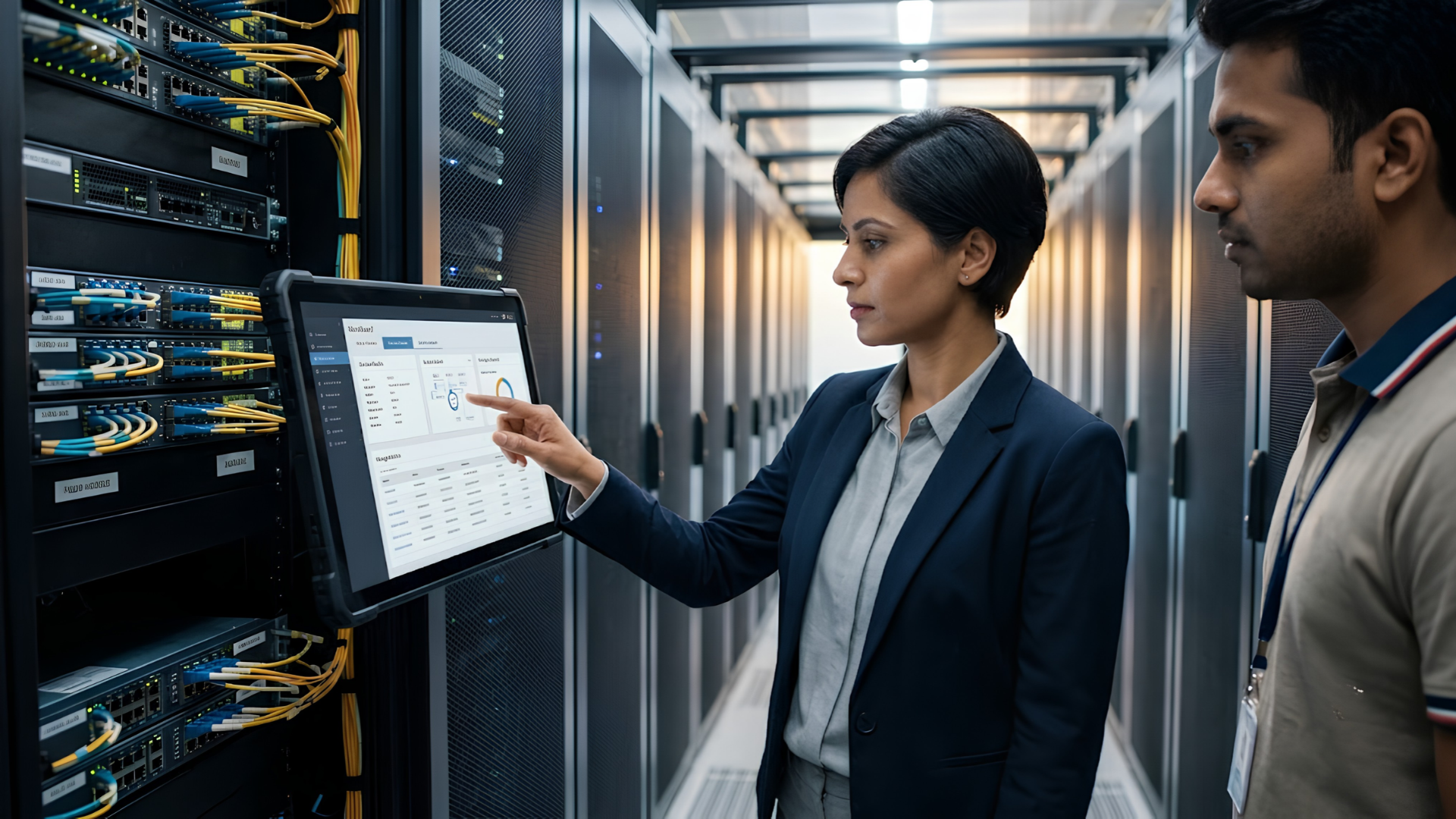
IT Infrastructure Management: Framework, Tools and Service Models

Most enterprises don’t struggle with IT infrastructure because they lack technology. They struggle because the technology they already own — servers, networks, cloud accounts, laptops, security tools — isn’t managed as a connected system. Devices get provisioned by one team, patched by another, and replaced only when something breaks. Cloud spend grows without anyone tracking utilization. Network changes happen without a documented rollback plan.

This is the gap that IT infrastructure management is meant to close: a structured, ongoing discipline for planning, deploying, monitoring, securing and refreshing every technology asset an organization depends on, rather than treating each piece in isolation.

This guide covers the framework behind effective IT infrastructure management, the tools that support it, and the service models — in-house, fully outsourced, co-managed and hybrid — that Indian enterprises are choosing between in 2026. It’s written for CIOs, IT heads, procurement leaders and anyone deciding how their organization should manage the infrastructure it runs on.

Key Takeaways

  1. IT infrastructure management spans four domains — network, compute/storage, cloud, and end-user devices — governed by a common framework of people, process, technology and continuous improvement.
  2. ITIL/ITSM remains the most widely adopted best-practice framework for structuring IT infrastructure operations, though most 2026 implementations extend it with automation and AI-driven monitoring.
  3. The global managed IT infrastructure services market was valued at roughly USD 128.5 billion in 2025 and is projected to reach USD 217.7 billion by 2031, reflecting how many enterprises are shifting parts of infrastructure management to external partners (Mordor Intelligence, 2026).
  4. There is no single “right” service model — most mature enterprises now run a hybrid mix of in-house oversight and managed services rather than choosing one extreme.
  5. Evaluating a partner matters as much as evaluating the technology: procurement, deployment, lifecycle management and support all need to work together, not just the initial purchase.

What Is IT Infrastructure Management?

IT infrastructure management is the ongoing practice of planning, provisioning, monitoring, securing, maintaining and eventually retiring the technology components an organization relies on to operate — networks, servers and data center resources, cloud and hybrid environments, storage and backup systems, and end-user devices such as laptops, desktops and collaboration hardware.

It is broader than “IT support.” Support is typically reactive — someone raises a ticket, and the issue gets resolved. Infrastructure management is proactive and continuous: it includes capacity planning, patch and update cycles, performance monitoring, security posture management, asset lifecycle tracking, vendor coordination and budgeting for refresh cycles, all before something breaks.

A useful way to think about it: IT infrastructure management is the discipline that keeps every layer of technology reliable, secure, and aligned to what the business actually needs — not just today, but across the multi-year lifecycle of every asset.

The Core Framework: People, Process, Technology and Governance

Most mature IT infrastructure management programs — regardless of industry or company size — are built around four connected pillars.

1. People and Ownership

Clear ownership matters more than headcount. Someone needs to own network uptime, someone needs to own the endpoint fleet, and someone needs to own the relationship with each OEM or vendor. In smaller IT teams, one person may hold several of these roles; in larger enterprises, they map to dedicated functions. Ambiguous ownership is one of the most common reasons infrastructure problems go unresolved for weeks rather than hours.

2. Process: ITIL and ITSM as the Common Language

The Information Technology Infrastructure Library (ITIL) remains the most widely referenced framework for structuring how IT services and infrastructure are managed. It provides a shared vocabulary — incidents, problems, changes, configuration items — and a structured way to handle each of them consistently. It’s worth being precise about terminology here: ITSM (IT Service Management) describes the overall practice of managing IT services, while ITIL is one specific, globally adopted framework organizations use to run ITSM.

ITIL 4, the current version of the framework, organizes this around a Service Value System that includes guiding principles, governance, a set of management practices, and a continual improvement loop. In practice, this means infrastructure management isn’t a one-time project — it’s a cycle: plan, deploy, monitor, review, improve, repeat.

3. Technology: Visibility Before Automation

You cannot manage what you cannot see. A configuration management database (CMDB) — a structured record of every asset, its owner, its dependencies and its status — is the technical foundation most frameworks are built on. In practice, a common and often underestimated problem shows up here: many enterprise environments carry a meaningful “shadow asset” gap — devices, virtual machines and cloud resources that were never properly recorded in the asset inventory. Discovery scans that reconcile the real environment against the recorded one are one of the fastest ways to close that gap before it becomes an incident or an audit finding.

4. Governance and Continuous Improvement

Governance ties the other three together: documented policies for change management, security baselines, compliance requirements, and a regular cadence for reviewing whether the infrastructure is still serving business needs — or has quietly drifted out of alignment with them.

The Domains a Complete Framework Has to Cover

“IT infrastructure” is often used loosely. A complete management framework has to account for each of the following domains, even if a single team or partner doesn’t own all of them:

  • Network infrastructure — routers, switches, firewalls, SD-WAN, wireless access, and the connectivity that ties every location and user together.
  • Servers and data center resources — physical and virtualized compute, whether on-premises, colocated, or cloud-hosted.
  • Cloud and hybrid environments — public cloud accounts, hybrid workloads, and the governance needed to prevent cost sprawl and configuration drift. Most enterprises today operate hybrid and multi-cloud environments by design rather than as a transitional phase, which raises the bar for consistent visibility and governance across environments.
  • Storage and backup — data availability, retention policies, and disaster recovery readiness.
  • Security infrastructure — endpoint protection, identity and access management, monitoring, and incident response capability layered across every domain above.
  • End-user computing and devices — the laptops, desktops, and collaboration hardware employees actually use every day. This domain is frequently under-managed relative to its size: enterprises invest heavily in data center and cloud governance while device procurement, deployment and refresh planning remain fragmented across separate purchase orders and IT tickets.

That last point matters more than it might initially seem. A network can be perfectly optimized and a data center perfectly governed, but if devices are procured ad hoc, deployed without a standard image, and kept in service well past their useful life, the organization still experiences the practical symptoms of poor infrastructure management: higher support costs, security gaps, and inconsistent employee experience.

Tools That Power Modern IT Infrastructure Management

The tooling layer has shifted substantially over the past two years, largely driven by the volume of infrastructure most enterprises now run. A few categories now show up consistently in mature environments:

Monitoring and observability platforms track the health, performance and availability of infrastructure components in real time, replacing the older model of dashboards reviewed periodically with continuous, outcome-linked tracking tied to service-level objectives.

ITSM and ITAM platforms manage the ticketing, change approval and asset-tracking workflows that ITIL processes are built around — the operational backbone for incident, problem and change management.

Unified endpoint management (UEM) and remote monitoring and management (RMM) tools give IT teams visibility and control over laptops, desktops and mobile devices at scale — patching, configuration enforcement, and remote troubleshooting without a technician physically present at every device.

AIOps and automation platforms are the newest addition to this stack. Industry forecasts suggest a large share of large organizations will lean on AI-driven monitoring to manage IT performance proactively within the next year or two, and deployments that pair centralized management with AIOps have reported measurable efficiency gains. The caveat worth taking seriously: these systems are only as reliable as the asset and configuration data feeding them. An automation layer built on an inaccurate CMDB doesn’t fix data quality problems — it acts on them at machine speed.

Security and identity tools — endpoint detection and response, access management, and vulnerability scanning — increasingly need to integrate with the monitoring and ITSM layers rather than operate as a separate silo.

No single tool covers every domain, and tool sprawl is itself a recognized risk. Fragmented tooling across hybrid environments is increasingly seen as unsustainable, pushing organizations toward more standardized, centrally governed toolsets.

IT Infrastructure Management Service Models

Once the framework and tooling are clear, the remaining decision is who actually runs it day to day. Broadly, enterprises choose between four models — and increasingly, a blend of more than one.

1. Fully In-House

The internal IT team owns every domain: procurement, deployment, monitoring, security and support. This model offers maximum control and institutional knowledge but requires sustained investment in staffing, training and tooling across every infrastructure domain — network, cloud, endpoint and security specialists all need to be maintained in-house, which becomes harder to justify as environments grow more complex.

2. Fully Managed (IT Infrastructure Managed Services)

An external partner takes end-to-end responsibility for some or all infrastructure domains — commonly described as IT infrastructure managed services or managed IT infrastructure services. The organization gets predictable costs, 24/7 coverage, and access to specialized expertise it would be expensive to build internally. The trade-off is less direct day-to-day control, which is why most enterprises apply this model selectively rather than universally — for example, outsourcing device lifecycle and network operations while retaining in-house ownership of core applications and data governance.

3. Co-Managed / Hybrid

The internal team retains ownership of strategy, security policy and business-critical systems, while a partner handles defined operational domains — device deployment and refresh, help desk escalation, network monitoring, or specific projects like a Windows migration. This model has become the most common pattern among mid-to-large enterprises because it combines internal institutional knowledge with external scale and specialization, without requiring an all-or-nothing commitment.

4. Staff Augmentation and Project-Based Engagement

A partner supplies specialized skills or additional capacity for a defined period — a data center migration, a large-scale device refresh, or a security audit — without an ongoing management relationship. Useful for one-time initiatives, less suited to continuous infrastructure operations.

Which Model Fits?

The right model usually depends on three factors: how specialized the domain is relative to the internal team’s existing skills, how much predictability the organization needs in its IT spend, and how much of IT leadership’s time should go toward strategic work versus operational firefighting. A useful diagnostic question for any CIO: if the internal team disappeared tomorrow, which infrastructure domains would the organization struggle to keep running? Those are usually the domains best suited to a managed or co-managed model.

Why the Shift Toward Managed IT Infrastructure Services Is Accelerating

The market data reflects a clear directional shift. The global managed IT infrastructure services market was valued at roughly USD 128.5 billion in 2025 and is projected to grow to about USD 217.7 billion by 2031, a compound annual growth rate of approximately 9.2% (Mordor Intelligence, 2026). Cloud-based deployment already represents the majority of that market, though hybrid approaches are forecast to grow faster than cloud-only deployments over the next several years — a signal that most enterprises aren’t choosing between on-premises and cloud, but managing both together.

India’s position within this shift is notable. The domestic managed services market has moved from India primarily exporting IT management expertise to also becoming one of the fastest-growing consumption markets globally, driven by digital transformation programs across BFSI, manufacturing, healthcare and government sectors. India is widely expected to be among the fastest-growing markets globally for managed IT infrastructure services through the early 2030s.

A few forces are consistently cited behind this shift:

  • Rising complexity. Hybrid and multi-cloud environments, distributed workforces and expanding device fleets are harder to manage with static, in-house-only teams.
  • Security and compliance pressure. Regulatory and data-sovereignty requirements are tightening in multiple regions, and organizations increasingly want infrastructure partners who can demonstrate structured security practices, not just uptime.
  • Cost predictability. Managed models convert unpredictable capital and staffing costs into more predictable operating costs, which matters more as IT budgets face closer scrutiny.
  • Focus on core business. IT leadership increasingly wants to spend less time on operational firefighting and more time on initiatives that are directly tied to business outcomes.

None of this means every organization should outsource everything. It does mean that treating infrastructure management as a purely internal, static function is increasingly out of step with how mature enterprises are actually operating.

Where End-User Devices Fit Into the Bigger Picture

Of the domains covered earlier, end-user devices deserve specific attention because they are the part of infrastructure every employee interacts with daily — and the part most often managed as a series of disconnected purchase decisions rather than a lifecycle.

A well-run device fleet touches nearly every framework element discussed above: it needs to be discovered and tracked (asset visibility), provisioned consistently (process), monitored and patched (technology and security), and refreshed on a planned cycle rather than reactively (governance). Getting this right requires evaluating requirements across multiple OEM options — devices from Dell, HP, Lenovo, ASUS, Acer, Microsoft Surface and Logitech collaboration hardware each suit different roles, budgets and use cases — deploying at scale without disrupting operations, and managing the fleet through its full lifecycle, including secure end-of-life disposal.

This is also where the gap between “buying technology” and “managing infrastructure” becomes most visible. Standardizing on the wrong device mix, skipping a structured deployment process, or letting refresh cycles slip past their useful window all create the same downstream symptoms as poor network or cloud governance: higher support costs, security exposure and inconsistent user experience — just at the endpoint layer instead of the data center.

How to Evaluate an IT Infrastructure Management Partner

Whether an organization is choosing a fully managed provider or a co-managed partner for specific domains, a few evaluation criteria consistently separate a good fit from a mismatched one:

  1. Does the partner work advisory-first, or transaction-first? A partner who starts by understanding requirements and recommending the right fit — across multiple OEM options where relevant — is different from one who leads with a product catalog.
  2. Can they support the full lifecycle, not just the initial deployment? Procurement, deployment, ongoing management, refresh planning and end-of-life disposal should be part of one coordinated relationship, not five separate vendor conversations.
  3. Do they offer a single point of contact across domains? Fragmented ownership between network, endpoint and security vendors recreates the exact coordination problem infrastructure management is meant to solve.
  4. Is their process documented and auditable? Structured change management, incident handling and reporting should be visible, not something you discover only when something goes wrong.
  5. Can they flex across environments? Hybrid infrastructure requires a partner comfortable working across on-premises, cloud and multi-vendor device environments, not one tied to a single platform or OEM.

Where Team Computers Fits In

Team Computers works with enterprises as a technology partner across the Infrastructure Solutions space, with particular depth in enterprise Windows devices and workplace technology — helping organizations evaluate requirements, select the right mix across OEM partners like Dell, HP, Lenovo, ASUS, Acer, Microsoft Surface and Logitech, and manage that technology through deployment, support, refresh and end-of-life stages.

The role isn’t to replace the framework discussed above — it’s to help execute it. Choosing devices is only one decision inside a much larger infrastructure management lifecycle: organizations still need to plan deployment at scale, keep fleets supported and secure, plan refresh cycles before aging devices become a liability, and manage disposal responsibly. This is where having an experienced technology partner involved changes the equation, giving IT leadership a single point of contact for enterprise device strategy rather than a series of disconnected purchase decisions.

If your organization is reassessing how its device fleet and broader endpoint strategy fit into its IT infrastructure management approach, that’s a conversation worth having before the next procurement or refresh cycle begins.

Frequently Asked Questions

What is the difference between IT infrastructure management and IT support?

IT support is typically reactive — resolving issues as they're reported. IT infrastructure management is proactive and continuous, covering planning, monitoring, security, lifecycle management and governance across every infrastructure domain, with support as one component rather than the whole function.

What is the ITIL framework used for?

ITIL (Information Technology Infrastructure Library) is a widely adopted framework of best practices for IT service management. It gives organizations a structured, common vocabulary — incidents, problems, changes, configuration items — for managing IT services and infrastructure consistently, and it underpins how most enterprise ITSM programs are organized today.

What are IT infrastructure managed services?

IT infrastructure managed services refer to an arrangement where an external partner takes ongoing responsibility for managing some or all of an organization's infrastructure — network, servers, cloud, endpoints or security — typically under a defined scope and service-level agreement, rather than the organization managing everything with an internal team alone.

Should a mid-sized enterprise fully outsource IT infrastructure management?

Not necessarily. Most mid-sized and large enterprises use a co-managed model — retaining internal ownership of strategy and core systems while a partner handles specific domains like device lifecycle, network monitoring or help desk escalation. The right split depends on internal team capacity, how specialized each domain is, and how much budget predictability the organization needs.

How often should enterprise devices be refreshed as part of an infrastructure management plan?

Refresh timing varies by device type, usage intensity and organizational risk tolerance, and should be planned as part of a documented lifecycle policy rather than decided device-by-device. A structured device lifecycle plan — developed with input from an experienced technology partner — helps organizations time refreshes before performance, support cost, and security risk start working against them.
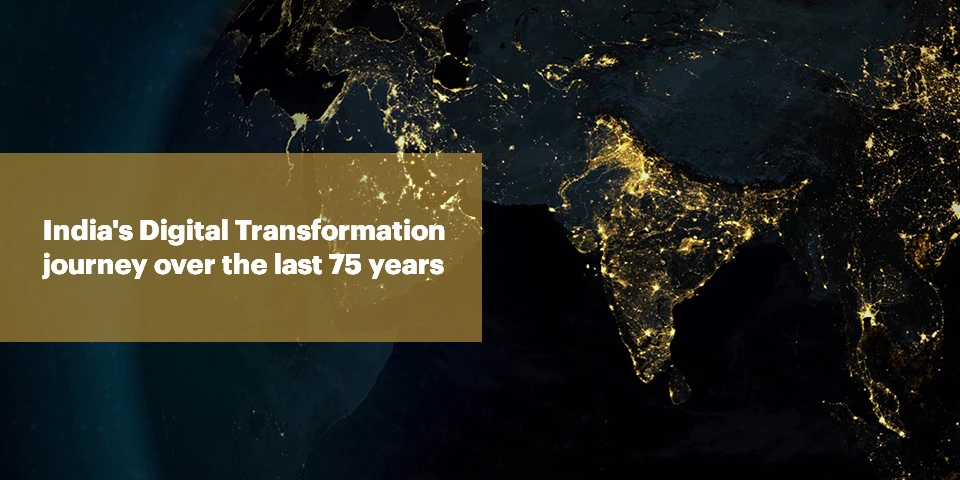

India’s Digital Transformation Journey over the last 75 years

The Indian government’s 1950 strategy was a very particular one, broadly aiming at rapid industrialisation abiding by the centrally aligned five-year-plans. However over the years, enterprises realised that mere industrialisation was not enough, there was a need to configure ways of “smart industrialisation” where in the picture came the need to make some concrete digital moves.

Prior to 1980 the Indian IT market was all about hardware products and the software industry literally did not exist. With some significant changes in the Indian economy, including trade liberalisation and relaxation in entry barriers; softwares came into existence in the country after the 90’s. Coming a long way in our Digital journey, starting from “smart industries” we are now deriving ways to establish “smart cities” leveraging technologies like Automation, IoT and Artificial Intelligence.

Trends that initiated India’s Digital way forward 

#trend1 The desire of replacing manpower with “smart” power

A majority of Indian workforce was busy doing repetitive tasks that required no human judgment and critical thinking, reducing their levels of productivity and quality of decisions. Sooner or later the people of India realised that they need to replace human labor with smart machines, robots and other forms of automation in order to carry out the routine, repetitive back-office tasks. Thus pushing people to look for digital, automation solutions.

#trend2 The mission of becoming a “paperless, faceless, cashless” economy

the strengthening of the country’s Digital Payment Infrastructure and give every citizen a fixed India initiated the programme “Digital India” in 2015 as a way to push the country’s digital transformation forward and empower citizens in the process. The initiative was to work towards and secure digital identity. Various forms of promotions initiated by the government pushed citizens to feel digitally empowered and go cashless, bringing a boom of fin-tech startups.

#trend3 The vision of selling an “experience” not just a product or service 

Taking a lesson from global competitors, Indian entrepreneurs realised how important it was to sell an experience and not just a product or service in order to survive and succeed all together in the competitive market. There came a need for enterprises to look for solutions that provide quality customer experience, before and after availing a service or buying a product; opening doors for all kinds of application solutions.

We’ve come a long way! 

India’s digital journey has had its fair share of hiccups, along with ever changing needs of the indian consumers and the process flows of indian organisations, both public and private; it took us more than seven decades to call ourselves a “Digital Economy”. Today, India ranks third amongst the most attractive destinations for technology investments in the world. From Pharma to manufacturing to automobile, every sector has been working aggressively towards establishing the country as a leader in industrialisation and technological development.

We are there to help you kickstart your digital transformation journey, today!

Let’s connect over a cup of coffee?

https://www.teamcomputers.com/

India’s Second Google Cloud Region is now Live in Delhi NCR

Big news for India as Google launches their second cloud region in Delhi NCR. Check out how Indian businesses will benefit from it!

15th July 2021 will be remembered as an important event for Indian businesses in their journey towards digital transformation in India. Google India has launched its second region in Delhi NCR after launching it, for the first time, in 2017, in Mumbai. This new addition has made it rank 26th globally and 10th in the Asia Pacific region.

According to Thomas Kurian, Chief Executive Officer, Google Cloud, the rationale behind this decision is enormous growth in demand for capacity building, low latency, and the need for disaster recovery solutions in India. He said  “India is one of our fastest growing markets.”

The decision helps in pursuing the policy of data localization and requires a long-term commitment in terms of capital and infrastructure investment on behalf of Google India to tap the opportunities arising from existing and new customers. The new region of Delhi NCR will help the businesses to take advantage of infrastructure services and big data that are in alignment with India’s data laws and regulations.

Google Cloud resources are hosted at multiple locations across the globe at global, regional, and zonal levels. The two cloud regions deployed in India are for Google Cloud Platform resources comprising three or more zones each having a single failure domain in the region. The new region of Delhi NCR is dedicated to providing services and products for GCP customers and is of great importance for industries like healthcare, education, banking services, and other Public Sector Undertakings.

How will this Benefit Google India and their Customers?

In this Region, via high-performance networks, there are provisions made to protect the customers from service disruptions and to ensure delivery of a portfolio of key products like Compute Engine and BigQuery. All this will help Google India –

  • in creating a differentiated value proposition for regulated industries with enhanced disaster recovery solutions.
  • in prioritizing plans for providing various India-specific disaster recovery solutions and greater control of data,
  • in promoting transparency by investing in data privacy and security, and
  • in facilitating the organization’s smooth transition to cloud-based technology in an efficient and sustainable manner.

As per the recent report of International Data Corporation, India spent $3.6billion on public cloud services in the year 2020. The pandemic has accelerated this process by forcing companies to provide “work from home” choices to their employees in order to stop the disruptions in the working of the organizations. This resulted in a steep increase in revenue from cloud-based infrastructure and it amounted to $1.9 billion in the second half of 2020. Keeping this trend in mind, it is expected that by 2025 it will grow at a compound annual growth rate of 21.5% and will reach $9.5 billion.

Competition scenario

The biggest competitors of Google GCP are Microsoft Azure and Amazon AWS. The former entered the Indian market in 2015 and announced three Indian regions in central (Pune), West (Mumbai), and South (Chennai) India.

With the availability of more local zones, Microsoft provides data residency, within the country data replication for back-up and recovery, lower latency, and reduced network distance to its customers who can get access to private connections to the cloud.

Amazon AWS, which launched its first regional zone in 2016, is also catching up by announcing its plan to open its second AWS in Hyderabad and also is building the infrastructure of three availability zones by investing $2.8 billion in India.

While these two companies have greater regional coverage and huge infrastructure, Google is closely associated with the public sector and is empaneled as a full-service provider to central and state government agencies.

Is your phone Pegasus Free?

Well the most trending topic these days is Pegasus! With so many News Channels and these news doing rounds, Pegasus is the most searched topic and the trending one.

Spyware is a malicious software designed to enter your computer device/phones etc, to gather data about you, and forward it to a third-party (servers) without your consent secretly. You will not even come to know how, when, from where this got installed in your devices and since when your data is being under surveillance of third parties. The data could be anything that can be accessed through your device, calls, camera, location, social media surfing everything.

It  affects your network and device performance, slowing down daily user activities, which goes unnoticed.

Pegasus was also a spyware designed by an Israel based organisation to keep a check on spurious activities if any going on around. But here in India it was misused.

Now, How to know If your phone has any such spyware installed without your consent.

Well, such softwares is still being developed, but to a basic level, keep check on your history of surfing, keep an eye on URLs, a minute difference in known URLs can also be a point to raise alarm.

Your device showing up some weird behavior should also be flagged immediately. Check for MSCONFIG, Temp Folder and Install any anti malware to do a scanning.

The best way to check for spyware is by scanning your device with anti malware software. The software deep scans your hard drive to detect and remove any threat lurking in the computer.

To keep yourself protected:

  • Stay away from lucrative links/URLs
  • Never go for free softwares, keep a check on the software copies, number of downloads, spellings etc.
  • download an anti spyware browser extension
  • always be careful of giving acceptance to any cookies.

You never know! It might cost you!

For protecting your Phones from such spywares:

  • Stay away from unofficial app stores
  • Stay away from unknown links/URLs sent over whatsapp, messages etc, adhere from clicking them
  • Critically examine before giving consent to any downloads, be it cookies consent.
  • Always keep your phone/softwares updated with the latest versions.

For Protecting your computers from such spywares:

  • Avoid clicking on email links or attachments, until you are confident enough
  • Use Pop Up Blockers for browsers
  • Use runtime application software to keep a list of preapproved links.

Even the safest of the safe and secured iOS and androids can also be attacked So Stay Alert

Protecting your data and identity needs to be your top priority, and it simply can’t be done through understanding the problem alone. Get yourself introduced to the best Information Security Expert practices and advice to help you protect yourself from potential spyware attacks with Team Computers. Think Security, Think Team.

YOUR PRIVACY, OUR PRIORITY.

https://forms.gle/QSjvDcsDrHQ36bxu7

How can RPA be a game changer Post-Pandemic?

When we think of RPA, we get inclined towards the strategy where robots are replacing humans for doing certain tasks. But since post pandemic the employment gap around the world has increased and companies are short of funds, adopting a technology and making inroads to digital transformation seems like a far fetched dream now.

That being said, on the contrary, Gartner predicts that 90% of large organizations globally will have adopted RPA in some form by 2022 as they look to digitally empower critical business processes through resilience and scalability, while recalibrating human labor and manual effort.

Gardner also anticipated that RPA demand to grow and service providers to more consistently push RPA solutions to their clients because of the impact of COVID-19,” said Cathy Tornbohm, distinguished research vice president at Gartner. “The decreased dependency on a human workforce for routine, digital processes will be more attractive to end users not only for cost reduction benefits, but also for insuring their business against future impacts like this pandemic.”

But given the current state, the question companies are seeking to answer is whether to freeze any financial commitments or reallocate the resources towards automation. Let’s evaluate.

Staying comfortable with Status Quo is no more a choice

RPA helps businesses be more operationally efficient during times of crisis as it frees the employees from low value, time consuming tasks so that they can pursue more strategic roles necessary for innovation and sustainability.

Automation also facilitates business continuity by focusing on two major pillars of any organisation – People and Processes. It helps in providing great employee experience by liberating employees from mundane, unproductive and repetitive tasks by automating these processes thus saving time and cost.

Let’s look at how the Industries are leveraging Automation and turning crisis into opportunities.

How Diagnostic Labs are using Automation

According to government regulations, it was mandatory for all labs conducting Covid-19 tests to report the results on the ICMR portal; even before releasing reports to their customers. Automating the process has enabled Diagnostic labs to process nearly 60000+ entries in a month and make huge savings, employees are now able to engage in more critical activities, resulting in higher productivity.

How Hospitals are Using Automation

RPA Bots are used in hospitals to fix patient appointments. The bots track the doctor’s schedule and notify patients in case of unavailability for the patient’s appointment. It also sends automated reminders about the discharge guidelines such as follow-ups scheduled or due medical tests to the patients. This is helping hospitals to address the patient’s needs better with an instant, automated response and provide them better healthcare services.

Apart from the healthcare industry, here’s how business functions benefited from the use of Automation.

Implementation of Automation In Finance Department

Organizations with large reach, Bank reconciliation was a very time consuming yet important task that the employees had been doing at regular intervals. Usually the finance department manually matches the transaction details in their systems to the Bank statements received on email. Further they used to share mismatched details with the accounts team, and upload the matching data in ERP. However, the task took a lot of time, had high chances of error and reduced employee efficiency. After automation, the RPA Bots download statements from the bank portal/emails, reconcile them and enter data in ERP automatically.

Implementation of Automation In HR Department

Post pandemic, the HR personnel are under tremendous strain dealing with new work-from-home challenges and helping their companies maintain business continuity amid disruption.  At the same time, organizations still need to hire and retain top talent, which means ensuring that new employees become engaged and productive as soon as possible. Automation of HR hiring, labour compliances and onboarding processes results in a better new hire experience and frees up HR staff for higher value activities.

Implementation of Automation in IT Department

If one thing, the pandemic has taught the companies is to be IT savvy and automation gives wings to remote working and IT compliances. There are multiple IT department challenges which automation can solve with ease. Operations and maintenance, end user support, asset tracking and management, data migration and tracking, cybersecurity, compliance and reporting etc. The list is endless, we can possibly automate any repetitive tasks in front or back office without any human intervention.

While the above are just a few examples of how automation can steer companies towards growth and sustainability, the possibilities are endless and in any department possible. If you wish to evaluate Automation for your organisation, you can reach out to us at sanam.mishra@teamcomputers.com.

4 Innovative Collaboration Devices in 2021 to Welcome your Workforce back in the Office!

One of the biggest confusion today’s corporations are facing is whether to call or not to call their workforce to the office. The major proportion of the workforce is adapted to the hybrid work culture without any compromise on their productivity but still, most of the employees want to come back to the Office for better collaboration between teams, enhanced productivity, and better coordination among peers. Most of the organization  Leaders are not okay with the concept of Work From Home and are ready to move towards regular office culture steadily. Almost 90% of organizations have evolved their way of doing work since COVID 19 first wave, lots of collaboration devices are introduced in the system to connect the workforce virtually. Big Corporates are ready to welcome their workforce back to the office Hybrid workforce with some innovative collaboration Gadgets. For your help, we have a brief comparison to choose the best collaboration whiteboard for your workforce:

Microsoft Surface Hub 2S

Microsoft Surface Hub 2S bridges the gap between your Hybrid Workforce. This device comes in two sizes 50 inches and 85 inches, according to the organization’s requirements. Its mic array and 4K camera serve as a perfect tool to manage and collaborate with your team in real-life-sized video meetings. Surface Hub 2S allows you to use multiple apps, presentations, Microsoft tools, and all the third-party apps on a single screen. Take your Team’s Brainstorming sessions to another level with fast and fluid visuals, Microsoft Pen’s precise inking experience can assist you with noting and explaining the projects. Surface Hub 2S can move wherever teamwork happens, in the Conference room or the office balcony with its Steelcase Roam.  Regardless of whether your business group is planning a cutting-edge gadget or fostering an online project, Surface Hub 2S is the most secure and reliable collaboration tool.


Google JamBoard

Google Jamboard is a whiteboard with the Power of Google. Enhance your team’s productivity with the feature of Google Jamboard Co-authoring which allows your team in the same huddle room or your remote team around the world to use multiple Jamboard at the same time. This feature can help your hybrid workforce to add or drop pictures, notes, or other resources directly in real-time from your web browser while collaborating with your large team. JamBoard allows you to use all the applications available in the play store, starting from Google Drive to Sheets, Docs, Slides, and all the third-party applications. Brainstorming became easier as Google JamBoard is exclusively accurate and responsive, it acts just like our traditional blackboard and chalk. JamBoard is a single cable setup and does not require a high-end setup configuration. It comes in a 55 inches Whiteboard with 4K resolution and can walk around your office with a slight push. JamBoard is a perfect collaboration device for corporates with a Hybrid Workforce model with up to 16 touchpoints at a single period.


Cisco Spark Board

Cisco Spark Board 55 is truly taking collaboration to the next level. Cisco has achieved the modern ultrasound wireless pairing technology which can help laptops, macs, mobiles, or other end-user devices to connect with Cisco Spark Board wirelessly without wifi or Bluetooth connection. Save your cost of installing microphones all around the conference rooms, as the Cisco Spark board comes with an array of 12 microphones all around the spark screen. This device allows you to save your work instantly to the cloud simply and securely. Calling, messaging, scheduling meetings can help your team to collaborate and connect before and after the discussion sessions simply through the Cisco spark application. Spark Board is a single setup whiteboard, your team can start their brainstorming sessions in just one touch. This device comes in a 55inch screen and 4K wide-angle camera resolution, making Cisco Spark Board 55 a perfect collaboration whiteboard for your Hybrid workforce.


Samsung Flip

Samsung’s award-winning most innovative whiteboard comes with multi-writing technology, which allows up to 20 users to edit on  Samsung Flip at a single point in time remotely and 4 people can draw or edit on the device which is the ideal scenario for any brainstorming session. Maximize your team’s productivity with Samsung Flip which enables your workforce to collaborate with all the windows, play store, and third-party applications through multiple screen capturing. The most distinct feature of the Samsung Flip is its ability to move in portrait and landscape mode according to the usage. Samsung Flip’s InGlass technology allows your workforce to experience the smoothest way of brainstorming, making notes, editing documents, or drawing your team’s work chart. Share all your work with your peers effortlessly post-meeting through mobile or digital channels. Flip is undoubtedly a perfect and most innovative whiteboard for modern workplace collaboration.

Almost 85% of the workforce wants to return to office around the world. Employees are feeling less productive at home due to the unsuitable ergonomics, distraction at home, and lack of the right devices at home. Around 30% of them miss the collaboration, communication, and coordination with their peers and team. Welcome your workforce with the innovative collaboration device according to your workforce requirement.

Team Computers is India’s leading IT System Integrators, providing & supporting high-quality, affordable IT Solutions in Hardware, Software, Services, Mobility, Analytics, and Cloud. Team Computers always come up with innovative collaborative devices to enhance the productivity of the workforce returning back to the Office.

To book a demo or to know more about the whiteboards contact us at sales.india@teamcomputers.com

Explore endless possibilities with B2B commerce

Companies now more than ever are leveraging digital to build long lasting and deeper relationships with their customers, vendors or distributors. Traditional B2B commerce solutions lack the rich content and experience management required to deliver incredible digital commerce sites. However, digital commerce has transformed the way businesses address the most complex challenges by giving a single, flexible platform to craft the perfect customer journey with following features –

  • Secure user account request & access
  • Customer requirement uploads & get real-time status
  • Secure data sharing & document access
  • Payment option with multi currency & payment reminders
  • Social media integration to share the latest company updates
  • SAP integration to automate the order processing cycle

Accelerate your digital transformation with Team Computers’ B2B Commerce Solution. It offers endless benefits from increasing B2B revenue to improving customer loyalty. Whether you need to replace manual commerce processes or leverage modern digital commerce capabilities, we are the right partner for you to help you meet your digital expectations.

How B2B Digital Catalogue help companies

  • It Showcases your product offerings with beautiful experiences tailored for your buyers using digital catalogue.
    product-offering-showcase
  • It Enhances product content with modern user interface and rich media in your catalog.
    product-enhancement-catalog
  • Effortless purchasing feature manages and updates orders with views for assignments, transaction history and shipments.
    effortless-purchasing-feature
  • Payment and tax integrations along with multi currency support enable you to grow into global markets.
    payment-and-tax-integration
  • Reflect B2B pricing models, discounts, and customer-specific catalogs.
    b2b-pricing-model
  • Reps see exactly what each customer sees on your site, from real-time order history to their personalized content and recommendations.
    reps

How Team Computers helped a B2B Pharma manufacturing company achieve great customer experience and boost sales with Digital commerce

pharma-1

pharma-2

The company was looking for an application from which their customer could reach out to the Sales rep for any of their queries and get the status of their request on-time.

Challenges

Without the digital platform in place the employees and the customers were communicating over the phone and email. This created the possibilities of amiss during the order processing.

The process was long , manual and prone to errors. Orders were placed via email or phone and then the team raised requests in the CRM manually which goes to the internal team. The sample & regulatory status as well as the required documents has been  updated by the customer manually.

The Contact Manufacturing team gets a Request for Proposal / Request for Quote from a customer and it has been managed manually, through email. Customer Forecast was planned manually through excel which lacked efficiency. Customers are placing and confirming orders through email and further order process happen in the company’s SAP system. Even the Payment reminder process is manual and is done through phone or email.

Solution

An Amazon kind of app in the B2B sector, where customers could register, order, track,  contact, access documents, pay & get notified on status.

An e-commerce portal automated all the manual processes, which made it easy for the employees as well as for the customers to place, track and edit the order and access the required information and documents. The automated alert notifications are sent to both the customers and the users for easy coordination.

Not just this, the B2B portal also has a report and & dashboards feature to see the status of the metrics like, Portal usage by customer, Order Status, Sample  Status, Regulatory Status, Payment Status etc. The customer forecasts were also created on the portal which gave employees an estimate on the future sales.

The portal has an inbuilt chat and customer query mechanism, customers can raise complaints and track their queries the company rep will get an alert via email whenever a query has been raised.

The portal also facilitates the integration of company’s social media handles and internal news portals like LinkedIn, Twitter account to keep customers updated on the latest news in the Home page screen of the Customer portal. The integration with the SAP system automates the entire order processing cycle.

From management perspective, the portal also gives a 360 degree view of a single customer in terms of order, sales, request from the customer to different business in the company as a consolidated view.

Tangible & Intangible Benefits

The e-commerce portal increased the visibility of customer data throughout the organisation. The centralized data gathering reduced the manual interaction between internal departments (Finance, SCM, Regulatory etc…)  when a customer raises a request.

The automation of order placing processes along with the quick TAT increased customer conversions to multifold along with providing great customer experience.

The inbuilt reports and dashboard along with the intelligent sales analytics boosted employees productivity and increased visibility across the organisation.

Phishing in the times of Covid19

Covid 19 made India see the biggest business transformational journeys and so has been the increase in the security breaches. Digitisation that would have been in company’s IT road maps probably in next 3-4 years has been preponed due to COVID- 19, the increase in Work from home, Job losses, etc has led to an increase in security breaches by almost 2,000 per cent during the pandemic in India, said experts at Pursuit 2021 — an event on cybersecurity organised by Internet and Mobile Association of India.

And the most common mode of the attacks has been phishing. Phishing has been the oldest traditional way of fooling people. Criminals believe deception and create a way of urgency to realize success with their phishing campaigns. Crises equivalent to the coronavirus pandemic (current scenario) provide those criminals an enormous chance to lure victims into taking their phishing bait.

Of the 50,000-plus fake login pages the company monitored, the top brands attackers used were those of leading e-com sites and payment gateways.

So here’s all that you need to know about Phishing!

“Phish” is pronounced similar to its spelling, that is to mention just like the word “fish” — the analogy is of an angler throwing a baited hook out there (the phishing email) and hoping you bite.

Phishing is a  sort of social engineering where an offender sends a deceitful (“spoofed”) message designed to trick a personality’s victim into revealing sensitive data to the attacker or to deploy malicious code on the victim’s infrastructure like ransomware.

It starts with fraudulent mails, messages, and links that are designed to lure a victim.The message is created to appear like it comes from a trustworthy sender.

It depends on the intention of the attacker, generally they’re happy with credit card and other financial details to urge monetary benefits, the other is a lot of people who plan/target specific companies then they aim at unknown staff and then the login credentials and other important details satisfies them. Cybercrime attacks such as advanced persistent threats (APTs) and ransomware often start with phishing.

Kinds of phishing attacks

  • Deceptive Phishing
  • Spear Phishing
  • Whaling
  • Pharming

There may be N number of security options but the only way to safeguard yourself is:

Educate: Educating the employees regularly about such techniques in case of organizations and for the general public spreading awareness through numerous social mediums.

Security Technology: No single cybersecurity technology will forestall phishing attacks. Instead, organizations should take a bedded approach to scale back the quantity of attacks and reduce their impact after they do occur. Network security technologies that ought to be enforced embrace email and net security, malware protection, user behavior monitoring, and access control.

Remaining Cautious is the only way apart from all the layered security levels against the attacks.

“Humans Err, that’s why Hackers always win.”

5 reasons why 80% of Startups prefer Apple MacBook over any other laptop Post Pandemic

With Several startups and unicorns blooming in the modern-day industry, every aspiring startup needs to use the best technology and devices to upscale their work and increase their productivity. Here we take a look at how Apple can transform and drive business operations to a level of success not possible without digitization.

Collaboration

For startups, connecting, working upon, and sharing data are extremely important. When it comes to collaboration, Apple devices are highly effective, with data easily transferred from iPad to Mac to iPhone. New devices can also be seamlessly integrated into an already working ecosystem with different environments. Apple devices are designed to work with every all possible business roles such as marketing, HR functions to different Industries verticals like Banking, Healthcare, all capable of working smoothly in one ecosystem.


Coding and Development

For small businesses with large coding needs, you’ll find Apple to be the right choice for your developers and engineers. Compatibility again comes into the fray here as software developers can easily test and create software for Windows and Linux on an Apple device while it is quite cumbersome to test for MacOS X from a Windows or Linux PC. Also, most Mac devices are made to be compatible with Unix, hence making it easier for Developers who use Mac to test their software in a compatible environment, thus saving time and effort.


Image Credit: Dev & Gear

Performance

Apple’s revolutionary M1 chip has taken the industry by storm, improving your workforce productivity with 3.5x faster processor speed as compared to previous generations. The M1 helps Apple Macbooks easily run CPU-intensive applications such as Adobe Premiere and Photoshop with zero lag while maintaining an excellent battery life of over 18 hours. Apple’s iPad Pro brings convenience to a whole new level, fitting your favorite everyday business tools such as Word, Excel, and PowerPoint, on an ultra-thin light device, allowing you to easily give stunning presentations on the go.


Image Credit: Apple

Easy Management and Zero Touch deployment

Apple allows for an easy management with zero-touch deployment as Apple Devices can be easily set up right out of the box at any scale. Apple Business Manager & JamF solutions help set up, distribute, and manage your Apple devices according to your company compliances.MDM solutions like Jamf Soti, also provide you with the best device management platform customized to your business needs.


Security

With Data Security being a crucial concern for startups, Apple offers you several solutions such as Touch ID, hardware-based encryption, Face ID, and many more key features that can all be enabled without extensive manual configuration. Apple devices also have encryption features that safeguard your company’s data and in case of data damage or theft allows you to completely wipe your data from your system remotely.


For more information on how Apple devices can take your startup to the next level contact sales.india@teamcomputers.com

WWDC 2021 : The biggest updates from Apple’s Annual conference!

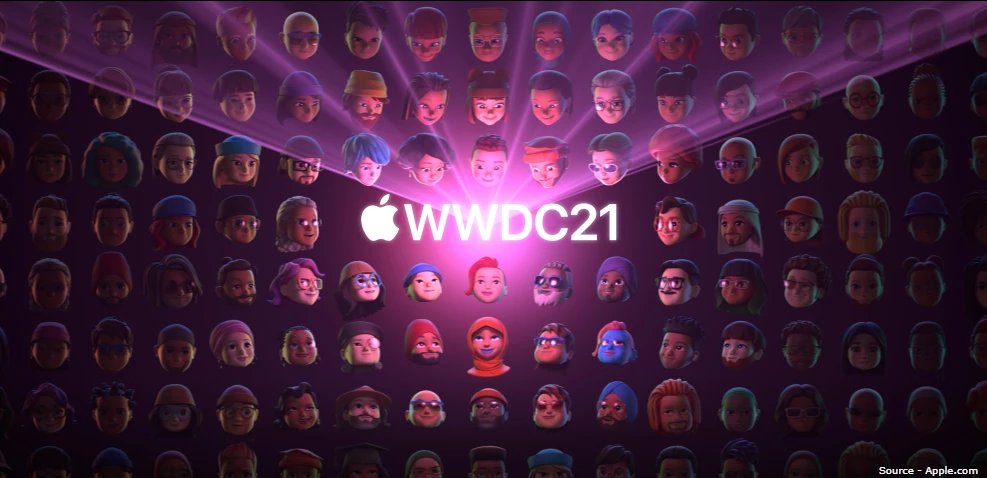
Apple’s Worldwide Developer Conference is an annual event that unleashes Apple’s latest software and Technologies. The event has been virtual since last year due to Covid 19 precautions. On 9th June 2021, The Action-Packed WWDC 2021 kickstarted with a small keynote from Tim Cook on the importance of privacy and how new Apple devices are coming up with a doubled privacy shield. Apple announced software updates of iOS, macOS, iPad OS, and watchOS. All these updates will be released to Apple users by the end of this year.

Here are a few exciting announcements of Apple’s biggest event of the year WWDC21


Maintain Work-Life Balance with iOS15

Source – Apple.com

Apple Announced FOCUS, a tool to prioritize time and energy in the present events and tasks. FOCUS helps you track activities that are currently of high priority i.e whether one wants to focus on Fitness, reading, or office work. Facetime allows you to schedule meetings, screen share, or use portrait mode in video meetings. Customize your notifications according to your preferred time to take action on them or according to the schedule you set for them to pop up on your screen. Live text can help you collect text information directly from an image or a live photograph that can be mailed, or even directly call the number from the image, and lastly, live text translation can be accessed by simply a tap on the image.


Get Work done easily with iPadOS 15

Source – Apple.com

The all new iPadOS15 enables you to get work done easily through its organizing capabilities, hence making you much more productive. iPadOS15 comes up with a striking feature called Multitasking to enable you to use more than one app in a single window, allowing you to use full screen or split view or slide over or the center view as required by the user. One can enjoy the Widgets and App Library on the home screen with a new user interface.


Stay Connected with MacOS Monterrey

Source – Apple.com

The MacOS Monterrey introduced Shareplay, a powerful tool through which you can watch, listen together, as well as share your screen during facetime. Also improving Facetime was Spatial audio where individual voices sound like they’re coming from where that speaker was positioned on the screen, a new Mic mode to keep only your voice loud and clear and a Portrait mode to minimize background and keep the focus on you.


One WatchOS8 for all your needs

Source – Apple.com

The watch OS8 comes with several exciting features. First off is the new app Mindfulness which helps keep you focused and centered with calming visualizations as well as keeps a track of how many mindfulness minutes you’ve had on the day. You can also track your Heartbeat, Sleeping respiratory rate, and several other health metrics to keep better track of your health over time. With Apple Wallet, you can store Home keys, Credit cards, ID cards all at the same time in one convenient location. You can even start your car, open your front door and turn on your entry lights, all with the click of a button.

To know more about how using Apple’s latest products and technology can help grow your business, contact us at sales.india@teamcomputers.com