Why Macs Are Emerging as the Next Generation AI PCs

Artificial intelligence is quickly becoming a defining force in the modern workplace. From intelligent assistants and predictive analytics to automated workflows and AI-powered development tools, businesses are increasingly relying on AI to improve efficiency and decision-making.

As AI applications become part of everyday work, the devices employees use must evolve to support these intelligent workloads. This shift has introduced a new category of workplace computing commonly referred to as AI PCs, devices designed to process AI tasks efficiently while maintaining high performance, security, and energy efficiency.

While many technology companies are only beginning to introduce AI-focused PCs, Apple has already been building the foundation for AI-enabled computing through its Apple Silicon architecture. Macs powered by Apple Silicon combine powerful CPUs, GPUs, and dedicated neural engines that enable advanced machine learning capabilities directly on the device.

For businesses exploring the future of workplace technology, Apple devices are increasingly being recognized as powerful AI-ready systems that can support the next generation of intelligent applications.

What Defines an AI PC?

An AI PC is designed to handle artificial intelligence workloads directly on the device rather than relying entirely on cloud-based processing. These systems combine multiple processing units—including CPUs, GPUs, and specialized neural processors—to accelerate machine learning tasks.

AI-powered PCs enable features such as:

  • Real-time data analysis
  • AI-assisted coding and development
  • Automated content generation
  • Intelligent search and document summarization
  • Advanced image and video processing

By enabling these capabilities locally on the device, AI PCs can deliver faster performance while improving privacy and reducing reliance on constant internet connectivity.

As organizations adopt AI-driven software tools, having devices that can efficiently process these workloads becomes increasingly important.

Apple Silicon: The Engine Behind Apple’s AI PCs

Apple’s transition to Apple Silicon marked a major shift in personal computing architecture. Unlike traditional PC processors that focus primarily on CPU performance, Apple Silicon chips integrate multiple specialized components designed to handle modern computing workloads.

One of the most important elements is the Neural Engine, which accelerates machine learning tasks such as image recognition, speech processing, and predictive analytics.

This architecture enables Macs to perform complex AI operations efficiently while maintaining exceptional energy efficiency. Employees benefit from powerful performance without sacrificing battery life or portability.

Because Apple designs both the hardware and operating system, macOS is optimized to take full advantage of these capabilities. Developers can integrate AI functionality into applications using frameworks such as Core ML, allowing intelligent features to run seamlessly on Mac devices.

The result is a computing environment where AI-driven applications operate smoothly and efficiently across a wide range of professional workflows.

On-Device Intelligence and Data Privacy

One of the most significant advantages of Apple’s AI-ready devices is the ability to process AI workloads directly on the device.

On-device intelligence allows businesses to analyze data, run machine learning models, and automate workflows without sending sensitive information to external servers.

This approach provides several benefits:

  • Faster response times for AI-driven tasks
  • Greater control over sensitive business data
  • Reduced dependency on cloud processing
  • Improved performance in remote or low-connectivity environments

Apple has consistently positioned privacy as a core principle in its product design. On-device AI processing aligns with this philosophy by ensuring that sensitive information remains protected while still enabling advanced functionality.

For organizations working with confidential data, this combination of intelligence and privacy is particularly valuable.

AI-Enhanced Productivity Across Teams

AI-powered tools are transforming how employees work across departments. Developers use AI coding assistants to accelerate software development. Marketing teams rely on AI-powered insights for campaign planning. Analysts use machine learning tools to interpret complex data sets more efficiently.

Mac devices powered by Apple Silicon provide the processing capability needed to support these advanced tools while maintaining smooth performance.

Combined with Apple’s ecosystem—including Mac, iPhone, and iPad—employees can access intelligent applications seamlessly across devices.

This ecosystem advantage enables businesses to create modern workplaces where employees can automate routine tasks, gain faster insights, and focus more on strategic work.

Preparing Businesses for the AI-Driven Workplace

The rise of AI PCs represents a broader shift in how organizations approach workplace technology. Businesses must now consider how their device infrastructure supports emerging technologies like artificial intelligence and automation.

Preparing for this transition involves more than upgrading hardware. Organizations must also consider device management strategies, security frameworks, and application compatibility.

By investing in AI-ready devices today, businesses can ensure their teams are equipped to adopt new technologies as they emerge.

Apple Silicon Macs offer a future-ready platform capable of supporting these evolving workplace requirements.

How Team Computers Enables AI-Ready Apple Workplaces

Successfully deploying AI-ready devices across an organization requires careful planning and the right technology partner.

As an Apple Premium Business Partner, Team Computers helps organizations design and deploy Apple-powered workplaces that support modern productivity and emerging AI technologies.

Our approach includes device consultation, structured procurement, secure provisioning, and lifecycle management to ensure Apple devices are deployed efficiently across teams.

By aligning technology adoption with business strategy, Team Computers enables organizations to build scalable, secure, and AI-ready digital workplaces.

Apple and the Future of AI PCs

Artificial intelligence is redefining how work gets done. As AI-powered applications become central to business operations, the devices employees use must evolve to support these intelligent capabilities.

Apple Silicon Macs already incorporate many of the technologies that define the emerging AI PC category. With integrated neural processing, optimized performance, and strong ecosystem integration, Apple devices are well positioned to support the future of intelligent computing.

For organizations looking to build modern, AI-enabled workplaces, Apple provides a powerful platform that combines performance, security, and seamless user experience.

With the right deployment strategy and expert support, businesses can leverage Apple technology to prepare their teams for the next era of workplace innovation.

Why Startups and SMBs Are Choosing Apple for Scalable Growth

For startups and small to mid-sized businesses (SMBs), every technology decision directly impacts productivity, speed, and long-term scalability. Unlike large enterprises with established IT infrastructures, startups often operate with lean teams and limited resources. This means workplace technology must be reliable, secure, and capable of supporting rapid growth without creating operational complexity.

Many startups initially prioritize affordability when selecting devices, but over time they realize that performance, reliability, and ease of management matter just as much. Slow systems, inconsistent device performance, and fragmented collaboration tools can gradually reduce team efficiency.

Apple devices are increasingly becoming the preferred choice for startups and SMBs seeking a modern workplace environment that supports productivity and innovation. With powerful hardware, seamless software integration, and enterprise-grade security, Apple provides a technology ecosystem designed for both performance and simplicity.

For growing companies, adopting Apple devices is not just about premium hardware, it is about building a scalable digital workplace that enables teams to move faster, collaborate efficiently, and focus on innovation rather than technology limitations.

The Technology Challenges Facing Startups and SMBs

Startups operate in fast-paced environments where teams must move quickly from ideas to execution. Developers build products, marketing teams launch campaigns, sales teams manage client relationships, and founders oversee strategy — often simultaneously.

However, when workplace technology fails to keep up with these demands, productivity suffers. Employees may face slow device performance, compatibility issues with modern software tools, or devices that struggle under heavy workloads.

For SMBs without dedicated IT teams, managing these challenges can become difficult. Technical issues consume valuable time that should instead be spent on innovation and customer growth.

Technology decisions therefore become strategic investments rather than simple operational purchases. Choosing reliable devices from the beginning can prevent operational friction as the company grows.

Why Apple Devices Are Ideal for Growing Businesses

Apple devices are widely recognized for their performance, reliability, and user-friendly experience. These characteristics make them particularly valuable for startups where every team member plays a critical role.

Powered by Apple Silicon, modern Mac devices deliver high processing performance while maintaining energy efficiency. Tasks such as software development, data analysis, creative design, and video editing run smoothly even under demanding workloads.

The integration between Apple hardware and macOS further enhances system stability. Because Apple controls both the hardware and software environment, devices operate within a tightly optimized ecosystem. This results in fewer compatibility issues and more consistent performance compared to fragmented technology environments.

For startups where speed and productivity are essential, these advantages translate into measurable efficiency gains.

Seamless Collaboration Through the Apple Ecosystem

Collaboration is central to startup success. Teams must communicate quickly, share files efficiently, and work across multiple environments including offices, homes, and client locations.

Apple’s ecosystem makes this collaboration easier by enabling seamless connectivity between devices such as Mac, iPhone, and iPad. Features like AirDrop, Handoff, and iCloud allow employees to move files, documents, and projects instantly between devices.

This level of integration reduces workflow disruptions and ensures that employees can continue work without switching between incompatible systems.

For startups with distributed teams or hybrid work environments, this ecosystem advantage significantly improves operational efficiency.

Built-In Security for Growing Organizations

Startups often manage sensitive data including intellectual property, financial information, and customer records. Protecting this information is critical, yet building complex security systems can be challenging for smaller organizations.

Apple devices are designed with security integrated directly into the hardware and operating system. Features such as secure boot processes, hardware-backed encryption, and system integrity protection help safeguard business data.

These security capabilities allow startups to maintain strong protection standards without requiring extensive configuration or large IT teams.

For growing companies working with enterprise clients or operating in regulated industries, strong built-in security also enhances credibility and trust.

Long-Term Value and Lower Total Cost of Ownership

Although Apple devices are often perceived as premium investments, many startups discover that they deliver strong long-term value.

Mac devices typically maintain consistent performance for several years, reducing the need for frequent replacements. Their durability and reliability also reduce downtime and maintenance costs.

Additionally, Apple devices tend to retain higher resale value compared to many alternatives, which can further offset replacement costs during technology refresh cycles.

When businesses evaluate total cost of ownership — including productivity, device lifecycle, and maintenance — Apple devices often become a financially practical investment for SMBs.

Preparing Startups for Scalable Device Management

As startups grow beyond small founding teams, managing multiple devices across employees becomes increasingly complex. Standardizing device deployment and configuration ensures consistent performance and security across the organization.

Apple provides enterprise tools such as Apple Business Manager and Mobile Device Management (MDM) integration that simplify device provisioning.

With automated deployment, employees receive devices that are preconfigured with company applications, security settings, and access permissions. This significantly reduces onboarding time and ensures new team members can start working immediately.

For startups planning rapid expansion, scalable device management prevents IT challenges from becoming operational bottlenecks.

How Team Computers Supports Startup Apple Deployments

Adopting Apple technology becomes even more effective when organizations work with experienced implementation partners.

As an Apple Premium Business Partner, Team Computers helps startups and SMBs design and deploy Apple-powered workplaces that align with their growth strategies.

Our approach includes device consultation, structured procurement, secure deployment, and lifecycle management support. By understanding each organization’s workforce structure and operational requirements, we ensure Apple adoption delivers measurable business value.

From initial setup to ongoing support, Team Computers enables growing businesses to build secure, high-performance digital workplaces that scale efficiently.

Building a Scalable Workplace with Apple

Startups and SMBs succeed when teams can move quickly, collaborate seamlessly, and rely on technology that supports innovation rather than slowing it down.

Apple devices provide a strong foundation for modern workplaces by combining performance, security, and ecosystem integration within a single platform.

For organizations focused on long-term growth, investing in reliable technology today can prevent operational inefficiencies tomorrow.

With the right deployment strategy and the support of an experienced partner like Team Computers, startups can build digital workplaces that empower employees, enhance productivity, and support sustainable business growth.

Why Modern Enterprises Are Standardizing on Mac

Across industries, enterprises are rethinking the devices that power their workforce. The shift toward hybrid work, cloud applications, and security-first IT strategies has forced organizations to evaluate whether their existing device ecosystem truly supports modern work environments.

Increasingly, enterprises are choosing Mac as their preferred workplace device. With powerful performance, built-in security, and seamless integration into enterprise IT environments, Mac is becoming a strategic technology choice for organizations looking to modernize their digital workplace. However, successful enterprise adoption also requires the right implementation and support partner. This is where Team Computers, one of the largest Apple business partners in India, plays a critical role in enabling enterprise-scale Apple deployments.

Enterprise Performance That Drives Productivity

Modern organizations rely on high-performance computing to support everything from data analysis and software development to creative workflows and business operations. Devices that lag behind productivity demands can slow down teams and impact operational efficiency.

Mac devices powered by Apple silicon deliver exceptional speed, smooth multitasking, and reliable performance across demanding enterprise applications. Employees benefit from faster processing, improved battery efficiency, and a device experience designed for sustained productivity throughout the workday.

With the right deployment strategy from Team Computers, enterprises can ensure that Mac devices are integrated smoothly into their existing infrastructure, helping teams unlock higher levels of performance and productivity.

Security Built for the Modern Enterprise

Cybersecurity has become a boardroom-level priority for organizations. With increasing cyber threats, distributed workforces, and growing compliance requirements, enterprises need devices that are secure by design.

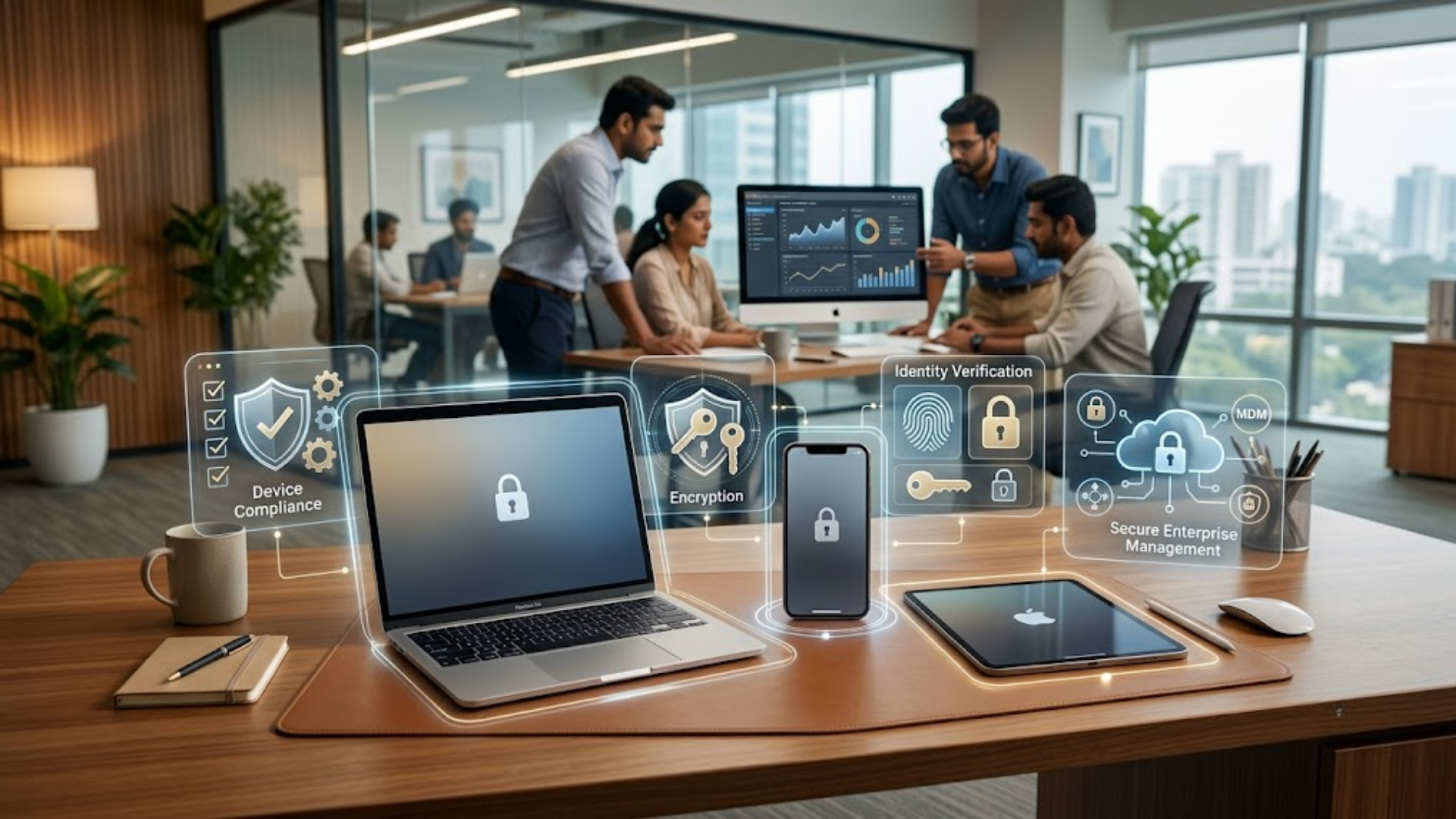
Mac provides enterprise-grade security through features such as hardware-level encryption, secure boot architecture, and built-in privacy controls. These capabilities help protect corporate data while supporting secure access to enterprise applications and cloud services.

Team Computers helps enterprises implement Mac within secure IT environments by enabling device management, identity integration, and security policy enforcement across large-scale deployments.

Simplified Apple Device Management at Scale

A common misconception among enterprises is that managing Mac devices at scale can be complex. In reality, modern enterprise mobility management solutions allow IT teams to deploy and manage Apple devices efficiently across distributed teams.

With automated provisioning, remote configuration, and centralized device management capabilities, IT administrators can manage Mac devices throughout their lifecycle. This includes deploying applications, enforcing security policies, and maintaining compliance across enterprise environments.

As an experienced Apple enterprise partner, Team Computers helps organizations streamline Mac deployment and management, ensuring that IT teams can scale Apple adoption without increasing operational complexity.

Enhancing Employee Experience with the Apple Ecosystem

Employee productivity today is closely tied to the technology experience they receive at work. Enterprises are increasingly recognizing that providing intuitive, high-performance devices can significantly improve engagement and retention.

Mac offers a seamless and user-friendly experience that employees across roles—from developers and designers to business leaders—value for its reliability and ease of use. When integrated with the broader Apple ecosystem, employees can move smoothly between devices, collaborate effectively, and maintain productivity across different work environments.

Through tailored enterprise solutions, Team Computers enables organizations to implement Apple ecosystems that support both employee experience and IT governance.

Lower Total Cost of Ownership for Enterprises

While procurement decisions often begin with upfront costs, forward-thinking organizations evaluate device strategies based on long-term value. Mac devices are widely recognized for their durability, performance longevity, and strong residual value.

Combined with reduced support requirements and longer device lifecycles, enterprises often discover that Mac offers a lower total cost of ownership compared to traditional device environments.

By partnering with Team Computers, organizations gain access to lifecycle management, enterprise deployment expertise, and ongoing support services that further optimize the value of Apple investments.

Enabling the Future Workplace with Team Computers

The modern workplace is defined by mobility, collaboration, and secure access to information from anywhere. Enterprises require technology platforms that support this flexibility without compromising performance or security.

Mac, combined with the right enterprise implementation strategy, provides a powerful foundation for building future-ready digital workplaces. With deep experience in enterprise IT solutions and Apple ecosystem deployments, Team Computers helps organizations design, deploy, and scale Mac environments that support innovation and growth.

As enterprises continue to modernize their IT infrastructure, partnering with the right Apple business partner becomes just as important as choosing the right device platform.

Employee Retention Strategy: How Apple Devices Improve Workplace Experience

Replacing a high-performing employee is far more expensive than most balance sheets reveal. Industry research consistently estimates that replacing skilled professionals can cost between 50% and 200% of their annual salary, depending on role complexity. Yet despite these numbers, many enterprises still overlook one of the most influential drivers of attrition: everyday digital experience.

An effective employee retention strategy must go beyond compensation and engagement initiatives. Employees today evaluate their workplace through the tools they use daily. When systems are slow, unstable, or restrictive, frustration builds quietly. Over time, that friction erodes engagement and increases the likelihood of exit.

For enterprises and Global Capability Centers (GCCs), technology is no longer just infrastructure. It is culture, productivity, and competitive advantage combined. In this article, we explore how Apple devices, when deployed strategically, strengthen your employee retention strategy by enhancing performance, security, and workplace satisfaction.

The Overlooked Link Between Technology and Employee Retention Strategy

Most retention conversations focus on growth opportunities, leadership quality, or compensation benchmarking. These are essential elements. However, for knowledge workers, digital tools shape daily experience more directly than most leaders realize.

Professionals in development, consulting, analytics, and design roles spend eight to ten hours per day interacting with their devices. If those interactions are smooth and reliable, work feels efficient and controlled. If those interactions are disrupted by lag, crashes, compatibility issues, or complex security barriers, frustration accumulates.

This accumulation is rarely dramatic. It shows up subtly—lower enthusiasm, slower output, reduced collaboration, and eventually disengagement. A modern employee retention strategy must account for this dynamic.

In GCC environments especially, where delivery timelines and global collaboration standards are strict, technology performance directly influences employee morale. Teams that struggle with outdated systems often feel undervalued compared to global counterparts operating with premium tools.

Retention, therefore, is not only an HR objective. It is a digital workplace objective.

Why Apple Devices Contribute to a Stronger Employee Retention Strategy

Enterprise adoption of Apple has increased significantly in recent years, particularly within technology-driven organizations. Devices such as the MacBook Pro and MacBook Air are widely recognized for their performance efficiency, battery optimization, and stability.

Apple’s integration of hardware and software through macOS creates a tightly controlled ecosystem. This vertical integration enables consistent performance optimization and reduced system fragmentation. For employees, this translates into faster boot times, smoother multitasking, and fewer unexpected disruptions.

Developers often value macOS for its UNIX-based architecture, which aligns well with modern programming frameworks and cloud-native development environments. Creative professionals benefit from color accuracy, processing power, and stability under heavy workloads. Business users appreciate the reliability and extended battery life that supports hybrid work schedules.

When employees feel equipped with high-performance tools, they perceive trust and empowerment. That perception strengthens loyalty. A well-designed employee retention strategy acknowledges that technology sends a cultural signal about how the organization values its workforce.

Security That Supports Experience Instead of Restricting It

Security is frequently cited as a barrier to adopting premium workplace devices. However, Apple devices are designed with built-in hardware security capabilities that support enterprise compliance requirements.

Apple’s architecture includes secure boot processes, hardware-backed encryption, and system integrity protections. These features enable organizations to maintain high security standards without layering excessive third-party controls that disrupt user experience.

When security systems create repeated authentication hurdles or unstable remote access processes, employees become frustrated. Overly complex security policies may protect data but weaken morale. A balanced approach ensures compliance while preserving productivity.

A robust employee retention strategy recognizes that security and user experience must coexist. When employees can access systems seamlessly while knowing their data is protected, confidence in the organization increases.

For hybrid teams and GCCs collaborating across geographies, stable remote performance is essential. Devices that support smooth connectivity reduce stress and improve focus.

The Financial Logic Behind Technology-Led Retention

Retention strategies must withstand financial scrutiny. While premium devices may appear as higher upfront investments, the long-term cost comparison tells a different story.

Replacing experienced professionals often involves recruitment costs, onboarding time, training expenses, and productivity gaps. When multiplied across teams, these costs quickly exceed the incremental difference between standard and performance-optimized devices.

High-performance workplace technology can reduce IT support tickets, accelerate onboarding timelines, and extend device lifecycles. These operational efficiencies contribute measurable value.

More importantly, improved employee satisfaction reduces voluntary attrition risk. When technology friction decreases, engagement improves. When engagement improves, turnover stabilizes.

A forward-thinking employee retention strategy evaluates total impact, not just procurement costs.

Implementing Apple Within a Structured Retention Framework

Adopting Apple devices alone does not guarantee improved retention. Implementation must be structured and aligned with workforce strategy.

Enterprises should begin by mapping device specifications to role requirements. Developers, analysts, designers, and executives often require different configurations. Standardizing deployment processes across locations ensures consistency. Lifecycle management, including proactive refresh planning, prevents performance degradation over time.

Ongoing feedback mechanisms also play a crucial role. Tracking IT ticket volumes, onboarding timelines, and employee satisfaction scores helps quantify impact.

[ADD: Include proprietary data showing improvement in employee satisfaction or IT ticket reduction after Apple deployment.]

A strong employee retention strategy integrates technology planning into broader workforce management initiatives rather than treating it as an isolated IT decision.

How Team Computers Enables Retention-Focused Apple Deployments

As a trusted enterprise IT partner, Team Computers approaches Apple adoption with a consultative, outcome-driven mindset.

We begin by understanding workforce composition, business objectives, and operational complexity. From there, we design structured procurement, provisioning, and lifecycle management frameworks that align with enterprise needs.

Our approach ensures consistency across geographies, secure deployment aligned with compliance requirements, and scalable support models for growing organizations.

By aligning Apple implementation with long-term workforce strategy, enterprises can ensure their employee retention strategy is reinforced at the infrastructure level.

Retention does not improve overnight. It improves when daily friction is removed, performance is optimized, and employees feel supported by the tools they rely on.

Expert Insight

“Technology influences culture more than most organizations acknowledge. When employees operate in a seamless, high-performance environment, they focus on delivering results rather than navigating obstacles. That shift strengthens retention in measurable ways.”
— Head of IT Services, Team computers

An effective employee retention strategy requires more than policies and engagement programs. It requires a workplace environment that enables performance and minimizes friction.

To strengthen your employee retention strategy, focus on:

  • Reducing daily digital disruptions
  • Investing in stable, high-performance devices
  • Balancing security with seamless access
  • Standardizing lifecycle management
  • Aligning technology decisions with workforce objectives

Apple devices, when deployed within a structured enterprise framework, contribute to measurable productivity gains and improved employee satisfaction.

Retention begins with experience. Experience begins with the tools employees use every day.

If your current workplace technology is creating silent friction, it may be weakening your employee retention strategy without you realizing it.

Connect with our experts to assess your digital workplace environment and design an Apple deployment roadmap that strengthens productivity, security, and long-term talent retention.

Apple for Global Capability Centres (GCCs): Building the Future-Ready Workplace in India

India’s Global Capability Centres (GCCs) have evolved dramatically over the last two decades. What began as cost-efficiency and process outsourcing hubs has transformed into innovation-driven centers powering global enterprises. Today, GCCs in India lead product engineering, cybersecurity, AI development, analytics, and digital transformation for some of the world’s largest organizations.

India currently hosts over 1,900 GCCs contributing more than $120 billion to the economy, and this number is projected to exceed 2,500 by 2030, employing nearly 3.5 million professionals. As GCCs scale from execution engines to innovation engines, technology decisions are no longer purely operational — they are strategic.

In this new era, the workplace must enable productivity, strengthen security, attract top talent, and align with sustainability goals. Increasingly, forward-looking GCCs are building this foundation on Apple’s Mac ecosystem.

The Evolution of GCCs: From Cost Centers to Innovation Hubs

Between 2000 and 2010, GCCs were largely focused on cost efficiency and process outsourcing. From 2010 to 2020, the focus shifted toward capability building and digital transformation. Today, GCCs are driving AI innovation, product design, engineering excellence, and global technology leadership.

With this shift comes a new challenge — experience. Modern GCCs are competing with startups and global technology giants for highly skilled developers, designers, data scientists, and engineers. To attract and retain top-tier talent, GCCs must deliver a world-class digital experience that matches or exceeds what employees use in their personal lives.

This is where Apple at Work becomes strategically relevant.

The Employee Experience Imperative

Technology is no longer just a productivity tool — it is a retention strategy.

A recent survey conducted among GCC employees revealed that 82% said the quality of their work device directly impacts their productivity. Additionally, 76% stated that their work device influences whether they stay with an organization. Among employees who have used both platforms, four out of five prefer working on Mac.

When organizations adopt an Employee Choice model, they are not simply offering a perk; they are signaling trust and modernity. In fact, when one large BFSI GCC allowed developers to choose their device, nine out of ten selected Mac. Within weeks, the organization reported higher satisfaction levels and fewer IT tickets.

In competitive talent markets like Bangalore, Hyderabad, Pune, and Chennai, employee choice is no longer optional — it is a competitive advantage.

The Hidden Math: Total Cost of Ownership Advantage for GCC

One of the most persistent myths about Mac in enterprise environments is that it is expensive. However, when evaluated over a three-year lifecycle, the financial picture changes significantly.

A comparative three-year lifecycle analysis of enterprise deployments shows that support and operations costs for PCs can reach ₹1,38,360, whereas for Mac, the cost is approximately ₹74,864 — resulting in savings of ₹63,496. Hardware and software combined cost around ₹1,56,750 for PCs compared to ₹1,35,975 for Mac, generating additional savings of ₹20,775.

When combined, the total three-year cost stands at approximately ₹2,95,110 for PC deployments versus ₹2,10,839 for Mac — delivering savings of ₹84,271 per Mac deployed.

When higher residual value and lower energy consumption are factored in, the long-term financial advantage becomes even more compelling. For GCCs deploying hundreds or thousands of endpoints, this represents significant cost optimization without compromising performance or experience.

Devices such as the MacBook Pro and MacBook Air combine performance efficiency with lower operational burden, directly strengthening TCO outcomes.

Security, Simplicity and Zero-Touch IT for Distributed GCC Teams

In an era where every endpoint is a potential attack surface, security architecture is central to enterprise strategy. Apple’s security-first design gives GCCs built-in protection through hardware-based encryption powered by Apple Silicon, secure boot processes, Gatekeeper, and FileVault encryption.

Mac integrates seamlessly with enterprise management ecosystems including Jamf, Microsoft Intune, and Apple Business Manager, allowing centralized device control and compliance enforcement.

Team Computers enables zero-touch deployment, allowing IT teams to ship devices directly to employees across cities without manual setup or imaging. Devices arrive pre-configured, secure, and ready to work from day one. For GCCs operating across multiple locations or supporting hybrid workforces, this eliminates operational friction and ensures 100% compliance from onboarding.

One healthcare GCC successfully onboarded employees across five cities without IT physically handling devices — demonstrating how scalable zero-touch Mac deployment supports distributed growth.

Sustainability Meets Strategy

Global enterprises are under increasing pressure to align IT investments with ESG commitments and net-zero targets. Apple’s commitment to sustainability directly supports GCC environmental goals.

Mac devices feature 100% recycled aluminum enclosures and are manufactured using 100% renewable energy. Apple has achieved carbon-neutral operations and is targeting net-zero emissions by 2030.

Additionally, Mac devices are approximately 25% more energy efficient than comparable Windows-based systems and generate around 165 kg CO2e. Fewer refresh cycles and lower energy consumption help GCCs contribute measurable sustainability metrics to global reporting frameworks.

For organizations prioritizing sustainable innovation, choosing Mac becomes both a technology and ESG decision.

GCC Success Stories: Measurable Outcomes

Real-world GCC deployments demonstrate tangible benefits. A Global BFSI GCC in Pune deployed 2,000 Macs across analytics and design teams and reported a 45% reduction in IT support tickets along with a 30% improvement in developer satisfaction scores.

A US Technology GCC in Bangalore launched an Employee Choice program for 1,200 engineers, and 97% opted for Mac within six months. Since deployment, the organization has recorded zero malware incidents.

A European retail GCC in Hyderabad migrated 600 devices to Apple Business Manager with Jamf integration and achieved 100% remote onboarding success during pandemic conditions while contributing sustainability credits to global ESG reporting.

These examples demonstrate that Apple adoption within GCCs is not merely a hardware upgrade — it is a transformation across IT, HR, and sustainability strategy.

Mac: The Most Capable AI PC for the Modern GCC

As GCCs shift from digital transformation toward AI-driven innovation, endpoint performance becomes critical. Mac powered by Apple Silicon delivers industry-leading performance per watt, unified memory architecture, and built-in enterprise-grade security.

For data scientists, developers, and AI engineers working on large language models, on-device experimentation, and AI-driven applications, Mac enables faster prototyping and more efficient workflows. The combination of performance, privacy, and manageability makes it particularly suited for AI-intensive GCC environments.

For organizations building cognitive, hybrid, and human-centric workplaces, Mac is emerging as the preferred endpoint strategy.

Partnering with Team Computers for GCC Transformation

For over 38 years, Team Computers has supported more than 2,500 enterprise customers in modernizing infrastructure and end-user ecosystems. With strong presence across Bangalore, Hyderabad, Chennai, Pune, and NCR, we are trusted by over 200 GCCs to build secure, scalable, and future-ready workplaces.

As an Apple Business Partner, Team Computers provides end-to-end Apple enterprise services including procurement and lifecycle management, Apple Business Manager setup, Jamf integration, Employee Choice program design, financing and buy-back solutions, and pan-India deployment and support.

Our mission is simple — to help India’s GCCs think different, work smarter, and scale faster with Apple.

The Road Ahead for GCCs in India

The future GCC is already taking shape. It is hybrid, innovation-led, AI-driven, and experience-centric. Its success will depend on how seamlessly technology, talent, and sustainability align.

Apple’s ecosystem — built on performance, privacy, and sustainability — is redefining what’s possible in the modern workplace. For GCCs ready to move from operational excellence to innovation leadership, Apple provides the foundation.

If your GCC is planning its next phase of growth, Team Computers can help you design a secure, scalable, and cost-optimized Apple strategy.

8 Reasons Why a Mac Is More Cost-Effective for Enterprises

When enterprises evaluate laptops for large-scale deployment, the discussion often begins with upfront purchase price. However, experienced IT and finance leaders understand that the true financial impact of a device is measured over its full lifecycle. Total Cost of Ownership (TCO) combines capital expenditure and operating expenditure to reveal the real cost of technology decisions. When analyzed across deployment, security, management, support, depreciation, and residual value, Apple devices consistently demonstrate lower long-term cost compared to traditional PCs.

Understanding Total Cost of Ownership in Enterprise IT

Total Cost of Ownership goes beyond hardware pricing. It includes visible expenses such as device procurement and operating systems, but more importantly, it accounts for hidden operational costs that accumulate over time. These include deployment effort, security tools, device management platforms, helpdesk calls, desk-side visits, downtime, productivity loss, depreciation, and end-of-life recovery value.

While traditional PCs may appear approximately 21% less expensive at the time of purchase, this initial saving represents only a fraction of the overall lifecycle cost. When operational variables are factored in, the financial picture shifts significantly.

Hardware Investment vs Lifecycle Value

It is true that PCs typically have a lower upfront acquisition cost. However, Macs retain nearly 47% higher residual value over time. This higher resale value reduces depreciation impact and improves asset recovery at refresh cycles. Over a three-to-five-year lifecycle, this difference meaningfully improves financial efficiency per device.

Devices such as the MacBook Pro and MacBook Air are engineered with tightly integrated hardware and software, allowing longer usable life and consistent performance. A longer refresh cycle directly lowers capital expenditure frequency and stabilizes enterprise budgeting.

Built-In Software and Security Reduce Additional Costs

One of the most significant contributors to lower TCO in Apple environments is the inclusion of essential software and security capabilities within macOS. Every Mac includes the operating system at no additional licensing cost, along with built-in full disk encryption through FileVault and native malware protection via XProtect. Macs also integrate with directory services without requiring premium operating system upgrades.

In contrast, many PC deployments require upgrades to professional editions, separate encryption tools, and third-party antivirus software. These incremental purchases increase operating expenditure and add management complexity. By consolidating essential capabilities within the base system, Apple reduces both direct software spending and administrative overhead.

Deployment Efficiency and Zero-Touch Provisioning

Deployment processes significantly impact enterprise IT cost structures. Apple provides automated device enrollment capabilities that allow devices to be tagged as corporate-owned and configured automatically at first boot. Applications, security policies, and configurations can be pushed remotely, enabling zero-touch provisioning.

This streamlined deployment model reduces manual imaging effort and minimizes desk-side setup time. Traditional PC environments often require additional preparation, configuration, and testing before devices are fully operational. The manpower and time associated with these processes contribute to higher deployment costs and delayed productivity.

Lower Support Burden and Helpdesk Costs

Support and maintenance represent one of the largest components of operating expenditure. Enterprise deployment data shows that support calls are substantially higher for PC users compared to Mac users. Approximately 5% of Mac-related issues require in-person IT intervention, whereas about 27% of PC-related issues result in desk-side visits.

Fewer support tickets and reduced need for physical troubleshooting lower IT staffing pressure and decrease downtime. Over thousands of devices, this difference translates into significant cost savings and operational efficiency. Reduced support intensity also allows IT teams to focus on strategic initiatives rather than reactive troubleshooting.

Reduced Security Risk and Financial Exposure

Security incidents carry direct and indirect financial consequences. Enterprise data indicates that the risk of data breaches is 50% lower per M1 Mac deployed compared to traditional PC environments. Apple’s secure boot architecture ensures that firmware and operating system components are cryptographically verified, helping prevent unauthorized modifications at startup.

Lower breach probability reduces remediation expenses, compliance exposure, and reputational risk. When security is factored into TCO calculations, the financial advantage of Apple devices becomes even more compelling.

Energy Efficiency and Sustainability Impact

Energy consumption contributes to long-term operational expenditure, especially at enterprise scale. Apple devices are approximately 25% more energy efficient than comparable Windows-based systems and generate around 165 kg CO2e. Improved energy efficiency reduces electricity costs while supporting sustainability goals and ESG reporting requirements. For organizations prioritizing green IT strategies, this efficiency adds both financial and reputational value.

The Overall Financial Outcome

When hardware lifecycle, residual value, integrated security, deployment efficiency, support reduction, breach risk, and energy performance are evaluated collectively, enterprises can realize approximately 20% overall cost savings per Mac deployed. The incremental purchase price of a Mac is offset multiple times through reduced support burden, lower software add-ons, improved asset recovery, and minimized downtime.

The conversation should therefore shift from “Which device is cheaper upfront?” to “Which device delivers lower Total Cost of Ownership over time?”

Optimizing Apple TCO with Team Computers

At Team Computers, we help organizations evaluate Apple adoption through a structured TCO framework. Our approach includes lifecycle planning, zero-touch deployment enablement, enterprise mobility strategy, buy-back and trade-in structuring, and secure device management integration. By aligning financial modeling with operational execution, we enable enterprises to adopt Apple devices while optimizing long-term cost efficiency.

Apple is not merely a premium hardware choice; when evaluated through Total Cost of Ownership, it becomes a strategic financial decision for modern enterprises seeking productivity, security, and sustainable IT investment.