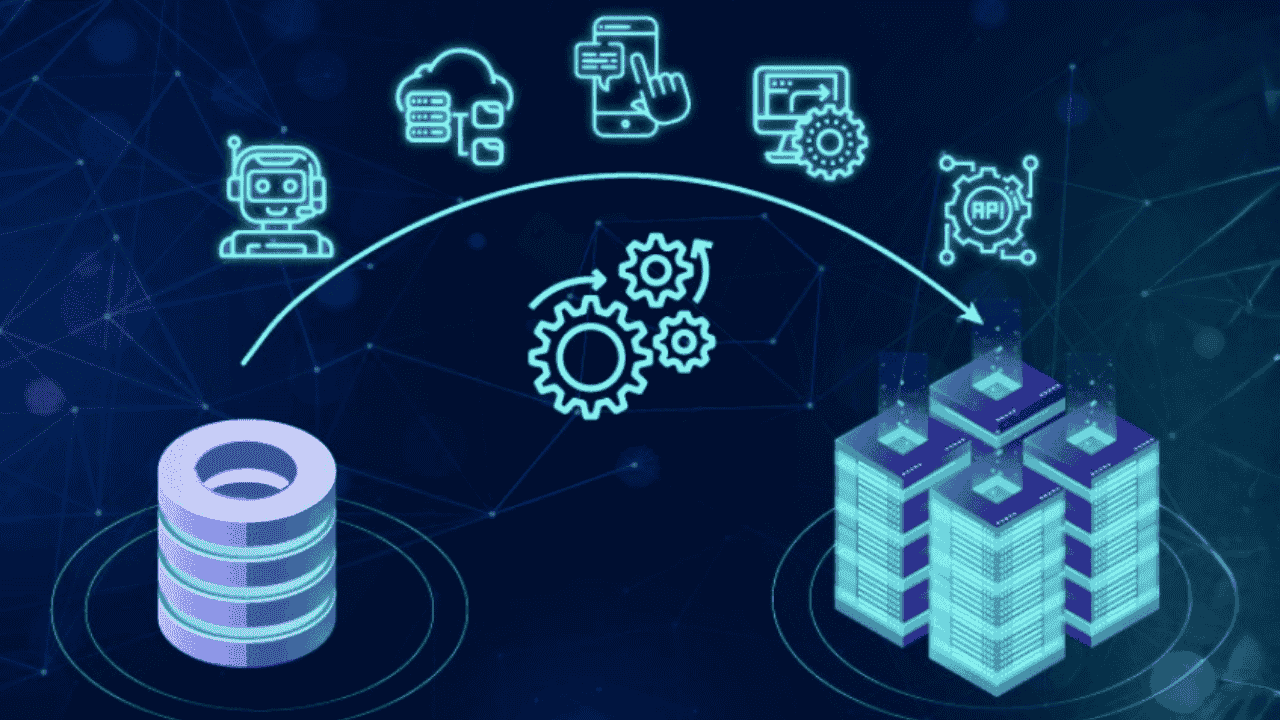
Why Most Enterprises Still Struggle to Deliver AI Impact

Despite multi-crore investments in cloud migrations, data lakes, and BI tools, many enterprises still struggle to produce consistent AI outcomes. Models stall in pilots. Insights fail to operationalize. Costs rise. Business value remains elusive.

The issue is rarely AI capability. It is the absence of AI ready data.

CIOs and CDOs are under pressure to show measurable AI impact, yet they are forced to navigate fragmented data estates, legacy systems, redundant pipelines, and escalating infrastructure costs. Architecture modernisation often becomes a technology upgrade exercise rather than a strategic redesign aligned to AI-driven decision-making.

If this sounds familiar, you are not alone. According to industry studies, over 60% of AI initiatives fail to scale beyond proof-of-concept due to foundational data architecture issues.

This article explores why traditional modernization efforts fall short, what truly defines AI ready data, and how architecture modernisation must evolve to unlock measurable business outcomes.

The Real Problem: Expensive Architecture, Minimal AI Outcomes

Most enterprises do not lack data. They lack coherence.

You likely have:

  • Multiple data warehouses and marts
  • Disconnected cloud environments
  • Legacy core systems feeding batch pipelines
  • BI dashboards with limited predictive intelligence
  • Rising storage and compute bills

On paper, this looks modern. In practice, it creates friction.

Why Traditional Modernization Fails

Many architecture modernisation programs focus on:

  1. Migrating on-prem systems to cloud
  2. Consolidating reporting layers
  3. Reducing infrastructure footprint
  4. Improving dashboard performance

These are necessary, but insufficient for AI.

AI systems require:

  • Real-time or near-real-time data availability
  • High-quality, governed datasets
  • Unified semantic layers
  • Feature engineering pipelines
  • Scalable model deployment frameworks

Without these, data scientists spend up to 70% of their time cleaning and preparing data. That is cost without compounding value.

Architecture modernisation must be reframed. It is not about moving data. It is about enabling intelligence.

What Defines AI Ready Data in a Modern Enterprise?

AI ready data is not simply centralized data. It is structured, contextualized, and operationally usable.

Characteristics of AI Ready Data

  1. Unified Data Fabric
    Eliminates silos across departments and geographies.
  2. Strong Governance Framework
    Metadata management, lineage tracking, and role-based access.
  3. Scalable Data Engineering Pipelines
    Automated ingestion and transformation with minimal manual intervention.
  4. Feature Stores for AI Models
    Reusable, standardized features that accelerate model development.
  5. Operational Integration
    AI outputs embedded directly into workflows such as underwriting, risk scoring, or supply chain planning.

Without these capabilities, AI remains theoretical.

Architecture modernisation must therefore align to three strategic objectives:

  • Enable predictive and prescriptive analytics
  • Reduce time from data ingestion to business decision
  • Control total cost of ownership while scaling

When AI ready data becomes foundational, measurable gains follow. Organizations report improvements such as:

  • 20–30% faster decision cycles
  • 15–25% improvement in forecasting accuracy
  • Significant reductions in infrastructure redundancy

The architecture becomes an enabler, not a bottleneck.

Why Architecture Modernisation Must Be AI-First

Modernization initiatives often begin with technology refresh goals. AI enablement is treated as phase two.

That sequence limits ROI.

AI-First Architecture Principles

An AI-first architecture modernisation strategy includes:

  • Designing data layers around predictive use cases
  • Implementing event-driven architectures where necessary
  • Building scalable MLOps capabilities from the start
  • Embedding observability and monitoring across pipelines
  • Prioritizing interoperability between legacy and cloud systems

Instead of asking:
“How do we migrate our systems?”

The better question becomes:
“What intelligence outcomes must this architecture support?”

For example:

If your enterprise wants to improve default prediction by 18%, your architecture must:

  • Integrate transaction-level data in near real-time
  • Enable continuous model retraining
  • Maintain governance over sensitive financial datasets

Architecture modernisation becomes a business strategy, not an IT program.

Reducing Cost While Scaling Intelligence

A common concern among CIOs is cost escalation. Cloud bills grow faster than business value.

This usually stems from:

  • Poor workload optimization
  • Duplicate storage layers
  • Inefficient query patterns
  • Absence of lifecycle management policies

Architecture modernisation done correctly reduces cost while improving AI readiness.

Practical Cost Optimization Levers

  1. Rationalize redundant data stores
  2. Adopt tiered storage strategies
  3. Optimize compute through auto-scaling
  4. Implement workload governance controls
  5. Monitor usage with FinOps discipline

Enterprises that combine AI enablement with disciplined cost governance report up to 25% infrastructure savings.

The key lies in designing for both scalability and efficiency.

AI ready data environments do not need to be expensive. They need to be intelligently engineered.

What to Look for in an Architecture Modernisation Partner

Selecting the right partner determines whether modernization becomes transformation or another migration cycle.

You should evaluate partners on:

  • Proven AI deployment experience, not just data engineering capability
  • Enterprise-scale governance implementation
  • Cross-industry domain expertise
  • Ability to align architecture to measurable KPIs
  • Transparent cost modeling

Many service providers specialize in dashboards or cloud migration. Few align architecture modernisation with predictive and AI-driven outcomes.

At Team Computers, we approach modernization through an AI readiness lens. We assess:

  • Data maturity across business functions
  • Pipeline efficiency and latency
  • Model operationalization capabilities
  • Governance posture
  • Infrastructure optimization opportunities

Our objective is not to deploy tools. It is to enable AI ready data that drives measurable business performance.

CONCLUSION

Enterprises do not struggle because they lack ambition. They struggle because legacy architecture constrains AI scalability.

To build sustainable competitive advantage, you must ensure your architecture supports AI ready data at scale.

Key takeaways:

  • Architecture modernisation must be AI-first, not infrastructure-first
  • AI ready data requires governance, integration, and operational embedding
  • Cost optimization and AI scalability must coexist
  • Predictive use cases should shape architectural design
  • Modernization should link directly to measurable business KPIs

When AI ready data becomes foundational, AI initiatives move beyond pilots and begin delivering sustained enterprise impact.

The question is no longer whether you should modernize.
It is whether your current architecture can support the intelligence your board expect

If you want clarity on where your enterprise stands, start with insight, not assumptions.

Book a free 30-minute Analytics Maturity Assessment with our experts and discover how to transition toward AI ready data while optimizing cost, scalability, and governance.

Your next phase of AI performance begins with the right architectural foundation.

Data And AI Delivery with Adoption and Training: From BI to AI

Most enterprises don’t struggle with starting their Data journey. They struggle with finishing it.

You’ve invested in dashboards, reporting tools, and business intelligence platforms. Your teams have visibility. Yet, when it comes to moving from insights to intelligence—from BI to true Data And AI with Adoption and Training—progress stalls.

In fact, over 60% of organizations fail to operationalize AI beyond pilot use cases. The gap isn’t ambition. It’s delivery.

The journey from BI to AI introduces complexity: fragmented data ecosystems, unclear ownership, lack of structured execution, and most importantly, poor Adoption and Training. Solutions get built, but they don’t get used.

The result? AI remains an experiment instead of becoming a business advantage.

This blog breaks down why this transition is so challenging, what successful delivery actually looks like, and how Team Computers ensures your journey from BI to AI is executed with precision, governance, and real adoption.

The Problem: Why the BI to AI Journey Breaks Down

The shift from BI to AI is not incremental. It’s transformational. And that’s exactly where most delivery models fail.

Where Enterprises Get Stuck

Business Intelligence gives you hindsight. AI demands foresight. That shift introduces new dependencies:

  • Data must be real-time, clean, and unified
  • Models must integrate into business workflows
  • Decisions must become automated or augmented
  • Teams must trust and adopt AI-driven outputs

Without a structured delivery approach, this complexity creates friction.

The Hidden Execution Gaps

  • BI systems operate in silos, AI requires integration
  • Ownership is unclear across business and IT teams
  • No centralized tracking of project progress
  • Scope expands without controlled change management
  • Minimal focus on Adoption and Training

Each of these gaps slows down delivery. Together, they derail transformation.

Why This Matters

When the journey stalls, organizations face:

  • AI investments that don’t scale
  • Low user trust in data-driven decisions
  • Delayed ROI realization
  • Competitive disadvantage

What Successful Data And AI Delivery Looks Like

Delivering AI is not about building models. It’s about embedding intelligence into business operations.

The Core Principles of Effective Delivery

  1. Outcome-Driven Execution
    Every initiative ties to a measurable business goal
  2. Data Readiness First
    AI is only as good as the data it runs on
  3. Structured Governance
    Clear roles, accountability, and escalation paths
  4. Continuous Stakeholder Alignment
    Regular touchpoints prevent misalignment
  5. Adoption and Training Built-In
    Users are enabled alongside development

The Key Shift

Traditional BI delivery focuses on reporting.
AI delivery focuses on decision-making.

That means your project is only successful when:

  • Business teams trust the outputs
  • Insights translate into action
  • Systems integrate seamlessly into workflows

What This Requires

  • A delivery model that balances speed and control
  • A system for visibility across stakeholders
  • A strong emphasis on change management

Without these, AI remains a technical achievement—not a business success.

How Team Computers Ensures Seamless BI to AI Transition

Team Computers approaches delivery as a structured system designed to handle the complexity of Data And AI with Adoption and Training.

1. Well-Defined Hierarchy and Accountability

Every project is anchored in clarity:

  • Project Managers ensure timelines and coordination
  • Tech Leads drive architecture and implementation
  • COE Heads provide strategic and domain oversight

Each role has defined KRAs, eliminating ambiguity and ensuring accountability.

2. PRIME: Automated Project Tracking

Execution without visibility creates risk.

The PRIME portal provides:

  • Real-time progress tracking
  • Milestone monitoring
  • Risk identification and escalation
  • Centralized communication

This ensures leadership always has a clear view of delivery status.

3. Strong Boundary and Change Management

AI projects evolve. But uncontrolled change leads to chaos.

Team Computers ensures:

  • Clearly defined project scope from the start
  • Structured change request processes
  • Seamless integration of change management within PRIME

This allows flexibility without compromising timelines or outcomes.

Accelerating Delivery While Ensuring Adoption and Training

Speed matters—but only when it leads to usable outcomes.

4. Industry-Specific Accelerators

Team Computers brings a strong repository of reusable assets:

  • Pre-built AI models and use cases
  • Industry-aligned data frameworks
  • Proven implementation templates

This reduces time-to-value and increases delivery confidence.

5. Structured Engagement Model

Consistency drives alignment:

  • Weekly connects with project stakeholders
  • Monthly reviews with leadership teams

This ensures decisions are timely and aligned with business priorities.

6. Continuous Feedback Loop

A dedicated customer success team enables:

  • Real-time feedback collection
  • Rapid issue resolution
  • Continuous delivery improvement

Why Adoption and Training is Central

Adoption is not a post-deployment activity. It’s embedded into delivery.

Key Focus Areas

  • Role-based user training
  • Hands-on enablement sessions
  • Workflow-aligned solution design
  • Ongoing support post go-live

Outcome:

  • Higher adoption rates
  • Faster business impact
  • Stronger trust in AI systems

What CIOs and Data Leaders Should Expect from a Partner

The journey from BI to AI requires more than technical expertise. It requires a partner who understands execution at scale.

Must-Have Capabilities

  • End-to-end delivery ownership
  • Strong governance frameworks
  • Real-time project visibility
  • Proven experience in AI implementation
  • Deep focus on Adoption and Training

Questions You Should Ask

  • How do you ensure alignment between business and technology?
  • What systems do you use for tracking delivery?
  • How do you manage scope changes?
  • How do you drive user adoption?

Red Flags to Watch

  • Overemphasis on tools instead of outcomes
  • Lack of structured delivery methodology
  • No clear plan for Adoption and Training
  • Limited post-deployment support

Choosing the wrong partner doesn’t just delay delivery—it resets your transformation journey.

CONCLUSION

The journey from BI to AI is where most organizations either accelerate—or stall.

Delivering successful Data And AI with Adoption and Training requires a system that combines governance, execution discipline, and human enablement.

Here’s what defines success:

  • Clear ownership across project layers
  • Real-time visibility through structured tracking systems
  • Controlled execution with strong change management
  • Accelerated delivery using proven frameworks
  • Continuous stakeholder engagement and feedback
  • Deep focus on Adoption and Training

When these elements align, Data and AI stops being an initiative—and becomes a business capability.

Not sure how far along you are in your journey from BI to AI? Book your free 30-minute analytics maturity audit and get a clear view of where your delivery, adoption, and AI readiness stand. Walk away with actionable insights to accelerate your transformation with confidence.

Architecture Modernisation: Fixing Broken Data Platforms Before Costs Spiral

Many enterprise data platforms were never designed for the scale they handle today.

Pipelines built five years ago suddenly process 10x more data, storage requirements explode, and cloud bills quietly climb month after month. CIOs and data leaders often discover that their architecture decisions from the early analytics days are now blocking AI adoption and inflating infrastructure costs.

Industry studies suggest that [nearly 40% of enterprise data infrastructure costs come from inefficient architecture and poorly designed pipelines]. The problem is rarely the technology itself. It is usually how the architecture was designed, integrated, and scaled.

This is where architecture modernisation becomes essential.

Architecture modernisation is not simply replacing legacy systems. It involves redesigning the data pipelines, storage strategies, compute frameworks, and governance layers so that your platform supports advanced analytics, AI workloads, and real-time decision-making without runaway costs.

In this article, we will explore:

  • Why many enterprise data architectures become expensive and fragile over time
  • How poor pipeline design and storage planning create hidden infrastructure costs
  • What CIOs should evaluate before modernizing their analytics architecture
  • How enterprises can build AI-ready, cost-efficient data platforms

Why Legacy Data Architectures Become Costly Over Time

Most enterprise data platforms evolve organically rather than strategically.

A data team builds a pipeline to support a dashboard. Another pipeline appears to support a new analytics requirement. Soon, the architecture becomes a complex ecosystem of connectors, transformation jobs, and storage layers.

This gradual evolution creates technical debt inside the data platform.

Common Architecture Problems in Enterprise Data Platforms

Many organizations encounter the same issues:

  • Duplicated pipelines performing the same transformations
  • Inefficient batch processes consuming unnecessary compute resources
  • Uncontrolled storage growth caused by redundant datasets
  • Disconnected analytics systems that cannot share data efficiently
  • Technology sprawl with multiple tools performing similar functions

These issues rarely appear immediately. They accumulate quietly until costs escalate or performance degrades.

The Hidden Impact of Poor Architecture

When architecture design falls behind business needs, several consequences emerge:

  • Data latency increases
    Insights take hours or days instead of minutes.
  • Infrastructure costs grow unpredictably
    Compute workloads run longer and storage requirements multiply.
  • AI initiatives stall
    Machine learning requires consistent, governed datasets.
  • Operational complexity rises
    Teams spend more time fixing pipelines than delivering insights.

Without architecture modernisation, enterprises risk building increasingly expensive systems that deliver diminishing value.

The CIO Challenge: Pipelines, Storage, and Technology Selection

Modern data leaders face a difficult balancing act.

They must support real-time analytics, AI workloads, and regulatory governance, all while maintaining strict control over infrastructure costs.

Three challenges frequently appear in enterprise environments.

1. Poorly Designed Data Pipelines

Data pipelines often start as quick solutions for specific analytics needs. Over time, these pipelines become critical infrastructure.

However, many were never designed for scalability.

Typical issues include:

  • Multiple transformations happening in separate tools
  • Large batch jobs running during peak compute hours
  • Pipelines copying the same datasets repeatedly

This leads to long processing times and inflated compute costs.

2. Miscalculated Storage Requirements

Data growth is rarely linear.

New data sources, regulatory requirements, and historical analytics often expand storage needs faster than expected.

Without a clear storage strategy, organizations face:

  • Expensive high-performance storage used for cold data
  • Redundant copies of the same dataset
  • Lack of lifecycle policies for archival data

Over time, storage becomes one of the largest contributors to analytics platform costs.

3. Choosing the Wrong Technology Stack

The analytics ecosystem evolves rapidly. New platforms promise faster performance and lower costs, but selecting the wrong technology can lock organizations into inefficient architectures.

CIOs must evaluate:

  • Integration with existing systems
  • Scalability for AI workloads
  • Cost predictability
  • Governance capabilities

Architecture modernisation helps organizations reassess these decisions and rebuild platforms for long-term scalability.

What Architecture Modernisation Actually Looks Like

Architecture modernisation does not require discarding every existing system. Instead, it focuses on optimizing how data flows, how infrastructure scales, and how analytics workloads operate.

The goal is to build a platform that is modular, scalable, and AI-ready.

Core Principles of Modern Data Architecture

1. Unified Data Architecture

Modern platforms consolidate fragmented systems into a cohesive architecture.

Key components often include:

  • Data lake or lakehouse storage architecture
  • Centralized governance frameworks
  • Scalable compute layers for analytics and AI

This approach eliminates redundant pipelines and simplifies data management.

2. Intelligent Data Pipelines

Modern pipelines prioritize efficiency and automation.

Key capabilities include:

  • Incremental data processing
  • Real-time streaming pipelines
  • Automated error monitoring and recovery

These improvements significantly reduce operational overhead.

3. Tiered Storage Strategies

Instead of storing all data in high-performance environments, modern platforms use tiered storage models.

Typical structure includes:

  • High-performance storage for active analytics
  • Lower-cost storage for historical data
  • Archival storage for compliance requirements

This strategy reduces long-term infrastructure costs.

4. Governance and Observability

Modern architecture also emphasizes visibility and control.

Key features include:

  • Data lineage tracking
  • Access control policies
  • Usage monitoring dashboards

These capabilities ensure that the platform remains secure, efficient, and compliant.

Key Considerations Before Modernizing Your Data Architecture

Architecture modernisation requires strategic planning rather than incremental fixes.

CIOs and data leaders should evaluate several factors before redesigning their platforms.

Evaluate Data Workload Patterns

Understanding how data flows through the system is critical.

Questions to assess include:

  • Which pipelines consume the most compute resources?
  • Which datasets are accessed most frequently?
  • Which analytics workloads require real-time processing?

These insights help determine where architecture improvements will deliver the greatest impact.

Assess Data Governance and Security

As organizations expand their analytics capabilities, governance becomes increasingly important.

Modern architecture should support:

  • Role-based data access
  • End-to-end encryption
  • Compliance monitoring for regulatory requirements

Strong governance frameworks ensure that analytics platforms remain both secure and scalable.

Optimize Technology Selection

Selecting the right technology stack requires careful analysis.

Data leaders should evaluate:

  • Integration capabilities with existing infrastructure
  • Performance benchmarks for analytics workloads
  • Cost structures for storage and compute

Choosing technologies based solely on trends can create expensive architecture challenges later.

How Team Computers Approaches Architecture Modernisation

At Team Computers, architecture modernisation begins with understanding the business outcomes that data platforms must support.

Rather than recommending tools immediately, the focus is on diagnosing architecture inefficiencies and identifying opportunities for optimization.

Step 1: Architecture Assessment

The process begins with a deep evaluation of:

  • Existing data pipelines
  • Storage utilization patterns
  • Compute workloads
  • Technology dependencies

This assessment often reveals hidden inefficiencies that drive infrastructure costs.

Step 2: Platform Redesign

Based on the assessment, a redesigned architecture is created to support:

  • Scalable analytics workloads
  • AI model development
  • Real-time data processing

This approach prioritizes simplicity, scalability, and cost efficiency.

Step 3: Pipeline Optimization

Modernization often focuses heavily on pipeline efficiency.

Typical improvements include:

  • Consolidating redundant pipelines
  • Implementing incremental processing frameworks
  • Automating pipeline monitoring

These changes dramatically reduce operational complexity.

Step 4: Cost Optimization

Architecture redesign also addresses long-term cost management.

Strategies include:

  • Intelligent storage tiering
  • Compute workload scheduling
  • Resource monitoring frameworks

The result is a platform that supports analytics growth without unpredictable infrastructure expenses.

Conclusion: Architecture Modernisation Is the Foundation of AI-Ready Enterprises

Enterprise data platforms cannot support modern analytics demands if they rely on outdated architectures.

Architecture modernisation allows organizations to rebuild their platforms around efficiency, scalability, and intelligent data management.

Key takeaways:

  • Poorly designed pipelines and storage strategies drive hidden infrastructure costs
  • Architecture complexity increases operational overhead and delays insights
  • Modern architectures support real-time analytics and AI workloads
  • Governance and observability are essential for secure data platforms
  • Strategic architecture modernisation enables long-term cost optimization

Organizations that invest in architecture modernisation position themselves to unlock real value from their data while maintaining control over infrastructure costs.

Wondering whether your data architecture is holding back your analytics and AI initiatives?

Book a free 30-minute Analytics Maturity Audit with Team Computers.
Our experts will evaluate your architecture, pipelines, and technology stack to uncover opportunities for cost optimization, platform modernization, and scalable AI adoption.

4 Questions to ask before selecting a Master Data Management Solution

Are you looking to drive better, faster analytics and insights by identifying conflicting or redundant customer information across enterprise applications? Do you want to reduce the time and effort needed for data stewardship by improving the accuracy of automated merging processes? Has a merger or acquisition in the recent past led to disconnected data sources?

Get a 720 degree view of your customers, products, suppliers with Master Data Management. There are a plethora of Master Data Management solutions available in the market today. Informatica and Orchestra Networks have been named leaders in this space in the 2018 Gartner Magic Quadrant for Master Data Management Solutions. But before you go ahead to fixing on a platform, here are 4 aspects you need to define:

1. The Business Problem to be solved

Be Specific about what isn’t working clearly and concisely, so as to know exactly what is to be fixed. There is no point going out looking for a solution if the problem is not central to your business or you see so significant benefit in solving it. Ensure that you have clearly identified the specific impact the project should have in terms of business results to be measured throughout the entire project.

2. The Data you require

These are all the new subject areas about the customer that matter for the business and would be needed to feed the customer profiles. For example, we may need data about the products, employees, retail locations, branches, channels, and distribution partners to enrich the understanding of the customers and the business they do with the company. To fulfil the goal of using the customer profiles to improve the quality of cross-sell and upsell recommendations, clean, consistent, and connected data on products is needed to determine customers’ past purchases.

3. Your Data sources

Particularly the ones that are going to be used for enriching the Customer Gold Record. Example, external data sources like third-party data providers for demographics, income, education level, and the social networks that the customers are using.

4. Your Target Applications

Once the foundation of clean, consistent, and connected data would have been built, it needs to be shared with the business and analytical applications that run the business. To deliver great customer experiences, it is important that the customer profiles fuel target applications like CRM, the point of sale, customer service help-desk, campaign management, and marketing analytics. It’s the only way to make sure everybody’s working with great customer data that’s come from a single trusted source of truth.

Once you have these four in place, you can good to go ahead and evaluate the best-fit Master Data Management Solution. Get in touch with us at analytics@teamcomputers.com to brainstorm on how to start your MDM journey.

Do you really know your customers?

Your business has been growing at a steady rate. Your sales reps are able to close deals and you’re pretty much satisfied with the way things are running.

But are you certain this growth will prevail year on year?

With more and more competitors entering the market, delivering a customized and consistent experience to your customer is the only solution to retaining them.

You ask how?

The technology landscape at most growing NBFCs comprises of a system developed in-house on a database (like Oracle) for handling processes like Customer Onboarding, Loan Disbursement and Money Transfer while other process like HR and Finance are managed on ERP.

With the proliferation of data from multiple sources such as social media, mobile application usage and clickstream data, it has become imperative to integrate internal channels with external sources to get a 720 degree view of the customer, and allow it to delve into each customer’s interaction sequences, needs and current life events to serve them better and benefit from actionable insights in their operations.

Imagine This

This whole story, from its beginning to its end, illustrates what can be done when a bank or NBFC has comprehensive visibility into their full relationship with their customers. Too many companies have increased costs from flying blind in seemingly routine, every day customer interactions.

Treating all customers as equal doesn’t work so businesses have a choice:

Take control of the problem or leave these decisions to simple chance?

Data is your biggest asset, leverage it.

After the complete implementation, the MDM can be leveraged in a variety of ways to drive its value and maximise the RoI:

– Achieve better, faster analytics and insights by identifying conflicting or redundant customer information across enterprise applications in less time

– Reduce the time and effort needed for data stewardship by improving the accuracy of automated merging processes – Accelerate ROI from growth-based initiatives like mergers and acquisitions by making it easier to integrate master data from new sources

– Simplify and automate accurate regulatory compliance reporting with more trusted visibility into business-critical master data

Get in touch with us at analytics@teamcomputers.com to brainstorm on how to start your MDM journey.

WHAT MY BOSS SAID THAT CHANGED HOW I SEE MY WORK

Internships are often portrayed as exciting opportunities to dip your toes into the real world, and to some extent, that’s true. But what no one tells you is how overwhelming they can be—especially when you’re trying to prove your worth, learn fast, and meet deadlines all at once. I learned this all during my internship, until a single sentence from my boss completely changed how I view my work and manage my time.

My internship started off on a high note. I was eager, energetic, and ready to impress. I said “yes” to every task. My to-do list kept growing, and before long, my days felt chaotic. I spent hours reviewing, rewriting, and rechecking everything before submitting it. I wanted every report, presentation, or task I worked on to be near perfect. But in my effort to be thorough, I started missing soft deadlines. A task due “by the end of day” sometimes gets submitted the next morning. A follow-up that should’ve taken a couple of hours took an entire day. No one raised alarms at first, but I started noticing small signs of frustration—tasks getting reassigned, meetings being rescheduled. Right after that, my manager explained that you do great work, but in a team environment, late is the same as incomplete. That sentence stuck with me. I had always thought quality should outweigh speed. I told her I wanted to make sure everything I submitted was excellent. She nodded and said, “I admire your dedication, but you’re not working in isolation. Your part of the work often feeds into someone else’s. If your piece is delayed, their piece is delayed—and that ripple effect adds stress to the entire team.” She wasn’t angry—she was trying to help me understand something crucial: when you’re part of a team, your time management affects everyone. That conversation completely changed how I viewed deadlines. I realized that timeliness isn’t just about meeting a checkbox. It’s a sign of reliability. It shows that you respect your teammates’ time & priorities. And in a professional environment—especially during an internship where every impression counts—being dependable can be just as valuable as being talented. As an intern, it’s easy to think that your only job is to do great work and impress people with your skills. But that’s only half the picture. The other half is being consistent, dependable, and aware of how your actions affect the team around you. What my manager told me—Late is the same as incomplete”—completely reframed how I approach my work. It’s a lesson I’ll carry with me into every job going forward:
Doing your work well is important. Doing it on time is essential.

Navigating the Future: Android Enterprise Trends Shaping 2024-2025

As enterprises stride into 2024, Android continues to redefine the contours of workplace mobility. With its adaptable ecosystem and robust security features, Android Enterprise is setting benchmarks for digital transformation across industries. Here’s an in-depth look at the trends shaping Android’s enterprise future.

1. Edge Computing Meets Mobile Workflows

With the rise of edge computing, Android devices are transforming into powerful nodes that process data closer to its source. This minimizes latency and enhances real-time decision-making, particularly in industries like logistics and healthcare. For instance, wearable Android devices equipped with edge AI can analyze data on the fly, empowering workers with actionable insights instantly.

2. Enhanced BYOD Capabilities

Bring Your Own Device (BYOD) policies are seeing renewed interest. Android’s work profile capability ensures that personal data remains private while business data is securely managed. The trend in 2024 leans towards more intuitive interfaces and seamless switching between work and personal spaces.

3. Sustainability Through Extended Device Lifecycles

Environmental sustainability is a key focus. Enterprises are opting for Android devices with modular designs, enabling easy repairs and upgrades. Google’s continued commitment to software updates for up to 5 years further prolongs device usability, reducing electronic waste.

4. AI-Driven Mobile Experiences

Artificial Intelligence (AI) is supercharging Android’s enterprise applications. Predictive analytics, AI-driven automation in apps, and conversational AI for customer support are helping businesses streamline operations and deliver superior user experiences.

5. Robust Security Innovations

Android’s continual investment in endpoint security is paying dividends. Features like biometric authentication, secure boot processes, and malware detection powered by machine learning are setting a gold standard for mobile security.

Conclusion

As Android drives enterprise mobility into uncharted territories, businesses must stay agile, embracing these trends to remain competitive. The future is about harnessing the power of innovation to create agile, connected, and secure work environments.

Securing the Mobile Enterprise: Android’s Latest Innovations

In an era where cyber threats are evolving faster than ever, Android is stepping up its game to secure the mobile enterprise. From sophisticated threat detection mechanisms to advanced management tools, Android Enterprise is redefining what it means to safeguard mobile workforces.

1. Proactive Threat Detection

Android leverages machine learning to identify potential threats before they escalate. Google’s Play Protect scans over 100 billion apps daily, ensuring that enterprise devices remain malware-free.

2. Multi-Layered Security Framework

Android’s security model incorporates multiple layers, including:

  • Hardware-backed encryption: Protects sensitive enterprise data.
  • Secure boot: Verifies the integrity of the device’s software at startup.
  • Biometric authentication: Offers a frictionless yet secure way to access devices and apps.

3. Advanced Management Tools

Android Management APIs give IT admins fine-grained control over devices, enabling them to enforce security policies, manage app permissions, and wipe corporate data remotely. These tools are crucial in BYOD scenarios, ensuring a secure partition between personal and work data.

4. Zero-Trust Architecture

Android’s adoption of zero-trust principles ensures continuous validation of user and device identity before granting access to corporate resources. This is particularly beneficial in a remote work context, where endpoints are more vulnerable to attacks.

5. Regular Security Updates

Android’s monthly security patches and long-term support for enterprise devices help mitigate vulnerabilities. Enterprises can confidently deploy Android devices, knowing they are protected against the latest threats.

6. Collaborations with Industry Leaders

Google collaborates with OEMs and MDM providers to enhance Android’s security ecosystem. This ensures businesses have access to a diverse range of secure devices and management solutions.

Conclusion

Android’s relentless focus on security is setting the standard for mobile enterprise environments. Businesses must leverage these innovations to stay ahead in a world where securing endpoints is paramount.

Microsoft D365 Business Central vs Zoho ERP: The Superior Choice for SMBs

In today’s competitive business landscape, small and medium businesses (SMBs) are increasingly turning to Enterprise Resource Planning (ERP) systems to streamline operations, improve efficiency, and drive growth. Among the multiple options available in the market, Microsoft Dynamics 365 Business Central and Zoho ERP stand out as popular choices. However, when it comes to comprehensive functionality, scalability, and industry-specific capabilities, Microsoft D365 Business Central—formerly known as Microsoft Navision or MS Navision—emerges as the clearly superior choice for growing businesses.

Understanding ERP Solutions for Small and Medium Businesses

Enterprise Resource Planning (ERP) systems serve as the operational backbone for businesses of all sizes. For SMBs particularly, selecting the best ERP system is a critical decision that impacts everything from daily operations to long-term growth potential. The right ERP software for small medium business should provide comprehensive financial management, robust inventory capabilities, and the flexibility to adapt as your business evolves.

As a Microsoft Solutions Partner with Premium Partner status, we’ve guided countless businesses through ERP implementation journeys, and we’ve consistently found that Microsoft Business Central delivers superior value compared to alternatives like Zoho ERP.

Key Differences: Microsoft D365 Business Central vs Zoho ERP

1. Inventory Management: Business Critical for Trading Companies

Microsoft D365 Business Central offers advanced inventory management capabilities, including multi-location tracking, lot/serial number tracking, bin management, multiple units of measure, and diverse costing methods (FIFO, LIFO, average, standard). The system also provides item availability forecasting by event, giving businesses precise control over their stock.

Zoho ERP, while offering basic multi-warehouse support and reordering functionality, lacks the depth required for complex inventory scenarios. Its limited costing methods and tracking capabilities can become problematic as businesses grow.

Why it matters: For trading businesses that rely heavily on accurate stock visibility, proper valuation, and comprehensive traceability, Microsoft Dynamics 365 Business Central provides the robust functionality needed to manage complex inventory scenarios out of the box.

2. Sales & Pricing: Flexible Options for Competitive Markets

Microsoft Business Central empowers businesses with customer-specific pricing structures, volume discounts, campaign pricing, date-based pricing, and customizable price groups. This flexibility allows businesses to implement sophisticated pricing strategies to stay competitive while protecting margins.

Zoho ERP offers limited pricing rules and discount automation, which can constrain a business’s ability to respond to market changes or implement complex pricing strategies.

Why it matters: In the trading sector, pricing flexibility directly impacts profitability. Microsoft’s rule-based automation for pricing gives businesses the tools to maintain margin control while offering competitive prices.

3. Procurement & Vendor Management: Building Strong Supply Chains

Microsoft D365 features comprehensive vendor rating systems, lead time calculations, blanket orders, approval workflows, and detailed landed cost tracking. These features help businesses optimize their supplier relationships and procurement processes.

Zoho ERP provides only basic purchase order management and vendor information storage, with limited automation for procurement workflows.

Why it matters: Successful trading businesses need tight control over supplier performance and accurate landed cost calculations. Microsoft Dynamics 365 delivers the detailed procurement insights necessary for effective vendor management.

4. Warehouse & Logistics: Streamlining Operations

Microsoft Navision (now Business Central) includes advanced warehouse management features like cross-docking, drop shipment capabilities, pick/put-away processes, shipping integration, and comprehensive warehouse receipts management.

Zoho ERP only offers basic inventory transfers without the advanced logistics workflows modern businesses need.

Why it matters: Efficient warehouse operations are core to trading business success. Microsoft D365 provides operational workflows that streamline the entire inbound-outbound cycle, reducing errors and improving efficiency.

5. Financial Integration: The Backbone of Business Management

Microsoft Business Central delivers real-time accounting, multi-currency support, intercompany transactions, tax compliance tools, and consolidated reporting—all integrated seamlessly with operations.

Zoho ERP offers solid core accounting and multi-currency support, but lacks the deep integration between financial and operational data that growing businesses require.

Why it matters: Trading companies need precise financial control connected to every transaction. Microsoft’s ERP system ensures finance and operations move as one cohesive unit.

6. Supply Chain & Demand Planning: Anticipating Market Needs

Microsoft D365 Business Central includes planning worksheets, Material Requirements Planning (MRP), demand forecasting tools, transfer orders, safety stock calculations, and lead time tracking—essential tools for proactive inventory management.

Zoho ERP lacks dedicated demand planning and MRP capabilities, putting businesses at a disadvantage when trying to optimize inventory levels across locations.

Why it matters: Planning inventory replenishment across multiple locations is key to business success. Microsoft D365 enables smarter, more proactive stock planning, helping businesses avoid both stockouts and excess inventory.

7. Business Intelligence & Reporting: Data-Driven Decision Making

Microsoft Dynamics 365 features seamless Power BI integration, inventory aging reports, sales trend analysis, supplier performance metrics, and highly customizable dashboards—turning data into actionable insights.

Zoho ERP offers Zoho Analytics and standard reporting options, but lacks the depth and flexibility of Microsoft’s business intelligence ecosystem.

Why it matters: Trading businesses need real-time insights to monitor product turnover, pricing performance, and vendor metrics. Microsoft D365’s enterprise-grade analytics deliver the visibility needed to make informed decisions quickly.

8. Scalability & Customization: Growing with Your Business

Microsoft D365 is highly scalable and extensible through the Power Platform and AL programming language. Additionally, Microsoft offers industry-specific extensions that address unique business requirements across sectors.

Zoho ERP provides flexibility through Zoho Creator (a low-code platform), but lacks the depth of customization and industry-specific functionality that Microsoft’s ecosystem offers.

Why it matters: As trading businesses grow, they need industry-grade scalability and support. Microsoft D365 Business Central is built to scale alongside your operations, adapting to your evolving needs without requiring replacement.

The Microsoft Advantage: Why Choose Business Central as Your ERP Software

As a Microsoft Gold Partner and Preferred Partner for ERP implementation, we’ve seen firsthand how Microsoft Dynamics 365 Business Central transforms businesses through:

  1. Unified Experience: A single platform that integrates with Microsoft 365, enhancing user adoption and productivity
  2. Cloud Flexibility: Deploy in the cloud, on-premises, or in hybrid scenarios to suit your specific requirements
  3. Industry-Specific Solutions: Pre-built templates and extensions for manufacturing, distribution, retail, and service industries
  4. AI-Powered Insights: Built-in intelligence that helps identify trends, predict outcomes, and recommend actions
  5. Global Compliance: Regular updates to meet changing tax and regulatory requirements across markets
  6. Extensive Partner Network: Access to Microsoft’s vast ecosystem of solution partners for implementation and support

Making the Right ERP Choice for Your Business

When evaluating enterprise resource planning solutions for your small or medium business, it’s essential to look beyond basic functionality and consider your long-term growth trajectory. While Zoho ERP may appeal with its perceived simplicity and lower initial price point, Microsoft D365 Business Central delivers superior value through more comprehensive features, better scalability, and deeper integration capabilities.

For businesses serious about leveraging technology to drive growth, Microsoft Dynamics 365 Business Central represents the best ERP software choice—combining the accessibility small businesses need with the advanced functionality required to support continued expansion.

As a Microsoft Premium Partner specializing in ERP services and implementation, we’ve helped businesses across industries transition to Microsoft Business Central and unlock new levels of operational efficiency and insight. Whether you’re considering your first ERP system or looking to upgrade from a limited solution like Zoho ERP, Microsoft D365 Business Central provides the solid foundation your business needs to thrive in today’s competitive environment.

Contact our team of ERP experts today to discover how Microsoft Dynamics 365 Business Central can transform your business operations and support your growth journey.

The Blueprint for Success: Navigating Your D365 Business Central Implementation

In today’s fast-paced business landscape, efficiency is paramount. Traditional ERP implementations often struggle to deliver promised value within planned timeframes and budgets. For organizations adopting Microsoft Dynamics 365 Business Central, a well-structured implementation approach using the Hybrid-Agile methodology can make all the difference. This approach prioritizes quick adoption, continuous improvement, and business continuity over lengthy preliminary assessments or excessive customization. This comprehensive guide will walk you through the essential steps to ensure your organization successfully integrates this modern ERP solution while smoothly transitioning to new processes.

1. Set Foundation: Strategic Planning and Team Preparation

Establish Clear Objectives

Begin by defining specific business goals, such as optimizing workflows, cutting operational expenses, or improving customer interactions. This strategic foundation enables an agile, iterative implementation where refinements happen continuously throughout the adoption process.

Mobilize Cross-Departmental Collaboration

The early participation of diverse teams is crucial. Create effective communication channels between your departments and implementation partner to encourage collaboration, swift decision-making, and personal investment in the transformation journey.

Equip Your Team

Thorough preparation is essential for project success:

  • Provide comprehensive training on Dynamics 365 Business Central fundamentals before formal project kickoff to ensure alignment between user teams and implementation specialists.
  • Develop team proficiency in understanding and creating User Stories, enabling them to modify standard stories and develop new ones as needed.
  • Train team members in test case development, test data preparation, and system testing protocols—critical skills once sprint cycles begin. Ensure familiarity with the tools used for documenting test outcomes.

2. Implement with Agility: Using Iterative Development Cycles

Sprint-Driven Implementation

Rather than exhaustive preliminary analysis and traditional requirement studies (As-Is/To-Be), leverage a Hybrid-Agile framework:

  • Focused Sprint Cycles: Divide the project into manageable segments. Each sprint should deliver functional components, collect user feedback, and incorporate necessary adjustments.
  • Adaptive Learning: Use each iteration as an opportunity to explore system capabilities and refine workflows with targeted, impactful customizations.

Agile Project Governance

Maintain daily stand-up meetings and regular sprint reviews to monitor progress, promptly address challenges, and feed insights back into the process for ongoing enhancement.

3. Master Your Data: Preparation and Cleansing Strategy

Data Quality as Foundation

Implementation success depends heavily on clean, accurate, and well-structured data:

  • Comprehensive Data Cleansing: Thoroughly purify existing datasets by eliminating duplicates, standardizing formats, and verifying critical information.
  • Master Data Verification: Carefully review essential data elements such as Chart of Accounts and master records. For organizations with multiple entities, including non-operational companies, detailed assessment determines which data remains relevant.
  • Strategic Migration Planning: Develop a phased approach to data migration that prioritizes business-critical information while minimizing risks of data corruption during transition.

4. Optimize Infrastructure: Cloud Migration Assessment

Cloud Transition Planning

For companies moving to cloud-based ERP, the transition extends beyond technical migration:

  • Infrastructure Readiness: Evaluate current IT systems to determine cloud-readiness requirements, including network capacity, hardware compatibility, and connectivity needs.
  • Enhanced Security Framework: Reconfigure security protocols and access permissions for cloud environments, ensuring sensitive data protection while maintaining flexible, role-appropriate access.
  • Future-Proof Architecture: Design for growth by implementing cloud infrastructure that scales easily, maintains resilience, and aligns with business continuity requirements.

5. Drive Adoption: Change Management and User Empowerment

User-Centered Transition

Even the most advanced system will underperform if users resist adoption:

  • Progressive Learning: Create ongoing, role-specific training modules that evolve with each sprint, allowing users to build competence gradually while minimizing resistance.
  • Strategic Change Management: Deploy a comprehensive change plan featuring clear communications, stakeholder engagement, and responsive support channels. Designate specific contacts for addressing user concerns during transitions.
  • Continuous Feedback Loop: Establish mechanisms for ongoing input to identify adoption challenges early and address them promptly, ensuring users feel supported throughout the transformation.

6. Ensure Quality: Testing, Deployment, and Continuous Evolution

Thorough System Validation

Before launch, comprehensive testing is essential:

  • Complete Integration Testing: Conduct thorough tests of all system connections, customizations, and migrated data. Involve diverse functional teams to confirm the system meets business requirements.
  • Strategic Rollout: Implement a phased deployment approach, beginning with controlled pilot environments before full implementation. This minimizes risks while allowing adjustments based on real-world performance.
  • Ongoing Support Framework: Establish continuous monitoring and support systems. Utilize post-launch sprints to enhance functionality, resolve issues, and adapt to evolving business needs.

Successful D365 Business Central implementation requires more than technical upgrades—it demands an agile, well-orchestrated approach addressing data integrity, cloud migration, and user adoption. By establishing clear objectives, engaging diverse teams, and continuously refining through iterative sprints, your organization can navigate ERP implementation complexities successfully. With meticulous data preparation, strong change management, and focused attention to cloud infrastructure and security, you’ll unlock Business Central’s full potential and drive lasting organizational transformation.