Can the right job make an employee happy?

“It’s not how much money we make that ultimately makes us happy between 9 and 5. It’s whether or not our work fulfills us!”

– Malcolm Gladwell (Bestselling Author)

Job Satisfaction

Job satisfaction is a measure that attains how happy an employee is with his job, whether he likes the job, or personal aspects, or other attributes of the job such as domain, salary, etc.

Unlike several other aspects of work, using metrics to define job satisfaction is a challenge. This is incomparable, yet the organisations assess the job satisfaction on the key determinant factors.

Factors That Drive Employee Happiness

  • Pride – The pride of the organization is the main driver of happiness. When there is no sense of pride, employees just do their duties to earn. Those who are proud of their organization are more likely to be happy than those who are not.

  • Appreciation – Appreciation adds a ripple effect and improves morale in the workplace. When employees see that they are being appreciated and recognized, they feel truly satisfied. This gesture motivates them to maintain and improve their performance.

  • Fairness – Impartiality and equality create a productive environment for the employees. In turn, employees feel safe and engaged in the work that they do. The management of the “Best Alignment of Benefits to Business Strategy” winner,  CSSC,  says, “This award is the result of the passion and commitment they put into employee welfare and what they offer their employees.”

  • Respect – Mutual respect at the workplace indicates that the employees are valued for their accomplishments, abilities, and qualities. Respect earned at the workplace helps to promote positive work, hence more productivity!

  • Accomplishments – A sense of accomplishment adds quality to the profile and gives employees the satisfaction of having achieved something valuable in terms of business, financial, or experience.

  • Interest – An employee who gets into the desired and meaningful field that interests him, gives his best at the workplace, and enjoys the job.

  • Assertiveness – Employees need to feel confident about both the future of the organization and their future in the organization. Positive workplace relationships build a sense of security, trustworthiness, and build unity towards the common goals!

Conclusion

Work can be challenging and demanding, but if the employees feel proud of what their organization does, feel respected as an individual, and are appreciated for what they do, they will be happy. And, as a result, are bound to do an excellent job!

The Technology staffing solution at Team Computers not only helps you fill the open technology positions through mapping and matching your resume, but also evaluates the aspects that keep the employees satisfied. After all, employee happiness is a genuine win-win for both the employee and the employer.
How Managed Services Can Boost Your Business In 2022?

Managed services came into the place through a break/fix model during the 1990s to avoid downtime/data loss / costly repairs being at the forefront of the business plan. The trend of technological advances, including cloud computing and digital transformation, by the 2020s calls for scalable IT infrastructure that organisations can optimise and maintain regularly.

Managed Services

Managed services include a variety of IT outsourcing and other non-IT functions, including cloud services, IT infrastructure, and IT security for experts with knowledge in the field. There will always be access to a dedicated team of IT professionals to help you manage your IT system and provide ongoing support as agreed in the Service Level Agreement (SLA) by acquiring managed IT services. The SLA policy considers two well-differentiated stages: negotiating a contract and monitoring its fulfilment in real-time.

IT managed services benefit consumer businesses in increasing productivity and reducing operations or sometimes zero downtime. Providers adhere to the Information Technology Infrastructure Library – ITIL Framework to ensure that IT services clients are fully aligned with the organisation’s business objectives.

Benefits of MSP services

A fully managed service provider can be beneficial for businesses of all sizes. They enable companies to meet IT demands that their in-house teams do not have time to meet.

  • Cost optimisation options for in-house IT – the client cost is nominal due to having MSPs on board and available everywhere.
  • Avoid unexpected costs – MSPs charge a reasonable fee for advance setup and necessary transitions and solutions evaluated in advance.
  • Get some expert advice – MSPs act as facilitators in domain services that manage and acquire talent on behalf of clients.
  • Save resources – Infrastructure Managed Services help protect data from loss of crucial business information and prevent costly repairs to infrastructure and the need for IT staff.
  • Keep your business running – MSPs work on disaster recovery initiatives that ensure business continuity. The provider also offers “NOC services” in the industry. It extends from the Remote Network Operating Centre (NOC) to monitoring and treatment services for servers, networks, applications, databases and workstations.

Managed Services Demand

We see rapid advances in technology, making it even more critical for you to manage and protect your IT assets with a team of IT professionals.

According to MarketsandMarkets, the managed service provider industry will reach a staggering 282 billion by 2023, increasing 56% over last year’s market.

Small and medium-sized businesses (SMBs), nonprofits and government agencies hire MSPs to create a defined set of day-to-day management services to focus on improving their services without worrying about extended system downtime or service interruptions.

Managed Services in 2022

These organisations need technology and automation to sustain operations in a fast-paced market, regardless of size.

IT Infrastructure Management Services (IMS) manages technology, information and data. It covers everything from desktops to networking, storage, data, security and cloud-based services – doesn’t forget the people hired to keep everything running.

Next-Generation Managed Services -NGMS communicates with client employees using modern means of communication, streamlining processes to increase productivity and reduce costs. The use of automation and innovative working methods allows customers to see the broad bandwidth that MSPs access. These MSPs generally invest more to develop their skills, from DevOps to refactoring and application performance skills.

Managed Services are seen as a need of time today. It helps boost business by bringing a win-win scenario for both providers and clients.

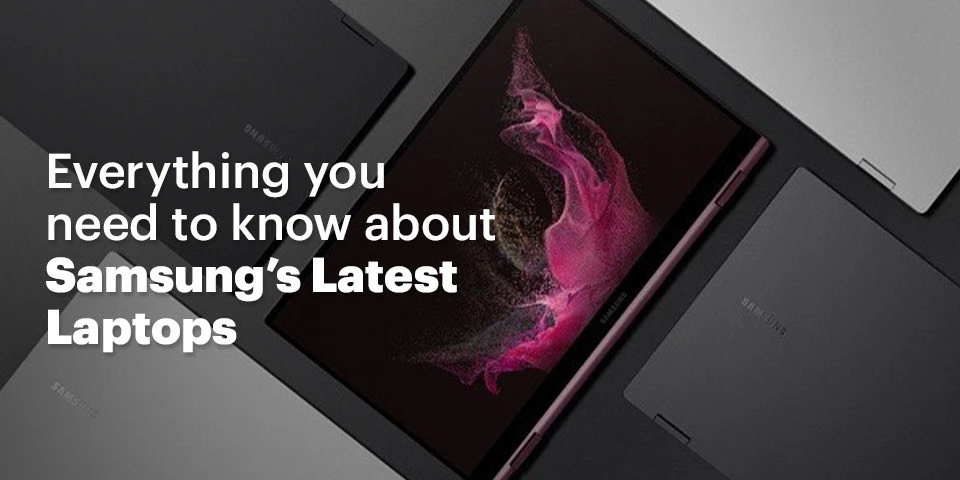
Everything you need to know about Samsung’s Latest Laptops

Samsung has re-entered the Indian laptop market after a long absence with the launch of six new laptops in March. The New Samsung Laptops introduced are:

  • The Samsung Galaxy Book2 Pro
  • The Samsung Galaxy Book2 Pro 360
  • The Samsung Galaxy Book2
  • The Samsung Galaxy Book2 360
  • The Samsung Galaxy Book Go
  • The Samsung Galaxy Book2 Business

The Intel® Core TM CPUs used in the Galaxy Book2 Business and Galaxy Book2 series are from the 12th Generation, whereas the Snapdragon® 7c Gen 2 Compute Platform is used in the Galaxy Book Go. So, let’s go into the details of the New Samsung Laptops that were recently released.

  • The Galaxy Book2 Pro 360
    The Samsung Galaxy Book 2 Pro 360 is a 2-in-1 gadget that may be used as a laptop or a Windows tab. With a weight of 1.04 kg and a width of 11.5 mm, the Galaxy Book2 Pro 360 is very compact. Further, Samsung has also included compatibility for styluses with the S-Pen. The Book2 Pro 360 has a 1080p touchscreen panel available in 13.3- or 15.6-inch sizes. The Galaxy Book2 Pro 360 is driven by an Intel 12th generation core i7 CPU and has USB Type-C charging, WiFi 6E and a Full HD cam. The Samsung Galaxy Book2 Pro 360 will be available with 512 GB of storage and 16 GB of RAM.
  • Galaxy Book2 Pro
    Galaxy Book2 Pro is the non-2-in-1 edition of those mentioned above and will be available in 13.3- and 15.6-inch screen sizes. While the specs stay the same, the Book2 Pro is lighter at 0.87 kg and thinner at 11.2 mm. Connect with people in ways you never have before with a video conference solution that has been tuned to ensure you always appear your best. Galaxy Book2 Pro boasts an enhanced full-HD camera. It has 1080-pixel wide-angle views, allowing your personality to come through in every conversation, from virtual meetings to late-night calls with your family. Maintain the attention wherever you want it — on yourself — with auto framing that leaves you in emphasis automatically and backdrop effects that eliminate external distractions in your backdrop. You will also sound incredible, thanks to enhanced Dolby At most audio and sophisticated noise cancellation that helps reduce unwanted noise. However, the laptop does not support a touch screen and is available in silver and graphite Colors.
  • Galaxy Book2 360
    At 1.16 kg and 12.9 mm, the non-pro form of the Galaxy Book2 360 is somewhat bulkier and thicker than the “Pro” model. The Samsung Galaxy Book 2 360 has a 720p webcam and  stylus input through the S-Pen, sold separately.
    The product dimensions of the New Samsung Laptops include 11.98” X 7.95” X 0.51”, and The colors available are silver and graphite. You can take this laptop everywhere and wherever you want as you will have enough power for all your favorite activities thanks to a long-lasting battery. You may travel for hours and enjoy a cord-free existence on a single charge. Recharge rapidly with a universal fast charger that restores 40% of battery power in only 30 minutes when you need an energy boost. With Galaxy Book2 360, you can enjoy optimized video conversations to make you look and sound your sharpest during meetings. Allow your personality to shine with an HD camera that is exceptionally sharp and clear, whether you are doing a remote working session or an unexpected conversation with family or friends.
  • Galaxy Book2 Business
    Geared for business customers, the New Samsung Laptops, the Samsung Galaxy Book 2 Business has Samsung defense-grade security features, Intel Hardware Shield Technology, and a protected integrated processor to safeguard the BIOS.Further, the Galaxy Book2 Business, a 14-inch display size, also has a Tamper Alert feature that identifies and monitors hostile attempts to breach security and essential data. Aimed for contemporary workspaces, the Galaxy Book2 Business has a “Studio Mode” and auto-framing function via the Full-HD camera to ensure crystal-clear online meetings.
  • Galaxy Book Go
    This 14-inch laptop powered by the Snapdragon® 7c Gen 2 Compute Platform leverages Windows 11’s instant-on capabilities. The Galaxy Book Go is aimed at students and has a long-lasting battery and military-grade toughness. Connect your gadgets and seamlessly transition between business and personal life on your Galaxy Book Go. Configure it as a second screen to double your productivity. Quick Share enables instant file sharing across devices. Utilize a more prominent display to play mobile games. Alternatively, connect your Galaxy Buds Pro and seamlessly transition between video conferencing and keeping up with friends.The laptop does not support a touchscreen with only silver color.
  • The Galaxy Book Flex Alpha
    The Galaxy Book Flex Alpha switches quickly from laptop to tablet mode with a single rotation. On the 13.3" display, you may easily take notes, give slideshows, or watch programs. Additionally, an illuminated keyboard makes it simple to do late-night assignments. Connect your favorite devices and accessories through HDMI or USB 3.0, and expand your storage space with a MicroSD card.SDXC cards up to 2 TB are supported by the built-in card reader. Boasting up to 12 GB of RAM and your option of a powerful Intel® CoreTM i5 or i7 CPU, you will experience split-second response and seamless multitasking. Further, stream entertainment with little latency and benefit from a near-instantaneous launch and up to 512 GB of storage on an SSD.
  • Conclusion
    If you plan to invest in laptops, you can consider the brand-new Samsung laptops after going through the specs and other details.Team Computers is a Samsung Platinum Business Partner for both sales and service, achieving the highest degree of accreditation as a reseller based on business levels and technical knowledge. Our skilled specialists can provide training on your suggested solution and its peripherals to ensure that you use the system as intended. Our professionals will come with expertise providing comparable systems and crucial knowledge of your custom setup and installation. Get quote- wsmarketing@teamcomputers.com

ETL vs. ELT: How to Choose the Best Approach for Your Data Warehouse

In the increase in the modern digital world, the need for data has increased exponentially. Organizations these days are engaged in collecting, organizing, and processing millions of raw data inputs and transforming them into valuable pieces of information while minimizing the chances of data breaches. Adequate data processes boost an organization’s profit upto 8-10%. The sudden explosion of the data has put a greater strain on the data warehouse architecture. Every day, organizations engage in different types of large-volume data, such as sensors, social media, customer behavior, and big data, making the process even more difficult.

If your organization holds a data warehouse, the chances are high that you might be using the extract, load, transform (ELT) or extract, transform, load (ETL) data integration method. Experts believe that ELT and ETL are two of the most significant and popular ways to collect, store, and interpret data from several sources. These are further stored in the data warehouse, which employees later access.

As compared to ELT, ETL has been here for a longer time. It is a traditional method of analytics and data warehousing. However, with the introduction of the latest technologies, ELT has evolved into a bigger and more advanced name.

What do you think is the difference between ELT and ETL? Do “T” and “L” make such a huge difference? Get to know all of this here!

Introduction to extract, transform, load or ETL 

In simple terms, ETL is a traditional data integration approach. It refers to extracting, transforming, and loading the work as an intermediary process. ETL is responsible for transferring data from one data source to the target ed destination.

Introduction to extract, load, transform, or ELT

As compared to ETL, ELT is a newer and more advanced version. The initial stages of both ETL and ELT work similarly. However, once the data comes in the pipeline, it can be loaded into a data warehouse. Unlike the traditional system, there is no need to process or transform data before stepping onto the loading stage.

Difference between ETL and ELT

In ETL, the data is extracted or generated from many sources, including CRM or ERP systems. It is transformed through several calculations, and then updated in the data warehouse, also called the target database. ETL tools work exceptionally well with intricate or complex data.

In the case of ELT, analysts extract the data in the initial stage. Next, the data is fully loaded into the target database, which is later transformed within the targeted database. As a result, the difference between ETL and ELT is not only about the order of their actions; other factors also greatly determine their actions.

Here are the primary differences between ETL and ELT:

  • Size of the data
    One significant difference between ETL and ELT is the data size, or the total amount of data that can be stored and managed. The ETL warehouse works well with smaller datasets, whereas the ELT warehouse is ideal for handling a larger amount of data.
  • Data loading time
    ETL and ELT infrastructures are different from one another when it comes to the total waiting time. Data loading time refers to the time taken to transfer raw data into the targeted warehouse. ETL is time-consuming, whereas ELT is a better option as it supports unstructured data.
  • Data analysis time
    Another major difference is the total data analysis time required to perform the analysis. Since data in the ETL model is found in a transformed form, it can be analyzed without any significant delays. However, in the case of ELT, the data is not converted. As a result, it is a time-consuming process that increases the overall waiting time.
  • Compliance
    In 2020, cyber-attacks will affect nearly 155.8 million individuals in the US. This shows the emergence to follow data privacy regulations such as CCPA, GDPR, HIPAA, and others; as a result, compliance is an essential aspect to look out for when choosing a top analytics partner in India. When compared, ELT is a better option as it makes data more vulnerable to security while minimizing the risk factors.
  • Transformation process
    One critical difference between ETL and ELT is the overall transformation process. On the one hand, where the ETL framework transforms the data before it starts to load, ELT tools fail to load data soon after it is extracted. The data is loaded in the warehouse. Data analysts choose the information they need to transform before the analysis.

Conclusion 

Both ELT and ETL are advanced approaches; however, when compared to ELT, ETL is a bit outdated and can be easily replaced by evolving cloud technologies. If you’re looking for a top warehouse partner in India, choose us! 


Windows 11, Latest updates and more

Windows’ latest operating system is out and there sure are some interesting features to talk about, with changes ranging from improving overall visual experience to improving multitasking capabilities. Windows 11 is also faster, more battery efficient and a centralised cloud powered start menu,that dynamically changes with respect to the day/night or even the content you’re working on!

Let’s take a closer look at the new and improved features of Windows 11

Made to Multitask

Image Courtesy : Microsoft .com

Windows 11 is focused on optimising your productivity with several features such as Snap Layouts, Snap groups, Desktops, all to properly organize your activity, having separate screens for work, leisure time and other such activities, hence helping you maintain proper work-life balance. Multi-Tasking is much easier as you can even organize your apps to appear side by side and easily keep track of what’s going on. All this is done while maintaining a clean, uncluttered, personalized visual.

A better Microsoft Store

Image Courtesy : Microsoft .com

The new Microsoft Store has not only been optimized for speed and security but is also a one stop location for all the content you love to read and watch! A new pop up store has been designed to make it all the more easier to install applications directly from the browser, without taking you away from the work you were doing.Windows have also created a new, more open ecosystem for developers, allowing them to bring any app whether built on Win32, Progressive Web App or any app framework.

An Improved, secure IT Experience

With data in the modern world, being ever more susceptible to hacks and attacks, Windows 11 gives us a zero trust-ready operating system which is quite useful in securing data as well as access across all the devices we own. Windows has always stood firm on their App Compatibility promise. App Assure is a newly introduced service that solves any issue that apps with more than 150 users might face, free of charge!.

More ways to Connect to the world

Image Courtesy : Microsoft .com

Windows 11 has made it easier to stay connected to the world around us. AI powered Widgets bring you news and content which is customized to your likes and interests allowing you to take a much needed break when required. Online meetings are now much easier, with smart cameras that blur background movement and reduce visual clutter. Chat from Microsoft Teams is now introduced in the taskbar, making it much easier to quickly connect to all your contacts no matter the device they’re on. You also now have the option to mute/unmute during meeting directly from the desktop toolbar!

To know more about how Microsoft Devices can help boost your Business productivity contact us at  sales.india@teamcomputers.com

Flexible allocation of products’ expenses and higher revenue with PL Automation

A Japanese multinational company has a workforce of about 12,500 in India. Using Analytics, the company has deepened it’s knowledge of Key Performance Indicators of various manufacturing sectors and employee performance across the entire organization in India. The insights gained have helped the stakeholders improve areas of the business such as Revenue targets, employees’ scorecard evaluation, spare parts product filtering and services.


Challenges

In India the company uses Profit and Loss reports to know the expense allocation on various heads through General Ledger(GL) data and expense data separately. A product hierarchy is maintained which includes rows like product center, product sub-group, segment and module. They all are further combined with categories like Trade partner, Branch and Sales channel one by one till the expense head is determined for the product picked for P&L Analysis. The combination and permutations are such, say a product from ‘module’ is picked and combined with ‘sales channel’ through a logic to give out it’s overall expense head, if the expense head is not determined at ‘sales channel’ then the set of combination shifts to ‘module and segment’, so on.

The key IT challenges the company faced while implementing this intelligence are:

  • Manual Preparation of Reports
  • Time lag in Report Preparation
  • No insights into current operations
  • One handler, many point of contacts
  • Data in Silos


These IT challenges percolated down to their business performance as well due to delayed delivery of P&L reports at the end of the Month.  Limited number of logics for quantification of reports and less accuracy on expense head failed to give the true picture of the P&L status.


What did we do?

With the help of Analytics we provided the company with main 11 Dashboards – PL Automation being a huge success.

  • These Dashboards provide Business Insights in an integrated and compiled format,data is collected from multiple sources and integrated together.
  • The reports are now easy to understand since all the information is clearly visible in the form of charts and graphs, as compared to the huge excel reports earlier.
  • Reports are shared with all the employees in the organisation irrespective of their departments, in time. The dashboards have enabled the employees to co-relate multiple business reports at a time and make quality decisions faster.
  • The dashboards prepare reports that are completely automated and do not require any human effort.
  • The Dashboards have helped to increase the accuracy of numbers while calculating expense heads in P&L Reports significantly.
  • Executive Dashboard for the CEO on a mobile app that has reports refreshed in every 3 hours. Giving a near real time look and feel to the dashboards.

How did P&L Automation Help the Japanese multinational?

The company was very impressed by our deliverables and enjoying the user friendly Dashboards.

  • They have seen a significant amount of increase in the accuracy of expense heads calculated from P&L reports after automation.
  • Level of logics used to calculate the expense heads has increased from 4 logics to 16 logics, i.e  the accuracy of determining the profit making of products or services has increased 4 times than earlier.
  • Earlier they had an expense head calculated through P&L determination of 8 product(90 yo 95% determination) per month  from company’s division(CSD)  but now it’s done for all products (100% determination)
  • PL reports are calculating operating profit [Revenue(Total sales) – Expense(like salary, marketing expense etc)
  • The time lag of report generation has reduced from 30 Days to approximately 19 days.

How workplace by Facebook is helping hospitals?

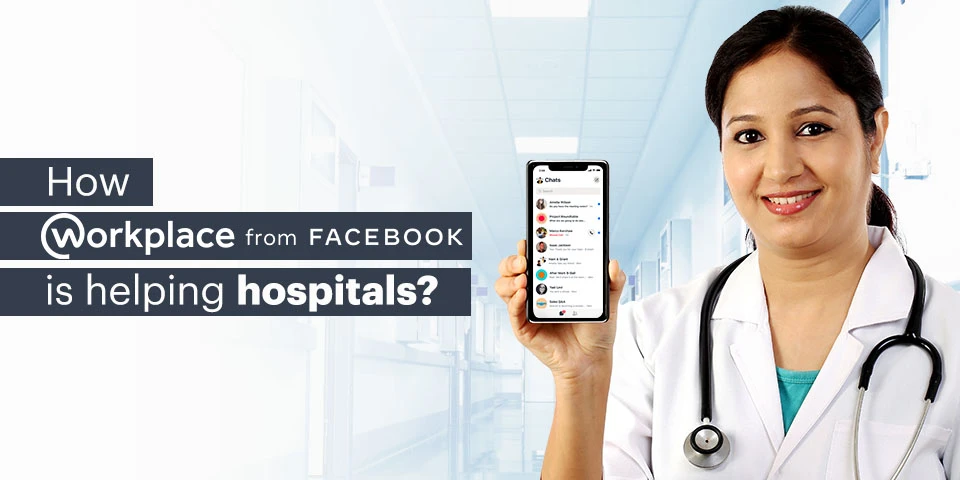
Workplace by Facebook is a communication tool that caters to the needs of an organization from helping the employees to stay in touch with each other to giving them a platform to store their files. With Features like News Feed, Live video conferencing, and Knowledge library, it makes it very easy for the employees to stay updated with the company’s information and happenings.

A workplace with its whole plethora of tools only seems to be suitable for big firms but there are a variety of reasons why today hospitals worldwide are adopting it.

  • Better Communication
    Traditional ways of communications and physical meetings take a lot of time and are relatively expensive. The workplace helps in keeping the workforce connected 24/7 while curing problems like email fatigue. Also, meetings can be attended by any number of people, anytime and from anywhere resulting in the flexibility of work and saving their time and money.
  • Financial Advantage
    Replacing meetings with posts and newsletters uploaded to the workplace leads to faster transmission of information and saves the time of the employees and company’s money. Training and development of employees, guest speaker sessions, and ceremonies can be done without a venue, saving the company a fortune.
  • Time-Saving
    The phrase time is money was never not true. As mentioned above, conduction of various events and meeting can take place in the workplace via which, the company can save a lot of time and hence money.
  • Feedback and Surveys
    Quality Assurance and feedback management were never this easy. Through the workplace, you can share files, company policies with the customers and ask for honest feedback, the data of which will be transparent and will be accessible to everyone again saving a lot of paperwork.
  • Faster and effective data transmission
    Through the workplace, information can be transferred throughout the organization a lot faster than before. A simple post can be liked and commented on in order to see how the decision or change is being received by the members of that organization. Information like offers and pricing changes can be conveyed to the customers via channels.
  • Delegation and patient distribution
    Managers can specifically tag people to delegate the work. Patients and appointments can be distributed through the workplace where the doctor knows how many appointments they have on that particular day and deal with them accordingly.

Hence, the workplace is a one-step solution to the synchronization of all the departments in your organization. Hospitals are large complex organizations with a lot of interrelated departments and the workplace makes it easier to integrate not only the departments but also the people who work in these departments together.


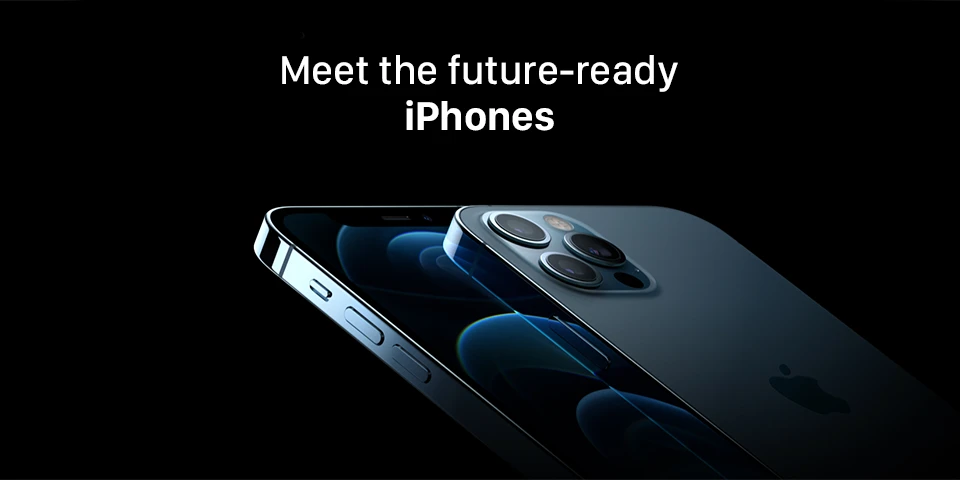
iPhone12: Meet the future-ready iPhones

Apple launched four new iPhones in its most awaited Apple October 2020 event on Tuesday, 13th October. This new lighter and thinner iPhone range includes iPhone 12 Mini, iPhone 12, iPhone 12 Pro, and iPhone 12 Pro Max.

All the four models are driven by an A14 Bionic chip, in-built iOS 14, and supported with 5G speed. Apple is rolling out all its latest iPhones with Ceramic Shield glass on the screen for the durability of the device and also the whole range of iPhone12 comes with Super Retina XDR OLED display. The night mode time-lapse feature is also introduced to improve the low light night mode. In terms of camera quality, all four iPhones are consist of 12-megapixel f/2.2 front cameras. iPhone 12 series brings enhanced processing capabilities, faster network support, and durable devices.

All the four different iPhone 12 models come in different sizes, the iPhone Mini is the smallest of all and comes in a 5.4-inch size. Whereas iPhone 12 and iPhone 12 Pro posses the same size of 6.1-inch size. iPhone 12 Pro Max is the largest of all with 6.7-inch device size.

Most importantly, this new iPhone range comes with a high battery life where the iPhone Mini is claimed to have 15 hours of video playback whereas iPhone 12 Pro, and iPhone 12 Pro Max comes with a battery life of up to 20 hours of video playback.

iPhone 12 Pro, and iPhone 12 Pro Max delivers video recording with 4K Dolby Vision HDR for better post-photography editing options. Both of these iPhone models include LiDAR view for better photography in night mode.  Also, iPhone 12 Pro, and iPhone 12 Pro Max comes with 4x and 5x optical zoom respectively.

Surprisingly, due to environmental reasons, iPhone 12 series will not include AC Adapter. The box will include USB-C to Lightning cable. Apple upgraded this latest iPhone series to support wireless charging and also branded MagSafe for the faster and wireless magnetic charger.

Pre-book iPhone 12 today, contact us at sales.india@teamcomputers.com

For more information, visit: https://www.teamcomputers.com/Apple

How Effective Is Work From Home

Work from home is not a new concept, it has been around for a couple of years now. Freelancers from all around the world mostly prefer to work from home (WFH) as they work with multiple clients from different regions. But now work from home has become a mainstream term in the corporate world as well and it’s because of the new set of health and safety protocol.

But is it really beneficial? Will WFH be able to win over traditional 9-5 cubicle jobs?

There are two types of point-of-view people have when it comes to working from home — one type is that WFH isn’t an efficient solution and many of us don’t find the notion of work from home practical. And the other is that WFH is much more productive and makes people have a better work-life balance.

Well, both the thoughts are true; it basically depends on people and how they personally fare when working from home.

Let’s take a look at both the point-of-views.

There are studies that show stats in favor of work from home. Reports suggest that working from home can greatly increase productivity and decrease stress. The same reports also suggest that the idea of working from home is helping companies, as well as employees, save a significant amount of money.

This seems to be making a lot of sense as big tech companies like Twitter and Facebook have captured headlines lately with announcements about permanent work from home. And why not, almost every company today is web-based and without an inch of doubt, the evolving technology has made everything simpler. People today can now connect much easier with each other and carry out work seamlessly.

Talking about the other point of view, arguments here make sense too. Working from home sometimes blurs the lines between work and life and this could be seen lately. Our work is supposed to help us lead a better life, not become our lives.

Furthermore, at this point in time WFH is definitely a solution, but it cannot be a permanent one. While work from home is gaining so much hype, let’s not forget about the collaborative work environment and daily social interactions hold an important place as well.


The Rise Of Work From Anywhere

As businesses continue to grow, the need to have remote teams in different parts of the world becomes really imperative as it helps to build visibility. This is where concepts like working from anywhere (WFA) comes into the picture.

But what exactly is work from anywhere? Work from home is about working from the comfort of your home and not having to commute to work in an office. But on the other hand, work from anywhere doesn’t just confine you to your house; rather, it allows employees to live and work where they choose — whether it’s a café or a co-working space, and in some cases, anywhere in the world — all they require is a computer/laptop and a reliable internet connection.

While many companies are comfortable with the idea of working from home, many companies are already starting to consider shifting from WFH and allow employees to work from anywhere. And why not, the privilege to work from anywhere provides employees the flexibility to create a suitable work-life balance.

People today prefer to have work with companies with flexible schedules based on time zones, personal preferences, etc. However, it wasn’t a practical approach in the past because of the technological restrictions; but today technology has bridged the gap.

Moreover, the concept of work from anywhere has become so popular that the rate of remote workers and the companies who hire them are increasing significantly. And as a result, the hiring landscape is changing significantly, shifting away from the office model in hiring.

This without a doubt is a daunting change but the benefits are definitely great — it provides a wider pool of talents, lowers the cost of hiring and salary, increases employee retention rate, etc.


Outlook

To gain a competitive advantage, companies must adapt to the latest business trends. The faster and earlier you do so, the more you are likely to stay ahead. And this is what many companies from all around the world have done lately. It is time to advance towards the next level of work from anywhere & anytime approach but just hiring the right technical skills is often not enough. One of the more subtle aspects you need to consider is the commitment of the staff towards developing their career and growing as a professional continuously. Even though the concept of work from anywhere is in the early adoption phase, the recent events definitely show that the future is more in favor of work from anywhere. So it’s the time to hire the best ones for you, expanding your geographies and skills with our Technical Staffing Solutions.


For more information, please visit – https://www.teamcomputers.com/it-offshore

You can also email us at – ashish.trivedi@teamcomputers.com

DaaS: A Smart Solution to Reduce IT CapEx and Service Issues

We live in a fast-paced, innovation-driven world where advances in technology are marketed and sold regularly. This implies that computers always run the risk of becoming outdated or obsolete. During the current global scenario, most companies encourage employees to work remotely prompting the need for more portable technology. According to a survey by HP, 92% of CIOs are purchasing newer, better systems, and updating from traditional desktops to portable laptops. The coronavirus crisis has also resulted in increased cyber threats– the FBI reported that the number of complaints registered in their Cyber Division has increased to 4000 a day, which is almost 400% increase from what was reported pre-pandemic. Interpol has also stated that there is an increased rate of cyber-attacks aimed at all types of businesses, specifically large corporations, governments, and critical medical organizations.

You may be wondering how a company can deal with these threats and keep up with larger conglomerates when it comes to up-to-date technology. Two options immediately come to mind- either extend older, obsolete hardware (which would limit productivity and create security and maintenance inadequacies) or undertake a big capital expenditure every few years and task your IT resources with handling upgrades.

What if we told you there’s a third more cost-effective alternative?


DaaS: a cost-effective solution

No matter the net turnover of a company, purchasing or refreshing computers every 4 to 5 years involves a substantial amount of expenditure- not only in terms of purchasing the actual hardware but also in terms of training, laptop-desktop maintenance, management, and tailoring these machines to your exact needs.

An efficient way to bypass this entire hardware lifecycle and go straight to productivity is DaaS.

The device as a Service (DaaS) allows organizations to cut expenses by providing the desired hardware device (laptop, desktop, tablets, etc.), and all the necessary related services to customers, for a monthly subscription fee. The DaaS model can shift your large IT budgets to more manageable cash flows with a laptop-desktop renting solution. Providing new technology to your staff is essential for your productivity and growth, and DaaS makes that process simpler by providing a flexible and affordable alternative empowering you to stay focused on your core business functionality.


Advantages of the DaaS Model

According to IDC, around 12-15% of notebooks, laptops, and desktops will be used under a laptop-desktop leasing or DaaS contract by 2020. This is a stark contrast to the 1% PCs being shipped under a DaaS contract in 2014. So we can only expect this service to grow which in itself can be held as proof to the numerous business advantages that this model brings.

  • Financial Benefits
    The main advantage of DaaS is, of course, financial. It pushes costs from CapEx to OpEx. This proves advantageous in today’s market. Competitive industrial standards mean that organizations are required to incur huge capital expenditure to update their devices, this is especially difficult as businesses today don’t necessarily have the additional capital to spend on non-revenue driving activities. Thus forcing them to delay updating their devices which in turn affects their productivity. The DaaS model allows companies to allocate more manageable cash flow over a planned period of time through laptop-desktop leasing, or laptop-desktop renting, allowing you to make more strategic decisions regarding the company’s future investments.
  • Easy Upgrades
    Companies can easily upgrade or downgrade their subscription plan based on their business demands. Whether the company is increasing its needs, or downsizing due to budget confines, they can rent exactly as many systems as and when desired. This cuts down on any loss in productivity. Organizations no longer have to invest in advance on their tech and risk the hardware becoming outdated or obsolete, or face any sort of service or maintenance issues during storage.
  • Increased Productivity
    A report by Intel Corporation states that small businesses lose more than one workweek annually due to outdated technology. There is also the matter of employee frustration and reduced morale while working on antiquated systems and devices. With the DaaS solution, employers can be assured of the latest technology- no more added expense of getting those old PCs fixed, and no more frustrated employees losing productivity because of slow or burdened old devices.
  • Portable Work
    A study conducted by SAP Concur suggests that over 88% of the Indian workforce revealed that they preferred to work remotely. This means that in the near future more and more corporates will adopt a “work anywhere, anytime, on any device” policy. To cope with this demand, most DaaS providers bundle a variety of portable devices and services to enhance your experience of working from home.
  • Reduces IT Workload
    Most DaaS providers package laptop-desktop maintenance and related IT helpdesk services as part of their contract with you. This means that there’s very little burden on your IT staff to configure devices or run diagnostics. It significantly reduces an organization’s operating expenses when the IT requirements are strategically outsourced.As of May 2020,  49% of businesses expect to experience a data breach or cybersecurity attack due to the remote workforce- DaaS providers provide you with additional Antivirus Software and firewall all under one contract.

Team Computers Device as a Service (DaaS) Solution

Team Computers is a bridge between business needs and the world of IT solutions. We see ourselves as a trusted solutions partner. We understand your needs, identify pain-points, and integrate sophisticated technology and high-quality support to provide you with affordable IT solutions in hardware, software, services, mobility, analytics and Cloud with speed, flexibility, and an attitude of selfless service.

  • We do what’s best for you
    We offer you the best in class technologies with any OEM-based contractual renting solution. The DaaS model can shift expenses from large IT budgets to smaller, more manageable cash flow through a device rental or leasing business solution. We enable you to have the best hardware & services within a convenient monthly subscription. Providing new technology to your staff is essential for your productivity and growth, DaaS makes this process simpler by providing a flexible and affordable solution for all your business needs.
  • A holistic business solution
    Team Computers offers the latest technology, the best service, maintenance of devices all under one contract. We offer your business holistic solutions allowing for broad flexibility and upscaling of any hardware, any time.
  • End-to-end device lifecycle management
    From making a clear IT plan, configuring your devices, deploying hardware customized to your needs, timely maintenance, and on-time support, Team Computers is with you throughout the device lifecycle.
  • Customized services
    We tailor our services according to your demands, eliminating the time and expense involved in purchasing, configuring, and deploying hardware- all without sacrificing IT performance. We offer subscription plans according to your specific business needs- Long term OpEx based subscription plans, Short term/immediate computer rentals, and even work from home solution packages- all of which is covered across India.
  • Multiple OEM Partners
    We work with modern devices from Lenovo, Dell, HP, Acer, and more- ensuring you find the right fit for all your needs with minimum risk of compromise.

Features we offer

At Team Computers we believe in providing the best DaaS solution to help your company grow. Listed below are some of the features we offer as part of our service plan:

  • Simplified management with end-to-end support no matter where you’re working from.
  • Rights to transfer ownership of the assets after the contract expires.
  • Integrated annual damage protection services.
  • Tech refresh based on your IT environment assessment and multi-OEM requirements.
  • Provision of on-time & transparent work reports.
  • Central Helpdesk Support.
  • Dedicated Service Account Manager for all MIS.
  • Monthly Dashboards and reports.
  • Ticket Management Systems for providing proactive triggers and email alerts to business users.
  • SBD response time and NBD resolution (depending on city tier type).

The Team Computers Advantage

With Team Computers on your side some of the advantages you will receive are:

  • We save your organization & IT budgets from avoidable big upfront investments.
  • We help reduce the financial burden by converting expenses from CapEx to OpEx and reduce the amount of depreciating assets in your financial books.
  • We ensure Data Security by bundling additional antivirus software or firewalls all within the monthly subscription cost.
  • We provide long term cost savings by eliminating the cost of managing computer devices.
  • Our unique customized contracts give you the freedom to scale up or scale down your IT assets as per your business requirements.
  • We guarantee hassle-free management & increased efficiency with our uniform SLAs PAN India.

You might consider a DaaS solution to make hardware more affordable in the short term, but it has numerous long-term benefits as well which will have a much greater impact on your business. It isn’t just a temporary thing either, a recent IDC survey concluded that 40.2% of respondents are either planning to engage in DaaS or have already engaged in DaaS for their IT needs over the current year. It also found that over 35% of Fortune 1000 companies already have a DaaS agreement in place, and numerous other companies have completely transitioned to DaaS in 2019. The numbers are only expected to increase, especially with the demands of remote working and the economic effect due to the COVID crisis.

Cost Savings, flexibility, security, sustainability, the latest technology, maintenance, and support all under one contract. If you want to avail of all these benefits for your own company, find trusted vendors who offer you customized plans for your business needs that will ensure smooth sailing into the future.