Microsoft HoloLens 2, a Mixed Reality Technology for your Business

What is Mixed Reality?

Mixed reality is an advanced technology wherein physical and virtual elements combine to produce new environments of interaction. Both the virtual and physical worlds interact, and users can also freely interact with the mixed reality devices.

For instance, you enter a zoo to watch your favorite animals. But, in addition to the real live animals, mixed reality introduces extinct animals like dinosaurs. You can interact with both sets of animals and enjoy the experience.

Mixed reality comes with various benefits. Let us look at some of them below.

Benefits of Mixed Reality

The benefits of mixed reality range from simplifying workplace processes to speeding up key tasks, such as:

  • Simplifying Workplace Process: With mixed reality, it becomes easy to check processes, ensure compliance, and avoid errors.
  • Enhancing Employee Training: Instead of relying on outdated training manuals, you can elevate your employee training experience in a mixed reality environment. With better practical interaction, they learn faster with accuracy.
  • Tackling skill shortage: With mixed reality, you need not hire more labor to do mundane tasks. Remote mixed reality systems can guide the existing laborers to upgrade their skills and perform better.

What is HoloLens 2 and How is it Changing Your Workplace

HoloLens 2 is Microsoft’s mixed reality solution, designed specifically for the modern workforce. The applications of HoloLens 2 devices could be seen in the fields of manufacturing, healthcare, and education.

*Image Source: Microsoft

Let’s understand these applications in detail.

Manufacturing Sector

By using HoloLens 2 devices in the manufacturing sector, you can reduce downtimes and enhance the capabilities of your workforce. For instance, if your product isn’t working as expected, you can equip your field agents with critical service maintenance data and documentation. If needed, you can also connect your workforce to remote technicians to solve a problem instantly.

With mixed reality visual guidance, you can enhance your worker’s productivity. You can guide them with detailed step-by-step instructions and checklists.

Regular upskilling is a crucial component of the manufacturing process. With a mixed reality-powered HoloLens 2 device, you can effectively upskill your veteran workers and train the newly onboarded workforce.

*Image Source: Microsoft

Healthcare Sector

HoloLens 2 empowers different stakeholders in the healthcare sectors like doctors, patients, and experts to personalized medical care in a shorter time interval.

Care teams across multiple hospitals can collaborate remotely and carry out virtual patient diagnoses and treatment. Also, during surgery, doctors find it helpful to refer to the 3D images of CT scans and MRI images.

In addition, mixed reality enables doctors to diagnose and share patients’ data quickly. In doing so, critical patients can access quality care at the earliest and lead healthier lives.

*Image Source: Microsoft

Education Sector

HoloLens 2 aims to enhance students’ engagement with their access to advanced learning mechanisms.

For example, with mixed reality-led learning, students no longer require direct instruction learning. Instead, they can self-learn by interacting with the virtual and physical environment. Moreover, mixed reality simplifies the complex concepts involving architectural design, molecular chemistry, anatomy, and more. This process also allows students to retain knowledge for a long time.

With mixed reality, remote education is becoming a more enjoyable learning experience. Students can learn faster and at their pace. Also, the interactive learning environment makes boring topics easily understandable and interesting.

*Image Source: Microsoft

Choose Team Computers and HoloLens 2 to Start Mixed Reality Revolution at Your Workplace

We are a leading IT service provider that can get you closer to adopting mixed reality at your workplace. Adopting HoloLens 2 requires you to have advanced IT infrastructure for your business. We can help you bridge the gap by setting up the right solution that meets your mixed reality needs.

Feel free to contact Team Computer’s HoloLens 2 expert IT professionals to know about our service offerings.

Kubernetes: Everything you need to know

You might have been wondering what is ‘Kubernetes’ or more importantly why is ‘Kubernetes so popular?’ Let me take you through a quick overview about what this buzz word is and how it allows fast growing applications to scale quickly.

What is Kubernetes?

In short, with Kubernetes you can deploy cloud-native applications anywhere and manage them all exactly the same.

Kubernetes was created by and utilized and kept up with by Google which gives it moment credibility, yet can be trusted to fix bugs and deliver new elements consistently.

It is an open source software for deploying, scaling and overseeing containerized applications. As an orchestrator, Kubernetes handles crafted by planning containers on a group and furthermore deals with the responsibilities to guarantee they run as you expected.

Since Kubernetes was planned from the start with the possibility of software advancement and activities cooperating, activities undertakings and how they get performed are a vital part of the Kubernetes architecture and plan. Nearly everything in Kubernetes utilizes explanatory developments that portray how applications are created, how they communicate and how they are overseen. This empowers a huge expansion in the operability and portability of present day software frameworks.

Kubernetes intends to make an environment of tools and devices that alleviate the weight of running applications in public and private clouds. With Kubernetes, IT groups can deploy applications rapidly, scale applications on the fly, carry out new provisions flawlessly, and limit hardware utilization to required assets as it were.

So the next question arises…Why use Kubernetes?

To simply answer this, let’s talk about some of its benefits:-

  • Portability: – Kubernetes offers portability, and quicker, easier deployment times. This implies that organizations can exploit numerous cloud suppliers if necessary and can develop quickly without having to re-architect their framework
  • Scalability:- With Kubernetes’ ability to run containers on at least one public cloud condition, in virtual machines implies that it can be deployed anyplace. What’s more, in light of the fact that Kubernetes has in a general sense changed the manner in which advancement and deployments are made, groups can likewise scale a lot quicker than they could before.
  • High Availability: – Kubernetes tends to the availability at both the application and the foundation level. Adding a dependable storage layer to Kubernetes guarantees that state-full jobs are exceptionally accessible. In addition to this, the master components of a cluster can be arranged for multi-node replication (multi-expert) and this likewise guarantees a higher availability.

So the answer is, why the hell not?!

Kubernetes and Hybrid Cloud – A Match Made in Heaven

With more ventures taking on a hybrid cloud system, a couple of difficulties have emerged, including what technologies to utilize, how to operate and oversee assets, and application deployment. That is the place where Kubernetes comes in.

The reasons why Kubernetes is great for hybrid cloud:-

  • It gives consistency in both public and public cloud.
  • Kubernetes permits users to deploy applications dependent on their business needs.
  • It likewise offers the ability to naturally scale the applications, prompting better use of the infrastructure framework.
  • Kubernetes automates the deployment of containerized workloads across the hybrid architectures, permitting organizations to send and run their containers on servers at various areas.
  • Developers can add additional clusters to their current infrastructure if necessary. This decreases the application downtime.

Conclusion

Kubernetes’ popularity is on the rise with use cases in crucial areas like finance, Edtech, and traditional IT organization. In any case, Kubernetes face a couple of difficulties. The complex nature of creating and running dispersed frameworks at scale is one of its primary difficulties. Despite this, experts trust Kubernetes will turn into an ‘all inclusive control plane’ to oversee containers, virtual machines, and other modern applications.Also to understand Kubernetes more in detail, you must understand the concepts of containers but well, that’s the topic for another day.

Why Financial Institutions are high on adopting Data Lake in 2021

Financial services firms are under pressure to meet shifting regulatory requirements, scale digital platforms, and innovate against emerging competitors, all while navigating an increasingly complex data landscape. And Data Lake is helping many of the world’s leading financial institutions embrace these challenges, and evolve their businesses.

Also the Financial Data Cloud is a connected network that enables financial firms to thrive in a data-intensive, highly regulated, and competitive environment with the help of Snowflake’s platform capabilities, tailored solutions delivered by Snowflake, and the growing amount of financially-relevant data that is natively available in Snowflake’s Data Cloud.

Some of the major problem statements faced by most financial institutions:

  • Lack of a unified data platform. Different Business Units have different/proprietary data platform creating data silos
  • Customer data is split among multiple business units and data platforms, thus no centralized repository making it difficult to apply analytics.
  • Difficulty in getting actionable business insights from accumulated data.
  • Inability to derive insights from multiple data sources like Call Center, CRM, log files and suchlike.
  • Lack of a highly available, resilient and horizontally scalable platform for data quality.
  • Lack of APIs to expose analytics to other applications, to easily search required data.
  • Slow time-to-market of new features


The solution is to implementing a secure data lake platform to complete the below tasks:

  • Data from all Business Units in a central data lake making it easier to apply analytics to get insights to solve business challenges.
  • Unified view of Customer data from multiple business units so that every stakeholder has the same view of data.
  • Ability to perform comprehensive analytics based on data in Data Lake.

With a data lake in place you can now have a centralized repository of information in the cloud which is secured, unified and ready to be analyzed to get the best value.

Top 10 Cloud trends every CIO is talking about

We are living in a world driven by technological disruptions. Cloud-based technology has proven itself as a driver of continuity and growth during the uncertainty arising from the pandemic, with its flexibility, speed, resilience, and scalability.

Facts and statistics

  • According to a recent report by Gartner (August 2021), global cloud adoption will continue to expand rapidly and in 2021,  the end-user spending on the public cloud will increase to $396 billion.
  • Cloud spending is further expected to increase by 21.7% by 2022.
  • By 2026  Public cloud spending will exceed 45% of all IT spending by an enterprise. Currently, it is less than 17%.
  • By 2022 60% of companies will be using an external cloud provider’s service.

Major trends

  •  Selecting the right partner
    The businesses have moved their infrastructure using SaaS, PaaS, and IaaS. There is a growing need for 3rd party vendors who specialize in providing customized business solutions and should be capable of handling computing and networking Issues.
    They should have a strong insight into the working of cloud computing and could cater to specific organizational needs.
  • Carbon-intelligent Cloud
    Climate change has become a burning topic with almost all parts of the world facing extreme weather. Climate change mitigation has become an integral part of the vision and goals of businesses.  So a race has begun for offering green initiatives by big cloud providers.
  • AI-based Cloud
    A plethora of challenges can be tackled with the help of AI and machine learning by optimizing the key capabilities of businesses. AI-based cloud promotes accelerated innovation and quicker computation to achieve resource efficiency.
  • Open-source
    In the era of the sharing economy, more and more companies are collaborating and looking for an open-source cloud service for their business. It is a service that can be customized by companies according to their specific needs.
  • Hybrid Solutions
    These solutions use a combination of private cloud and a third-party public cloud service to help in the easy movement of workloads between public and private clouds.
    It provides more flexibility in Computing. It is expected that the hybrid cloud market will grow to $97.64 billion by 2023 23. Microsoft and Amazon are the 2 leaders who are investing heavily in this technology.
  • Serverless architecture
    Cloud helps in removing all barriers of an IT infrastructure and provides a serverless architecture where a 3rd party handles the data. This system is easy to administer and reduces the liability of the company.
  • Disaster recovery
    These days businesses are marred by data outages, cyber fraud, and system failures. According to a report by Spiceworks, 15% of the cloud budget is allocated to disaster recovery. The cloud service has helped the system in storing and maintaining copies of electronic records automatically within an external server. This has led to easy retrieval of lost data in case of a  server crash.
  • Containerization
    Containers are software packages with all the necessary components for running the application from anywhere in the world. It leads to faster delivery scalability and portability.
  • Devsecops
    There are many security risks of cloud computing. It includes illegal invasion, side-channel attacks, and network eavesdropping, etc. To overcome these security challenges Dev challenges Devsecops is created.  It is the process of thinking of  Infrastructure security from the start and works on automating core security traits. This is done by embedding security controls and processes into the workflow.
  • Localized ecosystem
    A protectionist and compliance-based International regime and growing regulatory fragmentation have led to the establishment of a new regional and vertical cloud ecosystem system.  More and more companies are opening their regional cloud center. Following this trend, Google opened its 2nd regional center  in India in 2021.

What is holding the organizations back?

Companies are following a decentralized model of consumption that has resulted in increasing costs exponentially. There is a dire need to control their cloud cost as the usage grows,  streamline the expenditure and utilize the services to a fuller extent. There is also a need to cut duplicate spending and avoid unnecessary overheads.

Vision the Future of your Business with Cloud 

Companies are moving rapidly to Cloud adoption by advancing their digital businesses I timelines to modernize the environment and transform the work,  attain better system reliability and address any other issues arising from the pandemic.

Advancement in wireless communication in the form of 5G R16 and R17 will propel cloud adoption to broader and deeper usage. This will lead to enhanced banking and healthcare transformation.

Cloud is the backbone of the data-driven technology ecosystem and is here to play a vital role in shaping the future of businesses as well.

The 6 Best lightweight business laptops of 2021

With the emergence of the deadly virus COVID 19, we can see a sudden urge for digital transformation. This acceleration to change can be noticed in every section of the industry. The workforce is accepting this transformation wholeheartedly. One of the biggest steps the corporate took, is to switch there from desktop to Laptop. There can be several reasons for this, this can be Ergonomics, mobility, ease in repair, power, compactibility, or expandability to upgrade. The hybrid workforce craves sleek and lightweight laptops these days, the reason is convenience to travel, compact features, and most importantly performance.

If you are also looking for a sleek and lightweight laptop for your workforce, your search ends here, we have got some of the best options across the brands for your employees:

  1. MacBook Air

    Apple’s Lightest and thinnest Notebook with the power of M1 Chip. MacBook Air weighs 1.27 kg and comes in a screen size of 13.3 inches. This is the most secure device on the planet, comes with a Touch ID login and M1 data security. Its fanless and simple design makes it a perfect device for your workforce. This portable M1  powerhouse machine comes with 3.5X faster CPU speed, 5X faster GPU Speed, 9x faster processing speed, and a battery life of up to 18 hours. Three-microphone array and HD facetime camera to get the most out of the video conferences.

  2. Surface Laptop 4       

    A perfect combination of power, speed, and design. Comes in two screen sizes of 13.5” inches and 15” inches with the weight of about 1.2 kg and 1.5 kg respectively. This machine holds 70% more speed and longer battery life than older models, to make your workforce multitasking much easier. 720 HD camera, Dual far-field Studio Mics, and Omnisonic speakers to make your workforce meeting more productive. Upgrade your team with the device they love and an experience to work flexibly.

  3. HP ProBook 635 Aero G8 Notebook PC

    This is the sleekest and powerful laptop in a compact size. The laptop weighs less than 1 kg and has a smaller screen size of 13 inches so that your workforce can carry this compact powerhouse with ease. Backlit keyboard so that low light will not hamper your work. AMD Ryzen 7 PRO 5850U Series processor for smooth functioning on heavy Applications. Aerodynamic design to carry this machine easily. Experience clear and life-like graphics with the most advanced AMD Radeon Graphics. Get the most out of your video conferences with a dual-array microphone, Integrated stereo speakers, 720p HD and IR camera, and Ambient light sensors.

  4. Lenovo Yoga Slim 7i Carbon

    Lenovo’s most Ultra Durable and portable Laptop. The perfect mix of battery life, responsiveness, extraordinary performance, and amazing visuals.Experience 13-inch screen size and weighs less than 1kg. Dolby® AtmosTM Harman brand,  and Wide Vision HD and IR  camera for better video meetings. Take your Lenovo Yoga Slim 7 Carbon, anywhere you go, tested in military-grade requirements to work in extreme conditions. Enjoy all-day battery with an intelligent lithium-polymer battery and can retain more than 80% of charging capacity.

  5. Acer Swift 7

    Revolutionary thin and ultra-lightweight laptops. Comes with 14-inch screen size and weighs less than 890 grams. Acer PurifiedVoice™ with AI noise reduction,  DTS Audio, and HD Camera makes your workforce virtual meetings more clear than ever. Experience the most powerful Laptop of the generation with power of Intel, which allows your team to enhance their productivity, switching between applications is smoother, and uncompromised battery life. Multiple cooling modes, Air inlet, and backlit keyboard design, stereo ring fan, and Slick sliced design make Acer Swift 7, a perfect machine for your workforce.

  6. DELL XPS 13 Ultrabook

    DELL’s next-generation powerful and lightest video. This ultrabook comes in a screen size of 13 inches with a 3-sided InfinityEdge display and weighs less than 1.5 kg. This model is available in its touch screen model as well as the non-touchscreen model with color options of silver-on-black, rose gold-on-white, and frost-on-white layout. Experience the advanced security technology with fingerprint readers, and improved security features. DELL XPS 13 Ultrabook is made of safer materials and almost 90% of its parts can be recycled. This is an ultimate powerhouse.

We are there for you and your Business

Team Computers is India’s leading IT System Integrators, providing & supporting high-quality, affordable IT Solutions in Hardware, Software, Services, Mobility, Analytics, and Cloud. We always come up with innovative mobility solutions to enhance the productivity of the workforce.

To book a demo or to know more about these slimmest and lightweight laptops contact us at sales.india@teamcomputers.com or visit https://www.teamcomputers.com/

California Streaming: iPhone 13, iPad Mini, and more

Apple’s one of the biggest 2021 launch events “California Streaming”, kicked off with a melody of California Soul music. Following Apple’s tradition, Tim Cook gave the opening Keynote. Followed by AppleTV+ new shows and its biggest hits of last year. Apple unveiled lots of upgrades in existing devices and launched the iPhone13 series, iPad, iWatch Series 7, and much more.

iPhone 13 Series

Apple’s hero product iPhone 13 is introduced in 4 variants like the previous machine: iPhone 13 Mini, iPhone 13, iPhone 13 Pro, and iPhone 13 Pro Max. This series is coming up with the most advanced camera of 92% more light for more life-like images. Coming up with the smartest and powerful A15 Bionic chip to make your iPhone experience smoother, have more battery life, and leverage you to jump from one application to another without hassles. Super Retina XDR display with ProMotion for exceptional graphics.


iPad Mini

The new and powerful iPad series. A complete powerhouse with all-screen design with elegant design and narrow borders. iPad Mini will be available in 4 Colours. Liquid Retina display that makes your work easier, text more clear, and sharp colors. Touch ID on the top of the machine to ensure secure login. A15 Bionic Chip for truly amazing performance, 40% faster CPU, and 80% graphics. 12MP True tone camera and Center stage make your Video meetings more clear.


iPad (9th Generation)

Truly capable and most affordable iPad of the Generation. This is versatile, easy to use, and power-packed with an A13 Bionic chip. Experience 20% faster GPU, longer battery life, and hustling between applications smoother with the most powerful Chip. 12MP Ultra Wide front camera, 8MP Wide camera on the back and center stage makes your image, videos, and virtual conferencing more engaging and clear. iPadOS 15 revolutionized the iPad Capabilities, allow you to multi-task, and manage files.


Watch Series 7

Apple launched its first full-screen display Watch. All-new Retina display providing 70% more brightness in dark conditions. Experience QWERTY keyboard, Scribble, or hustle between applications. Watch Series 7 is the most durable watch on the planet, water-resistant, dust-resistant, and water-resistant. Monitor your health with an ECG tracker and more.


Team Computers is India’s Apple Authorised Enterprise Reseller. We have always been a leader when it comes to Apple enterprise mobility. In our 20-years journey with Apple, we have always ensured that at every stage of the life cycle, we are perfectly positioned to help organizations adopt Apple technology and meet the business outcomes they require.

For more information or any query, write to us at sales.india@teamcomputers.com or visit us at www.teamcomputers.com/Apple

7 Reasons Why Cloud Migration is the top priority for C-suite Executives in 2021

The pandemic has highlighted that only those businesses who have the ability to rapidly adapt and respond to unplanned business disruptions can survive the market. With Covid 19 showing no signs of easing, Cloud Migration is bound to accelerate. While business leaders are busy taking steps closer towards Digital Transformation, they choose to let someone else manage the trouble of their server gear.

Business and IT pioneers across the world are replacing their legacy, on-premise infrastructure with a scalable, economical and agile infrastructure over the cloud. Now is the time for all executives across the C-suite to accelerate the transition to a cloud-centric IT model. From decreased IT expenses to speeding up innovation, there are many convincing motivations to set out for Cloud Migration. However, making this progress isn’t simple without an all-around created plan, cloud capabilities and skill sets.


Here, we feature the 7 most compelling motivations why we see businesses opt for Cloud Migration

#1 Consolidating Data Centers
Thanks to the power of cloud computing, organizations don’t need to deal with their on-premises data centers anymore. IT leaders can outsource backend roles to third-party cloud suppliers and redistribute their organization resources to higher-value processes and initiatives. Furthermore, organizations can unite tasks and distribute access to cloud services depending on the situation, thus increasing enterprise efficiency.

#2 Business Agility
Business Agility is key in the current global economy scenario. Access to flexible, on-demand IT assets is significant for staying up with competitors and quickly transforming industry dynamics. In the cloud, more than 99% of what you need is accessible on-request. Companies don’t need to wait for weeks or months for hardware spares and installations. Instead, they can rent important capacities directly from CSPs (Cloud Service Providers) and go live immediately.

#3 Reduced IT spends 
One of the most common reasons why businesses opt for Cloud Migration is to reduce IT costs. In the cloud, IT leaders can right-size their computing assets without a hassle, as per exceptional business needs and cut inefficient spending. Instead of estimating the future capacity requirements, the organizations can fine tune on the go, as well as remove the IT hardware and on premise assets which are unnecessary.

#4 Secure Infrastructure
Security will keep on being a significant area of concern going forward. By cloud migration, businesses can modernize IT framework as per the best industry practices and shield their applications from various malware attacks.

One thing to remember is that numerous leaders wrongly think that the actual cloud is the thing that makes organizations secure. But in reality, the cloud empowers groups to execute the security protocols, administration, and compliance guardrails they need for their specific business processes.

#5 No more End-of-Life concerns 
For many companies, the choice to cloud migration is affected by end-of-life timelines for their business critical IT infrastructure – both hardware and software. IT pioneers today would prefer not to deal with rigid licensing agreements and long-term contracts anymore.

Luckily, cloud solves this challenge. Businesses don’t need to stress over application life cycles or agreement terms, as they can pay for what they use for essential cloud capabilities and take advantage of updates as they come available. Organizations can get the latest updates quickly without signing any rigid, long term contracts.

#6 Speeding up Growth
Innovation is at a higher priority today than ever, with regards to organization development. Regardless of whether it be through natural extension or mergers & acquisitions. Organizations in the cloud can integrate new acquisitions to existing platforms much more simply and hassle free. Likewise, they can scale up quickly with business needs, with the auto-scaling function and flexible data management services.

#7 Empowering Digital Transformation
Many organizations are undergoing digital transformation to create incremental value out of existing resources. On account of latest advances in cloud computing, leaders can digitize their core functionality much more efficiently, including CRM, SAP, data analytics, etc.

Cloud migration can help in enhancing the productivity of workforces, innovate, and unlock new revenue sources in the competitive market. Once on the cloud, the conceivable outcomes are huge!


Lets move to the Cloud

Realizing the Cloud Migration benefits is possible if you can effectively move your on-premises IT setup to the cloud without any issues. As a cloud expert, we understand the difficulties that organizations face with regards to making the transition without disturbing existing tasks.

Fortunately, we at Team Computers have an expertise in hassle-free Cloud Migration of the existing infrastructure. Through our Migration & Deployment Services, we ensure the organizations have an easy transition to the cloud.

Visit us to know more.

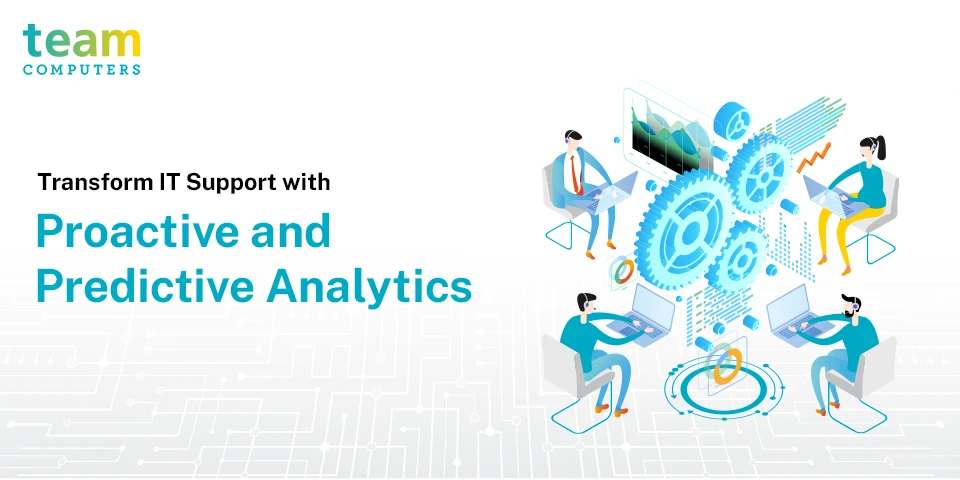
Proactive and Predictive Analysis: The Future of IT Support

Digital transformation in industries means that tech support needs to be more proactive and easily available to customers and employees. Downtime and gaps in productivity due to unforeseen events or technical difficulties are no longer considered a valid reason for delays in deliverables or loss in productivity. Most companies have efficient user support processes that are reactive, meaning, they help solve a problem after it has occurred. Customers reach out to the support team every time they have a problem through multiple channels; the support team then troubleshoots the issue and offers a viable solution. However, employees and customers want more than just a solution to their problems- they require IT support that is quick, easily accessible, reliable, and hassle-free.

Imagine being able to solve a problem before the employee calls or to be able to predict and resolve an issue before the employee is even aware of it. Predictive customer support is when a customer receives the required assistance not just before they call, but even before they realize they have a problem. Think of it like an experienced customer relation executive who, based on the customer’s history with the company, can predict the type of assistance that the customer needs, creates a solution strategy, and applies the strategy all before the client even encounters the issue.

If you have any concerns about whether you want to make a switch from the reactive to the proactive and predictive model- think about whether you’d rather solve a problem that has occurred, or if you’d prefer to prevent the problem from occurring in the first place.


Predictive Approach vs. Reactive Approach

In today’s workplaces, the use of various elements such as mobility, outsourcing opportunities, offering software as a service, and cloud-delivered services means that there is a greater need for technology and a higher chance of technology breaking down and halting productivity, which in turn surmounts the pressure on companies to find more efficient and automated ways to deliver support services. Most employees find that accessing support services takes up too much of their time and end up choosing not to flag the issues and instead suffer in silence. While we can’t quantify the cost of this hesitation, we can understand that it causes a significant decrease in productivity and employee morale and confidence. Even the best standard user-support processes are largely reactive in their approach- providing solutions only after a problem has occurred.

Businesses can no longer afford to operate support services only in a reactive mode, the tried and tested processes such as ITIL, service desk incident, and root cause analysis is all reactive processes. In order to be a step ahead of their competitors, companies need to be able to identify and diagnose technical issues before customers report them.

Advancements in predictive technology have revolutionized the operation of businesses- automation facilitates efficient, accurate, and prompt service, and artificial intelligence use company data to make a predictive analysis which can improve business operations. The result of this Proactive-Predictive approach is a fast, reliable, and effective support system.


Reactive approach

Proactive Approach

Predictive Approach
This model is used in most businesses.

A client experiences an issue or problem.

Client devices, network and services are monitored 24×7 through automation technology and IT analytics. Predictive analytics and technology allow for synchronous real-time intervention.
The client then contacts the user-support department to report the problem. Automatic alerts are programmed to provide data about possible issues. Predictive analytics identifies issues and attempts to prevent them from happening.
Escalation of more than one issue may be required for onsite dispatch. Issues may go unnoticed as it causes very little disruption to productivity. With this approach, dashboards and diagnostic tools are utilised to facilitate quick action.
Low employee productivity is usually observed with reactive SLAs (as identifying and reporting issues as well as strategizing and providing solutions to issues may delay resolution). Proactive support providers will reach out to the clients with warnings, resolution strategies and solutions- even before the problem has occurred. Thus not impeding productivity. IT performance and employee productivity levels are high. This is because there is less burden on the IT department thanks to predictive diagnostics and automated technology, and employees don’t need to wait for resolutions.
Even when the SLAs are met, client satisfaction is not ensured (as there is a loss in productivity, delays, expenses etc.) Employees have a better experience with user-support and are more pleased not to have the hassle of reporting and waiting for resolutions Employees enjoy an enhanced user experience as early warning tools prevent any unnecessary downtime.

After all, the most productive employees are the ones with access to uninterrupted, responsive and reliable information and tools that they need to do their job.


Why Is Proactive Support Better?

Companies have more access to data about their customers and products than ever before. This data, through predictive analytics and AI, can be used to provide personalised customer experiences and predict incidences in the future with respect to a customer’s needs. For example, Volvo uses this sort of analytic technology to predict when certain cars or parts need to be serviced through their ‘Early Warning System’. The company then recommends services and maintenance plans to their customers before a problem has even occurred.

Put yourself in the customer’s shoes, imagine their happiness and satisfaction on receiving an alert for potential trouble, and giving them instructions on how to best manoeuver around it. This can drastically improve the support team’s performance and reduce negative user experiences.

Automated tech in the form of diagnostic tools and dashboards also favour home users- whether small business owners or employees forced to work from home during the pandemic. Instead of waiting for the problem to occur and not being able to work until it is fixed, employees will instead receive an alert for a potential issue which can be solved long before it affects productivity.


Business User Experience
TRANSFORM FROM TRANSFORM TO
A Reactive Support Model A Predictive Support Model
  • Users experience an IT issue
  • Through automation technology and predictive analysis, proactive support monitors the client’s network and IT assets 24×7.
  • Flag the issue to user-support services
  • Any potential issues are brought to the users notice before the issue even occurs.
  • Provide an in-depth description of the issue
  • Through predictive analytics and automated diagnostics, the service provider will able to identify, understand, strategise and sometimes even fix the issue before it can cause any sort of disruption to the user’s workflow or productivity.
  • Only if the issue cannot be resolved virtually is someone dispatched to help in real-time.
  • The user waits for support to identify the problem, figure out a resolution and then solve the problem.
  • Once the issue is resolved, the user can resume work.
  • Sometimes the user is unaware that a potential issue was even present.

Predictive analytics help organisations develop system improvements to enhance performance, avoid common disruptions and improve employee productivity. It looks at common occurrences, patterns, probabilities and trends, it then measures variables to predict future events.  Advanced analytics capabilities include ad hoc statistical analysis, predictive modelling, data mining, text analytics, optimization, real-time scoring and machine learning. Using these, companies can analyse problems that have occurred in the past, make a root cause analysis and proactively create strategies and solutions in order to prevent any future repetitions and disruptions.

Automation and AI facilitate machine learning which allows companies to accurately and efficiently identify any underperforming or faulty technological assets which could result in downtime. This is done by determining “normal” behaviour and performance levels, and comparing it to past disruptions and breakdowns. Predictive analytics is then used in identifying patterns or abnormalities which can help in predicting the occurrence of any technical issue. The more data there is to run analytics on, the more accurate the predictions are.


Steps to Predictive Analytics

There are four major steps to make predictive analytics work:

  • Find the right data: Understand the organisation’s goals and identify the most relevant data with respect to these goals.
  • Use this data to determine a predictive model: Once you have relevant data from multiple sources, consolidate this data and select the best possible algorithm that aligns with the company’s goals. The algorithms are first tested on smaller subsets of data until the most accurate required result is obtained.
  • Deploy the best model: Use all the data collected on the best algorithm obtained to create the best suited predictive model.
  • Continuously monitor the model to ensure efficacy as the data can degrade over time. The model needs to be constantly updated and adjusted by collecting new data or even by adjusting the algorithms.

Benefits of a Proactive and Predictive Approach

Here are a few ways in which a proactive and predictive support approach is better than a traditional reactive approach:

  • Better for making decisions: Proactive support helps companies plan better and make better decisions. It aids companies in the analysis of data to help them better predict future outcomes and therefore take the necessary steps in order to deal with them better.
  • Effective Budget Planning: When you’re able to predict future outcomes, you’ll also be able to better plan your budget for those scenarios. There will be a decrease in the number of ad hoc expenses.
  • Cost Saving: Preventive measures taken towards predictable IT issues helps cut down on risks and expenses that might otherwise surmount when the problem occurs. This preventive method is not only cost-effective in the traditional sense, but also saves the company a lot of money as it keeps employees happier and more productive with there being fewer unforeseen IT issues that are interrupting their workflow. A report from OpenSpan showed that companies operating with a predictive approach to customer service can lower their call centre operating costs by 25%.
  • Increased Uptime: With proactive monitoring and predictive strategies in place, you can easily identify areas of vulnerabilities or critical issues and fix them before they cause any sort of serious disruption in the workflow.
  • Improved turnaround time: With proactive support, issues are identified before the user reports it, this gives the help desk time to take action much faster. All issues will receive priority and the major issues can be identified easily because of automated and effective resolution tools.
  • Can improve Customer Loyalty: According to a study by Forbes, proactive customer service can boost customer retention and loyalty from 3 to 5%. When the support team proactively reaches out to customers, it reduces escalations and problems which in turn results in higher customer satisfaction.

In conclusion

Predictive analytics are used to forecast disruptions and outages allowing companies to proactively plan for operations to run more smoothly and efficiently. Downtime in businesses can cost millions and even result in the loss of customers, and when that happens, resources are diverted from the business’ core operations to IT and support teams. Taking a proactive and predictive approach to user-support helps companies plan better, make smarter decisions, run smoother, improves productivity and results in happier employees and customers. At least with user-support, the future certainly is predictable.


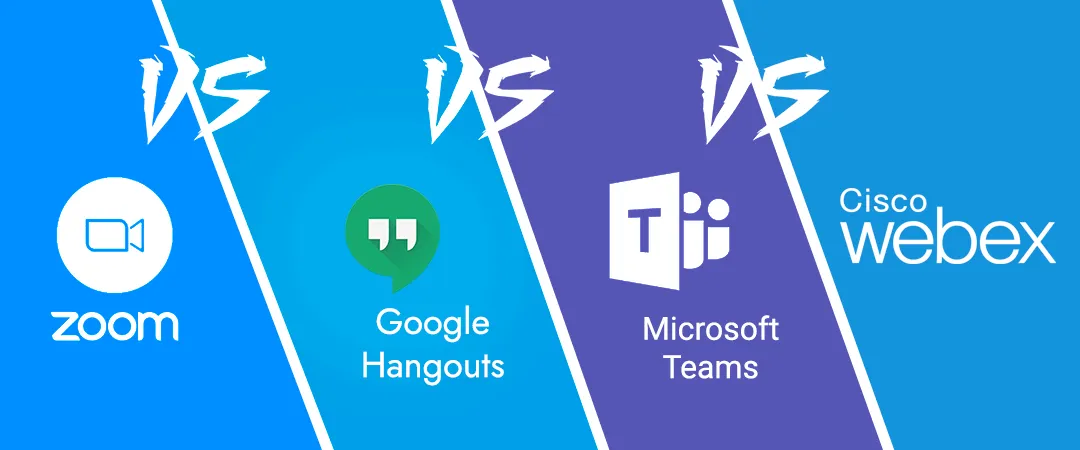
A Cheat-Sheet on How to choose the Right Video Conferencing Solution

This corona pandemic has most of the people working from home and connecting with families, friends, clients, and co-workers digitally. In the wake of quarantine and lockdowns, the use of video conferencing solutions has surged since in-person meets are not possible. Not just the pandemic, it is observed that at least 70% of people globally are working remotely at least once a week according to a study. Work from home or working remotely are the trends of the new business era. Therefore video conferencing solution is one of the crucial aspects of modern work culture.

There are plenty of video conferencing solutions in India but what suits your business and its priorities are difficult to analyze and choose from as not all collaboration solutions are designed to suit your business workspace. Also one can not compromise with issues related to the security of video conferencing solutions. So now the question comes, what are the best video conferencing or collaboration solutions in India to deliver your business with top quality video calls & collaboration with high performance and unlimited capabilities?

Confused? No worries!! We got you a small guide about some best video conferencing solutions with all their characteristics, shining features, and where they lack.


Team Computers is always standing by your side to resolve all your doubts and confusion in choosing the best video conferencing solutions. If you know what suits your organization best or still have questions, talk to us at 9350593984 or reach out to us at sagar.k@teamcomputers.com!
4 Easy Steps for Migrating to AWS

Businesses today are closely related to IT and as the business expands, so does their IT needs. With increasing IT needs, scaling traditional, on-premise infrastructure becomes an expensive and tedious task. From buying new hardware, its maintenance and then regular software updates, the list goes on and so does the cost.

Cloud then becomes a convenient and cost-effective solution in such a scenario.

Once you’ve decided to move on to AWS, the big question then arises is HOW. There are 4 easy steps to help you understand how to migrate to AWS.

1. Assessment

While you have the intent of migrating, it is important that you assess your existing IT infrastructure, applications and then plan accordingly. A few like considerations and questions you need to take care of during assessment include –

  • Why migrate to AWS?
  • Which Workloads to migrate and when?
  • Are the workloads Cloud Ready?
  • Analyze Cost Benefits
  • Migration Implications

2. Plan

Once you’ve got an understanding of the above questions, next is planning the entire migration. It needs to be a phase-wise approach. Two things that certainly need to be answered in this phase are – Finalizing KPIs and Which applications to move in which phase.

While finalizing KPIs, you need to clearly define what your expectation or ask from Cloud is. Examples of KPIs can be User Experience – Page Load Time, Session Duration or Application Performance – Error Rates, Availability, etc.

While deciding which applications to move first, here are a few considerations to keep in mind –

  • Criticality of the Application
  • Production Level
  • Data Considerations
  • How was the Application developed?
  • Application’s operational standards – SLAs, Latency sensitive, Accessed globally, etc.
  • Compliance or Regulatory requirements
  • Business Considerations

3. Proof of Concept

A practice match before that actual Big match always helps.

Similarly, once you’re ready with everything, migrate just a part of it to understand and test AWS as a platform for your applications. One very important thing here is to ensure you set 3-5 quantifiable KPIs to measure whether the PoC was successful or not.

4. Migrate

The final stage where you need to execute the entire plan that you’ve created. Once migrated, monitor the entire infrastructure for at least a month to bridge the gaps and ensure there is no or minimal downtime

Looking to migrate? Drop us a line at cloud.sales@teamcomputers.com or reach out to us at +91 9870 293 149 and we shall happy to assist you with a free assessment to help you understand your readiness.