DaaS: A Smart Solution to Reduce IT CapEx and Service Issues

We live in a fast-paced, innovation-driven world where advances in technology are marketed and sold regularly. This implies that computers always run the risk of becoming outdated or obsolete. During the current global scenario, most companies encourage employees to work remotely prompting the need for more portable technology. According to a survey by HP, 92% of CIOs are purchasing newer, better systems, and updating from traditional desktops to portable laptops. The coronavirus crisis has also resulted in increased cyber threats– the FBI reported that the number of complaints registered in their Cyber Division has increased to 4000 a day, which is almost 400% increase from what was reported pre-pandemic. Interpol has also stated that there is an increased rate of cyber-attacks aimed at all types of businesses, specifically large corporations, governments, and critical medical organizations.

You may be wondering how a company can deal with these threats and keep up with larger conglomerates when it comes to up-to-date technology. Two options immediately come to mind- either extend older, obsolete hardware (which would limit productivity and create security and maintenance inadequacies) or undertake a big capital expenditure every few years and task your IT resources with handling upgrades.

What if we told you there’s a third more cost-effective alternative?


DaaS: a cost-effective solution

No matter the net turnover of a company, purchasing or refreshing computers every 4 to 5 years involves a substantial amount of expenditure- not only in terms of purchasing the actual hardware but also in terms of training, laptop-desktop maintenance, management, and tailoring these machines to your exact needs.

An efficient way to bypass this entire hardware lifecycle and go straight to productivity is DaaS.

The device as a Service (DaaS) allows organizations to cut expenses by providing the desired hardware device (laptop, desktop, tablets, etc.), and all the necessary related services to customers, for a monthly subscription fee. The DaaS model can shift your large IT budgets to more manageable cash flows with a laptop-desktop renting solution. Providing new technology to your staff is essential for your productivity and growth, and DaaS makes that process simpler by providing a flexible and affordable alternative empowering you to stay focused on your core business functionality.


Advantages of the DaaS Model

According to IDC, around 12-15% of notebooks, laptops, and desktops will be used under a laptop-desktop leasing or DaaS contract by 2020. This is a stark contrast to the 1% PCs being shipped under a DaaS contract in 2014. So we can only expect this service to grow which in itself can be held as proof to the numerous business advantages that this model brings.

  • Financial Benefits
    The main advantage of DaaS is, of course, financial. It pushes costs from CapEx to OpEx. This proves advantageous in today’s market. Competitive industrial standards mean that organizations are required to incur huge capital expenditure to update their devices, this is especially difficult as businesses today don’t necessarily have the additional capital to spend on non-revenue driving activities. Thus forcing them to delay updating their devices which in turn affects their productivity. The DaaS model allows companies to allocate more manageable cash flow over a planned period of time through laptop-desktop leasing, or laptop-desktop renting, allowing you to make more strategic decisions regarding the company’s future investments.
  • Easy Upgrades
    Companies can easily upgrade or downgrade their subscription plan based on their business demands. Whether the company is increasing its needs, or downsizing due to budget confines, they can rent exactly as many systems as and when desired. This cuts down on any loss in productivity. Organizations no longer have to invest in advance on their tech and risk the hardware becoming outdated or obsolete, or face any sort of service or maintenance issues during storage.
  • Increased Productivity
    A report by Intel Corporation states that small businesses lose more than one workweek annually due to outdated technology. There is also the matter of employee frustration and reduced morale while working on antiquated systems and devices. With the DaaS solution, employers can be assured of the latest technology- no more added expense of getting those old PCs fixed, and no more frustrated employees losing productivity because of slow or burdened old devices.
  • Portable Work
    A study conducted by SAP Concur suggests that over 88% of the Indian workforce revealed that they preferred to work remotely. This means that in the near future more and more corporates will adopt a “work anywhere, anytime, on any device” policy. To cope with this demand, most DaaS providers bundle a variety of portable devices and services to enhance your experience of working from home.
  • Reduces IT Workload
    Most DaaS providers package laptop-desktop maintenance and related IT helpdesk services as part of their contract with you. This means that there’s very little burden on your IT staff to configure devices or run diagnostics. It significantly reduces an organization’s operating expenses when the IT requirements are strategically outsourced.As of May 2020,  49% of businesses expect to experience a data breach or cybersecurity attack due to the remote workforce- DaaS providers provide you with additional Antivirus Software and firewall all under one contract.

Team Computers Device as a Service (DaaS) Solution

Team Computers is a bridge between business needs and the world of IT solutions. We see ourselves as a trusted solutions partner. We understand your needs, identify pain-points, and integrate sophisticated technology and high-quality support to provide you with affordable IT solutions in hardware, software, services, mobility, analytics and Cloud with speed, flexibility, and an attitude of selfless service.

  • We do what’s best for you
    We offer you the best in class technologies with any OEM-based contractual renting solution. The DaaS model can shift expenses from large IT budgets to smaller, more manageable cash flow through a device rental or leasing business solution. We enable you to have the best hardware & services within a convenient monthly subscription. Providing new technology to your staff is essential for your productivity and growth, DaaS makes this process simpler by providing a flexible and affordable solution for all your business needs.
  • A holistic business solution
    Team Computers offers the latest technology, the best service, maintenance of devices all under one contract. We offer your business holistic solutions allowing for broad flexibility and upscaling of any hardware, any time.
  • End-to-end device lifecycle management
    From making a clear IT plan, configuring your devices, deploying hardware customized to your needs, timely maintenance, and on-time support, Team Computers is with you throughout the device lifecycle.
  • Customized services
    We tailor our services according to your demands, eliminating the time and expense involved in purchasing, configuring, and deploying hardware- all without sacrificing IT performance. We offer subscription plans according to your specific business needs- Long term OpEx based subscription plans, Short term/immediate computer rentals, and even work from home solution packages- all of which is covered across India.
  • Multiple OEM Partners
    We work with modern devices from Lenovo, Dell, HP, Acer, and more- ensuring you find the right fit for all your needs with minimum risk of compromise.

Features we offer

At Team Computers we believe in providing the best DaaS solution to help your company grow. Listed below are some of the features we offer as part of our service plan:

  • Simplified management with end-to-end support no matter where you’re working from.
  • Rights to transfer ownership of the assets after the contract expires.
  • Integrated annual damage protection services.
  • Tech refresh based on your IT environment assessment and multi-OEM requirements.
  • Provision of on-time & transparent work reports.
  • Central Helpdesk Support.
  • Dedicated Service Account Manager for all MIS.
  • Monthly Dashboards and reports.
  • Ticket Management Systems for providing proactive triggers and email alerts to business users.
  • SBD response time and NBD resolution (depending on city tier type).

The Team Computers Advantage

With Team Computers on your side some of the advantages you will receive are:

  • We save your organization & IT budgets from avoidable big upfront investments.
  • We help reduce the financial burden by converting expenses from CapEx to OpEx and reduce the amount of depreciating assets in your financial books.
  • We ensure Data Security by bundling additional antivirus software or firewalls all within the monthly subscription cost.
  • We provide long term cost savings by eliminating the cost of managing computer devices.
  • Our unique customized contracts give you the freedom to scale up or scale down your IT assets as per your business requirements.
  • We guarantee hassle-free management & increased efficiency with our uniform SLAs PAN India.

You might consider a DaaS solution to make hardware more affordable in the short term, but it has numerous long-term benefits as well which will have a much greater impact on your business. It isn’t just a temporary thing either, a recent IDC survey concluded that 40.2% of respondents are either planning to engage in DaaS or have already engaged in DaaS for their IT needs over the current year. It also found that over 35% of Fortune 1000 companies already have a DaaS agreement in place, and numerous other companies have completely transitioned to DaaS in 2019. The numbers are only expected to increase, especially with the demands of remote working and the economic effect due to the COVID crisis.

Cost Savings, flexibility, security, sustainability, the latest technology, maintenance, and support all under one contract. If you want to avail of all these benefits for your own company, find trusted vendors who offer you customized plans for your business needs that will ensure smooth sailing into the future.

How Managed Services Can Help Businesses Succeed Post-COVID

[Webinar Summary]: How Managed Services 5.0 Can Help Businesses Define Success In The New Normal Era

With millions working remotely, it has caused a major transformation in the infrastructure of businesses today and there is no doubt that re-engineering your IT environment is an essential part of the path towards a new reality.  It’s no more just about moving towards emerging technologies, it is also a time to build a resilient BCP with well-informed, risk-based decisions enhancing better preparedness for the future.

We usually position Managed services tools as a solution to our IT problems, instead, now we should first understand how a tool can benefit a business.  Whatever diversified models we declare in Managed Services, anybody can do it. But when it comes to business, we need to align service delivery with business processes. The most critical element of creating a differentiated Managed Services 5.0 is to shift from people-centric models to self-service capabilities with zero employee downtimes and hence delivering a better experience to customers. This process reversal in the Managed Services 5.0 model can be a game-changer for business success in the new normal.

There is no denying to the fact that technology plays a vital role in almost every business’s daily operations — whether it’s a multinational IT firm or doctor’s office or a hotel front desk. And as reliance on IT grows every year, the means to support it must evolve as well. However, as these systems grow and evolve, many businesses fail to have the resources to effectively manage their ever-growing networks. And eventually, tech failures start to hit hard, making them feel the burn on revenue, cost, and capital.

So, what usually companies do when they encounter some sort of IT failure? They reach out to some sort of technical support; try to troubleshoot what the issue is or just raise a ticket and wait for the technician to come running to fix it.

However, this might be a feasible option for individuals, but not for businesses — they seek a more strategic path in order to better organize, operate, and safeguard their business. Because it quickly gets overwhelmed with the amount of work necessary to keep everything up-to-date and running smoothly.

This is where Managed Services come into the picture. It is designed to handle the daily operations of specialized applications providing the capability to companies and therefore allowing in-house IT to focus on more strategic IT programs.

However, lately, because of the COVID-19 outbreak, businesses around the world have witnessed a significant transformation in the way they operate.

This now poses a great opportunity to move past the traditional form of managed services for IT and pave a new and holistic way of looking at managed services.

We at Team Computers recently conducted a webinar on the Future Model of Managed Services 5.0. In the webinar, the panelists discussed almost every aspect of re-engineering the IT environment in the new normal and a roadmap to create a futuristic 5.0 model.

Below is the summary of the discussion that came from the on-the-ground experience of hands-on industry experts and gave some interesting/actionable insights.


Managed Services 5.0

Before we jump right into all the points covered in the webinar, let us first understand what is Managed Services 5.0.

As mentioned, the COVID pandemic has changed the landscape for many businesses, and managed service providers (MSPs) are no exception. The transformations have long since been underway. But, the COVID pandemic, followed by the business evolutions, has just helped speed up the transformation.

Every business evolves and that brings a bevy of changes. Businesses today have more expectations from MSP and are looking for more efficient and better ways. And Managed Services 5.0 solves just that. Based on 5 building blocks — business SLA vs IT SLA, business process aligned service delivery, managing contingencies effectively, the role of automation and optimized resource utilization and performance — this future model of Managed Services for IT will transform the space for the better.


In A Nutshell

“Don’t automate where you should not automate. Give solutions which are more oriented towards your current business needs”

The foremost purpose of a CIO is to align IT with the business of an organization for competitive advantages. However, it’s not limited to that, a CIO also needs to take care of the organization’s day to day operations which include making sure the business applications are up and running, ensuring governance, risk, and compliances are well in place, etc.

Prior to the COVID pandemic, the needs and wants of business were mostly around saving cost, increasing revenue, making operations seamless. However, things have changed now — CIOs are on the lookout for providers who take that extra mile and align with the CIO objectives as well. And this is where the change is needed.

However, first, we must understand why SLAs must move beyond IT and play a role in the business aspect as well. SLAs are a critical component of any outsourcing and technology vendor contract. However, amid the industry’s best practice hype, companies don’t realize that they must shift beyond IT SLA. Companies must understand that the purpose of the service level management practice is to set clear business-based targets for service levels. “Business-based” is the key phrase here because not every business stakeholder is looking for generic service delivery — it is rather looking for a model that aligns business objectives with the services.

Simply put, MSPs must understand the business it is going to serve. It is really imperative for an MSP to acknowledge a business’s goals and ensure the delivery of its services is oriented towards it.

The traditional form of managed services is not going to stay relevant for a longer period. The COVID pandemic and the new normal has changed the infrastructure. In a nutshell, it’s time that MSPs not just focused on IT SLAs but also put in focus and extensive efforts on business SLAs.

Furthermore, automation is another aspect that needs much more emphasis than we think. Automation has been around for quite some time now. Many industries have been leveraging its capabilities to the highest level, while many are just on the surface level.

When it comes to Managed Services, it is not like automation has not played its role; however, there’s still room for improvement and implementation to address a business situation or operational requirement. Making the relevant use of automation can help significantly in reducing labor-intensive manual tasks, streamline workflow, accelerate processes, eliminate costly delays, and reduce human error. And it is the need of the hour, without an inch of doubt!

The webinar also covered other imperative aspects of the future model of Managed Services. The panelists discussed the relief measures to the overall COVID pandemic such as reducing the cost/scope for our business continuity and how businesses would re-evaluate their expectations from Managed services providers such that they are better prepared for any more crisis occurring in the future.


Outlook

The COVID-19 pandemic has wreaked havoc on business all over the world. Now, as the COVID graph starts to flatten, businesses begin to recover and move into the next and beyond phase. However, several challenges need to be tackled on an urgent basis. And it is more than just addressing them more effectively – they must reimagine entirely new solutions.

One of the prime ways to go about it is through managed services. Even before the COVID pandemic, managed services have been an excellent solution for business of any domain, but now the number of companies considering moving to an IT managed services provider is just massive.

Companies have understood that adopting managed services is efficient and effective. It can make their business much stronger and can drive in significant revenue.

And this where MSPs like Team Computers step-in. With a robust and comprehensive managed services model — Managed Services 5.0, it helps companies make the bold moves that will define success in a very different business landscape.
Watch

Apple unleashes 7 new striking products & services in 2020

A NEW IPAD AIR ECHOING AN IPAD PRO

Apple has unleashed a new iPad Air with an all-screen design, like that of the company’s iPad Pro. It has a 10.9-inch Liquid Retina display which comparatively is a bigger screen with a 2360 x 1640 resolution. The Touch ID button has been moved from the front of the device to the top in the sleep & wake button.

It has a new Apple-designed chip: the 5nm A14 Bionic with a 6-core CPU, a new 4-core GPU architecture, and a 16-core neural engine. As far as the cameras are compared, it’s got the same 12-megapixel rear camera on the iPad Pro but definitely with an improved video stabilization with a front-facing 7-megapixel FaceTime HD camera.

See how iPads are Reinventing different work roles.


APPLE WATCHES NEW FAMILY SETUP

Apple has come up with a new Family Setup feature that lets you manage multiple Apple Watches via a single iPhone. Though this feature requires a cellular connection in the Apple Watches. Also, it will work only with Series 4 devices or the newer versions. From one iPhone, you can control which contacts should be connected with your Apple Watches to communicate with and also, have an automatic location notification on your device.

Know more about the latest features of the iPhone.


THE NEW APPLE WATCH SERIES- A COVID SPECIAL DEBUT

Apple has launched the Apple Watch Series 6 with an inbuilt blood oxygen meter, known as oximeter which can be used to check whether a person could have been infected by the Coronavirus. It has a health sensor that can measure your blood oxygen saturation in the watch. The Series 6 has a dual-core processor based on the A13 Bionic in the iPhone 11 powered by a new S6 chip.

See how Apple Watch is helping in Enterprise Digital Transformation.

The screen of Apple Watch Series 6’ can get 2.5 times brighter while outdoors and also has an altimeter that is consistently on in the device. The Series 6 has arrived with a number of new colors, including a blue aluminum case, gold stainless steel, gray stainless steel called graphite, and for the first time, there’s a Red model product. There are a number of new watch faces which includes a watch face showing a Memoji.

Apple has also announced a new type of wrist band known as Solo Loop. Available in multiple sizes and in seven different colors, it’s a stretchable silicone loop with no clasp. There’s also a braided Solo Loop in five different colors.


THE APPLE WATCH SE- AT A LOWER COST

Apple has announced a lower-priced Apple Watch- Apple Watch SE. It has quite similar features as Series 6, like a built-in accelerometer, gyroscope, fall detection, and an altimeter. But it has the S5 chip integrated inside which was used in the 2019 Series 5 model. Remarkably, missing is an always-on display, as in the Series 5 model.


NEW APPLE WATCHES REMOVES USB POWER ADAPTER

Apple is no longer keeping USB power adapters in Apple Watch boxes to reduce its abysmal environmental impacts. Earlier it was rumored to be such but the company has officially made the move with the Apple Watches now.

Know more about all the latest features of the New Apple Watch.


A FITNESS SUBSCRIPTION SERVICE- FITNESS PLUS

Apple is coming up with a new premium subscription service called Fitness Plus. It integrates with iPhones, iPads, and the Apple TV whereas Apple states that it’s built especially for the Apple Watches. It has 10 different workout types, including yoga, cycling, and dance, and new workouts are expected to be added every week. The service will be launching before the end of this year.


THE NEW “APPLE ONE” SUBSCRIPTION PACK

Apple has revealed a new “Apple One” subscription bundle that contains multiple services at different price tiers that can be shared between six people. The Premier bundle consists of Apple News Plus, Fitness Plus, and 2TB of iCloud storage.

Now, Apple is releasing a number of software updates including iOS 14, iPadOS 14, watchOS 7, and tvOS 14 in the new hardware and there are many more to come.


To order or for any further information, please click here https://www.teamcomputers.com/Apple

A Cheat-Sheet on How to choose the Right Video Conferencing Solution

This corona pandemic has most of the people working from home and connecting with families, friends, clients, and co-workers digitally. In the wake of quarantine and lockdowns, the use of video conferencing solutions has surged since in-person meets are not possible. Not just the pandemic, it is observed that at least 70% of people globally are working remotely at least once a week according to a study. Work from home or working remotely are the trends of the new business era. Therefore video conferencing solution is one of the crucial aspects of modern work culture.

There are plenty of video conferencing solutions in India but what suits your business and its priorities are difficult to analyze and choose from as not all collaboration solutions are designed to suit your business workspace. Also one can not compromise with issues related to the security of video conferencing solutions. So now the question comes, what are the best video conferencing or collaboration solutions in India to deliver your business with top quality video calls & collaboration with high performance and unlimited capabilities?

Confused? No worries!! We got you a small guide about some best video conferencing solutions with all their characteristics, shining features, and where they lack.


Team Computers is always standing by your side to resolve all your doubts and confusion in choosing the best video conferencing solutions. If you know what suits your organization best or still have questions, talk to us at 9350593984 or reach out to us at sagar.k@teamcomputers.com!

Top 10 benefits Team Computers gained from Workplace by Facebook Implementation

Workplace by Facebook makes the impossible possible by bringing everybody on the same page, quite literally! It is the newest addition to our portfolio and our organization never seemed so connected, be it our business goals, values or our every day updates and achievements. More so, a connected and shared culture is nurtured and built across the whole organization. Workplace combines the technology behind the most popular social media platform today and easy-to-use- features to transform communication, culture, and workflows inside businesses of all shapes, sizes, and industries.

Following are the top 10 features that sealed the deal for Team Computers:

  • Connecting employees across locations- including resident engineers
    The workplace gives everyone a voice and the tools to get it heard. It promotes connections so that everyone remains in touch- irrespective of their locations. Whether they’re down the hall, working from home or simply across the globe!  We’re actually just a click away! Such connections can be enhanced through the mentioned features of the workplace:

    • Share important information and organization announcements via News Feed
    • Encourage two-way communication with likes, comments, and reaction
    • Talk to anyone in any language with Auto-translate
    • Keep in touch on the go with mobile apps
  • Auto addition and removal of people at the time of joining and leaving the organization
    Employees are given access to a set of information upon their recruitment. It is extremely imperative that the confidential information remains subject to the organization and doesn’t travel further, upon their exit. The workplace makes it extremely easy to add people to groups according to their departments, designations, etc. Not just that, they can be swiftly removed from the respective groups while leaving, without any threat to the organizational information.
  • Easy polls and surveys to gauge the pulse of the organization
    Polls can help make decisions faster as a team. They can be used to gather feedback, create meeting agendas, and set meeting times. An official set of company resources like the latest HR policy, help desk FAQs and more can be curated through the same. Additionally,  a central space can be created to find out what employees think by running a quick poll and gather views and comments for an idea. In this way, a two way top to bottom communication is established and boosted.
  • Ease at Employee Onboarding
    Workforce planning is the cornerstone of a great hiring process. If you’ve been around an HR recruiting space, you’d know how noisy it gets. The workplace makes it quiet & easy. It is an effective tool to immediately make employees feel at home, without any rigorous training regarding the usage of the communication platform. The new-joiners can easily be added to the group with the required training material. Due to the far and wide reach of Facebook, using the workplace becomes a cakewalk. Through the org chart, the new joiners instantly know the right person to reach out to and through what channel.
  • Live feature for a real-time and regular connect
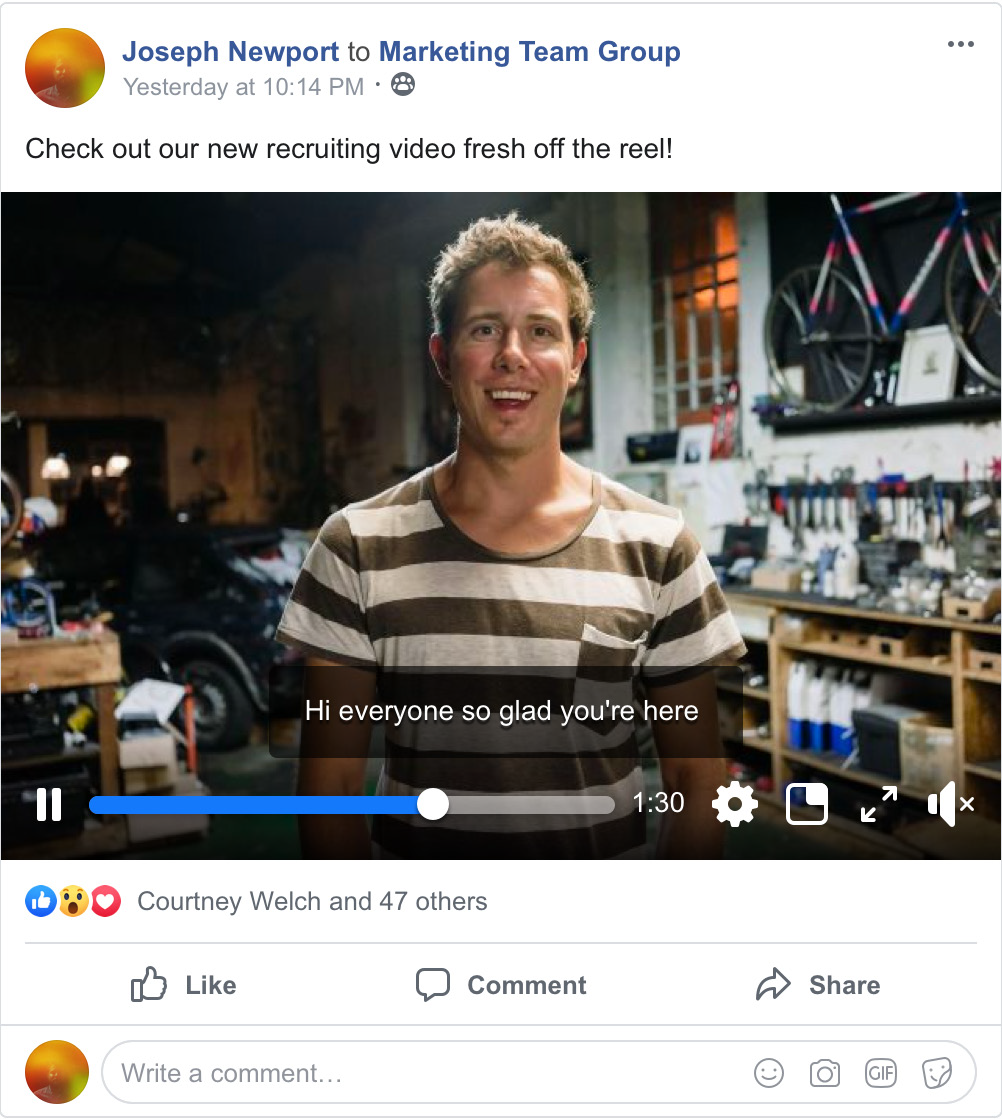
    Team Computers’ CEO, Ranjan Chopra, uses the live feature on the workplace to be connected with everyone on a regular basis. This way nobody is left out from the organizational news and talks remain a part of the flow of information coming from the top. A notification is floated across to each profile to update as and when he goes live to address the organization- whether it is to wish everyone on a festival, or to generally keeping everybody in the loop.
  • Groups dedicated to a particular cause
    We, at Team, have a group BIG WINS dedicated exclusively to broadcast good news and wins across the organization. It can be used both as an information platform, as well as a platform to motivate employees to make ‘winning a habit’! Also, multi-company groups can also be created for projects with stakeholders outside the organization and discuss projects, manage information and share documents. The groups are also supported by workplace chat for real-time communication with the group participants. It is also extremely convenient to search on the group page and find posts, files, or comments one needs to refer to. Groups can be created with different privacy considerations depending on what kind of group you’re an admin of. The workplace has three different group privacy settings:Open: anyone can see the group, its members and its posts.
    Closed: anyone can see the group and who’s in it. Only members can see posts.
    Secret: only members can find the group, see who’s in it and see posts.
  • Recognition as an efficient mode of motivation
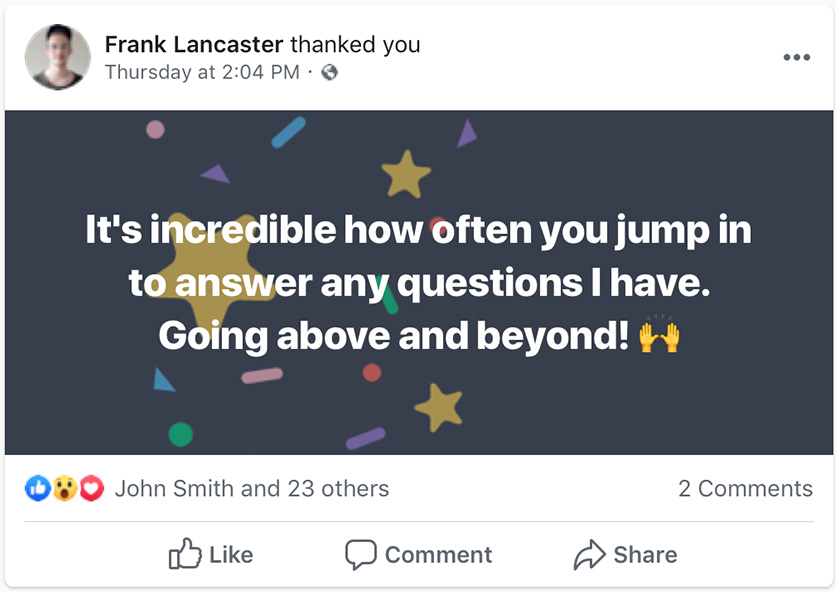
    For many employees, a compliment – not compensation – makes all the difference when it comes to feeling valued at work. That’s why Workplace can help HR teams build a culture of recognition and care. The effort to find and recruit top talent is wasted if we can’t keep hold of your best employees. In order to improve employee engagement, recognition can be one of the biggest drivers of company culture. It influences relationships, happiness, and values – all the good stuff that you want your organization to be known for. With badges curated to thank peers, you can publicly thank an employee and notify his/her manager too.
  • Makes working much more easier
    Workplace connects with tools you’re already using, such as G Suite, Office 365 and Dropbox. So, one would not face the complexities of migrating and losing data. Anyone can start using it straight away. It doesn’t just end there, here is what’s more:

    • Workplace connects with over 50 popular enterprise tools
    • Familiar features make Workplace easy to adopt
    • Automate everyday tasks with bots
    • Build your own bots and integrations
    • Share files and photos in groups
    • Machine learning makes Workplace smarter and more relevant over time
  • Hosting meetings- no more a hassle 
    Hosting meetings can get tricky when the staff scattered across the country or around the world. Workplace makes it easy by having voice and video calling available with every chat. Host a meeting with your team using video calling, or broadcast it by going live to your organization’s group. If anyone can’t make the meeting, going live in your team group will automatically post the recording so they can watch it later.
  • To top it all, it’s absolutely secure!
    Workplace leverages the same best-in-class frameworks and infrastructure that help to secure consumer. The security layers include being able to grant permissions to particular users in your organization, controlling programmatic access to your content with API security, and enforcing single-sign-on for everyone. The workplace uses proactive security measures from Facebook to protect user accounts authenticated by username and password.

Thus, Workplace by Facebook emerges as a go-to tool for organizations looking for employee connectivity like never before. It’s extremely user-friendly, with an interface suited for easy adoption and usage. Switch to the workplace to transform the way your “workplace” connects and operates.

Remote Support of Applications through our RIM Command Center

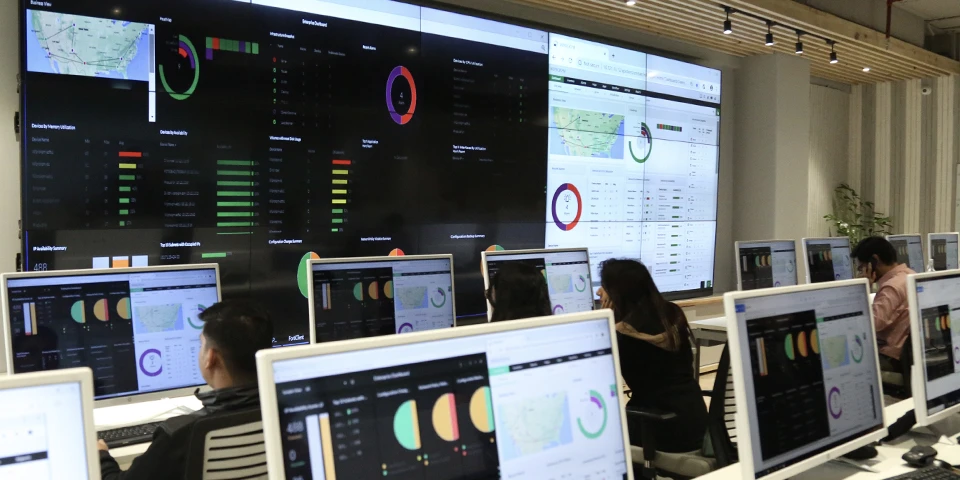
Challenges don’t come announced. At the same time, ballooning IT infrastructure costs are always accompanied by increased IT infra maintenance costs and the need for larger IT teams. This is when Remote Infrastructure Management (RIM) comes in the picture. Our Application Management ensures the efficient operation of the applications that power your business. It aims to provide comprehensive support for your organization’s critical enterprise and hosted applications. This includes managing the IT applications of an organization entirely, or in parts from a remote location. Optimized service levels ensure continual monitoring and reporting of your application environment, manifested as the Command Centre (CC).

Most organizations operate across geographies, thus their IT applications, which forms the basis of all their deliveries are also scattered across various units. With the emergence of the RIM CC, the management of the IT applications is centrally conducted with greater coordination, providing you with timely insight into issues; enabling you to proactively avoid outages. Most organizations outsource the entire RIM processes to other IT service providers which have experience as well as expertise in managing the applications.

Now, how does a centralized IT application monitoring helps?

A Centralised IT application management offers better coordination and helps IT be an enabler of innovation. Further benefits of a centralized Command Center include:

  • Cost Savings
  • Improved Availability
  • Real-time resolution of issues
  • Increased productivity, flexibility and efficiency

With the outsourcing of RIM processes, the enterprise can focus better on their core business functionality, and meet their ever-growing business requirements without inflating their IT budget. The process of monitoring datacenter, networks, devices, storage, security, servers, ERP, database, applications and services from a remote location enhances the ability to perform remedial actions to enable continuous availability. With RIM, an administrator needs to make on-site repairs only when hardware fails.

Team Computers proudly hosts the presence of two RIM Command Centers in Gurugram and Bengaluru. These centers are equipped with the following features:

24*7 Availability: Our RIM Services are designed to enable a high business uptime while reducing the burden of cost and bandwidth. Leveraging our 24×7 service desk we provide incident and problem management to support application availability.

L1 Support with Skilled Resources: Our governance & technical team focuses on simplified visibility to your setup through dashboards & notifications. We provide support where support engineer logs, categorizes, prioritizes, tracks incidents or alarms reported by a user or monitoring tools. Our L1 Team follows the workflow and will do every possible effort to resolve incidents as per SOP within the timeline agreed and documented SLA (Service Level Agreement)

Managed User Experience: We measure and report on the actual performance of your applications from the users’ perspectives. We provide you with exception reports that identify problems experienced by your users when accessing or using your applications, against your baseline. This allows you to respond to potential user issues as they occur, and respond proactively before they interrupt your delivery.

The Project Governance Team at the central CC Desk aims to provide uninterrupted and uniform services.

With the Real-time Monitoring of Processes, 24*7, the resolution of issues becomes highly proactive. At the same time, there is a direct integration with Key systems to monitor the process and end-user applications for alerts. The quality of the functioning is ensured by well-defined and scripted responses and actions for the CC desk.

Analytics helps to pinpoint the pain areas by issuing tickets and resolving issues, ensuring the 360-degree system for incident management. Each step from the ticket issue is closely monitored to guarantee a record response time. The process even includes customer feedback to define how satisfactorily was the process carried out. The process of identification of the root cause of the improvement, followed by the feedback is duly carried out. The tickets against each issue are tracked according to the stages of being Open, logged, attended, assigned, Work in Progress or closed. Thus, Analytics plays a poignant role to ensure the smooth flow and functioning of the various processes involved at a RIM CC.

Thus, availing remote infrastructure services can assist enterprises in reducing their overall risks while improving user satisfaction levels. This amassment of advanced technologies, top-notch equipment, and 24X7 support benefits enterprises with unparalleled network redundancy and uptime.

Solve IT Instances- The Zero Incident Way

There is perhaps no area in an organization that does not encounter problems or incidents. But the good part about such encounters is that they are not one of a kind. After a period of time, every organization starts to face a set of complications that don’t appear in isolation. The challenges can be easily clubbed to address them as a whole.

Team Computers’ Zero Incident Methodology aims to recognize such recurrences. The methodology is more of a philosophy that considers that incidents should not happen in the first place. Initiating a solution for a recurring problem proves to be inefficient for both the client as well as the service provider. So, the basic principle it operates on is to not handle the same issue multiple times. It looks to develop an effective solution, fit for the recurring problem and adopts means to employ it in all areas. The prime focus of this methodology is to not resolve issues in silos. It aims to put a mechanism in place that can be referred to in varied instances.

Now, how does a centralized IT infrastructure help?

Hence, the presence of a root cause analysis. The zero-incident methodology will involve a continuous review of call data to identify the biggest contributors of calls and would try finding the elimination or reduction methods of such categories. More than identifying the solution, it is imperative to seek the root cause behind its presence. The cause helps to develop a foolproof mechanism against the complication. Not just that, the same solution can be employed at multiple locations of the organization.

For instance, after a stipulated period, all employees of an organization are required to update their mailing passwords. This would require each of them to do so in time otherwise there will be multiple instances of the same problem for the IT department. For a size of over 2000 employees, manual updation of the passwords is a task that is almost impossible. With the help of an automation tool, a procedure is adopted to send automatic reminders and a process to update. This makes incident management nearly 30% easier.

In case such possibilities are not there for some categories, then remote or automation possibility will be the next focus which may also involve Self-help or Self-heal methods.

  • For achieving these probable reductions following methods may be used with Zero Incident Approach:
  • Process engineering & optimization
  • User Awareness & education
  • Self -Heal scripts on the automation platform
  • Self Help buttons (single click) for the execution of a series of steps
  • Robotic guidance on screen for new task management/user education
  • Knowledgebase creation & regular updates with awareness guidance/tips.


Through proven methodologies, proactive approach and thrust on continual improvement through analysis, the reactive incident tickets will significantly reduce significantly over a period of time. This Zero Incident approach thereby reduces IT resource utilization.


This approach is carried out by keeping a view on the feedback received for each problem addressed. The way the complication was overcome, through what solution and the method through which it was carried out is deeply analyzed. Thus, the record of all the probable complexities along with their solutions creates a knowledge bank that can be beneficial for future references. A separate user base is simultaneously prepared to equip ourselves with any form of complexity that can arise in that particular sector. Therefore, it becomes comparatively easier for newer clients who choose a service provider who can already define a set solution for their common problems.

Thus, a problem management solution is proactively established to remove the root cause of a problem’s possibility. It aims to clearly wipe out all the reasons that can result in the presence of, and a consecutive solution of a particular problem. Hence, the zero-incident approach works for not just the solution but also the complete analysis of the problem.

Updates from FLOW 2019- Workplace by Facebook

The newest addition to Team Computers’ portfolio, Workplace by Facebook, effectively makes the impossible possible, by getting everybody on the same page, literally!

Share important information via News Feed or Live videos, get real-time feedback via likes, comments and reactions, run polls in Groups to get a quick pulse on company issues. Promote openness, feedback, and diversity through the familiar Facebook interface that we all love, and have already adopted!

“We come to work every day because we want to connect people. And when we connect people, we can have a profound impact on their working lives. We can turn the companies they work at into meaningful communities.”
Julien Codorniou, VP, Workplace

FLOW 2019, Workplace’s Annual Enterprise Event, focused on ‘Why the Future Belongs to Connected Companies’ which was the result of bringing everybody together, empowering them and creating a culture that drives business performance. The power of Workplace lies in connecting everyone (including the 80% of employees that don’t sit behind the desk) across an organization. This includes frontline employees as well as knowledge workers.

The key announcements of the event included the availability of the following features in their respective categories:


CONNECTING THE FRONTLINE

  • Access Codes- Email-less employees can be invited to the Workplace through a 16 character code, which they can use to set up their respective accounts.
  •  Frontline Access- Giving administrators the ability to create a dedicated pop-up message for frontline workers to confirm that they are logging in during working hours.
  • Learning- Helping group admins easily curate, organize and share knowledge with group members: from how to make the perfect coffee to improving safety on the factory floor.
  • Surveys- Giving leaders a quick pulse check on employees to get fast feedback
  • Goals- For setting short term targets and tracking how your teams are doing against them.

“Since the majority of our employees are hourly and retail, it was very important for us to make it clear exactly when and how they should be accessing the Workplace. The Access Control popup has provided our HR and Legal teams with considerable peace of mind while giving our employees a great user experience on Workplace.”

Daniel Sundin, Director, Internal Communications, Petco.


EMPOWERING PEOPLE WITH NEW VIDEO TOOLS

  • Automatic Video Captioning- Easily add captions for the videos uploaded to the Workplace, thereby increasing reach and engagement. Let people choose how to consume them- watching with audio-only, reading the captions, or both.
  • Workplace on Portal- The future of VC! The Workplace Portal’s AI-powered Smart Camera pans and zooms to stay with the action. Now users will be able to make video calls through the portal itself.
  • Enterprise Live- The most popular way of connecting- going live. Enterprise live enables enterprises to stream live video to large audiences without impacting speed or quality.

The workplace believes in changing culture through belonging and well-being. Rightly so, recognition and belonging play an integral part in developing a connected culture. In order to foster relationships between the organizations and employees. The outcome of connecting people and information is a connected culture that strengthens and unites everybody.

The following features are enabled by the Workplace to highlight such practices:

● Badges
Badges allow organizations to recognize employee achievements through visual displays on Workplace profiles. Personalized badges like Workplace Champion, Outstanding Effort, and Workversary make this acknowledgment more personal and distinct.

● Thanks
Shout out to a colleague for closing a deal? Use the Thanks feature to recognize peers’ great work and even notify their managers for their contribution.

● MEASURING THE IMPACT
Insights bring more and new ways to cut Admin reporting data. To identify how connected your organization is, it is essential to engage users and collect engagement subsequently. To grow beyond merely adoption and retention, the insights panel provides new ways to track, measure and understand the impact of being truly connected to the Workplace. This was ensured with the following:

● Make data more actionable
To understand how the different parts of an organization are functioning, filtering based on the profile fields to usage metrics has been introduced.

● Performance of posts
To keep a track of post-level performance, like consumption metrics and comment sentiment analysis, newer capabilities have been introduced.

● Measuring self connectedness
A connection score to enable companies to understand and compare the connection between and across different elements of an organization. This becomes a tool to easily identify and evaluate organizational silos.


MEASURING THE IMPACT

Insights bring more and new ways to cut Admin reporting data. To identify how connected your organization is, it is essential to engage users and collect engagement subsequently. To grow beyond merely adoption and retention, the insights panel provides new ways to track, measure and understand the impact of being truly connected to the Workplace. This was ensured with the following:

● Make data more actionable
To understand how the different parts of an organization are functioning, filtering based on the profile fields to usage metrics has been introduced.

● Performance of posts
To keep a track of post-level performance, like consumption metrics and comment sentiment analysis, newer capabilities have been introduced.

● Measuring self connectedness
A connection score to enable companies to understand and compare the connection between and across different elements of an organization. This becomes a tool to easily identify and evaluate organizational silos.

Organizations around the world use the Workplace to join people together and get more done.

Decathlon, values diversity and open dialogue. The workplace offers Decathlon’s Singapore team a simple platform for highly interactive and effective communications that are aligned with the company’s lateral organization structure. The employees can constantly align communications ranging from translations to marketing initiatives led by the HQ in France, and get better clarifications on the fly by directly discussing and chatting on the Workplace.

To maximize the opportunities for employee engagement in the Workplace, the management at Decathlon’s Singapore office has gone a step further by launching a “Workplace employee happiness survey bot” on Workplace. By simply starting a conversation with the bot, Decathlon’s management can quickly get a sense of each employee’s sentiments at a shop/unit level and promptly respond to them.

It Gets Better, builds meaningful communities to support LGBTQ and the youth all over the world. Hannah Martin, Media Coordinator at It Gets Better, uses Workplace to host regular video training sessions for global affiliates. Instead of hosting multiple training sessions to cater to different time zones, Hannah now hosts one training session on Live video, streaming it into a training group for all affiliates to watch and comment on with questions.

In the News Feed, affiliates share pictures and videos from LGBTQ+ events all over the globe that enrich and inspire the global community.

Thus, Workplace by Facebook aims to transform workplaces quite literally by drastically improving and changing how organizations work, think and communicate.

5 Reasons Why Intranet on Liferay Means Efficiency

Intranets have long been at the heart of well-organized and efficiently-run businesses, helping to coordinate and connect employees around the globe with each other and providing tools that help in everyday work. One of the easiest targets for most companies is to cut down on the time their employees spend waiting for other people to do their part of a task. This can mean waiting for someone to send them a document, or maybe waiting for IT to teach them how to use a new tool.

Here are five examples of how intranets on Liferay can shorten these gaps and make work more efficient.

  • Independent Administrators
    Many organizations need to quickly make changes to their intranets without the help of IT. A department manager might need to quickly get out a piece of news to her team, or maybe the director of HR needs to distribute benefits information to the entire organization. In these cases, it’s critical to empower administrators to create and manage content on their own, without waiting on IT.Domino’s is one such example, with several administrators that can make changes to the department sites within its corporate intranet. Many of these administrators wouldn’t call themselves tech people, but because content management is separate from other functions on the site, they’re able to manage everything without having to learn a new set of digital skills. This improves productivity as well as relationships because each department feels empowered to do its job well.


  • Search-Enabled Content Management
    Most public websites have a capable search engine these days, especially if they have a significant amount of articles and pages. However, many companies don’t implement these same features on their intranets, which are often more likely to have large repositories of content. Try counting the hours your employees spend hunting down documents without search — it adds up alarmingly fast. Whether they’re pinging coworkers and waiting to be sent a copy of the relevant document, or clicking through page after page of unsorted content, reclaiming these wasted hours is an easy way to improve productivity with your intranet.CNC, France’s national center for cinematography and animation, recognized this and incorporated a fast, advanced search engine within its intranet so that employees could instantly find the content they needed. It was one of many improvements to their aging intranet, but a critical one due to the wide variety of its document base.


  • Mobile Access

    Intranets were once confined to internal networks, accessible only to those sitting within the company office. This helped ensure security for a while, but with today’s mobile devices and remote workers, it no longer makes sense to limit the access this way. To ensure all employees receive corporate messages when they’re sent, companies need to enable access for every device.Fashion-retailer Coach designed their intranet to be mobile-enabled because many of their employees don’t spend their days at a desk. Some of the most important communications they send out relate to merchandising or store promotions, and it’s vital that these get through to employees that run their storefronts. Sending an email isn’t enough; often, the information is too complicated, as in the case of a detailed merchandising guide for a store layout. A mobile-friendly intranet ensures that there is no delay in the information and that employees get what they need to keep their stores running.


  • Tacit Knowledge Management

    One of the weaknesses of most knowledge management tools is that they only capture final products. For instance, you might have a company-wide document library of sales-approved PowerPoint decks, but does it allow you to view the edits and discussions that poured into each one? Usually, this is captured in something like comments on Google docs, but once it’s finalized, the content is saved without these comments.IMRB saw value in this tacit knowledge and decided to build an intranet that allowed employees to search through the stored ideas, thoughts and research inputs for each of its documents. This made both explicit and tacit knowledge visible to everyone, making it possible to reference these collaboration processes from past projects.


  • Global Collaboration

    Many kinds of projects require intensive collaboration, and if you happen to be working with a global team, trying to coordinate meetings across time zones considerably slows your momentum. Rather than trying to coordinate live conversations, having a robust collaboration tool within your intranet allows people to contribute within their own schedules.
    This is exactly what the international technology company Schott decided to do. Because it develops products globally, it relies on effective communication between its 10,000 staff in 35 regions worldwide. By incorporating this work into the intranet, they remove the risk of information being lost in back-and-forth emails, or critical tasks being forgotten.

Liferay is a Gartner Leader in Digital Experience Platforms. With inbuilt features such as rapid Mobile development, Fully integrated CMS, One seamless Platform, completely customizable
Team Computers is a partner for Liferay in India. For more details, visit here.

7 ways to enhance your workplace with Mobile apps

Over the past few years, the demands and habits of the current generation have changed rapidly.

● Desktop—-> Laptops—>Mobile Phones/Tablets,
● Email—->SMS—>Whatsapp
● Face to Face Meetings—> Hangouts Real-Time Social Collaboration.

The 3 statements above summarize this change. According to a recently published State of the Digital Customer Experience Report 2019, customers are 18% more likely to reach out with a service inquiry through a digital channel in 2019 vs 2018. The population today is a mobile digitally empowered generation. 47% of the respondents said they were more likely to become an advocate of a brand if the brand provided a great experience.

Today’s generation demands real-time access to information. It is a generation demanding a frictionless customer experience. India, as a nation, has adopted this trend aggressively through its “Digital India” Programme with its three main pillars, Digital Infrastructure as a core utility to every citizen, Governance and Services on Demand and the Digital Empowerment of Citizens. With this in mind, it becomes imperative for brands to ask if their customer experience lives up to the expectations of the modern workforce? And with this journey in mind, do the IT systems in place support this journey brands are beginning to take? Most Auto companies today are yet to make that jump and are still operating with systems that are legacy. It’s time to Re-Imagine.

With the enhancing digital experience, mobile applications account for almost 80% of the total mobile time spent by smartphone users. AI and chatbots are the trending technologies which various organizations have incorporated into their existing apps and systems to drive and improve user engagement and experience. All an organization needs is a reliable source that can build a feature-rich, engaging mobile app that not only ensures success but also drive the causes digitally.

Here are 7 ways the TeamWorks app by Team Computers can innovate the functioning of your business.

With automated workflows, keep an eye on all the sales processes!

  • Create automated workflows to streamline sales process to manage business leads, sales forecasts, and team performance.
  • Track communications with your customers, by building up a complete history of interactions, sales, and activities.
  • Effectively utilize past data to forecast sales and utilize scarce resources.
  • Particularly efficient in case of a remote workforce. Sales professionals working from home or those on the go can login and access information.
  • The task of report creation on a monthly, quarterly or yearly basis is significantly simplified due to the easy availability of data.

Work anytime, anywhere and get it counted!

  • Work anytime, anywhere and get it counted! With the attendance monitoring system, check productivity hours and monthly reports. No tiresome records of working hours, attendance can be recorded with just a touch of a finger!
  • Approve attendance of teammates, in case of a manager and check their reports simultaneously. Avoid the lengthy procedure of report submission and approval.
  • Integrate an easy two-step leave approval process to ease the process of leave recording and availability. It can be further integrated with payroll/HRMS, and other existing systems, eg, payroll calculation.
  • Lend HR the ability to update holidays and announcements for easy access and notifications to each employee within the organization.
  • Sync employee travel plans with respective calendars, making them visible to the colleagues to check previous and upcoming travels.

Hassle-free order management, track inventory and avoid stockouts

  • Easily streamline the administration of business processes related to orders of goods and services. Not just that, create and edit lists of customers basis their orders and the subsequent deliveries.
  • With the access to stocks to the clients, take orders and process them with real-time stock updates.
  • Keep a minute check at the procurement of orders, their delivery until the last stage of delivery and invoice acceptance.
  • Process the payment against the orders with the app payment gateway.

Project governance made easy

  • When you use project management with mobile apps, you’re giving yourself and your team the ability to manage their projects, irrespective of them being in office, on-site, or anywhere else!
  • For team managers, it becomes incredibly easier to gain the control they need to manage online projects.
  • Now create a new project, add tasks and deadlines with ease like never before!
  • Not only is your reporting more accurate, but the whole team is aware of where the project actual is, not a snapshot of the project’s most recent past.
  • Update locations of the project, it is easily followed up by the concerned person.
  • The team can easily “Start” and “End” their projects by tracking the location and undertaking the work.

One app for all your event management needs

  • Make arrangements for your next event without any worry.
  • Raise requests to the admin, check availability of the venue, and update the headcount, all from the same platform!
  • Send event notifications from the app, no need to take refuge in the lengthy email threads!
  • Optimize your budget, cover more than half of your work digitally.
  • Generate event invoices and subsequent payment procedures from the app’s payment gateway.

There’s no way you would go low on stock

  • Save yourself the embarrassment of accepting orders and not being able to deliver!
  • With past records and data, analyze where and how all the stock was employed.
  • Give clients a peek into your storage to help them choose their requirements better.
  • Avoid stockouts and keep the cycle of stocking and restocking smooth with real-time updates of the stock movement.
  • Check dealer requirements by providing app access to them to predict future sales.

Provide more than just your product/service

  • Inform and enhance people’s knowledge of their activities.
  • Provide insights into the why’s and how’s of complex activities to broaden horizons beyond just your individual services.
  • Provide attention to sections of the society, educate the unaware or simply enhance knowledge by investing in a learning and development app.

So why wait? Adopt ways to up your mobility game like never before! Invest in a suitable mobile to gain a one-stop solution for all your digital needs and requirements!