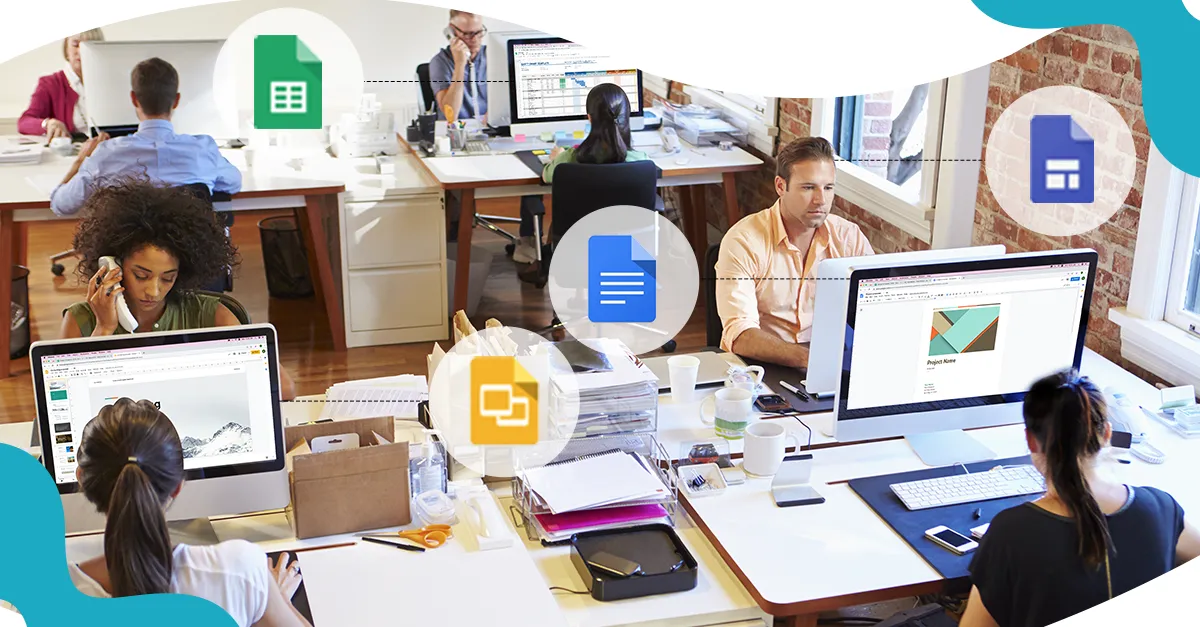
Top 4 Industries with G Suite

Since the launch of G Suite, it has brought in perspective in work with dozen new apps and services, unveiled intelligent features by using cloud technology to collaborate and stay productive. With the giant leaps made with phishing and spam control, businesses have relied on G Suite and its collaborative tools including Gmail, Docs, Sheets, Slides, Drive, and Hangouts for more than a decade now. More than 5 million paying businesses are using G Suite to work faster and smarter every day. In the past year alone, 1 million new customers have signed up for G Suite, with Google boasting of clients like Verizon, Colgate-Palmolive and Keller Williams.

Leading companies from financial services, retail, manufacturing, media, and entertainment are tapping G Suite to reimagine the way they work. Here are some examples.

ATB Financial, as a part of its customer-oriented attitude and belief to transform banking, has launched a bold transformation initiative “Work Reimagined”, powered by G Suite. Strategic planning, consolidation, and reporting are twice as fast using G Suite for collaboration. When ATB uses Google Chromebox with Google Hangouts Meet, for any time, anywhere meetings connected in one click.

BBVA, a global financial services group founded in Spain migrated to G Suite to increase efficiency and help their teams to work seamlessly, irrespective of their location. With employees in more than 30 countries across the world, Google Hangouts Meets, Google Slides, and Google Docs prove to be a blessing in disguise for them. Here’s how-

  • To gauge the worth of the proposed project, financial models are created by businesses by using Google Sheets.
  • Calculation of internal rate of return (IRR), return on investments, (ROI) and net present value (NPV) is a smooth process with the administration of G Suite.
  • Finance teams often communicate cross-functionally with other departments, such as marketing and sales. With Groups, it is easy to communicate quickly at once. The users can also limit sensitive information by only adding certain people to a group.
  • At the time of cross-functionality, team members often need key metrics on topics, such as budgets and bottom lines. Hosting this data by creating a team website in Google Sites can be used by organizations to link important documents and use permissions to provide access
  • Not just that, when beginning a project, they can even start with an existing template in Slides to draft a proposal.

Sheets make it easier to enhance financial data and bring them in order. The data from several spreadsheets can be comfortably moved into a single spreadsheet with the IMPORT RANGE function. Need to add stock prices to visualize trends? Experience the same with the GOOGLE FINANCE function.

Astley Clarke, a leading luxury jewelry brand employed Google Apps for Work to enable new, better ways in the working of their retail sector:-

  • To publish lookbooks for the latest product line and manage rich-media assets like images, logos, and videos across every retail channel was the biggest challenge for Astley Clarke. With the employment of Drive, they could sync to the cloud so that everyone’s always accessing the most up-to-date content. Thus, their creation and distribution of catalogs were reduced to a much easier process.

Travis Perkins, UK’s leading building merchant and the largest supplier to the construction market, helped optimize the workday of 30,000 employees by using G Suite.

  • The company also built a new intranet on G Suite, which combines Calendar, Gmail, Drive, and Sites for its employees. Travis Perkins staff use this tool to present tasks, deadlines, performance reviews, the status of colleagues, calendar reminders and Hangout links where a team can jump into a meeting — all from one screen.

With G Suite, products are brought to the market faster with increased collaboration and task management. Retailers collaborate and share product designs, mock-ups, quality guidelines and Key Performance Indicators (KPIs) in a secure workspace using Drive or shared drives. Stores constantly changing their physical footprint; while opening a new store or rebuilding a space. Thus, coordinating every task with various internal departments and outside contractors is a challenge.

  • With the help of Sheets and Calendar, users can collaborate task assignments and timelines. Retailers at times, also experience high employee turnover. Hence, shortening the recruiting and onboarding process improves the borderline. Moreover, the interested candidates can submit their information through Forms, and consequently, interviews can be conducted with top choices from anywhere in the world with Hangout Meets.

Aerotech, designs and manufactures the highest performance motion control, positioning tables/stages, and positioning systems for customers in industry, government, science, and research institutions around the world.

  • G Suite resources helped Aerotech improve its international and domestic communication within the organization. Team members frequently rely on Hangouts Meet and Hangouts Chat to talk internally and with clients. The calendar has become an invaluable resource for team coordination that includes assigning time zones to events.

Celestica, a multinational electronics manufacturing and supply chain services, brings global expertise and insight into every stage of product development—from the drawing board to full-scale production and after-market services. It also used the mobile device management capabilities included with G Suite to replace it’s legacy Blackberry Enterprise Server (BES) environment and thereby recovering software license costs.

Moving to G Suite helps:-

  • Erase the worry of spending time cleaning out the inboxes and folders to remain within a storage quota.
  • To acquire accurate measure on collaboration across the company, businesses can also use the reporting available through the G Suite Admin panel to identify how Google Docs, Sheets, and Slides have been edited by another person other than the owner of the document.
  • Real-time collaboration in G Suite can save more than 17,000 hours of employee time per year!

Nielsen, a global measurement and data analytics company, moved all of its 56,000 users to G Suite in 6 months to reduce IT support requirements and infrastructure travel costs by 20%. It was successful to identify that G Suite is built with enterprise security and workflows in mind. At each of its global offices, Nielsen appointed Google Guides to help distribute marketing materials, raise awareness and make employees get faster answers to their questions.

Google Drive fundamentally changes how employees work together, allowing them to move from an email-based workflow to real-time collaboration. Furthermore, they can also have a consistent and productive experience on mobile devices, Chromebooks, Macs, or PCs. As a result, time-sensitive communications can be accelerated.

G Suite comes with an annual subscription cost per user, with an SSO solution included in the G Suite license. So why wait? Switch to Google to enable an unparalleled working experience!

(Please note: Google offers a period of a free trial so that there are no issues before committing to anything)

Introducing G Suite Lab

Immersive environments for you to experiment in.

It’s been a busy year for G Suite. Gmail celebrated its 15th birthday and launched a slew of updates at Google Cloud Next ‘19. News about G Suite—intelligent apps that make working together easier, for faster decisions and better business results.

The new features focus on helping you write emails faster (with the help of machine learning), and also made it possible to schedule when your emails go through to colleagues. Gmail also got more dynamic so that you can take action straight from within your inbox, like resolving Google Docs comments. Lastly, Gmail’s mobile interface a good sprucing up—hello gorgeous!

With the belief that all work tools should integrate together easily, no matter if they’re Google apps or apps outside of G Suite. A new way introduced to comment on Microsoft files and beefed up integrations with Dropbox.

The best way to know these updates is by doing!
We’re excited to announce new G Suite Hands-on Labs! Built for you to test, create and learn the G Suite way.

Who should participate:
If you are part of Strategy, HR, Marketing or IT and want to learn how your organization efficiency could be increased using G Suite, you must be part of this lab.

What will you get:
– A deep dive on industry use cases and do it yourself.
– Learn how to manage the change in your organization.
– Resources and material that can be used in your organization to bring this change.

The first Lab begins in September’19. Stay tuned for updates!

10 ways to increase productivity with G Suite

With the increasing changes and challenges in the market, it is extremely important to keep up with the pace of modernization. Fortunately enough, G Suite aims to drive transformations across organizations, promote cultures of collaboration and empower employees to rethink the way they work. All this, with the main aim to cultivate, enhance and promote productivity in the organization’s functioning!

The efficiency gains that are envisioned with G Suite’s robust set of collaboration tools and features are as follows:-

  • Easy and effective employee collaboration with real-time editing in Google Docs, Slides, Sheets and other tools.
  • Provision of feedback from anywhere, irrespective of the device!
  • Reduction in the number and length of meetings and discussions with Google Meet and Hangouts.
  • Security and software updates being processed automatically to discourage lengthy and inconvenient disruptions to keep devices and hardware up to date.

The familiarity and acceptability of G Suite in users’ personal lives, coupled with the intuitive design of the tools, leads to a significant decrease in on-demand IT and help desk tickets, freeing up additional time for IT to focus on value-adding initiatives. G Suite built-in security features such as advanced anti-phishing, security center, mobile management, etc give admins simpler and more streamlined ways to manage users. All of these features are included with G suite at no additional cost because it is at its heart to control devices, ensure compliance and keep data secure. G suite, is thus, built from the ground up around security. That’s the biggest selling point of Google! Check out the following reasons to boost your system’s productivity with G Suite:-

  1. Artificial Intelligence and Machine learning

G Suite’s AI and Machine Learning are integrated throughout and operate like a personal assistant. So, schedule meetings in Calendar, acquire suggestive responses based on Gmail content and even track down relevant web documents relating to the undertaken projects in Sheets, Docs, and Slides.

2. Drive and Vault

Don’t drown in your own research searching for information! Put to use G Suite features Drive and Vault, the two repository tools to always have access to the most recent version of every file! No more searching through endless email threads or even having to send file attachments! What’s the difference between Vault and Drive, you ask? Files in Drive can further be edited, while Vault is used to store completed documents.

3. Break the geographical barriers

Business travel is solely expected to cost trillions by 2020! Invest in live, real-time discussions, and avoid travel costs and time! Use Google Hangouts to share and discuss files, even record them for future references! Sync Hangouts with Google Calendar for increased efficiency and collective invites. Gmail, Hangouts, and Calendar are all connected, so if you were to set up a meeting in Calendar, it can easily be assigned to other users for Hangouts and notified via Gmail.

4. Planning and organizing, now a cakewalk!

Google Forms is an excellent survey tool that organizations can use to plan events, organize their priorities and collect data through questionnaires. You can also share a link to a form via social media channels or email and track answers in Google sheets.

5. Bring teams together

Create Team Drives with G Suite to limit the sharing of links to documents that need to be accessed by a group of employees. Everyone on the team would have access to these files through a shared space for cloud storage. Back and forth communications across time zones are extremely convenient with the presence of the previous version of documents in files. Bottom line? G Suite helps your business run optimally- and that spells more revenue.


6. Zero maintenance stress 

G Suite doesn’t need any maintenance and is designed to keep everything updated. There’s no need to worry about hardware or software maintenance related issues. Save money, save time and save your data, without reminding yourself to “save”.

7. Marketplace 

Can’t find what you’re looking for? Not a problem- just hop on over to the G Suite Marketplace to browse countless third-party apps and tools. With the marketplace, you can customize and revamp your digital workplace. With a G Suite plan, businesses enjoy 30GB of storage space, unlimited Google Group email addresses, 24/7 phone and email support, and compatible add-ons available through the G Suite Marketplace.

8. Say no to ADs

Unlike other free consumer software, though, free G Suite users don’t see ads while using the services. Google also doesn’t use the information stored in G Suite applications and accounts for advertisement purposes.

9. Create your own websites!

Google Sites was added in 2008 as the G Suite website builder. It allows users to create websites with little to no coding knowledge or design skills. Landing pages and project websites can be created using pre-made templates to be published internally or publicly.

10. Proactive hijacking protection

Google provides an automatic, proactive layer of security to protect all users against account hijacking. It asks for proof to confirm your identity to provide access. An SMS code is sent to a recovery phone number which helps block automated bots, bulk phishing, and targeted attacks.


Having a consistent, seamless, collaborative experience across devices allows employees to continue to be actively engaged in projects even when they were traveling or working remotely. Added to this, were the intelligent features in the calendar, like finding the time or automatic room booker, which makes the meetings easier to schedule and removes frictions to join. Increase in productivity is the prime agenda for Google that promotes access to relevant information, easily and effectively. At the organizational front, it significantly reduces the time and resources required to manage legacy infrastructure including activities related to creating and provisioning accounts and managing access.

Undoubtedly, G Suite is an all loaded platform to deal with all business needs and expectations without having to deal with the worries of costs and revenues!

G Suite comes with an annual subscription cost per user, with an SSO solution included in the G Suite license. So why wait? Switch to Google to enable an unparalleled working experience!

(Please note: Google offers a period of a free trial, so that there are no issues before committing to anything)

With G Suite- Cost saving like never before

A one-stop solution for all your business needs, with G Suite, a set of secure, intelligent, cloud-native applications, help your businesses work faster, smarter, and more collaboratively than ever! In one suite of tools, it offers solutions for emails, word processing, spreadsheets, presentation decks, shared calendars, cloud storage and more!

But apart from driving productivity, collaboration and innovation within the organization, G Suite can reduce your capital and operating expenses directly.

Savings with G Suite comes from several areas:

  • Retired Servers and Data Centers
  • Reduced Cost and Labour of server hardware and maintenance
  • Reduced Corporate Travel with easy collaboration through Drive, Hangout and Chat.
  • Reduced Training Costs for onboarding of new employees on Google. (It’s simply something we all use in our daily lives)
  • Reduced IT software license costs from sunsetting third-party tools and like Mobile Device Management, Spam filter, Identity and Access Management, Meeting Solutions and Content Management Platforms.

Google owns one of the most robust computing infrastructures in the world, including one of the safest environments for protecting sensitive data. G Suite is built on top of Google Cloud Platform, which offers the highest security on the market. It’s trusted by some of the biggest companies in the world; such as HP, Verizon, Whirlpool and Salesforce.

Mike Heim, CIO of Whirlpool Corporation says “G Suite is a simple solution in many ways, but the features are actually very sophisticated, enabling us to surround our business processes with the right tools to connect people.” G suite comprehensively allows unleashing the talent in the company, without a lot of IT support, which is very helpful. The move to G Suite isn’t just a change in IT strategy, it’s a shift in the company culture. With Google, geographical barriers are broken down to race on the track to build “the winning workplace”.

Japan’s largest airline, All Nippon Airways, was delighted to announce that they will be embarking on a journey on “a different kind of cloud”- to collaborate and communicate more easily. As a global business, it doesn’t matter if their staff is on tarmacs in Tokyo, offices in London, or on-the-go in the streets of Beijing. With Google, they are able to communicate and collaborate in real-time, using Google Docs, Google Sheets and Google Slides from their PCs, smartphones or tablets. As well as removing the barriers of distance, the move to G Suite also helps them break down language barriers with Hangouts’ translation feature. They proudly confess that with Gmail, they not only have dependability and scalability, they no longer have to dedicate resources to maintain and operate their email system as they heavily depend on Google’s infrastructure.

In late 2015, DB Corp, India’s largest newspaper publisher, experienced failure with their on-premises infrastructure and traditional applications. They could not deliver the flexibility and agility needed to support the transition to real-time news delivery. This process led to the business to deploy a range of Google Cloud products and services, including Google Cloud Platform and G Suite.

“We were (also) impressed by the fact that Google had a local team with the skills and expertise to educate us about how best to use its products.”, says R D Bhatnagar, Chief Technology Officer, DB Corp.

Sales teams started using Google Forms and Google Sheets to centralize and control tasks such as sales forecasting, reducing the time required to complete reports and updates from up to a week to two hours.

Furthermore, various teams were able to save on the costs of third party tools and increase ease of use at the same time.

Here’s how:

  • Google Single Sign-on procedures make managing permissions simple without compromising on security.
  • Docs and Sheets allow members to collaborate on key files at the same time with live editing.
  • Gmail provides a fast, efficient search capability to help make sure nothing gets lost in the long threads.
  • Employees can meet using voice and video connections from their desktops, mobile devices, and meeting rooms to collaborate in real time on documents! This is a massive improvement when compared to the previous platforms that require each stakeholder to wait until other people provided their inputs, or people providing input into different copies of the same document, forcing a document author to spend time consolidating all feedback into a final version.
  • Automation through Google completes back-end processes associated with workflows from two days to just two minutes.
  • 99% Uptime, helping ensure that organizations meet their regulatory and internal business requirements. G suite is equipped with no scheduled downtime or maintenance windows, all of their data centers are built with infrastructure that can be omitted without any loss of function.
  • G Suite also has the best compatibility on mobile compared to any other email provider. It simply works, everywhere!

Google Cloud Platform is designed to meet all technical and business requirements, including minimizing the number of team members needed for back-end administration and maintenance tasks. It even focuses on the need to avoid the costs of hiring a system administrator or a database administrator!

Google boasts of industry-leading knowledge and expertise backing each of its products, including G Suite. Moving to G suite, thus, improves security posture and reduces the likelihood of data breach.

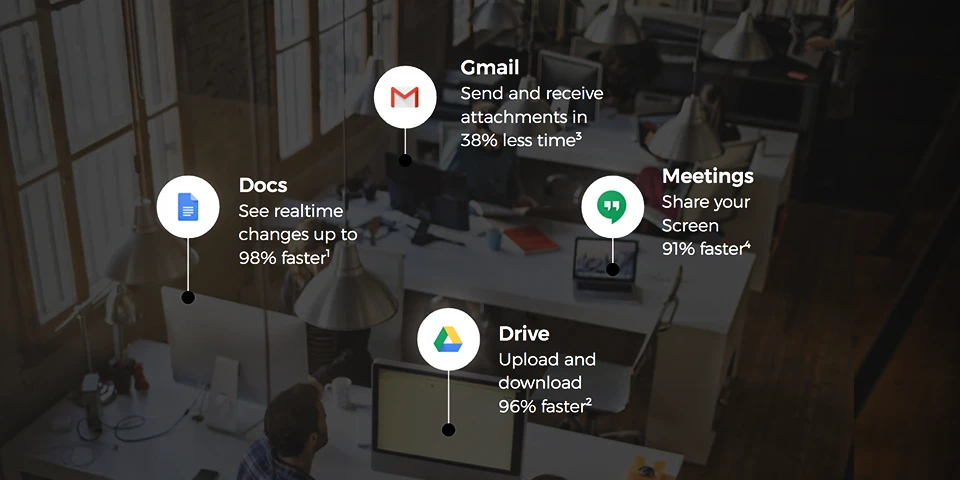
Irrespective of the industry, companies are chanting the mantra of Google Drive- to store and access documents, Gmail for email; Calendar to schedule appointments; Sheets to create and share spreadsheets; Docs to create and share documents; Slides to create presentations, and Hangouts Meet to discuss all the above!

G Suite is your best option for all email hosting and other tools, and that’s why it is the highest on the recommendation list.

G Suite comes with an annual subscription cost per user, with an SSO solution included in the G Suite license. So why wait? Switch to Google to enable an unparalleled working experience!

(Please note: Google offers a period of a free trial, so that there are no issues before committing to anything)
5 Top New APIs | Lets Have a Glimpse!

APIs came more and more to the forefront of tech-thinking in 2012 and there was some great thinking about API trends and the Web more generally.

When it comes to the application programming interfaces (APIs) and the API  economy, the question that gets asked most frequently is “What is an API?”. Thanks to the wider-spread attention that APIs are getting from the mainstream media, “What is an API?” is, in fact, the million dollar question because, for those who understand the potential of APIs, there could be millions of more dollars to be made, or saved.

Example:

Imagine a waiter at the restaurant, You the customer are sitting at the table with a menu to order from, and the kitchen is the provider who will fulfill your orders.

You need a link to communicate your order to the kitchen and then to deliver it back to the table. It can be the chef as he’s cooking in the kitchen. You need something to connect to the customers who are ordering food and the chef who is preparing the food. That’s where the waiter – or the API – enters the picture.

The waiter takes your order, delivers it to the kitchen, telling the kitchen what to do, it then delivers the response. In this case, the food back to you. Moreover, if it’s designed correctly, hopefully, the order won’t crash.

Google has been launching APIs open to the work to use.

With the introduction to  what is an API, let’s talk about Top 5 APIs launched at Google Next, 2019

1. Video intelligence API-bundled enhancement

Video Intelligence API, is a pre-trained machine learning models that have a tendency to automatically recognize a vast number of objects, places, and actions in stored and streaming video. This has proved to be one of the most efficient resources for common use cases and improves over time as new concepts are introduced.

2. Cloud vision API

Cloud vision allows developers to easily integrate vision detection features within applications, including image labeling, face, and landmark detection, optical character recognition and tagging of explicit content. The use cases included are label detection, face detection, text recognition.

3. Document understanding API

This is an extremely innovative launch as with this if your business requires any manual paperwork processing, document understanding API can be used effortlessly, this will enable the task to classify documents, extract crucial information from scanned images. the following use cases are included: document and content management, digital transaction management, system integration, robotic process automation, procure to pay automation.

4. Recommendation API

Do you have a retail-oriented business? Wow, recommendation  API is the solution as this will help you deliver highly personalized product recommendation to the customers at scale. A fully managed service, this API puts all of the data to work to deliver high quality, relevant recommended products.

5. Visual Product Search

Looking to deliver relevant products to the customers?

Visual product search helps you match the customer-generated images from the product catalog. These results tend to reduce the purchasing friction for the customers by promoting them with product based on their interests.Wow! That was a lot, there are constant updates to the API system, this is being done for better support developers and there are new solutions being launched to meet the ever-growing breadth of business and industry needs.

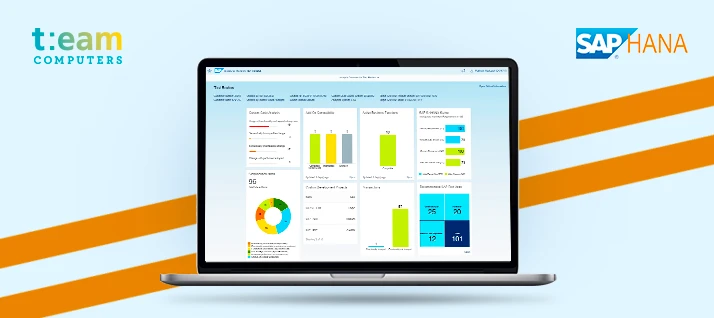
Why migrate to SAP HANA?

1. Database Services

The new SAP HANA gives you a chance to process information at the time by utilizing in-memory database administrations to process rapid exchanges and investigation. This sees no difference amongst the database layer and the applications layer. Along these lines, it takes into consideration an a lot speedier preparing execution.

2. Advanced Analytics Processing

Addition of new bits of knowledge from cutting edge investigation preparing by utilizing in-memory information handling abilities – content, prescient, spatial, chart, gushing, and time arrangement. In the event that your association has a requirement for up-to-the-minute data or procedures reports that set aside a long effort to create, SAP HANA can without a doubt help you.

3. App Development

Develop next-generation applications that combine analytics and transactions, and deploy them on any device. This gives your organization a cutting edge advantage over others with new custom applications to have great growth for the organization.

4. Data Access

Increase a total and precise perspective on your business by getting to information from any source – inward or outer. Access information where it’s found, incorporate or reproduce pertinent information into SAP HANA, and guarantee information quality to build trust in basic leadership.

5. Administration

Improve framework organization and IT tasks with instruments that assistance you screen forms, guarantee information and application security, and accomplish nonstop accessibility. Keep your business running easily and viably – from any gadget or area.

5. Security

Keep your interchanges, information stockpiling, and application administrations secure with strong character and access the executives controls. Depend on top tier programming security, fixing, and encryption – and utilize a dashboard to screen all KPIs identified with security.

Get in touch with us at Team Computers for further assistance.

Contact: Deepak Leekha/8708971332

What’s new with G SUITE!

Are you looking for one of the most feature rich and user-friendly solution on the web that combines email, collaboration, conferencing, calendars and more? Do you hear people talking about how great they think google products are and find yourself wondering what G SUITE is?

G SUITE is Google’s answer to a number of different productivity problems facing most organizations. In one suite of tools it offers, solution for emails, word processing, and spreadsheets, presentation decks, shared calendars, cloud storage and more.

Keeping the focus on innovation in G Suite intact, Google Next, 2019 covered a host of new features introduced. Let’s have a look at the top 5:

1. New and Improved Hangouts

Google Hangouts provide a smarter way for communication, with live captioning, increase in the number of participants allowed per hangout and public live streaming being new add-on’s. Google is transitioning the classical hangout chat and meet to match next generation team communication policies.

2. Google’s new Currents app

Now that google plus is history, today Google unveiled what will be offered to
G suite users in its place: Currents. The new app “enables people to have meaningful discussions and interactions across your organization, helping keep everyone in the know and giving leaders the opportunity to connect with their employees”.

3. Work with Google Voice

A simple, smart, scalable solution- newest of all innovation, with this, Voice can be customized to fit your day to day workflow. Integration with hangout meets and calendar keeps the focus on what’s important.

4. Streamline work through Drive Metadata

Find files in drive faster and easily while maintaining more granular and effective content. Applying metadata strengthens search by making content discoverable based on contexts, content or status- and enables easy curation based on granular details.

5. Let’s be transparent through G Suite

With new enhancements from Google Next’ 19, another added feature is to manage transparency with access to approvals and justifications and also the benefit to access locations on G Suite, with this it’s easier to expand visibility and there’s an easy movement towards the cloud.

Google Next, 2019, also unveiled some cool announcements on the cloud front. The largest was clearly Anthos, Google’s multi-cloud management tool. With Google providing more options to users of GCP with APIs, Google is living up to its vision of “APIs for everyone”.

With this discussion on new Google cloud innovations, share your views and ask questions below

In-Spotlight Today: Impact of Technology in the day to day life of a creative person

This month we caught up with Roopam Sharma, Design head at Team Computers. Team is a leading IT infrastructure and Information solution provider, dealing with well-known names in the corporate industry. About the day-to-day challenges, she faces at her work, her vision and strategies to overcome those challenges – our design head gives us an overall insight…

Tell us about your background as a designer, & what does your regular day include?

I was fond of sketching and drawing since I was young. At school, I would take part in drawing competitions and adored winning. Ended up studying Bachelors in Fashion communication from NIFT, Delhi. The course gave me lots of exposure in visual merchandising, fashion styling and photography.  Helped me gain proficiency in the fundamentals in each field.

Yet, what got my advantage was Graphic designing. The joy of converting your ideas and thoughts into a digital format,  and playing around with fonts & typography is my motivation bait since I started working in this field.

Which creative products could you not work without?

My iPhone and iMac – I cannot imagine using any other products.  I recall that I acquired my first iPhone 6 years ago and not long after, a MacBook for my college assignments. Have been a faithful Apple client from then on. At work, I use a 27″ iMac which gets my day across, easily.  I started using Wacom soon after I got a MacBook Pro as it only seemed logical replacing the pencil with a stylus as a design student. From ideating on notes in my phone to transferring and converting these ideas into final designed deliverables on my Mac – results into a seamless transition from idea/concept to a final design.


You must be keeping yourself updated with the latest technologies?

We live and breathe in a technology-driven world. From the morning alarm to ordering food or just going out for coffee. We need innovation all the time. We would have been stuck in the stone ages if we hadn’t learned to evolve and adapt to the new things. Enthusiasm to adapt more and more is of key importance.

The creative community needs to keep themselves updated with the latest versions of technology to meet the demands of the client. This is indispensable.


What are the biggest challenges professional creative people face today?

The biggest challenge I feel has always been to be able to strike a balance between what the client briefs and your creative interpretation of it. To reach a point where the brief is in sync with your creative freedom and the other way round. You won’t always be able to crack that brief or decipher what the job demands exactly, but hang on and be patient. Give it your 100 percent, it’ll work out.

Any productivity tips or tools that you’d recommend to other design creatives?

Start the project with an empty head and don’t go digital straight. Keep a notebook handy with you at all times and make it a habit to put your thoughts on paper first. It might seem old-school, but it saves all that extra time (sitting idle in front of the blank screen). Helps you get your ideas together. And be open to constructive criticism. Switch from the mouse to the stylus and use Apple products for better productivity, as the color selection is the most critical part in the graphic designing field and Apple products won’t let you down. My work process got 10 times faster, with an increased satisfaction level. Let your imagination run wild and ideas flow – you never know at what point you’ll be able to hit the right note on that brief.

4 Easy Steps for Migrating to AWS

Businesses today are closely related to IT and as the business expands, so does their IT needs. With increasing IT needs, scaling traditional, on-premise infrastructure becomes an expensive and tedious task. From buying new hardware, its maintenance and then regular software updates, the list goes on and so does the cost.

Cloud then becomes a convenient and cost-effective solution in such a scenario.

Once you’ve decided to move on to AWS, the big question then arises is HOW. There are 4 easy steps to help you understand how to migrate to AWS.

1. Assessment

While you have the intent of migrating, it is important that you assess your existing IT infrastructure, applications and then plan accordingly. A few like considerations and questions you need to take care of during assessment include –

  • Why migrate to AWS?
  • Which Workloads to migrate and when?
  • Are the workloads Cloud Ready?
  • Analyze Cost Benefits
  • Migration Implications

2. Plan

Once you’ve got an understanding of the above questions, next is planning the entire migration. It needs to be a phase-wise approach. Two things that certainly need to be answered in this phase are – Finalizing KPIs and Which applications to move in which phase.

While finalizing KPIs, you need to clearly define what your expectation or ask from Cloud is. Examples of KPIs can be User Experience – Page Load Time, Session Duration or Application Performance – Error Rates, Availability, etc.

While deciding which applications to move first, here are a few considerations to keep in mind –

  • Criticality of the Application
  • Production Level
  • Data Considerations
  • How was the Application developed?
  • Application’s operational standards – SLAs, Latency sensitive, Accessed globally, etc.
  • Compliance or Regulatory requirements
  • Business Considerations

3. Proof of Concept

A practice match before that actual Big match always helps.

Similarly, once you’re ready with everything, migrate just a part of it to understand and test AWS as a platform for your applications. One very important thing here is to ensure you set 3-5 quantifiable KPIs to measure whether the PoC was successful or not.

4. Migrate

The final stage where you need to execute the entire plan that you’ve created. Once migrated, monitor the entire infrastructure for at least a month to bridge the gaps and ensure there is no or minimal downtime

Looking to migrate? Drop us a line at cloud.sales@teamcomputers.com or reach out to us at +91 9870 293 149 and we shall happy to assist you with a free assessment to help you understand your readiness.

Data Center vs Cloud : 3 Prime Factors

There has always been a debate around which one’s better for the company – keeping your data on premise or moving it to the Cloud.

While both have their own use cases, what are the major parameters that one should consider while deciding on whether to move on stay put?

Here are 3 major parameters to consider, why and how.

1. Customizable vs Scalable

A company running its own data center has control over a lot of things like the location of the data center, hardware, security, management and much more.
But, one must not forget that a data center has limited capacity. In the era where companies target exponential growth, the resources required to grow at that speed also grow exponentially.

Cloud, on the other hand, gives you the opportunity to scale with almost unlimited capacity. All this at jet speed.

2. Security

In a traditional data center, security has to be managed by the company itself. There are multiple aspects that one needs to take care of in this scenario – On Site Guards, Video Surveillance, Access Control, Security Personnel, DDoS Monitoring & Protection, Firewall, etc.

While if a company decides to move to the Cloud, security has two aspects – Security of the Cloud and Security in the Cloud.

Security of the Cloud is taken care of by the Cloud Service Provider which includes Physical security, Firewalls, Compliances, Video Surveillance, Access Control, etc.

A company who is using Cloud then is left with taking care of the Security in the Cloud. For example, if they have an Application hosted in the Cloud, they need to ensure Application level security.

3. Cost

Obviously, if your company builds a data center from the ground up, this will take a lot of time, and your company will be responsible for the system’s maintenance and administration. Operating a large data center can cost a company millions of dollars every year.

A cloud service is by far more cost-effective, especially for small companies. It does not require anywhere as much time or money to set up and run. The cloud service is available for your company’s use almost immediately upon registration.