Google Feb 2021 Updates

We bring you the most useful updates from Google in the month of March.

1) End a Google Meet video call for everyone at once

What’s changing

When a Google Workspace for Education Fundamentals or Education Plus host leaves their meeting, they can now choose to keep others on the call or to end the call instead, ejecting everyone else.


We’ll launch this feature to additional Google Workspace editions in the coming months.


Who’s impacted

End users

Why you’d use it

In some cases, a host may not want people to continue a meeting without them present. For example, teachers may want to prevent students from having unsupervised meetings.

Additional details

When a host is done with a meeting and wants to leave, they now have two options:

  • Leave meeting: The host will leave the meeting, but the meeting will continue.
  • End meeting for all: Everyone, including people in breakout rooms, will be ejected from the meeting. Participants will be informed that the host has ended the meeting. Once the meeting has been ended, people will not be able to rejoin, unless the host rejoins first.

We recommend that, after ending a meeting, if a host wants to meet with a new group of people, that they create a new meeting. This can help prevent previous participants from joining.

Getting started

  • Admins: There is no admin control for this feature.
  • End-users: There is no end-user setting for this feature. Visit the Help Center to learn more about ending a video call in Meet.

Rollout pace

Availability

  • Available to Google Workspace for Education Fundamentals and Education Plus customers
  • Not available to Google Workspace Essentials, Business Starter, Business Standard, Business Plus, Enterprise Essentials, Enterprise Standard, and Enterprise Plus, as well as G Suite Basic, Business, and Nonprofits customers

Resources


2) More options for sharing your availability in Google Calendar

What’s changing

We’re adding two new options in Calendar, which will help you better communicate your work availability to your colleagues. Specifically, you can:

  • Create repeating out-of-office entries.
  • Split your working hours into multiple segments each day.

At the moment, working hour segments will only be available on the web and repeating out-of-office entries on the web and Android devices. See below for more information on these features, including rollout details.

Who’s impacted

End users

Why it’s important

As many people have experienced changes to their working environments in the past year, their work schedules have also changed—and are now often mixed with personal commitments and other obligations. We hope that with the addition of repeating out-of-office entries and segmentable working hours, you can better organize your time and communicate availability to your colleagues.

You can use segmentable working hours to indicate when certain blocks of time are outside of your working hours. Working hours are visible on your calendar when someone schedules a meeting with you.

In addition to using repeating out-of-office entries for vacation time, you can use them to indicate time when you need to handle personal commitments—like childcare, exercise, and more. They can also be used to better communicate part-time availability or certain days when you’re consistently unavailable.

Additional details

Repeating out of office entries and declining meeting behavior
If you create a repeating out-of-office entry and select “Automatically decline meetings,” a decline meeting notification will be sent to the organizers of any meetings scheduled during your repeating out-of-office entry. If the declined meeting is a recurring meeting, those organizers may get multiple notifications—these emails are bundled for Gmail users, but not always for users of other email services.

Getting started

Admins: No action required.
End users: Visit the Help Center to learn more about splitting your working hours or creating repeating out of office entries in Google Calendar.

Segment your working hours in Google Calendar


Creating repeating out of office entries in Google Calendar


Rollout pace

Working hour segments

  • Rapid Release domains: Gradual rollout (up to 15 days for feature visibility) starting on February 22, 2021
  • Scheduled Release domains: Extended rollout (potentially longer than 15 days for feature visibility) starting on March 8, 2021

Repeating out of office entries

  • Rapid Release domains: Extended rollout (potentially longer than 15 days for feature visibility) starting on March 1, 2021
  • Scheduled Release domains: Gradual rollout (up to 15 days for feature visibility) starting on March 15, 2021

Availability

  • Available to Google Workspace Essentials, Business Starter, Business Standard, Business Plus, Enterprise Essentials, Enterprise Standard, Enterprise Plus, Education Fundamentals, and Education Plus, as well as G Suite Basic, Business, and Nonprofits customers

Resource

ANALYTICS CAN HELP CUT DOWN FREIGHT COSTS AND TRACK DELIVERIES IN REAL-TIME

The growing competition in all the sectors along with high fuel costs, demanding customers and the need of efficient delivery time have made it a challenging task for the businesses to drive sales and growth in the enterprises. The delayed decisions and inefficient business insights lead to an overall dip in sales and growth opportunities of the business.

This is where Analytics comes to rescue to bring you the Big Picture of your business at one single platform in real-time. From freight charges, to delivery status, to best logistics partner choice; Analytics Solution has it all right in front of you in real-time. This will empower the organization to bring in improvements in its shipment process, fleet management, delivery routes and even cash flows. Analytics can help you leverage your everyday data to grow and drive sales. Businesses generate an incredible amount of Data everyday that needs to be managed and tackled in time. But the question arises, Is your Data put to use in real -time ? Or is your Data potential still untapped ?


Challenges that come your way

# Unavailability of Data in real-time 
When data of the organization is not availed to its people in real-time, it leads to increased chances of errors, duplication of effort and mismanagement of daily operations. With this comes complexity in forecasting the customer demand and planning inventory according to the upcoming demand, immediate product demand leads to delayed deliveries and high freight costs.

# Poor tracking of goods in transit
In order to identify the delivery process bottlenecks, the goods and their status is to be tracked in real-time. Poor tracking of goods does not allow to plan the schedules accurately, when the goods are to arrive ? how should the further production be planned ? When should the logistics provider be aligned ? getting answers to all these questions becomes a very time consuming task when the business is unaware of the delivery status of its goods.

# Inefficient planning of Delivery Routes 
Inefficient delivery routes use more miles and time than needed. There are multiple permutations and combinations to consider and decide the delivery routes that suit best to the business. Manual planning methods take more time and do not give the most efficient routes, and the danger of missed and late deliveries greatly increases.

# Inefficient Inventory Management 
A gamut of challenges such as omni-channel sales, seasonal demand fluctuation, overstocking, out-of-stock situations, back orders, order returns, and the constant striving for ever-shorter lead times create pressure for better warehouse process and operations management.


How can Analytics help you ?

Realtime Analytics

#1Quality Decisions in Real-time
Data is to be made available to the right person in the right time to ensure operational efficiency. Analytics solutions ensure that data is availed in real-time and actionable decisions are made. Thus leading to quick and quality decisions with no chances of error, since there is no human intervention. It enables the business users to measure average efficiency of fleet ships, aircraft and vehicles to determine optimum capacity and number of assets required to reduce cost and optimize margins.

#2Real-time Tracking of goods
The speed of delivery is very important for the customers today. Tracking of goods in real-time will help you pinpoint improvement opportunities in the ongoing processes and help you collaborate better with your partners to deliver the goods in time to the customers. The Dashboards allow you to track your delivery status in real-time, you can get all the information about location, route, estimated time of delivery; all at a single platform.This will also increase the level of customer satisfaction since they will be able to track their order status in real-time from their smartphones and PC’s, enhancing the overall customer experience.

#3Reduced Costs by optimizing Delivery Routes
Analytics solutions help you optimize delivery routes, considering and verifying the appropriate route to get your goods delivered in time and at the lowest possible costs. Dashboards are designed differently to achieve certain leverage such as reduction in travel time, costs and to ensure maximal productivity of workers and vehicles. It enables more efficient shipments, better customer experience with more choice of delivery options, and requires fewer vehicles, thus reducing the overall  costs of doing Business.

#4Accurate Demand Forecast and Stock Analysis
Real-time Analytics solutions can help you predict demand across multiple channels and demand patterns in the past. The overwhelming volume of data that is generated in warehouses can be used very well for forecasting the demand further, determining the ideal reorder point and understanding the consumer’s buying pattern over the time. Resulting in better stock management. Accurate demand forecast and stock gives sufficient time to plan optimum delivery routes and reduce costs significantly.


Switch to the ‘Smarter’ ways of Delivery
Analytics is no more a choice but a crucial requirement. The growing business sizes and the incredible amount of data generated everyday can make or break a business. Thus, it is very important for us to adapt the new data-driven and ‘smarter’ ways of Delivery to drive sales and cut down logistics costs.

Learn more about our Analytics Technology Partners –

https://www.teamcomputers.com/business-analytic

Proactive and Predictive Analysis: The Future of IT Support

Digital transformation in industries means that tech support needs to be more proactive and easily available to customers and employees. Downtime and gaps in productivity due to unforeseen events or technical difficulties are no longer considered a valid reason for delays in deliverables or loss in productivity. Most companies have efficient user support processes that are reactive, meaning, they help solve a problem after it has occurred. Customers reach out to the support team every time they have a problem through multiple channels; the support team then troubleshoots the issue and offers a viable solution. However, employees and customers want more than just a solution to their problems- they require IT support that is quick, easily accessible, reliable, and hassle-free.

Imagine being able to solve a problem before the employee calls or to be able to predict and resolve an issue before the employee is even aware of it. Predictive customer support is when a customer receives the required assistance not just before they call, but even before they realize they have a problem. Think of it like an experienced customer relation executive who, based on the customer’s history with the company, can predict the type of assistance that the customer needs, creates a solution strategy, and applies the strategy all before the client even encounters the issue.

If you have any concerns about whether you want to make a switch from the reactive to the proactive and predictive model- think about whether you’d rather solve a problem that has occurred, or if you’d prefer to prevent the problem from occurring in the first place.


Predictive Approach vs. Reactive Approach

In today’s workplaces, the use of various elements such as mobility, outsourcing opportunities, offering software as a service, and cloud-delivered services means that there is a greater need for technology and a higher chance of technology breaking down and halting productivity, which in turn surmounts the pressure on companies to find more efficient and automated ways to deliver support services. Most employees find that accessing support services takes up too much of their time and end up choosing not to flag the issues and instead suffer in silence. While we can’t quantify the cost of this hesitation, we can understand that it causes a significant decrease in productivity and employee morale and confidence. Even the best standard user-support processes are largely reactive in their approach- providing solutions only after a problem has occurred.

Businesses can no longer afford to operate support services only in a reactive mode, the tried and tested processes such as ITIL, service desk incident, and root cause analysis is all reactive processes. In order to be a step ahead of their competitors, companies need to be able to identify and diagnose technical issues before customers report them.

Advancements in predictive technology have revolutionized the operation of businesses- automation facilitates efficient, accurate, and prompt service, and artificial intelligence use company data to make a predictive analysis which can improve business operations. The result of this Proactive-Predictive approach is a fast, reliable, and effective support system.


Reactive approach

Proactive Approach

Predictive Approach
This model is used in most businesses.

A client experiences an issue or problem.

Client devices, network and services are monitored 24×7 through automation technology and IT analytics. Predictive analytics and technology allow for synchronous real-time intervention.
The client then contacts the user-support department to report the problem. Automatic alerts are programmed to provide data about possible issues. Predictive analytics identifies issues and attempts to prevent them from happening.
Escalation of more than one issue may be required for onsite dispatch. Issues may go unnoticed as it causes very little disruption to productivity. With this approach, dashboards and diagnostic tools are utilised to facilitate quick action.
Low employee productivity is usually observed with reactive SLAs (as identifying and reporting issues as well as strategizing and providing solutions to issues may delay resolution). Proactive support providers will reach out to the clients with warnings, resolution strategies and solutions- even before the problem has occurred. Thus not impeding productivity. IT performance and employee productivity levels are high. This is because there is less burden on the IT department thanks to predictive diagnostics and automated technology, and employees don’t need to wait for resolutions.
Even when the SLAs are met, client satisfaction is not ensured (as there is a loss in productivity, delays, expenses etc.) Employees have a better experience with user-support and are more pleased not to have the hassle of reporting and waiting for resolutions Employees enjoy an enhanced user experience as early warning tools prevent any unnecessary downtime.

After all, the most productive employees are the ones with access to uninterrupted, responsive and reliable information and tools that they need to do their job.


Why Is Proactive Support Better?

Companies have more access to data about their customers and products than ever before. This data, through predictive analytics and AI, can be used to provide personalised customer experiences and predict incidences in the future with respect to a customer’s needs. For example, Volvo uses this sort of analytic technology to predict when certain cars or parts need to be serviced through their ‘Early Warning System’. The company then recommends services and maintenance plans to their customers before a problem has even occurred.

Put yourself in the customer’s shoes, imagine their happiness and satisfaction on receiving an alert for potential trouble, and giving them instructions on how to best manoeuver around it. This can drastically improve the support team’s performance and reduce negative user experiences.

Automated tech in the form of diagnostic tools and dashboards also favour home users- whether small business owners or employees forced to work from home during the pandemic. Instead of waiting for the problem to occur and not being able to work until it is fixed, employees will instead receive an alert for a potential issue which can be solved long before it affects productivity.


Business User Experience
TRANSFORM FROM TRANSFORM TO
A Reactive Support Model A Predictive Support Model
  • Users experience an IT issue
  • Through automation technology and predictive analysis, proactive support monitors the client’s network and IT assets 24×7.
  • Flag the issue to user-support services
  • Any potential issues are brought to the users notice before the issue even occurs.
  • Provide an in-depth description of the issue
  • Through predictive analytics and automated diagnostics, the service provider will able to identify, understand, strategise and sometimes even fix the issue before it can cause any sort of disruption to the user’s workflow or productivity.
  • Only if the issue cannot be resolved virtually is someone dispatched to help in real-time.
  • The user waits for support to identify the problem, figure out a resolution and then solve the problem.
  • Once the issue is resolved, the user can resume work.
  • Sometimes the user is unaware that a potential issue was even present.

Predictive analytics help organisations develop system improvements to enhance performance, avoid common disruptions and improve employee productivity. It looks at common occurrences, patterns, probabilities and trends, it then measures variables to predict future events.  Advanced analytics capabilities include ad hoc statistical analysis, predictive modelling, data mining, text analytics, optimization, real-time scoring and machine learning. Using these, companies can analyse problems that have occurred in the past, make a root cause analysis and proactively create strategies and solutions in order to prevent any future repetitions and disruptions.

Automation and AI facilitate machine learning which allows companies to accurately and efficiently identify any underperforming or faulty technological assets which could result in downtime. This is done by determining “normal” behaviour and performance levels, and comparing it to past disruptions and breakdowns. Predictive analytics is then used in identifying patterns or abnormalities which can help in predicting the occurrence of any technical issue. The more data there is to run analytics on, the more accurate the predictions are.


Steps to Predictive Analytics

There are four major steps to make predictive analytics work:

  • Find the right data: Understand the organisation’s goals and identify the most relevant data with respect to these goals.
  • Use this data to determine a predictive model: Once you have relevant data from multiple sources, consolidate this data and select the best possible algorithm that aligns with the company’s goals. The algorithms are first tested on smaller subsets of data until the most accurate required result is obtained.
  • Deploy the best model: Use all the data collected on the best algorithm obtained to create the best suited predictive model.
  • Continuously monitor the model to ensure efficacy as the data can degrade over time. The model needs to be constantly updated and adjusted by collecting new data or even by adjusting the algorithms.

Benefits of a Proactive and Predictive Approach

Here are a few ways in which a proactive and predictive support approach is better than a traditional reactive approach:

  • Better for making decisions: Proactive support helps companies plan better and make better decisions. It aids companies in the analysis of data to help them better predict future outcomes and therefore take the necessary steps in order to deal with them better.
  • Effective Budget Planning: When you’re able to predict future outcomes, you’ll also be able to better plan your budget for those scenarios. There will be a decrease in the number of ad hoc expenses.
  • Cost Saving: Preventive measures taken towards predictable IT issues helps cut down on risks and expenses that might otherwise surmount when the problem occurs. This preventive method is not only cost-effective in the traditional sense, but also saves the company a lot of money as it keeps employees happier and more productive with there being fewer unforeseen IT issues that are interrupting their workflow. A report from OpenSpan showed that companies operating with a predictive approach to customer service can lower their call centre operating costs by 25%.
  • Increased Uptime: With proactive monitoring and predictive strategies in place, you can easily identify areas of vulnerabilities or critical issues and fix them before they cause any sort of serious disruption in the workflow.
  • Improved turnaround time: With proactive support, issues are identified before the user reports it, this gives the help desk time to take action much faster. All issues will receive priority and the major issues can be identified easily because of automated and effective resolution tools.
  • Can improve Customer Loyalty: According to a study by Forbes, proactive customer service can boost customer retention and loyalty from 3 to 5%. When the support team proactively reaches out to customers, it reduces escalations and problems which in turn results in higher customer satisfaction.

In conclusion

Predictive analytics are used to forecast disruptions and outages allowing companies to proactively plan for operations to run more smoothly and efficiently. Downtime in businesses can cost millions and even result in the loss of customers, and when that happens, resources are diverted from the business’ core operations to IT and support teams. Taking a proactive and predictive approach to user-support helps companies plan better, make smarter decisions, run smoother, improves productivity and results in happier employees and customers. At least with user-support, the future certainly is predictable.

CYBERSECURITY NOW IMPORTANT MORE THAN EVER

The new normal has constrained numerous organizations, associations, and individuals to work from home. With organizations working indoor, there is a growing danger of security breaches and threats which can prompt the loss of data, breaches of privacy or holding systems to ransom, and more. As quickly as India digitized its working business situation on the web, organizations presently need to take up ‘online security’ as the most significant self-obligation.

Platforms once united under a single firewall are now into scattered endpoints, and threat defenses have to shield more ground than ever. One thing that is becoming evident is that your data or your PC or the email in this connected world is not safe anymore. Be it SMEs, or large enterprises, all of them remain vulnerable to the current situation.

Accelerating modern technologies such as IoT is increasing the number of connected devices to the extent that there might be around 200 billion connected devices by the end of 2020. Cyberwarriors are striving towards growing their knowledge while hackers can now trigger automated cyberattacks with artificial intelligence and machine learning that can easily set foot in secure systems without any human intervention. These automated cyberattacks pose a global scare that can be done on a mass volume.

There is no denying the fact that pandemic will continue to amplify cyber threats. But every crisis and attending threat translates into a learning opportunity for us. These opportunities are lessons on the need to adopt new strategies and supporting technologies to evolve our digital economy and technology infrastructure to be better prepared for future challenges.

With cybersecurity threats continuously surging, new laws can also be introduced to protect the consumer from potential attacks. Hence, increased regulations and legislation may soon become a reality. More stringent penalties need to be placed on cyber attackers. We all need to be more aware of laws passed and make sure that our businesses comply with them.

IT STAFFING SOLUTIONS: 6 BENEFITS OF STAFF AUGMENTATION

One of the biggest challenges that businesses face is sourcing and hiring the right candidates. Social distancing norms and the fluctuating market conditions leave employers wondering: Do I need the additional resources? How will I accommodate them in my workplace? How do I find the right candidate with the right set of skills required to do this job?

If the hiring process was expensive before the pandemic, it has only become more difficult now. And it is next to impossible to manage with existing resources especially within the IT industry where there is a high volume of projects and the need for ever-evolving skill sets. In such a situation, a company has two choices, either outsource the project to a third-party organization (which has a large amount of autonomy) or you can up-scale your internal team with third-party resources to manage a particular project from inception to execution. If you’ve decided that you like the second option better, you’ve chosen the Staff Augmentation strategy for your hiring needs.


What is Staff Augmentation?

Staff augmentation or talent offshoring is the use of third-party staffing services, on a temporary or contract basis, to hire talented resource persons to augment the capacity of your team. This staffing strategy involves hiring temporary resources on a need basis to rapidly scale up your internal teams to better meet project deadlines, developments, and provide for your specialized technology needs.

This means that you will be able to hire employees who will possess the exact skill set to cater to your business needs at the exact time that your business needs it.


Benefits of IT Staffing Solutions  

Having the right employees and the right amount of employees is key to a business functioning successfully. Of course, you could hire employees permanently, however, in the IT sector ever-changing projects require employees with different skill sets to get the job done. This means that you can’t always afford to hire an in-house team for every single project, and you definitely can’t afford to wait 42 days to find the candidate in terms of qualifications, experience, or skills.

This is where tech staffing agencies come into play- they help you not only recruit the right talent, but they also help you globalize your company and build international remote teams without any risk.


There are numerous other benefits to staff augmentation such as:

    • Cost-Effective Staffing Solution
      Finding and screening for the right candidates and hiring new employees can be an extremely costly affair. According to a study by the Society for Human Resource Management, the average cost to hire an employee is 4,129$ with a time frame of approximately 42 days to fill a position. Glassdoor states that the average company in the US spends as much as $4000 to hire a new employee and it can take up to 52 days to fill a position. The stakes for replacing a resource are even higher, it can cost up to 50-60% of their annual salary. Furthermore, providing the necessary training, perks, and benefits (such as cab, meals, or housing) for employees can also burn a hole in your budget.With IT staffing solutions, it is possible to bypass the hiring process both in terms of costs and in terms of risks (of employees leaving before the completion of a project). These agencies will also help you hire staff offsite, which will aid in the reduction of expenses involving setting up a central office space, furnishing it, and providing all the additional amenities and infrastructure. Hiring offsite means that employees can work from anywhere which also greatly reduces any risks associated with the pandemic.
    • Control Outsourcing work to a third party agency will take away some amount of control you have over the details of a project. Hiring temporary or contract workers through staffing solution agencies, however, will allow you to have control not only over the details of the work but also on the exact skill set of the employees being hired.One of the major benefits of outsourcing work to a third-party company is that your organization will have the ability to monitor the temporary staff as they will be working in close contact with your in-house team. It also allows companies to maintain the confidentiality of their projects and make recommendations on a regular basis, based on the hires’ performance.
    •   Scale-Quicker You can scale the size of your workforce based on your immediate needs. Through IT staffing solutions, you can hire top talent in your industry while at the same time cutting the time and cost it takes to make these hires. This helps your business focus on your core functionality, diversify your services, and provide great solutions with the expertise that can be easily hired with temporary staff. Companies will be allowed the flexibility to take up more projects and never say no to customers, as hiring new candidates will be easier than ever.Just as being understaffed is a problem, having more employees than required can also be an issue. Laying off talented and loyal employees can not only be emotionally taxing, but it can also ruin a company’s reputation. With staff augmentation, you can hire employees during high demand, and there is no need to scale down on any permanent employees once this demand has been met.
    • Tailor-made Hires Staff augmentation gives companies the advantage of hiring staff based on very specific skills. Temporary staff uses their highly specialized skills to work on very specific roles, making it a cost-effective alternative to hiring a full-time in-house team. It also helps augment the existing skills of the employees.This method also counteracts attrition. Employees may look for quick job changes during improved economic conditions stagnating projects and affecting deadlines. Using third-party staffing services will help prevent this attrition as employees are bound by a contract until the completion of a project. Besides, any unforeseen losses can be cut by immediate replacements provided by these agencies.
    • Expand Globally With staff augmentation services, it is easier to find employees in different locations nationally and internationally especially when setting up new branches. It would be more beneficial to contract employees who are native to the location- which can assist in various hurdles when it comes to setting up in a new place. Also, there is no need to relocate existing employees which can become an added expense to the company.
    •  Work from Anywhere We love our office spaces- we love meeting our colleagues and interacting with teammates to work together. At least, that’s what we told ourselves before the pandemic hit. A recent survey conducted by Lenovo revealed that approximately 74% of respondents from India are in agreement that they will continue to work remotely even after the pandemic. SAP Concur confirmed the same through their survey which concluded that 88% of Indians prefer to have the flexibility of working from home, and nearly 69% of that workforce believed that their productivity has increased while working remotely.IT staffing agencies allow you to hire workers who will work either onsite or offsite (at home, at shared workspaces, anywhere) helping you reduce operational costs without any loss to productivity.

Where do we come in

Team Computers is a bridge between business needs and the world of IT solutions. We see ourselves as a trusted solutions partner. We understand your needs, identify pain-points, and integrate sophisticated technology and high-quality support to provide you with affordable IT solutions in hardware, software, services, mobility, analytics, and Cloud with speed, flexibility, and an attitude of selfless service.

We understand how important your time is, and so we’ve designed end-to-end technology staffing solutions so that you are equipped to focus on bigger things.

      • Immediate Deployment with industry-ready professionals
        IT professionals are future-ready and trained at Team Gurukul to ensure that they have all the
        required skills and knowledge to get the job done right.
      • Constant Support
        We’ve developed technology that will help us stay informed about the absence of a resource, so we’re always prepared to back you up.
      • Stable Resources
        There is a very low risk of attrition as we check the career aspirations of all our hires through our unique online talent management program called Optimus Spark. This program also allows us to ascertain employee competencies guaranteeing you the best hire.
      • Industrial-ready
        All of our resources are constantly trained and tested for real-time knowledge and skills using Optimus Spark.
      • Expert Feedback
        Team computers will also help you make the best decision by sharing expert opinions about a candidate’s profile (in video and audio format) so that you can make the right choice, every time.Technical staffing solutions like staff augmentation provides companies with innumerable advantages when used right, with the right partner to support you. Lower CapEx and OpEx, less paperwork and legal responsibility, reduced burden on your HR department, increased team size, skills, productivity, and efficiency at a fraction of the cost, greater flexibility in terms of upscaling and downscaling, talent acquisition, and complete control and confidentiality when it comes to the details of your project.With 33 years of experience in supporting 250+ companies, Team Computers is equipped with 1200+ best resources to hire with excellent technical skills to handle any and every complex project in the business.

We have published one blog for you to understand Talent Augmentation better.
Read now at www.teamcomputers.com/team-blog

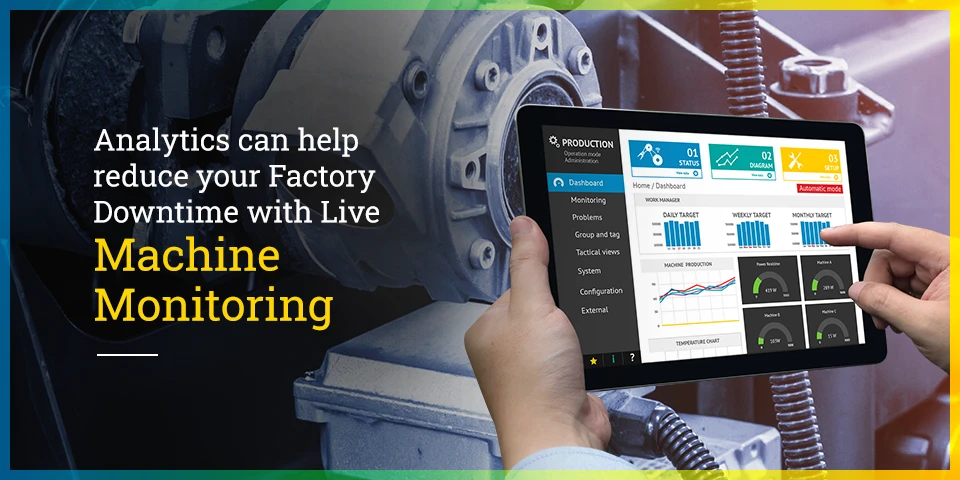
Analytics can help reduce your Factory Downtime with Live Machine Monitoring

Just the identification of inefficiency in your factory will not solve the problem, you need to come up with an approach to analyze the key causes of failure that could have a negative impact on the production process. The data wealth lies within your machinery. However, are you able to realize that wealth to reduce your factory downtime to zero? Data can be used not only to identify the problems but to solve them in real-time too.

Machine breakdown happens every now and then in a factory, these breakdowns are expected to be estimated by the manager on the basis of his expertise and knowledge. However, this can affect the entire production chain if the estimates are not made in time or if they prove to be wrong. This is where Analytics comes into Action! Analytics helps you to streamline your manufacturing process by giving you more focused and actionable insights of your factory, with no human errors, in real-time at a single platform.


Challenges that come your way

#1 Unavailability of Data in real-time
Breakdowns and repairs are not estimated in time because of the lack of Data on every individual machine. Data is not available to the right person at the right time. Data needs to be collected and analyzed from multiple sources and put together, in order to identify the faults that might occur and improvements required in the existing processes.

#2 Inefficient Machine Monitoring 
Inefficient machine monitoring leads to production losses and unexpected machine breakdown since there is no clear picture of how the machines are performing to what is their actual potential. It is essential to know the performance status of your machinery to get the best production outputs.

#3 Poor or No Breakdown estimation of Machines 
No breakdown estimation leads to wastage of time, money, and resources. Breakdown of any one of the machines can bring the entire production process to at a halt. It is very important to know the machine performance status on an everyday basis to ensure a smooth chain of operations each day.


How can Analytics help you?

#1Data Integration with physical Infrastructure
The true potential of Data can be realized when the Physical infrastructure of the factory is connected to the digital world. When two or more devices are digitally connected, the transmission of the data to any software application further becomes very convenient.  It enables you to derive better insights and act in real-time since all the information is collected and analyzed at a single platform. By cutting down the decision time and bringing intelligence at the edge, the factory ends up sashing costs significantly.

#2Real-time machine and device Monitoring  
Machine monitoring prevents any possible collapse in the machinery. The live monitoring system analyses the key causes of failure that can occur in the near future, and give notifications on the screen. This enables the factory manager to resolve the problem at a much faster rate and improve machine management, efficiency, visibility, and productivity.

#3Immediate Fault Detection – Anomaly Detection 
With Analytics, any abnormal readings or faults that are detected in any of the devices or machinery, start to reflect on the dashboard as and when the fault is identified. This leads to no further damage to the machine since the fault is identified and resolved in the very initial stage. Also, this helps to achieve the production goals in time by improving machinery performance and productivity.

#4Alerts and Notifications on Smartphones and PC’s
Alerts are sent to the right person at the right time when the action needs to be taken. Alarms and notifications are reflected on the smartphones and PC’s of the managers to identify the bottlenecks and points of failure that are generating the most downtime so that they can resolve the issues to the earliest.


READY TO BRING THE DOWNTIME TO ZERO 

Bringing your manufacturing processes into the 21st century can be a simple process. By incorporating robust Analytics tools, you can build a more In-depth understanding of how your production line operates, and how you can streamline it further.

Learn more about our Analytics Solutions that can help optimize Manufacturing.

https://www.teamcomputers.com/

iPhone12: Meet the future-ready iPhones

Apple launched four new iPhones in its most awaited Apple October 2020 event on Tuesday, 13th October. This new lighter and thinner iPhone range includes iPhone 12 Mini, iPhone 12, iPhone 12 Pro, and iPhone 12 Pro Max.

All the four models are driven by an A14 Bionic chip, in-built iOS 14, and supported with 5G speed. Apple is rolling out all its latest iPhones with Ceramic Shield glass on the screen for the durability of the device and also the whole range of iPhone12 comes with Super Retina XDR OLED display. The night mode time-lapse feature is also introduced to improve the low light night mode. In terms of camera quality, all four iPhones are consist of 12-megapixel f/2.2 front cameras. iPhone 12 series brings enhanced processing capabilities, faster network support, and durable devices.

All the four different iPhone 12 models come in different sizes, the iPhone Mini is the smallest of all and comes in a 5.4-inch size. Whereas iPhone 12 and iPhone 12 Pro posses the same size of 6.1-inch size. iPhone 12 Pro Max is the largest of all with 6.7-inch device size.

Most importantly, this new iPhone range comes with a high battery life where the iPhone Mini is claimed to have 15 hours of video playback whereas iPhone 12 Pro, and iPhone 12 Pro Max comes with a battery life of up to 20 hours of video playback.

iPhone 12 Pro, and iPhone 12 Pro Max delivers video recording with 4K Dolby Vision HDR for better post-photography editing options. Both of these iPhone models include LiDAR view for better photography in night mode.  Also, iPhone 12 Pro, and iPhone 12 Pro Max comes with 4x and 5x optical zoom respectively.

Surprisingly, due to environmental reasons, iPhone 12 series will not include AC Adapter. The box will include USB-C to Lightning cable. Apple upgraded this latest iPhone series to support wireless charging and also branded MagSafe for the faster and wireless magnetic charger.

Pre-book iPhone 12 today, contact us at sales.india@teamcomputers.com

For more information, visit: https://www.teamcomputers.com/Apple

Enhance Remote Working with Apple & Team Computers

Work from home is not a new concept to the companies, but Covid-19 has definitely rushed the process. Now, the pandemic has many employees planning to work in the same way in the long run that they hadn’t previously considered. But with changing working patterns, comes the changing way to handle the situation. Managers are shifting away from directing work to employees towards training them to success. They are helping them build social and emotional connections to ensure that they feel connected with their co-workers and work seamlessly. The communications are becoming more open, giving corrective feedback, and revamping the team’s objectives and expectations. Learn how Apple is helping employees to be more productive >

Let’s list down a few positive impacts quantified with these transformations:

  • A study by Stanford found that the productivity in employees while work from home can be increased 13% more than in traditional settings previously. A study from OWLLabs in 2019 also stated that people are 24% more likely to report feeling happier while working from home being more productive at their jobs.
  • There is a 50% increase in employee retention rates while working from home. And they are less likely to take sick leaves for not being exposed to germs in the workplace and travel space.
  • Most evidently, there is a reduction in overhead costs for both employees and employers. Also, reduced traveling is protecting the environment with fewer vehicles on the streets.
  • While some industry sectors like IT have been following the remote working policies for a long, but according to a report by Business Insider, the phenomenon is increasing in other industries also like legal, marketing, project management, real estate, insurance, and nonprofits.
  • We all know that remote working is here to stay now. The recent survey of remote workers found that 99% of them overwhelmingly said they wanted to work from home, at least some of the time in their careers.

With this changing approach, the expectations from IT companies to make the process of remote working seamless is more than ever today.

Let us know how Apple & Team Computers are working together on seamless deployment & integrations of devices within your organization with doorstep delivery across India to enable productive & efficient remote working for your employees.

  • Apple in business gets the right performance & power to employees to work at best from wherever they work. With the latest processors, the RAM and storage you need, and all-day battery life, Apple ends up being the best technology to adapt from wherever you work. This enables employees to stay focused on what is more essential for your business to do, quickly, comfortably, and in their own way.
    Learn how Apple is helping employees to be more productive >
  • Apple allows you to connect with your teams and collaborate with your customers from anywhere anytime with iCloud. With all live updates on all your devices, you and your collaborators will be able to be on the same page always. Also, work with the team on documents, presentations, and spreadsheets together.
  • Apple enables easy management and zero-touch deployment. We help you to set up and deploy Apple devices throughout your organization at any scale. Apple Business Manager and MDM solution automate the enrollment process of devices, simplify their configuration & management, and enable wireless sharing.
    Learn more about zero-touch deployment
  • Team Computers’ adoption managers & customer experience officers do on-site as well as virtual training and workshops to help employees take maximum advantage of the unique features of Apple devices which are meant to enhance your business & their productivity.
  • With Apple devices, you also save time & resources on encryptions and configurations as they are absolutely secured by design & help you keep your business away from cyber threats.
    Learn more about Apple’s platform security
  • And last but not the least, Apple devices can be less expensive than other devices in your system not only because of its total costs of ownership but also with the great customizable financial solutions offered by Team Computers.
    Learn more about Apple affordability

So introduce Apple devices to your new work from anywhere system without any worry with Team Computers’ Apple experts.
For more information, visit: https://www.teamcomputers.com/Apple
or feel free to contact us at sales.india@teamcomputers.com

5 Reasons Why Apple Is The Most Productive Choice For Your Organization

When the world was hit with the pandemic, the shift to remote working was sudden and sweeping. With millions working remotely, ‘business as unusual’ became ‘business as new normal’. There’s a rising approach towards adapting to a new normal of remote working and work from home. Business leaders are scrambling with how to grow their terrains, optimizing IT budgets while transforming workplaces digitally and technologically. In this current scenario of changing business dynamics, you must have got lots of choices in the technology arena too but some of them may end up being an inappropriate choice for your business needs and cost you a lot more than expected. So, it’s time to make your decision making steadier and wiser, increasing your employees’ efficiency and productivity by putting the power of Apple in your business.

  • Designed for every business & every role
    Looking at the transforming business landscape, you need a device that fits every role of your organization, be it marketing, sales, finance, HR, or operations. From healthcare, banking, FMCG, finance to any industry in the cosmos, and from small to big all-sized organizations, Apple products are designed to cater to all of them. They are integrated into the eco-system easily, providing utilities for every industry vertical.
    Explore Apple’s Industry-wise use cases & case studies
  • High-grade security
    Remote working has created a bigger hole for cyber attackers. Hence, increasing threat to security, indeed a pitfall for your organization. At this point and time, devices need to be highly encrypted and secured. This is one of the main reasons why most of the organizations today are choosing Apple products for their employees. The key security features in Apple such as Touch ID, hardware-based encryption, Face ID, and many more are enabled in all devices such that you don’t need to perform extensive configuration. It is saving both your time and resources.
    Learn more about Apple’s platform security
  • Compatible with the existing eco-system for any organization
    Apple devices harmonize with all eco-systems with both windows and google applications. Employees can work with their favorite apps and systems within the existing infrastructure and remember, to do great work, employees need to love how they do.
    Learn more about Apple’s compatibility with your organization’s existing ecosystem
  • Zero-touch deployment
    With the easy zero-touch deployment, the efforts to set up, distribute, and manage according to the company compliances gets sorted and simpler. With Apple Business Manager and MDM solution, the devices can be used by the employees right after boxing out without any manual configurations by the IT team.
    Learn more about zero-touch deployment
  • Cost-effective
    While the initial cost is believed to be more expensive than other devices but when you calculate the residual value, additional software and upgrades, and the cost of managing and supporting these devices, Apple Mac will end up being a relatively cheaper choice for every organization. With few financing solutions, it can be the most cost-effective investment for the company optimizing budgets.
    Learn more about Apple affordability

Strengthening IT budgets, channelizing energies towards better business strategies is the current need of the hour to tackle and eliminate outages in the businesses, and increase IT operational and management maturity. Simple yet intuitive devices by Apple are empowering all organizations and employees to perform at their best and increase productivity.

In case, you wish to transform your eco-system with Apple,
visit: https://www.teamcomputers.com/Apple
or contact our Apple experts today at sales.india@teamcomputers.com

How Effective Is Work From Home

Work from home is not a new concept, it has been around for a couple of years now. Freelancers from all around the world mostly prefer to work from home (WFH) as they work with multiple clients from different regions. But now work from home has become a mainstream term in the corporate world as well and it’s because of the new set of health and safety protocol.

But is it really beneficial? Will WFH be able to win over traditional 9-5 cubicle jobs?

There are two types of point-of-view people have when it comes to working from home — one type is that WFH isn’t an efficient solution and many of us don’t find the notion of work from home practical. And the other is that WFH is much more productive and makes people have a better work-life balance.

Well, both the thoughts are true; it basically depends on people and how they personally fare when working from home.

Let’s take a look at both the point-of-views.

There are studies that show stats in favor of work from home. Reports suggest that working from home can greatly increase productivity and decrease stress. The same reports also suggest that the idea of working from home is helping companies, as well as employees, save a significant amount of money.

This seems to be making a lot of sense as big tech companies like Twitter and Facebook have captured headlines lately with announcements about permanent work from home. And why not, almost every company today is web-based and without an inch of doubt, the evolving technology has made everything simpler. People today can now connect much easier with each other and carry out work seamlessly.

Talking about the other point of view, arguments here make sense too. Working from home sometimes blurs the lines between work and life and this could be seen lately. Our work is supposed to help us lead a better life, not become our lives.

Furthermore, at this point in time WFH is definitely a solution, but it cannot be a permanent one. While work from home is gaining so much hype, let’s not forget about the collaborative work environment and daily social interactions hold an important place as well.


The Rise Of Work From Anywhere

As businesses continue to grow, the need to have remote teams in different parts of the world becomes really imperative as it helps to build visibility. This is where concepts like working from anywhere (WFA) comes into the picture.

But what exactly is work from anywhere? Work from home is about working from the comfort of your home and not having to commute to work in an office. But on the other hand, work from anywhere doesn’t just confine you to your house; rather, it allows employees to live and work where they choose — whether it’s a café or a co-working space, and in some cases, anywhere in the world — all they require is a computer/laptop and a reliable internet connection.

While many companies are comfortable with the idea of working from home, many companies are already starting to consider shifting from WFH and allow employees to work from anywhere. And why not, the privilege to work from anywhere provides employees the flexibility to create a suitable work-life balance.

People today prefer to have work with companies with flexible schedules based on time zones, personal preferences, etc. However, it wasn’t a practical approach in the past because of the technological restrictions; but today technology has bridged the gap.

Moreover, the concept of work from anywhere has become so popular that the rate of remote workers and the companies who hire them are increasing significantly. And as a result, the hiring landscape is changing significantly, shifting away from the office model in hiring.

This without a doubt is a daunting change but the benefits are definitely great — it provides a wider pool of talents, lowers the cost of hiring and salary, increases employee retention rate, etc.


Outlook

To gain a competitive advantage, companies must adapt to the latest business trends. The faster and earlier you do so, the more you are likely to stay ahead. And this is what many companies from all around the world have done lately. It is time to advance towards the next level of work from anywhere & anytime approach but just hiring the right technical skills is often not enough. One of the more subtle aspects you need to consider is the commitment of the staff towards developing their career and growing as a professional continuously. Even though the concept of work from anywhere is in the early adoption phase, the recent events definitely show that the future is more in favor of work from anywhere. So it’s the time to hire the best ones for you, expanding your geographies and skills with our Technical Staffing Solutions.


For more information, please visit – https://www.teamcomputers.com/it-offshore

You can also email us at – ashish.trivedi@teamcomputers.com