4 Questions to ask before selecting a Master Data Management Solution

Are you looking to drive better, faster analytics and insights by identifying conflicting or redundant customer information across enterprise applications? Do you want to reduce the time and effort needed for data stewardship by improving the accuracy of automated merging processes? Has a merger or acquisition in the recent past led to disconnected data sources?

Get a 720 degree view of your customers, products, suppliers with Master Data Management. There are a plethora of Master Data Management solutions available in the market today. Informatica and Orchestra Networks have been named leaders in this space in the 2018 Gartner Magic Quadrant for Master Data Management Solutions. But before you go ahead to fixing on a platform, here are 4 aspects you need to define:

1. The Business Problem to be solved

Be Specific about what isn’t working clearly and concisely, so as to know exactly what is to be fixed. There is no point going out looking for a solution if the problem is not central to your business or you see so significant benefit in solving it. Ensure that you have clearly identified the specific impact the project should have in terms of business results to be measured throughout the entire project.

2. The Data you require

These are all the new subject areas about the customer that matter for the business and would be needed to feed the customer profiles. For example, we may need data about the products, employees, retail locations, branches, channels, and distribution partners to enrich the understanding of the customers and the business they do with the company. To fulfil the goal of using the customer profiles to improve the quality of cross-sell and upsell recommendations, clean, consistent, and connected data on products is needed to determine customers’ past purchases.

3. Your Data sources

Particularly the ones that are going to be used for enriching the Customer Gold Record. Example, external data sources like third-party data providers for demographics, income, education level, and the social networks that the customers are using.

4. Your Target Applications

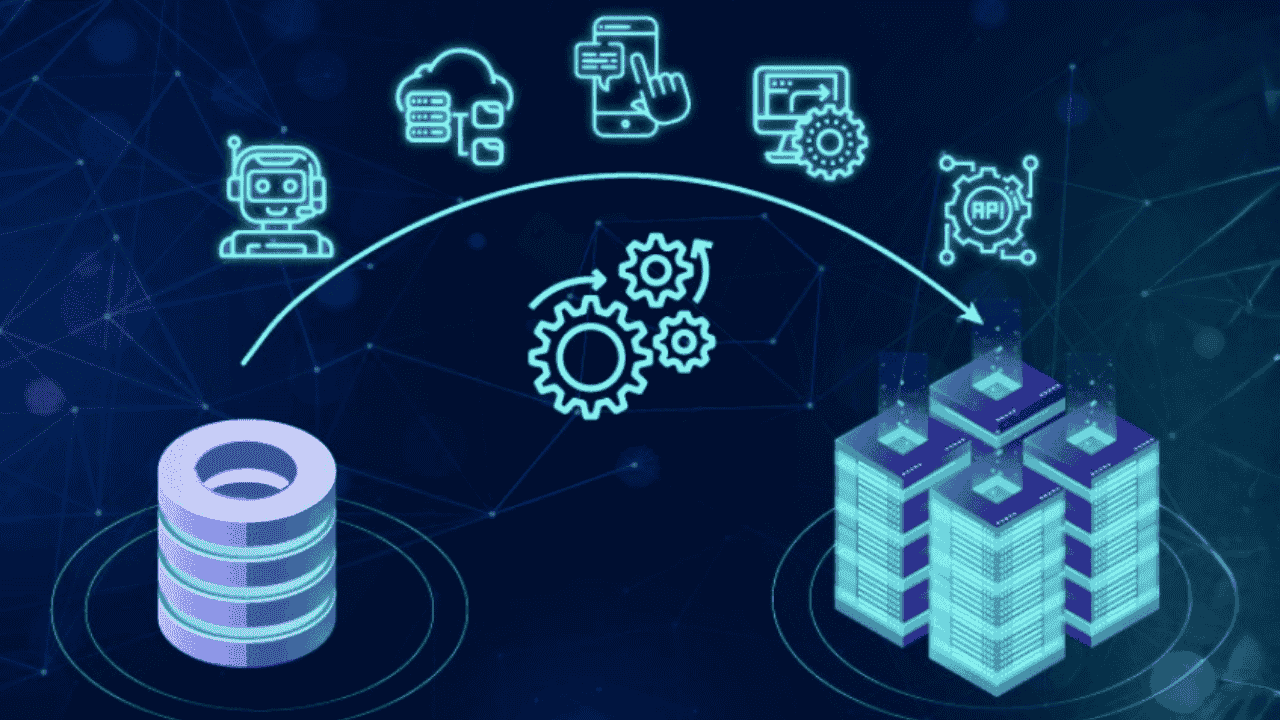
Once the foundation of clean, consistent, and connected data would have been built, it needs to be shared with the business and analytical applications that run the business. To deliver great customer experiences, it is important that the customer profiles fuel target applications like CRM, the point of sale, customer service help-desk, campaign management, and marketing analytics. It’s the only way to make sure everybody’s working with great customer data that’s come from a single trusted source of truth.

Once you have these four in place, you can good to go ahead and evaluate the best-fit Master Data Management Solution. Get in touch with us at analytics@teamcomputers.com to brainstorm on how to start your MDM journey.

Do you really know your customers?

Your business has been growing at a steady rate. Your sales reps are able to close deals and you’re pretty much satisfied with the way things are running.

But are you certain this growth will prevail year on year?

With more and more competitors entering the market, delivering a customized and consistent experience to your customer is the only solution to retaining them.

You ask how?

The technology landscape at most growing NBFCs comprises of a system developed in-house on a database (like Oracle) for handling processes like Customer Onboarding, Loan Disbursement and Money Transfer while other process like HR and Finance are managed on ERP.

With the proliferation of data from multiple sources such as social media, mobile application usage and clickstream data, it has become imperative to integrate internal channels with external sources to get a 720 degree view of the customer, and allow it to delve into each customer’s interaction sequences, needs and current life events to serve them better and benefit from actionable insights in their operations.

Imagine This

This whole story, from its beginning to its end, illustrates what can be done when a bank or NBFC has comprehensive visibility into their full relationship with their customers. Too many companies have increased costs from flying blind in seemingly routine, every day customer interactions.

Treating all customers as equal doesn’t work so businesses have a choice:

Take control of the problem or leave these decisions to simple chance?

Data is your biggest asset, leverage it.

After the complete implementation, the MDM can be leveraged in a variety of ways to drive its value and maximise the RoI:

– Achieve better, faster analytics and insights by identifying conflicting or redundant customer information across enterprise applications in less time

– Reduce the time and effort needed for data stewardship by improving the accuracy of automated merging processes – Accelerate ROI from growth-based initiatives like mergers and acquisitions by making it easier to integrate master data from new sources

– Simplify and automate accurate regulatory compliance reporting with more trusted visibility into business-critical master data

Get in touch with us at analytics@teamcomputers.com to brainstorm on how to start your MDM journey.

WHAT MY BOSS SAID THAT CHANGED HOW I SEE MY WORK

Internships are often portrayed as exciting opportunities to dip your toes into the real world, and to some extent, that’s true. But what no one tells you is how overwhelming they can be—especially when you’re trying to prove your worth, learn fast, and meet deadlines all at once. I learned this all during my internship, until a single sentence from my boss completely changed how I view my work and manage my time.

My internship started off on a high note. I was eager, energetic, and ready to impress. I said “yes” to every task. My to-do list kept growing, and before long, my days felt chaotic. I spent hours reviewing, rewriting, and rechecking everything before submitting it. I wanted every report, presentation, or task I worked on to be near perfect. But in my effort to be thorough, I started missing soft deadlines. A task due “by the end of day” sometimes gets submitted the next morning. A follow-up that should’ve taken a couple of hours took an entire day. No one raised alarms at first, but I started noticing small signs of frustration—tasks getting reassigned, meetings being rescheduled. Right after that, my manager explained that you do great work, but in a team environment, late is the same as incomplete. That sentence stuck with me. I had always thought quality should outweigh speed. I told her I wanted to make sure everything I submitted was excellent. She nodded and said, “I admire your dedication, but you’re not working in isolation. Your part of the work often feeds into someone else’s. If your piece is delayed, their piece is delayed—and that ripple effect adds stress to the entire team.” She wasn’t angry—she was trying to help me understand something crucial: when you’re part of a team, your time management affects everyone. That conversation completely changed how I viewed deadlines. I realized that timeliness isn’t just about meeting a checkbox. It’s a sign of reliability. It shows that you respect your teammates’ time & priorities. And in a professional environment—especially during an internship where every impression counts—being dependable can be just as valuable as being talented. As an intern, it’s easy to think that your only job is to do great work and impress people with your skills. But that’s only half the picture. The other half is being consistent, dependable, and aware of how your actions affect the team around you. What my manager told me—Late is the same as incomplete”—completely reframed how I approach my work. It’s a lesson I’ll carry with me into every job going forward:
Doing your work well is important. Doing it on time is essential.

Creating Immersive Guest Experiences: The Role of AV Integration in Hospitality

Introduction

The hospitality industry thrives on delivering exceptional guest experiences. As consumer expectations evolve, so does the need for innovative approaches to elevate service quality. Audio-visual (AV) integration has emerged as a transformative tool in hospitality, enabling hotels, resorts, and event venues to create immersive and memorable environments. By leveraging cutting-edge AV technology, the industry can redefine guest engagement and set new benchmarks for service excellence.

Understanding Immersive Guest Experiences

What Defines an Immersive Hospitality Experience?
An immersive guest experience goes beyond luxury amenities and impeccable service. It combines interactive technologies, personalized touches, and sensory enhancements to create a captivating environment. Whether it’s a visually stunning lobby or an interactive in-room entertainment system, these experiences leave lasting impressions.

The Emotional and Practical Benefits for Guests
Immersive experiences evoke positive emotions, fostering deeper connections between guests and brands. They also enhance convenience, enabling seamless navigation, entertainment, and communication within hospitality spaces.

The Role of AV Integration in Modern Hospitality

  • Blending Tradition with Innovation
    AV integration allows hospitality providers to merge traditional service values with modern technologies. From smart check-ins to interactive concierge systems, it enhances the guest journey while maintaining the human touch.
  • Creating Memorable Environments
    Dynamic lighting, high-definition displays, and ambient soundscapes transform spaces into captivating environments. For example, a hotel lobby can shift moods throughout the day with adjustable lighting and curated audio experiences.

Core AV Technologies Transforming Hospitality

  • Interactive Displays and Digital Signage
    Digital signage offers real-time updates, event information, and wayfinding assistance, enriching the guest experience. Interactive kiosks further streamline check-ins and provide personalized recommendations.
  • Advanced Sound Systems for Ambiance and Communication
    High-quality sound systems are pivotal in creating a relaxing atmosphere in lounges or energizing environments at events. Clear audio in conference rooms ensures impactful communication during meetings.
  • Projection Mapping and Immersive Visuals
    Projection mapping turns ordinary spaces into extraordinary experiences. It allows event spaces or restaurants to transform with dynamic visuals, enhancing themes and storytelling.

Enhancing Guest Engagement with AV Solutions

  • Personalizing the Guest Journey
    In-room AV systems allow guests to control lighting, temperature, and entertainment with a single device. Customizable content, such as tailored welcome messages or curated playlists, adds a personal touch.
  • Elevating Event Experiences
    Event venues equipped with advanced AV tools attract corporate clients and event planners. From holographic presentations to synchronized sound and visuals, these technologies ensure unforgettable events.

Challenges in Implementing AV Integration

  • Balancing Costs with ROI
    While AV systems promise significant enhancements, the initial investment can be substantial. Calculating long-term ROI, such as increased bookings or higher guest satisfaction, is essential for justifying costs.
  • Ensuring System Reliability
    AV systems must be dependable. A malfunction during a high-profile event or a guest’s stay can damage reputation. Regular maintenance and robust support systems are critical for minimizing downtime.

The Future of AV in Hospitality

  • Emerging Innovations
    The future of hospitality AV lies in technologies like AI-driven chatbots integrated with AV systems, immersive VR experiences for virtual hotel tours, and voice-activated room controls. These innovations promise to redefine the guest journey.
  • Long-Term Impact on Guest Expectations
    As guests become accustomed to personalized, tech-enhanced experiences, the demand for AV integration will grow. Hospitality providers that adopt these tools early will lead the way in setting industry standards.

Conclusion

AV integration is not merely an add-on; it is a necessity for modern hospitality. By crafting immersive experiences, hotels and venues can exceed guest expectations, foster loyalty, and stay competitive in a rapidly evolving landscape. As technology continues to advance, the possibilities for creating unforgettable guest journeys are limitless. Hospitality businesses must embrace this transformation to redefine excellence in service and experience.

Enhancing Corporate Events with AV Integration: Tips and Best Practices

Introduction

Corporate events are no longer limited to simple presentations or panel discussions. Today, they are immersive experiences designed to captivate audiences and communicate messages with impact. Audio-visual (AV) integration has become the cornerstone of this evolution, enabling event planners to craft dynamic and memorable experiences. Leveraging cutting-edge AV technologies is not just an enhancement—it is essential for modern corporate events.

Understanding AV Integration in Corporate Events

  • Defining AV Integration: Beyond Basic Technology
    AV integration is more than setting up projectors and microphones. It encompasses the strategic use of audio, video, lighting, and interactive technologies to create cohesive and engaging event environments.
  • The Evolving Expectations of Event Attendees
    Modern audiences expect more than static content delivery. They seek interactivity, high-quality visuals, and seamless transitions that reflect professionalism and innovation. Effective AV integration meets these expectations, leaving lasting impressions.

Key AV Technologies for Corporate Events

  • High-Definition Displays and Video Walls
    Large-scale video walls and high-definition displays command attention and deliver crisp visuals, ensuring that key messages resonate with every attendee in the room.
  • Advanced Sound Systems for Crystal-Clear Audio
    Clear, balanced audio is vital for audience engagement. Advanced sound systems eliminate distortion, ensuring every word and note reaches its intended audience without interruption.
  • Interactive Technologies and Audience Engagement Tools
    Touchscreens, virtual reality experiences, and gamified elements foster interaction, turning passive attendees into active participants. These tools make events more memorable and enjoyable.

Planning AV Integration for Events

  • Aligning AV Strategies with Event Objectives
    Every corporate event has unique goals, from product launches to training sessions. AV strategies should align with these objectives to amplify their effectiveness and impact.
  • Conducting a Comprehensive Venue Assessment
    Venue size, layout, and acoustics significantly influence AV setup. A thorough site assessment ensures that technologies are optimally deployed to suit the space.

Designing Seamless AV Experiences

  • Creating Cohesive Audio-Visual Themes
    AV components should harmonize with the event’s branding and messaging. Consistent color schemes, lighting effects, and audio cues reinforce the overall theme.
  • Optimizing Lighting and Sound for Diverse Event Types
    From intimate boardroom sessions to grand-scale conferences, lighting and sound must adapt to the occasion. Strategic adjustments ensure comfort and clarity for all attendees.

Enhancing Audience Engagement with AV

  • Real-Time Polling and Q&A Systems
    Interactive tools like live polls and Q&A platforms foster engagement, allowing audiences to voice opinions and interact with speakers in real time.
  • Live Streaming and Hybrid Event Capabilities
    Hybrid events combine in-person and virtual attendance, broadening reach and inclusivity. High-quality live streaming ensures remote participants feel equally involved.

Common Challenges in AV Integration

  • Technical Glitches and How to Avoid Them
    Even minor technical failures can disrupt an event. Rigorous pre-event testing and having technical support on standby are critical for avoiding mishaps.
  • Budget Constraints and Strategic Resource Allocation
    AV technologies can be costly, but prioritizing essential elements and negotiating with vendors ensures high-quality outcomes within budget.

Best Practices for Successful AV Integration

  • Partnering with Experienced AV Vendors
    Collaborating with seasoned AV professionals guarantees access to the latest technologies and expert guidance, ensuring smooth execution.
  • Ensuring Pre-Event Testing and Contingency Planning
    Testing every component well in advance prevents last-minute surprises. Backup equipment and contingency plans safeguard against unforeseen challenges.

Case Studies: AV Success in Corporate Events

  • Examples of Impactful AV Implementation
    A global product launch used 3D projection mapping to showcase innovation, leaving audiences in awe. Another company integrated AR to immerse attendees in its brand story, boosting engagement.
  • Lessons Learned from Industry Leaders
    These success stories underline the importance of meticulous planning, audience-focused design, and leveraging cutting-edge technologies for impactful results.

Conclusion

As corporate events evolve, so too must the strategies employed to captivate audiences. AV integration is the linchpin of this transformation, offering tools to enhance engagement, reinforce messaging, and create unforgettable experiences. By prioritizing AV in event planning, businesses can elevate their events and stand out in an increasingly competitive landscape.

Navigating the Future: Android Enterprise Trends Shaping 2024-2025

As enterprises stride into 2024, Android continues to redefine the contours of workplace mobility. With its adaptable ecosystem and robust security features, Android Enterprise is setting benchmarks for digital transformation across industries. Here’s an in-depth look at the trends shaping Android’s enterprise future.

1. Edge Computing Meets Mobile Workflows

With the rise of edge computing, Android devices are transforming into powerful nodes that process data closer to its source. This minimizes latency and enhances real-time decision-making, particularly in industries like logistics and healthcare. For instance, wearable Android devices equipped with edge AI can analyze data on the fly, empowering workers with actionable insights instantly.

2. Enhanced BYOD Capabilities

Bring Your Own Device (BYOD) policies are seeing renewed interest. Android’s work profile capability ensures that personal data remains private while business data is securely managed. The trend in 2024 leans towards more intuitive interfaces and seamless switching between work and personal spaces.

3. Sustainability Through Extended Device Lifecycles

Environmental sustainability is a key focus. Enterprises are opting for Android devices with modular designs, enabling easy repairs and upgrades. Google’s continued commitment to software updates for up to 5 years further prolongs device usability, reducing electronic waste.

4. AI-Driven Mobile Experiences

Artificial Intelligence (AI) is supercharging Android’s enterprise applications. Predictive analytics, AI-driven automation in apps, and conversational AI for customer support are helping businesses streamline operations and deliver superior user experiences.

5. Robust Security Innovations

Android’s continual investment in endpoint security is paying dividends. Features like biometric authentication, secure boot processes, and malware detection powered by machine learning are setting a gold standard for mobile security.

Conclusion

As Android drives enterprise mobility into uncharted territories, businesses must stay agile, embracing these trends to remain competitive. The future is about harnessing the power of innovation to create agile, connected, and secure work environments.

Enterprise Mobility Reimagined: How Google Workspace and Android Are Transforming Workplace Productivity

The intersection of Google Workspace and Android is revolutionizing enterprise mobility. Together, they create a seamless ecosystem where productivity knows no bounds.

1. Seamless Collaboration Across Devices

Google Workspace apps are optimized for Android, ensuring a consistent user experience whether on a smartphone, tablet, or Chromebook. Real-time collaboration on Google Docs, Sheets, or Slides has never been easier, thanks to enhanced mobile capabilities.

2. Optimized Workflows with App Integration

Deep integration between Google Workspace and Android enables automated workflows. For instance, Google Assistant can schedule meetings, update task lists in Google Keep, and even summarize emails from Gmail—all with simple voice commands.

3. Enhanced Video Conferencing with Meet

As remote work becomes a norm, Google Meet’s optimizations for Android devices are pivotal. Enhanced noise cancellation, real-time captions, and support for virtual backgrounds ensure professional-grade video conferencing, regardless of the user’s location.

4. Security Meets Accessibility

Android Enterprise ensures that Google Workspace applications operate in a secure environment. With built-in features like sandboxing, encrypted storage, and enhanced endpoint management, IT administrators have greater control over enterprise data.

5. Focused Innovation for the Hybrid Workforce

From smart scheduling to cross-device copy-paste functionality, Google Workspace on Android is tailored for the hybrid work model. Employees can switch effortlessly between devices, maintaining productivity without disruptions.

Conclusion

Google Workspace and Android epitomize enterprise mobility reimagined. As businesses embrace hybrid work models, this synergy will continue to redefine workplace productivity.

Securing the Mobile Enterprise: Android’s Latest Innovations

In an era where cyber threats are evolving faster than ever, Android is stepping up its game to secure the mobile enterprise. From sophisticated threat detection mechanisms to advanced management tools, Android Enterprise is redefining what it means to safeguard mobile workforces.

1. Proactive Threat Detection

Android leverages machine learning to identify potential threats before they escalate. Google’s Play Protect scans over 100 billion apps daily, ensuring that enterprise devices remain malware-free.

2. Multi-Layered Security Framework

Android’s security model incorporates multiple layers, including:

  • Hardware-backed encryption: Protects sensitive enterprise data.
  • Secure boot: Verifies the integrity of the device’s software at startup.
  • Biometric authentication: Offers a frictionless yet secure way to access devices and apps.

3. Advanced Management Tools

Android Management APIs give IT admins fine-grained control over devices, enabling them to enforce security policies, manage app permissions, and wipe corporate data remotely. These tools are crucial in BYOD scenarios, ensuring a secure partition between personal and work data.

4. Zero-Trust Architecture

Android’s adoption of zero-trust principles ensures continuous validation of user and device identity before granting access to corporate resources. This is particularly beneficial in a remote work context, where endpoints are more vulnerable to attacks.

5. Regular Security Updates

Android’s monthly security patches and long-term support for enterprise devices help mitigate vulnerabilities. Enterprises can confidently deploy Android devices, knowing they are protected against the latest threats.

6. Collaborations with Industry Leaders

Google collaborates with OEMs and MDM providers to enhance Android’s security ecosystem. This ensures businesses have access to a diverse range of secure devices and management solutions.

Conclusion

Android’s relentless focus on security is setting the standard for mobile enterprise environments. Businesses must leverage these innovations to stay ahead in a world where securing endpoints is paramount.

Microsoft D365 Business Central vs Zoho ERP: The Superior Choice for SMBs

In today’s competitive business landscape, small and medium businesses (SMBs) are increasingly turning to Enterprise Resource Planning (ERP) systems to streamline operations, improve efficiency, and drive growth. Among the multiple options available in the market, Microsoft Dynamics 365 Business Central and Zoho ERP stand out as popular choices. However, when it comes to comprehensive functionality, scalability, and industry-specific capabilities, Microsoft D365 Business Central—formerly known as Microsoft Navision or MS Navision—emerges as the clearly superior choice for growing businesses.

Understanding ERP Solutions for Small and Medium Businesses

Enterprise Resource Planning (ERP) systems serve as the operational backbone for businesses of all sizes. For SMBs particularly, selecting the best ERP system is a critical decision that impacts everything from daily operations to long-term growth potential. The right ERP software for small medium business should provide comprehensive financial management, robust inventory capabilities, and the flexibility to adapt as your business evolves.

As a Microsoft Solutions Partner with Premium Partner status, we’ve guided countless businesses through ERP implementation journeys, and we’ve consistently found that Microsoft Business Central delivers superior value compared to alternatives like Zoho ERP.

Key Differences: Microsoft D365 Business Central vs Zoho ERP

1. Inventory Management: Business Critical for Trading Companies

Microsoft D365 Business Central offers advanced inventory management capabilities, including multi-location tracking, lot/serial number tracking, bin management, multiple units of measure, and diverse costing methods (FIFO, LIFO, average, standard). The system also provides item availability forecasting by event, giving businesses precise control over their stock.

Zoho ERP, while offering basic multi-warehouse support and reordering functionality, lacks the depth required for complex inventory scenarios. Its limited costing methods and tracking capabilities can become problematic as businesses grow.

Why it matters: For trading businesses that rely heavily on accurate stock visibility, proper valuation, and comprehensive traceability, Microsoft Dynamics 365 Business Central provides the robust functionality needed to manage complex inventory scenarios out of the box.

2. Sales & Pricing: Flexible Options for Competitive Markets

Microsoft Business Central empowers businesses with customer-specific pricing structures, volume discounts, campaign pricing, date-based pricing, and customizable price groups. This flexibility allows businesses to implement sophisticated pricing strategies to stay competitive while protecting margins.

Zoho ERP offers limited pricing rules and discount automation, which can constrain a business’s ability to respond to market changes or implement complex pricing strategies.

Why it matters: In the trading sector, pricing flexibility directly impacts profitability. Microsoft’s rule-based automation for pricing gives businesses the tools to maintain margin control while offering competitive prices.

3. Procurement & Vendor Management: Building Strong Supply Chains

Microsoft D365 features comprehensive vendor rating systems, lead time calculations, blanket orders, approval workflows, and detailed landed cost tracking. These features help businesses optimize their supplier relationships and procurement processes.

Zoho ERP provides only basic purchase order management and vendor information storage, with limited automation for procurement workflows.

Why it matters: Successful trading businesses need tight control over supplier performance and accurate landed cost calculations. Microsoft Dynamics 365 delivers the detailed procurement insights necessary for effective vendor management.

4. Warehouse & Logistics: Streamlining Operations

Microsoft Navision (now Business Central) includes advanced warehouse management features like cross-docking, drop shipment capabilities, pick/put-away processes, shipping integration, and comprehensive warehouse receipts management.

Zoho ERP only offers basic inventory transfers without the advanced logistics workflows modern businesses need.

Why it matters: Efficient warehouse operations are core to trading business success. Microsoft D365 provides operational workflows that streamline the entire inbound-outbound cycle, reducing errors and improving efficiency.

5. Financial Integration: The Backbone of Business Management

Microsoft Business Central delivers real-time accounting, multi-currency support, intercompany transactions, tax compliance tools, and consolidated reporting—all integrated seamlessly with operations.

Zoho ERP offers solid core accounting and multi-currency support, but lacks the deep integration between financial and operational data that growing businesses require.

Why it matters: Trading companies need precise financial control connected to every transaction. Microsoft’s ERP system ensures finance and operations move as one cohesive unit.

6. Supply Chain & Demand Planning: Anticipating Market Needs

Microsoft D365 Business Central includes planning worksheets, Material Requirements Planning (MRP), demand forecasting tools, transfer orders, safety stock calculations, and lead time tracking—essential tools for proactive inventory management.

Zoho ERP lacks dedicated demand planning and MRP capabilities, putting businesses at a disadvantage when trying to optimize inventory levels across locations.

Why it matters: Planning inventory replenishment across multiple locations is key to business success. Microsoft D365 enables smarter, more proactive stock planning, helping businesses avoid both stockouts and excess inventory.

7. Business Intelligence & Reporting: Data-Driven Decision Making

Microsoft Dynamics 365 features seamless Power BI integration, inventory aging reports, sales trend analysis, supplier performance metrics, and highly customizable dashboards—turning data into actionable insights.

Zoho ERP offers Zoho Analytics and standard reporting options, but lacks the depth and flexibility of Microsoft’s business intelligence ecosystem.

Why it matters: Trading businesses need real-time insights to monitor product turnover, pricing performance, and vendor metrics. Microsoft D365’s enterprise-grade analytics deliver the visibility needed to make informed decisions quickly.

8. Scalability & Customization: Growing with Your Business

Microsoft D365 is highly scalable and extensible through the Power Platform and AL programming language. Additionally, Microsoft offers industry-specific extensions that address unique business requirements across sectors.

Zoho ERP provides flexibility through Zoho Creator (a low-code platform), but lacks the depth of customization and industry-specific functionality that Microsoft’s ecosystem offers.

Why it matters: As trading businesses grow, they need industry-grade scalability and support. Microsoft D365 Business Central is built to scale alongside your operations, adapting to your evolving needs without requiring replacement.

The Microsoft Advantage: Why Choose Business Central as Your ERP Software

As a Microsoft Gold Partner and Preferred Partner for ERP implementation, we’ve seen firsthand how Microsoft Dynamics 365 Business Central transforms businesses through:

  1. Unified Experience: A single platform that integrates with Microsoft 365, enhancing user adoption and productivity
  2. Cloud Flexibility: Deploy in the cloud, on-premises, or in hybrid scenarios to suit your specific requirements
  3. Industry-Specific Solutions: Pre-built templates and extensions for manufacturing, distribution, retail, and service industries
  4. AI-Powered Insights: Built-in intelligence that helps identify trends, predict outcomes, and recommend actions
  5. Global Compliance: Regular updates to meet changing tax and regulatory requirements across markets
  6. Extensive Partner Network: Access to Microsoft’s vast ecosystem of solution partners for implementation and support

Making the Right ERP Choice for Your Business

When evaluating enterprise resource planning solutions for your small or medium business, it’s essential to look beyond basic functionality and consider your long-term growth trajectory. While Zoho ERP may appeal with its perceived simplicity and lower initial price point, Microsoft D365 Business Central delivers superior value through more comprehensive features, better scalability, and deeper integration capabilities.

For businesses serious about leveraging technology to drive growth, Microsoft Dynamics 365 Business Central represents the best ERP software choice—combining the accessibility small businesses need with the advanced functionality required to support continued expansion.

As a Microsoft Premium Partner specializing in ERP services and implementation, we’ve helped businesses across industries transition to Microsoft Business Central and unlock new levels of operational efficiency and insight. Whether you’re considering your first ERP system or looking to upgrade from a limited solution like Zoho ERP, Microsoft D365 Business Central provides the solid foundation your business needs to thrive in today’s competitive environment.

Contact our team of ERP experts today to discover how Microsoft Dynamics 365 Business Central can transform your business operations and support your growth journey.

The Blueprint for Success: Navigating Your D365 Business Central Implementation

In today’s fast-paced business landscape, efficiency is paramount. Traditional ERP implementations often struggle to deliver promised value within planned timeframes and budgets. For organizations adopting Microsoft Dynamics 365 Business Central, a well-structured implementation approach using the Hybrid-Agile methodology can make all the difference. This approach prioritizes quick adoption, continuous improvement, and business continuity over lengthy preliminary assessments or excessive customization. This comprehensive guide will walk you through the essential steps to ensure your organization successfully integrates this modern ERP solution while smoothly transitioning to new processes.

1. Set Foundation: Strategic Planning and Team Preparation

Establish Clear Objectives

Begin by defining specific business goals, such as optimizing workflows, cutting operational expenses, or improving customer interactions. This strategic foundation enables an agile, iterative implementation where refinements happen continuously throughout the adoption process.

Mobilize Cross-Departmental Collaboration

The early participation of diverse teams is crucial. Create effective communication channels between your departments and implementation partner to encourage collaboration, swift decision-making, and personal investment in the transformation journey.

Equip Your Team

Thorough preparation is essential for project success:

  • Provide comprehensive training on Dynamics 365 Business Central fundamentals before formal project kickoff to ensure alignment between user teams and implementation specialists.
  • Develop team proficiency in understanding and creating User Stories, enabling them to modify standard stories and develop new ones as needed.
  • Train team members in test case development, test data preparation, and system testing protocols—critical skills once sprint cycles begin. Ensure familiarity with the tools used for documenting test outcomes.

2. Implement with Agility: Using Iterative Development Cycles

Sprint-Driven Implementation

Rather than exhaustive preliminary analysis and traditional requirement studies (As-Is/To-Be), leverage a Hybrid-Agile framework:

  • Focused Sprint Cycles: Divide the project into manageable segments. Each sprint should deliver functional components, collect user feedback, and incorporate necessary adjustments.
  • Adaptive Learning: Use each iteration as an opportunity to explore system capabilities and refine workflows with targeted, impactful customizations.

Agile Project Governance

Maintain daily stand-up meetings and regular sprint reviews to monitor progress, promptly address challenges, and feed insights back into the process for ongoing enhancement.

3. Master Your Data: Preparation and Cleansing Strategy

Data Quality as Foundation

Implementation success depends heavily on clean, accurate, and well-structured data:

  • Comprehensive Data Cleansing: Thoroughly purify existing datasets by eliminating duplicates, standardizing formats, and verifying critical information.
  • Master Data Verification: Carefully review essential data elements such as Chart of Accounts and master records. For organizations with multiple entities, including non-operational companies, detailed assessment determines which data remains relevant.
  • Strategic Migration Planning: Develop a phased approach to data migration that prioritizes business-critical information while minimizing risks of data corruption during transition.

4. Optimize Infrastructure: Cloud Migration Assessment

Cloud Transition Planning

For companies moving to cloud-based ERP, the transition extends beyond technical migration:

  • Infrastructure Readiness: Evaluate current IT systems to determine cloud-readiness requirements, including network capacity, hardware compatibility, and connectivity needs.
  • Enhanced Security Framework: Reconfigure security protocols and access permissions for cloud environments, ensuring sensitive data protection while maintaining flexible, role-appropriate access.
  • Future-Proof Architecture: Design for growth by implementing cloud infrastructure that scales easily, maintains resilience, and aligns with business continuity requirements.

5. Drive Adoption: Change Management and User Empowerment

User-Centered Transition

Even the most advanced system will underperform if users resist adoption:

  • Progressive Learning: Create ongoing, role-specific training modules that evolve with each sprint, allowing users to build competence gradually while minimizing resistance.
  • Strategic Change Management: Deploy a comprehensive change plan featuring clear communications, stakeholder engagement, and responsive support channels. Designate specific contacts for addressing user concerns during transitions.
  • Continuous Feedback Loop: Establish mechanisms for ongoing input to identify adoption challenges early and address them promptly, ensuring users feel supported throughout the transformation.

6. Ensure Quality: Testing, Deployment, and Continuous Evolution

Thorough System Validation

Before launch, comprehensive testing is essential:

  • Complete Integration Testing: Conduct thorough tests of all system connections, customizations, and migrated data. Involve diverse functional teams to confirm the system meets business requirements.
  • Strategic Rollout: Implement a phased deployment approach, beginning with controlled pilot environments before full implementation. This minimizes risks while allowing adjustments based on real-world performance.
  • Ongoing Support Framework: Establish continuous monitoring and support systems. Utilize post-launch sprints to enhance functionality, resolve issues, and adapt to evolving business needs.

Successful D365 Business Central implementation requires more than technical upgrades—it demands an agile, well-orchestrated approach addressing data integrity, cloud migration, and user adoption. By establishing clear objectives, engaging diverse teams, and continuously refining through iterative sprints, your organization can navigate ERP implementation complexities successfully. With meticulous data preparation, strong change management, and focused attention to cloud infrastructure and security, you’ll unlock Business Central’s full potential and drive lasting organizational transformation.