Seamless Migration: Navigating Your Journey from Navision to Business Central

In today’s rapidly evolving digital landscape, staying competitive means embracing modern business solutions that drive efficiency and growth. For organizations running Microsoft Dynamics NAV (formerly Navision), the path forward is clear: upgrading to Dynamics 365 Business Central unlocks powerful new capabilities while preserving your existing investment. This comprehensive guide explores how to make this crucial transition smoothly and successfully.

The Business Case for Modernization: Why Upgrading Matters Now

The decision to upgrade from Navision to Business Central isn’t just about keeping up with technology trends—it’s a strategic business move with tangible benefits. Legacy NAV systems, while reliable, increasingly struggle to meet the demands of today’s business environment:

  • Cloud-powered flexibility enables remote work and reduces IT infrastructure costs
  • Enhanced security features protect your critical business data from evolving threats
  • Seamless integration with the broader Microsoft ecosystem (Office 365, Power Platform, Teams)
  • Modern user interface improves productivity and reduces training time
  • Regular automatic updates ensure you always have the latest features and security patches
  • Scalable architecture grows with your business without performance compromises
  • Mobile accessibility empowers your team to work effectively from anywhere
  • AI-powered insights transform your data into actionable business intelligence

By delaying modernization, organizations risk falling behind competitors who leverage these advantages. Each quarterly release of Business Central introduces new functionality that legacy NAV users simply cannot access, creating an ever-widening capability gap.

Anatomy of a Successful Migration: Key Components for a Smooth Transition

A successful migration isn’t measured solely by technical metrics—true success means business continuity, user satisfaction, and unlocking new value from your ERP investment. The foundation of any successful Navision to Business Central upgrade includes:

  • Thorough assessment of your current system, including customizations, integrations, and business processes
  • Clear objectives defining what success looks like beyond just technical implementation
  • Executive sponsorship ensuring organizational alignment and resource commitment
  • Comprehensive planning that minimizes business disruption during the transition
  • Stakeholder engagement across all departments affected by the change
  • Skills development strategy preparing your team for new features and workflows
  • Post-implementation support to quickly address any issues that arise

Organizations that treat the upgrade as a strategic business project rather than just an IT initiative consistently achieve better outcomes. The migration represents an opportunity to reevaluate and optimize business processes, leveraging Business Central’s enhanced capabilities to drive operational excellence.

Strategic Migration Approaches: Choosing Your Optimal Path Forward

Not all upgrade paths are created equal. The right approach depends on your current NAV version, customization level, and business requirements. Consider these proven migration strategies:

Direct Upgrade

Best for recent NAV versions with minimal customizations, this approach uses Microsoft’s standard upgrade tools to move directly to Business Central with the least disruption.

Phased Implementation

Ideal for complex environments, this strategy implements Business Central alongside existing NAV systems, migrating one functional area or business unit at a time to minimize risk.

Reimplementation

When your current NAV system is heavily customized or significantly outdated, starting fresh with Business Central allows you to redesign processes for maximum efficiency.

Hybrid Approach

Combining elements of direct upgrade for standard functionality with reimplementation for heavily customized areas offers a balanced solution for many organizations.

The decision isn’t purely technical—business considerations like timing, budget constraints, and strategic priorities should heavily influence your choice. Working with experienced migration partners helps identify the optimal approach for your specific situation.

Data Migration Simplified: Ensuring Information Integrity

Your business data represents years of accumulated knowledge and customer relationships. Protecting this valuable asset during migration requires careful planning:

  • Data cleansing before migration reduces errors and improves Business Central performance
  • Migration tools specifically designed for NAV-to-Business Central transitions streamline the process
  • Mapping strategy ensures data fields align properly between systems
  • Validation protocols verify data integrity before, during, and after migration
  • Historical data decisions balance accessibility needs with system performance
  • Integration considerations maintain connections with other business systems

Modern migration tools can significantly reduce manual effort, but the process still requires careful oversight. Establishing clear data governance procedures during migration creates a foundation for better data management in your new Business Central environment.

Maximizing User Adoption: The Human Side of Technology Change

Even the most technically perfect implementation fails if users resist the new system. Successful adoption strategies focus on:

  • Early involvement of key users in the planning and testing process
  • Tailored training programs addressing the specific needs of different user groups
  • Clear communication about how Business Central improves daily work experiences
  • Quick-reference materials helping users navigate common tasks
  • Champions program identifying enthusiastic adopters who can support their peers
  • Feedback mechanisms allowing users to report issues and suggest improvements

The familiar Microsoft interface of Business Central helps ease the transition, but organizations should still expect an adjustment period. Setting realistic expectations while highlighting productivity improvements helps users embrace the change rather than resist it.

From Testing to Production: Ensuring a Smooth Go-Live

The final phases of migration require careful orchestration to minimize business disruption:

  • Comprehensive testing protocols validating system functionality across all business processes
  • Performance benchmarking ensuring the new system meets or exceeds previous standards
  • User acceptance testing involving actual end-users to identify practical issues
  • Detailed cutover plan with clear responsibilities and timelines
  • Contingency preparations with rollback procedures if unexpected issues arise
  • Intensive support during the initial days of operation
  • Post-implementation review capturing lessons learned for future technology initiatives

The go-live period represents the culmination of extensive preparation, but it’s not the end of the journey. The most successful implementations include a stabilization period with enhanced support, followed by continuous improvement initiatives that leverage new Business Central capabilities.

Partner With Excellence: Why Team Computers Delivers Migration Success

Choosing the right implementation partner dramatically influences your migration outcomes. With Team Computers guiding your transition, you gain a partner whose expertise spans the entire evolution of Microsoft’s ERP solutions.

Backed by over 15 years of specialized experience transitioning from Dynamics NAV to modern Business Central deployments, Team Computers brings unmatched depth to your migration project. Our consultants don’t just understand the technology—they understand how businesses like yours leverage these systems to achieve competitive advantage.

The Team Computers Difference:

  • Premier Microsoft Business Central Implementation Partner with gold competencies and proven methodologies
  • Specialized team with comprehensive Business Central expertise covering all technical and functional aspects of migration
  • Rich history of successful Dynamics implementations across diverse industries and business requirements
  • Flexible deployment models tailored to your needs—from rapid rollout to enterprise-scale solutions
  • Value-driven implementation methodology focused on business outcomes, not just technical completion
  • Industry-veteran consultants with over 15 years of Microsoft expertise guiding your project
  • Strong track record backed by numerous client success stories and case studies

Our approach goes beyond technical migration—we partner with you to reimagine business processes, enhance reporting capabilities, and unlock the full potential of Business Central’s modern features. Throughout your journey, from initial assessment to post-implementation support, Team Computers remains committed to your success.

Conclusion: Your Transformation Journey Begins Now

The upgrade from Navision to Business Central represents more than a technical migration—it’s a strategic business transformation that positions your organization for future success. By embracing cloud capabilities, modern interfaces, and seamless integration with the Microsoft ecosystem, you gain the agility needed to thrive in today’s competitive landscape.

The path forward requires careful planning, the right expertise, and a focus on both technical and human factors. With Team Computers as your implementation partner, you can navigate this journey confidently, minimizing disruption while maximizing the return on your ERP investment.

Ready to explore how Business Central can transform your operations? Contact Team Computers today for a personalized assessment of your Navision environment and a roadmap to Business Central success.

ERP 101: Everything Small and Medium Businesses Need to Know

In today’s competitive business landscape, efficiency and information management are critical factors that determine a company’s success. This is where Enterprise Resource Planning (ERP) systems come into play. But what exactly is an ERP system, and why should your small or medium-sized business consider implementing one? This comprehensive guide will walk you through everything you need to know about ERP systems, with a particular focus on Microsoft Dynamics 365 Business Central.

What is an ERP System?

Enterprise Resource Planning (ERP) is a type of software that organizations use to manage day-to-day business activities such as accounting, procurement, project management, risk management and compliance, and supply chain operations. An ERP system ties together a multitude of business processes and enables the flow of data between them.

At its core, an ERP system is a shared database that supports multiple functions used by different business units. Instead of several standalone systems that maintain separate databases, ERP systems allow all departments to store and access information through a single system.

Why Do Businesses Need ERP Systems?

Elimination of Data Silos

Without an ERP system, each department in an organization typically maintains its own separate database. This fragmentation leads to duplication of data, inconsistencies, and difficulty in generating comprehensive reports. An ERP system eliminates these silos by creating a unified information system across the enterprise.

Real-Time Data Access

ERP systems provide real-time access to data from any department. This means that managers can make decisions based on up-to-date information rather than waiting for periodic reports.

Improved Efficiency

By automating routine tasks and streamlining business processes, ERP systems significantly reduce manual data entry and the errors that come with it. This leads to increased productivity and allows staff to focus on more strategic activities.

Better Customer Service

With access to complete customer information, from past purchases to billing history, support staff can provide better, more personalized service, leading to improved customer satisfaction and retention.

Enhanced Reporting and Analytics

Modern ERP systems come with powerful reporting tools and dashboards that provide insights into different aspects of business operations. This enables better planning and helps identify areas for improvement.

The Impact of ERP on Small and Medium Businesses

While traditionally associated with large enterprises, ERP systems have evolved to address the specific needs of small and medium-sized businesses (SMBs). The impact of implementing an ERP system for an SMB can be transformative:

Scalability

As your business grows, an ERP system can scale with you. You can start with the modules you need most and add functionality as required, without the need for complete system overhauls.

Competitive Advantage

An ERP system can give SMBs capabilities that were once only available to larger companies. This levels the playing field and allows smaller businesses to compete more effectively.

Cost Savings

Despite the initial investment, ERP systems typically provide a good return on investment through improved efficiency, reduced inventory costs, and better decision-making.

Regulatory Compliance

ERP systems help ensure that business processes comply with industry regulations, reducing the risk of penalties and improving audit outcomes.

Business Intelligence

The data collected and analyzed by ERP systems can provide valuable insights into market trends, customer behavior, and operational efficiency, informing strategic decisions.

Core Features of an ERP System

Modern ERP systems include a range of features designed to address various business needs:

Financial Management

This is the backbone of any ERP system, handling accounts payable and receivable, general ledger, budgeting, and financial reporting.

Supply Chain Management

ERP systems help manage the flow of products and services, including inventory management, purchasing, and supplier relationships.

Human Resources

Many ERP systems include HR functionality, such as payroll, time tracking, and employee performance management.

Customer Relationship Management (CRM)

Some ERP systems incorporate CRM features to manage customer interactions, sales processes, and marketing campaigns.

Business Intelligence and Reporting

ERP systems provide tools for analyzing data and generating reports that help managers make informed decisions.

Project Management

For businesses that operate on a project basis, ERP systems can help plan, execute, and monitor projects, ensuring they are completed on time and within budget.

How Does an ERP System Work?

Integration of Business Functions

An ERP system works by integrating various business functions into a cohesive unit. This integration allows data to flow seamlessly between different departments, ensuring everyone is working with the same information.

Centralized Database

At the heart of an ERP system is a centralized database that stores all business data. This ensures data consistency and eliminates the need for duplicate data entry.

Workflow Automation

ERP systems automate many routine tasks by defining workflows that guide users through specific processes. This ensures consistency in operations and reduces the likelihood of errors.

User Access Control

ERP systems allow administrators to define who can access specific data and functionality, ensuring sensitive information is protected while enabling employees to access the data they need to do their jobs.

Modular Structure

Most ERP systems are modular, allowing businesses to implement only the modules they need. Common modules include finance, manufacturing, sales, purchasing, and human resources.

Why Microsoft Dynamics 365 Business Central for SMBs?

Microsoft Dynamics 365 Business Central is an all-in-one business management solution designed specifically for small and medium-sized businesses. Here’s why it stands out:

User-Friendly Interface

Built with the familiar Microsoft Office interface, Business Central is easy to learn and use, reducing the time and cost of training.

Cloud-Based Solution

As a cloud-based solution, Business Central reduces the need for expensive IT infrastructure and allows for remote access, perfect for today’s hybrid work environments.

Seamless Integration

Business Central integrates seamlessly with other Microsoft products like Office 365, Power BI, and Teams, enhancing productivity and collaboration.

Customizable

Business Central can be customized to fit your specific business needs without extensive coding, thanks to its flexible architecture and the Microsoft Power Platform.

Cost-Effective

With a subscription-based pricing model, Business Central provides enterprise-level functionality at a price point accessible to SMBs.

Implementing an ERP System: Best Practices

Define Clear Objectives

Before implementing an ERP system, define what you want to achieve. Whether it’s improved efficiency, better customer service, or enhanced reporting, clear objectives will guide your implementation strategy.

Get Buy-In from All Stakeholders

ERP implementation affects the entire organization. Securing buy-in from all stakeholders, from top management to end-users, is crucial for successful adoption.

Plan for Data Migration

Data migration is often the most challenging aspect of ERP implementation. Plan carefully, ensuring that data is clean, consistent, and properly formatted before migration.

Invest in Training

Proper training is essential for ERP success. Ensure that all users understand not just how to use the system, but also how it benefits them and the organization.

Start Small and Scale

Consider a phased implementation approach, starting with the most critical modules and expanding as users become comfortable with the system.

Common Challenges and How to Overcome Them

Resistance to Change

Employee resistance is a common challenge in ERP implementation. Address this by clearly communicating the benefits of the new system and involving employees in the implementation process.

Data Quality Issues

Poor data quality can undermine the effectiveness of an ERP system. Implement data governance practices to ensure data is accurate, complete, and consistent.

Budget Overruns

ERP implementations can be costly, especially if not properly planned. Set realistic budgets, including contingency funds, and monitor expenses closely.

Integration Complexities

Integrating an ERP system with existing applications can be complex. Work with experienced consultants who understand both your business needs and the technical aspects of integration.

Conclusion: The Future of ERP

As technology continues to evolve, so do ERP systems. Emerging trends like artificial intelligence, machine learning, and the Internet of Things are being integrated into ERP solutions, offering even greater benefits to businesses.

For small and medium-sized businesses, modern ERP systems like Microsoft Dynamics 365 Business Central offer an opportunity to enhance operations, improve decision-making, and compete more effectively in the marketplace.

Whether you’re considering your first ERP implementation or looking to upgrade an existing system, understanding the fundamentals outlined in this guide will help you make informed decisions that drive your business forward.

Ready to explore how Microsoft Dynamics 365 Business Central can transform your business? Contact Team Computers today for a consultation and demonstration tailored to your specific needs.

https://www.teamcomputers.com/erp-landing-page

Enterprise Mobility Reimagined: How Google Workspace and Android Are Transforming Workplace Productivity

The intersection of Google Workspace and Android is revolutionizing enterprise mobility. Together, they create a seamless ecosystem where productivity knows no bounds.

1. Seamless Collaboration Across Devices

Google Workspace apps are optimized for Android, ensuring a consistent user experience whether on a smartphone, tablet, or Chromebook. Real-time collaboration on Google Docs, Sheets, or Slides has never been easier, thanks to enhanced mobile capabilities.

2. Optimized Workflows with App Integration

Deep integration between Google Workspace and Android enables automated workflows. For instance, Google Assistant can schedule meetings, update task lists in Google Keep, and even summarize emails from Gmail—all with simple voice commands.

3. Enhanced Video Conferencing with Meet

As remote work becomes a norm, Google Meet’s optimizations for Android devices are pivotal. Enhanced noise cancellation, real-time captions, and support for virtual backgrounds ensure professional-grade video conferencing, regardless of the user’s location.

4. Security Meets Accessibility

Android Enterprise ensures that Google Workspace applications operate in a secure environment. With built-in features like sandboxing, encrypted storage, and enhanced endpoint management, IT administrators have greater control over enterprise data.

5. Focused Innovation for the Hybrid Workforce

From smart scheduling to cross-device copy-paste functionality, Google Workspace on Android is tailored for the hybrid work model. Employees can switch effortlessly between devices, maintaining productivity without disruptions.

Conclusion

Google Workspace and Android epitomize enterprise mobility reimagined. As businesses embrace hybrid work models, this synergy will continue to redefine workplace productivity.

Capture the true value of Cloud with Application Modernization

Talking of 2021, application modernization is something every IT organization needs to prioritize. The present organisations rely on a complex blend of applications going from custom applications to on-premises and software-as-a-service providers. That is the reason associations are racing to modernize their legacy applications in the cloud. Application modernization is the process of taking existing legacy applications (for example, Oracle E-Business Suite, PeopleSoft, or even home-developed systems,) and strategically modernizing them in a way that integrates and makes the business process into one single unit. This ensures that trusted information can be available to anyone in the association who needs it.

Innovation with Application Modernization

Through Application Modernization, information is solidified and improved and also the Go-To-Market strategy can be implemented much faster thus accelerating innovation. It additionally permits the organization to deal with new ideas, processes, and work processes.

Remaining competitive requires access to agile applications that can make the majority of emerging arrangements like computerization, cloud re-platforming, and information processing to drive development.

Benefits

  • Cost savings
  • Introducing machine learning and automation
  • Increase speed and agility
  • Support employee productivity
  • Improve your customer experience


Some Challenges

There are a plethora of challenges faced by IT Leaders in modernising their applications – everything from mandates for multi-cloud, CI/CD, and GDPR, completely through developer expectations for productivity and the use of MLOps. In any case, in my conversations, these five reasons come up most frequently

  • Business and technology teams are widely misaligned
    In numerous associations, business bunches have gone out of control, settling on technology decisions, like purchasing or developing applications, all alone without talking with IT. This has resulted in a massive number of applications and information stores, numerous redundant or overlapping in functionality.
  • New applications aren’t integrated with other applications and processes
    Modernization can’t happen if the new cloud applications exist in storehouses, as this fragments information across the enterprise. Modernization falls flat if a new modern cloud application for sales computerization, HR, or marketing can’t communicate with a crucial legacy ERP application or integrate with its established business processes.
  • Too many associations take an API-just way to deal with application modernization
    Numerous associations essentially make existing applications cloud-compatible by slapping cloud APIs on legacy applications and throwing in the towel. Albeit this is the easiest route for getting applications into the cloud, these “cloud-washed” applications are hard to scale. APIs are necessary however not the whole answer
  • The technology apparatuses are complex
    Existing apparatuses to help with application modernization are hard to learn and use, and require special expertise via trained professionals.
  • Budget, Budget… Budget
    The biggest compelling component – every single initiative is judged by three dreaded letters: ROI. Terms like time-to-value and add up to cost of ownership are critically imperative to your application modernization effort.Budget, Budget… Budget

Your way forward!

Your competitors are already one step ahead of you and are investing in their application modernization initiatives. Right now is an ideal opportunity to invest in updating your most significant applications, to enable the latest features and enhance agile delivery. Be that as it may, it’s critical to remember An experienced partner can help you identify your most significant business drivers, develop a customized plan based on your IT landscape, and provide project management, coding, and implementation support all through the process.

6 Cyber Security Facts every CISO Should Know

With Work from Home becoming popular amid the pandemic, cyberattacks by ransomware operators have been on the rise, they may go after any organization, an enterprise, or a small business as long as they will gain access to them with ease.

No one today is a stranger to the word Ransomware. But yes there are certain tips and tricks to safeguard yourself from such attacks on an organizational level. A good computer security practice can help defend organizations against ransomware attacks.

If you are a supply chain company then with new remote working normal, working with numerous third-party vendors has become inevitable which can create multiple blind spots. Thus, a realistic and sustainable security strategy is needed.

Amid Covid-19, BFSI is observed to be one among the foremost critical and targeted sectors by hackers. Ransomware attacks, data breaches, malicious botnets, DDoS, etc have created havoc within the sector. Apart from data breaches, a cyberattack can cause system downtime, which is unacceptable.

With transformative digital technologies, privileged accounts and credentials are one of the biggest areas of attack, hence multiple layers of security are required along with eliminating unnecessary privileges and permissions. How many of us in our daily life keep updating our passwords be it a bank or normal mail until provoked. In Fact, we keep almost similar passwords for all our accounts!

So we came up with a list of 6 Cyber Security Facts that can help CISO’s keep their organizations safe and drive more value

1) Establish security awareness within the organization 
You can do that through monthly security campaigns that remind employees to avoid clicking on unknown senders’ links and attachments, among other best practices.

2) Establish Group Policy Objects (GPOs) rules
This will allow your organization to regulate the execution of files on endpoints. You can add rules that block file execution from specific directories, disable attachment-based file executions, restrict access to the instrument panel etc.

3) Ensure you have antivirus and firewall installed on all endpoints
Antivirus software is predicated on signatures, so there’s still the danger of latest ransomware variants slipping through the cracks. The firewall is an additional layer of security or first line of defense. A multi-faceted security system is best – one that employs heuristics, behavior-based detection or EDR (Endpoint Detection and Response), EPP (endpoint protection platform), etc.

4) Data Backup 
Ideally, a backup that’s entirely separate from the pc system is best. That’s because if a ransomware attack happens, the backup shouldn’t be affected. But carefully consider all available options since each will accompany a degree of risk.

5) Restrict admin rights on endpoints
You can reduce user privileges to decrease the attack surface significantly.

6) Keep commonly exploited third-party applications updated
Be sure to acquire the right security solutions. As ransomware continues to evolve, the simplest cure may be a strong defense, maintained and frequently tweaked for improvements.

Get in touch with us to explore the best Security Solutions for your enterprise!

Why are top Pharma Companies in India focusing on Sales Force Automation in 2021?

Covid has accelerated digital transformation across all industry verticals and departments. Organisations are now opting for a more advanced automation in processes to increase the speed of business. For the pharma industry, digital transformation majorly lands on how the field force can be digitized and made more productive to accelerate the growth of business.

The success of any pharma company is majorly determined by its active and productive field sales force. Due to increasing competition, all the leading pharma companies are adapting to the new technologies that can enrich their field force to stay ahead of the competition. Solutions such as Sales Force Automation are now playing an important role in the pharmaceutical industry since it helps the companies to automate various aspects of their sales process.

But what exactly is Sales Force Automation?

Sales force automation is a solution that replaces the traditional sales process and approach and equips the field force representative with mobile devices such as iPad or tablets and softwares to reduce the amount of manual, repetitive tasks.

With the sales force automation solutions, pharma companies can get benefits like real-time information from the market such as daily sales, monthly sales forecasts, reduced printing cost of marketing collaterals and enhanced productivity of their field force.

Sales force automation solutions have countless advantages such as –

Reducing printing cost of marketing collaterals to zero – As the field force is equipped with mobile devices such as iPad or tablets, all the marketing collaterals like leaflets, brochures, catalogues can be stored on the device itself. Also, these digital assets can be instantly shared with the customer via email or WhatsApp for a better recall of the product.

Flow of information in real-time – The SFA solutions allow the backend office teams to see the sales happening in real-time by the field force representative. The CRM which is a part of the SFA solution helps in processing the order in real-time from the retailer or distributor thus increasing the speed of business. Also, marketing teams can leverage SFA solutions by sharing marketing assets directly over the air instead of getting them printed and delivered to regional offices.

Delivering great customer experience – With mobile devices such as iPads and tablets in hand, the companies can now create interactive content for the customers such as informative product videos and 3D chemical structure of drugs. If the content is more interactive, customer conservations turn even more interesting.

Improve productivity of Sales team – The sales team can save a lot of time with paperless order tracking, sales reporting, conveyance claiming and proper calendar management. This extra time enables them to meet more customers and focus on sales.

Precise Sales forecast from past Sales data Analysis – With real-time and accurate information entered into the CRM, the sales managers can easily forecast the monthly or weekly sales. Also, different kinds of sales reports such as weekly, monthly, customer-wise, product-wise, can be instantly viewed on-the-go by the field force representative as well as by the sales manager.

Tracking Sales rep’s live location – The in-built GPS functionality of devices integrated with the SFA solutions automatically tracks the location of the sales person. This can be used in automating various processes such as conveyance claims based on the route, routes to plan meetings in an area and tracking live location of the sales person.

So, with all the benefits mentioned above, it won’t be wrong to state that a majority of success in sales for pharma companies depends on the efficiency and productivity of the field force. In 2021, every pharma company must deploy an efficient sales force automation solution to increase the productivity of the sales and marketing teams. A right sales force automation solution can lead to better engagement between the sales reps and customers, opening the window for interactive communication, increased trust, and more revenue.

At Team Computers, we pave the way for pharma companies in their digital transformation journey. Being India’s leading IT provider, we offer end to end IT services from hardware to software to services and support. We are already working with India’s leading pharma companies and have digitized over 2 lakhs field force representatives.

To know how Team Computers can help you implement sales force automation for your field force and grow your business, reach us at sales.india@teamcomputers.com


IT STAFFING SOLUTIONS: 6 BENEFITS OF STAFF AUGMENTATION

One of the biggest challenges that businesses face is sourcing and hiring the right candidates. Social distancing norms and the fluctuating market conditions leave employers wondering: Do I need the additional resources? How will I accommodate them in my workplace? How do I find the right candidate with the right set of skills required to do this job?

If the hiring process was expensive before the pandemic, it has only become more difficult now. And it is next to impossible to manage with existing resources especially within the IT industry where there is a high volume of projects and the need for ever-evolving skill sets. In such a situation, a company has two choices, either outsource the project to a third-party organization (which has a large amount of autonomy) or you can up-scale your internal team with third-party resources to manage a particular project from inception to execution. If you’ve decided that you like the second option better, you’ve chosen the Staff Augmentation strategy for your hiring needs.


What is Staff Augmentation?

Staff augmentation or talent offshoring is the use of third-party staffing services, on a temporary or contract basis, to hire talented resource persons to augment the capacity of your team. This staffing strategy involves hiring temporary resources on a need basis to rapidly scale up your internal teams to better meet project deadlines, developments, and provide for your specialized technology needs.

This means that you will be able to hire employees who will possess the exact skill set to cater to your business needs at the exact time that your business needs it.


Benefits of IT Staffing Solutions  

Having the right employees and the right amount of employees is key to a business functioning successfully. Of course, you could hire employees permanently, however, in the IT sector ever-changing projects require employees with different skill sets to get the job done. This means that you can’t always afford to hire an in-house team for every single project, and you definitely can’t afford to wait 42 days to find the candidate in terms of qualifications, experience, or skills.

This is where tech staffing agencies come into play- they help you not only recruit the right talent, but they also help you globalize your company and build international remote teams without any risk.


There are numerous other benefits to staff augmentation such as:

    • Cost-Effective Staffing Solution
      Finding and screening for the right candidates and hiring new employees can be an extremely costly affair. According to a study by the Society for Human Resource Management, the average cost to hire an employee is 4,129$ with a time frame of approximately 42 days to fill a position. Glassdoor states that the average company in the US spends as much as $4000 to hire a new employee and it can take up to 52 days to fill a position. The stakes for replacing a resource are even higher, it can cost up to 50-60% of their annual salary. Furthermore, providing the necessary training, perks, and benefits (such as cab, meals, or housing) for employees can also burn a hole in your budget.With IT staffing solutions, it is possible to bypass the hiring process both in terms of costs and in terms of risks (of employees leaving before the completion of a project). These agencies will also help you hire staff offsite, which will aid in the reduction of expenses involving setting up a central office space, furnishing it, and providing all the additional amenities and infrastructure. Hiring offsite means that employees can work from anywhere which also greatly reduces any risks associated with the pandemic.
    • Control Outsourcing work to a third party agency will take away some amount of control you have over the details of a project. Hiring temporary or contract workers through staffing solution agencies, however, will allow you to have control not only over the details of the work but also on the exact skill set of the employees being hired.One of the major benefits of outsourcing work to a third-party company is that your organization will have the ability to monitor the temporary staff as they will be working in close contact with your in-house team. It also allows companies to maintain the confidentiality of their projects and make recommendations on a regular basis, based on the hires’ performance.
    •   Scale-Quicker You can scale the size of your workforce based on your immediate needs. Through IT staffing solutions, you can hire top talent in your industry while at the same time cutting the time and cost it takes to make these hires. This helps your business focus on your core functionality, diversify your services, and provide great solutions with the expertise that can be easily hired with temporary staff. Companies will be allowed the flexibility to take up more projects and never say no to customers, as hiring new candidates will be easier than ever.Just as being understaffed is a problem, having more employees than required can also be an issue. Laying off talented and loyal employees can not only be emotionally taxing, but it can also ruin a company’s reputation. With staff augmentation, you can hire employees during high demand, and there is no need to scale down on any permanent employees once this demand has been met.
    • Tailor-made Hires Staff augmentation gives companies the advantage of hiring staff based on very specific skills. Temporary staff uses their highly specialized skills to work on very specific roles, making it a cost-effective alternative to hiring a full-time in-house team. It also helps augment the existing skills of the employees.This method also counteracts attrition. Employees may look for quick job changes during improved economic conditions stagnating projects and affecting deadlines. Using third-party staffing services will help prevent this attrition as employees are bound by a contract until the completion of a project. Besides, any unforeseen losses can be cut by immediate replacements provided by these agencies.
    • Expand Globally With staff augmentation services, it is easier to find employees in different locations nationally and internationally especially when setting up new branches. It would be more beneficial to contract employees who are native to the location- which can assist in various hurdles when it comes to setting up in a new place. Also, there is no need to relocate existing employees which can become an added expense to the company.
    •  Work from Anywhere We love our office spaces- we love meeting our colleagues and interacting with teammates to work together. At least, that’s what we told ourselves before the pandemic hit. A recent survey conducted by Lenovo revealed that approximately 74% of respondents from India are in agreement that they will continue to work remotely even after the pandemic. SAP Concur confirmed the same through their survey which concluded that 88% of Indians prefer to have the flexibility of working from home, and nearly 69% of that workforce believed that their productivity has increased while working remotely.IT staffing agencies allow you to hire workers who will work either onsite or offsite (at home, at shared workspaces, anywhere) helping you reduce operational costs without any loss to productivity.

Where do we come in

Team Computers is a bridge between business needs and the world of IT solutions. We see ourselves as a trusted solutions partner. We understand your needs, identify pain-points, and integrate sophisticated technology and high-quality support to provide you with affordable IT solutions in hardware, software, services, mobility, analytics, and Cloud with speed, flexibility, and an attitude of selfless service.

We understand how important your time is, and so we’ve designed end-to-end technology staffing solutions so that you are equipped to focus on bigger things.

      • Immediate Deployment with industry-ready professionals
        IT professionals are future-ready and trained at Team Gurukul to ensure that they have all the
        required skills and knowledge to get the job done right.
      • Constant Support
        We’ve developed technology that will help us stay informed about the absence of a resource, so we’re always prepared to back you up.
      • Stable Resources
        There is a very low risk of attrition as we check the career aspirations of all our hires through our unique online talent management program called Optimus Spark. This program also allows us to ascertain employee competencies guaranteeing you the best hire.
      • Industrial-ready
        All of our resources are constantly trained and tested for real-time knowledge and skills using Optimus Spark.
      • Expert Feedback
        Team computers will also help you make the best decision by sharing expert opinions about a candidate’s profile (in video and audio format) so that you can make the right choice, every time.Technical staffing solutions like staff augmentation provides companies with innumerable advantages when used right, with the right partner to support you. Lower CapEx and OpEx, less paperwork and legal responsibility, reduced burden on your HR department, increased team size, skills, productivity, and efficiency at a fraction of the cost, greater flexibility in terms of upscaling and downscaling, talent acquisition, and complete control and confidentiality when it comes to the details of your project.With 33 years of experience in supporting 250+ companies, Team Computers is equipped with 1200+ best resources to hire with excellent technical skills to handle any and every complex project in the business.

We have published one blog for you to understand Talent Augmentation better.
Read now at www.teamcomputers.com/team-blog

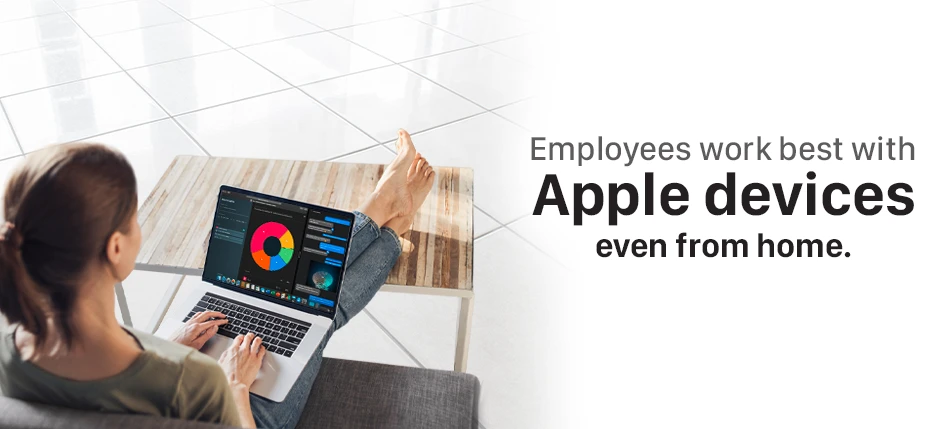
Enhance Remote Working with Apple & Team Computers

Work from home is not a new concept to the companies, but Covid-19 has definitely rushed the process. Now, the pandemic has many employees planning to work in the same way in the long run that they hadn’t previously considered. But with changing working patterns, comes the changing way to handle the situation. Managers are shifting away from directing work to employees towards training them to success. They are helping them build social and emotional connections to ensure that they feel connected with their co-workers and work seamlessly. The communications are becoming more open, giving corrective feedback, and revamping the team’s objectives and expectations. Learn how Apple is helping employees to be more productive >

Let’s list down a few positive impacts quantified with these transformations:

  • A study by Stanford found that the productivity in employees while work from home can be increased 13% more than in traditional settings previously. A study from OWLLabs in 2019 also stated that people are 24% more likely to report feeling happier while working from home being more productive at their jobs.
  • There is a 50% increase in employee retention rates while working from home. And they are less likely to take sick leaves for not being exposed to germs in the workplace and travel space.
  • Most evidently, there is a reduction in overhead costs for both employees and employers. Also, reduced traveling is protecting the environment with fewer vehicles on the streets.
  • While some industry sectors like IT have been following the remote working policies for a long, but according to a report by Business Insider, the phenomenon is increasing in other industries also like legal, marketing, project management, real estate, insurance, and nonprofits.
  • We all know that remote working is here to stay now. The recent survey of remote workers found that 99% of them overwhelmingly said they wanted to work from home, at least some of the time in their careers.

With this changing approach, the expectations from IT companies to make the process of remote working seamless is more than ever today.

Let us know how Apple & Team Computers are working together on seamless deployment & integrations of devices within your organization with doorstep delivery across India to enable productive & efficient remote working for your employees.

  • Apple in business gets the right performance & power to employees to work at best from wherever they work. With the latest processors, the RAM and storage you need, and all-day battery life, Apple ends up being the best technology to adapt from wherever you work. This enables employees to stay focused on what is more essential for your business to do, quickly, comfortably, and in their own way.
    Learn how Apple is helping employees to be more productive >
  • Apple allows you to connect with your teams and collaborate with your customers from anywhere anytime with iCloud. With all live updates on all your devices, you and your collaborators will be able to be on the same page always. Also, work with the team on documents, presentations, and spreadsheets together.
  • Apple enables easy management and zero-touch deployment. We help you to set up and deploy Apple devices throughout your organization at any scale. Apple Business Manager and MDM solution automate the enrollment process of devices, simplify their configuration & management, and enable wireless sharing.
    Learn more about zero-touch deployment
  • Team Computers’ adoption managers & customer experience officers do on-site as well as virtual training and workshops to help employees take maximum advantage of the unique features of Apple devices which are meant to enhance your business & their productivity.
  • With Apple devices, you also save time & resources on encryptions and configurations as they are absolutely secured by design & help you keep your business away from cyber threats.
    Learn more about Apple’s platform security
  • And last but not the least, Apple devices can be less expensive than other devices in your system not only because of its total costs of ownership but also with the great customizable financial solutions offered by Team Computers.
    Learn more about Apple affordability

So introduce Apple devices to your new work from anywhere system without any worry with Team Computers’ Apple experts.
For more information, visit: https://www.teamcomputers.com/Apple
or feel free to contact us at sales.india@teamcomputers.com

Top 10 benefits Team Computers gained from Workplace by Facebook Implementation

Workplace by Facebook makes the impossible possible by bringing everybody on the same page, quite literally! It is the newest addition to our portfolio and our organization never seemed so connected, be it our business goals, values or our every day updates and achievements. More so, a connected and shared culture is nurtured and built across the whole organization. Workplace combines the technology behind the most popular social media platform today and easy-to-use- features to transform communication, culture, and workflows inside businesses of all shapes, sizes, and industries.

Following are the top 10 features that sealed the deal for Team Computers:

  • Connecting employees across locations- including resident engineers
    The workplace gives everyone a voice and the tools to get it heard. It promotes connections so that everyone remains in touch- irrespective of their locations. Whether they’re down the hall, working from home or simply across the globe!  We’re actually just a click away! Such connections can be enhanced through the mentioned features of the workplace:

    • Share important information and organization announcements via News Feed
    • Encourage two-way communication with likes, comments, and reaction
    • Talk to anyone in any language with Auto-translate
    • Keep in touch on the go with mobile apps
  • Auto addition and removal of people at the time of joining and leaving the organization
    Employees are given access to a set of information upon their recruitment. It is extremely imperative that the confidential information remains subject to the organization and doesn’t travel further, upon their exit. The workplace makes it extremely easy to add people to groups according to their departments, designations, etc. Not just that, they can be swiftly removed from the respective groups while leaving, without any threat to the organizational information.
  • Easy polls and surveys to gauge the pulse of the organization
    Polls can help make decisions faster as a team. They can be used to gather feedback, create meeting agendas, and set meeting times. An official set of company resources like the latest HR policy, help desk FAQs and more can be curated through the same. Additionally,  a central space can be created to find out what employees think by running a quick poll and gather views and comments for an idea. In this way, a two way top to bottom communication is established and boosted.
  • Ease at Employee Onboarding
    Workforce planning is the cornerstone of a great hiring process. If you’ve been around an HR recruiting space, you’d know how noisy it gets. The workplace makes it quiet & easy. It is an effective tool to immediately make employees feel at home, without any rigorous training regarding the usage of the communication platform. The new-joiners can easily be added to the group with the required training material. Due to the far and wide reach of Facebook, using the workplace becomes a cakewalk. Through the org chart, the new joiners instantly know the right person to reach out to and through what channel.
  • Live feature for a real-time and regular connect
    Team Computers’ CEO, Ranjan Chopra, uses the live feature on the workplace to be connected with everyone on a regular basis. This way nobody is left out from the organizational news and talks remain a part of the flow of information coming from the top. A notification is floated across to each profile to update as and when he goes live to address the organization- whether it is to wish everyone on a festival, or to generally keeping everybody in the loop.
  • Groups dedicated to a particular cause
    We, at Team, have a group BIG WINS dedicated exclusively to broadcast good news and wins across the organization. It can be used both as an information platform, as well as a platform to motivate employees to make ‘winning a habit’! Also, multi-company groups can also be created for projects with stakeholders outside the organization and discuss projects, manage information and share documents. The groups are also supported by workplace chat for real-time communication with the group participants. It is also extremely convenient to search on the group page and find posts, files, or comments one needs to refer to. Groups can be created with different privacy considerations depending on what kind of group you’re an admin of. The workplace has three different group privacy settings:Open: anyone can see the group, its members and its posts.
    Closed: anyone can see the group and who’s in it. Only members can see posts.
    Secret: only members can find the group, see who’s in it and see posts.
  • Recognition as an efficient mode of motivation
    For many employees, a compliment – not compensation – makes all the difference when it comes to feeling valued at work. That’s why Workplace can help HR teams build a culture of recognition and care. The effort to find and recruit top talent is wasted if we can’t keep hold of your best employees. In order to improve employee engagement, recognition can be one of the biggest drivers of company culture. It influences relationships, happiness, and values – all the good stuff that you want your organization to be known for. With badges curated to thank peers, you can publicly thank an employee and notify his/her manager too.
  • Makes working much more easier
    Workplace connects with tools you’re already using, such as G Suite, Office 365 and Dropbox. So, one would not face the complexities of migrating and losing data. Anyone can start using it straight away. It doesn’t just end there, here is what’s more:

    • Workplace connects with over 50 popular enterprise tools
    • Familiar features make Workplace easy to adopt
    • Automate everyday tasks with bots
    • Build your own bots and integrations
    • Share files and photos in groups
    • Machine learning makes Workplace smarter and more relevant over time
  • Hosting meetings- no more a hassle 
    Hosting meetings can get tricky when the staff scattered across the country or around the world. Workplace makes it easy by having voice and video calling available with every chat. Host a meeting with your team using video calling, or broadcast it by going live to your organization’s group. If anyone can’t make the meeting, going live in your team group will automatically post the recording so they can watch it later.
  • To top it all, it’s absolutely secure!
    Workplace leverages the same best-in-class frameworks and infrastructure that help to secure consumer. The security layers include being able to grant permissions to particular users in your organization, controlling programmatic access to your content with API security, and enforcing single-sign-on for everyone. The workplace uses proactive security measures from Facebook to protect user accounts authenticated by username and password.

Thus, Workplace by Facebook emerges as a go-to tool for organizations looking for employee connectivity like never before. It’s extremely user-friendly, with an interface suited for easy adoption and usage. Switch to the workplace to transform the way your “workplace” connects and operates.

Introducing G Suite Lab

Immersive environments for you to experiment in.

It’s been a busy year for G Suite. Gmail celebrated its 15th birthday and launched a slew of updates at Google Cloud Next ‘19. News about G Suite—intelligent apps that make working together easier, for faster decisions and better business results.

The new features focus on helping you write emails faster (with the help of machine learning), and also made it possible to schedule when your emails go through to colleagues. Gmail also got more dynamic so that you can take action straight from within your inbox, like resolving Google Docs comments. Lastly, Gmail’s mobile interface a good sprucing up—hello gorgeous!

With the belief that all work tools should integrate together easily, no matter if they’re Google apps or apps outside of G Suite. A new way introduced to comment on Microsoft files and beefed up integrations with Dropbox.

The best way to know these updates is by doing!
We’re excited to announce new G Suite Hands-on Labs! Built for you to test, create and learn the G Suite way.

Who should participate:
If you are part of Strategy, HR, Marketing or IT and want to learn how your organization efficiency could be increased using G Suite, you must be part of this lab.

What will you get:
– A deep dive on industry use cases and do it yourself.
– Learn how to manage the change in your organization.
– Resources and material that can be used in your organization to bring this change.

The first Lab begins in September’19. Stay tuned for updates!