Mac at Work

When you hear the word Apple, most people instantly think of the iPhone. But in workplaces around the world, another Apple product is quietly making a big impact — the Mac. From startups to global enterprises, more and more professionals are choosing to work on a Mac every day.

Why Employees Prefer the Mac

Ask any employee who uses a Mac at work and you’ll hear a common answer: it just works. The smooth performance, fast startup, and intuitive interface make day-to-day tasks easier.

  • Designers love the Mac for its brilliant display and powerful creative tools.
  • Developers value its reliable operating system and easy integration with coding environments.
  • Managers and executives enjoy the simplicity of managing their schedules, documents, and calls without glitches.

On top of this, many employees already use iPhones or iPads at home. When they come to work and find a Mac on their desk, the transition is effortless. Features like AirDrop, iCloud, and Handoff let them move from personal to professional tasks without friction. This familiarity makes them feel comfortable and productive right from the start.

Why Companies Choose the Mac

For companies, the choice is not just about keeping employees happy — it’s about long-term benefits.

  • Lower support needs – Macs don’t break down often, and when they do, issues are usually solved quickly. That means less pressure on IT teams.
  • Built-in security – Regular software updates and Apple’s focus on privacy give organizations peace of mind. Data protection is strong right out of the box.
  • Cost efficiency over time – While Macs may cost a bit more upfront, they last longer and require fewer repairs. The total cost of ownership often turns out to be lower than other laptops.

There’s also a human side to this. When employees feel valued with good tools, their motivation and loyalty to the company grow. A Mac is not just a device; it’s a statement that the company cares about quality and employee experience.

The Workplace Advantage

Work today is fast-paced and global. Employees need technology that keeps up with them, not slows them down. A Mac offers:

  • Speed to handle complex tasks.
  • Stability to avoid constant disruptions.
  • Security to protect sensitive business data.

For creative teams, the Mac is often the heart of design, video editing, and content creation. For IT teams, it reduces headaches with easier device management. And for business leaders, it improves employee satisfaction and overall productivity.

A Future-Ready Choice

The world of work is changing. Hybrid models, remote teams, and digital-first strategies are becoming the norm. In this environment, Macs give companies a future-ready advantage. They integrate seamlessly with cloud tools, enable smooth collaboration, and keep employees connected wherever they are.

More than just a computer, the Mac is proving to be a reliable partner at work — empowering employees, easing IT operations, and helping businesses stay ahead.


Empowering GCCs with Team Computers and Apple

Global Capability Centers (GCCs) in India are transforming the way global businesses operate. They are no longer just back offices but innovation hubs driving strategy, technology, and growth. To thrive, these centers need cutting-edge tools, secure systems, and smooth digital experiences for their employees. This is where Team Computers, in partnership with Apple, steps in.

The Power of Apple in the Workplace

Apple devices are loved worldwide for their performance, design, and security. For employees, they bring speed, reliability, and ease of use. For companies, they deliver strong data protection and lower support costs. When employees work on devices they enjoy using, productivity and creativity naturally rise.

How Team Computers Makes It Possible

Being India’s first Apple Authorised Enterprise Reseller (AAER), Team Computers bridges the gap between Apple technology and enterprise needs. Their role goes far beyond just supplying devices:

  • End-to-end support – From procurement to deployment, Team Computers ensures Apple devices are set up right and ready to use from day one.
  • Lifecycle management – They manage upgrades, repairs, and replacements, so IT teams don’t have to worry.
  • Custom workplace solutions – From mobile device management to secure connectivity, they tailor solutions for large enterprise environments.
  • Training and adoption – Employees get guidance and support to make the most of Apple’s ecosystem at work.

Transforming GCCs with Apple + Team Computers

For GCCs, this partnership means faster adoption of modern digital tools and smoother employee experiences. Teams get:

  • Secure and scalable IT infrastructure that meets global compliance standards.
  • Device-as-a-Service models, so companies can pay for technology as they grow, without heavy upfront costs.
  • AI-enabled support and proactive monitoring, ensuring maximum uptime for critical operations.
  • Happier employees, thanks to working on devices they genuinely like.

A Partnership for the Future

The collaboration between Team Computers and Apple is not just about selling devices — it’s about empowering organizations to innovate. With India emerging as a global hub for GCCs, this partnership is helping companies unlock new levels of efficiency, security, and employee satisfaction.

Together, Team Computers and Apple are building the workplaces of the future — where technology works seamlessly, and people do their best work.

4 Questions to ask before selecting a Master Data Management Solution

Are you looking to drive better, faster analytics and insights by identifying conflicting or redundant customer information across enterprise applications? Do you want to reduce the time and effort needed for data stewardship by improving the accuracy of automated merging processes? Has a merger or acquisition in the recent past led to disconnected data sources?

Get a 720 degree view of your customers, products, suppliers with Master Data Management. There are a plethora of Master Data Management solutions available in the market today. Informatica and Orchestra Networks have been named leaders in this space in the 2018 Gartner Magic Quadrant for Master Data Management Solutions. But before you go ahead to fixing on a platform, here are 4 aspects you need to define:

1. The Business Problem to be solved

Be Specific about what isn’t working clearly and concisely, so as to know exactly what is to be fixed. There is no point going out looking for a solution if the problem is not central to your business or you see so significant benefit in solving it. Ensure that you have clearly identified the specific impact the project should have in terms of business results to be measured throughout the entire project.

2. The Data you require

These are all the new subject areas about the customer that matter for the business and would be needed to feed the customer profiles. For example, we may need data about the products, employees, retail locations, branches, channels, and distribution partners to enrich the understanding of the customers and the business they do with the company. To fulfil the goal of using the customer profiles to improve the quality of cross-sell and upsell recommendations, clean, consistent, and connected data on products is needed to determine customers’ past purchases.

3. Your Data sources

Particularly the ones that are going to be used for enriching the Customer Gold Record. Example, external data sources like third-party data providers for demographics, income, education level, and the social networks that the customers are using.

4. Your Target Applications

Once the foundation of clean, consistent, and connected data would have been built, it needs to be shared with the business and analytical applications that run the business. To deliver great customer experiences, it is important that the customer profiles fuel target applications like CRM, the point of sale, customer service help-desk, campaign management, and marketing analytics. It’s the only way to make sure everybody’s working with great customer data that’s come from a single trusted source of truth.

Once you have these four in place, you can good to go ahead and evaluate the best-fit Master Data Management Solution. Get in touch with us at analytics@teamcomputers.com to brainstorm on how to start your MDM journey.

Do you really know your customers?

Your business has been growing at a steady rate. Your sales reps are able to close deals and you’re pretty much satisfied with the way things are running.

But are you certain this growth will prevail year on year?

With more and more competitors entering the market, delivering a customized and consistent experience to your customer is the only solution to retaining them.

You ask how?

The technology landscape at most growing NBFCs comprises of a system developed in-house on a database (like Oracle) for handling processes like Customer Onboarding, Loan Disbursement and Money Transfer while other process like HR and Finance are managed on ERP.

With the proliferation of data from multiple sources such as social media, mobile application usage and clickstream data, it has become imperative to integrate internal channels with external sources to get a 720 degree view of the customer, and allow it to delve into each customer’s interaction sequences, needs and current life events to serve them better and benefit from actionable insights in their operations.

Imagine This

This whole story, from its beginning to its end, illustrates what can be done when a bank or NBFC has comprehensive visibility into their full relationship with their customers. Too many companies have increased costs from flying blind in seemingly routine, every day customer interactions.

Treating all customers as equal doesn’t work so businesses have a choice:

Take control of the problem or leave these decisions to simple chance?

Data is your biggest asset, leverage it.

After the complete implementation, the MDM can be leveraged in a variety of ways to drive its value and maximise the RoI:

– Achieve better, faster analytics and insights by identifying conflicting or redundant customer information across enterprise applications in less time

– Reduce the time and effort needed for data stewardship by improving the accuracy of automated merging processes – Accelerate ROI from growth-based initiatives like mergers and acquisitions by making it easier to integrate master data from new sources

– Simplify and automate accurate regulatory compliance reporting with more trusted visibility into business-critical master data

Get in touch with us at analytics@teamcomputers.com to brainstorm on how to start your MDM journey.

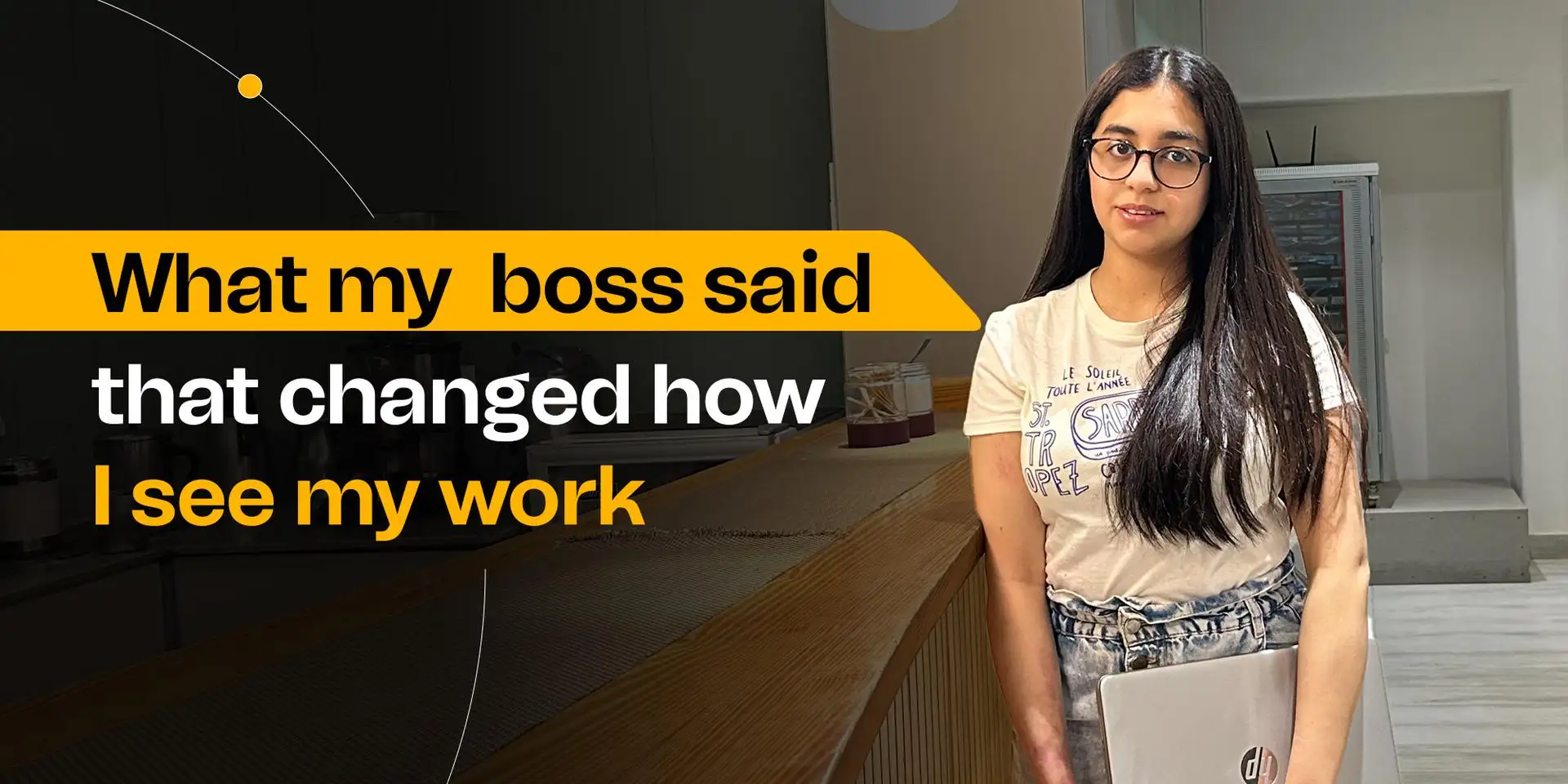
WHAT MY BOSS SAID THAT CHANGED HOW I SEE MY WORK

Internships are often portrayed as exciting opportunities to dip your toes into the real world, and to some extent, that’s true. But what no one tells you is how overwhelming they can be—especially when you’re trying to prove your worth, learn fast, and meet deadlines all at once. I learned this all during my internship, until a single sentence from my boss completely changed how I view my work and manage my time.

My internship started off on a high note. I was eager, energetic, and ready to impress. I said “yes” to every task. My to-do list kept growing, and before long, my days felt chaotic. I spent hours reviewing, rewriting, and rechecking everything before submitting it. I wanted every report, presentation, or task I worked on to be near perfect. But in my effort to be thorough, I started missing soft deadlines. A task due “by the end of day” sometimes gets submitted the next morning. A follow-up that should’ve taken a couple of hours took an entire day. No one raised alarms at first, but I started noticing small signs of frustration—tasks getting reassigned, meetings being rescheduled. Right after that, my manager explained that you do great work, but in a team environment, late is the same as incomplete. That sentence stuck with me. I had always thought quality should outweigh speed. I told her I wanted to make sure everything I submitted was excellent. She nodded and said, “I admire your dedication, but you’re not working in isolation. Your part of the work often feeds into someone else’s. If your piece is delayed, their piece is delayed—and that ripple effect adds stress to the entire team.” She wasn’t angry—she was trying to help me understand something crucial: when you’re part of a team, your time management affects everyone. That conversation completely changed how I viewed deadlines. I realized that timeliness isn’t just about meeting a checkbox. It’s a sign of reliability. It shows that you respect your teammates’ time & priorities. And in a professional environment—especially during an internship where every impression counts—being dependable can be just as valuable as being talented. As an intern, it’s easy to think that your only job is to do great work and impress people with your skills. But that’s only half the picture. The other half is being consistent, dependable, and aware of how your actions affect the team around you. What my manager told me—Late is the same as incomplete”—completely reframed how I approach my work. It’s a lesson I’ll carry with me into every job going forward:
Doing your work well is important. Doing it on time is essential.

Creating Immersive Guest Experiences: The Role of AV Integration in Hospitality

Introduction

The hospitality industry thrives on delivering exceptional guest experiences. As consumer expectations evolve, so does the need for innovative approaches to elevate service quality. Audio-visual (AV) integration has emerged as a transformative tool in hospitality, enabling hotels, resorts, and event venues to create immersive and memorable environments. By leveraging cutting-edge AV technology, the industry can redefine guest engagement and set new benchmarks for service excellence.

Understanding Immersive Guest Experiences

What Defines an Immersive Hospitality Experience?
An immersive guest experience goes beyond luxury amenities and impeccable service. It combines interactive technologies, personalized touches, and sensory enhancements to create a captivating environment. Whether it’s a visually stunning lobby or an interactive in-room entertainment system, these experiences leave lasting impressions.

The Emotional and Practical Benefits for Guests
Immersive experiences evoke positive emotions, fostering deeper connections between guests and brands. They also enhance convenience, enabling seamless navigation, entertainment, and communication within hospitality spaces.

The Role of AV Integration in Modern Hospitality

  • Blending Tradition with Innovation
    AV integration allows hospitality providers to merge traditional service values with modern technologies. From smart check-ins to interactive concierge systems, it enhances the guest journey while maintaining the human touch.
  • Creating Memorable Environments
    Dynamic lighting, high-definition displays, and ambient soundscapes transform spaces into captivating environments. For example, a hotel lobby can shift moods throughout the day with adjustable lighting and curated audio experiences.

Core AV Technologies Transforming Hospitality

  • Interactive Displays and Digital Signage
    Digital signage offers real-time updates, event information, and wayfinding assistance, enriching the guest experience. Interactive kiosks further streamline check-ins and provide personalized recommendations.
  • Advanced Sound Systems for Ambiance and Communication
    High-quality sound systems are pivotal in creating a relaxing atmosphere in lounges or energizing environments at events. Clear audio in conference rooms ensures impactful communication during meetings.
  • Projection Mapping and Immersive Visuals
    Projection mapping turns ordinary spaces into extraordinary experiences. It allows event spaces or restaurants to transform with dynamic visuals, enhancing themes and storytelling.

Enhancing Guest Engagement with AV Solutions

  • Personalizing the Guest Journey
    In-room AV systems allow guests to control lighting, temperature, and entertainment with a single device. Customizable content, such as tailored welcome messages or curated playlists, adds a personal touch.
  • Elevating Event Experiences
    Event venues equipped with advanced AV tools attract corporate clients and event planners. From holographic presentations to synchronized sound and visuals, these technologies ensure unforgettable events.

Challenges in Implementing AV Integration

  • Balancing Costs with ROI
    While AV systems promise significant enhancements, the initial investment can be substantial. Calculating long-term ROI, such as increased bookings or higher guest satisfaction, is essential for justifying costs.
  • Ensuring System Reliability
    AV systems must be dependable. A malfunction during a high-profile event or a guest’s stay can damage reputation. Regular maintenance and robust support systems are critical for minimizing downtime.

The Future of AV in Hospitality

  • Emerging Innovations
    The future of hospitality AV lies in technologies like AI-driven chatbots integrated with AV systems, immersive VR experiences for virtual hotel tours, and voice-activated room controls. These innovations promise to redefine the guest journey.
  • Long-Term Impact on Guest Expectations
    As guests become accustomed to personalized, tech-enhanced experiences, the demand for AV integration will grow. Hospitality providers that adopt these tools early will lead the way in setting industry standards.

Conclusion

AV integration is not merely an add-on; it is a necessity for modern hospitality. By crafting immersive experiences, hotels and venues can exceed guest expectations, foster loyalty, and stay competitive in a rapidly evolving landscape. As technology continues to advance, the possibilities for creating unforgettable guest journeys are limitless. Hospitality businesses must embrace this transformation to redefine excellence in service and experience.

Enhancing Corporate Events with AV Integration: Tips and Best Practices

Introduction

Corporate events are no longer limited to simple presentations or panel discussions. Today, they are immersive experiences designed to captivate audiences and communicate messages with impact. Audio-visual (AV) integration has become the cornerstone of this evolution, enabling event planners to craft dynamic and memorable experiences. Leveraging cutting-edge AV technologies is not just an enhancement—it is essential for modern corporate events.

Understanding AV Integration in Corporate Events

  • Defining AV Integration: Beyond Basic Technology
    AV integration is more than setting up projectors and microphones. It encompasses the strategic use of audio, video, lighting, and interactive technologies to create cohesive and engaging event environments.
  • The Evolving Expectations of Event Attendees
    Modern audiences expect more than static content delivery. They seek interactivity, high-quality visuals, and seamless transitions that reflect professionalism and innovation. Effective AV integration meets these expectations, leaving lasting impressions.

Key AV Technologies for Corporate Events

  • High-Definition Displays and Video Walls
    Large-scale video walls and high-definition displays command attention and deliver crisp visuals, ensuring that key messages resonate with every attendee in the room.
  • Advanced Sound Systems for Crystal-Clear Audio
    Clear, balanced audio is vital for audience engagement. Advanced sound systems eliminate distortion, ensuring every word and note reaches its intended audience without interruption.
  • Interactive Technologies and Audience Engagement Tools
    Touchscreens, virtual reality experiences, and gamified elements foster interaction, turning passive attendees into active participants. These tools make events more memorable and enjoyable.

Planning AV Integration for Events

  • Aligning AV Strategies with Event Objectives
    Every corporate event has unique goals, from product launches to training sessions. AV strategies should align with these objectives to amplify their effectiveness and impact.
  • Conducting a Comprehensive Venue Assessment
    Venue size, layout, and acoustics significantly influence AV setup. A thorough site assessment ensures that technologies are optimally deployed to suit the space.

Designing Seamless AV Experiences

  • Creating Cohesive Audio-Visual Themes
    AV components should harmonize with the event’s branding and messaging. Consistent color schemes, lighting effects, and audio cues reinforce the overall theme.
  • Optimizing Lighting and Sound for Diverse Event Types
    From intimate boardroom sessions to grand-scale conferences, lighting and sound must adapt to the occasion. Strategic adjustments ensure comfort and clarity for all attendees.

Enhancing Audience Engagement with AV

  • Real-Time Polling and Q&A Systems
    Interactive tools like live polls and Q&A platforms foster engagement, allowing audiences to voice opinions and interact with speakers in real time.
  • Live Streaming and Hybrid Event Capabilities
    Hybrid events combine in-person and virtual attendance, broadening reach and inclusivity. High-quality live streaming ensures remote participants feel equally involved.

Common Challenges in AV Integration

  • Technical Glitches and How to Avoid Them
    Even minor technical failures can disrupt an event. Rigorous pre-event testing and having technical support on standby are critical for avoiding mishaps.
  • Budget Constraints and Strategic Resource Allocation
    AV technologies can be costly, but prioritizing essential elements and negotiating with vendors ensures high-quality outcomes within budget.

Best Practices for Successful AV Integration

  • Partnering with Experienced AV Vendors
    Collaborating with seasoned AV professionals guarantees access to the latest technologies and expert guidance, ensuring smooth execution.
  • Ensuring Pre-Event Testing and Contingency Planning
    Testing every component well in advance prevents last-minute surprises. Backup equipment and contingency plans safeguard against unforeseen challenges.

Case Studies: AV Success in Corporate Events

  • Examples of Impactful AV Implementation
    A global product launch used 3D projection mapping to showcase innovation, leaving audiences in awe. Another company integrated AR to immerse attendees in its brand story, boosting engagement.
  • Lessons Learned from Industry Leaders
    These success stories underline the importance of meticulous planning, audience-focused design, and leveraging cutting-edge technologies for impactful results.

Conclusion

As corporate events evolve, so too must the strategies employed to captivate audiences. AV integration is the linchpin of this transformation, offering tools to enhance engagement, reinforce messaging, and create unforgettable experiences. By prioritizing AV in event planning, businesses can elevate their events and stand out in an increasingly competitive landscape.

Navigating the Future: Android Enterprise Trends Shaping 2024-2025

As enterprises stride into 2024, Android continues to redefine the contours of workplace mobility. With its adaptable ecosystem and robust security features, Android Enterprise is setting benchmarks for digital transformation across industries. Here’s an in-depth look at the trends shaping Android’s enterprise future.

1. Edge Computing Meets Mobile Workflows

With the rise of edge computing, Android devices are transforming into powerful nodes that process data closer to its source. This minimizes latency and enhances real-time decision-making, particularly in industries like logistics and healthcare. For instance, wearable Android devices equipped with edge AI can analyze data on the fly, empowering workers with actionable insights instantly.

2. Enhanced BYOD Capabilities

Bring Your Own Device (BYOD) policies are seeing renewed interest. Android’s work profile capability ensures that personal data remains private while business data is securely managed. The trend in 2024 leans towards more intuitive interfaces and seamless switching between work and personal spaces.

3. Sustainability Through Extended Device Lifecycles

Environmental sustainability is a key focus. Enterprises are opting for Android devices with modular designs, enabling easy repairs and upgrades. Google’s continued commitment to software updates for up to 5 years further prolongs device usability, reducing electronic waste.

4. AI-Driven Mobile Experiences

Artificial Intelligence (AI) is supercharging Android’s enterprise applications. Predictive analytics, AI-driven automation in apps, and conversational AI for customer support are helping businesses streamline operations and deliver superior user experiences.

5. Robust Security Innovations

Android’s continual investment in endpoint security is paying dividends. Features like biometric authentication, secure boot processes, and malware detection powered by machine learning are setting a gold standard for mobile security.

Conclusion

As Android drives enterprise mobility into uncharted territories, businesses must stay agile, embracing these trends to remain competitive. The future is about harnessing the power of innovation to create agile, connected, and secure work environments.

Enterprise Mobility Reimagined: How Google Workspace and Android Are Transforming Workplace Productivity

The intersection of Google Workspace and Android is revolutionizing enterprise mobility. Together, they create a seamless ecosystem where productivity knows no bounds.

1. Seamless Collaboration Across Devices

Google Workspace apps are optimized for Android, ensuring a consistent user experience whether on a smartphone, tablet, or Chromebook. Real-time collaboration on Google Docs, Sheets, or Slides has never been easier, thanks to enhanced mobile capabilities.

2. Optimized Workflows with App Integration

Deep integration between Google Workspace and Android enables automated workflows. For instance, Google Assistant can schedule meetings, update task lists in Google Keep, and even summarize emails from Gmail—all with simple voice commands.

3. Enhanced Video Conferencing with Meet

As remote work becomes a norm, Google Meet’s optimizations for Android devices are pivotal. Enhanced noise cancellation, real-time captions, and support for virtual backgrounds ensure professional-grade video conferencing, regardless of the user’s location.

4. Security Meets Accessibility

Android Enterprise ensures that Google Workspace applications operate in a secure environment. With built-in features like sandboxing, encrypted storage, and enhanced endpoint management, IT administrators have greater control over enterprise data.

5. Focused Innovation for the Hybrid Workforce

From smart scheduling to cross-device copy-paste functionality, Google Workspace on Android is tailored for the hybrid work model. Employees can switch effortlessly between devices, maintaining productivity without disruptions.

Conclusion

Google Workspace and Android epitomize enterprise mobility reimagined. As businesses embrace hybrid work models, this synergy will continue to redefine workplace productivity.

Securing the Mobile Enterprise: Android’s Latest Innovations

In an era where cyber threats are evolving faster than ever, Android is stepping up its game to secure the mobile enterprise. From sophisticated threat detection mechanisms to advanced management tools, Android Enterprise is redefining what it means to safeguard mobile workforces.

1. Proactive Threat Detection

Android leverages machine learning to identify potential threats before they escalate. Google’s Play Protect scans over 100 billion apps daily, ensuring that enterprise devices remain malware-free.

2. Multi-Layered Security Framework

Android’s security model incorporates multiple layers, including:

  • Hardware-backed encryption: Protects sensitive enterprise data.
  • Secure boot: Verifies the integrity of the device’s software at startup.
  • Biometric authentication: Offers a frictionless yet secure way to access devices and apps.

3. Advanced Management Tools

Android Management APIs give IT admins fine-grained control over devices, enabling them to enforce security policies, manage app permissions, and wipe corporate data remotely. These tools are crucial in BYOD scenarios, ensuring a secure partition between personal and work data.

4. Zero-Trust Architecture

Android’s adoption of zero-trust principles ensures continuous validation of user and device identity before granting access to corporate resources. This is particularly beneficial in a remote work context, where endpoints are more vulnerable to attacks.

5. Regular Security Updates

Android’s monthly security patches and long-term support for enterprise devices help mitigate vulnerabilities. Enterprises can confidently deploy Android devices, knowing they are protected against the latest threats.

6. Collaborations with Industry Leaders

Google collaborates with OEMs and MDM providers to enhance Android’s security ecosystem. This ensures businesses have access to a diverse range of secure devices and management solutions.

Conclusion

Android’s relentless focus on security is setting the standard for mobile enterprise environments. Businesses must leverage these innovations to stay ahead in a world where securing endpoints is paramount.