Modernizing Enterprise IT Through Legacy System Integration

Many large enterprises still rely on legacy systems that power critical business operations. These platforms often manage finance, supply chain processes, or customer data that organizations cannot easily replace.

However, legacy systems frequently struggle to integrate with modern technologies such as cloud platforms, analytics tools, and digital applications.

This creates a major challenge for IT leaders: how to innovate without disrupting systems that businesses still depend on.

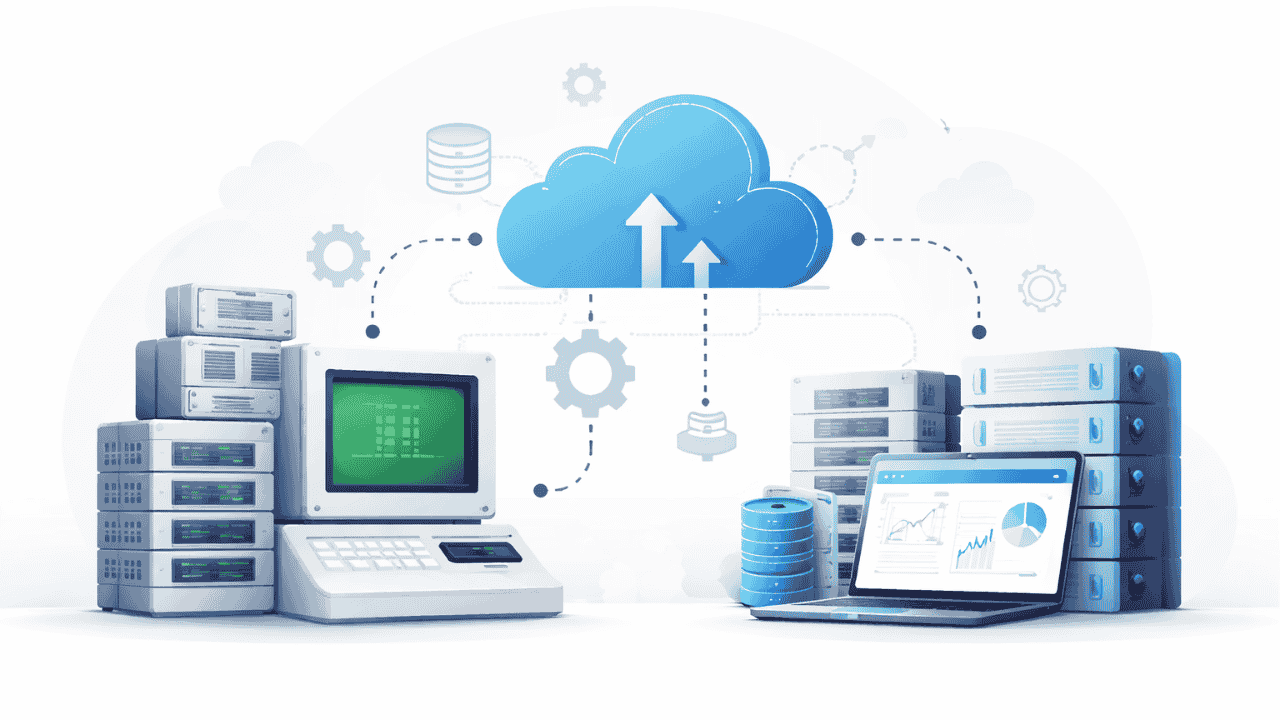
Legacy system integration offers a practical path forward. Instead of replacing legacy platforms entirely, integration allows enterprises to connect them with modern applications and infrastructure.

In this blog, we explore how legacy system integration enables organizations to modernize their IT environments while preserving critical operational systems.

Why Legacy Systems Still Matter in Enterprises

Despite rapid technological innovation, legacy platforms remain essential for many enterprises because they continue to support critical business operations. These systems often handle key functions such as financial processing, supply chain operations, regulatory compliance systems, and mission-critical databases that organizations rely on daily.

Replacing these platforms entirely can be both risky and expensive, as it may disrupt core processes and require significant time and investment. However, legacy systems also present several challenges.

They often have limited compatibility with modern applications, outdated interfaces, and a lack of real-time data capabilities, which makes it difficult for organizations to integrate them with newer technologies. As a result, these limitations can slow down digital transformation initiatives and prevent enterprises from fully leveraging modern IT innovations.

How Legacy System Integration Enables IT Modernization

Legacy system integration bridges the gap between older infrastructure and modern technologies, allowing organizations to modernize their IT environments without replacing critical systems. Through effective integration, enterprises can connect legacy databases with modern analytics platforms, expose legacy system data through APIs, and automate workflows between legacy and cloud systems.

This approach enables businesses to leverage the capabilities of existing platforms while extending their functionality within modern digital ecosystems. As a result, organizations benefit from faster innovation without the need for full system replacement, improved access to enterprise data, and significantly lower modernization costs.

By integrating legacy systems into broader IT architectures, enterprises can continue using reliable platforms while supporting digital transformation initiatives. For more insights, read Future-Ready IT Infrastructure with Enterprise Systems Integration,

Integration Approaches for Legacy Systems

Organizations can modernize legacy environments through several effective legacy system integration strategies that connect older platforms with modern technologies. One common approach is API wrapping, where legacy system capabilities are exposed through APIs, allowing modern applications to access their data and functions easily.

This method enables faster application connectivity and improved system interoperability without altering the core legacy system. Another approach is middleware integration, where middleware platforms act as translators between legacy and modern systems, enabling seamless data transformation, communication, and workflow automation across different applications. Additionally, data synchronization tools allow legacy databases to sync with modern data platforms, ensuring that information remains consistent and accessible.

This integration enables enterprises to leverage real-time analytics and insights across enterprise systems, helping organizations modernize their IT environments while preserving the value of existing legacy infrastructure.

How Team Computers Supports Legacy System Integration

Team Computers helps enterprises integrate legacy systems into modern IT environments without disrupting business operations.

Our approach focuses on:

  • assessing legacy infrastructure
  • designing integration architectures
  • implementing scalable connectivity frameworks

With decades of experience in enterprise IT environments, we ensure legacy systems continue delivering value while supporting modern digital initiatives.

“Legacy systems still power many enterprise operations. Integration allows organizations to unlock their data and capabilities while adopting modern technologies.”
– Head of IT, Team Computers

Legacy systems remain deeply embedded in enterprise environments.

However, organizations do not need to replace them to achieve modernization.

Legacy system integration enables enterprises to connect existing platforms with modern applications and infrastructure.

Key takeaways:

  • Legacy systems still support critical business processes
  • Integration bridges the gap between old and new technologies
  • Modern APIs and middleware enable seamless connectivity
  • Integration supports digital transformation without disruption

Explore how Team Computers can help modernize your IT ecosystem through secure and scalable legacy system integration – allowing you to innovate without compromising critical business systems.

The CIO’s Guide to Enterprise Systems Integration Strategy

CIOs today face a difficult balancing act. They must modernize infrastructure, adopt cloud platforms, improve cybersecurity, and support data-driven innovation—all while managing complex legacy systems.

Without a clear Enterprise Systems Integration Strategy, technology investments often create more fragmentation rather than efficiency.

Disconnected platforms, incompatible applications, and inconsistent data flows slow down business operations and limit the return on IT investments.

An effective Enterprise Systems Integration Strategy provides the roadmap needed to connect enterprise systems into a cohesive technology ecosystem.

In this guide, we explore how CIOs can build integration strategies that support scalable infrastructure, improve data visibility, and accelerate digital transformation.

Why CIOs Must Prioritize Systems Integration Strategy

Enterprise IT environments are becoming increasingly complex as organizations adopt multiple technologies to support their operations. Today, most enterprises run a mix of cloud platforms, on-premise infrastructure, SaaS applications, and legacy enterprise systems. While each system serves a specific business function, they often operate independently without a structured integration framework.

This lack of connectivity can lead to fragmented enterprise data, inconsistent operational workflows, and higher infrastructure management costs. Over time, these challenges reduce the effectiveness of technology investments and slow down decision-making. A well-defined integration strategy helps connect these systems into a unified ecosystem, ensuring that enterprise technologies work together seamlessly rather than functioning in isolation.

Core Pillars of an Enterprise Systems Integration Strategy

A successful enterprise systems integration strategy is built on three critical pillars: integration architecture, data integration, and security integration. First, enterprises must define a clear integration architecture that determines how applications, data, and infrastructure interact across the IT ecosystem. Common approaches include API-driven integration, event-driven architecture, and middleware-based integration, each designed to support different business objectives and technology environments.

The second pillar, data integration, ensures that information flows consistently and accurately across systems, enabling organizations to achieve unified business intelligence, real-time analytics, and improved operational visibility.

Finally, security integration is essential because cybersecurity cannot exist as a separate layer in modern IT environments. Instead, security controls must extend across cloud infrastructure, enterprise applications, and endpoint environments, ensuring that all integrated systems remain protected while data moves seamlessly between them. For a deeper understanding of how integration strengthens security frameworks, read

Also read: How Systems Integration Services Improve Enterprise IT Performance

Best Practices for CIOs Implementing Integration Strategies

Successful enterprise systems integration strategies rely on clear implementation principles that guide organizations through complex IT environments. One of the first steps is conducting a comprehensive IT ecosystem assessment to understand how existing applications, infrastructure, and data platforms interact.

Once this visibility is established, enterprises should prioritize high-impact integrations that deliver immediate operational value while supporting long-term digital goals. Standardizing APIs and data formats is another critical practice, as it ensures seamless communication between systems and reduces compatibility issues.

Additionally, implementing centralized monitoring systems allows IT teams to track integrations, detect performance issues, and maintain operational stability. By following these best practices, organizations can significantly reduce integration risks while accelerating implementation outcomes and improving overall IT efficiency.

How Team Computers Helps CIOs Execute Integration Strategies

Team Computers supports enterprises in designing and implementing scalable Enterprise Systems Integration Strategy frameworks.

Our approach focuses on aligning integration architecture with business objectives.

Our capabilities include:

  • enterprise architecture consulting
  • hybrid IT integration
  • data platform connectivity
  • infrastructure modernization

With decades of experience supporting enterprise environments, we help CIOs transform fragmented systems into cohesive digital ecosystems.

Enterprise technology environments will continue to grow in complexity.

A well-defined Enterprise Systems Integration Strategy helps CIOs maintain control while enabling innovation.

Key takeaways:

  • Integration strategies align technology investments with business outcomes
  • Structured architectures reduce IT complexity
  • Unified data ecosystems improve decision-making
  • Strategic integration accelerates digital transformation

If your organization is navigating complex IT ecosystems, Team Computers can help you design a scalable Enterprise Systems Integration Strategy that connects systems, data, and infrastructure for long-term success.

Managed IT Services: The Fuel for Digital Transformation Success

In the modern enterprise landscape, the mandate is clear: go digital or get left behind. We operate in an era where every business, at its core, is a technology business. Yet, true digital transformation is far more than adopting a new cloud service or launching a mobile app. It is a fundamental shift in how value is delivered, requiring a cohesive strategy, cultural change, and a resilient infrastructure.

For many organizations, this journey is daunting. The relentless pressure to innovate is constantly pitted against the daily grind of maintaining complex, legacy-driven, or siloed IT environments. Internal IT teams are often stretched thin, gasping for air as they juggle reactive issue resolution, compliance demands, and strategic planning. The resulting friction can lead to burnout, missed opportunities, and transformation initiatives that stall or, worse, fail.

This is where connected intelligence and expert support became essential for accelerating this journey. To achieve true Managed IT Services for Digital Transformation Success, enterprises are increasingly partnering with forward-thinking IT service providers. This partnership allows you to shift the burden of day-to-day operations and focus your vital resources on innovation, strategic growth, and delivering exceptional customer experiences, rather than routine maintenance.

In this blog, we will explore why this strategic shift to proactive IT management is a necessity for modern enterprises and how it can propel your organization’s transformation. We will dive into the complexity trap, the pivot from routine maintenance to velocity, the key considerations for selecting a transformational IT partner, and how our specific approach at Team Computers, powered by intelligent network services and AIOps, is uniquely positioned to accelerate your business outcomes.

The Complexity Trap: Why Digital Transformation Isn’t Self-Sustaining

Every digital transformation initiative introduces new layers of technical and operational complexity. While the ultimate goal is efficiency and growth, the pathway is often a multi-vendor landscape spanning hybrid and multi-cloud environments, modern applications, a distributed workforce, and a constantly evolving cybersecurity threat landscape.

This Expanding Ecosystem is inherently difficult to manage internally. IT teams become reactive, dedicating a disproportionate amount of time to monitoring systems, managing multiple toolsets, and responding to incidents after they have already impacted productivity. This constant noise from disparate systems leads to siloed visibility and operational gridlock. The internal team, meant to be an engine for innovation, becomes an issue management bottleneck.

The Cost of Being Reactive

Without a cohesive framework for proactive IT management, even minor technical issues can escalate into major disruptions. The business suffers from:

  • Decreased Performance and Resilience: Fragmented environments hinder performance, making it difficult to maintain reliable operations and strong governance.
  • Slow Deployment Cycles: Siloed systems delay the integration of new technologies, slowing down time-to-market and strategic velocity.
  • Rising and Unpredictable Costs: Ad-hoc management can lead to cost overruns and difficulty controlling operational expenditure.
  • Difficulty Maintaining Talent: Specialized skills required for complex technologies like modern data centers, intelligent networks, and AIOps are in high demand and hard to retain.
  • Lost Customer Trust: Uptime issues and reduced operational risk must be managed, as disruptions can directly impact CSAT and NPS.

This “complexity trap” is where many transformational efforts lose their momentum. To build a truly forward-thinking IT environment that is secure, automated, and future-ready, organizations must move away from the limitations of the reactive, day-to-day issue management approach.

From “Keeping the Lights On” to Driving Velocity: The Strategic Shift

Achieving Managed IT Services for Digital Transformation Success isn’t simply about outsourcing basic maintenance to control costs, though OPEX optimization is a key benefit. It is a strategic pivot that recognizes IT as a growth accelerator rather than a cost center. It means transforming how you utilize technology across your core compute, network, applications, and digital workplace.

When you utilize this type of connected approach, your internal resources are liberated. This allows them to focus on the high-impact strategic initiatives that drive business value and competitive advantage. The managed services provider acts as a knowledgeable, consultative IT partner, providing the predictive intelligence and operational stability you need to move at speed.

Strategic Value Over Routine Maintenance

Key ways that intelligent and proactive IT management accelerates your transformation:

  • Accelerated Innovation: Proactive support and modern technology services provide the stable foundation required to quickly deploy, adapt, and scale new digital solutions, supporting performance and continuity.
  • Enhanced Agility and Predictability: With automated tools and proactive monitoring, you gain simplified, reliable operations, improving operational expenditure management and overall business performance.
  • Access to Real Expertise and Best Practices: A forward-thinking IT partner brings deep expertise across diverse industries and technologies. You gain access to 38+ years of delivering IT services and 3000+ technical experts, reducing operational risk and ensuring stays aligned with business goals.
  • Strengthened Governance and Reduced Risk: A modern managed services framework integrates governance and risk reduction across your entire IT environment, including hybrid, network, and application layers.

By focusing on predictability and scalability, an expert partner ensures that your transformational efforts are not hindered by infrastructure limitations or skills gaps.

This paradigm shift from a focus on system uptime (keeping the lights on) to operational velocity and experience is critical for ensuring true success in any modern transformation effort.

Key Considerations When Selecting a Transformational IT Partner

For your partnership to provide a cohesive strategy for success, the choice of a managed services provider is critical. It is a decision that extends far beyond technical capability; it requires a deep understanding of your business unit’s specific pain points, industry solutions, and long-term value proposition. To move from a generalist view to a subject-matter expert relationship, consider the following transformational factors:

  • Deep Industry Alignment and Consultative Expertise: A reliable partner avoids generic writing and focuses on specialized, industry-specific solutions. They should act as a trusted IT partner peer, speaking like a seasoned expert, not just pitching a generic product. They should deeply understand frustrations and core pain points specific to your sector be it GCCs, Healthcare, or Manufacturing.
  • Proactive and Predictive Capabilities: True success is not reactive. The provider should leverage advanced monitoring tools for proactive, predictable issue resolution through various channels like AI. Look for an intelligent network and secure edge services partner that can support performance and continuity.
  • Scalable and Tailored Service Delivery: Business requirements evolve rapidly as organizations grow, manage changing workforces, and embrace digital workplace solutions. Your partner should offer tailored solutions, not a general approach, providing scalable services that align with your digital transformation goals.

A Shift from SLAs to XLAs

Beyond SLAs: A Focus on Experience

The traditional model of Managed IT Services is often built on meeting Service Level Agreements (SLAs) simple metrics of uptime and availability. For transformational success, this approach is insufficient. In a digital environment, true value is determined by user experience (XLA), performance (XPI), and CSAT scores, not just system uptime. A transformational partner uses these XLAs and XPIs to ensure measurable outcomes and improved user experience.

The right partner understands that the connected employee is your best asset. They should provide modern digital workplace managed devices, collaboration tools, and user support services that truly enable secure and productive work environments.

The Power of Connected Intelligence for Transforming IT Operations

We have established that complexity hinders speed and that true transformational success is driven by predictive, experience-based outcomes. But how do you achieve this automated and future-ready state? The key is connected intelligence and the intelligent use of data across your entire environment from your data centers to your digital workplace and intelligent network.

The most effective approach for Managed IT Services for Digital Transformation Success integrates advanced technology, specialized skills, and cohesive strategic framework. Our methodology at Team Computers is built to manage, secure, and optimize IT across these critical core areas, with several unique frameworks:

  • Intelligent Network Services: Your network is the nervous system of your digital transformation. We support network and edge environments to enhance connectivity, performance, and security, ensuring smooth operations.
  • AIOps for Digital Employee Experience (DEX): We apply AI solutions to transform traditional ways of working into smart, optimized ways of working. This involves proactive issue resolution and ensuring seamless IT operations from a Global Delivery Center round-the-clock.

Shift-Left Strategy: Proactive Issue Prevention

A defining feature of modern managed services is the ability to predict and prevent, rather than just react. We utilize a Shift-Left strategy to move from traditional reactive troubleshooting to predictive intelligence. Proactively address potential disruptions by targeting root causes, ensuring smooth and uninterrupted operations at all times. By using predictive insights, we can resolve challenges before they become a major disruption, enabling agile and reliable operations.

By leveraging this type of connected approach combining intelligent networks, cloud expertise, application maintenance, and a Shift-Left strategy, enterprises can create a stable, automated, and truly resilient foundation. Consistency and quality both matter in this initiative, and a predictive strategy is critical for improving authority, and long-term visibility into IT performance.

Unlocking Agility and OPEX Optimization: The Transformational Outcome

When connected intelligence and a predictive, Shift-Left approach are applied across your core environment, the outcomes are not just technical; they are fundamental to your business success. A forward-thinking IT environment delivers measurable value and helps Organizations achieve their long-term growth and digital strategy. Consistency and quality both matter in this endeavor.

The strategic application of Managed IT Services for Digital Transformation Success allows for:

Connected, Not Just Proactive, IT

  • Optimized Resources and OPEX: Improve performance and continuity with predictable costs, efficient IT expenditure, and simplified, reliable operations across data centers, cloud, networks, and the workplace.
  • Stronger Governance and Security: Proactively addresses potential disruptions and strengthens security by targeting root causes and integrating network security solutions across distributed operations.
  • Reduced Operational Risk and Disruptions: Maintain 99.999% uptime with proactive support and a Zero Incident Framework.
  • Accelerated Speed and Velocity: By shifting routine maintenance, internal teams can ensure IT stays aligned with business goals and support performance, adapting quickly to market changes.
  • Measurable Experiences and enhanced CSAT: Drive higher CSAT and NPS scores by focusing on measurable outcomes, improved user experience, and XLA/XPI metrics.

Connected intelligence gives you data-driven insights to anticipate challenges and drive smarter, more optimized ways of working. Proactive monitoring and early detection of issues reduce the operational noise and operational expenditure, directly supporting performance, governance, and continuity for modern enterprises.

CONCLUSION

The modern enterprise must innovate rapidly to thrive. In this relentless pursuit of digital transformation, the strategic alignment between your IT environment and business goals is paramount. Navigating complexity requires connected intelligence, a specialized consultative IT partner, and a fundamental shift towards a proactive and predictive operational model. True transformational success goes beyond keeping the lights on to driving velocity, agility, and optimized experiences across data centers, networks, applications, and your digital workplace.

By utilizing this comprehensive and connected approach to Managed IT Services for Digital Transformation Success, organizations can:

  • Move Beyond Routine Maintenance: Focus vital resources on high-impact strategic initiatives that drive business value.
  • Pivot to Experiences (XLAs): Shift from SLAs to measuring measurable outcomes and user satisfaction.
  • Embrace Predictive, Not Reactive, IT: Proactively address potential disruptions, improve uptime, and reduce operational risk with AIOps and a Shift-Left strategy.
  • Optimize OPEX and Performance: Strengthen governance, control costs, and maintain a secure, automated, future-ready environment.

Ensure stays aligned with long-term business growth. Organizations that partner with a trusted IT consultant can create a truly resilient and automated ecosystem. Consistency and quality both matter. Now is the time to embrace connected intelligence and move your IT from an issue bottleneck to an innovation accelerator.

Looking to move your digital transformation initiatives from complex to connected, automated, and future-ready? Discover how Team Computers comprehensive Managed IT Services portfolio and connected intelligence methodology can help you create a truly forward-thinking IT environment focused on speed, predictability, and optimized experiences across digital workplaces, data centers, and networks.

Outsourcing IT Managed Services vs In-House IT Operations: Which Is Better for Enterprises?

Technology has become the backbone of modern businesses. From cloud infrastructure and enterprise applications to cybersecurity and digital workplaces, organizations rely heavily on IT systems to support daily operations and long-term growth.

Traditionally, companies managed their technology infrastructure through internal IT teams. While this approach provides direct control, it can also introduce challenges related to resource limitations, infrastructure complexity, and rising operational costs.

As digital transformation accelerates, many enterprises are now evaluating Outsourcing IT Managed Services as an alternative to traditional in-house IT operations. Managed services allow organizations to partner with specialized IT providers who remotely monitor, manage, and optimize their technology environments.

But which approach is better?

Understanding the differences between in-house IT operations and outsourced managed services can help organizations make informed decisions about how to manage their technology infrastructure effectively.

Understanding In-House IT Operations

In-house IT operations refer to managing an organization’s IT infrastructure using internal teams and resources. Companies build their own IT departments responsible for maintaining systems, managing networks, troubleshooting issues, and ensuring technology availability.

Typical responsibilities of an in-house IT team include:

  • Infrastructure management
  • Network monitoring
  • Application support
  • Security management
  • User support and troubleshooting
  • System updates and patch management

For some organizations, maintaining an internal IT team provides greater visibility and direct control over technology operations.

However, as IT environments grow more complex, internal teams may struggle to keep up with increasing demands and evolving technologies.

What Is Outsourcing IT Managed Services?

Outsourcing IT Managed Services involves partnering with a specialized service provider that manages an organization’s IT infrastructure remotely.

Managed services providers deliver proactive monitoring, infrastructure management, and technical support using advanced tools, automation, and dedicated expertise.

These services often include:

  • Remote infrastructure monitoring
  • Cloud management
  • Network management
  • Endpoint management
  • IT service desk support
  • Security monitoring and compliance management

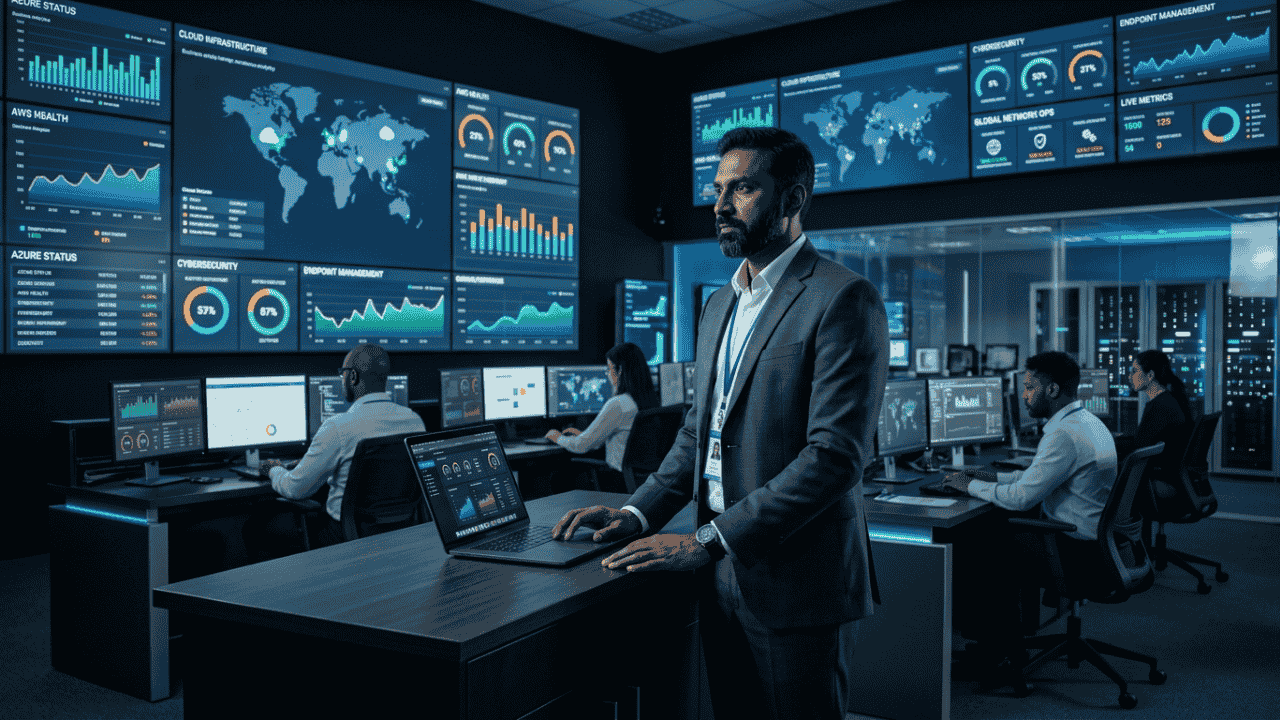
Managed services providers operate centralized monitoring centers that continuously track system performance and resolve issues before they impact business operations.

Modern managed services models also integrate intelligent platforms such as ZerofAI, which enable predictive monitoring and automated incident resolution.

Key Differences Between Outsourced IT and In-House IT

Organizations evaluating IT management models must consider several important factors.

Cost Efficiency

In-house IT teams require investments in hiring, training, infrastructure tools, and operational resources.

Outsourcing IT managed services typically offers predictable service costs while reducing the need for large internal teams.

Access to Specialized Expertise

Technology evolves rapidly, and maintaining expertise across multiple domains—cloud, cybersecurity, networking, and automation—can be challenging.

Managed services providers bring access to specialists with deep expertise across diverse technology environments.

Scalability

Internal IT teams may struggle to scale resources quickly as business demands grow.

Managed services provide flexible service models that can easily scale alongside business requirements.

Proactive Monitoring

Many internal IT teams rely on reactive troubleshooting.

Managed services providers implement proactive monitoring systems that detect issues early and prevent disruptions.

Platforms like ZerofAI enhance this capability by analyzing infrastructure data and identifying anomalies before failures occur.

When In-House IT May Be the Right Choice

While managed services provide several advantages, there are scenarios where maintaining internal IT teams may still be beneficial.

Organizations may prefer in-house IT when:

  • They operate highly specialized internal systems
  • Regulatory requirements demand internal control
  • Their IT environment is relatively simple
  • They require constant on-site technical presence

However, even in these cases, many organizations adopt hybrid models where internal teams collaborate with managed services providers.

Why Many Enterprises Are Choosing Managed Services

As IT environments grow more complex, enterprises increasingly rely on managed services to support digital transformation and operational efficiency.

Key benefits of outsourcing IT managed services include:

24/7 Infrastructure Monitoring

Managed services providers monitor systems around the clock to ensure infrastructure reliability.

Faster Incident Resolution

Proactive monitoring and automated workflows help identify and resolve issues quickly.

Improved Security and Compliance

Managed services providers implement advanced security monitoring and compliance frameworks to protect enterprise systems.

Access to Automation and AIOps

Intelligent platforms like ZerofAI allow organizations to automate infrastructure monitoring, detect anomalies, and reduce operational risks.

These capabilities enable IT teams to move from reactive support models to predictive IT operations.

Finding the Right Balance: Hybrid IT Models

Many modern enterprises are adopting a hybrid IT model that combines internal IT teams with managed services providers.

In this approach:

  • Internal teams focus on strategic initiatives and business innovation
  • Managed services providers handle infrastructure monitoring and operational management

This model allows organizations to maintain control while benefiting from the scalability and expertise of managed services providers.

Conclusion

Choosing between in-house IT operations and outsourcing IT managed services depends on an organization’s technology complexity, resource availability, and long-term business strategy.

Key takeaways include:

  • In-house IT provides direct control but can face scalability challenges
  • Outsourcing IT managed services offers access to specialized expertise and advanced monitoring capabilities
  • Proactive monitoring and automation improve infrastructure reliability
  • Intelligent platforms like ZerofAI enable predictive IT operations

As enterprises continue their digital transformation journeys, managed services are becoming a strategic approach to managing complex IT environments.

Looking to improve the efficiency and reliability of your IT operations?

Discover how Managed Services from Team Computers, powered by intelligent automation platforms like ZerofAI, can help your organization achieve proactive monitoring, scalable infrastructure management, and smarter IT operations.

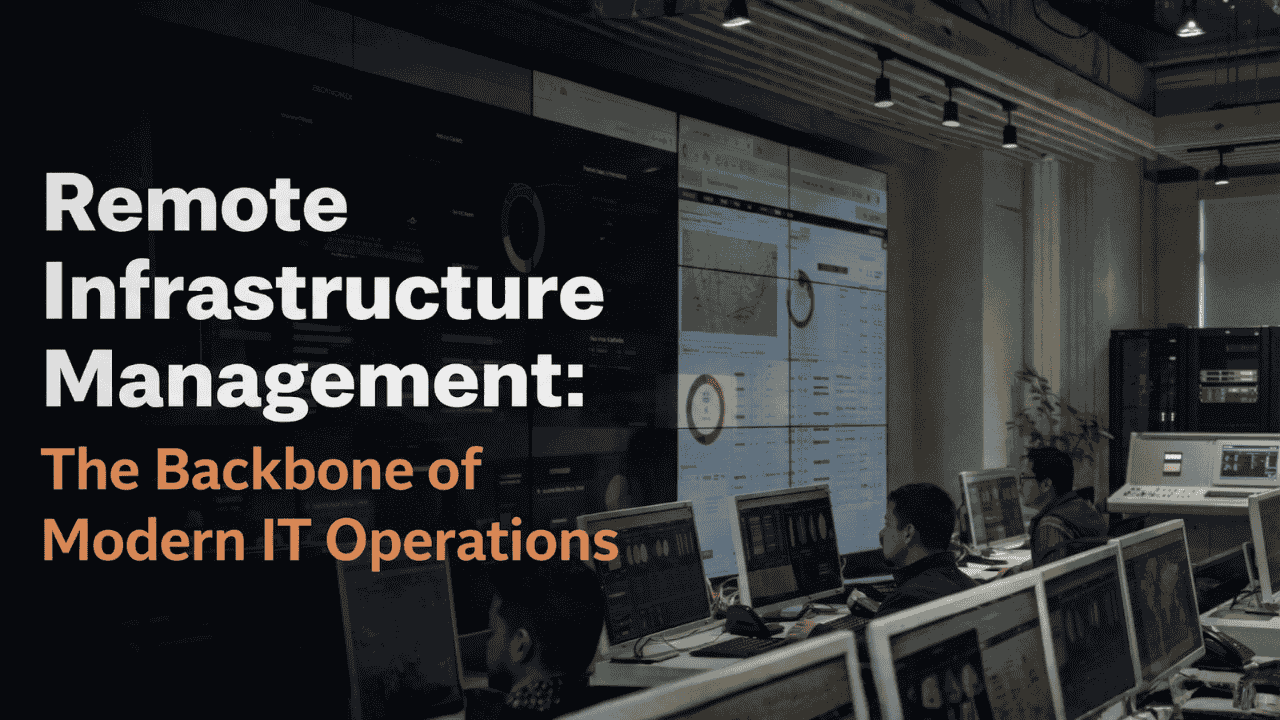
Remote Infrastructure Management: The Backbone of Modern IT Operations

Enterprise IT infrastructure has grown significantly in complexity. Organizations today operate across hybrid environments that include on-premise data centers, cloud platforms, remote devices, and business-critical applications. Managing these systems efficiently is essential to ensure performance, security, and uninterrupted operations.

However, maintaining infrastructure manually or through traditional IT models can be challenging for internal teams. Constant monitoring, performance management, patching, and incident resolution require specialized expertise and round-the-clock attention.

This is where Remote Infrastructure Management (RIM) becomes a critical component of modern IT operations. By enabling organizations to monitor and manage infrastructure remotely through advanced tools and automation, RIM ensures that systems remain reliable, secure, and optimized for performance.

In today’s digital-first business environment, Remote Infrastructure Management is no longer optional, it is essential for maintaining operational efficiency and supporting business growth.

What is Remote Infrastructure Management?

Remote Infrastructure Management refers to the remote monitoring, management, and maintenance of an organization’s IT infrastructure.

Instead of relying entirely on on-site IT teams, businesses partner with specialized managed services providers who oversee infrastructure operations from remote monitoring centers.

These services typically include management of:

By leveraging centralized monitoring platforms and automated tools, IT teams can detect and resolve issues quickly without requiring physical access to infrastructure.

Why Remote Infrastructure Management is Critical for Enterprises

As digital transformation accelerates across industries, enterprises must ensure that their IT infrastructure remains stable, scalable, and secure.

Several factors make Remote Infrastructure Management essential:

Increasing Infrastructure Complexity

Modern enterprises operate across multiple infrastructure environments, including cloud services, on-premise systems, and edge devices. Managing these environments requires specialized expertise and advanced monitoring tools.

Need for 24/7 Monitoring

IT infrastructure must operate continuously to support business operations. Remote Infrastructure Management enables round-the-clock monitoring and faster incident response.

Cost Optimization

Maintaining large in-house infrastructure management teams can be expensive. RIM allows organizations to reduce operational costs while gaining access to specialized expertise.

Faster Issue Resolution

With proactive monitoring systems in place, potential infrastructure issues can be identified and resolved before they impact business operations.

Key Components of Remote Infrastructure Management

A well-structured Remote Infrastructure Management strategy includes several important components that ensure smooth IT operations.

Infrastructure Monitoring

Continuous monitoring allows IT teams to track the health and performance of servers, networks, and applications in real time.

Patch and Update Management

Regular updates and security patches ensure that systems remain protected against vulnerabilities.

Network Management

Network performance is essential for business continuity. RIM services monitor network traffic, connectivity, and performance to prevent disruptions.

Incident and Problem Management

Automated alerts and incident management workflows allow IT teams to quickly respond to infrastructure issues and minimize downtime.

In modern managed services environments, intelligent automation platforms such as ZerofAI can further enhance infrastructure monitoring by detecting anomalies and predicting potential system failures before they occur.

Benefits of Remote Infrastructure Management

Organizations that adopt Remote Infrastructure Management experience significant improvements in IT efficiency and reliability.

Improved System Availability

Proactive monitoring ensures that infrastructure issues are detected and resolved before they affect business operations.

Reduced Operational Costs

Remote management eliminates the need for large on-site IT teams and reduces infrastructure maintenance costs.

Enhanced Security

Continuous monitoring helps identify potential vulnerabilities and security threats early.

Scalability and Flexibility

RIM services allow organizations to scale their infrastructure management capabilities as their business grows.

With intelligent automation tools and proactive monitoring, enterprises can maintain high-performing IT environments without increasing operational complexity.

The Future of Infrastructure Management

The future of infrastructure management will increasingly rely on automation, artificial intelligence, and predictive analytics.

As organizations adopt hybrid and multi-cloud architectures, traditional monitoring methods will not be sufficient to manage the growing complexity of IT systems.

Technologies like AIOps platforms,such as ZerofAI—are helping enterprises move toward intelligent infrastructure management by automating monitoring, identifying anomalies, and accelerating incident resolution.

This shift enables organizations to maintain reliable infrastructure while allowing IT teams to focus on innovation and strategic initiatives.

Conclusion

Modern enterprises rely heavily on technology infrastructure to support daily operations, digital services, and customer experiences.

Remote Infrastructure Management provides organizations with a proactive and scalable approach to managing complex IT environments.

Key takeaways include:

  • Enterprise infrastructure is becoming increasingly complex
  • Remote monitoring enables proactive infrastructure management
  • RIM services improve system reliability and operational efficiency
  • Automation platforms like ZerofAI help enhance monitoring and predictive maintenance

By adopting Remote Infrastructure Management, organizations can ensure stable, secure, and high-performing IT environments that support long-term business success.

Looking to simplify and optimize your IT infrastructure management?

Discover how Managed Services from Team Computers can help you implement efficient Remote Infrastructure Management, powered by intelligent monitoring and automation platforms like ZerofAI, to keep your IT operations running smoothly.

Mac as the Employee Choice: Powering the Modern Workforce

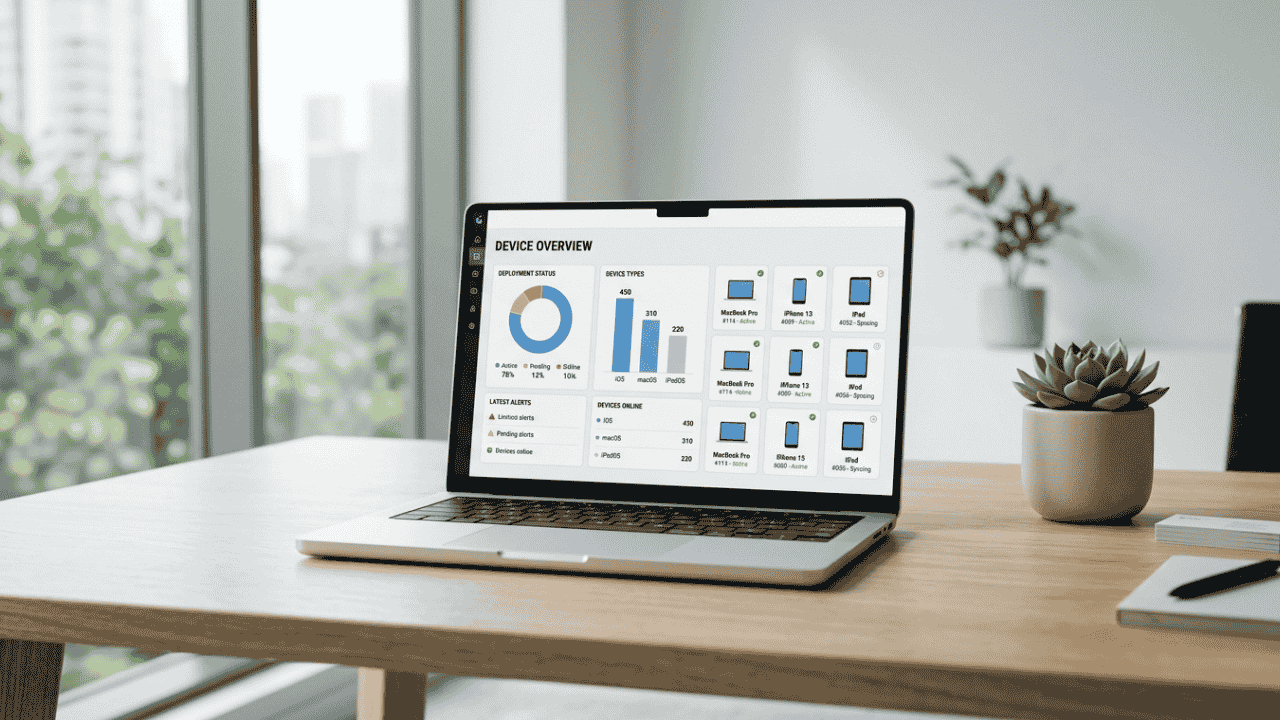
Workplace technology has evolved from being just a support tool to becoming a key driver of employee experience. As organizations look to build productive and engaging work environments, the devices they provide to their teams matter more than ever. Across industries, employees are increasingly choosing Mac because it offers a powerful combination of performance, reliability, and simplicity.

Mac devices are designed to make work feel seamless. Whether employees are managing business operations, developing applications, creating designs, or collaborating with teams across locations, Mac provides a smooth and dependable computing experience. For businesses, enabling employees to work on devices they prefer often results in improved efficiency and higher satisfaction at work.

With the right support from Team Computers, organizations can confidently introduce Mac into their workplace while ensuring that deployment, management, and support remain simple for IT teams.

Why Employees Prefer Working on Mac

Employees tend to perform at their best when the technology they use feels intuitive and reliable. Mac has built a strong reputation for offering a user experience that allows professionals to focus on their work instead of spending time dealing with technical challenges.

The interface is clean and easy to navigate, allowing employees to quickly access applications, manage tasks, and collaborate with colleagues. Over time, this ease of use contributes to a more productive work environment where employees spend less time troubleshooting devices and more time focusing on meaningful tasks.

Organizations that introduce Mac as an employee choice often notice that teams adapt quickly to the platform and appreciate the consistency and stability it offers.

The Power of the Apple Ecosystem

Another reason employees gravitate toward Mac is its seamless connection with the broader Apple ecosystem. Many professionals already use Apple devices such as iPhone or iPad in their daily lives, and Mac extends that familiar experience into the workplace.

This connected ecosystem allows employees to move effortlessly between devices, share files quickly, and maintain continuity across tasks. The result is a workflow that feels natural and efficient, helping teams stay productive throughout the day.

With the expertise of Team Computers, businesses can implement Apple solutions that ensure these devices work efficiently within enterprise environments while maintaining security and operational control.

Performance That Supports Modern Work

Modern workplaces require devices that can handle multiple applications, collaboration tools, and demanding workloads without slowing down. Mac devices powered by Apple silicon are built to deliver high performance while maintaining exceptional energy efficiency.

Employees can participate in virtual meetings, analyze data, design creative assets, and manage business operations simultaneously without experiencing performance issues. This level of reliability allows teams to stay focused on their responsibilities and maintain productivity regardless of where they are working.

Through Team Computers, organizations can ensure that the right Mac devices are deployed to match different employee roles and performance needs.

Enabling Mac Adoption with Team Computers

While employees may prefer Mac, organizations need the right infrastructure and expertise to deploy and manage these devices at scale. This is where Team Computers helps simplify the entire Mac adoption journey.

From helping businesses procure Apple devices to ensuring seamless deployment and configuration, Team Computers provides the expertise required to integrate Mac into enterprise environments. This approach allows IT teams to maintain visibility and control while employees enjoy a modern and reliable computing experience.

By supporting businesses with deployment, device management, and ongoing lifecycle services, Team Computers ensures that Mac environments remain efficient and secure as organizations grow.

Building a Workplace Employees Love

As companies focus on creating modern workplaces, providing employees with the right technology becomes a critical part of the strategy. When employees have access to devices they prefer and trust, they are able to work more efficiently and stay engaged with their responsibilities.

Mac continues to gain popularity in enterprises because it delivers a balance of performance, reliability, and user experience that professionals value. With Team Computers enabling seamless Mac adoption, businesses can confidently empower their workforce with tools that support productivity and innovation.

Why Businesses Prefer Deploying Mac with Team Computers

As organizations modernize their workplaces, Apple Mac devices are increasingly becoming the preferred choice for employees and IT teams alike. Known for their performance, security, and user experience, Macs help businesses enable productivity and innovation across teams.

However, deploying Macs across an organization requires the right expertise, infrastructure, and lifecycle support. This is where Team Computers plays a critical role.

With years of experience in enterprise IT solutions and Apple deployments, Team Computers helps businesses adopt, manage, and scale Mac environments smoothly — without increasing IT complexity.

Seamless Mac Deployment at Scale

Rolling out devices across teams can often be time-consuming for IT departments. Manual setup, configuration, and distribution slow down onboarding and create operational overhead.

Team Computers simplifies Mac deployment with streamlined processes that enable faster rollouts.

From procurement to configuration and delivery, organizations benefit from a structured deployment approach that ensures every device is ready for use from day one.

Businesses can:

  • Deploy Mac devices across multiple teams and locations

  • Reduce manual setup efforts for IT teams

  • Ensure consistent device configuration across the organization

The result is a faster, more efficient device rollout process.

Zero-Touch Setup for Faster Employee Onboarding

In today’s hybrid and distributed workplaces, employees expect devices that work instantly.

With zero-touch deployment enabled by Team Computers, Macs arrive pre-configured and ready for employees to start working immediately.

IT teams no longer need to manually configure each device, allowing them to focus on strategic initiatives instead of routine setup tasks.

For employees, this means:

  • Faster onboarding experiences

  • Devices that are ready to work right out of the box

  • Minimal disruptions during device upgrades or replacements

Enterprise-Grade Device Management

Managing a growing fleet of devices requires visibility, control, and security.

Team Computers helps businesses implement modern Apple device management strategies that allow IT teams to monitor, manage, and update Mac devices efficiently.

Organizations gain the ability to:

  • Enforce security policies across all devices

  • Push updates and applications remotely

  • Maintain compliance and data protection standards

This centralized management approach ensures that Mac devices remain secure and optimized throughout their lifecycle.

End-to-End Apple Expertise

One of the biggest reasons businesses choose Team Computers for Mac deployment is the depth of expertise in enterprise Apple environments.

Instead of managing multiple vendors, organizations get a single partner that supports the entire Apple ecosystem — from consultation and procurement to deployment and ongoing support.

This ensures businesses receive:

  • Expert guidance on Mac adoption strategies

  • Reliable enterprise support

  • Optimized Apple infrastructure for long-term growth

A Smarter Way to Deploy Mac

As businesses embrace modern workplace strategies, having the right deployment partner becomes just as important as choosing the right device.

With Team Computers, organizations can confidently deploy Mac across teams, simplify IT operations, and create a better experience for employees.

By combining Apple technology with enterprise IT expertise, Team Computers helps businesses unlock the full potential of Mac in the workplace.

Mac in the Enterprise: Simplifying IT Operations for Growing Businesses

As businesses grow, their IT infrastructure must evolve to support larger teams, increased workloads, and modern digital workflows. Managing devices across departments, maintaining security, and ensuring consistent performance can become complex for IT teams.

This is where Mac devices are increasingly becoming a preferred choice in enterprise environments. Known for their reliability, performance, and secure architecture, Mac systems help simplify IT operations while enabling employees to work more efficiently.

With the right deployment strategy and support from experienced IT partners like Team Computers, organizations can integrate Mac devices into their enterprise environments smoothly and create a more streamlined IT ecosystem.

Reliable Performance for Business Operations

Growing businesses require devices that can handle demanding workloads without frequent downtime or performance issues. Mac systems are designed with powerful hardware and optimized software that work seamlessly together to deliver consistent performance.

This reliability helps reduce interruptions and allows employees to focus on their work rather than dealing with device-related issues. From business professionals and developers to creative teams, Mac devices can support a wide range of enterprise workflows.

Team Computers helps organizations identify the right Mac configurations based on their operational needs. By understanding the unique requirements of each business, Team Computers ensures that companies deploy devices that deliver both performance and long-term reliability.

Simplified Device Deployment and Management

Managing devices across growing teams can be a challenge for IT departments. Traditional deployment processes often require manual configuration and significant setup time before devices can be used by employees.

Mac devices support streamlined deployment processes that allow IT teams to configure and manage devices efficiently. New devices can be prepared and deployed quickly, reducing the time required for onboarding new employees.

Team Computers plays an important role in enabling this process for enterprises. Through structured deployment services and enterprise device management solutions, Team Computers helps organizations roll out Mac devices at scale while maintaining consistency and control across their IT environments.

Strong Security Built into the Platform

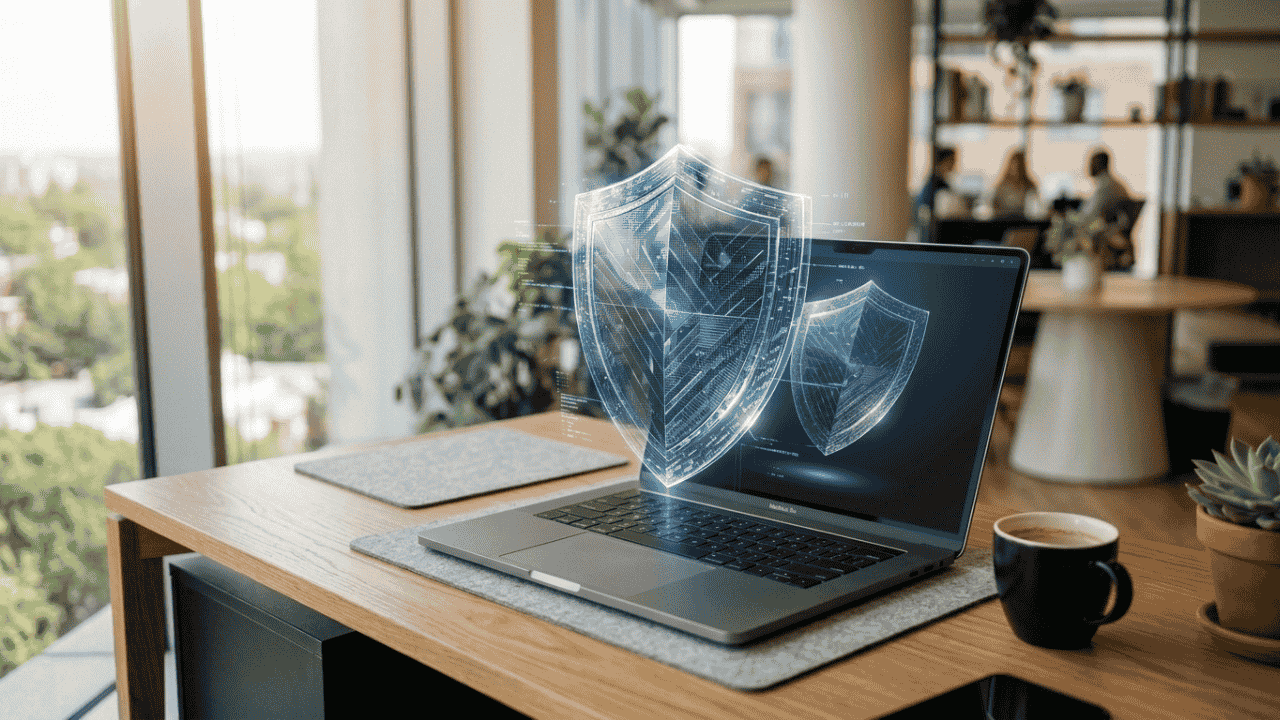
Security is a top priority for organizations as they manage sensitive data and critical business applications. Mac devices include built-in security features designed to protect systems, data, and user privacy.

Advanced security architecture, encryption capabilities, and system-level protections help reduce vulnerabilities and strengthen enterprise security frameworks.

Team Computers supports organizations by helping them implement the right security policies and device management strategies for Mac environments. By combining Apple’s built-in protections with enterprise IT expertise, Team Computers helps businesses maintain secure and compliant device ecosystems.

Supporting Modern and Hybrid Work Environments

Today’s workforce is increasingly mobile and distributed. Employees often work across offices, remote locations, and hybrid setups, which requires devices that can support flexible working environments.

Mac devices are designed to provide seamless performance across various work scenarios. With reliable connectivity, long battery life, and powerful processing capabilities, they enable employees to stay productive wherever they work.

Team Computers helps organizations deploy Mac devices that support modern work models. Through enterprise mobility solutions and IT support services, Team Computers ensures that businesses can provide their employees with devices that support productivity both inside and outside the office.

Reducing IT Support Complexity

As organizations grow, managing a large number of devices can significantly increase the workload for IT teams. Devices that require constant troubleshooting or maintenance can slow down operations and increase support costs.

Mac devices are known for their stability and efficient system architecture, which helps reduce the frequency of technical issues. This reliability allows IT teams to spend less time on routine troubleshooting and more time focusing on strategic initiatives.

Team Computers further simplifies IT operations by offering managed IT services and enterprise device lifecycle support for Mac environments. By providing proactive monitoring, support, and maintenance services, Team Computers helps businesses keep their IT infrastructure running smoothly.

Empowering Enterprise IT with Team Computers

Successfully adopting Mac within an enterprise environment requires the right strategy, deployment expertise, and ongoing support. Organizations must ensure that devices are configured correctly, integrated into their IT systems, and managed effectively throughout their lifecycle.

Team Computers helps businesses achieve this by providing end-to-end enterprise Apple solutions. From helping organizations select the right Mac devices to deploying them across teams and managing them efficiently, Team Computers supports the entire lifecycle of enterprise device management.

Through its expertise in enterprise IT services, device management, and Apple ecosystem integration, Team Computers enables businesses to create modern and efficient IT environments powered by Mac.

By combining reliable Apple technology with expert implementation and support, Team Computers helps growing businesses simplify IT operations, improve productivity, and build a scalable technology foundation for the future.

How Mac Helps Developers Build Faster and Smarter

Software development today demands speed, efficiency, and powerful tools. From writing code to testing applications and deploying them across platforms, developers rely heavily on their computing environment to maintain productivity and innovation.

Mac has increasingly become a preferred platform for developers because of its powerful hardware, developer-friendly operating system, and strong ecosystem of tools. Organizations looking to empower their engineering teams are also recognizing the advantages of adopting Mac as a development device.

With the right IT partner like Team Computers, businesses can deploy Mac devices effectively across development teams, ensuring that developers have the performance, security, and flexibility needed to build modern applications faster and smarter.

Apple Silicon Performance for Modern Development Workloads

Modern development workflows often involve running multiple applications simultaneously. Developers typically use code editors, local servers, browsers, containers, and testing environments at the same time. High performance and system stability therefore become essential.

Mac devices powered by Apple Silicon processors deliver exceptional speed and efficiency, allowing developers to manage heavy workloads with ease. Faster compilation times, smooth multitasking, and optimized performance help reduce waiting time and improve overall development productivity.

Through its enterprise Apple solutions, Team Computers helps organizations equip their development teams with the right Mac configurations that can support demanding development workflows. By aligning hardware capabilities with developer requirements, Team Computers ensures that teams experience consistent performance while building and testing applications.

A Unix-Based Environment That Developers Prefer

One of the key reasons developers prefer Mac is its Unix-based operating system. This architecture provides a stable and powerful environment that supports many of the tools and technologies used in modern software development.

The Unix foundation allows developers to work comfortably with command-line tools, scripting environments, and development frameworks commonly used for backend development, cloud computing, and system engineering.

Organizations adopting Mac for development environments often rely on the expertise of Team Computers to integrate these devices within their IT infrastructure. Team Computers ensures that Mac systems are deployed with the right configurations, security policies, and developer tools so teams can immediately start building without complex setup processes.

Optimized Development for Apple Platforms

For organizations building applications within the Apple ecosystem, Mac becomes an essential development platform. Businesses developing applications for iPhone and iPad require a Mac environment to design, test, and deploy their apps effectively.

Apple provides a powerful development environment through Xcode, which enables developers to build applications, simulate different devices, debug code, and monitor app performance in one integrated platform.

Team Computers supports organizations that develop applications for Apple platforms by helping them deploy and manage Mac environments across development teams. From device procurement to deployment and lifecycle management, Team Computers ensures that development teams have reliable systems ready to support continuous innovation.

Supporting Modern Development and Testing Workflows

Software development today requires continuous testing, integration, and deployment. Developers frequently run containers, testing frameworks, and multiple environments to ensure applications perform consistently across platforms.

Mac systems provide the performance and flexibility required to handle such workflows efficiently. Developers can manage multiple tools and environments simultaneously while maintaining system responsiveness.

Team Computers plays an important role in enabling these workflows by helping organizations integrate Mac devices into enterprise IT environments. Through managed IT services, device provisioning, and infrastructure support, Team Computers ensures that development teams can operate efficiently without technical interruptions.

Built-in Security for Development Environments

Security is a critical aspect of any development environment. Source code, intellectual property, and application data must remain protected throughout the development lifecycle.

Mac devices include advanced built-in security features such as secure boot processes, encryption, and privacy protections that help safeguard development environments. These capabilities reduce potential security risks and support compliance requirements within enterprise environments.

Team Computers strengthens this security framework by helping organizations implement structured device management and security policies for Mac devices. With the right deployment and monitoring strategies, Team Computers ensures that developer systems remain secure while maintaining productivity.

Creating a Better Developer Experience

Developer productivity is influenced not only by tools and performance but also by the overall work experience. Smooth workflows, responsive systems, and reliable devices allow developers to focus on solving complex problems rather than dealing with system limitations.

Mac devices provide a refined user experience, seamless multitasking, and compatibility with a wide range of development tools. This combination allows developers to build applications more efficiently while maintaining focus on innovation.

Through its Apple-focused enterprise solutions, Team Computers helps organizations create developer environments that prioritize performance, usability, and reliability. By delivering the right devices and support services, Team Computers enables teams to work smarter and maintain consistent productivity.

Empowering Development Teams with Team Computers

As businesses continue to rely on digital innovation, development teams require technology that supports speed, reliability, and scalability. Providing developers with powerful devices like Mac can significantly improve productivity and software delivery timelines.

Team Computers helps organizations adopt and manage Apple devices across their development environments through comprehensive enterprise services. From selecting the right Mac configurations to enabling seamless deployment and device management, Team Computers ensures that businesses can scale their development operations efficiently.

The company also supports organizations through managed IT services, enterprise device lifecycle management, and Apple ecosystem integration. This allows development teams to work across Mac, iPhone, and iPad environments when testing and building applications.

With a strong focus on enterprise technology solutions, Team Computers enables organizations to create modern development workspaces powered by Mac. By combining Apple’s powerful hardware with expert IT services, businesses can empower their developers to build faster, innovate smarter, and deliver high-quality applications with confidence.

Why Apple Devices Are Trusted for Business Security

As organizations continue to digitize their operations, protecting business data has become a top priority. With employees accessing corporate systems from multiple locations and devices, businesses face increasing risks related to data breaches, cyber threats, and unauthorized access.

A secure technology environment is essential not only to protect sensitive information but also to maintain productivity and operational continuity. When employees trust the security of their devices, they can focus on their work without worrying about potential risks.

This is why many organizations are turning to Apple devices to strengthen their workplace security.

Security Built Into the Core of Apple Devices

One of the biggest advantages of Apple devices is that security is built into both the hardware and software from the ground up.

Apple designs its devices with a secure architecture that protects critical data and prevents unauthorized access. Features such as secure boot processes, hardware-based encryption, and secure storage help ensure that sensitive information remains protected.

Unlike many traditional systems where security tools are added later, Apple integrates security directly into the design of its devices.

Advanced Privacy Features for Modern Businesses

Privacy has become a major concern for both organizations and employees. Apple devices are designed with strong privacy protections that give users greater control over their data.

Applications must request permission before accessing sensitive information such as files, camera, or location. This transparency helps prevent unauthorized data collection and reduces security risks.

For businesses, these privacy controls help maintain compliance and protect confidential company information.

Regular Updates That Keep Devices Protected

Cyber threats evolve constantly, making regular security updates essential for protecting devices and networks.

Apple provides frequent operating system updates that include security patches, performance improvements, and enhanced protections against emerging threats. These updates are designed to keep devices secure without disrupting the user experience.

For organizations managing multiple devices, having a consistent update ecosystem helps maintain a strong security posture across the workforce.

Secure Device Management for IT Teams

For IT departments, managing device security across an organization can be complex. Apple devices support enterprise device management solutions that allow businesses to configure, monitor, and secure devices remotely.

Through device management platforms, IT teams can enforce security policies, deploy applications, manage updates, and protect corporate data across all company devices.

This level of control helps organizations maintain strong security standards while keeping device management efficient.

Reliable Security That Supports Productivity

Security should enhance productivity rather than hinder it. Apple devices are designed to provide strong protection while maintaining a seamless user experience.

Employees can access their systems securely using features like biometric authentication and encrypted storage, without dealing with complicated security processes.

By combining security with simplicity, Apple devices allow employees to work efficiently while keeping business data safe.

Enabling Secure Apple Deployments with the Right Partner

While Apple devices offer strong built-in security, organizations often require expert support to deploy and manage them effectively across their workforce.

Experienced technology partners such as Team Computers help businesses implement Apple solutions securely and efficiently. From device deployment and configuration to ongoing management and support, they enable organizations to create a secure and scalable Apple-powered workplace.

With the right strategy and technology partner, businesses can ensure their workforce stays both productive and protected.

Building a Secure Digital Workplace

As cyber threats continue to evolve, businesses must adopt technology platforms that prioritize security without compromising usability.

Apple devices provide a powerful combination of built-in security, privacy protection, and reliable performance. When integrated properly into an organization’s technology ecosystem, they help create a secure digital workplace where employees can work confidently and efficiently.