Should You Pay Ransomware?

Paying ransomware may not be the best solution for an organization. On the other hand, investing in proper security could go a long way in mitigating any potential attacks.

Introduction

The latest statistics reveal that ransomware attacks have been rising for several years. These attacks can cost enormous amounts of money, ranging from hundreds of thousands to even millions of dollars for large corporations. This is why cybersecurity has become a very crucial function in recent times. Many companies are forced to pay the ransomware, but this is not the ideal solution. 

What is ransomware?

Ransomware is a malignant software that encrypts one’s data and demands a ransom from the user in exchange for unlocking files. Victims of ransomware are often left without many choices. They can either pay the ransom to regain access to their encrypted data, restore their data from backups, or hope that a decryption key is freely available. Or they have to start from scratch.

How much can a ransomware attack cost?

There is no limit to what an attacker can demand as ransom. It depends on the type of ransomware and the size of the target organization. Attackers can demand massive amounts to release access to one’s network and the data it houses. Most companies pay the ransom, as being locked out for even a few hours could potentially mean millions of dollars in lost revenue. But this may not be the best solution, as you could get hit by more attacks in the future.

Why are small businesses popular targets for ransomware?

Small businesses are the easiest targets for cybercriminals. They tend to be less protected than larger organizations. Also, many of them think that they won’t be the ones who attract the attention of such hackers. This isn’t true – smaller ransoms are easier to collect and more profitable for hackers!

Tips to prevent a ransomware attack

  • Ensure ports are not unnecessarily exposed to the Internet
    When running a business, it’s crucial to run security software and keep your OS updated. If you don’t, you might fall victim to hacking. One of the most common ways cybercriminals can access their victims’ computers is by exploiting insecure ports on the system or remote desktop protocols. Therefore, ensure that your ports and services are not exposed to the internet – unless necessary. Also, ensure that team members are using complex passwords on all accounts and servers.
  • Get regular security updatesOrganizations and customers should make sure that the network is updated with the latest security patches. Many forms of ransomware and other programs are spread via commonly used vulnerabilities in software.
  • Educate employees on identifying attacks
    To help protect your company’s computer network from malware infections, you must train employees to watch out for the signs of potential malware attacks. When it comes to stopping attacks by email, you should provide your employees with training on spotting a phishing attack.
  • Take authentication seriously
    Employers must keep antivirus software up-to-date to help their employees stay on top of essential security updates and features. Employers should also make sure they offer the option of having two-step authentication installed during login and backing up files frequently so that they are never compromised during a cyber attack.
  • Maintain backups
    Having a secure, offline backup of all files and other important data can be a big help in mitigating any potential ransomware attacks. The files should be thoroughly secured so that potential hackers cannot have any access to it.
 

3 Reasons for Establishing Cyber Security Measures

Manufacturing industries these days are adopting digital technologies to power their systems. But, digital technologies come with the added risk of cyberattacks like phishing and ransomware. 

According to Morphisec’s 2021 Manufacturing Cybersecurity Threat Index, nearly 1 out of 5 manufacturing businesses are victims of a cyberattack. With the COVID-19 pandemic, the cybersecurity risks have substantially increased. Also, research shows that a lack of cybersecurity will cost manufacturers around $6 trillion/annum by 2021. Since manufacturing sector employees started using personal networks at home, hackers found a way to intrude into the web to create havoc.

World over, various federal and state laws govern cybersecurity. For example, in the US, major cybersecurity legislations involve Health Insurance Portability and Accountability Act (HIPAA), 1996, Federal Information Security Management Act (FISMA), and more. Similarly, in India, cybersecurity comes under the purview of the Information Technology Act, 2000.

In this blog, let us understand why the manufacturing industry is vulnerable to cybersecurity risks and how to strengthen cybersecurity at the manufacturing workplace.

Let’s begin!

3 Reasons to Establish Cybersecurity Measures

The manufacturing industry requires cybersecurity measures due to numerous entry points of attack, lack of experience, and the increase in remote work culture.

Let’s understand these reasons in detail.

  • Lack of experience: The 4th industrial revolution resulted in the automation of the manufacturing industry, starting in 2011. Because of the nascent state of automation in manufacturing, the industry leaders lack the experience to devise a full-proof strategy to combat cybersecurity risks.
  • Numerous entry points for cybercriminals: The manufacturing industry is more vulnerable to phishing attacks due to its interconnected setup. Interconnected digital supply networks (DSNs) and IoT (Internet of Things) devices transfer a lot of information. If one device is hacked, the entire supply chain can break down.
  • Increase in remote work culture: With the pandemic fueling the remote work culture, the majority of the manufacturing sector employees work from home using their personal network. It may not have the required firewall protection of an office network. Hence, cybercriminals can easily break through to take advantage of the loopholes. On the other hand, employees themselves may misuse company data, thereby leaking sensitive information.

Ways to Put Cybersecurity Measures in the Manufacturing Industry

Cybersecurity measures in the manufacturing industry can range from employee training, software updates to regular backup of company data.

Let us understand these cybersecurity measures in detail.

  • Training employees to spot and prevent cyber threats: When your employees are well-trained to spot cyber threats, they become proactive in preventing them. For example, they may not open suspicious emails or click on malicious links. In this way, the sensitive business data remains safe in the company servers.
  • Regular software updates (including security patches): Some versions of your software can have bugs that make it more hack prone. Hence, with regular software updates, you can fix the bugs to prevent data hacking. Also, cybercriminals find it challenging to spot security loopholes with standard new software versions. 
  • Backing up office data: Experts suggest that you need to back up your server data at least once a week. If not, a cyber attack can leave you empty-handed and cause business losses. With backup, you may still have access to sensitive personal data for your business.
  • Use multifactor authentication: Multifactor authentication on websites, devices, or applications prevents unauthorized access to your network. For example, you can ask the user to enter a one-time password sent on their mobile phones in addition to login details. Usually, OTP expires after a definite time; hence hackers can find it challenging to guess the OTP.

Final Thoughts: Manufacturing Cybersecurity is the Need of the Hour

Cybersecurity has become a dire need in a world of interconnected digital devices. With numerous entry points and a lack of experience, cybercriminals find an easy route to hack the manufacturing industry systems. As a business, ensure that you keep your software updated, use multifactor authentication, and train your employees to handle cybersecurity risks better.


Securing Your Work from Home – The New Normal!

With work from home becoming popular amid the pandemic, cyberattacks by ransomware operators have been on the rise and they may go on after any organization- an enterprise or a small business, as long as they can gain access to them with ease.

No one today is a stranger to the word- Ransomware! But yes, there are certain tips and tricks to safeguard yourself from such attacks on an organizational level. A good computer security practice can help defend organizations against ransomware attacks.

If you are a supply chain company, then with new remote working normal, working with numerous third-party vendors is becoming inevitable which can create blind spots. A realistic and sustainable security strategy is needed.

Amid Covid-19, BFSI is observed to be one of the most critical and targeted sectors by hackers. Ransomware attacks, data breaches, malicious botnets, DDoS, etc. have created havoc in the sector. Apart from data breaches, a cyberattack can lead to system downtime, which is unacceptable.

With transformative digital technologies privileged accounts and credentials are one of the biggest areas of attack, hence multiple layers of security is required along with eliminating unnecessary privileges and permissions. How many of us in our daily lives keep updating our passwords. Be it bank, or normal mail until provoked! Infact we keep almost similar passwords for all our accounts!

There are some easy ways to keep your organization safe.

  • Establish security awareness within the organization. You can do this through monthly security campaigns that remind employees to avoid clicking on unknown senders’ links and attachments, among other best practices.
  • Establish Group Policy Objects (GPOs) rules. That will allow your organization to control the execution of files on endpoints. You can add rules that block file execution from specific directories, disable attachment-based file executions, restrict access to the control panel, etc.
  • Ensure you have antivirus and firewall installed on all endpoints within the organization. Antivirus software is based on signatures, so there’s still the risk of new ransomware variants slipping through the cracks. The firewall serves as an extra layer of security or first line of defense.  A multi-faceted security system is best – one that employs heuristics, behavior-based detection or EDR (Endpoint Detection and Response), EPP (endpoint protection platform), etc.
  • Backup your data. Ideally, a backup that’s entirely separate from the computer system is best. That’s because if a ransomware attack happens, the backup shouldn’t be affected. But carefully consider all available options since each will come with a degree of risk.
  • Restrict admin rights on endpoints. You can reduce user privileges to decrease the attack surface significantly.

Keep commonly exploited third-party applications updated, such as Flash, Java, Internet Explorer, and others.

Be sure to acquire the right security solutions. As the ransomware continues to evolve, the best cure is a strong defense, maintained and regularly tweaked for improvements.

Can the right job make an employee happy?

“It’s not how much money we make that ultimately makes us happy between 9 and 5. It’s whether or not our work fulfills us!”

– Malcolm Gladwell (Bestselling Author)

Job Satisfaction

Job satisfaction is a measure that attains how happy an employee is with his job, whether he likes the job, or personal aspects, or other attributes of the job such as domain, salary, etc.

Unlike several other aspects of work, using metrics to define job satisfaction is a challenge. This is incomparable, yet the organisations assess the job satisfaction on the key determinant factors.

Factors That Drive Employee Happiness

  • Pride – The pride of the organization is the main driver of happiness. When there is no sense of pride, employees just do their duties to earn. Those who are proud of their organization are more likely to be happy than those who are not.

  • Appreciation – Appreciation adds a ripple effect and improves morale in the workplace. When employees see that they are being appreciated and recognized, they feel truly satisfied. This gesture motivates them to maintain and improve their performance.

  • Fairness – Impartiality and equality create a productive environment for the employees. In turn, employees feel safe and engaged in the work that they do. The management of the “Best Alignment of Benefits to Business Strategy” winner,  CSSC,  says, “This award is the result of the passion and commitment they put into employee welfare and what they offer their employees.”

  • Respect – Mutual respect at the workplace indicates that the employees are valued for their accomplishments, abilities, and qualities. Respect earned at the workplace helps to promote positive work, hence more productivity!

  • Accomplishments – A sense of accomplishment adds quality to the profile and gives employees the satisfaction of having achieved something valuable in terms of business, financial, or experience.

  • Interest – An employee who gets into the desired and meaningful field that interests him, gives his best at the workplace, and enjoys the job.

  • Assertiveness – Employees need to feel confident about both the future of the organization and their future in the organization. Positive workplace relationships build a sense of security, trustworthiness, and build unity towards the common goals!

Conclusion

Work can be challenging and demanding, but if the employees feel proud of what their organization does, feel respected as an individual, and are appreciated for what they do, they will be happy. And, as a result, are bound to do an excellent job!

The Technology staffing solution at Team Computers not only helps you fill the open technology positions through mapping and matching your resume, but also evaluates the aspects that keep the employees satisfied. After all, employee happiness is a genuine win-win for both the employee and the employer.

How Managed Services Can Boost Your Business In 2022?

Managed services came into the place through a break/fix model during the 1990s to avoid downtime/data loss / costly repairs being at the forefront of the business plan. The trend of technological advances, including cloud computing and digital transformation, by the 2020s calls for scalable IT infrastructure that organisations can optimise and maintain regularly.

Managed Services

Managed services include a variety of IT outsourcing and other non-IT functions, including cloud services, IT infrastructure, and IT security for experts with knowledge in the field. There will always be access to a dedicated team of IT professionals to help you manage your IT system and provide ongoing support as agreed in the Service Level Agreement (SLA) by acquiring managed IT services. The SLA policy considers two well-differentiated stages: negotiating a contract and monitoring its fulfilment in real-time.

IT managed services benefit consumer businesses in increasing productivity and reducing operations or sometimes zero downtime. Providers adhere to the Information Technology Infrastructure Library – ITIL Framework to ensure that IT services clients are fully aligned with the organisation’s business objectives.

Benefits of MSP services

A fully managed service provider can be beneficial for businesses of all sizes. They enable companies to meet IT demands that their in-house teams do not have time to meet.

  • Cost optimisation options for in-house IT – the client cost is nominal due to having MSPs on board and available everywhere.
  • Avoid unexpected costs – MSPs charge a reasonable fee for advance setup and necessary transitions and solutions evaluated in advance.
  • Get some expert advice – MSPs act as facilitators in domain services that manage and acquire talent on behalf of clients.
  • Save resources – Infrastructure Managed Services help protect data from loss of crucial business information and prevent costly repairs to infrastructure and the need for IT staff.
  • Keep your business running – MSPs work on disaster recovery initiatives that ensure business continuity. The provider also offers “NOC services” in the industry. It extends from the Remote Network Operating Centre (NOC) to monitoring and treatment services for servers, networks, applications, databases and workstations.

Managed Services Demand

We see rapid advances in technology, making it even more critical for you to manage and protect your IT assets with a team of IT professionals.

According to MarketsandMarkets, the managed service provider industry will reach a staggering 282 billion by 2023, increasing 56% over last year’s market.

Small and medium-sized businesses (SMBs), nonprofits and government agencies hire MSPs to create a defined set of day-to-day management services to focus on improving their services without worrying about extended system downtime or service interruptions.

Managed Services in 2022

These organisations need technology and automation to sustain operations in a fast-paced market, regardless of size.

IT Infrastructure Management Services (IMS) manages technology, information and data. It covers everything from desktops to networking, storage, data, security and cloud-based services – doesn’t forget the people hired to keep everything running.

Next-Generation Managed Services -NGMS communicates with client employees using modern means of communication, streamlining processes to increase productivity and reduce costs. The use of automation and innovative working methods allows customers to see the broad bandwidth that MSPs access. These MSPs generally invest more to develop their skills, from DevOps to refactoring and application performance skills.

Managed Services are seen as a need of time today. It helps boost business by bringing a win-win scenario for both providers and clients.

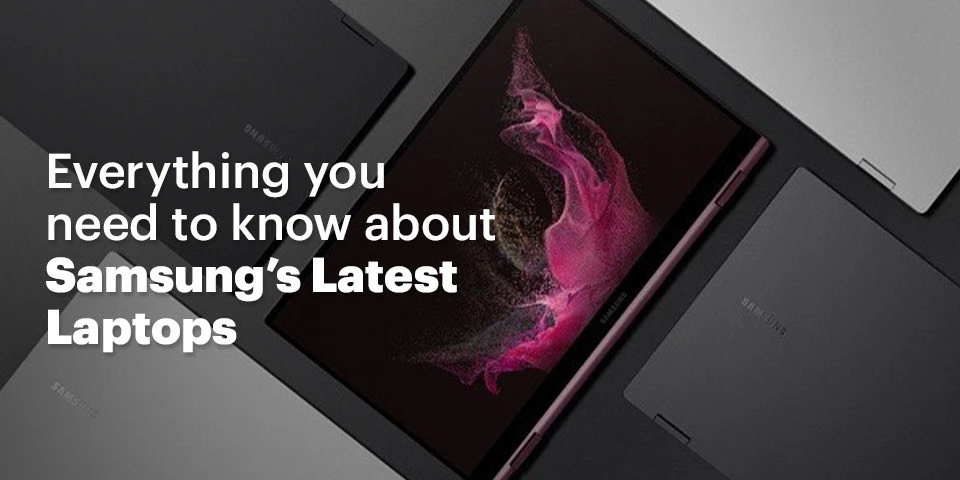
Everything you need to know about Samsung’s Latest Laptops

Samsung has re-entered the Indian laptop market after a long absence with the launch of six new laptops in March. The New Samsung Laptops introduced are:

  • The Samsung Galaxy Book2 Pro
  • The Samsung Galaxy Book2 Pro 360
  • The Samsung Galaxy Book2
  • The Samsung Galaxy Book2 360
  • The Samsung Galaxy Book Go
  • The Samsung Galaxy Book2 Business

The Intel® Core TM CPUs used in the Galaxy Book2 Business and Galaxy Book2 series are from the 12th Generation, whereas the Snapdragon® 7c Gen 2 Compute Platform is used in the Galaxy Book Go. So, let’s go into the details of the New Samsung Laptops that were recently released.

  • The Galaxy Book2 Pro 360
    The Samsung Galaxy Book 2 Pro 360 is a 2-in-1 gadget that may be used as a laptop or a Windows tab. With a weight of 1.04 kg and a width of 11.5 mm, the Galaxy Book2 Pro 360 is very compact. Further, Samsung has also included compatibility for styluses with the S-Pen. The Book2 Pro 360 has a 1080p touchscreen panel available in 13.3- or 15.6-inch sizes. The Galaxy Book2 Pro 360 is driven by an Intel 12th generation core i7 CPU and has USB Type-C charging, WiFi 6E and a Full HD cam. The Samsung Galaxy Book2 Pro 360 will be available with 512 GB of storage and 16 GB of RAM.
  • Galaxy Book2 Pro
    Galaxy Book2 Pro is the non-2-in-1 edition of those mentioned above and will be available in 13.3- and 15.6-inch screen sizes. While the specs stay the same, the Book2 Pro is lighter at 0.87 kg and thinner at 11.2 mm. Connect with people in ways you never have before with a video conference solution that has been tuned to ensure you always appear your best. Galaxy Book2 Pro boasts an enhanced full-HD camera. It has 1080-pixel wide-angle views, allowing your personality to come through in every conversation, from virtual meetings to late-night calls with your family. Maintain the attention wherever you want it — on yourself — with auto framing that leaves you in emphasis automatically and backdrop effects that eliminate external distractions in your backdrop. You will also sound incredible, thanks to enhanced Dolby At most audio and sophisticated noise cancellation that helps reduce unwanted noise. However, the laptop does not support a touch screen and is available in silver and graphite Colors.
  • Galaxy Book2 360
    At 1.16 kg and 12.9 mm, the non-pro form of the Galaxy Book2 360 is somewhat bulkier and thicker than the “Pro” model. The Samsung Galaxy Book 2 360 has a 720p webcam and  stylus input through the S-Pen, sold separately.
    The product dimensions of the New Samsung Laptops include 11.98” X 7.95” X 0.51”, and The colors available are silver and graphite. You can take this laptop everywhere and wherever you want as you will have enough power for all your favorite activities thanks to a long-lasting battery. You may travel for hours and enjoy a cord-free existence on a single charge. Recharge rapidly with a universal fast charger that restores 40% of battery power in only 30 minutes when you need an energy boost. With Galaxy Book2 360, you can enjoy optimized video conversations to make you look and sound your sharpest during meetings. Allow your personality to shine with an HD camera that is exceptionally sharp and clear, whether you are doing a remote working session or an unexpected conversation with family or friends.
  • Galaxy Book2 Business
    Geared for business customers, the New Samsung Laptops, the Samsung Galaxy Book 2 Business has Samsung defense-grade security features, Intel Hardware Shield Technology, and a protected integrated processor to safeguard the BIOS.Further, the Galaxy Book2 Business, a 14-inch display size, also has a Tamper Alert feature that identifies and monitors hostile attempts to breach security and essential data. Aimed for contemporary workspaces, the Galaxy Book2 Business has a “Studio Mode” and auto-framing function via the Full-HD camera to ensure crystal-clear online meetings.
  • Galaxy Book Go
    This 14-inch laptop powered by the Snapdragon® 7c Gen 2 Compute Platform leverages Windows 11’s instant-on capabilities. The Galaxy Book Go is aimed at students and has a long-lasting battery and military-grade toughness. Connect your gadgets and seamlessly transition between business and personal life on your Galaxy Book Go. Configure it as a second screen to double your productivity. Quick Share enables instant file sharing across devices. Utilize a more prominent display to play mobile games. Alternatively, connect your Galaxy Buds Pro and seamlessly transition between video conferencing and keeping up with friends.The laptop does not support a touchscreen with only silver color.
  • The Galaxy Book Flex Alpha
    The Galaxy Book Flex Alpha switches quickly from laptop to tablet mode with a single rotation. On the 13.3" display, you may easily take notes, give slideshows, or watch programs. Additionally, an illuminated keyboard makes it simple to do late-night assignments. Connect your favorite devices and accessories through HDMI or USB 3.0, and expand your storage space with a MicroSD card.SDXC cards up to 2 TB are supported by the built-in card reader. Boasting up to 12 GB of RAM and your option of a powerful Intel® CoreTM i5 or i7 CPU, you will experience split-second response and seamless multitasking. Further, stream entertainment with little latency and benefit from a near-instantaneous launch and up to 512 GB of storage on an SSD.
  • Conclusion
    If you plan to invest in laptops, you can consider the brand-new Samsung laptops after going through the specs and other details.Team Computers is a Samsung Platinum Business Partner for both sales and service, achieving the highest degree of accreditation as a reseller based on business levels and technical knowledge. Our skilled specialists can provide training on your suggested solution and its peripherals to ensure that you use the system as intended. Our professionals will come with expertise providing comparable systems and crucial knowledge of your custom setup and installation. Get quote- wsmarketing@teamcomputers.com

ETL vs. ELT: How to Choose the Best Approach for Your Data Warehouse

In the increase in the modern digital world, the need for data has increased exponentially. Organizations these days are engaged in collecting, organizing, and processing millions of raw data inputs and transforming them into valuable pieces of information while minimizing the chances of data breaches. Adequate data processes boost an organization’s profit upto 8-10%. The sudden explosion of the data has put a greater strain on the data warehouse architecture. Every day, organizations engage in different types of large-volume data, such as sensors, social media, customer behavior, and big data, making the process even more difficult.

If your organization holds a data warehouse, the chances are high that you might be using the extract, load, transform (ELT) or extract, transform, load (ETL) data integration method. Experts believe that ELT and ETL are two of the most significant and popular ways to collect, store, and interpret data from several sources. These are further stored in the data warehouse, which employees later access.

As compared to ELT, ETL has been here for a longer time. It is a traditional method of analytics and data warehousing. However, with the introduction of the latest technologies, ELT has evolved into a bigger and more advanced name.

What do you think is the difference between ELT and ETL? Do “T” and “L” make such a huge difference? Get to know all of this here!

Introduction to extract, transform, load or ETL 

In simple terms, ETL is a traditional data integration approach. It refers to extracting, transforming, and loading the work as an intermediary process. ETL is responsible for transferring data from one data source to the target ed destination.

Introduction to extract, load, transform, or ELT

As compared to ETL, ELT is a newer and more advanced version. The initial stages of both ETL and ELT work similarly. However, once the data comes in the pipeline, it can be loaded into a data warehouse. Unlike the traditional system, there is no need to process or transform data before stepping onto the loading stage.

Difference between ETL and ELT

In ETL, the data is extracted or generated from many sources, including CRM or ERP systems. It is transformed through several calculations, and then updated in the data warehouse, also called the target database. ETL tools work exceptionally well with intricate or complex data.

In the case of ELT, analysts extract the data in the initial stage. Next, the data is fully loaded into the target database, which is later transformed within the targeted database. As a result, the difference between ETL and ELT is not only about the order of their actions; other factors also greatly determine their actions.

Here are the primary differences between ETL and ELT:

  • Size of the data
    One significant difference between ETL and ELT is the data size, or the total amount of data that can be stored and managed. The ETL warehouse works well with smaller datasets, whereas the ELT warehouse is ideal for handling a larger amount of data.
  • Data loading time
    ETL and ELT infrastructures are different from one another when it comes to the total waiting time. Data loading time refers to the time taken to transfer raw data into the targeted warehouse. ETL is time-consuming, whereas ELT is a better option as it supports unstructured data.
  • Data analysis time
    Another major difference is the total data analysis time required to perform the analysis. Since data in the ETL model is found in a transformed form, it can be analyzed without any significant delays. However, in the case of ELT, the data is not converted. As a result, it is a time-consuming process that increases the overall waiting time.
  • Compliance
    In 2020, cyber-attacks will affect nearly 155.8 million individuals in the US. This shows the emergence to follow data privacy regulations such as CCPA, GDPR, HIPAA, and others; as a result, compliance is an essential aspect to look out for when choosing a top analytics partner in India. When compared, ELT is a better option as it makes data more vulnerable to security while minimizing the risk factors.
  • Transformation process
    One critical difference between ETL and ELT is the overall transformation process. On the one hand, where the ETL framework transforms the data before it starts to load, ELT tools fail to load data soon after it is extracted. The data is loaded in the warehouse. Data analysts choose the information they need to transform before the analysis.

Conclusion 

Both ELT and ETL are advanced approaches; however, when compared to ELT, ETL is a bit outdated and can be easily replaced by evolving cloud technologies. If you’re looking for a top warehouse partner in India, choose us! 


Windows 11, Latest updates and more

Windows’ latest operating system is out and there sure are some interesting features to talk about, with changes ranging from improving overall visual experience to improving multitasking capabilities. Windows 11 is also faster, more battery efficient and a centralised cloud powered start menu,that dynamically changes with respect to the day/night or even the content you’re working on!

Let’s take a closer look at the new and improved features of Windows 11

Made to Multitask

Image Courtesy : Microsoft .com

Windows 11 is focused on optimising your productivity with several features such as Snap Layouts, Snap groups, Desktops, all to properly organize your activity, having separate screens for work, leisure time and other such activities, hence helping you maintain proper work-life balance. Multi-Tasking is much easier as you can even organize your apps to appear side by side and easily keep track of what’s going on. All this is done while maintaining a clean, uncluttered, personalized visual.

A better Microsoft Store

Image Courtesy : Microsoft .com

The new Microsoft Store has not only been optimized for speed and security but is also a one stop location for all the content you love to read and watch! A new pop up store has been designed to make it all the more easier to install applications directly from the browser, without taking you away from the work you were doing.Windows have also created a new, more open ecosystem for developers, allowing them to bring any app whether built on Win32, Progressive Web App or any app framework.

An Improved, secure IT Experience

With data in the modern world, being ever more susceptible to hacks and attacks, Windows 11 gives us a zero trust-ready operating system which is quite useful in securing data as well as access across all the devices we own. Windows has always stood firm on their App Compatibility promise. App Assure is a newly introduced service that solves any issue that apps with more than 150 users might face, free of charge!.

More ways to Connect to the world

Image Courtesy : Microsoft .com

Windows 11 has made it easier to stay connected to the world around us. AI powered Widgets bring you news and content which is customized to your likes and interests allowing you to take a much needed break when required. Online meetings are now much easier, with smart cameras that blur background movement and reduce visual clutter. Chat from Microsoft Teams is now introduced in the taskbar, making it much easier to quickly connect to all your contacts no matter the device they’re on. You also now have the option to mute/unmute during meeting directly from the desktop toolbar!

To know more about how Microsoft Devices can help boost your Business productivity contact us at  sales.india@teamcomputers.com

Flexible allocation of products’ expenses and higher revenue with PL Automation

A Japanese multinational company has a workforce of about 12,500 in India. Using Analytics, the company has deepened it’s knowledge of Key Performance Indicators of various manufacturing sectors and employee performance across the entire organization in India. The insights gained have helped the stakeholders improve areas of the business such as Revenue targets, employees’ scorecard evaluation, spare parts product filtering and services.


Challenges

In India the company uses Profit and Loss reports to know the expense allocation on various heads through General Ledger(GL) data and expense data separately. A product hierarchy is maintained which includes rows like product center, product sub-group, segment and module. They all are further combined with categories like Trade partner, Branch and Sales channel one by one till the expense head is determined for the product picked for P&L Analysis. The combination and permutations are such, say a product from ‘module’ is picked and combined with ‘sales channel’ through a logic to give out it’s overall expense head, if the expense head is not determined at ‘sales channel’ then the set of combination shifts to ‘module and segment’, so on.

The key IT challenges the company faced while implementing this intelligence are:

  • Manual Preparation of Reports
  • Time lag in Report Preparation
  • No insights into current operations
  • One handler, many point of contacts
  • Data in Silos


These IT challenges percolated down to their business performance as well due to delayed delivery of P&L reports at the end of the Month.  Limited number of logics for quantification of reports and less accuracy on expense head failed to give the true picture of the P&L status.


What did we do?

With the help of Analytics we provided the company with main 11 Dashboards – PL Automation being a huge success.

  • These Dashboards provide Business Insights in an integrated and compiled format,data is collected from multiple sources and integrated together.
  • The reports are now easy to understand since all the information is clearly visible in the form of charts and graphs, as compared to the huge excel reports earlier.
  • Reports are shared with all the employees in the organisation irrespective of their departments, in time. The dashboards have enabled the employees to co-relate multiple business reports at a time and make quality decisions faster.
  • The dashboards prepare reports that are completely automated and do not require any human effort.
  • The Dashboards have helped to increase the accuracy of numbers while calculating expense heads in P&L Reports significantly.
  • Executive Dashboard for the CEO on a mobile app that has reports refreshed in every 3 hours. Giving a near real time look and feel to the dashboards.

How did P&L Automation Help the Japanese multinational?

The company was very impressed by our deliverables and enjoying the user friendly Dashboards.

  • They have seen a significant amount of increase in the accuracy of expense heads calculated from P&L reports after automation.
  • Level of logics used to calculate the expense heads has increased from 4 logics to 16 logics, i.e  the accuracy of determining the profit making of products or services has increased 4 times than earlier.
  • Earlier they had an expense head calculated through P&L determination of 8 product(90 yo 95% determination) per month  from company’s division(CSD)  but now it’s done for all products (100% determination)
  • PL reports are calculating operating profit [Revenue(Total sales) – Expense(like salary, marketing expense etc)
  • The time lag of report generation has reduced from 30 Days to approximately 19 days.

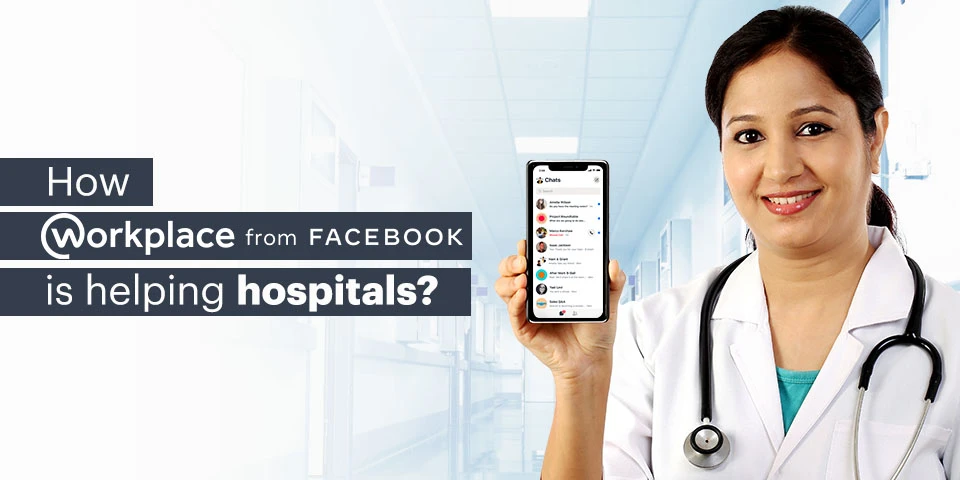
How workplace by Facebook is helping hospitals?

Workplace by Facebook is a communication tool that caters to the needs of an organization from helping the employees to stay in touch with each other to giving them a platform to store their files. With Features like News Feed, Live video conferencing, and Knowledge library, it makes it very easy for the employees to stay updated with the company’s information and happenings.

A workplace with its whole plethora of tools only seems to be suitable for big firms but there are a variety of reasons why today hospitals worldwide are adopting it.

  • Better Communication
    Traditional ways of communications and physical meetings take a lot of time and are relatively expensive. The workplace helps in keeping the workforce connected 24/7 while curing problems like email fatigue. Also, meetings can be attended by any number of people, anytime and from anywhere resulting in the flexibility of work and saving their time and money.
  • Financial Advantage
    Replacing meetings with posts and newsletters uploaded to the workplace leads to faster transmission of information and saves the time of the employees and company’s money. Training and development of employees, guest speaker sessions, and ceremonies can be done without a venue, saving the company a fortune.
  • Time-Saving
    The phrase time is money was never not true. As mentioned above, conduction of various events and meeting can take place in the workplace via which, the company can save a lot of time and hence money.
  • Feedback and Surveys
    Quality Assurance and feedback management were never this easy. Through the workplace, you can share files, company policies with the customers and ask for honest feedback, the data of which will be transparent and will be accessible to everyone again saving a lot of paperwork.
  • Faster and effective data transmission
    Through the workplace, information can be transferred throughout the organization a lot faster than before. A simple post can be liked and commented on in order to see how the decision or change is being received by the members of that organization. Information like offers and pricing changes can be conveyed to the customers via channels.
  • Delegation and patient distribution
    Managers can specifically tag people to delegate the work. Patients and appointments can be distributed through the workplace where the doctor knows how many appointments they have on that particular day and deal with them accordingly.

Hence, the workplace is a one-step solution to the synchronization of all the departments in your organization. Hospitals are large complex organizations with a lot of interrelated departments and the workplace makes it easier to integrate not only the departments but also the people who work in these departments together.