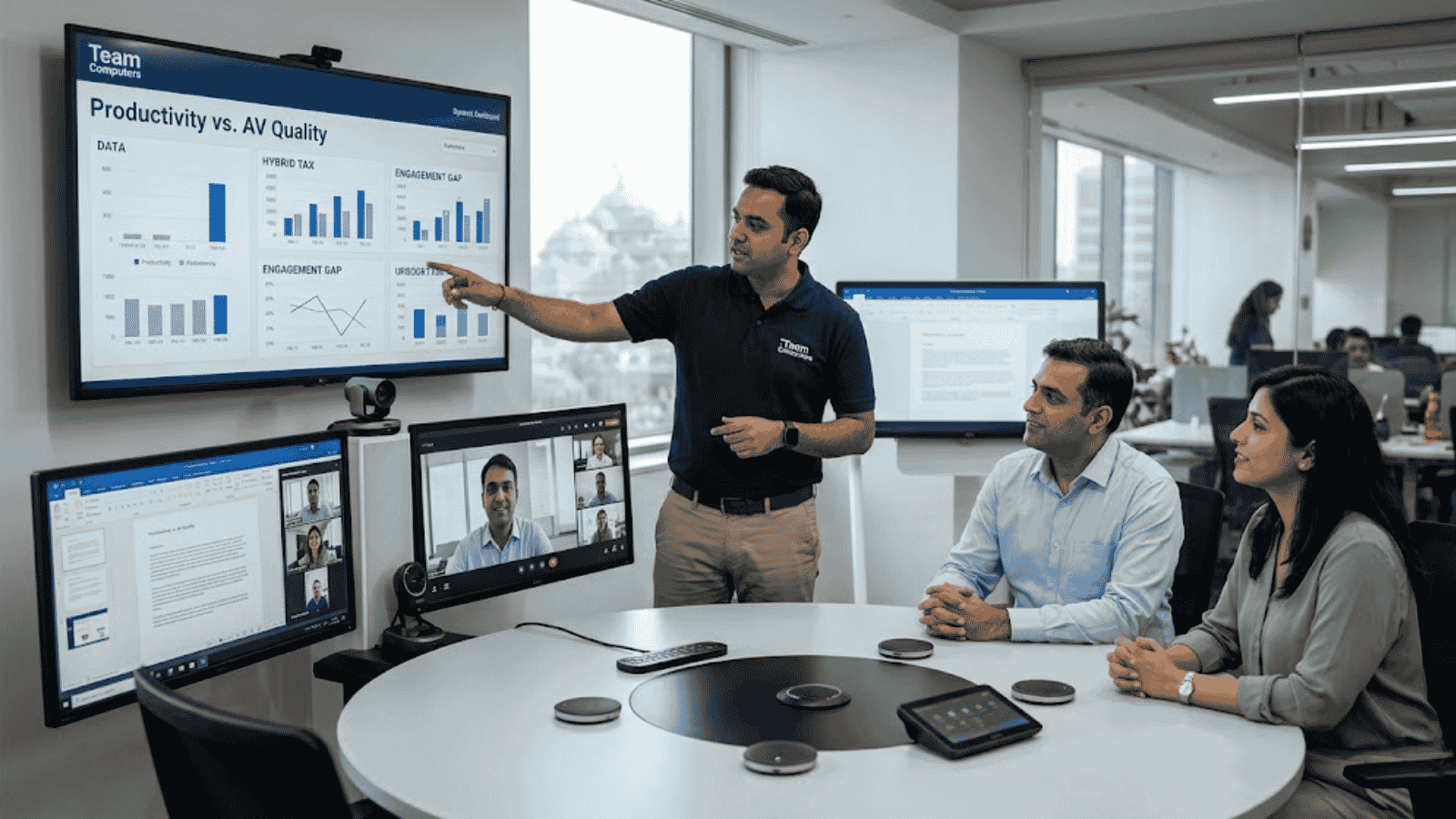
Your Event Content Is Fine. Your AV Is Killing It.

The harsh truth: most corporate events don’t lose the room because the content is bad. They lose the room because the mic echoes, the screen washes out, and the remote attendees quietly drop off by slide three.

By the time your most important message hits — half the room is on their phone.

That’s not a content problem. That’s an AV problem.

AV Isn’t a Checklist. It’s the Experience.

Projector ✓ Mic ✓ Done — sound familiar?

That approach is exactly why so many events feel flat. Real AV integration isn’t about ticking boxes. It’s about making everything work together — sound, visuals, lighting, interaction — so the event flows and the message lands.

When it works, nobody notices. When it doesn’t, nobody forgets.

What Actually Keeps People Paying Attention

Displays People Can Actually See

Obvious? Yes. Ignored constantly? Also yes. A bright, well-placed screen keeps the back row as engaged as the front row — and eliminates the passive disconnect that kills attention spans.

Audio That Doesn’t Make People Work

Bad audio is exhausting. People stop trying after 90 seconds. Clear, balanced sound across the room is the single highest-impact AV decision you can make for any corporate event.

Interaction That Breaks the Passive Scroll

Live polls. Q&A walls. Real-time reactions. The moment attendees do something, they re-engage. It costs almost nothing to add and changes the entire energy of the room.

Hybrid That Doesn’t Feel Like an Afterthought

Remote participants know when they’re second-class attendees. Good AV integration makes them feel present — not like they’re watching a grainy livestream from 2015.

The Mistake Most Event Teams Make

They plan the agenda first and call the AV vendor last.

By then the venue is locked, the budget is stretched, and there’s no time to test. Cue the flickering slides and feedback squeal during the CEO’s opening remarks.

Fix: Bring AV into the planning conversation early. A leadership townhall needs a completely different setup than a product launch. Know the difference before you book the room.

The 5-Minute Pre-Event AV Checklist

  • Walk the room and check sightlines from every corner
  • Test audio at full-capacity volume before guests arrive
  • Run every video, transition, and presentation file end to end
  • Confirm the hybrid feed with an actual remote participant
  • Have a backup for the one thing most likely to fail

Good AV Is Invisible. Bad AV Is Unforgettable.

Nobody leaves an event saying “the AV was incredible.” But they absolutely leave saying “I couldn’t hear anything” or “the screen kept cutting out.”

When audio is clear, visuals are sharp, and everything runs without a hitch — the content does its job. The message lands. The event achieves what it was meant to.

That’s what thoughtful AV integration actually delivers: not applause for the technology, but results for the business.

Team Computers designs, deploys, and manages AV solutions for corporate events and permanent workspaces across India. Get in touch with our team at sales.india@teamcomputers.com to plan your next event the right way.

Cheapest B2B Laptops in India (Top-Selling Picks for Bulk Deployment)

Budget-Friendly Business Laptops Companies Actually Buy

1. ASUS ExpertBook P1 (Entry-Level Business Workhorse)

  • Built for corporate deployment
  • Lightweight and durable
  • Ideal for frontline and operations teams
  • One of the most affordable business-class laptops

➡️ Best for: Bulk rollouts under tight budgets

2. HP 240 Series (Classic Corporate Choice)

  • Popular across SMBs and enterprises
  • Solid build quality for office use
  • Easy serviceability
  • Reliable for large deployments

➡️ Best for: Standard office productivity

3. Lenovo ThinkBook 14 (Balanced Performance + Cost)

  • Business-grade keyboard and build
  • Good battery life
  • Suitable for hybrid workforce

➡️ Best for: Mid-level corporate users

4. Lenovo V15 (Budget Deployment Favourite)

  • One of the lowest-cost corporate laptops
  • Ideal for call centers and shared environments
  • Easy to maintain

➡️ Best for: High-volume procurement

5. Dell New 15 Business Laptop

  • Trusted brand for enterprise deployment
  • Good service ecosystem in India
  • Strong after-sales support

➡️ Best for: Multi-location deployment

Why These Laptops Are Popular for B2B Deployment

  • Lower upfront cost for bulk procurement
  • Easy device lifecycle management
  • Standardized configurations
  • Reliable vendor support
  • Suitable for large-scale rollouts

Reliability and manageability matter more than flashy specs in business laptops — organizations prioritize durability, serviceability, and long-term value over raw performance.

Quick Buying Tip for IT Heads

Cheapest laptop ≠ lowest total cost.
Look for:

  • Business warranty
  • RAM upgrade support
  • SSD (not HDD)
  • Windows Pro availability
  • Vendor support coverage

7 Ways a Good IT Partner Helps CIOs and CTOs Live a More Peaceful Work Life

1. Fewer Daily Firefights

A reliable IT partner handles deployment, device issues, and operational tasks proactively. This means fewer urgent calls, fewer escalations, and significantly less reactive troubleshooting pulling technology leaders away from strategic work.

2. Faster Device Rollouts Without Stress

Bulk deployments across multiple locations can overwhelm internal teams. A good IT partner manages staging, configuration, and delivery — ensuring smooth rollouts without last-minute chaos or missed deadlines.

3. Reduced Pressure on Internal IT Teams

When routine operational tasks are handled externally, internal IT teams can focus on strategic initiatives. This reduces burnout, improves morale, and drives better productivity across the organization.

4. Better Visibility Across Locations

Managing devices across multiple offices is complex and time-consuming. A good IT partner provides centralized tracking, reporting, and lifecycle visibility — eliminating guesswork and giving CIOs a clear, real-time picture of their entire device estate.

5. Stronger Security Without Extra Effort

Security policies, patching, and compliance can be resource-intensive to manage internally. An experienced IT partner ensures devices are secure from day one, reducing risk for CIOs and CTOs without adding more to their team’s plate.

6. Predictable IT Operations

Instead of constant surprises, CIOs gain structured processes for deployment, refresh cycles, and support. Predictability leads to better planning, more accurate budgeting, and fewer operational disruptions across the organization.

7. More Time for Strategic Leadership

The biggest benefit? CIOs and CTOs can shift focus from operational firefighting to innovation, transformation, and business growth. When the day-to-day is handled, leadership energy goes where it creates the most value.

The Bottom Line

A strong IT partner doesn’t just improve operations — it reduces pressure on technology leadership. With smoother deployments, better visibility, and proactive support, CIOs and CTOs spend less time solving problems and more time driving strategy.

And that’s what truly creates a more peaceful work life.

Looking for an IT partner that handles the operational load so your leadership team can focus on what matters?

Discover how Team Computers supports CIOs and CTOs with end-to-end device management, deployment, and lifecycle services.

Your Technology Isn’t Failing. Your Buying Decisions Are.

When was the last time someone from your technology team openly told you that your decision was wrong? Not politely disagreed. Not hinted. Actually told you — clearly — that the direction didn’t make sense.

If your answer is “never,” that’s not necessarily a sign of alignment. It might be a warning.

Because when engineers stop challenging business decisions, it often means one of two things: either they don’t feel safe speaking up, or they’ve learned that feedback won’t change anything anyway. And that’s where many IT delivery failures truly begin.

The Story We Tell When Projects Go Wrong

A familiar pattern plays out in many organizations. A large technology initiative runs into trouble. It’s delayed, exceeds budget, or doesn’t deliver expected outcomes. The review meeting begins. Within minutes, attention shifts toward the technical team.

The developers underestimated complexity. The architects over-designed the solution. The technology leaders lacked business understanding.

The assumption is simple: technology execution failed.

Sometimes that’s true. But more often, it’s only half the story — and not the most important half. In many cases, the real issue is that the business didn’t define what it actually needed, didn’t engage consistently, or didn’t understand how to buy technology effectively.

We Optimize Engineering. We Ignore the Demand Side.

Organizations spend enormous effort improving engineering productivity. They debate delivery frameworks, invest in automation tools, track velocity metrics, and modernize infrastructure. All of this focuses on improving how technology is built.

But technology delivery is not just about supply. It’s also about demand — what the business asks for, how clearly it communicates, and how engaged it remains during execution.

Engineers often work with vague requirements that sound more like aspirations than specifications. Business stakeholders may be unavailable for clarification. Strategy may not be clearly articulated. Operational realities are rarely shared in full detail.

Despite this, expectations remain high: deliver something perfect.

This isn’t a setup for engineering underperformance. It’s a setup for misalignment — where technology becomes the easiest scapegoat.

When Business Decisions Get Rewritten as Technology Problems

Organizations often pursue ambitious strategic initiatives — new services, new markets, new operating models. These efforts require technology investment. Systems are built. Platforms are launched.

But if the business strategy doesn’t succeed — due to market conditions, pricing, timing, or sales execution — the narrative subtly shifts. Suddenly, the conversation focuses on the technology:

  • The system wasn’t flexible enough.
  • The product didn’t fully match expectations.
  • The delivery team misunderstood requirements.

A business gamble that didn’t pay off gets reframed as a technology execution issue. Over time, this erodes trust. Technical teams become cautious. Engineers stop raising early concerns. And organizations lose the valuable feedback that could have prevented issues in the first place.

The Question Rarely Asked

Instead of asking “Why did IT fail?”, organizations should start with a different question:

Are we being a good customer of technology?

Being a good customer means more than approving budgets. It means providing clarity, availability, and context:

  • Clear requirements reduce guesswork and rework
  • Timely decisions prevent delays across delivery teams
  • Strategic transparency improves architecture choices
  • Operational insight ensures solutions reflect real-world use

When these elements are missing, even strong engineering teams struggle to deliver outcomes that match business expectations.

Why Pushback Matters

Healthy technology environments encourage challenge. Engineers should be able to question assumptions, highlight risks, and suggest alternatives. Early pushback saves time and avoids costly rework.

But in many organizations, pushback is interpreted as resistance. Teams are expected to simply deliver. Over time, technical professionals learn to stay quiet.

This dynamic is especially common in globally distributed teams, where cultural norms may discourage direct disagreement with senior stakeholders. That makes leadership behavior critical. If leaders want honest feedback, they must actively invite it, respond constructively, and demonstrate that raising concerns is valued — not penalized.

If your technology team never challenges decisions, it doesn’t mean everything is perfect. It may simply mean issues are being absorbed silently.

Becoming Easier to Build Technology For

Improving technology outcomes doesn’t start with hiring more developers. It starts with improving how the business engages with technology. This includes:

  • Stronger program discipline: Clear ownership, timelines, and decision frameworks reduce ambiguity across every layer of delivery.
  • Shared strategic direction: When engineers understand long-term goals, they make better technical choices from the start.
  • Effective business-technology roles: Product managers, analysts, and solution architects bridge gaps between intent and execution.
  • Fair performance measurement: Separate business success from delivery performance. A technically sound solution built for a flawed strategy is not a delivery failure.
  • Active feedback loops: Ask technology teams what slows them down — and listen without defensiveness.

A Different Perspective on Technology Success

It’s easy to assume technology problems originate in technology teams. It’s harder — but more productive — to examine how decisions are made, communicated, and managed across the business.

Organizations that improve this relationship often see better outcomes without changing their engineering teams at all.

Better technology delivery doesn’t start with better developers. It starts with better customers of technology.

So the next time a project struggles, pause before asking what went wrong in IT. Instead, ask a more uncomfortable — but far more useful — question:

Did we set them up to succeed?

The answer might change everything.

At Team Computers, we help organizations build the delivery discipline, governance structures, and business-technology alignment needed to ensure that ambitious initiatives actually succeed — from strategy to scale.

Data And AI Delivery with Adoption and Training: From BI to AI

Most enterprises don’t struggle with starting their Data journey. They struggle with finishing it.

You’ve invested in dashboards, reporting tools, and business intelligence platforms. Your teams have visibility. Yet, when it comes to moving from insights to intelligence—from BI to true Data And AI with Adoption and Training—progress stalls.

In fact, over 60% of organizations fail to operationalize AI beyond pilot use cases. The gap isn’t ambition. It’s delivery.

The journey from BI to AI introduces complexity: fragmented data ecosystems, unclear ownership, lack of structured execution, and most importantly, poor Adoption and Training. Solutions get built, but they don’t get used.

The result? AI remains an experiment instead of becoming a business advantage.

This blog breaks down why this transition is so challenging, what successful delivery actually looks like, and how Team Computers ensures your journey from BI to AI is executed with precision, governance, and real adoption.

The Problem: Why the BI to AI Journey Breaks Down

The shift from BI to AI is not incremental. It’s transformational. And that’s exactly where most delivery models fail.

Where Enterprises Get Stuck

Business Intelligence gives you hindsight. AI demands foresight. That shift introduces new dependencies:

  • Data must be real-time, clean, and unified
  • Models must integrate into business workflows
  • Decisions must become automated or augmented
  • Teams must trust and adopt AI-driven outputs

Without a structured delivery approach, this complexity creates friction.

The Hidden Execution Gaps

  • BI systems operate in silos, AI requires integration
  • Ownership is unclear across business and IT teams
  • No centralized tracking of project progress
  • Scope expands without controlled change management
  • Minimal focus on Adoption and Training

Each of these gaps slows down delivery. Together, they derail transformation.

Why This Matters

When the journey stalls, organizations face:

  • AI investments that don’t scale
  • Low user trust in data-driven decisions
  • Delayed ROI realization
  • Competitive disadvantage

What Successful Data And AI Delivery Looks Like

Delivering AI is not about building models. It’s about embedding intelligence into business operations.

The Core Principles of Effective Delivery

  1. Outcome-Driven Execution
    Every initiative ties to a measurable business goal
  2. Data Readiness First
    AI is only as good as the data it runs on
  3. Structured Governance
    Clear roles, accountability, and escalation paths
  4. Continuous Stakeholder Alignment
    Regular touchpoints prevent misalignment
  5. Adoption and Training Built-In
    Users are enabled alongside development

The Key Shift

Traditional BI delivery focuses on reporting.
AI delivery focuses on decision-making.

That means your project is only successful when:

  • Business teams trust the outputs
  • Insights translate into action
  • Systems integrate seamlessly into workflows

What This Requires

  • A delivery model that balances speed and control
  • A system for visibility across stakeholders
  • A strong emphasis on change management

Without these, AI remains a technical achievement—not a business success.

How Team Computers Ensures Seamless BI to AI Transition

Team Computers approaches delivery as a structured system designed to handle the complexity of Data And AI with Adoption and Training.

1. Well-Defined Hierarchy and Accountability

Every project is anchored in clarity:

  • Project Managers ensure timelines and coordination
  • Tech Leads drive architecture and implementation
  • COE Heads provide strategic and domain oversight

Each role has defined KRAs, eliminating ambiguity and ensuring accountability.

2. PRIME: Automated Project Tracking

Execution without visibility creates risk.

The PRIME portal provides:

  • Real-time progress tracking
  • Milestone monitoring
  • Risk identification and escalation
  • Centralized communication

This ensures leadership always has a clear view of delivery status.

3. Strong Boundary and Change Management

AI projects evolve. But uncontrolled change leads to chaos.

Team Computers ensures:

  • Clearly defined project scope from the start
  • Structured change request processes
  • Seamless integration of change management within PRIME

This allows flexibility without compromising timelines or outcomes.

Accelerating Delivery While Ensuring Adoption and Training

Speed matters—but only when it leads to usable outcomes.

4. Industry-Specific Accelerators

Team Computers brings a strong repository of reusable assets:

  • Pre-built AI models and use cases
  • Industry-aligned data frameworks
  • Proven implementation templates

This reduces time-to-value and increases delivery confidence.

5. Structured Engagement Model

Consistency drives alignment:

  • Weekly connects with project stakeholders
  • Monthly reviews with leadership teams

This ensures decisions are timely and aligned with business priorities.

6. Continuous Feedback Loop

A dedicated customer success team enables:

  • Real-time feedback collection
  • Rapid issue resolution
  • Continuous delivery improvement

Why Adoption and Training is Central

Adoption is not a post-deployment activity. It’s embedded into delivery.

Key Focus Areas

  • Role-based user training
  • Hands-on enablement sessions
  • Workflow-aligned solution design
  • Ongoing support post go-live

Outcome:

  • Higher adoption rates
  • Faster business impact
  • Stronger trust in AI systems

What CIOs and Data Leaders Should Expect from a Partner

The journey from BI to AI requires more than technical expertise. It requires a partner who understands execution at scale.

Must-Have Capabilities

  • End-to-end delivery ownership
  • Strong governance frameworks
  • Real-time project visibility
  • Proven experience in AI implementation
  • Deep focus on Adoption and Training

Questions You Should Ask

  • How do you ensure alignment between business and technology?
  • What systems do you use for tracking delivery?
  • How do you manage scope changes?
  • How do you drive user adoption?

Red Flags to Watch

  • Overemphasis on tools instead of outcomes
  • Lack of structured delivery methodology
  • No clear plan for Adoption and Training
  • Limited post-deployment support

Choosing the wrong partner doesn’t just delay delivery—it resets your transformation journey.

CONCLUSION

The journey from BI to AI is where most organizations either accelerate—or stall.

Delivering successful Data And AI with Adoption and Training requires a system that combines governance, execution discipline, and human enablement.

Here’s what defines success:

  • Clear ownership across project layers
  • Real-time visibility through structured tracking systems
  • Controlled execution with strong change management
  • Accelerated delivery using proven frameworks
  • Continuous stakeholder engagement and feedback
  • Deep focus on Adoption and Training

When these elements align, Data and AI stops being an initiative—and becomes a business capability.

Not sure how far along you are in your journey from BI to AI? Book your free 30-minute analytics maturity audit and get a clear view of where your delivery, adoption, and AI readiness stand. Walk away with actionable insights to accelerate your transformation with confidence.

How to Assess Your Enterprise Systems Integration Readiness

Most enterprise integration failures don’t happen during execution, they are designed into the project long before it begins.

That may sound direct, but it reflects what consistently plays out across large organizations. Significant investments go into modern platforms, integration tools, and implementation partners, yet projects still face delays, rework, and outcomes that fall short of expectations. The root cause is rarely the technology. It is a lack of enterprise systems integration readiness.

What appears to be an integration challenge is often a deeper visibility issue, unclear system dependencies, inconsistent data, fragmented processes, and an overestimation of internal capabilities. These gaps remain hidden until execution begins, at which point they become expensive to fix.

The difference between a seamless integration and a stalled initiative is not the sophistication of the tools being used. It is how well the enterprise environment is prepared to support integration at scale. This blog breaks down how to assess your enterprise systems integration readiness in a practical, experience-driven way- so you can identify risks early, avoid costly missteps, and move forward with clarity and control.

Why Enterprise Systems Integration Readiness Is Often Overestimated

In many organizations, integration readiness is assumed rather than validated. The presence of APIs, cloud platforms, or middleware tools creates a sense of preparedness, but these elements alone do not ensure successful integration. Readiness is not about availability – it is about alignment across systems, data, and processes.

In real-world environments, APIs may exist but lack standardization or proper documentation. Systems may technically connect but fail under production load. Integration layers are often built incrementally over time, without a unified architectural approach. These issues remain manageable in isolation, but when integration scales, they begin to compound.

The real challenge emerges during execution. Data mismatches between systems, latency in real-time workflows, and hidden dependencies on legacy applications start to surface. Ownership gaps lead to repeated rework, and projects that seemed straightforward begin to lose momentum. Timelines stretch, costs increase, and confidence across stakeholders starts to erode.

This is why enterprise systems integration readiness must be treated as a diagnostic exercise, not a checklist. Without a clear understanding of existing gaps, integration becomes reactive rather than engineered.

Mapping Your System Landscape: Where Complexity Actually Lives

Enterprise IT environments are rarely as simple as they appear on architecture diagrams. The complexity does not come from the number of systems alone, but from how deeply interconnected they are.

A typical enterprise landscape includes legacy ERP systems, multiple SaaS platforms, and custom-built applications developed over time to meet specific business needs. Each system carries its own data structures, communication protocols, and dependencies. When viewed in isolation, they seem manageable. When viewed as an interconnected ecosystem, the complexity becomes significantly more difficult to control.

Assessing readiness requires moving beyond a surface-level inventory of systems. It demands clarity on which systems are business-critical, where data originates and flows, and which integrations are tightly coupled and therefore fragile. In many cases, a single change in one system can trigger downstream impacts across multiple processes—often in ways that are not immediately visible.

Without mapping these relationships in detail, integration efforts become unpredictable. What should be a structured initiative turns into trial-and-error execution, increasing both risk and cost.

Data Readiness: The Most Ignored Risk in Integration

Data is central to every integration initiative, yet it is often the least prepared element within the enterprise environment. There is a common assumption that once systems are connected, data will flow accurately between them. In reality, integration tends to expose existing data issues rather than resolve them.

Customer records may be defined differently across CRM and ERP systems. Duplicate entries may exist without clear ownership. Data formats often vary, and batch-oriented data is frequently forced into real-time workflows without proper transformation. These inconsistencies lead to reporting discrepancies, operational inefficiencies, and a gradual loss of trust in the integrated systems.

True data readiness requires deliberate effort before integration begins. Organizations need clarity on data ownership, consistent standards for structure and validation, and a clear strategy for how data will move, whether in real time, in batches, or through event-driven models.

Without this foundation, integration does not improve data reliability. It amplifies existing issues, making them harder to detect and resolve at scale.

Process Reality Check: Integration Exposes What You’ve Been Avoiding

Integration is often positioned as a way to improve efficiency, but it does not inherently fix broken processes. Instead, it exposes them – faster and at a larger scale.

Many enterprises operate with hidden inefficiencies: manual approvals embedded within digital workflows, variations in processes across departments, and unclear ownership across systems. These issues may be manageable in siloed environments, but when systems are integrated, they become more visible and more disruptive.

If workflows are not standardized or clearly defined, integration introduces complexity rather than reducing it. Automation becomes inconsistent, exceptions increase, and teams often revert to manual workarounds to maintain continuity. The result is an environment that is technically integrated but operationally fragmented.

Assessing enterprise systems integration readiness therefore requires a close examination of how processes actually function – not how they are documented. Integration delivers value only when workflows are designed for continuity, with clear ownership and minimal manual intervention.

Capability Gaps: The Silent Risk in Execution

Even with a well-defined strategy, integration success ultimately depends on execution. This is where many organizations encounter challenges that were not anticipated during planning.

Modern integration requires a combination of capabilities, ranging from API lifecycle management and cloud-native architecture to data orchestration and governance. These are specialized skills that go beyond traditional IT operations. In many enterprises, internal teams are already stretched managing day-to-day responsibilities and may not have the bandwidth or cross-domain expertise required for complex integration initiatives.

This gap leads to slower execution, increased reliance on external vendors at later stages, and fragmented implementation approaches. Projects that start with momentum begin to slow down as teams struggle to align strategy with execution reality.

Assessing readiness means being honest about whether the organization has the capability to execute integration at scale, or only the ability to initiate it. This distinction is critical in avoiding mid-project disruptions and ensuring consistent progress.

Governance, Security, and Scalability: Where Integration Becomes Sustainable

Integration is not a one-time project. It becomes a foundational layer that supports ongoing business operations and future growth. Without the right governance structures, integration environments quickly become difficult to manage.

As new systems are added, organizations often create multiple point-to-point connections, leading to integration sprawl. Visibility into system interactions decreases, security risks increase, and scaling new integrations becomes more complex than necessary.

Sustainable integration requires a structured governance model that defines how integrations are designed, deployed, and managed. This includes clear API security frameworks, access controls, monitoring mechanisms, and scalability planning aligned with business objectives.

When governance is built into the integration strategy from the beginning, organizations are able to scale confidently. Without it, complexity grows exponentially with each new integration.

How Team Computers Brings Structure to Integration Readiness

Assessing enterprise systems integration readiness internally can be challenging, particularly when teams are closely involved in the systems and processes being evaluated. An external, structured perspective often brings the clarity needed to identify gaps objectively.

Team Computers approaches integration readiness as a comprehensive diagnostic exercise. This involves mapping system dependencies, evaluating data flows, assessing process maturity, and identifying capability gaps that could impact execution. The focus is not only on identifying issues but on understanding how these issues affect business performance.

The outcome is a clear and actionable roadmap. Organizations gain visibility into where integration efforts are likely to succeed, where risks exist, and what steps are required to address them. This reduces uncertainty, minimizes rework, and ensures that integration initiatives are aligned with long-term business goals.

The objective is simple, to ensure that integration begins with clarity, not assumptions.

Conclusion

Enterprise systems integration readiness is not an optional step, it is the foundation on which successful integration is built. Organizations that invest in understanding their readiness do not just reduce risk; they gain the ability to execute with precision and confidence.

The difference between success and failure often lies in what happens before the project begins. By addressing system complexity, data inconsistencies, process gaps, and capability limitations early, enterprises can avoid the disruptions that commonly derail integration initiatives.

Key takeaways:

  • Integration challenges often originate before execution begins
  • System and data clarity are critical to reducing risk
  • Process alignment directly impacts integration outcomes
  • Capability and governance determine scalability 

If integration is expected to deliver measurable business value, readiness must be treated as a strategic priority, not a preliminary step.

Not sure how prepared your organization truly is for integration?

Discover how Team Computers can help you assess your enterprise systems integration readiness, uncover hidden risks, and build a clear, scalable roadmap that ensures your integration initiatives deliver the outcomes you expect, without costly surprises.

The Hidden Operational Costs of Not Investing in Enterprise Systems Integration

Most enterprises don’t reject systems integration, they delay it.

On the surface, this decision feels practical. Budgets are redirected, priorities evolve, and integration is pushed into a future phase. However, what often goes unrecognized is that the cost of this delay is not zero. It is continuous, compounding, and already impacting the business in ways that are not immediately visible.

Unlike technology investments that appear clearly in financial plans, the cost of disconnected systems is distributed across operations. It surfaces in the form of inefficiencies, slower execution, delayed decisions, and inconsistent customer experiences. Over time, these issues scale, quietly increasing operational costs while limiting the organization’s ability to respond with speed and precision.

The Cost That Remains Invisible

There is rarely a direct financial line that captures the cost of disconnected systems, which is precisely why it is underestimated. The impact does not sit within a single department or function. Instead, it spreads across teams, processes, and systems, making it difficult to quantify but impossible to avoid.

What may appear as small inefficiencies at a micro level begin to compound at scale. Delays in workflows, gaps in data accuracy, and additional manual effort collectively contribute to higher operational costs and slower revenue realization. The absence of integration is not a passive state, it actively introduces friction into the way the business operates.

Manual Work and the Cost of Lost Productivity

In environments where systems are not integrated, manual processes become deeply embedded in day-to-day operations. Teams spend significant time entering the same data across multiple platforms, validating inconsistencies, and coordinating between disconnected systems. While each of these actions may seem routine, their cumulative impact is substantial.

At scale, a significant portion of employee bandwidth is consumed by tasks that do not directly contribute to business growth. This results in a structural inefficiency where skilled resources are allocated to repetitive activities instead of strategic initiatives. The outcome is not just reduced productivity, but an increase in operational cost without a corresponding increase in value.

Data Silos and the Cost of Delayed Decisions

When systems operate in isolation, data becomes fragmented and often outdated by the time it is accessed. This creates an environment where decision-making is dependent on incomplete or delayed information. In fast-moving business environments, even small delays in accessing accurate data can have measurable consequences.

Decisions that should be immediate become reactive. Opportunities that require timely action are missed. Strategic planning becomes less precise due to inconsistent visibility across business functions. Over time, this impacts not just efficiency, but the organization’s ability to compete effectively in the market.

Operational Friction and Its Compounding Impact

Disconnected systems introduce friction into core business processes. What should be seamless workflows become multi-step, time-consuming operations. Delays in order processing, inefficiencies in inventory movement, and disjointed financial workflows are not isolated issues, they are indicators of a larger structural gap.

When these inefficiencies are multiplied across the organization, the impact becomes significant. Even a marginal decline in productivity, when applied at scale, translates into substantial operational overhead. These are not process-level inefficiencies that can be solved with minor adjustments. They are systemic challenges rooted in the absence of integration.

Customer Experience and Hidden Revenue Loss

One of the most critical consequences of disconnected systems is its impact on customer experience. When systems do not share information seamlessly, customer data remains incomplete, interactions lack context, and response times increase. This creates fragmented experiences that directly affect how customers perceive the business.

The impact is often not immediately visible in financial reports, but it is reflected in customer behavior. Lower satisfaction, reduced retention, and missed opportunities for cross-selling and upselling are all outcomes of inconsistent experiences. This represents a form of revenue loss that is continuous and difficult to track, yet highly significant.

Why This Cost Is Often Ignored

Despite its impact, the cost of not integrating systems is frequently overlooked because it does not present itself in a centralized or measurable form. It is distributed across departments, absorbed into operational routines, and gradually accepted as part of normal business functioning.

Over time, organizations adapt to inefficiency rather than addressing its root cause. What begins as a temporary workaround evolves into a permanent way of operating. This normalization of inefficiency is what makes the problem more complex, as it reduces the urgency to act.

Reframing Integration as a Business Strategy

To address this challenge, enterprises need to shift how they perceive systems integration. It is not merely a technical initiative or an IT expense. It is a strategic lever for improving operational efficiency and controlling costs.

When systems are integrated effectively, the impact extends beyond technology. Processes become streamlined, decision-making becomes faster and more accurate, and customer interactions become more consistent. The focus moves away from the cost of implementation and toward the value created through improved performance and reduced inefficiency.

How Team Computers Helps Address These Challenges

Addressing the hidden costs of disconnected systems requires more than just connecting applications, it requires identifying where inefficiencies exist and how they impact business performance.

Team Computers takes a structured, outcome-driven approach to systems integration. By assessing existing environments, identifying integration gaps, and mapping their operational impact, enterprises gain clear visibility into where cost leakage is occurring.

With proven frameworks and strong execution discipline, the focus is on simplifying complexity, reducing manual effort, improving data flow, and enabling faster, more reliable processes across systems.

The result is not just better connectivity, but measurable improvements in efficiency, speed, and cost control, ensuring that integration delivers real business value, not just technical alignment.

Conclusion

The cost of systems integration is visible, planned, and manageable. The cost of not integrating is hidden, ongoing, and significantly higher.

It exists in lost productivity, delayed decisions, operational inefficiencies, and inconsistent customer experiences. More importantly, it is already being incurred, whether it is measured or not.

The question is no longer whether integration is necessary. The real question is how long the business can afford to operate with these hidden inefficiencies.

If your organization is experiencing delays, inefficiencies, or limited visibility across systems, the underlying issue may not be operational- it may be structural.

This is the right time to evaluate where integration gaps exist and how they are impacting business performance. Connect with Team Computers to assess your current environment and define a structured approach to eliminating hidden operational costs while improving overall efficiency.

Why Enterprise Integration Projects Fail – And How to Avoid It

Enterprise integration projects rarely fail because of technology limitations. More often, they fail because organizations underestimate what it actually takes to connect systems, align data, and ensure seamless execution across complex IT environments.

Despite significant investments in platforms and tools, many enterprises continue to face delays, cost overruns, and performance issues in their integration initiatives. The consequences are not just technical, they directly impact business agility, operational efficiency, and customer experience. Understanding why enterprise integration projects fail is therefore critical for any organization aiming to scale effectively.

This blog explores the most common reasons behind integration failures and outlines practical ways to avoid them. More importantly, it provides a strategic lens to help you approach integration not as a one-time project, but as a long-term capability.

Lack of a Clear Integration Strategy

A recurring issue across failed integration initiatives is the absence of a clearly defined strategy. Many organizations begin integration efforts with a focus on tools or platforms rather than outcomes. This leads to fragmented execution, where different teams work toward isolated goals without a unified direction.

When there is no alignment between business objectives and integration efforts, projects quickly lose momentum. Systems may get connected, but they fail to deliver meaningful business value. Over time, this creates technical debt rather than solving operational challenges.

To avoid this, enterprises must start with clarity. Integration initiatives should be guided by clearly defined business outcomes, supported by a structured roadmap, and aligned across stakeholders. Without this foundation, even the most advanced technologies will struggle to deliver results.

Underestimating Integration Complexity

Integration is often perceived as a straightforward technical exercise, until execution begins. In reality, modern enterprise environments are highly complex, involving legacy systems, cloud platforms, APIs, and third-party applications, all operating with different standards and data formats.

This complexity introduces challenges that are not always visible at the outset. Data inconsistencies, compatibility issues, and synchronization problems can significantly slow down progress. What initially appears to be a simple connection between systems often evolves into a multi-layered problem requiring architectural expertise.

Enterprises that fail to account for this complexity typically encounter delays and cost escalations. The key to avoiding this lies in conducting a thorough system assessment upfront and designing integration architectures that are scalable and future-ready, rather than reactive and short-term.

Inadequate Skills and Resource Constraints

Even with the right strategy and tools in place, integration success ultimately depends on execution, and execution depends on people. One of the most common reasons enterprise integration projects fail is the lack of specialized skills within internal teams.

Integration today is not limited to connecting systems; it involves API management, cloud orchestration, real-time data processing, and more. Expecting general IT teams to handle these specialized tasks often leads to inefficiencies and errors. Additionally, internal teams are usually already stretched across multiple priorities, making it difficult to dedicate focused effort to integration initiatives.

This results in slower progress, increased rework, and inconsistent outcomes. Enterprises can mitigate this risk by either investing in specialized skill development or augmenting their teams with experienced integration professionals who bring proven expertise and execution discipline.

Poor Data Governance and Quality Issues

Data is at the core of every integration initiative, yet it is often one of the most overlooked aspects. When data across systems is inconsistent, outdated, or poorly structured, integration efforts fail to deliver accurate and reliable outcomes.

The impact of poor data quality goes beyond technical inefficiencies. It affects decision-making, reporting accuracy, and overall trust in enterprise systems. Without proper governance, integration can amplify existing data issues rather than resolve them.

To prevent this, organizations must establish strong data governance frameworks before initiating integration projects. Standardizing data formats, implementing validation mechanisms, and ensuring data consistency across systems are essential steps in building a reliable integration foundation.

Lack of Testing and Continuous Monitoring

Testing is often treated as a final step in integration projects, rather than an ongoing process. This approach leaves significant gaps, as issues may only surface after deployment, when they are more difficult and costly to resolve.

Similarly, the absence of continuous monitoring means that performance issues and failures can go undetected until they begin to impact business operations. This lack of visibility creates unnecessary risk and reduces the reliability of integrated systems.

A more effective approach involves embedding testing throughout the integration lifecycle and implementing real-time monitoring mechanisms. This ensures that issues are identified early, performance is optimized continuously, and systems remain stable as they scale.

Choosing the Wrong Integration Approach or Partner

One of the most critical factors influencing integration success is the choice of approach and execution model. Many enterprises select tools or vendors based on short-term considerations without fully evaluating long-term implications.

An inadequate approach can limit scalability, increase costs, and create dependencies that hinder future growth. Similarly, choosing a partner without proven expertise or a structured methodology can lead to inconsistent execution and unmet expectations.

Successful enterprises take a more strategic view. They evaluate partners based on experience, delivery capabilities, and alignment with business goals. They look for providers who can offer end-to-end support, from strategy to execution, rather than isolated services.

How Team Computers Helps Prevent Integration Failures

Avoiding integration failure requires more than identifying challenges, it demands a structured, experience-driven approach that addresses both technical complexity and business alignment. This is where Team Computers brings measurable value as a systems integration partner.

A Business-Aligned Integration Approach

Rather than treating integration as a standalone IT activity, the focus is on aligning every initiative with clearly defined business outcomes. This begins with a consultative engagement model, where existing systems, data flows, and operational dependencies are carefully assessed.

Accelerated Execution Through Proven Frameworks

Execution is supported by proven frameworks and reusable components developed across multiple enterprise implementations. This reduces uncertainty, shortens timelines, and ensures consistent delivery.

Cross-Domain Expertise for Complex Environments

Modern integration spans applications, data, cloud, and infrastructure layers. Access to specialized expertise across these domains ensures seamless coordination and minimizes execution gaps.

Execution Discipline and Risk Control

Integration projects are managed with defined milestones, continuous testing, and real-time monitoring. This ensures issues are identified early and resolved before they impact operations.

Designed for Long-Term Scalability

Integration is treated as an evolving capability, not a one-time project. Scalable architectures and governance frameworks ensure systems remain aligned as business needs grow.

CONCLUSION

Understanding why enterprise integration projects fail provides valuable insight into how they can succeed. The challenges, ranging from lack of strategy and skills to data issues and poor execution are common, but they are also preventable.

Enterprises that approach integration with a clear strategy, realistic expectations, and the right expertise are better positioned to avoid these pitfalls. More importantly, they are able to transform integration from a risk into a strategic advantage.

Key takeaways:

  • Integration failures are often driven by strategy and execution gaps
  • Complexity must be acknowledged and planned for early
  • Skilled resources and structured approaches are essential
  • Data quality and governance play a critical role
  • The right partner significantly improves success rates

Planning an enterprise integration project? Discover how Team Computers can help you avoid common pitfalls, reduce execution risk, and deliver integration outcomes that align with your business goals.

Integration Latency: The Hidden Performance Killer in Enterprise Systems

Most enterprises measure system performance in terms of uptime, throughput, or infrastructure capacity. Very few measure what actually slows the business down: integration latency.

Integration latency is the time it takes for data to move between systems, and for those systems to act on it. Even delays of a few seconds can quietly accumulate, leading to missed opportunities, operational inefficiencies, and inconsistent customer experiences.

Consider a typical enterprise workflow. A customer places an order, but inventory updates lag behind. A payment is processed, yet finance systems reflect it minutes later. A support ticket is created, but downstream systems fail to respond in real time. These are not failures of systems, they are failures of speed.

At Team Computers, we view integration latency as one of the most underestimated barriers to building a truly responsive enterprise. Traditional integration models were designed for connectivity, not immediacy. Today’s business environment demands both.

What Is Integration Latency (And Why It’s Often Ignored)

Integration latency refers to the delay between an event occurring in one system and its impact being reflected in another. While systems may appear seamlessly connected, the timing of data exchange often tells a different story.

Latency exists across multiple layers of enterprise IT. It can be observed between ERP and CRM systems, across hybrid cloud environments, within API interactions, and even deep inside batch processing pipelines. These delays are often small in isolation but become significant when compounded across workflows.

One reason latency goes unnoticed is that traditional monitoring focuses on uptime rather than responsiveness. Systems may report 99.99% availability, yet still fail to deliver real-time outcomes. Dashboards rarely highlight how long it takes for actions to propagate across systems.

In reality, a system can be fully integrated and highly available, yet still inefficient from a business standpoint. The difference lies in how quickly systems react, not just whether they are connected.

The Business Cost of Integration Latency

Integration latency is not just a technical concern; it has measurable business consequences that ripple across the organization.

From an operational perspective, delays slow down workflows and create dependencies on manual intervention. Teams often compensate for system lag by introducing workarounds, which increases complexity and reduces efficiency.

Financially, the impact can be significant. Delayed processing can lead to revenue leakage, inaccurate inventory levels, and suboptimal resource allocation. Over time, these inefficiencies translate into tangible business losses.

Customer experience is perhaps the most visible casualty. Modern customers expect immediacy, and even minor delays can erode trust. Slow confirmations, inconsistent data across channels, and delayed service responses all stem from underlying latency issues.

To summarize, integration latency typically manifests as:

  • Slower operational workflows and decision cycles
  • Financial inefficiencies and missed revenue opportunities
  • Fragmented and delayed customer experiences 

Integration latency creates a silent drag on business performance, often unnoticed until it becomes critical.

What Causes High Integration Latency

To address latency effectively, organizations must first understand its root causes. In most enterprises, latency is not caused by a single issue but by a combination of architectural limitations.

Batch-based processing remains one of the most common contributors. Data is moved at scheduled intervals rather than continuously, creating unavoidable delays. Similarly, excessive API chaining introduces latency as systems wait on multiple synchronous calls, each adding to the total response time.

Centralized middleware can also become a bottleneck, especially as transaction volumes increase. Instead of enabling faster communication, it can slow down the entire ecosystem. Legacy systems further complicate the situation, as they often require additional layers to enable modern integration, increasing processing time.

These factors collectively create a system where delays are built into the architecture itself, rather than being exceptions.

Reducing Latency with Event-Driven Systems Integration

Eliminating latency requires a fundamental shift in how systems communicate. Traditional request-response models must give way to event-driven architectures.

In an event-driven model, systems no longer wait to be asked for updates. Instead, they automatically broadcast changes as they happen. This shift transforms integration from reactive to proactive.

The impact of this approach is significant. Data flows continuously rather than intermittently, dependencies between systems are reduced, and response times improve dramatically. Technologies such as event streams, message brokers, and asynchronous processing enable this real-time flow of information.

Key benefits of event-driven integration include:

  • Near real-time data propagation across systems
  • Reduced system dependencies and bottlenecks
  • Faster, more reliable system responses 

This approach turns integration into a dynamic layer that actively drives business responsiveness.

How Team Computers Designs Low-Latency Integration Architectures

At Team Computers, integration is approached as a performance engineering discipline rather than just a connectivity exercise.

The process begins with latency mapping, where delays across systems are identified and quantified. This is followed by event identification to determine which business processes require real-time responsiveness. Based on these insights, architectures are redesigned to introduce event-driven layers in a targeted and scalable manner.

Continuous monitoring ensures that latency is not only reduced but consistently optimized as systems evolve.

Through this approach, organizations achieve:

  • Real-time synchronization across enterprise systems
  • Faster and more informed decision-making
  • Reduced operational friction and manual dependencies 

From Connected Enterprise to Responsive Enterprise

For years, organizations have focused on becoming “connected.” While this was a necessary step, it is no longer sufficient.

A connected enterprise enables data exchange, but often with delays. A responsive enterprise ensures that systems react instantly to changes, enabling continuous updates and real-time insights.

This distinction is subtle but critical. It represents the evolution from static integration to dynamic responsiveness, where systems do not just communicate, but actively support business agility.

The future belongs to enterprises that are not just connected, but responsive

Conclusion

  • Integration latency is a hidden yet critical challenge that impacts operational efficiency, financial performance, and customer experience.
  • Even well-integrated systems can underperform if responsiveness is not prioritized.
  • Traditional integration models focus on connectivity but fall short in delivering real-time speed.
  • Event-driven architectures enable systems to respond instantly and operate in sync.
  • Reducing latency is essential for building a responsive, high-performance enterprise.
  • Organizations that address latency proactively gain a strong competitive advantage.

Discover how Team Computers can help you eliminate integration latency and build a real-time, high-performance enterprise IT environment. Connect with our experts to transform your systems from connected to truly responsive.

Why Modern IT Is Silently Breaking and How Managed IT Services Fix It Fast

Enterprise IT is under pressure like never before.

Hybrid work, growing data volumes, and increasing system complexity have created a perfect storm leaving IT teams in a constant cycle of firefighting. What was once manageable infrastructure has now become fragmented, unpredictable, and difficult to scale.

The challenge is no longer just about keeping systems running, it’s about ensuring IT can support business growth without becoming a bottleneck.

This is where Managed IT Services play a critical role shifting IT from reactive support to proactive, outcome-driven operations.

The “Always-On” Exhaustion

The Problem

Systems operate 24×7 but internal IT teams don’t.

Organizations managing global operations with limited support windows often face:

  • Undetected overnight incidents
  • Delayed response to critical failures
  • Increased workload and burnout within IT teams

This gap between system availability and human availability creates significant operational risk.

The Fix

With 24×7 NOC support, organizations gain continuous monitoring and real-time response capabilities.

Supported by a Global Delivery Center (GDC) model, this ensures:

  • Follow-the-sun monitoring across time zones
  • Faster incident detection and resolution
  • Reduced downtime before business hours begin

Instead of reacting to issues, IT operations become continuously managed and stabilized.

The Infrastructure Identity Crisis

The Problem

Many enterprises are caught between legacy data centers and rapidly expanding cloud environments.

This “hybrid complexity” leads to:

  • Unpredictable infrastructure costs
  • Security and compliance gaps
  • Lack of standardization across environments

Without a unified strategy, infrastructure becomes fragmented and inefficient.

The Fix

Through Data Center Management and Cloud Management Services, organizations can bring structure to hybrid environments.

This includes:

  • End-to-end infrastructure monitoring and optimization
  • Improved cost control across on-premise and cloud systems
  • Enhanced security and compliance readiness

The goal is not just to maintain infrastructure—but to make it scalable, efficient, and aligned with business needs.

The Manual Work Trap

The Problem

Highly skilled IT teams often spend a large portion of their time on repetitive, low-value tasks such as:

  • Password resets
  • Routine patching
  • Basic troubleshooting

This not only reduces efficiency but also prevents teams from focusing on strategic initiatives.

The Fix

With intelligent automation platforms like ZerofAI, organizations can automate routine operations.

This enables:

  • Faster incident detection and resolution
  • Reduced dependency on manual processes
  • Improved operational efficiency

The long-term goal is to move toward a self-healing IT environment, where systems resolve issues before they impact users.

The Application Performance Gap

The Problem

Infrastructure may appear stable, but user experience often tells a different story.

Common issues include:

  • Slow application performance
  • Latency across distributed environments
  • Poor user experience despite system uptime

Monitoring infrastructure alone is no longer enough.

The Fix

Application Management Services focus on performance from the user’s perspective.

This includes:

  • Continuous monitoring of application health
  • Performance optimization across environments
  • Early detection of experience-impacting issues

This ensures that IT performance is measured not just by uptime but by business productivity and user experience.

From IT Support to Strategic Partnership

Modern IT challenges cannot be solved through isolated tools or reactive support models.

Organizations increasingly need partners who can:

  • Provide continuous operational visibility
  • Align IT services with business priorities
  • Deliver consistent performance across complex environments

Providers like Team Computers enable this shift by combining Managed IT Services with structured processes, global delivery capabilities, and intelligent automation.

Fixing IT Is No Longer Enough, It Must Enable Growth

Enterprise IT is at a turning point.

Key takeaways include:

  • Modern IT environments are increasingly complex and always-on
  • Reactive support models are no longer sufficient
  • Automation and continuous monitoring are critical for efficiency
  • IT must evolve from a support function to a business enabler

Managed IT Services provide the structure, scalability, and intelligence required to make this shift.

Is your IT infrastructure driving growth or holding it back?

Discover how Team Computers can help you overcome modern IT challenges with Managed IT Services designed for reliability, scalability, and business impact.