For many IT teams, device deployment still follows a familiar pattern.
A new batch of laptops arrives.
Boxes pile up in a conference room.
The IT team spends hours installing software, configuring policies, and preparing devices manually.
Before long, the entire team is working late nights—or even weekends—just to prepare systems for employees.
In today’s enterprise environment, this approach simply doesn’t scale.
Organizations deploying hundreds or thousands of devices across offices need a faster, more reliable way to onboard devices. Manual deployments slow down IT teams, increase errors, and delay employee productivity.
The good news? Modern IT teams are replacing these outdated methods with automation-driven deployment strategies.
With the right tools and planning, companies can now deploy thousands of devices almost overnight—without burning out their IT teams.
Why Manual Deployments Are Holding IT Teams Back
Traditional deployment methods create several challenges for enterprise IT teams.
1. Time-Consuming Setup
Configuring devices manually requires multiple steps:
- Installing operating systems
- Setting up security policies
- Installing applications
- Joining devices to corporate networks
- Configuring user access
Even if each device takes only 45–60 minutes, deploying 500 devices can consume weeks of IT effort.
2. Higher Risk of Configuration Errors
Manual configuration increases the chance of mistakes.
Missing security policies, incorrect application versions, or misconfigured settings can lead to inconsistent user experiences—and in some cases, security vulnerabilities.
Automation ensures every device is configured exactly the same way every time.
3. Delayed Employee Productivity
When devices are not ready on day one, employees lose valuable time waiting for IT support.
For fast-growing organizations or large hiring cycles, slow deployments can create significant operational friction.
4. IT Teams Stuck in Repetitive Work
Manual deployments consume time that IT teams could spend on more strategic priorities like:
- cybersecurity improvements
- digital workplace initiatives
- infrastructure modernization
Automation allows IT teams to move from device setup to business innovation.
4 Automation Hacks Modern IT Teams Are Using
Forward-thinking IT leaders are transforming device deployments using automation and modern endpoint management strategies.
Here are four approaches that are rapidly gaining adoption across Indian enterprises.
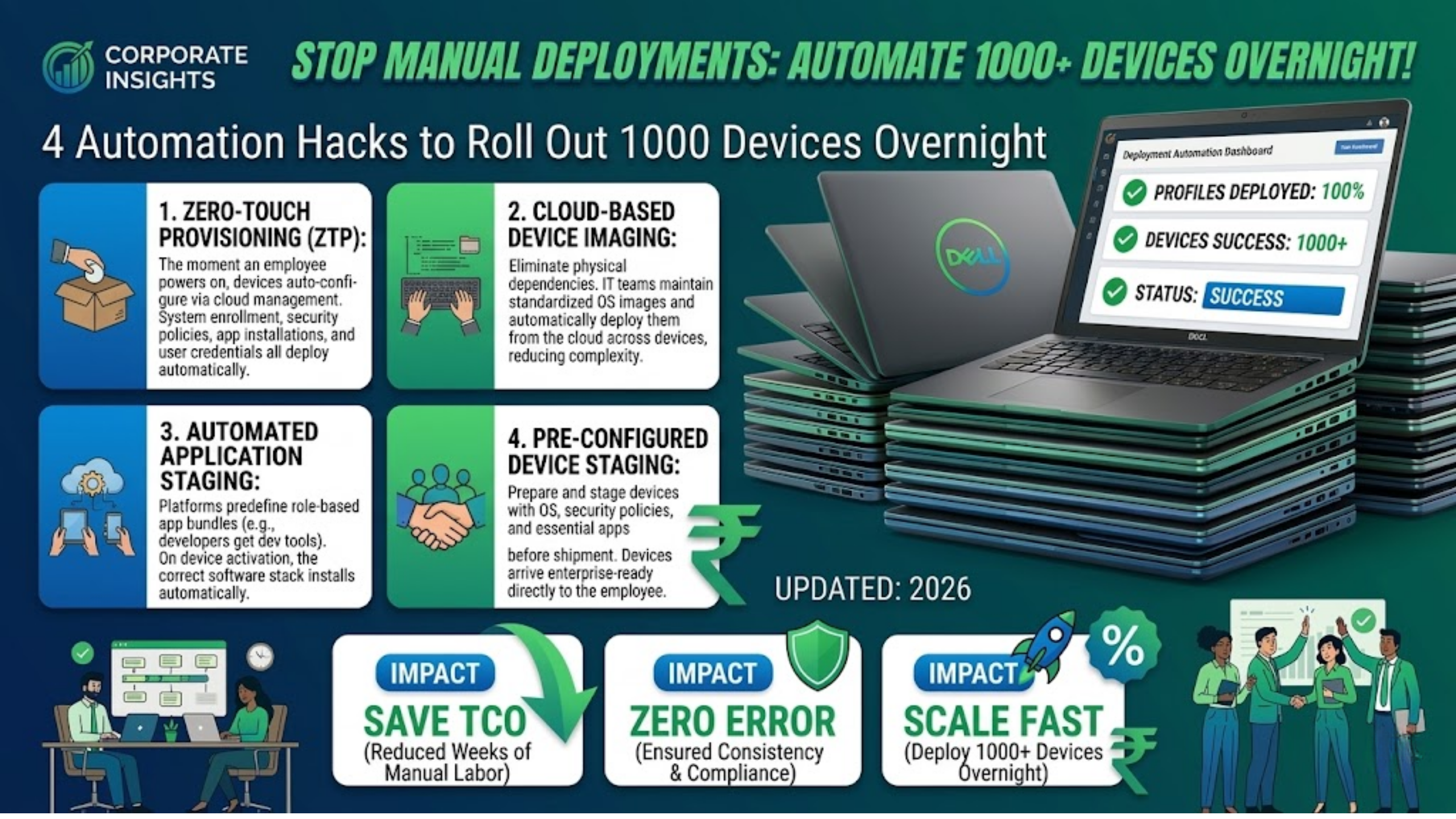
1. Zero-Touch Provisioning
Zero-touch provisioning allows devices to be automatically configured the moment they connect to the internet.
Instead of setting up devices manually, IT teams can predefine policies and configurations in a cloud management platform.
When employees power on their device for the first time:
- the system automatically enrolls into device management
- security policies are applied
- corporate applications are installed
- user credentials are configured
This means devices can go directly from the box to the employee’s desk without manual IT intervention.
For distributed teams and hybrid work environments, zero-touch provisioning dramatically simplifies device rollouts.
2. Cloud-Based Device Imaging
Traditional imaging required IT teams to physically connect devices to a local network and install operating systems manually.
Cloud imaging eliminates this dependency.
With cloud-based deployment tools, IT teams can maintain standardized operating system images and automatically deploy them across devices.
Benefits include:
- faster setup times
- consistent configurations across all devices
- simplified OS updates and upgrades
For organizations managing thousands of endpoints, this approach significantly reduces deployment complexity.
3. Automated Application Staging
Installing applications manually across large device fleets can take days.
Automation platforms allow IT teams to predefine application bundles based on employee roles.
For example:
- developers automatically receive development tools
- sales teams receive CRM and collaboration tools
- finance teams receive accounting and reporting applications
When the device is activated, the correct software stack installs automatically.
This ensures employees start working immediately without waiting for IT support.
4. Pre-Configured Device Staging
Another growing trend is pre-configured device staging before shipment.
Instead of shipping raw devices to offices, devices are prepared in advance with:
- operating systems installed
- security policies configured
- device management enrollment completed
- essential applications preloaded
When the device reaches the employee, it is already enterprise-ready.
This approach is especially useful for large organizations rolling out devices across multiple cities or remote offices.
The Result: Faster Deployments, Happier IT Teams
When organizations adopt automated deployment strategies, the benefits are immediate.
Enterprises report improvements such as:
- significantly faster device rollouts
- reduced IT workload during large deployments
- consistent device configurations across teams
- improved employee onboarding experiences
Most importantly, IT teams can focus on strategic initiatives instead of repetitive setup tasks.
The Future of Enterprise Device Deployments
Enterprise workplaces are becoming more distributed and technology-driven.
Employees expect devices to work immediately and reliably from day one.
Manual deployment methods simply cannot keep up with modern enterprise demands.
Automation, cloud-based management, and standardized device strategies are now becoming the new normal for organizations that want to scale efficiently.
The Bottom Line
Rolling out hundreds—or even thousands—of devices no longer needs to be a painful process.
With modern deployment automation, IT teams can prepare entire device fleets faster, more securely, and with far fewer errors.
Because in today’s enterprise IT landscape, deployment shouldn’t require late nights, rushed configurations, or emergency troubleshooting.
It should just work.
Planning a large device rollout across your organization?
Modern device lifecycle management strategies can help automate deployments, reduce IT workload, and ensure every device is ready from day one.
Talk to the Team Computers experts to explore how automated device deployment can simplify large-scale rollouts and improve workplace productivity.