Work From Anywhere, Perform Everywhere: How Mac Is Powering the Hybrid Workforce

The workplace is no longer a fixed location. It’s a mindset.

From homes and offices to cafés and airports, today’s employees are working from everywhere — and they expect their devices to keep up. But while hybrid work offers flexibility, it also brings challenges: inconsistent performance, security risks, and collaboration gaps.

This is where Mac, enabled by Team Computers, is helping businesses create a truly seamless hybrid work experience.

The Rise of the Hybrid Employee

The modern employee doesn’t want to be tied to a desk. They want the freedom to move, create, and collaborate from anywhere — without compromising on performance.

But flexibility without the right technology often leads to frustration. Slow systems, poor battery life, and unreliable performance can quickly turn “work from anywhere” into “struggle from anywhere.”

Mac changes that equation.

Built for Mobility, Designed for Performance

Mac is engineered for a world where work happens on the move. With lightweight design, powerful performance, and all-day battery life, employees can transition from one workspace to another without interruptions.

Whether it’s joining meetings, working on heavy files, or multitasking across apps — Mac ensures everything runs smoothly. The result? Employees stay productive no matter where they are, making it one of the most effective devices for a hybrid workforce.

Seamless Collaboration, Anywhere

Hybrid work thrives on collaboration — but only when tools don’t get in the way. Mac’s ecosystem ensures smooth connectivity across apps, devices, and workflows. Teams can share, edit, and communicate in real time without technical friction slowing them down.

This creates a more connected workforce, even when teams are physically apart.

Security Without Compromise

One of the biggest concerns with hybrid work is security. When employees are working across networks and locations, risks increase significantly.

Mac comes with built-in security features that protect data without requiring constant intervention. And with Team Computers managing deployment and support, organizations can maintain enterprise-grade security at scale. Employees get freedom — and IT gets peace of mind.

The Team Computers Advantage

Enabling hybrid work isn’t just about giving employees laptops — it’s about creating a system that works everywhere.

Team Computers helps organizations deploy, manage, and support Mac across distributed teams. From onboarding to lifecycle management, everything is handled seamlessly so businesses can focus on outcomes, not operations.

The Future of Work Is Already Here

Hybrid work isn’t a trend — it’s the new standard. Organizations that embrace it with the right technology will see higher productivity, better employee satisfaction, and stronger business outcomes.

With Mac and Team Computers, businesses aren’t just adapting to hybrid work — they’re mastering it.

Because when your workforce can work from anywhere, they can perform everywhere.

Ready to equip your hybrid workforce with Mac? Discover how Team Computers helps enterprises deploy, manage, and scale Apple devices across distributed teams — seamlessly and securely.

Apple + AI + Mobility: The New Enterprise Technology Stack

Enterprise technology is entering a new phase. Businesses today are no longer just investing in devices or software individually — they are building complete technology ecosystems that support intelligent workflows, mobility, and seamless collaboration.

At the center of this shift is a powerful combination: Apple devices, AI-powered tools, and a mobile-first workforce. Organizations across industries are exploring how Mac, iPhone, and iPad can support modern AI-driven applications while enabling employees to work from anywhere. With the support of Team Computers, businesses are increasingly able to adopt this enterprise technology stack in a structured and scalable way.

AI Is Changing How Teams Work

Artificial intelligence is rapidly becoming part of everyday work. From content creation and data analysis to automation and decision support, AI-powered tools are helping teams complete tasks faster and more efficiently.

For organizations deploying these tools, the performance and reliability of employee devices becomes critical. Team Computers helps enterprises adopt Mac devices that can handle modern AI workloads, ensuring teams have the performance needed to run advanced applications and multitask smoothly.

By supporting enterprises with device procurement, deployment planning, and enterprise configuration, Team Computers ensures that AI-enabled workflows can be introduced without disrupting existing IT environments.

Mobility Is Now a Business Requirement

Work today happens everywhere — offices, client locations, airports, and homes. As mobility becomes a standard part of business operations, organizations need devices that allow employees to stay productive regardless of location.

This is where Apple’s device ecosystem plays a powerful role. Employees using Mac, iPhone, and iPad can move between tasks easily, access documents instantly, and collaborate with colleagues without interruptions.

With Team Computers supporting enterprise Apple deployments, businesses can equip employees with the right devices while maintaining visibility, security, and centralized management across their technology environment. Services such as device lifecycle management and enterprise mobility integration help organizations maintain consistency while supporting flexible workstyles.

The Apple Ecosystem Enables Seamless Workflows

One of the biggest advantages of adopting Apple technology in the enterprise is how seamlessly the devices work together. An employee might begin reviewing a presentation on a Mac, respond to messages from an iPhone while traveling, and present ideas using an iPad during a client meeting.

Team Computers enables organizations to build this connected Apple ecosystem by helping businesses deploy devices in a coordinated way. Through enterprise device deployment, configuration, and IT integration services, Team Computers ensures that Apple devices function smoothly within existing corporate environments.

This connected experience helps employees remain productive across different work situations while simplifying device management for IT teams.

Simplifying Apple Adoption for Enterprises

While the Apple ecosystem offers significant advantages, deploying devices across large organizations requires careful planning. Businesses must manage procurement, onboarding, security, and long-term device support.

Team Computers supports organizations through every stage of this journey. From helping enterprises choose the right Apple devices to enabling smooth deployment and lifecycle management, the company provides a comprehensive framework for Apple adoption. This includes:

  • Smart EPP (Employee Purchase Program): Extending Apple access to employees while keeping device management aligned with enterprise policies
  • Trade-in programs: Structured retirement of legacy devices to reduce cost and environmental impact
  • Deployment and configuration services: Ensuring every device is enterprise-ready from day one
  • Ongoing lifecycle support: Maintaining fleet performance, security, and compliance over time

This end-to-end approach ensures businesses can transition to modern Apple-powered environments efficiently and without disruption.

The Future Enterprise Stack

The enterprise technology stack is evolving quickly. Businesses are moving toward environments where intelligent tools, powerful devices, and mobility work together to support modern workflows.

By combining Apple devices, AI-powered applications, and the enterprise expertise of Team Computers, organizations can build technology ecosystems that enable innovation, flexibility, and productivity.

In this new era of work, success will depend on how effectively companies integrate these elements into their everyday operations — and the right technology partners will play a critical role in making that transformation possible.

Ready to build a modern, Apple-powered enterprise technology stack? Discover how Team Computers helps organizations deploy, manage, and scale Apple devices alongside AI-driven tools for a smarter, more mobile workforce.

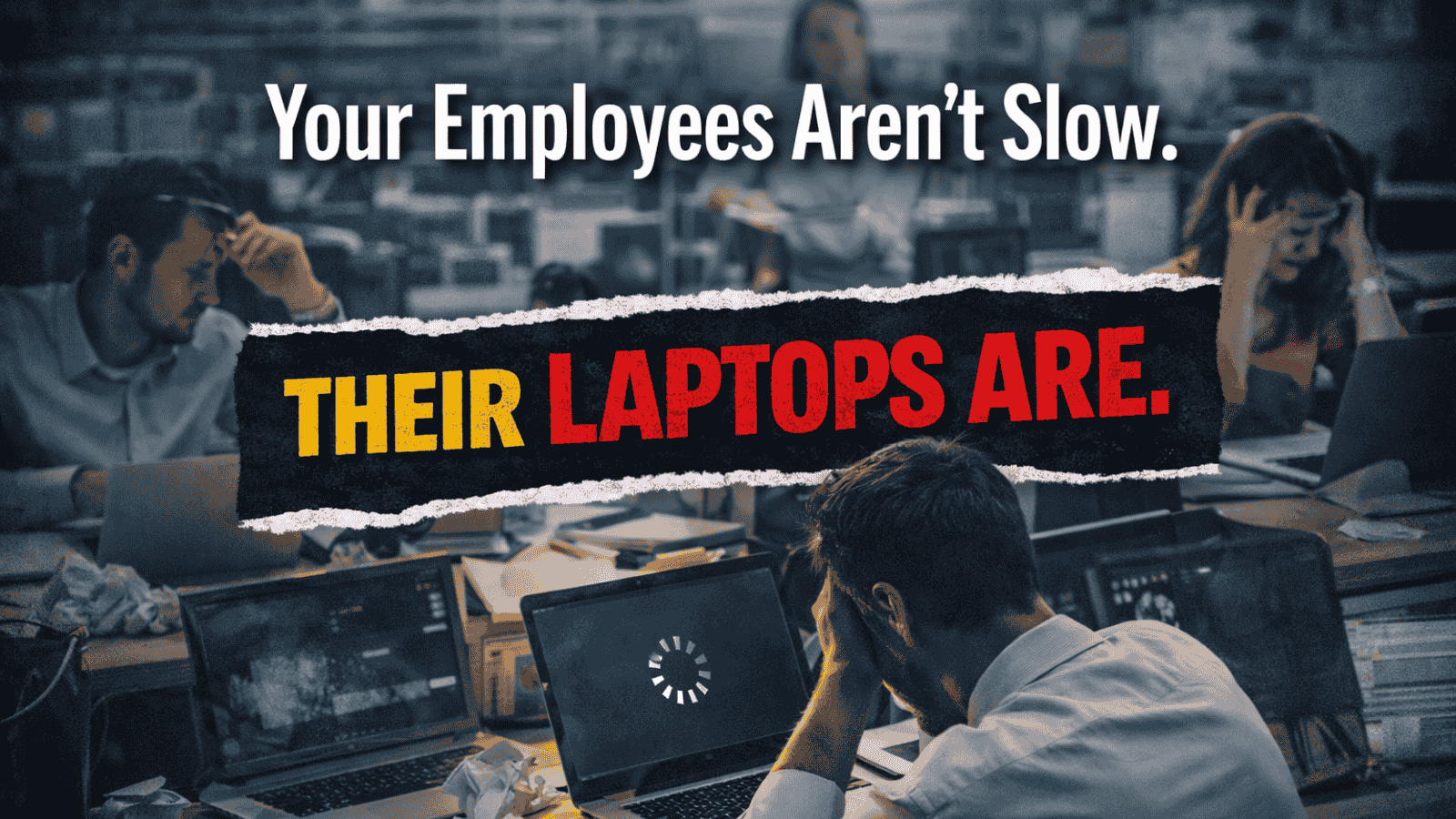
Your Employees Aren’t Slow. Their Laptops Are

That laggy laptop on your employee’s desk? It’s not just annoying. It’s costing you money, security, and talent — quietly, every single day.

Here’s what’s actually happening when enterprises hold onto aging devices too long.

1. Productivity Doesn’t Dip. It Drains.

A laptop that takes 4 minutes to boot. Apps that freeze mid-presentation. A video call that pixelates every 30 seconds.

Individually, these feel like minor inconveniences. Collectively, they add up to hours of lost productivity per employee per week. Multiply that across 500 people and you’re not looking at a hardware problem — you’re looking at an operational crisis hiding in plain sight.

The number: Employees on underperforming devices lose an average of 40+ minutes of productive time daily. That’s nearly 200 hours a year. Per person.

2. Old Laptops Are a Hacker’s Favourite Target.

Here’s what most IT teams don’t say out loud: outdated devices can’t run modern security software properly. They miss patches. They can’t support the latest endpoint protection tools. And they become the easiest entry point into your entire network.

One unpatched laptop. One phishing email. One breach.

The average cost of a data breach in India crossed ₹17 crore in 2024. That’s not a risk you want sitting on 300 desks because the refresh budget got pushed to next quarter.

3. Your Best Employees Will Leave.

This one stings — but it’s true.

Top talent notices the tools they’re given. A slow, unreliable laptop signals one thing clearly: we don’t invest in you. For high performers who have options, that signal is enough.

In a world where competitors are handing out MacBooks and high-spec ThinkPads on day one, sending a new hire a 4-year-old refurbished machine is a retention risk dressed up as a cost saving.

4. IT Teams Spend All Day Firefighting.

Every old device is a support ticket waiting to happen. Driver issues. Overheating. Random shutdowns. Compatibility failures with new software.

Your IT team ends up spending the majority of their week fixing yesterday’s problems instead of building tomorrow’s infrastructure. The hidden cost isn’t just the repair — it’s the strategic work that never gets done because the team is too busy keeping ancient hardware alive.

5. Compliance Becomes a Nightmare.

Regulated industries — BFSI, healthcare, pharma — face a particular kind of pain with old devices. Older laptops struggle to support full-disk encryption, modern MDM policies, and audit trail requirements.

During compliance reviews, these gaps become findings. Findings become penalties. Penalties become headlines. No CIO wants to explain to the board why a data audit failed because of a ₹60,000 laptop that should have been replaced two years ago.

6. The “Cost Saving” Is an Illusion.

Here’s the maths nobody does:

Factor Old Laptop New Laptop
Upfront cost ₹0 ₹65,000
Annual repairs ₹8,000/yr ₹0–1,000/yr
Daily productivity 40 min/day lost Full productivity
Security exposure High risk Modern endpoint protection
Employee experience Frustration Satisfaction

Holding onto old devices feels like saving money. It’s actually deferring a much larger cost — in repairs, breaches, attrition, and lost output.

7. Your Business Can’t Scale on Old Hardware.

AI tools. Collaboration platforms. Cloud-native apps. Modern enterprise software is built for modern hardware. Trying to run today’s workloads on a 2019 laptop is like running a highway through a bullock cart road — the business wants to move fast, but the devices won’t let it.

As enterprises scale across new offices, new hires, and new geographies, the device fleet needs to scale with them. Old hardware doesn’t scale. It compounds.

So What’s the Fix?

Not a one-time bulk purchase. A managed device lifecycle.

  • Planned refresh cycles: Replace before failure, not after
  • Zero-touch deployment: New devices arrive configured and ready to use
  • Asset visibility: Know exactly what’s in your fleet at all times
  • DaaS models: Spread the cost and keep the fleet current
  • Secure retirement: Data wiped, devices recycled responsibly

The goal isn’t newer laptops. It’s a device ecosystem that never becomes a liability.

The Bottom Line

Old laptops aren’t a hardware problem. They’re a business problem — wrapped in a productivity problem, a security problem, and a people problem.

The enterprises winning on efficiency aren’t holding onto devices until they die. They’re managing the enterprise device lifecycle deliberately, so the fleet always works as hard as the team using it.

Team Computers manages end-user device lifecycles for enterprises across India — from procurement and deployment to refresh and responsible recycling. Reach us at sales.india@teamcomputers.com

Your Event Content Is Fine. Your AV Is Killing It.

The harsh truth: most corporate events don’t lose the room because the content is bad. They lose the room because the mic echoes, the screen washes out, and the remote attendees quietly drop off by slide three.

By the time your most important message hits — half the room is on their phone.

That’s not a content problem. That’s an AV problem.

AV Isn’t a Checklist. It’s the Experience.

Projector ✓ Mic ✓ Done — sound familiar?

That approach is exactly why so many events feel flat. Real AV integration isn’t about ticking boxes. It’s about making everything work together — sound, visuals, lighting, interaction — so the event flows and the message lands.

When it works, nobody notices. When it doesn’t, nobody forgets.

What Actually Keeps People Paying Attention

Displays People Can Actually See

Obvious? Yes. Ignored constantly? Also yes. A bright, well-placed screen keeps the back row as engaged as the front row — and eliminates the passive disconnect that kills attention spans.

Audio That Doesn’t Make People Work

Bad audio is exhausting. People stop trying after 90 seconds. Clear, balanced sound across the room is the single highest-impact AV decision you can make for any corporate event.

Interaction That Breaks the Passive Scroll

Live polls. Q&A walls. Real-time reactions. The moment attendees do something, they re-engage. It costs almost nothing to add and changes the entire energy of the room.

Hybrid That Doesn’t Feel Like an Afterthought

Remote participants know when they’re second-class attendees. Good AV integration makes them feel present — not like they’re watching a grainy livestream from 2015.

The Mistake Most Event Teams Make

They plan the agenda first and call the AV vendor last.

By then the venue is locked, the budget is stretched, and there’s no time to test. Cue the flickering slides and feedback squeal during the CEO’s opening remarks.

Fix: Bring AV into the planning conversation early. A leadership townhall needs a completely different setup than a product launch. Know the difference before you book the room.

The 5-Minute Pre-Event AV Checklist

  • Walk the room and check sightlines from every corner
  • Test audio at full-capacity volume before guests arrive
  • Run every video, transition, and presentation file end to end
  • Confirm the hybrid feed with an actual remote participant
  • Have a backup for the one thing most likely to fail

Good AV Is Invisible. Bad AV Is Unforgettable.

Nobody leaves an event saying “the AV was incredible.” But they absolutely leave saying “I couldn’t hear anything” or “the screen kept cutting out.”

When audio is clear, visuals are sharp, and everything runs without a hitch — the content does its job. The message lands. The event achieves what it was meant to.

That’s what thoughtful AV integration actually delivers: not applause for the technology, but results for the business.

Team Computers designs, deploys, and manages AV solutions for corporate events and permanent workspaces across India. Get in touch with our team at sales.india@teamcomputers.com to plan your next event the right way.

Cheapest B2B Laptops in India (Top-Selling Picks for Bulk Deployment)

Budget-Friendly Business Laptops Companies Actually Buy

1. ASUS ExpertBook P1 (Entry-Level Business Workhorse)

  • Built for corporate deployment
  • Lightweight and durable
  • Ideal for frontline and operations teams
  • One of the most affordable business-class laptops

➡️ Best for: Bulk rollouts under tight budgets

2. HP 240 Series (Classic Corporate Choice)

  • Popular across SMBs and enterprises
  • Solid build quality for office use
  • Easy serviceability
  • Reliable for large deployments

➡️ Best for: Standard office productivity

3. Lenovo ThinkBook 14 (Balanced Performance + Cost)

  • Business-grade keyboard and build
  • Good battery life
  • Suitable for hybrid workforce

➡️ Best for: Mid-level corporate users

4. Lenovo V15 (Budget Deployment Favourite)

  • One of the lowest-cost corporate laptops
  • Ideal for call centers and shared environments
  • Easy to maintain

➡️ Best for: High-volume procurement

5. Dell New 15 Business Laptop

  • Trusted brand for enterprise deployment
  • Good service ecosystem in India
  • Strong after-sales support

➡️ Best for: Multi-location deployment

Why These Laptops Are Popular for B2B Deployment

  • Lower upfront cost for bulk procurement
  • Easy device lifecycle management
  • Standardized configurations
  • Reliable vendor support
  • Suitable for large-scale rollouts

Reliability and manageability matter more than flashy specs in business laptops — organizations prioritize durability, serviceability, and long-term value over raw performance.

Quick Buying Tip for IT Heads

Cheapest laptop ≠ lowest total cost.
Look for:

  • Business warranty
  • RAM upgrade support
  • SSD (not HDD)
  • Windows Pro availability
  • Vendor support coverage

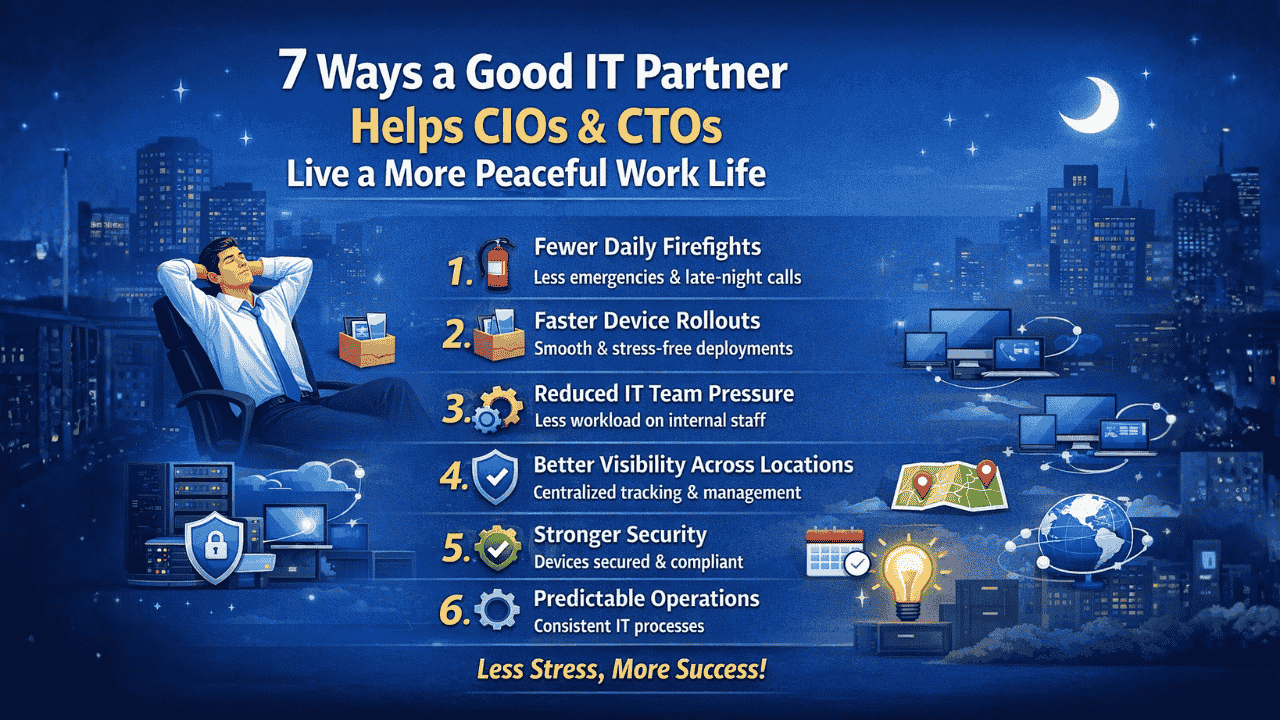
7 Ways a Good IT Partner Helps CIOs and CTOs Live a More Peaceful Work Life

1. Fewer Daily Firefights

A reliable IT partner handles deployment, device issues, and operational tasks proactively. This means fewer urgent calls, fewer escalations, and significantly less reactive troubleshooting pulling technology leaders away from strategic work.

2. Faster Device Rollouts Without Stress

Bulk deployments across multiple locations can overwhelm internal teams. A good IT partner manages staging, configuration, and delivery — ensuring smooth rollouts without last-minute chaos or missed deadlines.

3. Reduced Pressure on Internal IT Teams

When routine operational tasks are handled externally, internal IT teams can focus on strategic initiatives. This reduces burnout, improves morale, and drives better productivity across the organization.

4. Better Visibility Across Locations

Managing devices across multiple offices is complex and time-consuming. A good IT partner provides centralized tracking, reporting, and lifecycle visibility — eliminating guesswork and giving CIOs a clear, real-time picture of their entire device estate.

5. Stronger Security Without Extra Effort

Security policies, patching, and compliance can be resource-intensive to manage internally. An experienced IT partner ensures devices are secure from day one, reducing risk for CIOs and CTOs without adding more to their team’s plate.

6. Predictable IT Operations

Instead of constant surprises, CIOs gain structured processes for deployment, refresh cycles, and support. Predictability leads to better planning, more accurate budgeting, and fewer operational disruptions across the organization.

7. More Time for Strategic Leadership

The biggest benefit? CIOs and CTOs can shift focus from operational firefighting to innovation, transformation, and business growth. When the day-to-day is handled, leadership energy goes where it creates the most value.

The Bottom Line

A strong IT partner doesn’t just improve operations — it reduces pressure on technology leadership. With smoother deployments, better visibility, and proactive support, CIOs and CTOs spend less time solving problems and more time driving strategy.

And that’s what truly creates a more peaceful work life.

Looking for an IT partner that handles the operational load so your leadership team can focus on what matters?

Discover how Team Computers supports CIOs and CTOs with end-to-end device management, deployment, and lifecycle services.

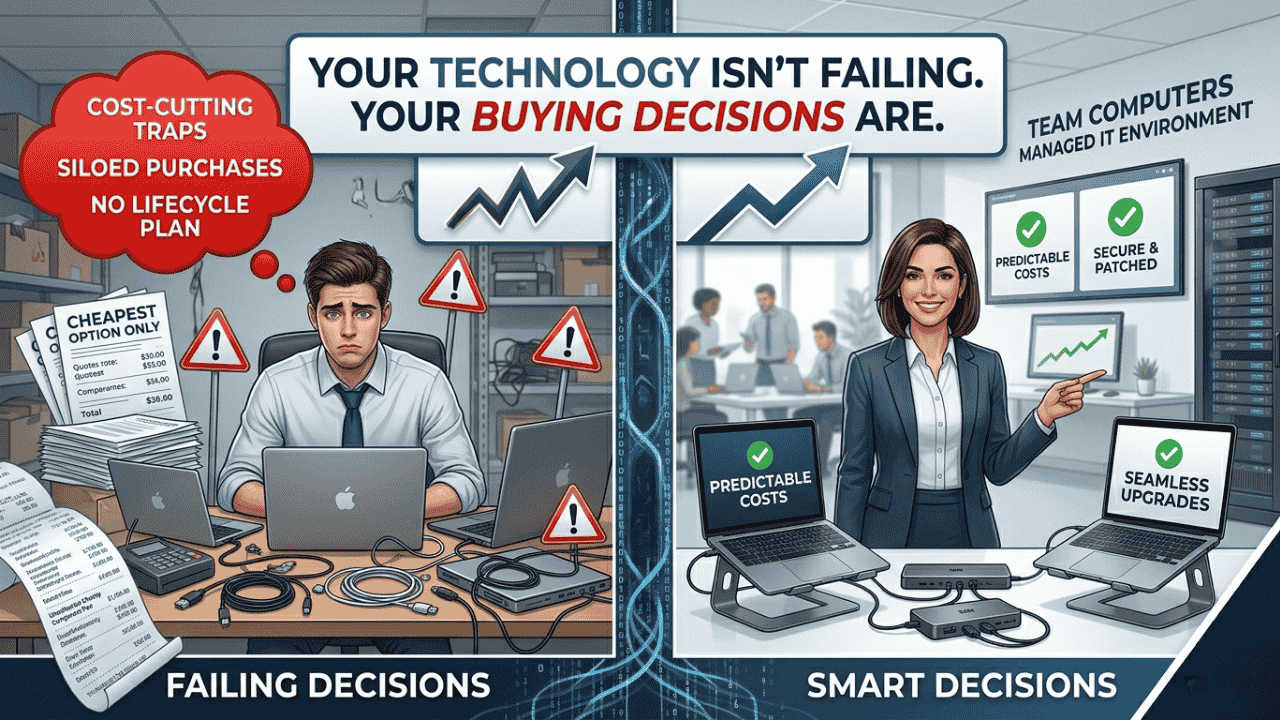
Your Technology Isn’t Failing. Your Buying Decisions Are.

When was the last time someone from your technology team openly told you that your decision was wrong? Not politely disagreed. Not hinted. Actually told you — clearly — that the direction didn’t make sense.

If your answer is “never,” that’s not necessarily a sign of alignment. It might be a warning.

Because when engineers stop challenging business decisions, it often means one of two things: either they don’t feel safe speaking up, or they’ve learned that feedback won’t change anything anyway. And that’s where many IT delivery failures truly begin.

The Story We Tell When Projects Go Wrong

A familiar pattern plays out in many organizations. A large technology initiative runs into trouble. It’s delayed, exceeds budget, or doesn’t deliver expected outcomes. The review meeting begins. Within minutes, attention shifts toward the technical team.

The developers underestimated complexity. The architects over-designed the solution. The technology leaders lacked business understanding.

The assumption is simple: technology execution failed.

Sometimes that’s true. But more often, it’s only half the story — and not the most important half. In many cases, the real issue is that the business didn’t define what it actually needed, didn’t engage consistently, or didn’t understand how to buy technology effectively.

We Optimize Engineering. We Ignore the Demand Side.

Organizations spend enormous effort improving engineering productivity. They debate delivery frameworks, invest in automation tools, track velocity metrics, and modernize infrastructure. All of this focuses on improving how technology is built.

But technology delivery is not just about supply. It’s also about demand — what the business asks for, how clearly it communicates, and how engaged it remains during execution.

Engineers often work with vague requirements that sound more like aspirations than specifications. Business stakeholders may be unavailable for clarification. Strategy may not be clearly articulated. Operational realities are rarely shared in full detail.

Despite this, expectations remain high: deliver something perfect.

This isn’t a setup for engineering underperformance. It’s a setup for misalignment — where technology becomes the easiest scapegoat.

When Business Decisions Get Rewritten as Technology Problems

Organizations often pursue ambitious strategic initiatives — new services, new markets, new operating models. These efforts require technology investment. Systems are built. Platforms are launched.

But if the business strategy doesn’t succeed — due to market conditions, pricing, timing, or sales execution — the narrative subtly shifts. Suddenly, the conversation focuses on the technology:

  • The system wasn’t flexible enough.
  • The product didn’t fully match expectations.
  • The delivery team misunderstood requirements.

A business gamble that didn’t pay off gets reframed as a technology execution issue. Over time, this erodes trust. Technical teams become cautious. Engineers stop raising early concerns. And organizations lose the valuable feedback that could have prevented issues in the first place.

The Question Rarely Asked

Instead of asking “Why did IT fail?”, organizations should start with a different question:

Are we being a good customer of technology?

Being a good customer means more than approving budgets. It means providing clarity, availability, and context:

  • Clear requirements reduce guesswork and rework
  • Timely decisions prevent delays across delivery teams
  • Strategic transparency improves architecture choices
  • Operational insight ensures solutions reflect real-world use

When these elements are missing, even strong engineering teams struggle to deliver outcomes that match business expectations.

Why Pushback Matters

Healthy technology environments encourage challenge. Engineers should be able to question assumptions, highlight risks, and suggest alternatives. Early pushback saves time and avoids costly rework.

But in many organizations, pushback is interpreted as resistance. Teams are expected to simply deliver. Over time, technical professionals learn to stay quiet.

This dynamic is especially common in globally distributed teams, where cultural norms may discourage direct disagreement with senior stakeholders. That makes leadership behavior critical. If leaders want honest feedback, they must actively invite it, respond constructively, and demonstrate that raising concerns is valued — not penalized.

If your technology team never challenges decisions, it doesn’t mean everything is perfect. It may simply mean issues are being absorbed silently.

Becoming Easier to Build Technology For

Improving technology outcomes doesn’t start with hiring more developers. It starts with improving how the business engages with technology. This includes:

  • Stronger program discipline: Clear ownership, timelines, and decision frameworks reduce ambiguity across every layer of delivery.
  • Shared strategic direction: When engineers understand long-term goals, they make better technical choices from the start.
  • Effective business-technology roles: Product managers, analysts, and solution architects bridge gaps between intent and execution.
  • Fair performance measurement: Separate business success from delivery performance. A technically sound solution built for a flawed strategy is not a delivery failure.
  • Active feedback loops: Ask technology teams what slows them down — and listen without defensiveness.

A Different Perspective on Technology Success

It’s easy to assume technology problems originate in technology teams. It’s harder — but more productive — to examine how decisions are made, communicated, and managed across the business.

Organizations that improve this relationship often see better outcomes without changing their engineering teams at all.

Better technology delivery doesn’t start with better developers. It starts with better customers of technology.

So the next time a project struggles, pause before asking what went wrong in IT. Instead, ask a more uncomfortable — but far more useful — question:

Did we set them up to succeed?

The answer might change everything.

At Team Computers, we help organizations build the delivery discipline, governance structures, and business-technology alignment needed to ensure that ambitious initiatives actually succeed — from strategy to scale.

Data And AI Delivery with Adoption and Training: From BI to AI

Most enterprises don’t struggle with starting their Data journey. They struggle with finishing it.

You’ve invested in dashboards, reporting tools, and business intelligence platforms. Your teams have visibility. Yet, when it comes to moving from insights to intelligence—from BI to true Data And AI with Adoption and Training—progress stalls.

In fact, over 60% of organizations fail to operationalize AI beyond pilot use cases. The gap isn’t ambition. It’s delivery.

The journey from BI to AI introduces complexity: fragmented data ecosystems, unclear ownership, lack of structured execution, and most importantly, poor Adoption and Training. Solutions get built, but they don’t get used.

The result? AI remains an experiment instead of becoming a business advantage.

This blog breaks down why this transition is so challenging, what successful delivery actually looks like, and how Team Computers ensures your journey from BI to AI is executed with precision, governance, and real adoption.

The Problem: Why the BI to AI Journey Breaks Down

The shift from BI to AI is not incremental. It’s transformational. And that’s exactly where most delivery models fail.

Where Enterprises Get Stuck

Business Intelligence gives you hindsight. AI demands foresight. That shift introduces new dependencies:

  • Data must be real-time, clean, and unified
  • Models must integrate into business workflows
  • Decisions must become automated or augmented
  • Teams must trust and adopt AI-driven outputs

Without a structured delivery approach, this complexity creates friction.

The Hidden Execution Gaps

  • BI systems operate in silos, AI requires integration
  • Ownership is unclear across business and IT teams
  • No centralized tracking of project progress
  • Scope expands without controlled change management
  • Minimal focus on Adoption and Training

Each of these gaps slows down delivery. Together, they derail transformation.

Why This Matters

When the journey stalls, organizations face:

  • AI investments that don’t scale
  • Low user trust in data-driven decisions
  • Delayed ROI realization
  • Competitive disadvantage

What Successful Data And AI Delivery Looks Like

Delivering AI is not about building models. It’s about embedding intelligence into business operations.

The Core Principles of Effective Delivery

  1. Outcome-Driven Execution
    Every initiative ties to a measurable business goal
  2. Data Readiness First
    AI is only as good as the data it runs on
  3. Structured Governance
    Clear roles, accountability, and escalation paths
  4. Continuous Stakeholder Alignment
    Regular touchpoints prevent misalignment
  5. Adoption and Training Built-In
    Users are enabled alongside development

The Key Shift

Traditional BI delivery focuses on reporting.
AI delivery focuses on decision-making.

That means your project is only successful when:

  • Business teams trust the outputs
  • Insights translate into action
  • Systems integrate seamlessly into workflows

What This Requires

  • A delivery model that balances speed and control
  • A system for visibility across stakeholders
  • A strong emphasis on change management

Without these, AI remains a technical achievement—not a business success.

How Team Computers Ensures Seamless BI to AI Transition

Team Computers approaches delivery as a structured system designed to handle the complexity of Data And AI with Adoption and Training.

1. Well-Defined Hierarchy and Accountability

Every project is anchored in clarity:

  • Project Managers ensure timelines and coordination
  • Tech Leads drive architecture and implementation
  • COE Heads provide strategic and domain oversight

Each role has defined KRAs, eliminating ambiguity and ensuring accountability.

2. PRIME: Automated Project Tracking

Execution without visibility creates risk.

The PRIME portal provides:

  • Real-time progress tracking
  • Milestone monitoring
  • Risk identification and escalation
  • Centralized communication

This ensures leadership always has a clear view of delivery status.

3. Strong Boundary and Change Management

AI projects evolve. But uncontrolled change leads to chaos.

Team Computers ensures:

  • Clearly defined project scope from the start
  • Structured change request processes
  • Seamless integration of change management within PRIME

This allows flexibility without compromising timelines or outcomes.

Accelerating Delivery While Ensuring Adoption and Training

Speed matters—but only when it leads to usable outcomes.

4. Industry-Specific Accelerators

Team Computers brings a strong repository of reusable assets:

  • Pre-built AI models and use cases
  • Industry-aligned data frameworks
  • Proven implementation templates

This reduces time-to-value and increases delivery confidence.

5. Structured Engagement Model

Consistency drives alignment:

  • Weekly connects with project stakeholders
  • Monthly reviews with leadership teams

This ensures decisions are timely and aligned with business priorities.

6. Continuous Feedback Loop

A dedicated customer success team enables:

  • Real-time feedback collection
  • Rapid issue resolution
  • Continuous delivery improvement

Why Adoption and Training is Central

Adoption is not a post-deployment activity. It’s embedded into delivery.

Key Focus Areas

  • Role-based user training
  • Hands-on enablement sessions
  • Workflow-aligned solution design
  • Ongoing support post go-live

Outcome:

  • Higher adoption rates
  • Faster business impact
  • Stronger trust in AI systems

What CIOs and Data Leaders Should Expect from a Partner

The journey from BI to AI requires more than technical expertise. It requires a partner who understands execution at scale.

Must-Have Capabilities

  • End-to-end delivery ownership
  • Strong governance frameworks
  • Real-time project visibility
  • Proven experience in AI implementation
  • Deep focus on Adoption and Training

Questions You Should Ask

  • How do you ensure alignment between business and technology?
  • What systems do you use for tracking delivery?
  • How do you manage scope changes?
  • How do you drive user adoption?

Red Flags to Watch

  • Overemphasis on tools instead of outcomes
  • Lack of structured delivery methodology
  • No clear plan for Adoption and Training
  • Limited post-deployment support

Choosing the wrong partner doesn’t just delay delivery—it resets your transformation journey.

CONCLUSION

The journey from BI to AI is where most organizations either accelerate—or stall.

Delivering successful Data And AI with Adoption and Training requires a system that combines governance, execution discipline, and human enablement.

Here’s what defines success:

  • Clear ownership across project layers
  • Real-time visibility through structured tracking systems
  • Controlled execution with strong change management
  • Accelerated delivery using proven frameworks
  • Continuous stakeholder engagement and feedback
  • Deep focus on Adoption and Training

When these elements align, Data and AI stops being an initiative—and becomes a business capability.

Not sure how far along you are in your journey from BI to AI? Book your free 30-minute analytics maturity audit and get a clear view of where your delivery, adoption, and AI readiness stand. Walk away with actionable insights to accelerate your transformation with confidence.

How to Assess Your Enterprise Systems Integration Readiness

Most enterprise integration failures don’t happen during execution, they are designed into the project long before it begins.

That may sound direct, but it reflects what consistently plays out across large organizations. Significant investments go into modern platforms, integration tools, and implementation partners, yet projects still face delays, rework, and outcomes that fall short of expectations. The root cause is rarely the technology. It is a lack of enterprise systems integration readiness.

What appears to be an integration challenge is often a deeper visibility issue, unclear system dependencies, inconsistent data, fragmented processes, and an overestimation of internal capabilities. These gaps remain hidden until execution begins, at which point they become expensive to fix.

The difference between a seamless integration and a stalled initiative is not the sophistication of the tools being used. It is how well the enterprise environment is prepared to support integration at scale. This blog breaks down how to assess your enterprise systems integration readiness in a practical, experience-driven way- so you can identify risks early, avoid costly missteps, and move forward with clarity and control.

Why Enterprise Systems Integration Readiness Is Often Overestimated

In many organizations, integration readiness is assumed rather than validated. The presence of APIs, cloud platforms, or middleware tools creates a sense of preparedness, but these elements alone do not ensure successful integration. Readiness is not about availability – it is about alignment across systems, data, and processes.

In real-world environments, APIs may exist but lack standardization or proper documentation. Systems may technically connect but fail under production load. Integration layers are often built incrementally over time, without a unified architectural approach. These issues remain manageable in isolation, but when integration scales, they begin to compound.

The real challenge emerges during execution. Data mismatches between systems, latency in real-time workflows, and hidden dependencies on legacy applications start to surface. Ownership gaps lead to repeated rework, and projects that seemed straightforward begin to lose momentum. Timelines stretch, costs increase, and confidence across stakeholders starts to erode.

This is why enterprise systems integration readiness must be treated as a diagnostic exercise, not a checklist. Without a clear understanding of existing gaps, integration becomes reactive rather than engineered.

Mapping Your System Landscape: Where Complexity Actually Lives

Enterprise IT environments are rarely as simple as they appear on architecture diagrams. The complexity does not come from the number of systems alone, but from how deeply interconnected they are.

A typical enterprise landscape includes legacy ERP systems, multiple SaaS platforms, and custom-built applications developed over time to meet specific business needs. Each system carries its own data structures, communication protocols, and dependencies. When viewed in isolation, they seem manageable. When viewed as an interconnected ecosystem, the complexity becomes significantly more difficult to control.

Assessing readiness requires moving beyond a surface-level inventory of systems. It demands clarity on which systems are business-critical, where data originates and flows, and which integrations are tightly coupled and therefore fragile. In many cases, a single change in one system can trigger downstream impacts across multiple processes—often in ways that are not immediately visible.

Without mapping these relationships in detail, integration efforts become unpredictable. What should be a structured initiative turns into trial-and-error execution, increasing both risk and cost.

Data Readiness: The Most Ignored Risk in Integration

Data is central to every integration initiative, yet it is often the least prepared element within the enterprise environment. There is a common assumption that once systems are connected, data will flow accurately between them. In reality, integration tends to expose existing data issues rather than resolve them.

Customer records may be defined differently across CRM and ERP systems. Duplicate entries may exist without clear ownership. Data formats often vary, and batch-oriented data is frequently forced into real-time workflows without proper transformation. These inconsistencies lead to reporting discrepancies, operational inefficiencies, and a gradual loss of trust in the integrated systems.

True data readiness requires deliberate effort before integration begins. Organizations need clarity on data ownership, consistent standards for structure and validation, and a clear strategy for how data will move, whether in real time, in batches, or through event-driven models.

Without this foundation, integration does not improve data reliability. It amplifies existing issues, making them harder to detect and resolve at scale.

Process Reality Check: Integration Exposes What You’ve Been Avoiding

Integration is often positioned as a way to improve efficiency, but it does not inherently fix broken processes. Instead, it exposes them – faster and at a larger scale.

Many enterprises operate with hidden inefficiencies: manual approvals embedded within digital workflows, variations in processes across departments, and unclear ownership across systems. These issues may be manageable in siloed environments, but when systems are integrated, they become more visible and more disruptive.

If workflows are not standardized or clearly defined, integration introduces complexity rather than reducing it. Automation becomes inconsistent, exceptions increase, and teams often revert to manual workarounds to maintain continuity. The result is an environment that is technically integrated but operationally fragmented.

Assessing enterprise systems integration readiness therefore requires a close examination of how processes actually function – not how they are documented. Integration delivers value only when workflows are designed for continuity, with clear ownership and minimal manual intervention.

Capability Gaps: The Silent Risk in Execution

Even with a well-defined strategy, integration success ultimately depends on execution. This is where many organizations encounter challenges that were not anticipated during planning.

Modern integration requires a combination of capabilities, ranging from API lifecycle management and cloud-native architecture to data orchestration and governance. These are specialized skills that go beyond traditional IT operations. In many enterprises, internal teams are already stretched managing day-to-day responsibilities and may not have the bandwidth or cross-domain expertise required for complex integration initiatives.

This gap leads to slower execution, increased reliance on external vendors at later stages, and fragmented implementation approaches. Projects that start with momentum begin to slow down as teams struggle to align strategy with execution reality.

Assessing readiness means being honest about whether the organization has the capability to execute integration at scale, or only the ability to initiate it. This distinction is critical in avoiding mid-project disruptions and ensuring consistent progress.

Governance, Security, and Scalability: Where Integration Becomes Sustainable

Integration is not a one-time project. It becomes a foundational layer that supports ongoing business operations and future growth. Without the right governance structures, integration environments quickly become difficult to manage.

As new systems are added, organizations often create multiple point-to-point connections, leading to integration sprawl. Visibility into system interactions decreases, security risks increase, and scaling new integrations becomes more complex than necessary.

Sustainable integration requires a structured governance model that defines how integrations are designed, deployed, and managed. This includes clear API security frameworks, access controls, monitoring mechanisms, and scalability planning aligned with business objectives.

When governance is built into the integration strategy from the beginning, organizations are able to scale confidently. Without it, complexity grows exponentially with each new integration.

How Team Computers Brings Structure to Integration Readiness

Assessing enterprise systems integration readiness internally can be challenging, particularly when teams are closely involved in the systems and processes being evaluated. An external, structured perspective often brings the clarity needed to identify gaps objectively.

Team Computers approaches integration readiness as a comprehensive diagnostic exercise. This involves mapping system dependencies, evaluating data flows, assessing process maturity, and identifying capability gaps that could impact execution. The focus is not only on identifying issues but on understanding how these issues affect business performance.

The outcome is a clear and actionable roadmap. Organizations gain visibility into where integration efforts are likely to succeed, where risks exist, and what steps are required to address them. This reduces uncertainty, minimizes rework, and ensures that integration initiatives are aligned with long-term business goals.

The objective is simple, to ensure that integration begins with clarity, not assumptions.

Conclusion

Enterprise systems integration readiness is not an optional step, it is the foundation on which successful integration is built. Organizations that invest in understanding their readiness do not just reduce risk; they gain the ability to execute with precision and confidence.

The difference between success and failure often lies in what happens before the project begins. By addressing system complexity, data inconsistencies, process gaps, and capability limitations early, enterprises can avoid the disruptions that commonly derail integration initiatives.

Key takeaways:

  • Integration challenges often originate before execution begins
  • System and data clarity are critical to reducing risk
  • Process alignment directly impacts integration outcomes
  • Capability and governance determine scalability 

If integration is expected to deliver measurable business value, readiness must be treated as a strategic priority, not a preliminary step.

Not sure how prepared your organization truly is for integration?

Discover how Team Computers can help you assess your enterprise systems integration readiness, uncover hidden risks, and build a clear, scalable roadmap that ensures your integration initiatives deliver the outcomes you expect, without costly surprises.


The Hidden Operational Costs of Not Investing in Enterprise Systems Integration

Most enterprises don’t reject systems integration, they delay it.

On the surface, this decision feels practical. Budgets are redirected, priorities evolve, and integration is pushed into a future phase. However, what often goes unrecognized is that the cost of this delay is not zero. It is continuous, compounding, and already impacting the business in ways that are not immediately visible.

Unlike technology investments that appear clearly in financial plans, the cost of disconnected systems is distributed across operations. It surfaces in the form of inefficiencies, slower execution, delayed decisions, and inconsistent customer experiences. Over time, these issues scale, quietly increasing operational costs while limiting the organization’s ability to respond with speed and precision.

The Cost That Remains Invisible

There is rarely a direct financial line that captures the cost of disconnected systems, which is precisely why it is underestimated. The impact does not sit within a single department or function. Instead, it spreads across teams, processes, and systems, making it difficult to quantify but impossible to avoid.

What may appear as small inefficiencies at a micro level begin to compound at scale. Delays in workflows, gaps in data accuracy, and additional manual effort collectively contribute to higher operational costs and slower revenue realization. The absence of integration is not a passive state, it actively introduces friction into the way the business operates.

Manual Work and the Cost of Lost Productivity

In environments where systems are not integrated, manual processes become deeply embedded in day-to-day operations. Teams spend significant time entering the same data across multiple platforms, validating inconsistencies, and coordinating between disconnected systems. While each of these actions may seem routine, their cumulative impact is substantial.

At scale, a significant portion of employee bandwidth is consumed by tasks that do not directly contribute to business growth. This results in a structural inefficiency where skilled resources are allocated to repetitive activities instead of strategic initiatives. The outcome is not just reduced productivity, but an increase in operational cost without a corresponding increase in value.

Data Silos and the Cost of Delayed Decisions

When systems operate in isolation, data becomes fragmented and often outdated by the time it is accessed. This creates an environment where decision-making is dependent on incomplete or delayed information. In fast-moving business environments, even small delays in accessing accurate data can have measurable consequences.

Decisions that should be immediate become reactive. Opportunities that require timely action are missed. Strategic planning becomes less precise due to inconsistent visibility across business functions. Over time, this impacts not just efficiency, but the organization’s ability to compete effectively in the market.

Operational Friction and Its Compounding Impact

Disconnected systems introduce friction into core business processes. What should be seamless workflows become multi-step, time-consuming operations. Delays in order processing, inefficiencies in inventory movement, and disjointed financial workflows are not isolated issues, they are indicators of a larger structural gap.

When these inefficiencies are multiplied across the organization, the impact becomes significant. Even a marginal decline in productivity, when applied at scale, translates into substantial operational overhead. These are not process-level inefficiencies that can be solved with minor adjustments. They are systemic challenges rooted in the absence of integration.

Customer Experience and Hidden Revenue Loss

One of the most critical consequences of disconnected systems is its impact on customer experience. When systems do not share information seamlessly, customer data remains incomplete, interactions lack context, and response times increase. This creates fragmented experiences that directly affect how customers perceive the business.

The impact is often not immediately visible in financial reports, but it is reflected in customer behavior. Lower satisfaction, reduced retention, and missed opportunities for cross-selling and upselling are all outcomes of inconsistent experiences. This represents a form of revenue loss that is continuous and difficult to track, yet highly significant.

Why This Cost Is Often Ignored

Despite its impact, the cost of not integrating systems is frequently overlooked because it does not present itself in a centralized or measurable form. It is distributed across departments, absorbed into operational routines, and gradually accepted as part of normal business functioning.

Over time, organizations adapt to inefficiency rather than addressing its root cause. What begins as a temporary workaround evolves into a permanent way of operating. This normalization of inefficiency is what makes the problem more complex, as it reduces the urgency to act.

Reframing Integration as a Business Strategy

To address this challenge, enterprises need to shift how they perceive systems integration. It is not merely a technical initiative or an IT expense. It is a strategic lever for improving operational efficiency and controlling costs.

When systems are integrated effectively, the impact extends beyond technology. Processes become streamlined, decision-making becomes faster and more accurate, and customer interactions become more consistent. The focus moves away from the cost of implementation and toward the value created through improved performance and reduced inefficiency.

How Team Computers Helps Address These Challenges

Addressing the hidden costs of disconnected systems requires more than just connecting applications, it requires identifying where inefficiencies exist and how they impact business performance.

Team Computers takes a structured, outcome-driven approach to systems integration. By assessing existing environments, identifying integration gaps, and mapping their operational impact, enterprises gain clear visibility into where cost leakage is occurring.

With proven frameworks and strong execution discipline, the focus is on simplifying complexity, reducing manual effort, improving data flow, and enabling faster, more reliable processes across systems.

The result is not just better connectivity, but measurable improvements in efficiency, speed, and cost control, ensuring that integration delivers real business value, not just technical alignment.

Conclusion

The cost of systems integration is visible, planned, and manageable. The cost of not integrating is hidden, ongoing, and significantly higher.

It exists in lost productivity, delayed decisions, operational inefficiencies, and inconsistent customer experiences. More importantly, it is already being incurred, whether it is measured or not.

The question is no longer whether integration is necessary. The real question is how long the business can afford to operate with these hidden inefficiencies.

If your organization is experiencing delays, inefficiencies, or limited visibility across systems, the underlying issue may not be operational- it may be structural.

This is the right time to evaluate where integration gaps exist and how they are impacting business performance. Connect with Team Computers to assess your current environment and define a structured approach to eliminating hidden operational costs while improving overall efficiency.