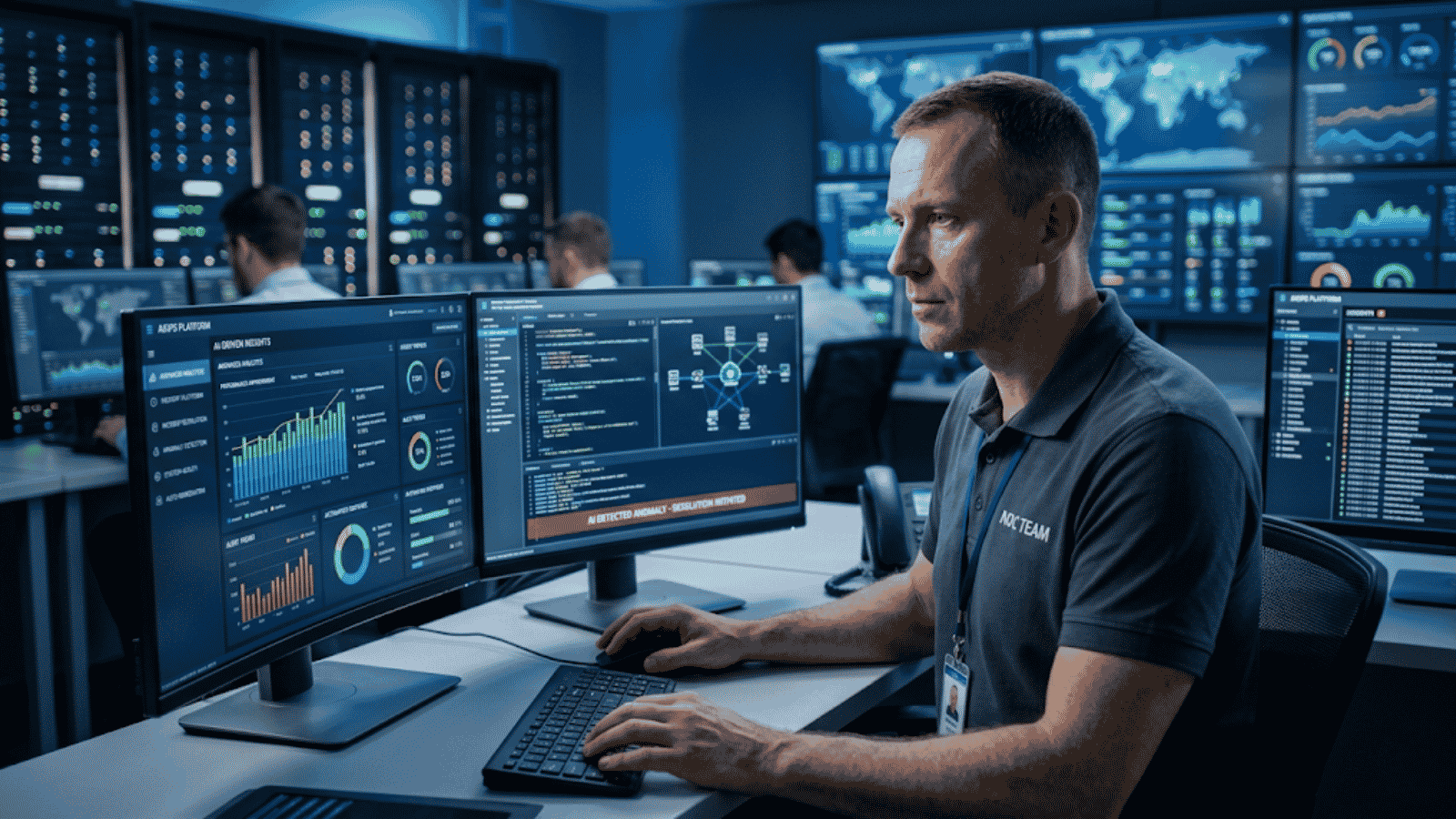
Enterprise IT environments have reached a point where complexity is no longer manageable through traditional approaches. Hybrid cloud architectures, microservices, Kubernetes, and distributed systems continuously generate massive volumes of operational data. In many organizations, thousands of alerts are triggered daily—yet only a small fraction require action. The rest create noise, slow response times, and increase operational risk.
This is where understanding what is AIOps becomes critical. AIOps—Artificial Intelligence for IT Operations—applies machine learning and advanced analytics to IT data such as logs, metrics, traces, and events. It enables organizations to detect anomalies, correlate signals, predict issues, and automate responses.
AIOps is not just an efficiency upgrade for IT operations, it is a necessary shift toward managing modern infrastructure with intelligence rather than manual effort.
What Is AIOps? Meaning, Definition, and Enterprise Context
AIOps (Artificial Intelligence for IT Operations) refers to the use of machine learning, data analytics, and automation to enhance and optimize IT operations.
To fully understand what is AIOps, it is important to compare it with traditional monitoring. Conventional tools collect and display operational data, but they rely heavily on human interpretation. Engineers must manually investigate alerts, correlate events, and identify root causes across multiple systems.
AIOps fundamentally changes this approach.
An AIOps platform ingests data from across the IT ecosystem—applications, infrastructure, networks, and cloud environments—and applies machine learning to analyze patterns and detect anomalies in real time. Instead of presenting fragmented data, it delivers contextual insights that explain what is happening and why.
This shift transforms IT operations from reactive monitoring into intelligent, data-driven decision-making.
Why Enterprise IT Teams Can No Longer Ignore AIOps
The need for AI for IT operations is driven by three key realities.
The Complexity Problem
First, complexity has increased significantly. Modern enterprises operate across multiple cloud platforms, containerized environments, and distributed services. Each layer introduces dependencies that are difficult to manage manually.
The Data Volume Problem
Second, the volume of operational data continues to grow. Without intelligent filtering, teams face alert fatigue, where important signals are lost among repetitive or low-priority alerts.
The Business Impact Problem
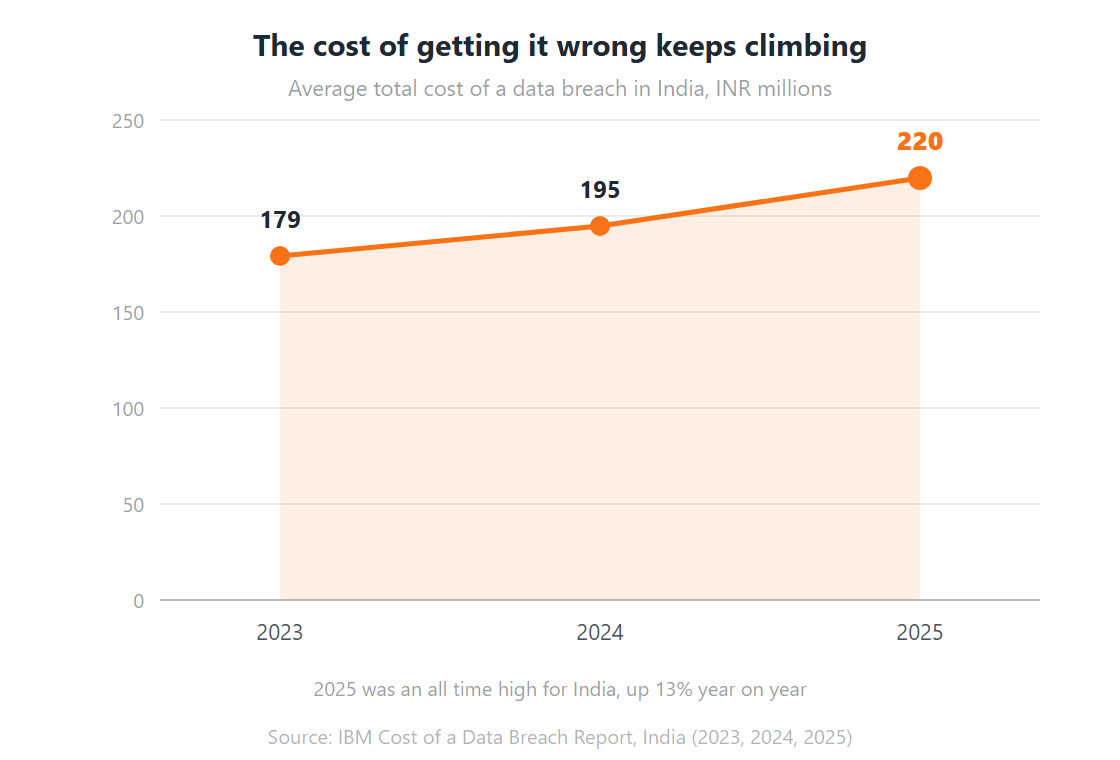
Third, the business impact of IT performance has become immediate and measurable. System downtime affects revenue, customer experience, and brand trust. As a result, organizations are moving toward predictive IT operations, where issues are identified and addressed before they escalate.
AIOps also improves incident response efficiency. By automating detection and analysis, it reduces the time required to identify and resolve issues, enabling faster recovery and more stable operations.
What Is AIOps and Why It Matters for Modern Enterprise IT
Understanding what is AIOps is not just about adopting new technology—it is about redefining how IT operations function at scale.
In a typical enterprise environment, a single issue can trigger alerts across multiple dependent systems. Without intelligent correlation, teams must manually trace these signals across tools to identify the root cause. This process is time-consuming and prone to error.
AIOps addresses this challenge by analyzing system behavior across the entire stack. It connects events, identifies relationships, and surfaces insights that would otherwise remain hidden.
This matters because IT operations directly impact business outcomes. Faster detection reduces downtime. Automated analysis accelerates resolution. Predictive insights prevent disruptions.
For enterprises, AIOps represents a shift from reactive troubleshooting to proactive and strategic operations management.
How AIOps Works: Architecture and Intelligence in Action
AIOps functions as a unified intelligence layer across the IT environment, transforming raw data into actionable insights.
Data Ingestion
The process begins with data ingestion. Logs, metrics, traces, and events are collected continuously from applications, infrastructure, networks, and cloud systems. This comprehensive visibility is essential for accurate analysis.
Data Normalization and Enrichment
Next, the data is normalized and enriched. Information from different sources is standardized and enhanced with context such as system dependencies and historical behavior. This allows the platform to understand how different components interact.
Machine Learning and Analysis
At the core is the machine learning engine. This is where AIOps delivers its value. The system learns normal behavior patterns and identifies deviations in real time. Unlike static monitoring thresholds, these models adapt continuously.
Event Correlation
The correlation layer then groups related alerts into a single incident. For example, a database issue may trigger multiple alerts across dependent services. AIOps consolidates these signals and identifies the root cause.
Automated Remediation
Finally, the automation layer executes remediation workflows. This may include restarting services, scaling resources, or triggering alerts with detailed context.
Platforms like ZerofAI from Team Computers integrate these layers into a unified system, enabling intelligent IT operations at scale.
Domain-Centric vs. Domain-Agnostic AIOps
AIOps platforms can be categorized based on their scope.
Domain-Centric AIOps
Domain-centric platforms focus on specific areas such as network monitoring or application performance. While they provide deep insights within their domain, they often operate in isolation.
Domain-Agnostic AIOps
Domain-agnostic platforms take a broader approach. They ingest and correlate data across the entire IT stack, providing a unified view of operations. This enables more accurate root cause analysis and better decision-making.
Generative AI-Enhanced AIOps
An emerging category includes generative AI-powered AIOps, where users can interact with systems using natural language and receive contextual insights instantly.
Key AIOps Use Cases for Enterprise IT Operations
Intelligent Alert Management
One of the most valuable AIOps use cases is reducing alert noise. In large environments, monitoring tools generate a high volume of alerts, many of which are duplicates or symptoms of the same issue.
AIOps filters and correlates these alerts into meaningful incidents, allowing teams to focus on critical problems.
Automated Root Cause Analysis
AIOps eliminates the need for manual investigation by identifying the root cause of incidents automatically. This reduces the time spent analyzing logs and improves resolution speed.
Predictive Incident Prevention
Through pattern analysis, AIOps identifies early warning signs of system failures. This enables teams to take preventive action, supporting predictive IT operations.
Self-Healing Systems
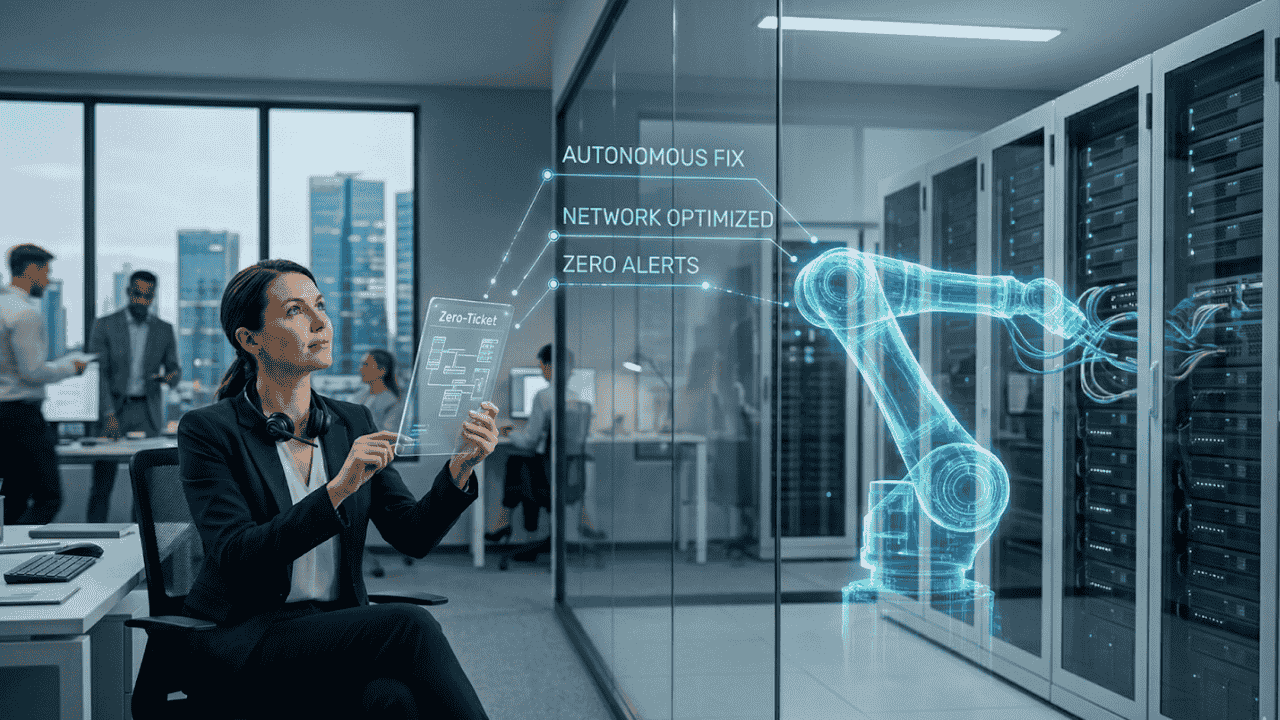
AIOps enables automation of remediation workflows, allowing systems to resolve issues without human intervention in predefined scenarios.
Cloud Cost Optimization
By analyzing resource usage, AIOps identifies inefficiencies and supports automated scaling, helping organizations manage cloud costs effectively.
DevOps Integration
AIOps integrates with CI/CD pipelines, enabling early detection of anomalies during deployments and improving release quality.
The Business Case for AIOps
The value of AIOps extends beyond technical efficiency.
Faster Incident Resolution
One of the most significant benefits is faster incident resolution. With automated detection and analysis, organizations achieve substantial MTTD MTTR reduction AI, directly improving uptime.
Alert Noise Reduction
AIOps also enables scalability. IT teams can manage larger environments without increasing headcount.
Operational Scalability
Another key advantage is knowledge retention. Every incident and resolution is captured, creating a continuous learning system.
Business Impact and ROI
For enterprises, AIOps aligns IT operations with business outcomes. Reduced downtime protects revenue, while improved performance enhances customer experience.
AIOps vs Traditional Monitoring
| Capability | Traditional Monitoring | AIOps Platform |
| Data Handling | Displays raw data | Analyzes and contextualizes data |
| Alert Management | High noise | Intelligent correlation |
| Root Cause Analysis | Manual | Automated |
| Incident Response | Reactive | Predictive |
| Learning Capability | Static | Continuous learning |
| Scalability | Limited | Highly scalable |
| Human Effort | High | Reduced |
The key difference in AIOps vs traditional monitoring is intelligence. Traditional tools show data, while AIOps explains it and acts on it.
AIOps Tools in India and Enterprise Adoption
The market for AIOps tools India is expanding as organizations modernize their IT operations.
Enterprises are adopting platforms that combine observability, automation, and AI-driven insights. Team Computers, through its ZerofAI platform, offers a solution tailored to enterprise environments—combining global best practices with localized expertise.
Managed AIOps services are particularly valuable for organizations that want to accelerate adoption without building in-house capabilities.
How to Implement AIOps
Assess Your Current Environment
A successful AIOps journey begins with understanding your current environment. Organizations must evaluate their monitoring tools, data sources, and incident workflows.
Define a Pilot Use Case
The next step is defining a pilot use case. Starting with a focused implementation allows teams to demonstrate value quickly.
Build a Data Foundation
Building a strong data foundation is critical. AIOps relies on accurate and consistent data to deliver reliable insights.
Deploy and Measure
Once deployed, performance should be measured using operational metrics such as incident response time and alert reduction.
Finally, governance frameworks ensure that automation is implemented safely and effectively.
AIOps Challenges: What Enterprise Teams Must Prepare For
AIOps delivers substantial value, but it is not a quick fix. A successful AIOps implementation depends as much on operational readiness as it does on technology. The challenges below are not reasons to avoid AIOps—they are the variables that determine whether an initiative delivers meaningful outcomes or fails to scale.
Data Quality and Integration Gaps
The most common cause of AIOps underperformance is poor data quality. An AIOps platform is only as intelligent as the data it analyzes. When logs are incomplete, metrics are inconsistently labeled, or telemetry from critical systems is missing, the platform produces inaccurate correlations and false positives.
This not only limits effectiveness but also erodes trust among engineering teams. In many cases, this loss of trust happens early, before the system has had the opportunity to demonstrate its value. For organizations adopting AI for IT operations, establishing a reliable, well-structured data foundation is non-negotiable.
Legacy System Integration Complexity
Most enterprise environments are not built from scratch. They evolve over time, often resulting in a mix of modern cloud platforms and legacy infrastructure. Older systems—particularly on-premises hardware or proprietary vendor technologies—do not always expose the telemetry required by modern AIOps solutions.
Integrating these systems into a unified AIOps framework requires additional engineering effort, including building data pipelines and standardizing formats. For enterprises with significant legacy environments, this step is essential to achieving end-to-end visibility and accurate analysis.
Organizational Resistance and Change Management
AIOps fundamentally changes how IT operations teams work. Tasks that were once manual—such as alert triaging and root cause analysis—become automated or AI-assisted.
This shift can create resistance, particularly among experienced engineers whose expertise has traditionally been rooted in manual investigation. Addressing this requires clear positioning. AIOps should be framed as a capability that amplifies human expertise, not replaces it.
When implemented correctly, AIOps reduces repetitive work and allows teams to focus on higher-value activities such as system optimization, reliability engineering, and innovation.
Skills Gap and Operational Readiness
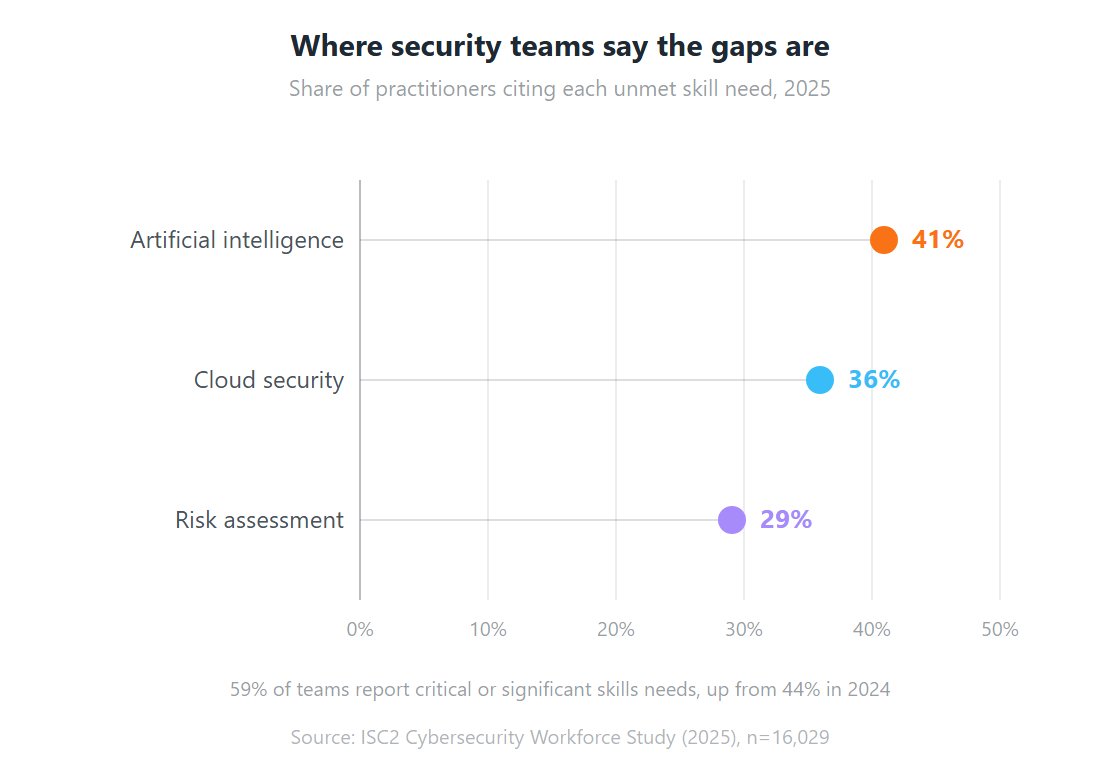
Adopting AIOps requires a blend of IT operations knowledge and data fluency. Teams need to understand how machine learning models interpret system behavior, when to trust automated insights, and how to refine the system over time.
For many organizations, this capability does not exist internally at the outset. In such cases, partnering with an experienced provider can accelerate adoption and reduce risk. Managed AIOps services—such as those delivered through ZerofAI by Team Computers—help bridge this gap by combining platform capability with operational expertise.
Unclear ROI and Success Metrics
One of the most common reasons AIOps initiatives stall is the absence of clearly defined success metrics. Without measurable outcomes, it becomes difficult to demonstrate value to stakeholders or justify continued investment.
Organizations should define success criteria before deployment. Metrics such as incident response efficiency, alert reduction, and system reliability provide a clear view of progress. Establishing a baseline ensures that improvements can be tracked and communicated effectively.
The Future of AIOps
AIOps is evolving toward more intelligent and autonomous systems.
Generative AI is enabling natural language interaction with IT environments, making insights more accessible.
Agentic AI is introducing systems that can not only detect and diagnose issues but also resolve them independently.
AIOps is also converging with security and financial operations, creating a unified operational framework.
As these capabilities mature, AIOps will become the foundation of intelligent IT operations.
Is Your Enterprise Ready for AIOps?
Readiness for AIOps is less about technology and more about operational foundations. Organizations that see sustained value from AIOps deployments share a set of common characteristics worth assessing before committing to a platform or engagement.
Readiness Indicators
- An observability foundation is in place — Logs, metrics, and traces are collected reliably from the systems that matter, with consistent labeling and sufficient coverage.
- IT operations processes are documented — It is impossible to automate something that is not understood. AIOps amplifies process maturity; it does not replace it.
- Executive sponsorship is established — Leadership recognizes AIOps as a business capability investment, not just a technical initiative.
- A well-scoped pilot use case is defined — Success criteria are clearly established in advance, enabling measurable outcomes.
- A capability plan is in place — Either internal teams are prepared to work alongside the AIOps platform, or a managed services partner is engaged to bridge the gap.
Organizations that move to AIOps without these foundations often struggle to realize value. This is rarely due to limitations in the platform, but rather because the data and processes required for intelligent analysis are not yet mature.
If your organization is at an earlier stage of observability maturity, Team Computers can help you build a strong operational foundation through managed IT services and infrastructure monitoring—and then layer ZerofAI-powered AIOps once your environment is ready.
Conclusion
AIOps has become a critical capability for enterprise IT operations. As environments grow more complex, traditional approaches are no longer sufficient.
Understanding what is AIOps is the first step toward building a modern, resilient IT strategy. By leveraging AI-driven insights, organizations can reduce downtime, improve efficiency, and scale operations effectively.
Team Computers powered by ZerofAI demonstrate how AIOps can be implemented in real-world enterprise environments—delivering proactive monitoring, predictive insights, and automated remediation.
The future of IT operations is intelligent, automated, and data-driven. Organizations that adopt AIOps today will be better positioned to manage the challenges of tomorrow.
Frequently Asked Questions
What is AIOps?
AIOps stands for Artificial Intelligence for IT Operations. It uses machine learning and analytics to automate and enhance IT operations.
How is AIOps different from traditional monitoring?
AIOps analyzes and correlates data automatically, while traditional monitoring relies on manual interpretation.
How long does implementation take?
Initial results can be achieved in 3–6 months, with full implementation taking 12–18 months.
Does AIOps replace IT teams?
No. It enhances productivity by automating repetitive tasks.
What metrics define success?
Key metrics include MTTR reduction, alert reduction, and system uptime.