
Jamf vs Scalefusion vs JumpCloud: Which Device Management Platform Fits Your Business?

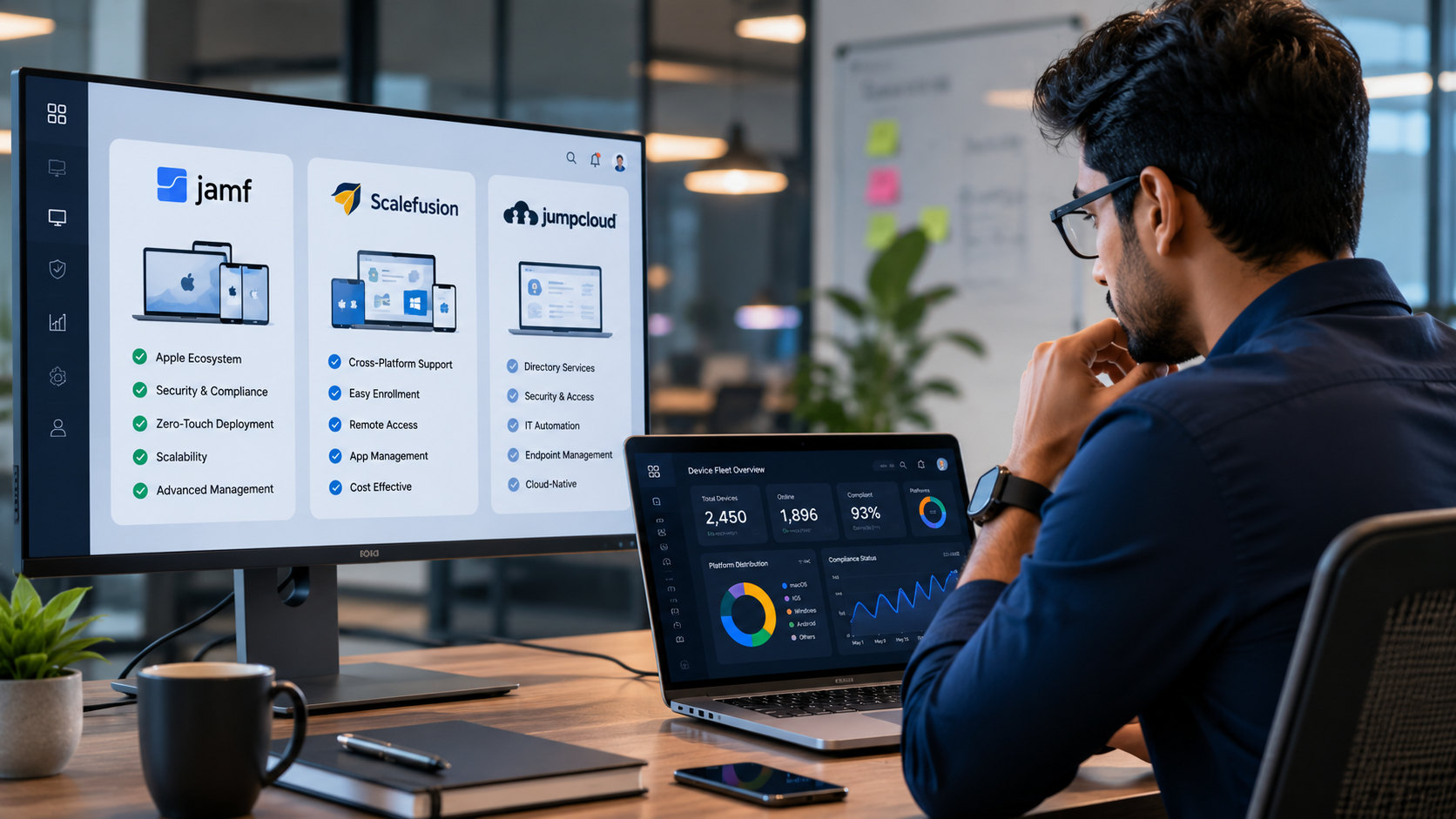
IT teams comparing device management platforms usually land on the same three names: Jamf, Scalefusion, and JumpCloud. All three manage and secure company devices, but they were built to solve different problems. Jamf goes deep on Apple. Scalefusion spreads wide across operating systems. JumpCloud starts from identity and treats devices as one piece of a bigger access puzzle.

Picking the wrong one is expensive, both in dollars and in the months it takes to notice the platform doesn’t fit. Here’s how the three actually compare.

Key Takeaways

  • Jamf is the strongest choice for organizations that are mostly or entirely Apple, offering same day OS support and the deepest macOS management on the market.
  • Scalefusion covers Windows, macOS, Android, iOS, Linux, and ChromeOS from one console, making it a fit for mixed device fleets.
  • JumpCloud leads with identity and access management, bundling directory services, SSO, and MFA alongside lighter device management.
  • Pricing ranges widely: Scalefusion starts around $2 per device monthly, Jamf runs roughly $3.67 to $12.50 per device monthly depending on product, and JumpCloud spans $9 to $27 per user monthly across its tiers.

The Quick Comparison

Category Jamf Scalefusion JumpCloud
Core focus Apple device management Cross-platform UEM Identity and access management
OS support macOS, iOS, iPadOS, tvOS, visionOS Windows, macOS, Android, iOS, Linux, ChromeOS Windows, macOS, Linux, plus lighter mobile support
Identity features Jamf Connect (add-on) OneIdP (add-on) Built-in, core strength
Best fit Apple-heavy enterprises, education, healthcare Mixed OS fleets, frontline and kiosk devices Companies replacing Active Directory or centralizing identity
Starting price Around $3.67 to $12.50 per device monthly Around $2 to $6 per device monthly Around $9 to $27 per user monthly

What Jamf Does Best

Jamf built its whole business around one operating system family. That focus shows up in how fast it supports new Apple releases. When Apple ships a macOS or iOS update, Jamf typically has compatibility ready the same day, something no cross-platform vendor consistently matches.

Jamf Pro handles the heavy lifting for larger fleets: zero-touch enrollment through Apple Business Manager, granular configuration profiles, and compliance reporting built around Apple’s own security frameworks. Jamf Protect adds endpoint threat detection tuned specifically for Mac behavior rather than a generic antivirus engine retrofitted for Apple. Jamf Connect handles identity, letting Mac users log in with cloud identity provider credentials instead of a local account.

The tradeoff is scope and cost. Jamf doesn’t manage Windows, Android, or Linux devices at all, so a mixed fleet needs a second tool alongside it. And Jamf’s pricing sits well above budget MDM options, with businesses typically paying between $3.67 and $12.50 per device monthly depending on device type, product mix, and scale.

What Scalefusion Does Best

Scalefusion takes the opposite approach. Instead of specializing in one ecosystem, it manages Windows, macOS, Android, iOS, Linux, and ChromeOS devices from a single console. That range makes it a common pick for organizations running a mix of laptops, tablets, kiosks, and rugged handheld devices, especially in retail, logistics, and field service work.

Its kiosk mode is a genuine differentiator. Locking a tablet to a single app or a curated set of apps is straightforward, which matters for POS systems, digital signage, and shared devices that shouldn’t give users free rein. Scalefusion also integrates with Apple Business Manager and Apple School Manager, so it can handle Apple enrollment reasonably well even though Apple isn’t its specialty.

Pricing is Scalefusion’s clearest advantage. Plans start around $2 per device monthly for the Essentials tier and scale up to roughly $6 for Enterprise, undercutting both Jamf and JumpCloud on a per-device basis. Reviewers consistently mention this as the reason they pick Scalefusion over pricier alternatives, though some also note the interface takes getting used to and troubleshooting documentation could be better.

What JumpCloud Does Best

JumpCloud starts from a different question entirely: who has access to what, not just which devices are enrolled. It positions itself as a modern replacement for Active Directory, combining a cloud directory, single sign-on, multi-factor authentication, and password management with device management layered on top.

For organizations dealing with employee lifecycle management (onboarding, offboarding, access reviews across dozens of SaaS apps), JumpCloud’s identity-first design solves a problem that Jamf and Scalefusion weren’t built to solve. It manages Windows, macOS, and Linux devices reasonably well, though its mobile device management is lighter than either Jamf or Scalefusion offers.

JumpCloud’s pricing structure is modular: features are sold in packages like Device Management, SSO, and Core Directory, each priced separately per user per month, generally landing between $9 and $27 depending on tier. That flexibility helps companies pay only for what they need, but it also means costs stack up quickly once an organization wants several capabilities bundled together, and advanced features like conditional access sit behind the most expensive tier.

Head to Head: Apple Device Management

If Apple devices make up most of the fleet, Jamf’s advantage is hard to argue with. Same-day OS support, native integration with Apple’s declarative device management framework, and features like Self Service+ that let employees install approved apps themselves are all built specifically around how macOS and iOS actually behave.

Scalefusion handles Apple devices adequately through its Apple Business Manager integration, which works fine for basic enrollment and policy pushes. JumpCloud’s Apple support is the thinnest of the three, more focused on directory and SSO integration than deep macOS configuration.

Head to Head: Cross Platform and Mixed Fleets

This is where Scalefusion pulls ahead. Managing Windows, Android, Linux, and ChromeOS devices alongside Apple hardware from one dashboard removes the need for separate tools per platform. Jamf simply doesn’t compete here since it’s Apple-only. JumpCloud covers Windows, macOS, and Linux, but its mobile device management for iOS and Android remains a secondary feature rather than a primary strength.

Head to Head: Identity and Access Management

JumpCloud wins this category outright. Its directory platform, SSO catalog, and conditional access policies were built as the core product, not bolted on afterward. Jamf and Scalefusion both offer identity add-ons (Jamf Connect and OneIdP, respectively), and both work well enough for basic use cases, but neither matches JumpCloud’s depth in areas like user provisioning, password policy enforcement, or directory federation with existing on-premises Active Directory environments.

Head to Head: Pricing

Scalefusion is the most budget-friendly of the three on a straight per device basis. Jamf costs more but bundles Apple-specific capabilities that a cheaper cross-platform tool can’t replicate. JumpCloud’s per-user pricing model means costs depend heavily on team size and which feature packages get added, and companies chasing advanced security features often end up on the priciest Platform Prime tier to unlock them.

None of the three publish complete enterprise pricing, so getting an accurate quote for larger deployments requires a sales conversation regardless of which platform you’re evaluating.

Which One Should You Choose?

The honest answer depends on what your fleet actually looks like, not which platform has the best marketing.

Choose Jamf if: Apple devices make up most or all of your fleet, and you need enterprise grade macOS management, security, and compliance reporting. This fits large enterprises, healthcare organizations, and schools running mostly Mac and iPad.

Choose Scalefusion if: your organization runs a genuine mix of operating systems, especially with kiosk, POS, or shared device use cases, and cost per device matters. This fits retail chains, logistics companies, and frontline-heavy businesses.

Choose JumpCloud if: your priority is centralizing identity and access across cloud apps and devices, particularly if you’re trying to retire an aging on-premises Active Directory setup. This fits distributed teams and companies where SSO and access governance matter more than deep device configuration.

Some organizations end up running two of these tools together, using JumpCloud for identity while a dedicated MDM handles device configuration. That’s a valid setup, but it’s worth budgeting for before committing to either platform alone.

Frequently Asked Questions

Can Jamf manage Windows devices?

No. Jamf is built exclusively for Apple hardware: Mac, iPhone, iPad, Apple Watch, Apple TV, and Vision Pro. Organizations with Windows devices need a separate tool or a cross platform option like Scalefusion or JumpCloud.

Is Scalefusion good for Apple device management?

Scalefusion integrates with Apple Business Manager for enrollment and basic policy enforcement, but it doesn't match Jamf's depth in macOS specific configuration or same day OS compatibility.

Does JumpCloud replace a dedicated MDM tool?

Not fully. JumpCloud manages devices as part of its broader identity platform, but its mobile device management is lighter than what Jamf or Scalefusion offer. Companies with complex device configuration needs often pair JumpCloud's identity features with a separate MDM.

Which platform is cheapest?

Scalefusion generally has the lowest starting price per device, around $2 monthly for its Essentials tier. JumpCloud and Jamf both cost more, though the right comparison depends on whether you're pricing per device or per user, and which features each plan actually includes.

Can I switch between these platforms later?

Yes, though migrating enrolled devices between MDM platforms takes planning, particularly for Apple devices tied to Apple Business Manager. Most organizations budget time for re-enrollment and policy rebuilding rather than expecting a clean, instant switch.

The Bottom Line

There isn’t a single best platform among Jamf, Scalefusion, and JumpCloud. Each one was built around a different assumption about what IT teams need most. Jamf assumes Apple is the whole story. Scalefusion assumes the fleet is mixed. JumpCloud assumes identity comes first and devices come second. Matching that assumption to your actual environment matters more than any single feature comparison.

How Indian Banks Are Using Apple Devices to Modernise Their Branch and Field Operations

Walk into a modern bank branch today, and you’ll notice something different. Customers expect instant service, paperless processes, and the flexibility to complete transactions without waiting behind a counter. At the same time, relationship managers, field executives, and branch staff are expected to deliver personalised service while working across multiple locations.

For banks, meeting these expectations isn’t just about launching another digital app. It’s about giving employees the right tools to deliver secure, efficient, and customer-centric experiences wherever they work.

Across India, banks are increasingly adopting Apple devices to support this transformation. From branches and corporate banking teams to field sales and wealth management, Mac, iPad, and iPhone are helping financial institutions simplify operations, strengthen security, and improve customer interactions.

At Team Computers, India’s top Apple business partner, we’ve seen this shift firsthand. The conversation is no longer about introducing premium devices—it’s about enabling a modern workplace that supports the future of banking.

Why banking operations need a new approach

Today’s banking environment looks very different from what it did a few years ago.

Customers expect faster service, relationship managers spend more time outside traditional branches, and regulatory expectations around security continue to evolve. At the same time, banks are expanding across cities while trying to deliver a consistent customer experience everywhere.

Many institutions still depend on fixed desktops, paper-based approvals, and manual workflows that slow down employees and increase operational complexity.

Modernising these processes requires more than software upgrades. It requires secure, mobile devices that allow employees to work efficiently whether they’re inside a branch, visiting a corporate client, or meeting customers remotely.

1. Creating smarter branch experiences

Branches remain an important customer touchpoint, but their role has changed.

Instead of acting primarily as transaction centres, branches are becoming advisory and relationship-focused spaces.

With iPads, branch staff can:

  • Access customer profiles instantly
  • Explain financial products using interactive presentations
  • Complete digital forms
  • Capture electronic signatures
  • Reduce dependency on printed documents

Instead of asking customers to move between multiple desks, conversations happen naturally, making the entire experience smoother and more engaging.

2. Empowering relationship managers in the field

Relationship managers rarely spend their day inside the branch.

They’re meeting corporate clients, high-net-worth individuals, SMEs, and business owners across different locations.

With iPhones and iPads, they can securely:

  • Access customer information
  • Review portfolios
  • Share investment proposals
  • Complete onboarding documentation
  • Initiate service requests

Rather than returning to the office to finish paperwork, they can complete many processes during the customer meeting itself.

3. Accelerating customer onboarding

Opening an account or applying for a financial product shouldn’t require multiple visits.

Apple devices in banks enable branch and field teams to digitise much of the onboarding journey.

Documents can be reviewed digitally, customer information captured instantly, and approvals initiated without relying on physical paperwork.

For customers, this means shorter waiting times.

For banks, it creates faster processing and fewer manual errors.

4. Supporting secure mobility

Banking is built on trust.

As employees become more mobile, protecting customer information becomes even more important.

Apple devices for banks include enterprise security capabilities that help banks strengthen endpoint security while maintaining a consistent user experience.

When combined with enterprise identity management, mobile device management (MDM), and organisational security policies, Apple devices support a secure workplace without making everyday work more complicated.

Security becomes part of the workflow—not an obstacle to it.

5. Improving collaboration across teams

Branch staff, operations teams, compliance officers, and relationship managers often work across different locations.

Smooth collaboration becomes essential.

Apple devices enable employees to participate in meetings, review documents, communicate securely, and collaborate from virtually anywhere.

Whether employees are working from regional offices, branches, or customer locations, information remains accessible without creating disconnected workflows.

6. Simplifying device management at scale

Managing hundreds or thousands of devices across multiple branches can quickly become an operational challenge.

Without standardised deployment and lifecycle management, IT teams spend valuable time on repetitive tasks instead of strategic initiatives.

Modern Apple deployment frameworks allow banks to:

  • Automate device provisioning
  • Apply security policies consistently
  • Manage software updates centrally
  • Maintain visibility across their device fleet

This creates a more predictable and manageable IT environment.

7. Delivering a better employee experience

Technology has become an important part of employee satisfaction.

Professionals expect devices that are reliable, intuitive, and capable of supporting their daily work without constant interruptions.

When employees spend less time dealing with technology issues, they spend more time serving customers.

That improvement benefits both workforce productivity and customer experience.

What successful banks are doing differently

Banks that are successfully modernising don’t begin with a full-scale replacement programme.

They usually start with focused use cases where mobility can deliver immediate value.

Relationship managers receive mobile tools before broader deployment. Branch teams adopt digital customer engagement workflows. IT teams establish secure management frameworks before scaling across locations.

This phased approach reduces risk while creating measurable outcomes that support wider adoption.

Rather than asking, “Should we adopt Apple devices?”, these organisations ask, “Where can Apple devices create the greatest business impact first?”

That change in mindset makes all the difference.

Conclusion

The future of banking isn’t defined by branches or mobile apps alone—it’s defined by how well people, processes, and technology work together.

Apple devices are helping Indian banks modernise customer interactions, improve workforce mobility, strengthen security, and simplify IT operations without disrupting existing ecosystems.

As customer expectations continue to evolve, banks that invest in smarter workplace technology will be better positioned to deliver faster, more personalised, and more secure financial services.

At Team Computers, India’s top Apple business partner, we work with enterprises to design, deploy, and manage Apple environments that align with business goals, compliance requirements, and long-term growth.

Modernising banking operations isn’t about introducing new devices. It’s about giving your teams the tools they need to deliver exceptional customer experiences—wherever banking happens.

Modernise Your Banking Workplace with Apple

Whether you’re planning to digitise branch operations, empower relationship managers, or simplify enterprise device management, Team Computers can help you build an Apple-first banking environment tailored to your organisation’s needs.

Talk to Our Apple Experts

India’s GCC Boom Is Creating a Talent Race. Is Your Hiring Strategy Ready?

A Global Capability Centre (GCC) can be operational in six months. Building the technology team to run it successfully often takes much longer.

Across India, multinational organisations are investing heavily in new GCCs to drive engineering, product development, AI, cybersecurity, analytics, and enterprise technology initiatives. Cities like Bengaluru, Hyderabad, Pune, Chennai, Gurugram, and Noida have become magnets for global investment, but they’re also competing for the same specialised technology talent.

If you’re leading technology hiring for a GCC—or supporting one—you’re probably experiencing longer hiring cycles, rising salary expectations, and increasing competition for niche skills.

The challenge isn’t simply attracting talent anymore. It’s building a workforce that can scale with business growth while maintaining delivery quality.

This article explores why GCC hiring in India has become more complex, the mistakes organisations continue to make, and how forward-thinking enterprises are approaching technology staffing differently.

India’s GCC Growth Is Changing the Hiring Landscape

India is no longer viewed only as a cost-efficient delivery destination.

Global organisations now establish GCCs here to build products, manage cybersecurity operations, develop AI solutions, support cloud platforms, and drive innovation at scale.

As investment grows, so does competition.

Every new GCC requires professionals across multiple technology domains, including:

  • Cloud Engineering
  • Artificial Intelligence
  • Cybersecurity
  • SAP
  • Platform Engineering
  • DevOps
  • Data Engineering
  • Infrastructure Operations
  • Application Development
  • Semiconductor Engineering

The result is a talent market where experienced professionals often receive multiple offers before completing their interview process.

Hiring strategies that worked three years ago are no longer enough.

Why Traditional Hiring Models Are Falling Behind

Many organisations still treat hiring as a sequence of isolated recruitment activities.

A project begins.

A requisition is approved.

Recruiters start sourcing candidates.

Interviews begin weeks later.

By then, competitors have often hired the strongest talent.

Technology hiring has become too dynamic for this reactive approach.

Consider an international manufacturing company launching its India GCC. The leadership team planned to recruit more than 150 technology professionals across cloud, infrastructure, cybersecurity, and application development.

Initially, hiring relied on traditional recruitment channels. Progress was slow, offer acceptance rates declined, and delivery timelines slipped.

The organisation shifted its strategy by building a continuous talent pipeline, introducing AI-assisted candidate screening, and partnering with a specialist technology staffing provider with pan-India delivery capabilities.

The result wasn’t just faster hiring—it created a more predictable workforce planning process.

Reactive, requisition-by-requisition hiring simply can’t keep pace with GCC expansion timelines. Many organisations are now closing this gap by using AI to identify talent patterns that traditional screening overlooks, rather than relying on recruiters to manually sift through resume volume.

What High-Performing GCCs Are Doing Differently

Successful GCCs don’t wait for vacancies to appear before thinking about talent.

They build workforce strategies alongside business strategies.

Instead of filtering candidates by years of experience or resume keywords, the highest-performing GCCs are prioritising demonstrated capability — a shift that mirrors what’s happening across India’s broader tech hiring market as skills-based hiring replaces resume-based hiring.

Common practices include:

Skills-Based Workforce Planning

Rather than hiring for static job descriptions, they identify future capability requirements based on business roadmaps.

Continuous Talent Mapping

Potential candidates are identified before hiring demand peaks.

Specialist Staffing Partners

Technology staffing providers with expertise across cloud, cybersecurity, AI, SAP, infrastructure, and engineering reduce hiring timelines by maintaining active talent networks.

Workforce Governance

Structured governance ensures deployed professionals continue performing through regular reviews, compliance monitoring, training, and engagement.

The focus shifts from recruitment to workforce continuity.

Why India Requires a Different Talent Strategy

India offers one of the world’s largest technology workforces.

It also presents unique hiring challenges.

Demand isn’t evenly distributed.

Certain cities have strong AI ecosystems.

Others specialise in semiconductor engineering or enterprise applications.

Salary expectations vary significantly across regions.

Hybrid work preferences continue evolving.

Meanwhile, regulations around employment, data privacy, and compliance require enterprises to build workforce strategies that balance speed with governance.

A hiring model designed for North America or Europe doesn’t automatically succeed in India.

Understanding regional talent ecosystems has become just as important as understanding technology itself.

Building a GCC Workforce That Can Scale

The organisations succeeding in India’s GCC ecosystem share one common mindset.

They treat technology talent as a long-term business capability.

Scaling a GCC workforce reliably rarely happens through internal recruiting alone. It depends on choosing a technology staffing partner with the regional reach, governance structures, and technical depth to deliver talent at the pace GCC growth demands.

That means investing in hiring processes that prioritise:

  • Technical capability over resume keywords
  • Workforce planning over reactive recruitment
  • Talent quality over hiring volume
  • Continuous engagement over one-time placement
  • Governance alongside deployment

Technology staffing is no longer about filling positions.

It’s about ensuring projects continue moving, customers remain supported, and innovation doesn’t slow because critical skills aren’t available.

As India’s GCC ecosystem continues expanding, organisations that build resilient hiring strategies today will gain a significant competitive advantage tomorrow.


Looking Ahead

India’s GCC story is still unfolding, and technology talent will remain at the centre of that growth. The organisations that succeed won’t necessarily be those offering the highest salaries—they’ll be the ones with the strongest hiring strategy, the deepest understanding of specialised skills, and the ability to scale teams without compromising quality.

To prepare your organisation:

  • Build a 12-month workforce roadmap aligned with your business goals.
  • Identify critical skills before hiring demand peaks.
  • Develop talent pipelines instead of waiting for vacancies.
  • Partner with specialists who understand enterprise technology hiring in India.

A well-planned GCC hiring strategy doesn’t just reduce recruitment delays—it enables innovation, supports business growth, and creates a stronger foundation for long-term success.

Scale Your GCC with the Right Technology Talent

Whether you’re setting up a new Global Capability Centre or expanding an existing one, access to specialised technology talent can determine how quickly your business achieves its goals. Team Computers helps enterprises build scalable technology teams across cloud, AI, cybersecurity, infrastructure, SAP, application development, and emerging technologies through structured staffing and workforce governance.

Build My GCC Talent Strategy

Why Most IT Dashboards Fail to Show the Real Problem

A major application slowdown impacts users across the organization.

The NOC dashboard looks healthy, infrastructure metrics remain within thresholds, cloud resources appear stable, network utilization seems normal, yet employees continue reporting issues. Hours later, the root cause is finally identified.

For many IT leaders this scenario feels familiar and it exposes an uncomfortable reality:

Having visibility isn’t the same as having insight.

Over the last decade, enterprises have invested heavily in monitoring tools and dashboards. Every layer of technology now generates data. Infrastructure teams monitor servers. Network teams monitor traffic. Security teams monitor threats. Cloud teams monitor workloads.

The result should be better decision-making.

Instead, many organizations find themselves drowning in information while struggling to identify the real problem.

The issue isn’t a lack of dashboards, it’s that most dashboards were never designed to explain business impact.

The dashboard explosion nobody talks about

Modern enterprises have never had more visibility tools.

A typical IT environment may include:

  • Infrastructure monitoring platforms
  • Cloud observability tools
  • Network monitoring solutions
  • Endpoint management dashboards
  • Security operation consoles
  • Application performance monitoring tools

Each system serves a purpose. Each provides valuable information.

Yet something important happens when every team operates from a different dashboard.

Visibility becomes fragmented, an infrastructure team may see healthy servers, a network team may see normal traffic, a security team may see no active threats. At the same time, employees may be struggling to complete basic tasks.

The problem isn’t missing data. The problem is disconnected context.

Dashboards show symptoms. Leaders need causes.

Most dashboards excel at reporting events.

They can tell you:

  • CPU utilization increased
  • Network latency spiked
  • Application response time slowed
  • Storage thresholds were exceeded

Useful information. But rarely enough information.

When a business-critical service is impacted, leaders need answers to different questions:

  • What is causing the issue?
  • How many users are affected?
  • What business processes are impacted?
  • How urgent is the situation?
  • What should happen next?

Traditional dashboards often stop at observation. Modern IT operations require correlation.

The difference matters, because organizations don’t solve incidents by collecting more alerts.

They solve incidents by understanding relationships between events.

The biggest blind spot: Employee experience

One of the most common dashboard failures occurs when infrastructure appears healthy while users experience disruption.

Consider a simple example.

A collaboration platform remains technically available, servers are operational, network connectivity exists, no major alerts are triggered.

Yet employees complain about:

  • Slow performance
  • Intermittent access issues
  • Poor meeting quality
  • Delayed file synchronization

From a dashboard perspective, everything looks fine. From a business perspective, productivity is declining.

This gap is becoming increasingly important as enterprises adopt hybrid work models and distributed operations.

Many IT dashboards measure technology health, far fewer measure human experience. That’s why Digital Employee Experience (DEX) is becoming an increasingly valuable operational metric.

Because employees experience technology differently than dashboards do.

More alerts don’t create more visibility

A common reaction to operational blind spots is simple:

Add more monitoring. Add more dashboards. Add more alerts.

Unfortunately, this often makes the problem worse.

Research from multiple industry analysts continues to highlight alert fatigue as one of the biggest challenges facing modern operations teams.

When teams receive thousands of alerts every day, two things happen: First, response quality declines. Second, truly important issues become harder to identify. This is why leading organizations are shifting toward intelligent operations.

Instead of monitoring everything equally, they focus on:

  • Event correlation
  • Root-cause identification
  • Business impact analysis
  • Predictive insights

The goal isn’t more data. The goal is better decisions.

What forward-thinking IT leaders are doing differently

The strongest IT organizations are changing how they think about visibility.

Rather than asking: “Do we have enough dashboards?”

They’re asking: “Can we understand business impact quickly?”

This shift is influencing investment priorities across enterprise IT.

Modern leaders increasingly prioritize:

Unified visibility

Connecting infrastructure, applications, networks, and user experience.

Operational context

Understanding how technical events affect business outcomes.

Automation

Reducing manual analysis during incidents.

Predictive intelligence

Identifying risks before users are affected.

The objective is not to build a larger monitoring environment. It’s to build a smarter one.

What this means for Indian enterprises

This challenge is becoming increasingly relevant across India.

Organizations are managing:

  • Multi-location operations
  • Growing GCC environments
  • Hybrid workforces
  • Cloud-first applications
  • Distributed infrastructure

As complexity increases, traditional monitoring approaches become harder to sustain.

A dashboard designed for a single data center may not provide meaningful visibility across a hybrid enterprise environment. Similarly, separate monitoring systems rarely provide the operational context required by CIOs and infrastructure leaders.

The future belongs to organizations that can connect technology insights with business outcomes because executives don’t make decisions based on CPU utilization. They make decisions based on business impact.

The future of IT visibility isn’t dashboards

This may sound counterintuitive, but the future of IT visibility may involve fewer dashboards not more.

Instead, organizations are moving toward:

  • Intelligent observability
  • AI-assisted operations
  • Experience monitoring
  • Automated root-cause analysis
  • Business-centric visibility

The focus shifts from displaying information to delivering insight and that’s a significant difference because the most effective IT teams don’t need more screens filled with data. They need faster answers.

Conclusion

Dashboards remain valuable but visibility alone does not solve operational challenges.

The most common mistake organizations make is assuming that more monitoring automatically leads to better understanding. In reality, the real problem often hides between dashboards.

To improve operational visibility:

  • Focus on context, not just metrics
  • Measure employee experience alongside infrastructure health
  • Reduce alert noise through intelligent correlation
  • Connect technical events to business impact

Because the goal isn’t to collect more data. The goal is to understand what matters before the business feels the impact.

Move Beyond Monitoring Toward Insight

Discover how modern IT operations can connect infrastructure visibility, user experience, and business outcomes into a single operational view.

Organizations that solve issues fastest are usually the ones that understand them first.

Improve My IT Visibility

Predictive Analytics in Life Insurance: How AI is Transforming Underwriting, Claims, and Customer Experience

Data is the New Currency of Life Insurance

The life insurance industry has always been built on data.

Every policy application, medical record, premium payment, customer interaction, underwriting decision, and claim generates valuable information. Today, insurers possess enormous volumes of structured and unstructured data, yet many continue to rely on legacy systems and static reports that only explain what has already happened.

The real opportunity lies elsewhere.

Leading insurers are now using Artificial Intelligence (AI) and Predictive Analytics to forecast future outcomes, automate decision-making, improve operational efficiency, and deliver highly personalized customer experiences.

As customer expectations evolve and competition intensifies, the question is no longer whether insurers should adopt AI. The question is how quickly they can transform their data into intelligent business decisions.

What is Predictive Analytics?

Predictive Analytics is the use of historical data, real-time information, machine learning, statistical modelling, and artificial intelligence to identify patterns and predict future business outcomes.

Unlike traditional business intelligence that answers “What happened?”, predictive analytics answers questions such as:

  • Which customers are likely to lapse?
  • Which policies require additional underwriting?
  • Which claims may be fraudulent?
  • Which customers are most likely to purchase another insurance product?
  • Which distribution channels will deliver the highest conversion rates?

Rather than relying on intuition, insurers can make confident decisions backed by data.

Combined with Generative AI, Large Language Models (LLMs), and Decision Intelligence, predictive analytics is becoming the foundation of the modern insurance enterprise.

Why Traditional Insurance Analytics Is No Longer Enough

For years, insurers have invested heavily in reporting platforms and dashboards.

While these tools provide visibility into historical performance, they rarely help business leaders anticipate future risks or recommend the next best action.

Many insurance organizations continue to face challenges such as:

  • Lengthy underwriting cycles
  • Fragmented customer data
  • Increasing fraud risks
  • Low policy persistency
  • Limited cross-selling opportunities
  • Manual claims investigations
  • Siloed business systems
  • Delayed executive reporting

Without a trusted data foundation and AI-powered analytics, business decisions remain reactive instead of proactive.

Modern insurers require an intelligence layer that can continuously learn from enterprise data and generate actionable recommendations in real time.

AI-Powered Underwriting: Making Faster and Smarter Decisions

Underwriting is one of the most critical processes in life insurance.

Traditional underwriting often involves manual reviews, medical evaluations, and multiple approval stages, increasing operational costs and delaying policy issuance.

AI-powered predictive models significantly accelerate this process.

Instead of evaluating individual risk factors in isolation, machine learning models analyse thousands of variables simultaneously, including age, occupation, lifestyle, medical history, financial behaviour, family history, and policy information.

The result is a far more accurate understanding of customer risk.

Modern predictive models can help insurers:

  • Improve underwriting accuracy
  • Reduce policy issuance time
  • Optimize premium pricing
  • Standardize underwriting decisions
  • Minimize manual intervention
  • Deliver a better customer experience

At Team Computers, we have worked with insurance organizations to modernize underwriting through AI-driven decision intelligence. These experiences led to the development of an insurance-focused analytics accelerator that combines predictive models, conversational AI, and real-time business intelligence to help underwriting teams make faster and more informed decisions.

Intelligent Claims Management with AI

Claims processing defines the customer experience.

Policyholders expect quick, transparent, and hassle-free settlements, while insurers must simultaneously identify fraudulent claims and reduce financial risk.

This is where Predictive Analytics creates significant business value.

AI models analyse historical claims, customer behaviour, policy information, medical records, transaction history, and external data sources to identify anomalies that traditional rule-based systems often miss.

Technologies such as:

  • Machine Learning
  • Anomaly Detection
  • Graph Analytics
  • Behavioural Analytics
  • Pattern Recognition
  • AI-assisted Fraud Detection

enable insurers to prioritize suspicious claims while accelerating the settlement of genuine ones.

The outcome is faster claim resolution, improved customer satisfaction, and stronger fraud prevention.

Predictive Analytics Across the Insurance Value Chain

The impact of predictive analytics extends well beyond underwriting and claims.

Customer Retention

AI models identify policyholders who are most likely to discontinue their policies, allowing insurers to launch proactive retention campaigns before lapses occur.

Customer 360

By integrating data across sales, servicing, claims, and policy administration systems, insurers gain a unified customer view that improves personalization and service delivery.

Cross-Sell and Upsell

Machine learning identifies the next best product for each customer, improving advisor productivity while increasing policyholder lifetime value.

Sales Performance

Predictive analytics enables branch managers and sales leaders to forecast business performance, identify high-potential leads, and improve conversion rates.

Executive Decision Intelligence

CXOs no longer need to wait for monthly reports.

Modern AI platforms provide real-time visibility into underwriting performance, claims trends, persistency, profitability, distribution efficiency, and customer engagement through interactive dashboards and conversational analytics.

From Predictive Analytics to Generative AI

The insurance industry is now entering its next phase of digital transformation.

Predictive Analytics tells insurers what is likely to happen.

Generative AI explains why it is happening.

AI Agents recommend what action should be taken next.

Business users can now ask questions in natural language, such as:

“Which customers are likely to surrender their policies next quarter?”

“Why has claim frequency increased in a specific region?”

“Show me advisors with the highest persistency ratio.”

Instead of building reports or writing SQL queries, users receive contextual insights powered by trusted enterprise data.

This shift towards Conversational Analytics, AI Copilots, and Agentic AI is making business intelligence more accessible than ever before.

Building an AI-Ready Insurance Enterprise

Successful AI initiatives begin with trusted data.

Without governed, high-quality, and integrated data, even the most advanced AI models produce unreliable outcomes.

Organizations investing in modern data platforms, real-time integration, data governance, and predictive analytics are building a stronger foundation for AI adoption.

Recognizing this need, Team Computers developed an insurance-focused intelligence platform that brings together predictive analytics, conversational AI, geo-intelligence, executive dashboards, customer 360 insights, and AI-powered decision support in a unified solution. Rather than replacing existing policy administration systems, it integrates with enterprise data sources to help insurers modernize underwriting, claims, distribution, sales, and customer servicing.

This approach enables insurers to accelerate digital transformation without disrupting their existing technology landscape.

Why Team Computers

For over two decades, Team Computers has been helping enterprises build modern data ecosystems that transform business data into actionable intelligence.

Our expertise spans:

  • Data Strategy & Consulting
  • AI-Ready Data Platforms
  • Data Engineering
  • Enterprise Data Warehousing
  • Real-Time Data Integration
  • Predictive Analytics
  • Generative AI
  • AI Agents
  • Microsoft Fabric
  • Databricks
  • Conversational Analytics
  • Decision Intelligence

With 20+ years of analytics expertise, 2,000+ projects delivered, 850+ customers, and 400+ analytics professionals, we help organizations modernize their data foundations and unlock measurable business outcomes through Data & AI.

The Future of Life Insurance Is Predictive

The life insurance industry is rapidly moving from reactive reporting to intelligent decision-making.

Insurers that embrace Predictive Analytics, Artificial Intelligence, Machine Learning, and Generative AI will be better equipped to reduce risk, improve customer experience, detect fraud, optimize underwriting, and uncover new growth opportunities.

The real differentiator is no longer how much data an insurer owns.

It is how effectively that data is transformed into actionable intelligence.

At Team Computers, we believe the future belongs to insurers that build trusted data foundations today and empower every business decision with AI. By combining deep insurance expertise with modern analytics and intelligent automation, we help organizations move beyond dashboards to a future where every insight drives measurable business impact.

Skills-Based Hiring Is Replacing Resume-Based Hiring. Here’s Why.

A candidate has 12 years of experience, a polished resume, and every certification your job description asks for. Another has six years of experience, fewer certifications, but has built and deployed solutions remarkably similar to your project. Which one would you hire?

For many enterprises, the first candidate still gets the interview. Increasingly, however, the second candidate is delivering better business outcomes.

Technology is evolving faster than job titles can keep up. Cloud platforms, AI, cybersecurity, DevOps, and data engineering have transformed what organisations expect from technology professionals. Traditional hiring methods that rely heavily on resumes, years of experience, or degrees are no longer enough.

Skills-based hiring is helping enterprises identify professionals who can solve business problems—not just meet hiring criteria. If you’re responsible for building technology teams, understanding this shift could significantly improve your hiring outcomes.

Experience Doesn’t Always Equal Capability

For years, experience has been treated as the safest hiring metric.

Five years in cloud.
Ten years in SAP.
Eight years in infrastructure.

Those numbers offer useful context, but they rarely tell the complete story.

Technology changes rapidly. Someone with ten years of experience may still rely on outdated practices, while another professional with four years of hands-on work in modern cloud environments could be better prepared for today’s challenges.

We’ve seen organisations reject highly capable candidates because they didn’t meet an arbitrary experience threshold, only to struggle filling the position for months.

The hiring market has shifted from asking “How long have you done this?” to “Can you solve this problem?”

That subtle change is reshaping enterprise recruitment.

Technology Skills Are Evolving Faster Than Job Descriptions

Most job descriptions are updated once or twice a year.

Technology evolves every month.

A cloud engineer today may also need automation expertise.

A cybersecurity analyst is increasingly expected to understand cloud security, identity management, and AI-assisted threat detection.

Application developers often work across full-stack frameworks, APIs, containers, and DevOps pipelines rather than a single programming language.

This growing overlap makes hiring based solely on job titles increasingly ineffective.

According to industry reports, enterprises are placing greater emphasis on demonstrable technical skills, project experience, certifications, and problem-solving ability than ever before.

Skills have become more dynamic than careers.

That’s changing how successful organisations evaluate talent.

What Skills-Based Hiring Actually Looks Like

Skills-based hiring isn’t about ignoring resumes.

It’s about using resumes as one input—not the only one.

Forward-thinking organisations evaluate candidates across multiple dimensions.

They look at:

  • Technical assessments relevant to the role
  • Hands-on project experience
  • Certifications and continuous learning
  • Problem-solving ability
  • Adaptability to new technologies
  • Communication and collaboration
  • Learning agility

Imagine you’re hiring a DevOps Engineer.

Rather than filtering candidates simply because they have “five years of DevOps experience,” you assess whether they’ve built CI/CD pipelines, managed Kubernetes clusters, automated cloud infrastructure, and resolved production incidents.

That approach often uncovers exceptional candidates who would otherwise never appear in traditional searches.

Why This Matters Even More in India

India’s technology ecosystem is changing at an extraordinary pace.

Global Capability Centres (GCCs) continue expanding into cities such as Bengaluru, Hyderabad, Pune, Chennai, Gurugram, and Noida. Digital transformation initiatives across BFSI, manufacturing, healthcare, retail, and telecom are increasing demand for specialised technology skills.

At the same time, emerging areas like Artificial Intelligence, semiconductor design, cloud engineering, cybersecurity, and platform engineering are creating roles that didn’t exist a few years ago.

Many professionals are learning these skills through certifications, real-world projects, and continuous upskilling rather than traditional career paths.

Organisations that continue filtering candidates primarily by degree or years of experience risk overlooking some of the market’s strongest talent.

India’s competitive hiring landscape increasingly rewards organisations that recognise capability over convention.

This shift is especially urgent in India, where the GCC boom is creating a talent race across Bengaluru, Hyderabad, and Pune, and organisations still screening on resumes alone are losing candidates to competitors who move faster on capability.

Building a Skills-First Hiring Strategy

Moving to skills-based hiring doesn’t require rebuilding your recruitment process overnight.

It starts with asking better questions.

Instead of focusing exclusively on qualifications, evaluate how candidates apply their knowledge in real-world situations.

Some practical steps include:

  1. Define the critical technical skills required for each role.
  2. Introduce practical assessments alongside resume reviews.
  3. Evaluate adjacent skills that support long-term adaptability.
  4. Include technical experts during candidate evaluations.
  5. Measure hiring success based on project outcomes rather than recruitment speed alone.

Technical assessments and project-based evaluation take more recruiter time than resume screening — which is exactly where AI is starting to change how enterprises approach hiring, by surfacing capability signals that a static resume can’t capture.

One enterprise recently shifted its hiring process for cloud engineers from experience-based screening to capability assessments. The result wasn’t simply faster hiring—it was improved project delivery because selected candidates possessed stronger practical skills than previous hiring methods had identified.

Looking Ahead

The organisations that build the strongest technology teams over the next decade won’t necessarily hire the most experienced candidates. They’ll hire the most capable ones.

Skills-based hiring allows enterprises to access broader talent pools, reduce hiring bias, improve workforce quality, and prepare for technologies that continue evolving long after recruitment ends.

To begin that transition:

  • Review whether your current job descriptions reflect today’s technology landscape.
  • Replace arbitrary experience requirements with measurable technical capabilities.
  • Introduce practical assessments early in the hiring process.
  • Build hiring processes that identify future potential alongside current expertise.

Skills-based hiring isn’t replacing recruitment best practices—it’s making them more relevant. Enterprises that embrace this shift today will be better positioned to compete for tomorrow’s technology talent.

Build Teams Based on Skills, Not Just Resumes

Making this shift internally is one thing; sourcing skills-verified talent at scale is another. That’s why it’s worth understanding how to choose a technology staffing partner that already evaluates candidates the way your organisation now wants to hire.

Finding the right technology professional requires more than matching keywords on a CV. Team Computers helps enterprises identify, assess, and deploy skilled technology talent through AI-assisted screening, technical validation, and structured workforce governance.

Find Skilled Technology Talent

7 Reasons Smart Enterprises Are Switching to Device as a Service (DaaS) in 2026

Buying laptops in bulk is the easy part.

What comes after – imaging, tagging, deploying, patching, repairing, refreshing, and tracking hundreds of endpoints across cities — is where IT teams quietly lose months of their year.

Device as a Service (DaaS) changes that equation. Instead of owning devices and managing everything in-house, you subscribe to a bundled service: hardware, deployment, support, lifecycle management, and refreshes, one predictable monthly cost.

Here’s why enterprises are making the switch.

1. Your IT Team Gets Its Time Back

IT teams already handle helpdesk tickets, security ops, network issues, and infrastructure projects. Laptop logistics shouldn’t be on that list.

With DaaS, your provider takes over provisioning, asset tagging, user onboarding, warranty claims, and repair coordination. Your team can focus on work that actually moves the business forward.

2. Employees Unbox and Start Working

Nobody should spend half a day setting up a work laptop.

Under DaaS, every device arrives configured, secured, enrolled, and application-ready. Whether your employee is in Mumbai, Bengaluru, Gurgaon, or a Tier 2 branch office, the experience is the same. First day, they’re working — not waiting for IT to sort out their machine.

3. Fewer Budget Surprises

Traditional procurement hits your capital budget upfront. Then come the costs nobody planned for: out-of-warranty repairs, emergency replacements, unplanned support mid-quarter.

DaaS converts it into a fixed monthly operational expense. Finance knows what to approve. Budgets don’t blow up in October.

4. Security Built In

A misconfigured device is a vulnerability. With distributed workforces, one gap can expose a lot.

DaaS means every endpoint arrives policy-compliant: endpoint protection active, disk encryption enabled, patches current, remote management configured. Your security team has visibility across every device from day one — not three weeks later when someone finally gets around to the onboarding checklist.

5. Refresh Cycles Stop Being a Crisis

Most organizations delay refreshes because planning them is painful. The result: employees grinding through slow startups and dead batteries, and nobody quite sure whose problem that is.

With DaaS, refresh schedules are written into the contract. Devices arrive at predefined intervals. No emergency approvals, no aging fleets, no complaints sitting in someone’s inbox for months.

6. Scaling Without the Inventory Problem

Teams grow. Projects ramp up. Acquisitions happen. Departments restructure.

When you own your devices, every change creates an inventory headache. DaaS lets you add or reduce devices as demand shifts — without large upfront commitments or hardware collecting dust in a storeroom.

7. CIOs Stop Talking About Laptops

This sounds minor until you’ve sat through one too many leadership meetings that somehow ended up being about a broken Dell warranty.

When device management runs itself, IT stops chasing vendors, employees stop complaining, and the conversation shifts to something more useful than endpoint logistics.

Is DaaS Right for Your Organization?

It tends to be a strong fit for companies with multiple locations or hybrid teams, frequent hiring, messy refresh cycles, or a finance team that would rather see OpEx than a big hardware line item.

The Bottom Line

DaaS is not a magic fix for endpoint management, it shifts the burden to a provider who specialises in it, which only works if you choose the right one. For enterprises modernising in 2026, that tradeoff is usually worth exploring.

Why Uptime Is No Longer the Most Important IT Metric

For decades, uptime was the gold standard of IT success.

If systems were available, infrastructure was stable, and major outages were rare, technology teams were considered effective. Boardroom conversations often revolved around a single number: uptime percentage.

99%.

99.99%.

The closer to perfection, the better.

But something interesting has happened over the last few years.

Businesses are achieving impressive uptime figures while employees still complain about slow systems. Customers abandon transactions because applications lag. Collaboration tools remain technically available but perform inconsistently during critical meetings.

In other words, technology can be “up” without delivering a great experience.

That’s forcing CIOs to ask a different question:

Is uptime still the best way to measure IT success?

Increasingly, the answer is no.

The conventional wisdom: Keep systems running

Historically, uptime was a logical metric. Most enterprise technology environments were centralized. Applications lived in data centers. Employees worked from offices. Infrastructure availability directly reflected user experience.

If a server went down, everyone felt it.

If a network failed, operations stopped.

In that world, uptime was a reliable indicator of IT performance. Many organizations built entire operating models around maximizing availability. Network Operations Centers monitored infrastructure, IT teams tracked outages, Service providers committed to uptime-based SLAs and for a long time, it worked.

The problem is that today’s enterprise environment looks very different.

Infrastructure is distributed, Applications are cloud-based, Employees work from multiple locations, Customer experiences depend on dozens of interconnected systems, availability alone no longer captures that complexity.

What the data is actually telling us

Most IT dashboards are still dominated by infrastructure metrics:

  • Uptime
  • Server health
  • Network availability
  • Ticket closure rates

These metrics remain important but they often fail to answer a much more relevant question:

How is technology performing for the people using it?

Consider a simple example.

An ERP application may show 100% availability during the month.

However:

  • Login times may be increasing
  • Reports may take longer to generate
  • Users may experience intermittent latency

From an infrastructure perspective, everything appears healthy. From a business perspective, productivity is declining.

Gartner has repeatedly highlighted the growing importance of digital employee experience and user-centric technology measurement as organizations adopt hybrid work models.

This shift reflects a broader realization: Technology performance and business performance are becoming inseparable.

The metrics forward-thinking CIOs are paying attention to

What we’re seeing across enterprise IT is not the abandonment of uptime, it’s the expansion of measurement. Forward-looking CIOs still monitor availability, but they increasingly combine it with experience-based indicators.

Examples include:

Application performance

How quickly do critical applications respond?

Employee digital experience

Can employees work without technology friction?

Mean Time to Resolution (MTTR)

How quickly are issues resolved when they occur?

User sentiment

Are employees satisfied with workplace technology?

Business transaction performance

Can customers complete transactions without disruption?

These metrics provide a more complete picture of operational health because ultimately, users don’t care whether a server is online, they care whether they can get their work done.

What this means for Indian enterprises

This shift is particularly important in India. Organizations are managing increasingly distributed environments:

  • GCCs supporting global operations
  • Multi-location manufacturing businesses
  • Retail networks spanning hundreds of stores
  • Hybrid workforces across cities

In these environments, infrastructure availability tells only part of the story. A manufacturing plant may remain operational while application delays affect production workflows. A GCC may maintain excellent uptime while employee productivity suffers due to poor collaboration experiences.

A retail chain may experience no outages while transaction latency affects customer experience. The challenge is not availability.

It’s visibility.

IT leaders need to understand how technology is experienced, not just how infrastructure is performing.

A real-world example

A financial services organization maintained infrastructure availability above 99.9%. On paper, everything looked excellent, yet employee complaints continued to rise. The issue wasn’t outages.

It was performance.

Employees were experiencing:

  • Slow application response
  • Delayed VPN connections
  • Collaboration tool instability

None of these issues significantly impacted uptime metrics but collectively, they affected productivity across the organization.

Once IT began measuring user experience alongside availability, the root causes became easier to identify and address.

The lesson was simple: High uptime did not automatically mean high performance.

The future: From availability to experience

The next evolution of IT operations will be experience-led.

Organizations are increasingly adopting:

This doesn’t replace uptime monitoring, it builds upon it.

Availability remains the foundation, experience becomes the differentiator. Businesses that understand both will gain a clearer view of operational health than those relying on infrastructure metrics alone.

Conclusion

Uptime is still important. Nobody wants systems that are unavailable but availability alone no longer reflects how technology supports business outcomes.

Modern IT environments are too complex, too distributed, and too dependent on user experience for a single metric to tell the whole story.

To move forward:

  • Continue measuring uptime
  • Expand visibility into employee experience
  • Track application performance, not just availability
  • Connect IT metrics to business outcomes

Because the most successful IT organizations are no longer asking:

“Are our systems running?”

They’re asking:

“Are our people productive?”

And increasingly, that’s the metric that matters most.

The Hidden Cost of IT Downtime Nobody Calculates

A critical application goes down for 45 minutes. The IT team scrambles to restore service. Leadership asks for updates. Users complain. Eventually, systems come back online and business resumes.

A few days later, someone calculates the cost of the incident.

Lost transactions.
Support hours.
Recovery effort.

Case closed.

Or is it?

Most organizations are surprisingly good at measuring the visible cost of downtime. What they rarely calculate is everything that happens around the outage.

The delayed decisions.
The missed customer interactions.
The productivity drain.
The loss of confidence.

These costs don’t appear in incident reports, but they often have a far greater impact on the business than the outage itself.

As digital operations become central to how enterprises serve customers, employees, and partners, understanding the true cost of downtime has become an executive priority not just an IT concern.

The number everyone calculates

When downtime occurs, organizations usually focus on direct impact. Questions typically include:

  • How long were systems unavailable?
  • How many transactions were affected?
  • How much revenue was lost?
  • What was the recovery cost?

Those are important measurements but they only tell part of the story.

A manufacturing company may calculate lost production during a system outage.

A retailer may estimate missed sales.

A financial services firm may quantify transaction delays.

These figures are useful because they are easy to see. The problem is that many business consequences are much harder to measure and therefore often ignored.

Productivity loss starts long before systems fail

Downtime is rarely a single event. In many cases, performance degradation begins hours or even days before a major disruption occurs.

Applications become slower.
Employees experience intermittent access issues.
Collaboration tools lag.
Critical workflows take longer to complete.

Nothing appears serious enough to trigger escalation, yet productivity quietly declines.

Imagine a 2,000-person organization where employees lose just 15 minutes due to technology disruption, that doesn’t sound significant until you realize it equals 500 hours of lost productivity in a single day. No outage dashboard will show that number, yet the business feels the impact immediately.

The customer cost is often underestimated

Customers don’t measure downtime the way IT teams do.

They measure outcomes: If a banking application fails during a transaction, customers remember the frustration.

If an e-commerce site becomes unavailable during checkout, customers may never return.

If a support portal is inaccessible, confidence erodes.

What’s interesting is that customer trust often takes far longer to recover than infrastructure.

Servers may return in minutes, reputation may take months. This is particularly important as Indian enterprises expand digital channels and self-service experiences.

Today, a technology disruption is often perceived as a brand disruption that changes the stakes considerably.

The cost nobody talks about: Decision delays 

Most downtime discussions focus on operational systems. Yet many outages impact decision-making rather than production. Consider a leadership team unable to access reporting dashboards before a critical review or a supply chain team waiting for inventory visibility, or a sales organization operating without customer intelligence during quarter-end.

The business doesn’t stop.

But it slows.

Decisions are postponed.
Approvals are delayed.
Opportunities are missed.

These costs rarely appear in post-incident reviews because they are difficult to quantify, yet they directly affect business agility.

When downtime becomes an employee experience problem

Most organizations think about downtime from an infrastructure perspective.

Employees experience it differently. Repeated technology disruptions create friction. People begin creating workarounds, they rely on personal devices, they adopt unauthorized applications, they bypass approved processes.

Eventually, technology stops feeling like an enabler and starts feeling like an obstacle.

This is one reason Digital Employee Experience is becoming an increasingly important metric for CIOs.

The issue isn’t simply whether systems are available, it’s whether employees can consistently do their jobs without interruption.

The real financial impact grows over time

The most expensive outages are not always the longest ones, they are the recurring ones.

Every repeated incident creates:

  • Additional support costs
  • Employee frustration
  • Operational inefficiencies
  • Lost confidence
  • Increased risk exposure

Over time, organizations develop a culture of compensation. Teams start assuming systems will fail, processes are designed around expected disruption, manual workarounds become normal.

At that point, downtime is no longer an event. It becomes part of the operating model.

That’s where the financial impact compounds.

What leading organizations measure differently

Forward-thinking IT leaders still track uptime.

But they increasingly look beyond availability metrics.

They ask:

  • How many employees were affected?
  • What business processes were disrupted?
  • How long did productivity take to recover?
  • Was customer experience impacted?
  • Did decision-making slow down?

These questions create a much more accurate view of operational resilience, because the goal is not simply to reduce downtime, the goal is to reduce business impact. Those are not always the same thing.

Conclusion

The next time an outage occurs, don’t just ask how long systems were unavailable, ask what happened around the outage, because the most significant costs are often the ones that never appear in the incident report.

To better understand the true impact of downtime:

  • Measure productivity loss alongside system availability
  • Evaluate customer experience impact after incidents
  • Track recurring disruptions, not just major outages
  • Connect IT performance metrics to business outcomes

Infrastructure can recover quickly. Trust, productivity, and momentum often take much longer and those are the costs nobody calculates.

What Makes an Enterprise IT Environment Truly Resilient?

A server failure isn’t unusual. Neither is a network outage. Cloud service disruptions happen. Applications crash. Users make mistakes. Hardware reaches end-of-life. Cyber incidents occur.

The reality is that failure is part of every enterprise IT environment, yet some organizations recover quickly and continue operating with minimal disruption, others spend hours or days trying to regain control.

The difference is not always better technology, it’s resilience.

For years, infrastructure leaders focused heavily on availability, redundancy, and performance. Those priorities remain important. But modern IT environments are now too interconnected, distributed, and business-critical for resilience to be treated as a secondary objective.

Today’s question is not: “Can we prevent every failure?”

It’s: “How effectively can we operate when failure occurs?”

That’s what true resilience looks like.

The conventional wisdom: Resilience equals disaster recovery

Ask most people about IT resilience and the conversation quickly turns to:

  • Backup systems
  • Disaster recovery sites
  • Business continuity plans
  • Failover infrastructure

Those capabilities matter, but they represent only one part of the picture.

A resilient IT environment isn’t measured by how well it performs during a disaster once every few years, it’s measured by how it handles the disruptions that occur every week.

Consider the incidents most enterprises encounter regularly:

  • Application slowdowns
  • Network instability
  • Cloud service interruptions
  • Endpoint failures
  • Identity and access issues
  • Capacity constraints

None of these qualify as disasters, yet collectively they create significant business disruption.

True resilience starts with handling everyday operational stress, not just catastrophic events.

Resilience begins with visibility

You cannot protect what you cannot see. One of the most common challenges in enterprise IT is fragmented visibility.

Infrastructure teams often have separate views for:

  • Network performance
  • Server health
  • Cloud environments
  • End-user devices
  • Application monitoring

The result? Teams see individual symptoms but struggle to understand overall operational health.

A resilient environment requires connected visibility. When a critical application slows down, leaders should be able to understand:

  • Is it an infrastructure issue?
  • A network bottleneck?
  • A cloud resource problem?
  • A user experience issue?

The faster that visibility exists, the faster recovery begins.

What we’ve observed across enterprise environments is simple: Organizations rarely struggle because problems occur. They struggle because they discover them too late.

The most resilient environments reduce dependency on heroics

Many organizations unknowingly rely on a handful of highly experienced individuals.

When something goes wrong, everyone knows exactly who to call. At first glance, this seems efficient. In reality, it’s fragile.

If operational success depends on a small number of people holding critical knowledge, resilience becomes difficult to scale. The strongest IT environments operate differently.

Processes are documented, operational knowledge is distributed, response workflows are standardized, automation handles repetitive tasks. Recovery does not depend on a single expert being available at the right moment.

Resilience grows when organizations reduce dependency on individual heroics and build repeatable operational discipline.

Why employee experience has become a resilience metric

Traditionally, resilience was viewed as an infrastructure concern. Today, employee experience is becoming part of the conversation. Here’s why.

An infrastructure dashboard may show everything functioning normally, yet employees may experience:

  • Slow application response times
  • Repeated login failures
  • Collaboration platform interruptions
  • Endpoint performance degradation

From an operations perspective, systems appear available. From an employee perspective, productivity suffers. This is one reason Digital Employee Experience is gaining attention among CIOs and infrastructure leaders, because resilience is not simply about keeping technology available, it’s about ensuring people can continue working effectively when technology environments become complex.

The organizations recovering fastest are investing in operational resilience

A few years ago, resilience was often associated with infrastructure investment. Today, operational resilience is becoming equally important. This includes:

Continuous monitoring

Identifying issues before widespread disruption occurs.

Predictive insights

Recognizing risk patterns early.

Automation

Reducing manual intervention for common operational issues.

24×7 operational coverage

Ensuring critical incidents receive immediate attention.

Clear escalation paths

Reducing delays during high-impact events.

The objective is not to eliminate every incident, the objective is to shorten the distance between detection and resolution.

That capability often determines whether an issue becomes a minor inconvenience or a major business disruption.

What resilience means for Indian enterprises

The resilience conversation is becoming increasingly relevant across India.

Organizations are managing:

  • Distributed branch networks
  • Hybrid workforces
  • Growing GCC operations
  • Cloud-first application environments
  • Rising cybersecurity expectations

As complexity grows, traditional approaches become harder to sustain.

A manufacturing company operating across multiple plants has different resilience requirements than it did five years ago, a BFSI organization supporting digital banking services faces far greater availability expectations, a GCC supporting global operations cannot afford prolonged disruption during critical business hours.

What connects these organizations is the need for resilience at scale.

Not just recovery. Not just uptime. Operational resilience.

A real-world lesson from resilient organizations

One pattern appears consistently in organizations that recover quickly from disruption. They don’t wait for incidents to test resilience. They continuously evaluate it.

They ask:

  • What happens if this system fails?
  • How quickly can we identify the issue?
  • Who responds first?
  • What dependencies exist?
  • How much business impact would occur?

Resilience is treated as an operational capability rather than a technology project, that mindset often creates more value than any individual tool or platform.

The future of resilience: Adaptability

The most resilient IT environments of the next decade will not necessarily be the ones with the largest infrastructure investments. They will be the ones that adapt fastest.

Emerging trends include:

  • AI-assisted operations
  • Predictive infrastructure monitoring
  • Self-healing environments
  • Experience-based monitoring
  • Automation-led incident response

These capabilities are helping organizations move from reactive recovery toward proactive resilience.

The focus shifts from responding to disruption toward reducing its impact altogether.

Conclusion

Every enterprise IT environment will experience failure, that’s not the challenge. The challenge is maintaining business continuity when it happens.

Resilience is no longer defined solely by disaster recovery plans or backup systems. It is built through:

  • Visibility
  • Operational discipline
  • Automation
  • Employee experience
  • Rapid response capability

To strengthen resilience:

  • Evaluate operational dependencies, not just infrastructure dependencies
  • Improve visibility across technology environments
  • Reduce reliance on individual expertise
  • Measure business impact alongside technical performance

Because the most resilient organizations are not the ones that avoid disruption. They’re the ones that continue moving forward despite it.

Build Resilience Into Every Layer of IT Operations

Discover how proactive monitoring, operational visibility, and modern managed services can help strengthen enterprise resilience.

The organizations that thrive during disruption are usually the ones that prepared long before it arrived.